
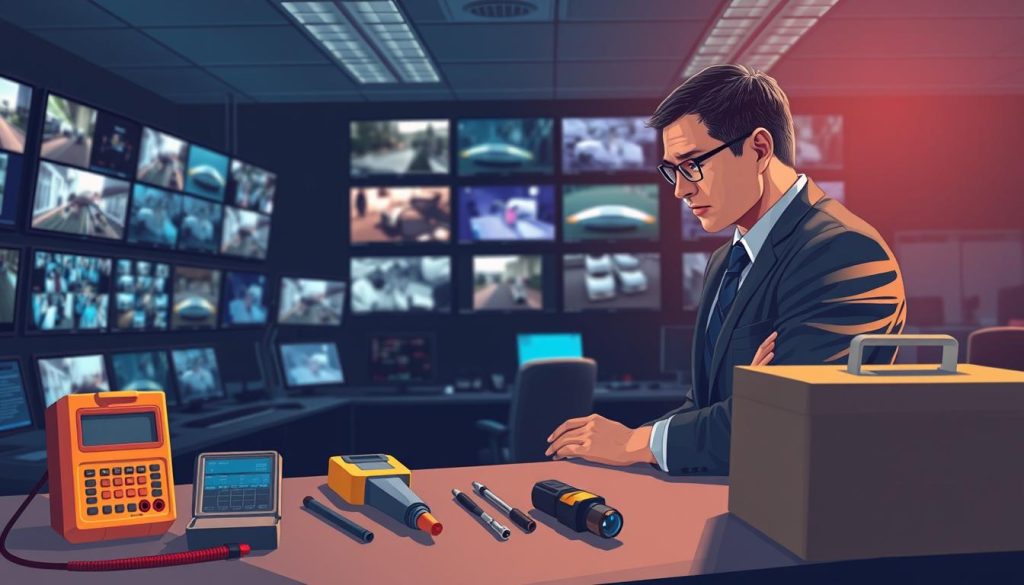
Your surveillance equipment forms the backbone of property protection. Regular evaluation ensures these eyes never blink. A proactive maintenance routine is essential, not optional.
This definitive resource provides a complete framework for assessing your setup. We cover visual checks, performance tests, and common troubleshooting. The goal is preventing security gaps before they occur.
For Singaporean property owners and managers, this process carries added weight. It ensures compliance with local regulations and maximizes your security investment. A well-maintained system deters crime and provides reliable evidence.
Move beyond reactive fixes to scheduled, preventative care. This approach extends hardware lifespan and maintains operational integrity. Let’s explore the steps to guarantee your surveillance remains vigilant.
Key Takeaways
- Regular surveillance system checks are critical for maintaining security integrity.
- A systematic evaluation framework helps prevent blind spots and failures.
- Proactive maintenance extends the lifespan of your security investment.
- Proper inspection ensures compliance with Singapore’s regulatory standards.
- Visual assessments and performance tests form the core of any review.
- This guide is tailored for property owners and security managers in Singapore.
- Mastering this process transforms reactive fixes into scheduled prevention.
Why Regular CCTV Inspection is Non-Negotiable for Security
The effectiveness of monitoring technology hinges on systematic review protocols. For Singaporean properties, this practice transitions from recommended to essential. With nearly one million cameras operational nationwide, each unit represents a critical point in the security network.
A single malfunction creates a direct vulnerability. Regular evaluation acts as the cornerstone for both public safety and private asset protection. This process ensures your investment delivers consistent, reliable performance.
The Role of Inspections in Crime Prevention and Deterrence
Visible, well-maintained cameras send a powerful message to potential intruders. They signal an active, attentive security posture. Criminals typically seek easier targets, avoiding properties with obvious, functional surveillance.
Systematic checks guarantee cameras remain correctly positioned. They capture clear, usable footage vital for identification. This evidentiary quality is crucial for law enforcement investigations following incidents.
Proactive reviews prevent the slow degradation of coverage. They ensure lenses stay clean and angles remain optimal. This vigilance stops small issues from evolving into major security gaps.
Consequences of Neglect: From Blind Spots to Legal Liability
Ignoring routine checks invites multiple risks. Misaligned cameras or obstructed lenses create blind spots. These areas become exploitable vulnerabilities for criminal activity.
In Singapore, legal compliance carries significant weight. Non-compliant systems may infringe on the Personal Data Protection Act (PDPA). They might also fail to meet the “Guidelines for Required Security Measures.”
Such failures can result in substantial penalties for property owners. Functional footage often serves as key evidence. System failure during a critical moment can completely hinder an investigation.
Regular maintenance directly connects to long-term system reliability. It prevents costly emergency repairs and extends hardware lifespan. Scheduled care is always more economical than reactive replacement.
Ultimately, consistent inspection protects your assets, ensures legal adherence, and maintains operational integrity. It transforms security from a static installation into a dynamic, responsive shield.
Understanding What You’re Inspecting: CCTV System Components
Modern security technology comprises distinct elements that each serve a critical purpose. Knowing these parts transforms a generic check into a targeted evaluation. This knowledge helps identify exactly what needs verification during routine maintenance.
A typical setup includes external devices that capture footage and internal units that process it. Each component’s condition directly impacts overall system reliability. Understanding their functions makes the inspection process logical and thorough.
Cameras, Housings, and Lenses: The Eyes of Your System
The camera unit is the primary sensor in any surveillance network. Different types serve specific roles in property protection.
- Dome cameras offer discreet, vandal-resistant monitoring for indoor spaces.
- Bullet cameras provide long-range visibility, ideal for outdoor perimeter watch.
- PTZ (Pan-Tilt-Zoom) cameras allow remote control to track movement across large areas.
Each camera’s protective housing is vital for durability. The IP (Ingress Protection) rating indicates weatherproofing capability. A higher rating means better resistance to dust and water ingress.
Image quality depends heavily on the lens and sensor. Key specifications to verify include:
- Resolution: Modern standards are 1080p (Full HD) or 4K for exceptional detail.
- Lens Type: Fixed lenses have one viewing angle, while varifocal lenses offer adjustable zoom.
- Field of View: This determines how much area a single camera can cover effectively.
Physical checks on these components might be needed monthly. Look for lens clarity, housing integrity, and correct positioning.
Recorders, Storage, and Power Supplies: The Heart and Lifeline
Capture devices are useless without backend systems to handle the video data. The recorder is the central processing unit of the entire operation.
DVR (Digital Video Recorder) systems work with traditional analog cameras. NVR (Network Video Recorder) systems are designed for modern IP cameras and network streams. Both devices manage encoding, recording, and playback functions.
Footage storage is another critical element. Most setups use internal Hard Disk Drives (HDDs) with capacities measured in terabytes. Some modern solutions also utilize cloud-based storage for backup and remote access.
Consistent power delivery is the lifeline of every camera. Inspect adapters, Power over Ethernet (PoE) injectors, and cable connections. A Uninterruptible Power Supply (UPS) protects against outages that could disable the surveillance network.
All components are interlinked. A single faulty power adapter can disable a camera. Insufficient storage space can halt all recording, making the entire cctv system ineffective.
Internal component reviews, like checking storage capacity, can follow a quarterly schedule. This layered approach to maintenance ensures comprehensive coverage.
Pre-Inspection Preparation: Gathering Your Tools and Access
The difference between a productive maintenance session and a wasted afternoon lies in preparation. Organized groundwork transforms a chaotic equipment check into a streamlined process. Having everything ready before you begin saves significant time and ensures thorough coverage.
This phase involves collecting both physical implements and digital access credentials. Modern surveillance technology benefits from specialized diagnostic tools. Proper preparation separates quick, effective reviews from frustrating, incomplete ones.
Essential Physical Tools for a Thorough Check
A well-stocked toolkit addresses common physical issues during surveillance system evaluations. Each item serves a specific purpose in maintaining hardware integrity.
- Access equipment: A sturdy ladder or platform safely reaches elevated camera positions.
- Cleaning supplies: A soft microfiber cloth and lens cleaner maintain optical clarity without scratching surfaces.
- Testing devices: A multimeter verifies correct voltage at power sources and connections.
- Replacement parts: Spare cables and connectors allow immediate fixes for damaged components.
- Documentation: A notepad or digital device records findings for maintenance records.
Consider adding a portable IP camera tester to your kit. This specialized device diagnoses video signal, power, and network issues on location. It provides instant feedback without needing a full monitoring station setup.
Software and Credentials Needed for Digital Diagnostics
Digital access forms the backbone of modern surveillance system evaluation. Specialized software tools enable automated checks that save time and boost accuracy. Real-time monitoring verifies camera functionality across the entire network.
Gather all necessary software applications before starting. This typically includes the system’s desktop client software and mobile apps for remote viewing. Dedicated Video Management Software (VMS) provides advanced diagnostic features.
Login credentials represent your digital keys to the system. Collect admin passwords, user accounts, and network information beforehand. This prevents unnecessary delays during the evaluation process.
Make sure all firmware updates are completed prior to diagnostic testing. This action rules out known software bugs as potential issues. You’ll be evaluating the system in its optimal, updated state.
Schedule the inspection during low-activity periods whenever possible. This minimizes disruption to normal operations. It also allows for necessary system reboots or configuration changes without affecting security coverage.
Proper preparation with the right tools and access ensures comprehensive surveillance system health checks. This proactive approach maintains the reliability of your cctv systems over time.
How Do You Inspect CCTV? The Step-by-Step Visual Inspection
The initial phase of surveillance evaluation involves methodically checking each camera unit by hand. This hands-on approach provides immediate feedback on your system’s physical condition. It establishes a baseline before moving to digital diagnostics.
Begin with a systematic walkaround of your property. Examine every installed unit from ground level first. Note any obvious alignment problems or visible damage.
Checking Camera Positioning, Angles, and Physical Integrity
Verify each camera’s field of view covers its intended monitoring area. Ensure there are no significant blind spots criminals could exploit. The angle should be optimal for identifying subjects clearly.
Look for physical damage to the camera body itself. Check for cracks, signs of impact, or corrosion. Outdoor units face harsh weather and require extra attention.
Ensure all cameras remain securely mounted to their brackets. Loose fittings can cause the viewing angle to drift over time. This creates security gaps in your coverage.
Inspecting Housings, Cables, and Connections for Damage
Examine the protective housing for each unit. Ensure it is sealed properly to prevent water ingress. Look for condensation inside dome cameras, which indicates seal failure.
Follow all cables from the camera to their termination points. Check for fraying, chew marks from pests, or loose terminations. Weather-induced degradation is common in Singapore’s humid climate.
Pay special attention to power and data connections. Loose connections cause intermittent signal loss and other issues. Secure all terminations to maintain reliable surveillance.
Cleaning Lenses and Removing Environmental Obstructions
Gently clean camera lenses with appropriate materials. Use a soft microfiber cloth and lens cleaner solution. Remove dust, spider webs, salt spray, or general grime.
This simple maintenance task drastically improves image quality. A clean lens captures clearer footage for identification purposes. It is one of the most effective maintenance tips.
Identify and safely remove environmental obstructions. Trim overgrown foliage that has moved into the camera’s line of sight. Clear away accumulated debris or new signage.
Regular visual checks prevent small problems from becoming major security issues. They keep your surveillance system performing at its best. This proactive approach protects your property investment.
Evaluating Image and Video Quality
The true measure of any surveillance setup lies in the visual evidence it produces. After verifying physical components, the next logical step assesses what those cameras actually capture. This evaluation determines whether your system provides usable intelligence or just moving pictures.
High-definition footage with accurate colors serves as the foundation for effective security. Poor image quality renders even the most expensive cameras ineffective. Regular assessment of visual output is therefore non-negotiable.
Assessing Clarity, Focus, and Resolution in Different Lighting
Begin by examining recorded video during various periods. Daylight footage should show sharp edges and readable details. Look for the ability to identify facial features or license plates at expected distances.
Nighttime presents the greatest challenge for most systems. Check if infrared illumination provides clear monochrome images without excessive grain. The transition between day and night modes should be smooth, not causing temporary blindness.
Singapore’s environment creates unique lighting conditions. Bright midday sun casts deep shadows, while evening backlight can silhouette subjects. Test how each camera handles these scenarios.
Use these practical tips for evaluation. First, establish reference points in each camera’s view. These could be signs, door numbers, or fixed objects. Check if text remains legible throughout the day.
Second, verify focus by ensuring both near and far objects appear sharp. A properly focused lens captures details across its entire field of view. Modern cameras often feature auto-focus that may need occasional verification.
Identifying Common Issues: Blurriness, Distortion, and Color Problems
Several visual issues commonly degrade surveillance effectiveness. Recognizing them is the first step toward solutions.
Blurriness often stems from two sources. A dirty lens creates a hazy, unfocused image. Simply cleaning the glass surface can work wonders. Improper focus settings cause similar problems, requiring adjustment through the camera’s interface.
Wide-angle lenses sometimes produce barrel distortion. Straight lines appear curved near the image edges. While some distortion is normal for ultra-wide views, excessive bending makes identification difficult.
Color inaccuracy indicates white balance problems. Incorrect settings make scenes appear too blue or yellow. This affects the ability to distinguish clothing colors or vehicle paints.
As one security expert notes,
“A high-resolution camera with a dirty lens provides less useful evidence than a clean, lower-resolution unit.”
This highlights the importance of maintenance over pure specifications.
Modern surveillance software provides tools to correct these issues. Brightness and contrast sliders help balance overly dark or washed-out scenes. Sharpness controls can enhance edge definition without creating unnatural artifacts.
Wide Dynamic Range (WDR) technology deserves special attention. It helps cameras capture detail in both bright and dark areas simultaneously. Test this feature by viewing scenes with bright windows and dark corners.
Schedule this inspection at multiple times. Check performance at dawn, noon, dusk, and night. Include rainy days to see how weather affects your video clarity.
Consistent monitoring of visual quality ensures your security investment delivers tangible value. It transforms theoretical coverage into practical protection.
Checking Core System Functionality
Operational verification moves beyond visual checks to confirm your surveillance network’s complete data pipeline. This phase validates that observation translates into reliable, accessible evidence. It’s the critical bridge between having cameras and possessing a functional security system.
Functionality testing examines the entire chain from capture to storage to retrieval. Each component must work seamlessly for the cctv system to provide real protection. Neglecting this step leaves potential gaps in your security coverage.
Verifying Recording is Active and Storage is Adequate
First, confirm every camera actively records to its designated unit. Access your recorder’s interface and check each channel’s status. A red light or “recording” indicator should appear for all connected devices.
Next, examine available storage capacity on your hard drives. Most setups require retaining footage for 30 days or more. Insufficient space causes older files to overwrite automatically, potentially deleting crucial evidence.
Make sure the system saves files in the correct directories. Verify recording schedules align with your security needs. Continuous recording provides complete coverage, while motion-activated modes conserve storage space.
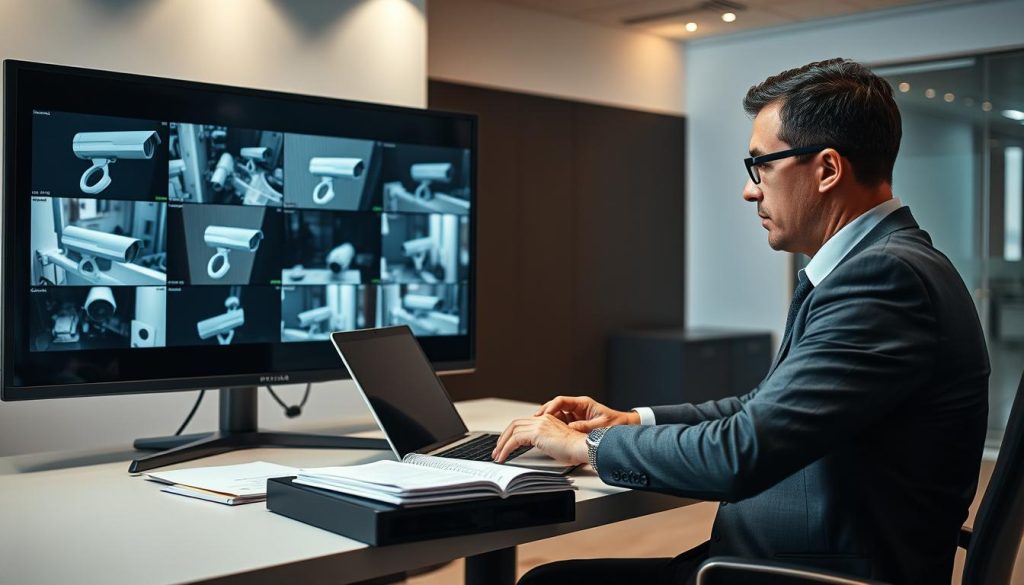
Testing Playback, Motion Detection, and Event Logging
Thoroughly test playback by retrieving video from different time stamps. Select various cameras and random time periods throughout the previous week. This confirms data integrity without file corruption.
Activate motion detection in specific zones to verify functionality. Walk through monitored areas and check if recordings trigger as expected. Adjust sensitivity settings to minimize false alarms from passing shadows or pets.
Review event logs for system errors or unauthorized access attempts. These logs provide valuable diagnostic information about your cctv performance. Regular review helps identify recurring issues before they cause failures.
Confirming Remote Access and Mobile App Performance
Test remote viewing from an external network using mobile data. Open your security software or mobile app while disconnected from the local Wi-Fi. Verify you can view live feeds and access playback footage seamlessly.
Check streaming quality and response times during remote access. Excessive lag or pixelation indicates bandwidth issues. For IP systems, ensure network connections remain stable under normal use.
Make sure all user permissions function correctly. Different access levels should restrict or allow features as configured. This maintains security while enabling authorized monitoring.
Complete functionality testing validates your entire security infrastructure. It confirms the data pipeline operates flawlessly from capture through storage to access. This comprehensive approach ensures your surveillance investment delivers reliable protection every day.
Regular maintenance includes these verification steps to prevent operational failures. Addressing performance issues promptly maintains system integrity. Consistent testing transforms reactive fixes into proactive security management.
The CCTV Inspection Checklist: Your Systematic Guide
A structured checklist transforms routine security checks from random spot-checks into a comprehensive verification process. This tool ensures every critical component receives proper attention during evaluations. It turns inspection from an ad-hoc task into a reliable, repeatable procedure.
Following a standardized framework prevents oversight of vital security elements. Property managers can systematically verify their entire surveillance network. This approach maintains consistent protection across all monitored areas.
Essential Items to Verify During Each Inspection Round
Organize your checklist by functional categories for logical verification. Each category contains specific items that require regular attention. This structure simplifies complex systems into manageable verification steps.
Camera Components:
- Position: Verify field of view covers intended zones without blind spots.
- Cleanliness: Check lenses for dust, spider webs, or condensation.
- Housing: Inspect seals for weatherproofing integrity and physical damage.
Image Quality:
- Clarity: Assess daytime and nighttime footage for sharpness.
- Lighting: Verify proper exposure in both bright and dark conditions.
- Color Accuracy: Check for natural color reproduction across all cameras.
Recording Systems:
- Active Status: Confirm all channels are recording to the central unit.
- Storage Space: Monitor available capacity on hard drives or cloud storage.
- File Integrity: Test playback from random time periods and cameras.
Functionality Features:
- Playback: Verify smooth retrieval of archived footage.
- Motion Detection: Test sensitivity and zone activation.
- Remote Access: Check mobile app and web interface performance.
Physical Infrastructure:
- Cables: Inspect for fraying, chew marks, or loose connections.
- Power: Verify stable voltage delivery to all components.
- Mounting: Ensure brackets remain secure and vibration-free.
Establish different frequencies for various check types. Monthly visual reviews catch immediate issues like dirty lenses or obstructed views. Quarterly comprehensive evaluations test all functional aspects of the cctv system.
This tiered approach balances thoroughness with practical time investment. Quick monthly checks maintain basic operational integrity. Detailed quarterly reviews prevent gradual performance degradation.
How to Document Findings for Maintenance Records
Detailed documentation creates an invaluable history of your surveillance equipment. Each inspection log serves multiple critical purposes for property management. Proper records transform isolated checks into strategic maintenance planning.
Maintain a log entry for every verification session. Include the date, inspector’s name, and specific findings. Record actions taken like “Lens cleaned on Camera 3” or “Storage HDD replaced.”
Comprehensive documentation provides four key benefits:
- Maintenance History: Tracks component performance and identifies aging equipment.
- Troubleshooting Aid: Reveals patterns in recurring system issues.
- Legal Proof: Demonstrates due diligence for insurance and regulatory compliance.
- Planning Tool: Informs upgrade decisions and budget allocation for replacements.
Choose documentation formats that match your operational needs. A simple spreadsheet works effectively for smaller installations. Dedicated facility management software offers advanced tracking for complex systems.
Even a basic notepad with consistent entries provides tremendous value. The key is regularity and detail in recording verification outcomes. As one security expert notes, “The best inspection checklist is worthless without proper documentation of what you found.”
Make sure your records include both normal findings and identified problems. This complete picture helps technicians understand the cctv system‘s overall health. It also provides evidence of consistent maintenance practices.
The checklist itself ensures verification consistency across different personnel and time periods. It guarantees that no critical component gets overlooked during routine evaluations. This systematic approach elevates property protection to its highest potential.
Implement these maintenance tips to extend your surveillance investment’s lifespan. Regular documentation creates a knowledge base that informs future security decisions. This proactive guide transforms inspection from obligation to strategic advantage.
Common CCTV Problems and How to Troubleshoot Them
Even the most reliable surveillance setups occasionally encounter technical hiccups that require immediate attention. Regular evaluations will inevitably uncover various operational challenges. Having a practical troubleshooting guide empowers you to restore security quickly.
This section provides clear solutions for frequent equipment malfunctions. These methods reduce system downtime and prevent unnecessary service calls. You can resolve many common issues with basic tools and logical steps.
Quick Fixes for No Video Signal, Power Loss, and Network Issues
A blank monitor screen often causes immediate alarm. The “no video signal” message indicates a break in the visual data chain. Follow this diagnostic sequence to identify the source.
First, verify power delivery to the affected camera. Check the power adapter and cable for physical damage. Use a multimeter to test voltage at the camera connection point.
Next, examine the data connection between the camera and recorder. For analog systems, inspect BNC connectors for corrosion or looseness. Network cameras require checking RJ45 Ethernet terminations.
A portable camera tester provides instant feedback. This tool confirms whether the camera unit itself generates a signal. It isolates problems to either the camera or the backend system.
Complete power loss demands a different approach. Start by checking circuit breakers and UPS battery status. Test voltage directly at the camera end to confirm adequate power supply.
Network connectivity problems plague modern IP surveillance systems. Begin by pinging the camera’s IP address from a computer. This simple test confirms basic network communication.
IP address conflicts create mysterious connection drops. Two devices sharing the same address cannot function properly. Verify each camera has a unique static or DHCP-reserved address.
Finally, examine physical network infrastructure. Ensure Ethernet cables connect firmly to routers and switches. Look for damaged cables or loose ports causing intermittent failures.
Addressing Software Glitches, Firmware Updates, and Configuration Errors
Software problems often manifest as frozen interfaces or missing recordings. These issues frequently have straightforward solutions. Begin with the simplest fix: restart the recording software or device.
A complete system reboot clears temporary memory errors. It often resolves unexplained freezes or performance lag. This basic step solves many common software glitches.
Outdated firmware represents a significant vulnerability. Manufacturers regularly release updates to fix bugs and improve stability. Check for pending firmware updates through the device’s web interface.
Always download firmware directly from the manufacturer’s official website. Follow their installation instructions precisely. Never interrupt power during a firmware update process.
Configuration errors cause cameras to behave unexpectedly. Review settings for resolution, frame rate, and compression. Ensure motion detection zones align with actual security needs.
Color-related problems usually stem from incorrect white balance settings. Adjust these through the camera’s configuration menu. Test changes during different lighting conditions for accuracy.
The factory reset option serves as your last resort. Use it only for persistent, unexplained errors that resist other solutions. This nuclear option returns the device to its original出厂状态.
Remember that a factory reset erases all custom settings. You must reconfigure the device completely afterward. Document your original settings before proceeding with this step.
These maintenance tips help you maintain system reliability between professional checks. They transform you from a passive user to an active security manager. Quick troubleshooting ensures continuous property protection.
Proactive CCTV Maintenance Tips for Long-Term Reliability
Proactive maintenance transforms security systems from temporary installations into enduring protective assets. This forward-thinking approach focuses on prevention rather than reaction. It maximizes uptime and extends the lifespan of your entire surveillance investment.
Shifting focus from repair to preservation creates sustainable protection. Consistent care habits ensure continuous coverage without unexpected gaps. This strategy protects your initial purchase and avoids costly emergency fixes.
Establishing smart routines today builds reliability for tomorrow. Let’s explore practical steps for maintaining peak system performance.
Routine Cleaning and Environmental Protection Schedules
Regular cleaning preserves image quality and prevents gradual degradation. Dust and debris accumulate on lenses, creating hazy footage. Establish a schedule based on your property’s specific environment.
Coastal areas face salt spray that requires monthly attention. Industrial sites with heavy dust need cleaning every four to six weeks. Urban properties with moderate pollution can follow a quarterly schedule.
Use proper tools for safe cleaning. A soft microfiber cloth removes particles without scratching glass surfaces. Lens cleaner solution dissolves stubborn grime without leaving residue.
Environmental protection measures prevent weather-related damage. Ensure cables have drip loops to divert water away from connections. Apply anti-fog spray inside dome housings in humid Singapore conditions.
Regularly trim vegetation near camera positions. Overgrown plants create blind spots and attract insects. This simple step maintains clear sightlines for continuous monitoring.
Internal maintenance tasks support external cleaning efforts. Periodically review and archive old footage to manage storage capacity. This prevents automatic overwriting of important evidence.
Update firmware when manufacturers release stable versions. These updates fix bugs and improve system stability. Always back up configuration files before making any changes.
Choosing CCTV systems from trusted brands reduces long-term maintenance needs. Quality components withstand environmental challenges better. They offer more reliable performance over extended periods.
When to Schedule Professional Servicing and Health Checks
Some maintenance tasks require specialized expertise. Knowing when to call professionals prevents small issues from becoming major failures. It ensures complex systems receive proper care.
Schedule annual comprehensive health checks with your vendor. These thorough evaluations identify potential problems before they disrupt security. Professionals use advanced diagnostic tools beyond typical owner capabilities.
Complex wiring issues demand expert attention. Faulty connections can cause intermittent failures that are difficult to diagnose. Certified technicians ensure proper installation and repair.
System expansion projects benefit from professional planning. Adding cameras or upgrading storage requires technical knowledge. Proper integration maintains overall system integrity.
Establish a relationship with a reputable service provider. Companies like Wen Hong offer scheduled servicing packages. Regular professional attention identifies and prevents issues proactively.
As one security manager notes,
“Annual professional checks are insurance for your surveillance investment. They catch what routine inspections might miss.”
Frame proactive maintenance as strategic protection for your property. It ensures continuous security coverage year after year. This approach avoids the higher costs and stress of emergency repairs.
Routine checks every six months significantly boost system performance. Combine monthly visual inspections with semi-annual professional evaluations. This layered strategy delivers maximum reliability for your security needs.
Legal and Privacy Considerations for CCTV in Singapore
Operating a CCTV system responsibly in Singapore involves a dual commitment to security effectiveness and privacy respect. A thorough evaluation must therefore include a compliance check. This ensures your surveillance measures are both legally sound and socially responsible.
Understanding the relevant rules transforms routine maintenance into a safeguard against legal disputes. It protects your property while upholding the rights of individuals. Let’s examine the key frameworks governing surveillance use.
Compliance with PDPA and Guidelines for Required Security Measures
The Personal Data Protection Act (PDPA) is the cornerstone of privacy law here. It regulates the collection, use, and disclosure of personal data, which includes identifiable images from your cameras.
Key PDPA requirements for your system include clear notification. Posted signage must inform people they are under video surveillance. You must also specify the purpose of collection, such as for security monitoring.
There are strict limits on using and sharing the footage. It should generally only be used for the stated purpose. Unauthorized disclosure can lead to significant penalties.
For certain licensed premises, sector-specific rules add another layer. The “Guidelines for Required Security Measures” may mandate specific coverage, retention periods, or technical standards.
Hotels, retail outlets, and financial institutions often face these extra requirements. Regular inspection verifies your setup meets all mandated criteria. This proactive approach is a critical maintenance task.
An expert in security solutions can provide clarity on these regulations. As one legal advisor notes,
“A compliant CCTV system is not just about avoiding fines; it’s about building trust and demonstrating responsible stewardship of the data you collect.”
Respecting Privacy: Camera Placement and Data Handling
Respectful camera positioning is both an ethical practice and a legal necessity. Cameras should focus on your own perimeter, entrances, and common areas. They must avoid pointing directly into neighboring private spaces like windows or yards.
For HDB homeowners, recent updates offer more flexibility. You can now install corridor-facing cameras without prior approval. However, you must still adhere to general privacy guidelines and avoid causing nuisance.
Secure data handling is paramount once recording begins. Implement measures to protect the record from unauthorized access or tampering.
Best practices include encrypting stored footage and using access-controlled software. Restrict viewing privileges to authorized personnel only. This minimizes the risk of data breaches.
Establish a clear policy for data retention and deletion. Define how long you keep recordings based on operational needs and legal requirements. Then, ensure a secure method for permanent deletion when the period ends.
Professional CCTV servicing often includes reviewing these policies. Technicians can help configure your cctv systems for secure, automated data management.
A legally compliant system is a responsible and sustainable one. It protects the property owner from disputes and penalties. More importantly, it upholds the privacy and dignity of others, ensuring your security solutions benefit everyone.
Ensuring Your Surveillance System Stays Vigilant
Effective property protection evolves from routine checks that transform passive equipment into active guardians. This guide demonstrates that consistent evaluation is fundamental to reliable security.
Regular visual and functional inspection, proactive maintenance, and proper documentation form the core pillars. These practices deliver strong dividends in crime deterrence and evidence quality. They also extend your system‘s lifespan while ensuring legal compliance.
Implement the structured checklist from this resource, adapting it to your property’s specific needs. For expert solutions and professional servicing, contact ED Viston at +65 8313 4578 or Wen Hong at +65 60135960 today.
Through diligent care, your surveillance systems remain vigilant protectors around the clock. This commitment provides lasting peace of mind for any Singapore property.