
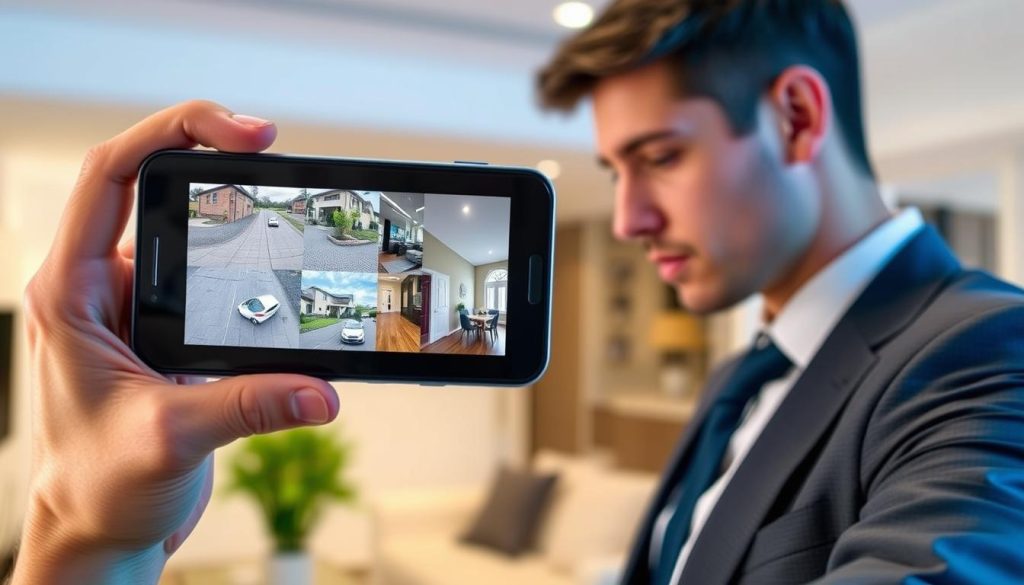
Remote security monitoring has changed how we protect our homes and businesses. Modern surveillance technology lets you view your property from anywhere with just a smartphone. This capability transforms traditional security systems into powerful, mobile tools.
Connecting your security cameras to a mobile device offers significant advantages. You gain instant awareness of activities at your location through real-time monitoring. This immediate access provides peace of mind whether you’re at work or traveling.
Most contemporary CCTV systems support remote viewing through dedicated mobile applications. Manufacturers design these apps for easy setup, making the process straightforward for all users. Devices with excellent displays, like the HONOR Magic V2, enhance the viewing experience.
The technology relies on either wifi or mobile data connections for flexibility. Many systems now incorporate cloud storage, allowing you to access recordings from any location. This mobile access to your security footage represents a fundamental shift in property protection.
Key Takeaways
- Modern CCTV technology enables remote property monitoring from your smartphone.
- Mobile access provides real-time awareness of activities at your home or business.
- Manufacturer apps make camera setup simple, even for non-technical users.
- Both wifi and mobile data connections offer flexible viewing options.
- Cloud storage allows access to recordings from virtually anywhere.
- High-quality smartphone displays enhance the surveillance viewing experience.
- Mobile monitoring transforms traditional security into a smart, accessible system.
The Power of Mobile Surveillance: Why Connect Your CCTV to Your Phone
Modern surveillance technology empowers property owners with unprecedented control through smartphone connectivity. This integration transforms traditional security into an interactive, responsive system. The benefits extend far beyond simple remote viewing.
Linking your security cameras to a mobile device creates a dynamic protection layer. You gain immediate awareness and response capabilities. This approach adapts perfectly to today’s mobile lifestyles in Singapore and beyond.
Real-Time Monitoring for Instant Awareness
Live video feeds delivered directly to your handheld device change everything. You see events as they unfold on your property. This immediate visual information enables quick decision-making.
Real-time monitoring turns passive recording into active security management. When something unusual occurs, you can assess the situation instantly. This capability is particularly valuable for business owners and homeowners alike.
The technology helps take action fast against potential threats. You might notice a delivery person at your door or an unauthorized visitor. High-resolution smartphone displays, like those on the HONOR Magic V2, show clear details for accurate identification.
Remote Access From Anywhere, Anytime
Geographical limitations disappear with proper mobile access configuration. Check on your home while at work or your business while traveling. All you need is an internet connection through wifi or mobile data.
This convenience makes controlling your system remarkably easy. No physical presence is required to monitor your property. Peace of mind during travel or extended absences becomes a standard feature.
Cloud storage integration enhances this flexibility further. Recorded footage remains accessible without needing physical devices. Your security data stays protected and available from any location.
Smart Alerts and Notifications for Proactive Security
Advanced motion detection technology powers modern alert systems. Your phone receives instant push notifications when activity is detected. This proactive approach keeps you informed without constant screen watching.
These intelligent alerts filter out routine movements from genuine concerns. You might receive notifications for people approaching but not for passing cars. Customization options allow tailoring to your specific security needs.
User-friendly applications make managing these features simple for everyone. The technology helps you react quickly to unexpected events. This creates a comprehensive security solution that works around the clock.
The combination of these benefits represents a significant upgrade for any security setup. Connecting CCTV systems to smartphones delivers protection that matches modern life’s demands. Understanding these advantages helps appreciate why this integration is becoming standard practice.
Getting Started: What You Need Before You Connect
A successful mobile connection requires gathering a few essential items first. This preparation avoids common setup issues and ensures a smooth process.
Confirm your security cameras support mobile features. Most modern IP cameras include this capability, but older analog systems might need extra hardware.
Start by verifying your smartphone’s operating system. You need the correct mobile app for your device’s OS, whether it’s Android or iOS. Applications are built specifically for each platform.
Using the official app from your camera’s maker often works best. For Apple users in Singapore, the iDVR-PRO Viewer app is a good example.
A strong and consistent WiFi connection is essential. A stable network ensures uninterrupted access to your live feed.
Bandwidth matters for clear video streams. Multiple camera feeds require a robust internet plan for reliable viewing.
How Can I Watch My CCTV on My Phone? The Two Primary Methods
Viewing your property remotely involves choosing between two fundamental technological approaches. These methods determine how your security cameras transmit footage to your handheld device. Understanding both options helps you select the best solution for your needs.
Almost all modern surveillance equipment supports at least one connection type. Statistics show approximately 94% of contemporary CCTV cameras include built-in WiFi capability. This widespread adoption makes wireless connectivity the default choice for most users.
The first and most popular method utilizes your existing wireless network. About 65% of users prefer WiFi connections for their reliability and efficiency. This approach leverages your home or business internet to stream video to your smartphone.
WiFi-based monitoring offers several practical advantages. It typically provides more stable bandwidth without consuming cellular data plans. This makes it ideal for most residential and commercial applications across Singapore.
When wireless networks are unavailable, mobile data serves as an excellent alternative. This second method provides true anywhere access, functioning independently of local infrastructure. Some specialized cameras connect directly to cellular networks for complete flexibility.
The choice between these approaches depends on your specific situation. WiFi suits cost-effective home security with existing internet service. Mobile data better serves remote locations like construction sites, vacation properties, or vehicles.
Both connection types require compatible equipment. WiFi-capable devices are nearly universal in modern systems. Cellular-ready cameras represent more specialized hardware for particular use cases.
Many advanced users implement hybrid solutions for maximum reliability. These configurations use WiFi as the primary connection with mobile data as a backup. This approach ensures continuous surveillance even during network interruptions.
Proper setup begins with understanding these fundamental options. Each method has distinct requirements for equipment and configuration. For detailed guidance on getting your security cameras operational, consult this comprehensive guide on security camera setup.
Subsequent sections will explore each method in detail. Step-by-step instructions will help you implement your chosen approach successfully. This knowledge transforms your phone into a powerful monitoring tool for any location.
Method 1: Connecting Your CCTV Camera via WiFi
Wireless connectivity provides the most common pathway for linking your surveillance equipment to a handheld device. This method leverages your existing home or office internet to stream video. It is favored for its stability and because it doesn’t consume mobile data.
For a successful setup, your security cameras must support WiFi. Most modern IP cameras have this feature built-in. The process involves a dedicated mobile app and a few simple steps.
Brands like Nest, Bosch, and Reolink design intuitive applications for this purpose. These tools guide users through the entire configuration. The goal is to establish a reliable bridge between your camera and router.
Step 1: Install the Manufacturer’s Mobile App
Begin by downloading the official application for your CCTV camera. Find it on the Apple App Store or Google Play Store. Using the brand-specific app ensures full compatibility and support.
Install the software on your smartphone and create an account if required. This account often secures your connection and enables cloud features. Keep your login credentials safe for future access.
Step 2: Power and Position Your Camera Within WiFi Range
Before starting the connection process, ensure your camera is powered on. Place it within a strong signal range of your wireless router. A weak signal is a primary cause of unstable video feeds.
Consider the final mounting location during this test placement. You may need a WiFi extender for large properties in Singapore. A stable signal is crucial for uninterrupted real-time monitoring.
Step 3: Use the App to Connect the Camera to Your Home Network
Launch the mobile app and follow the setup wizard. The software will prompt you to add a new device. You will need to enter your local WiFi network name (SSID) and password.
The camera mobile interface then sends these credentials to your security cameras. This links them directly to your home network. The app typically confirms with a success message once linked.
Step 4: Pair Your Smartphone and Start Viewing
The final step pairs your phone with the camera. This often involves scanning a QR code found on the device or its manual. This secure pairing verifies you are the authorized owner.
After pairing, the live feed appears instantly on your screen. You can now access CCTV footage from anywhere with internet. Immediately configure basic settings like device names and notifications.
Test the viewing experience by walking around your property. Check that the video quality remains clear in all key areas. This confirms your WiFi coverage is sufficient for your security needs.
Regular updates for both the app and camera firmware prevent issues. This maintenance keeps your system secure and functioning optimally. Your smartphone is now a powerful window to your property.
Method 2: Using Mobile Data for Ultimate Remote Access
True independence from local infrastructure is achieved by connecting your security system directly to a cellular network. This approach is perfect for remote sites, construction areas, or vacation homes where WiFi is unavailable or unreliable.
Your smartphone gains access to live footage from anywhere with cellular service. This method provides the ultimate in flexible surveillance.
Setting up a mobile data connection involves specific steps. Unlike WiFi setups, it requires hardware that supports cellular networks.
Specialized cameras like the Reolink Go PT Ultra are designed for this purpose. They often include battery options for complete wireless operation.
Step 1: Verify Your Camera Has Cellular Capability
Not all CCTV cameras support this technology. First, confirm your model has a SIM card slot and built-in cellular modem.
This feature is common in outdoor or remote surveillance equipment. Check the product specifications or manual for terms like “4G LTE” or “cellular connectivity.”
Step 2: Insert an Active SIM Card with a Data Plan
Acquire a compatible SIM card from a mobile provider in Singapore. You need an active data plan with sufficient monthly bandwidth.
Streaming video consumes significant data. Choose a plan that matches your expected monitoring activity to avoid overage charges.
Insert the SIM into your camera’s designated slot securely. Ensure the data service is activated before proceeding.
Step 3: Configure Mobile Data Settings on the Camera
Access your camera’s configuration menu. You must input the correct APN (Access Point Name) settings provided by your cellular carrier.
These settings allow the camera to connect to the mobile network. Incorrect APN details are a common cause of failed connections.
For battery-powered devices, adjust power management features. Set recording schedules and motion sensitivity to extend battery life between charges.
Step 4: Link to Your Phone Through the App
Install the manufacturer’s mobile app on your smartphone. Ensure the app version supports cameras using cellular data.
Follow the in-app pairing instructions specific to mobile data connections. This typically involves scanning a device QR code or entering a unique ID.
Once paired, you can view the live feed. Test the connection from different locations to confirm reliable cellular coverage at the installation site.
It is crucial to establish strong security protocols. Use unique passwords and enable encryption since data transmits over public networks. For more insights on managing your security cameras remotely, explore this guide on detecting your CCTV with a phone.
Regularly review your data usage and plan. Optimize settings like video resolution to balance security needs with cellular data costs.
Configuring Your CCTV App for Optimal Use
A well-configured mobile app transforms your smartphone into a sophisticated security command center. Proper settings maximize the potential of your CCTV cameras and enhance your overall security.
This process tailors the system to your specific lifestyle and property needs. It moves beyond basic connection to deliver intelligent surveillance.
Setting Up Motion Detection and Push Notifications
Intelligent motion detection is a cornerstone of modern monitoring. Configuring it correctly minimizes false alerts and highlights important activity.
Most apps allow you to draw custom detection zones on the camera’s view. Focus on entry points like doors and driveways while ignoring areas with routine movement, like trees.
Push notifications deliver instant updates to your phone. You can schedule “quiet hours” to silence notifications during known activity periods.
This ensures you are alerted only for relevant events. It creates a proactive security layer without constant screen viewing.
Adjusting Video Quality and Recording Settings
Video settings balance clarity with practicality. Higher resolution captures finer details but consumes more storage and data.
Adjust the quality based on your internet bandwidth and storage limits. For most homes in Singapore, 1080p offers an excellent balance.
Next, define your recording parameters. You typically have three main modes:
- Continuous Recording: Captures everything, ideal for high-security areas but uses maximum storage.
- Motion-Activated Recording: Saves footage only when movement is detected, optimizing storage space efficiently.
- Scheduled Recording: Records during set times, perfect for monitoring a business after hours.
Choosing the right mode extends your reviewable history and manages system resources.
Exploring Cloud Storage and Playback Features
Cloud services provide secure, off-site backup for your video footage. This protects recordings from local device failure or theft.
Statistics show a high adoption rate, with approximately 86% of users utilizing cloud storage for its convenience and added security. It enables access to recordings from any internet-connected device.
Mastering playback tools is essential for reviewing events. Modern apps allow you to search recordings by date, time, or specific motion events.
Features like timeline scrubbing and clip exporting make it easy to find and share important footage. This turns recorded video into actionable security information.
Regularly revisiting these settings ensures your surveillance system adapts to your evolving needs. A finely tuned app is the key to reliable, hassle-free real-time monitoring.
Troubleshooting Common Connection Problems
When your mobile feed goes dark, a systematic approach to troubleshooting restores your surveillance view. Connection issues typically stem from three main areas: network problems, application glitches, or camera misconfiguration. Identifying the source is the first step toward a reliable remote monitoring experience.
Statistics reveal that approximately 40% of all remote access failures originate from network-related complications. Another significant portion involves outdated software or incorrect device settings. Understanding these common pitfalls helps you resolve them efficiently.
Fixing Network Connectivity and Weak Signal Issues
Weak WiFi signals represent a primary culprit behind unstable video streams. The connection between your security cameras and router must be strong and consistent. Test the signal strength at each camera’s location using a smartphone app.
If signals are weak, consider implementing solutions like wireless range extenders or mesh network systems. These devices boost coverage throughout larger properties in Singapore. They ensure every camera maintains a stable link to your home internet.
Password errors account for nearly 24% of network authentication failures. Double-check your WiFi credentials entered during the camera setup. Ensure the login information in your mobile app matches the camera’s configuration exactly.
Wireless interference can also disrupt your surveillance feed. Common household devices like microwaves, cordless phones, or baby monitors operate on similar frequencies. Identify and relocate these items away from your router or cameras.
Neighboring networks on overlapping channels may cause congestion. Use your router’s admin panel to switch to a less crowded channel. This simple adjustment often improves streaming stability significantly.
Resolving App Crashes and Update Problems
Application stability is crucial for consistent monitoring. Old or buggy software versions frequently cause crashes or fail to display live footage. Keeping your CCTV app updated prevents many common performance issues.
Ensure both your mobile operating system and surveillance application run the latest versions. Developers regularly release patches that fix known bugs and enhance compatibility. Enable automatic updates in your phone’s settings for convenience.
If problems persist after updating, try restarting your smartphone. This clears temporary memory and resolves many software glitches. Uninstalling and reinstalling the app can also fix corrupted installation files.
Check your phone’s storage space and available RAM. Insufficient resources may cause applications to freeze or close unexpectedly. Close other running apps to dedicate more power to your surveillance software.
Compatibility between different technology versions sometimes creates conflicts. Verify that your camera’s firmware version works with the current app release. Manufacturer support sites provide this compatibility information.
Checking Camera Configuration and Power
Incorrect settings on the camera itself can block the connection to your mobile device. Begin by verifying the device is powered on and properly connected to your network. Check all physical cables and power adapters for secure connections.
For wireless cameras, confirm the battery status through your app or directly on the device. A depleted battery prevents the camera from transmitting data. Establish a regular charging schedule for battery-powered models.
Troubleshoot configuration errors by examining IP address assignments and port forwarding settings. These technical parameters must be correct for remote access to function properly. Refer to your system’s manual for specific guidance.
Bandwidth limitations may cause streaming issues, especially with multiple high-definition feeds. During troubleshooting, temporarily reduce video quality settings in your app. If this resolves the problem, consider upgrading your internet plan.
Multiple users accessing the same feed simultaneously can exceed connection limits. Check if your CCTV system has restrictions on simultaneous viewers. Manage user permissions appropriately within the application.
Incorrect login credentials represent another common barrier. Reset camera passwords through physical access or manufacturer recovery methods if needed. Then update the login information in your mobile application settings accordingly.
Establish a systematic troubleshooting approach that isolates variables. Test the network, then the app, and finally the camera itself. This method helps you efficiently identify and resolve connection problems with your security system.
Securing Your Mobile CCTV Feed from Cyber Threats
The convenience of mobile monitoring introduces new vulnerabilities that demand proactive security measures. Streaming surveillance footage online exposes your system to risks like unauthorized access and data breaches.
Hacking attempts on connected security systems are increasingly common. Implementing proper digital safeguards protects your privacy and property.
Implementing Strong Passwords and Encryption
Your first line of defense begins with authentication. Create unique, complex passwords for your CCTV system and mobile application.
Avoid default credentials that come with new equipment. Combine uppercase letters, numbers, and special characters for maximum strength.
Enable encryption protocols on both your cameras and viewing app. This technology scrambles data during transmission, making intercepted footage useless to unauthorized parties.
Regular password changes further enhance your security posture. Update credentials every few months to stay ahead of potential threats.
The Risks of Public WiFi and How to Avoid Them
Public wireless networks pose significant dangers for remote surveillance. These connections are vulnerable to man-in-the-middle attacks.
Hackers can intercept unencrypted data on coffee shop or airport WiFi. Your private footage could be captured by malicious actors.
Avoid accessing your security cameras over these untrusted networks whenever possible. Use your cellular data connection as a safer alternative.
When public WiFi is unavoidable, establish a virtual private network (VPN). This creates an encrypted tunnel for your surveillance data.
Network segmentation provides additional protection for business systems. Place CCTV cameras on a separate VLAN isolated from other devices.
Keeping Firmware and Apps Updated
Software updates contain critical security patches for known vulnerabilities. Manufacturers regularly release fixes for discovered exploits.
Enable automatic updates for your camera firmware whenever available. This ensures your system receives protection against the latest threats.
Maintain current versions of your mobile surveillance application. Developers enhance security features with each new release.
Disable unnecessary services on your CCTV systems that could provide attack surfaces. Review and minimize open ports and remote access features.
Monitor access logs regularly to detect unusual login patterns. Unauthorized access attempts often leave digital traces you can investigate.
Consider professional security audits for business installations in Singapore. Experts can identify and address hidden vulnerabilities in your setup.
Enhancing Your Experience with Smart Features
Beyond basic connectivity, today’s surveillance applications provide intelligent tools that transform passive watching into active security management. These features tailor the system to your daily life, reducing false alarms and delivering meaningful information.
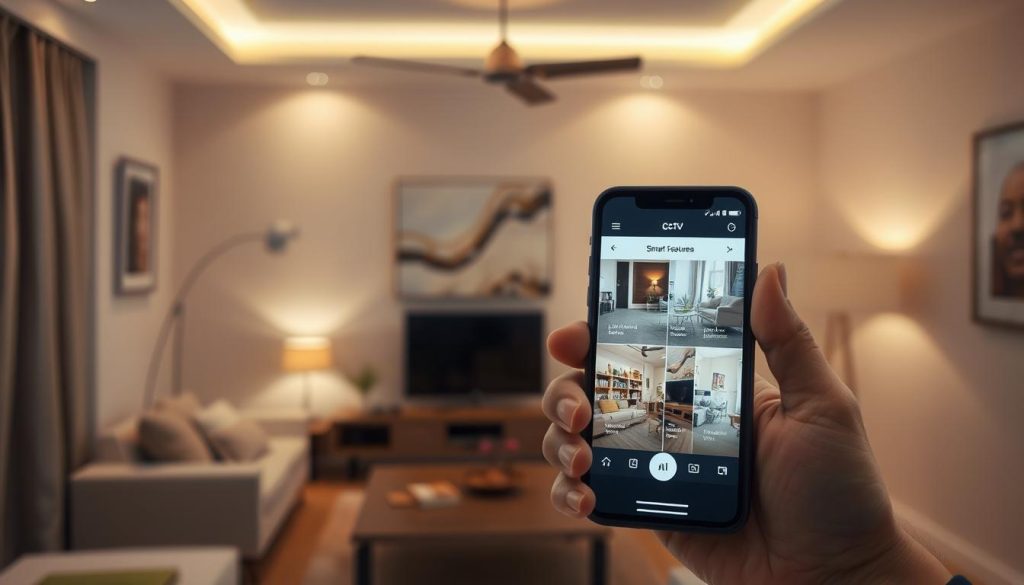
Modern apps offer easy-to-use interfaces for deep customization. You gain control over what you see and when you are notified. This turns your smartphone into a personalized security command center.
Customizing Alert Zones and Notification Schedules
Intelligent alerts are the heart of a smart security experience. Instead of getting notified for every leaf that blows, you can focus on important areas.
Draw custom zones within your camera’s view using the mobile app. Highlight your front door, driveway, or backyard gate. The system will ignore motion in other parts of the frame.
Notification schedules align monitoring with your routine. Set “quiet hours” during the day when family is home. Increase sensitivity for overnight periods when the house should be still.
This customization delivers notifications that matter. You spend less time checking false alerts and more time living your life. It is a significant benefit for busy households in Singapore.
Integrating with Other Smart Home Devices
Your CCTV cameras do not have to work alone. Integration creates a powerful, automated security ecosystem. This connects your surveillance with other smart devices in your home.
When motion is detected, your system can trigger instant responses. Smart lights can turn on to scare off an intruder. Smart door locks can automatically engage for added protection.
Common integrations include:
- Smart Lights: Illuminate areas when cameras detect activity after dark.
- Voice Assistants: Use voice commands to view footage on smart displays.
- Smart Alarms: Trigger a siren if unauthorized access is confirmed.
These automated responses provide a robust layer of defense. They enhance your property’s security without requiring manual intervention every time.
Utilizing High-Resolution Smartphone Displays for Clarity
The final piece of the experience is crystal-clear viewing. Modern smartphones boast exceptional screens that show every detail. This clarity is crucial for accurate identification.
Devices like the HONOR Magic V2 feature high-resolution displays. They ensure users can view CCTV footage in stunning quality. Fine details like faces or license plates become easily recognizable.
This visual fidelity turns real-time monitoring into a reliable tool. You can make confident assessments of any situation on your property. A great display makes watching your security feed both clear and effective.
Explore all the features your app offers. Enable two-way audio to speak through your camera. Set up geofencing to arm the system when you leave home. These steps maximize your investment and peace of mind.
Taking Control: Your Property, Monitored in the Palm of Your Hand
Modern property protection has evolved into a mobile-first experience that fits in your pocket. Connecting CCTV cameras to your handheld device delivers unprecedented security and convenience.
Real-time monitoring provides instant awareness of your premises. Intelligent alerts notify you of important events directly on your smartphone. High-resolution displays, like those on the HONOR Magic V2, ensure clear viewing of all footage.
This technology empowers users to respond quickly to any situation. Cloud storage and robust protocols keep your data protected. You maintain complete visual access from virtually any location.
For expert advice on advanced surveillance systems in Singapore, contact Wen Hong at +65 60135960. Transform your property security with professional CCTV solutions tailored to your needs.