
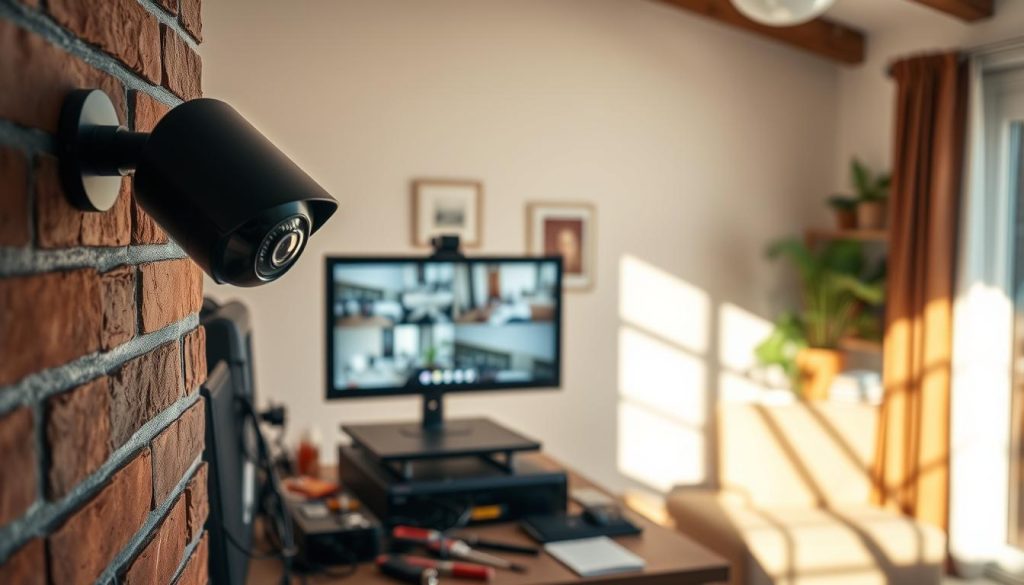
Many people believe a constant internet connection is mandatory for security cameras to function. This is a common misconception. Your surveillance system can operate perfectly well on its own.
These independent cameras provide reliable protection for home and business. They offer peace of mind in remote locations or during a wifi outage. Your security remains intact regardless of network status.
Brands like Aura Smart design cameras for this purpose. Their floodlight, indoor, solar-powered, and video doorbell models all work without an online link. Motion detection and video recording continue seamlessly.
This guide will show you how. We explain the technical mechanisms behind offline operation. You’ll get a practical setup guide for your property. We also cover the trade-offs to consider for a robust security solution.
Key Takeaways
- Surveillance cameras do not require an internet connection to record footage.
- Local storage solutions, like microSD cards or NVRs, are the backbone of offline systems.
- Core functions like motion detection and night vision operate independently.
- This setup is ideal for remote cabins, construction sites, or areas with poor wifi.
- Offline systems provide a reliable security backup during network failures.
- Setting up an internet-free camera system is a straightforward process.
- You can still connect your surveillance system to a mobile for alerts and playback without a live internet link.
Can CCTV Run Without Internet? The Direct Answer
Contrary to popular belief, a constant web link is not a prerequisite for video monitoring. The direct answer is a definitive yes. Your security cameras work independently to protect your property.
Core functions like motion detection and video recording happen locally. These cameras without internet rely on internal sensors and storage. Your security remains active even during a network outage.
Brands like Aura Smart design products for this purpose. Their floodlight, indoor, solar, and doorbell models all work without internet. Each device handles footage and alerts on its own.
“A reliable surveillance system functions on local power and memory. It doesn’t need an external data connection to fulfill its primary role.”
Local storage is key. Many devices use microSD cards or built-in memory. This method saves video directly, without wifi or an internet connection.
Motion sensors are embedded in the hardware. They trigger recording without internet access. You get continuous monitoring even wifi is unavailable.
You can view feeds directly. Connect a camera to a monitor via cable. Or use a local app on your phone within the same network.
Power options ensure operation anywhere. Wired, battery, or solar setups keep cameras running. This is ideal for remote sites or areas with poor infrastructure.
While online links enable remote viewing, their absence doesn’t disable the system. The primary goal of security is still achieved. You use security tools that are truly self-sufficient.
How Offline CCTV Systems Work: Core Mechanisms
Several fundamental mechanisms combine to create a self-sufficient video monitoring setup. These components allow security cameras to perform their primary duties independently. They do not rely on an external internet connection for basic operation.
Each part of the system handles a specific task locally. From saving video to detecting activity, everything happens on-site. This design ensures continuous security under any network conditions.
Local Storage: SD Cards and Built-in Memory
Local storage is the heart of an autonomous surveillance system. It saves all footage directly on the device or a removable memory card. This process happens completely without wifi.
Many modern cameras come with a slot for a microSD card. High-capacity cards can store weeks of recorded video. Some models also have built-in memory for immediate use.
Brands like Aura Smart ensure all their cameras support this feature. Recording continues as long as the device has power. You format the storage once, and it manages footage automatically.
Independent Motion Detection and Recording
The ability to sense movement is built into the hardware. Passive infrared (PIR) sensors are common in cameras without online needs. These sensors detect heat signatures from people or animals.
When motion is sensed, the camera instantly starts recording. This trigger works 24/7, regardless of network status. It provides reliable security even during an internet outage.
Aura Smart cameras use this technology effectively. Their motion detection is precise and helps conserve storage space. Only relevant events get saved to the memory card.
Direct Viewing via Monitors or Local Networks
You can watch the live feed without any web link. A direct cable connection is one simple method. Plug a wired camera into a monitor using an HDMI or BNC cable.
Another method uses a local network. Your phone or computer connects directly to the camera within the same area. A dedicated app then streams the video feed for monitoring.
This setup gives you access to live views and playback. It all operates on a closed, private connection. Your security footage never needs to leave the property.
Power Solutions: Wired, Battery, and Solar
Reliable power is essential for any camera to work without interruption. Wired camera models plug into a standard electrical outlet. They offer continuous operation for critical locations.
Battery-powered units provide ultimate placement flexibility. They are perfect for spots where running cables is difficult. Aura Smart’s Wireless Video Doorbells are a prime example.
Solar panels create a sustainable, off-grid power source. The Aura Smart Solar Panel Camera harnesses sunlight to recharge. This solution is ideal for remote outdoor areas with no independent power access.
Step-by-Step Guide to Setting Up Your Offline CCTV
Setting up a surveillance system that operates independently from the web is a straightforward process. This guide walks you through each critical stage. You will achieve a robust security setup for your home or business.
From picking the right hardware to viewing your footage, we cover it all. The goal is a fully functional system that records reliably. You gain peace of mind even wifi is down.
1. Choosing the Right Camera for Local Recording
Your first decision is selecting cameras designed for autonomy. Look for models with built-in storage options or a memory card slot. This feature is essential for cameras without a constant data link.
Consider your installation location. Outdoor spots need weather-resistant security cameras. Indoor units can be more compact. Also, evaluate your power source availability.
Brands like Aura Smart offer excellent examples. Their Floodlight Camera, Indoor Camera, and Solar Panel Camera all support local recording. Each model comes ready for offline use.
2. Installing and Formatting Your Local Storage
For cameras using removable media, insert a high-capacity microSD card. A 128GB or 256GB card is ideal for longer recording duration. Ensure the camera is powered off first.
Next, format the memory card using the camera’s own menu or app. This step prepares the storage for optimal performance. It creates a clean file system for your videos.
Formatting is a one-time setup. After this, the camera manages footage automatically. It will overwrite old files when storage is full, ensuring continuous operation.
3. Providing Reliable Power to Your System
A steady power supply is non-negotiable. For a wired camera, connect it to a stable electrical outlet. Use outdoor-rated cables for exterior installations.
Battery-powered units offer great flexibility. Ensure the battery is fully charged before mounting. This is perfect for a camera without easy outlet access.
Solar-powered security solutions, like the Aura Smart Solar Camera, need panel placement. Position it to receive maximum sunlight throughout the day. This creates a sustainable, off-grid power source.
4. Configuring Camera Settings Without Internet
You can adjust your camera’s features locally. Many models have a simple onboard menu. Use buttons on the device to set motion sensitivity and video quality.
Another method is a direct Bluetooth connection. Pair your phone with the camera to change settings via an app. No internet access is required for this.
You can also use a local wifi network. Connect both your phone and camera to the same router. The app will work for configuration, even with no internet beyond your home.
5. Accessing and Reviewing Your Footage Locally
There are three main ways to view your recorded videos. The first is physically removing the memory card. Insert it into your computer’s card reader to play the files.
For a live feed or immediate playback, connect the camera directly to a monitor. Use an HDMI or other compatible cable. This provides instant monitoring.
Finally, use security apps on your local network. Open the manufacturer’s app while your phone is connected to the same local wifi as the camera. You can stream live views and review footage directly on your computer or mobile device.
Understanding the Trade-Offs: Features Without Internet
Choosing an internet-free security setup means accepting certain limitations alongside benefits. Your cameras work independently but lack some connected conveniences. This honest assessment helps you manage expectations for autonomous surveillance.
Several advanced features typically require an internet connection. The most noticeable loss is remote access to live footage. You cannot check your camera feed from your phone when away from home.
Real-time smart notifications also disappear. Motion detection still occurs and triggers recording. However, no alert gets pushed to your mobile device or email.
Cloud backup services are unavailable without internet. All videos save locally to device memory or a storage card. This requires manual management and poses risks if hardware gets damaged.
“Offline systems often enhance privacy by reducing hacking risks associated with internet-connected devices and cloud services.”
Despite these trade-offs, core functions remain fully operational. Local live viewing continues through direct connections. You can watch monitoring screens on-site or via a local network.
Continuous and motion-triggered recording onto local media persists. Your system captures video evidence reliably. Standalone detection algorithms work without external data links.
For many users in Singapore, these compromises aren’t deal-breakers. Simple recording solutions for warehouses or construction sites thrive without wifi. Rural properties with poor infrastructure benefit from this approach.
Your primary need might be video evidence and local monitoring. Autonomous security cameras excel in these fundamental areas. They provide reliable protection during network outages.
Consider your specific scenario when deciding. Offline operation enhances data privacy and reduces dependency on external power grids. These features make independent cameras ideal for certain applications.
Evaluate whether remote access and cloud storage are essential for your situation. Many find that local recording meets their security requirements completely. Your camera setup can deliver peace of mind without internet.
Implementing Your Reliable, Offline Security Solution
For many in Singapore, offline security cameras provide the ultimate peace of mind. These reliable systems excel in rural cabins, during network outages, and for temporary construction sites. They also enhance data privacy by keeping all footage local.
Aura Smart offers tailored solutions like the Floodlight Camera for deterrence and the Solar Panel Camera for off-grid areas. Each model works without a constant internet connection, recording reliably to local storage like memory cards.
Assess your property’s specific needs. Consider location, power access, and desired features. Regularly check your storage card and ensure power sources are stable for continuous recording.
Ready to implement your independent security setup? Explore Aura Smart’s range for a solution that matches your requirements. With proper planning, you achieve robust protection and full control over your security feed.