
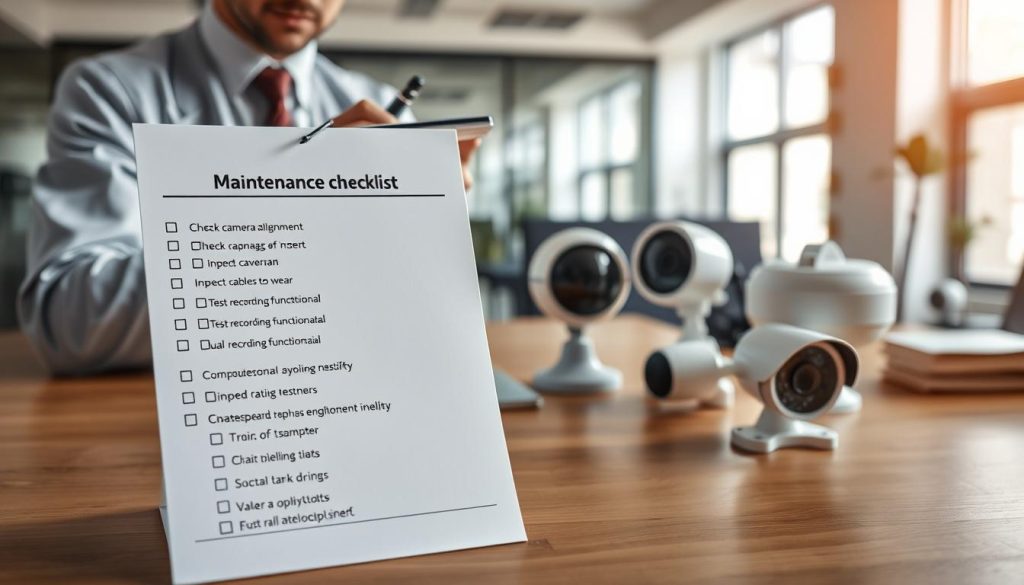
Your security system is only as reliable as its upkeep. A well-maintained CCTV system acts as a vigilant guardian, providing clear surveillance and peace of mind.
Neglecting this crucial task leads to vulnerabilities. Research shows regular maintenance can cut equipment failures by 30%. Alarmingly, 87% of security breaches are preventable with proper care.
Effective upkeep is not one task but a strategy. It combines physical inspections, software updates, and performance reviews. Different plans offer varying coverage to match specific needs.
In Singapore’s humid climate, specialized care is essential. Local providers like Wen Hong Engineering offer tailored solutions and 24/7 emergency support to ensure your system never sleeps.
Key Takeaways
- Proactive maintenance prevents up to 30% of CCTV equipment failures.
- Most security breaches (87%) are avoidable with proper system upkeep.
- Maintenance includes physical cleaning, software updates, and connection checks.
- Different service plans exist for basic, comprehensive, or predictive coverage.
- Regular checks defend against cyberattacks on outdated system software.
- A structured maintenance regime is vital for legal compliance and asset protection.
- Localized solutions account for environmental factors like Singapore’s climate.
Why CCTV Maintenance is Non-Negotiable for Security
Security isn’t about having cameras; it’s about having cameras that work when you need them most. A single offline unit or a corrupted recording can create a dangerous blind spot. This turns a vital security asset into a liability.
Neglecting regular upkeep invites two major threats. First, you face steep financial losses from preventable incidents. Second, you risk legal penalties for non-compliance. In Singapore’s dense urban environment, these risks are magnified.
Proper maintenance is the only guarantee your system will perform under pressure. It transforms your surveillance network from a passive installation into an active shield.
The High Cost of System Failure in Singapore
When a CCTV camera fails, the immediate costs are just the beginning. Emergency service calls and urgent part repairs are far more expensive than scheduled checks.
The real expense comes from what the failure allows. Property crimes remain a significant concern here. A malfunctioning system cannot deter theft or vandalism, leading to direct asset loss.
Business disruption adds another layer. Lost footage from a recording failure can stall investigations for days. This downtime affects operations and customer trust.
A non-functional surveillance system doesn’t just fail to capture evidence; it effectively signals that an asset is unprotected.
Proactive maintenance identifies common issues like lens fogging or power supply faults early. This prevents the major failures that lead to these severe costs.
Legal and Compliance Reasons for Upkeep
In Singapore, operating a CCTV system carries legal responsibilities. The Personal Data Protection Act (PDPA) governs how data from surveillance is handled.
The law mandates that collected footage be secured and accessible. A technical failure that loses critical video evidence violates this principle. It can void insurance claims and weaken legal positions.
Regular inspections ensure your equipment meets these standards. They verify storage integrity and camera functionality. This documented due diligence is crucial for compliance.
Courts and insurers rely on continuous, unbroken video data. A gap in coverage due to poor maintenance can be seen as negligence. This exposes a business to fines and liability.
Ultimately, consistent CCTV maintenance is the bedrock of lawful and effective security. It protects both physical assets and your legal standing.
What Are the Types of Maintenance of CCTV?
A robust surveillance strategy relies on a blend of maintenance philosophies, each serving a unique purpose. You can think of them as the essential tools for keeping your security investment sharp and reliable.
These methodologies work together to ensure your cameras capture every critical moment. The right mix depends on your system’s age, complexity, and your tolerance for risk.
Preventive Maintenance: Stopping Problems Before They Start
This is the cornerstone of reliable surveillance. Preventive maintenance involves scheduled, routine care designed to stop faults before they happen.
Think of it like servicing your car. Regular tasks keep everything running smoothly. This approach is highly cost-effective, avoiding expensive emergency calls.
Key activities include visual inspections of each cctv camera for physical damage or obstructions. Cleaning lenses every six months prevents blurry video caused by dust and grime.
Technicians also verify power supply stability and check all cable connections. Crucially, applying software updates patches security vulnerabilities and boosts performance.
This proactive regimen directly tackles common issues like lens fogging or connection corrosion. It builds a strong first line of defense for your entire cctv system.
Corrective Maintenance: Fixing Issues After They Occur
Despite best efforts, components can fail. Corrective maintenance is the reactive process of diagnosing and fixing problems after they are identified.
This method springs into action when a camera goes offline or footage quality drops. It addresses the issues that preventive measures could not stop.
The process starts with troubleshooting to find the root cause. Is it a faulty power adapter, a damaged cable, or a corrupted hard drive in the storage unit?
Repairs often involve replacing these failed components. Sometimes, a system reset or reconfiguration solves software glitches. The goal is to restore full security coverage as quickly as possible.
While corrective action is necessary, a strategy overly reliant on it is more costly and leaves gaps in protection.
Predictive Maintenance: Using Data for Proactive Care
The most advanced approach leverages technology to look into the future. Predictive maintenance uses analytics to forecast failures before they occur.
Modern IP-based cctv systems generate a wealth of performance data. Specialized monitoring platforms analyze this information for subtle trends.
They might detect a gradual increase in a camera’s operating temperature. Or they could note a steady decline in available storage space. These trends signal a component is nearing its end of life.
This intelligence allows you to schedule part replacements during convenient downtime. You avoid the surprise of a total system crash during a critical period.
For complex, multi-camera installations, this data-driven method offers the ultimate in proactive care. It transforms maintenance from a calendar-based chore into a precise, intelligence-led service.
The most effective security plans don’t choose just one type. They integrate preventive routines with the capacity for swift corrective action, increasingly informed by predictive insights.
The Tangible Benefits of a Proactive Maintenance Plan
Quantifying the return on a maintenance plan reveals concrete benefits across three core areas: deterrence, durability, and dollars saved. Moving beyond theory, a proactive regimen delivers measurable advantages for any security operation.
Statistics show well-maintained cctv systems experience 50% fewer operational failures. This reliability is the foundation for all other benefits.
Enhanced Security and Reliable Surveillance
Consistent system uptime is the first major advantage. Functioning cameras act as a powerful visible deterrent to criminal activity.
More importantly, they provide reliable surveillance when an incident occurs. Proactive cctv maintenance ensures clear, high-quality footage. This evidence is crucial for identifying perpetrators and supporting legal actions.
Maintaining this performance level also aids in compliance with standards like Singapore’s NIS Gold. It strengthens your overall security posture significantly.
Significant Long-Term Cost Savings
The financial benefits are equally compelling. Scheduled inspections and checks are far less expensive than emergency service calls.
Regular upkeep directly reduces unexpected repair costs. You budget for predictable maintenance instead of facing surprise bills for major component failures.
This approach optimizes your operational budget. It prevents the high costs associated with rushed repairs and potential business disruption from a downed cctv system.
Maximizing Your System’s Lifespan
Careful component care extends the service life of your equipment. Regular cleaning protects lenses and housings. Timely firmware updates keep internal electronics running efficiently.
This diligent care can extend a system’s lifespan by up to 50%. You delay the major capital expenditure required for a full cctv replacement.
Protecting equipment from environmental stress, like humidity, preserves performance. It ensures your investment delivers value for many more years.
The benefits of a proactive plan also include peace of mind and the preservation of critical video data. This makes cctv maintenance a smart, strategic investment.
Essential CCTV Maintenance Best Practices
Effective CCTV upkeep is built on a foundation of simple, consistent, and critical routines. These procedures translate planning into reliable performance, ensuring your security investment pays off every day.
Mastering a few core actions prevents most common problems. This practical guide details the non-negotiable tasks for any robust maintenance plan.
Regular Visual Inspections and Camera Cleaning
Your eyes are the first line of defense. A monthly visual check of each camera is essential. Look for physical damage, misalignment, or obstructions like spider webs or foliage.
Pay special attention to camera lenses. Dust, dirt, and humidity can quickly degrade video quality. A blurry lens renders a cctv camera almost useless.
Cleaning lenses every three months is a best practice. Use a soft, lint-free cloth and approved lens cleaner. Avoid abrasive materials that can scratch the delicate lens surface.
Also, verify that outdoor camera housings remain sealed and waterproof. This simple inspection protects sensitive electronics from Singapore’s humid climate.
Managing Cables, Connections, and Power Supply
The health of your cctv system depends on its physical backbone. Loose or corroded connections are a leading cause of failure.
During quarterly checks, inspect all cable connectors for corrosion or wear. Ensure each plug is secure. Loose cables can cause signal loss and intermittent issues.
Stable power is non-negotiable. Use a voltage tester to verify your power supply delivers consistent voltage to each unit. Fluctuations can cause premature camera failures.
Secure cable runs away from potential damage. This prevents accidents and maintains system integrity.
Software and Firmware Updates for Cyber Health
Cyber hygiene is as vital as physical cleaning. Outdated software is a major security risk, leaving your system open to hacking.
Manufacturers release updates to patch vulnerabilities and improve performance. Schedule these updates quarterly, or as soon as alerts are issued.
An unpatched CCTV network is an open door for digital intruders, compromising both live feeds and stored footage.
Updating firmware also ensures compatibility with newer devices and features. It fixes bugs that can corrupt data or cause recording gaps.
Always back up your system configuration before applying any software updates. This allows for a quick rollback if needed.
Together, these practices form the bedrock of dependable cctv maintenance. They protect your security from physical decay and digital threats.
Creating Your CCTV Maintenance Schedule
A disciplined maintenance schedule is the blueprint for uninterrupted security coverage. It transforms random checks into a reliable routine, ensuring your surveillance investment performs flawlessly.
This calendar balances thoroughness with daily practicality. It prevents minor glitches from escalating into major system failures.
Daily and Weekly Quick Checks
These rapid verifications are your first line of defense. They confirm basic system vitality without disrupting operations.
Start by verifying power to the main recorder and network switch. Glance at live camera feeds to ensure they are online and clear.
Confirm that recording is active and review system logs for any error messages. Check available storage space to prevent data loss.
These quick checks take just minutes. They provide immediate peace of mind and catch issues early.
Monthly In-Depth Inspections
This is your hands-on review. Dedicate time for a more detailed look at each component.
Physically clean camera lenses and housings to maintain image quality. Inspect cables and connections for wear or damage.
Test individual camera features like motion detection and infrared night vision. Play back sample footage from different times to verify recording integrity.
Verify each unit’s field of view remains optimal. Adjust angles if obstructions have appeared.
Monthly inspections address the wear-and-tear that daily checks might miss. They are crucial for sustained performance.
Quarterly and Annual Professional Reviews
Some tasks require expert eyes and tools. Professional service provides a comprehensive health audit for your entire setup.
Technicians conduct advanced diagnostics. They run hardware stress tests and apply critical firmware updates.
These reviews include in-depth data integrity verification and storage system analysis. They assess power supply stability under load.
Experts recommend at least one full professional service per year. Systems in harsh environments may need quarterly inspections.
This level of care identifies latent issues invisible to routine checks. It future-proofs your security infrastructure.
A structured schedule ensures your system is always audit-ready. For a reliable maintenance plan, consider a professional CCTV maintenance service to handle these critical reviews.
Your Complete CCTV Maintenance Checklist
Eliminate security blind spots by systematically verifying each element of your CCTV installation with a professional-grade cctv maintenance checklist. This tool turns vague intentions into clear, actionable tasks.
Following a structured list ensures no critical component is overlooked. It provides a reliable audit trail for your system’s health.
Use this comprehensive cctv maintenance checklist to conduct your own review. Break it down into three logical categories for thorough coverage.
Camera Functionality and Image Quality Checks
Start with the eyes of your system. Verify each unit performs its core task of capturing clear video.
- Power and Live Feed: Confirm every camera is powered on and streaming a live view to the monitor or network video recorder (NVR).
- Image Sharpness: Check for blurry images. Manually adjust focus if needed and clean lenses with a soft cloth.
- Night Vision Test: Activate infrared (IR) mode in a dark area. Ensure the cctv camera provides a clear, non-grainy black-and-white image.
- Date/Time Stamp: Verify the timestamp on the footage is accurate and synchronized across all cameras.
- Motion Detection: Walk through a monitored zone to test if alerts trigger correctly without false alarms.
These checks confirm basic functionality and image quality. They are the first step in any maintenance routine.
Wiring, Storage, and Data Integrity Verification
The backbone of your cctv system needs regular inspections. Physical and digital integrity are equally important.
- Cable Inspection: Look for frayed wires, chew marks, or loose connections. Ensure all cables are securely plugged in.
- Network Connectivity: For IP cameras, ping each device to verify a stable network link and correct IP address assignment.
- Storage Health: Check the hard drive or network-attached storage for available space. Review the overwrite policy to prevent data loss.
- Recording Continuity: Play back footage from different times and cameras. Look for gaps or corrupted video files.
- Software Updates: Apply the latest firmware and security patches for your recorder and cameras. This defends against cyber issues.
This part of the cctv maintenance checklist prevents failures related to power supply, data corruption, and network failures.
Environmental and Positioning Reviews
External factors heavily impact camera longevity and view. Schedule these inspections quarterly.
- Obstruction Check: Ensure no new foliage, signs, or debris blocks the camera’s field of view. Trim plants as needed.
- Housing Seal: For outdoor units, verify weatherproof seals are intact. This is critical in humid climates to prevent moisture damage.
- Optimal Angle: Confirm each cctv camera covers its intended critical area. Adjust mounts to eliminate blind spots.
- Adequate Lighting: Assess the scene. Ensure areas monitored at night have sufficient ambient light or that IR illumination is effective.
- General Condition: Look for physical damage to mounts or housings from weather or tampering.
Completing this final category in your cctv maintenance checklist ensures your system is resilient and effective in its actual environment.
Step-by-Step Guide to Maintaining CCTV Cameras
Hands-on maintenance is the key to transforming your CCTV setup from a static installation into a dynamic security asset. This practical guide walks you through three core tasks: cleaning, adjusting, and testing.
Performing these procedures yourself ensures clear video and reliable system performance. Let’s dive into the details.
How to Safely Clean Different Camera Types
Clear images start with spotless lenses. Dust, dirt, and environmental grime are the main enemies of video quality.
Gather the right tools first. A soft, lint-free microfiber cloth is essential. For stubborn smudges, lightly dampen a corner with isopropyl alcohol.
Avoid abrasive materials like paper towels or rough cloths. They can permanently scratch the delicate lens surface.
For standard bullet cameras, gently wipe the external dome or housing. Ensure no moisture seeps into seals or vents.
Cleaning dome cameras requires extra care. You must often open the housing to access the interior lens. Follow the manufacturer’s guide to unlock the casing safely.
Wipe the internal glass gently to remove condensation or dust. Reseal the housing tightly to restore its weatherproof integrity.
Adjusting Angles and Ensuring Optimal Coverage
Once lenses are clean, verify each camera’s view. Over time, new obstructions like growing plants or signage can create blind spots.
Optimal coverage is not set-and-forget. Regular inspections should include checking sightlines.
Use your monitoring software to pan, tilt, and zoom each unit remotely. Frame the shot to cover critical entry points and high-value areas fully.
Physically loosen the mount to make major angle changes. Have a helper watch the live feed to guide you for the perfect position.
Eliminate any areas where a person could move unseen. Tighten all adjustment screws securely once the ideal coverage is achieved.
This proactive step maintains your surveillance effectiveness against evolving environments.
Testing Features Like Motion Detection and IR
Functional testing confirms your security features work as intended. Start with motion detection.
Walk slowly through each configured zone. Verify that alerts trigger correctly on your monitor or mobile app.
Adjust sensitivity settings if you get false alarms from swaying trees or passing vehicles. Fine-tuning prevents alert fatigue.
Next, test infrared (IR) illumination for night vision. Review recorded video from a dark period.
Look for even lighting across the scene. Dark corners or bright hotspots indicate failing IR LEDs or poor placement.
Finally, check auto-focus mechanisms on varifocal cameras. Ensure the image remains sharp when zooming in on details.
Regular updates to firmware can also improve these features. Schedule these functional checks quarterly.
Mastering these steps extends your camera lifespan and ensures your CCTV system delivers reliable security day and night.
Common CCTV System Issues and How to Troubleshoot Them
Even the most advanced CCTV setup can encounter frustrating glitches that compromise its watchful eye. Knowing how to diagnose and fix these common issues is a critical part of system ownership.
This guide serves as a practical manual for the most frequent problems. Quick troubleshooting minimizes security downtime and avoids unnecessary repairs.
Blurry Images, Flickering, and No Video Signal
Poor image quality is a top complaint. Blurry images often stem from a dirty lens or internal condensation.
First, gently clean the exterior dome or glass. If fog persists inside a sealed housing, the unit’s waterproof seal may have failed. This is a common issue in humid climates.
Flickering or distorted video usually points to an electrical problem. Check your power supply for stability. Loose or damaged cables can also cause signal interference.
A complete loss of video signal is more serious. Start with the basics: verify the camera has power. Inspect all connections from the unit back to the recorder.
For network systems, a camera dropping offline might indicate an IP address conflict. A simple reboot of the device and network switch often resolves this.
Network Connectivity and IP Address Problems
IP-based CCTV systems bring powerful features but also network headaches. Cameras randomly disappearing from your monitoring software is a classic symptom.
This is frequently caused by IP address conflicts. Two devices on the same network cannot share the same IP. Use a network scanner tool to identify duplicates.
Manually assign a static IP address to each camera within your router’s settings. This prevents the router from reassigning addresses and causing confusion.
Slow or choppy live video feeds suggest bandwidth congestion. Ensure your network switch and router can handle the total data load from all cameras.
Prioritize surveillance traffic in your router’s Quality of Service (QoS) settings. Also, check that Ethernet cables are securely plugged in and undamaged.
When a network camera fails, always power cycle it first. Unplug it for 30 seconds and reconnect. This solves many transient connectivity issues.
Storage Failures and Playback Issues
Your system is only as good as the footage it saves. Storage failures can silently cripple your security.
A “No Disk” error or failed recording schedule often means a failing hard drive. Listen for unusual clicking sounds from your NVR or DVR.
Run the built-in disk health check in your recorder’s software. Replace the drive immediately if errors are found to prevent total data loss.
Playback problems are another headache. If you can’t review old footage, the recording database file may be corrupted.
Rebuild the database through your recorder’s maintenance menu. Also, ensure your playback software or app is updated to the latest version for codec compatibility.
Regular checks of available storage space are essential. Set up alerts to warn you before the drive is full, ensuring continuous recording.
Understanding CCTV Maintenance Costs and Budgeting
A proactive financial strategy for security transforms maintenance from a cost into a value-driven investment. Smart budgeting requires understanding the variables that shape ongoing costs.
This knowledge helps you allocate resources effectively. It also justifies the expenditure needed to keep your cctv system fully operational.
Key Factors That Influence Service Pricing
Several elements determine your final service bill. The scale and complexity of your installation is the primary driver.
A network with fifty high-resolution IP cameras costs more to maintain than a simple four-camera analog setup. More devices mean more inspection time and a higher chance of component failures.
The technology type matters greatly. Advanced IP-based cctv systems often need specialized IT skills for software updates and network troubleshooting. This can command a higher service rate compared to basic analog equipment.
Frequency of checks is another key factor. Quarterly visits naturally cost more than a single annual review. The inclusion of 24/7 emergency support also adds to the price.
Finally, the quality of your original equipment affects long-term repair costs. Higher-grade components often last longer and need fewer repairs.
Comparing Service Plans: From Basic to Comprehensive
Providers typically offer tiered plans to match different needs and budgets. Understanding these tiers helps you select the right coverage.
A basic plan usually includes one annual inspection and a general system health report. You pay separately for any needed parts or labor. This suits small, low-risk installations.
Intermediate services add scheduled quarterly or bi-annual visits. They may include minor repairs and firmware updates for a fixed fee. This plan balances cost with more consistent care.
The most comprehensive option is an all-inclusive annual contract. It covers all scheduled maintenance, unlimited emergency call-outs, and parts replacement.
These premium plans often come with a formal Service Level Agreement (SLA). The SLA guarantees response times and system uptime. Providers like ClearView Security offer transparent pricing models for such contracts.
An SLA transforms your maintenance contract from a simple service agreement into a guaranteed performance shield for your security investment.
Choosing the right plan depends on your risk tolerance and operational needs. A comprehensive plan offers peace of mind for critical security operations.
The ROI of Investing in Regular Maintenance
The return on investment for proactive cctv maintenance is clear and measurable. It directly protects your bottom line.
First, it prevents catastrophic costs. The predictable expense of a service contract is far lower than a major emergency repair. A failed recorder or multiple camera replacements can cost thousands.
Second, it extends the lifespan of your entire system. Regular cleaning and updates keep equipment running efficiently. This can delay a full cctv replacement by several years.
Third, it avoids the immense indirect costs of a security failure. Lost data from a corrupted hard drive can void insurance claims. A blind spot during a theft incident leads to direct asset loss.
The benefits also include sustained high performance. Clear footage and reliable recording are the core benefits of your surveillance investment.
Calculating ROI involves comparing your annual maintenance costs against the potential losses from just one major system failure. For most businesses, the math strongly favors consistent, professional services.
Climate Considerations for CCTV Maintenance in Singapore
Maintaining clear surveillance in Singapore demands a battle plan against the elements. The island’s relentless heat and high humidity actively work against your security equipment. A generic maintenance approach will not suffice here.
Localized strategies are essential for system longevity and reliable performance. This section details the environmental threats and the specific checks needed to counter them.
Protecting Equipment from Humidity and Heat
Constant moisture in the air is a primary enemy. It accelerates corrosion on metal connections and circuit boards inside cameras. This can lead to intermittent failures or total component death.
Lens fogging is another common issue. Condensation forms on the internal glass, creating a permanent blur. This severely degrades video quality and defeats the purpose of surveillance.
Prolonged exposure to intense afternoon sun overheats image sensors. This can cause image burn-in and reduce a camera’s effective lifespan.
Proactive measures are your best defense. During inspections, look for white, green, or blue corrosion on cable connectors. Open outdoor housing units to check for internal moisture beads.
Use silica gel desiccant packets inside sealed camera housings to absorb ambient dampness. Replace these packets every six months.
Opt for ventilated or fan-cooled housings in non-weatherproof locations. This promotes air circulation and reduces heat buildup.
Strategic placement also helps. Where possible, install cameras under eaves or shades to minimize direct sun exposure during peak heat hours.
Weatherproofing Checks for Outdoor Cameras
Outdoor units bear the full brunt of the climate. Their first line of defense is an Ingress Protection (IP) rating. For Singapore’s heavy rains, a rating of IP66 or higher is recommended.
This rating means the housing is totally dust-tight and can withstand powerful water jets. Never install an indoor-rated cctv camera outside.
Regular cleaning and verification of weatherproof seals are non-negotiable. Create a checklist for your quarterly maintenance routine:
- Seal Integrity: Inspect the rubber gasket around the housing lid. It should be pliable, not cracked or brittle.
- Cable Entry Points: Check the waterproof gland where cables enter the housing. Ensure it is tightened securely and the sealant is intact.
- Drainage Channels: Some housings have small drainage holes. Keep these clear of debris to prevent water pooling.
- Lens Cover: Clean the external dome or glass. Ensure no scratches compromise its clarity or water-shedding ability.
An IP rating is a promise of protection, but only consistent checks ensure that promise is kept over years of monsoons and sun.
For mission-critical outdoor locations, consider advanced solutions. Housings with built-in heaters or dryers actively combat internal condensation.
These specialized units maintain a stable internal environment. They are a worthwhile investment for cctv systems monitoring high-value perimeter assets.
By integrating these climate-specific strategies into your cctv maintenance plan, you fortify your security against Singapore’s most demanding environmental issues.
When to DIY and When to Call a Professional
Balancing do-it-yourself tasks with certified service calls is the hallmark of a mature security maintenance strategy. This hybrid model optimizes your budget while guaranteeing expert care for complex problems.
Knowing which issues are safe for in-house handling prevents unnecessary service fees. It also ensures you don’t accidentally void warranties or cause further damage.
Simple Tasks You Can Handle Yourself
Several routine checks are perfectly suited for your staff. These tasks require no special tools beyond common sense and basic safety.
Always ensure the system is powered down or in a safe state before starting. Use a stable ladder if needed and have a spotter.
- Lens and Housing Cleaning: Wipe external camera domes and housings with a soft, dry cloth. For smudges, use a lens-specific cleaner on a microfiber cloth.
- Visual Damage Inspection: Look for obvious cracks in housings, loose mounts, or chewed cables. Check for new obstructions like overgrown plants.
- Power and Connection Verification: Confirm all cameras show a live feed on your monitor. Visually inspect accessible cable connections for security.
- System Reboot: Power cycling your recorder and network switch can resolve many temporary glitches. This is a simple first step for unexplained issues.
These DIY activities maintain baseline cleaning and awareness. They form the first layer of your cctv maintenance plan.
Complex Issues That Require Expert Intervention
Certain problems signal a need for professional service. Attempting these repairs yourself risks personal injury, equipment damage, and compliance failures.
Red flags that demand a certified technician include:
- Recurring system errors or multiple cameras losing video simultaneously.
- Evidence of water ingress inside a sealed housing unit.
- Any work involving mains power supply wiring or electrical panels.
- Network configuration, IP address conflicts, or advanced software updates.
- Diagnosing intermittent faults or recalibrating motion analytics.
- Physically accessing cameras mounted at significant heights.
Climbing ladders for high-access points often requires licensed professionals for insurance and safety reasons. Internal component repair also needs specialized skills.
A professional diagnosis pinpoints the root cause of a failure, preventing a costly cycle of temporary fixes and recurring issues.
Expert cctv maintenance protects your data integrity and system warranty. For reliable surveillance in Singapore’s challenging climate, this hybrid approach is essential.
Choosing the Right CCTV Maintenance Service in Singapore
Your choice of maintenance provider directly influences the reliability and performance of your CCTV network. Outsourcing this critical function requires careful evaluation. A competent partner becomes an extension of your security team.
This guide helps you navigate the selection process. Focus on providers who offer more than just basic repairs. Look for strategic partners committed to your long-term surveillance health.
What to Look for in a Reliable Provider
Several key factors separate adequate services from exceptional ones. Start by verifying technical certifications from major cctv manufacturers. These credentials prove a team’s training on specific equipment.
Depth of local experience in Singapore is non-negotiable. A provider familiar with our climate understands humidity’s impact on cctv systems. They know how to prevent common lens fogging and connection corrosion.
Check for positive customer reviews and case studies. Look for testimonials about response time and problem-solving skill. A proven track record in commercial or industrial settings is a strong sign.
Availability of 24/7 emergency support is crucial. Security incidents don’t follow a nine-to-five schedule. Your provider must offer rapid assistance when you need it most.
Familiarity with Singapore’s Personal Data Protection Act (PDPA) is essential. Your service partner must handle video data with compliance in mind. They should ensure your system meets all legal standards.
Finally, demand complete transparency in pricing. A trustworthy provider offers clear quotes without hidden fees. They explain what each service tier includes upfront.

Understanding Service Contracts and SLAs
A professional service contract outlines the partnership’s terms. It should clearly define the scope of work to avoid misunderstandings later. Key components need your close attention.
The frequency of preventive maintenance visits should be specified. Quarterly or bi-annual inspections are common for comprehensive care. Each visit includes checks, cleaning, and software updates.
Corrective maintenance coverage details what repairs are included. Does the contract cover parts and labor, or just labor? Clarify this to manage unexpected costs.
Response times for emergency calls are a critical metric. A good contract guarantees a technician will be dispatched within a set period, often four hours or less.
Remote monitoring options are a modern feature. Some providers can diagnose cctv system issues remotely, speeding up resolutions.
The most protective element is a Service Level Agreement (SLA). This formal addendum guarantees specific performance metrics.
A strong SLA transforms a basic service contract into a guarantee of security system availability and support.
An SLA typically promises a minimum system uptime percentage, like 99.5%. It also sets maximum resolution times for different priority faults. This document holds the provider accountable.
When reviewing contracts, ensure all promises are in writing. Verbal assurances offer no real protection. A detailed SLA safeguards your investment and ensures your cctv maintenance delivers consistent value.
Choosing the right partner empowers you with confidence. Your surveillance system remains a vigilant, high-performing asset for years to come.
Integrating New Technology During Maintenance
The routine of upkeep presents a prime opportunity to integrate cutting-edge advancements into your existing security framework. Regular maintenance sessions act as strategic checkpoints. They allow you to evaluate your current cctv system against emerging threats and technological possibilities.
This proactive mindset transforms basic care into a value-adding process. You can identify bottlenecks and plan for enhancements that keep your surveillance network ahead of the curve.
When to Consider Upgrades vs. Repairs
A clear decision-making framework saves money and boosts security. The choice between fixing old equipment and investing in new technology hinges on cost and capability.
A common rule is to consider upgrades when repair costs near 50% of replacing with newer technology. Continually fixing aging cameras or recorders becomes a financial drain.
Feature gaps are another critical signal. Older systems often lack high-resolution video, intelligent analytics, or modern cyber security protocols. These deficiencies create real vulnerabilities.
- Is the component obsolete, with replacement parts hard to find?
- Does it fail to integrate with newer software or other security devices?
- Are we missing critical features like license plate recognition or people counting?
Investing in a modern cctv system is often cheaper than the cumulative cost of endless repairs on outdated equipment.
Compatibility with your existing network is vital. An upgrade should not require a complete infrastructure overhaul. Strategic replacements during scheduled service minimize disruption.
Future-Proofing Your Surveillance System
Future-proofing means designing your cctv maintenance plan to accommodate growth. It ensures your system can evolve without costly re-engineering.
Start by selecting scalable cctv systems. Choose network video recorders (NVRs) with extra channels and storage capacity. This allows you to add cameras later as needs change.
Your network backbone must handle higher bandwidth. Future upgrades to 4K or 8MP cameras demand robust data pipelines. Ensure switches and cabling support Gigabit speeds.
Plan for integration with other security layers. Modern systems should connect with access control, alarm panels, or building management software. This creates a unified defense ecosystem.
Regular maintenance audits are your best tool. They identify current performance limits and forecast future needs. Look for slowing data retrieval or insufficient analytics processing power.
Applying firmware updates is a simple future-proofing step. It keeps software compatible with new features and secures data streams. Always back up configuration footage before updates.
By viewing cctv maintenance through this strategic lens, you ensure your surveillance investment remains effective. It adapts to both changing threat landscapes and expanding business requirements.
Taking the Next Step for Uninterrupted Security
Uninterrupted protection stems from a proactive approach to system management and expert partnerships. Consistent cctv maintenance is the bedrock of true security resilience, safeguarding your operations around the clock.
Remember, effective maintenance blends preventive checks, corrective service, and predictive insights. This strategy delivers clear benefits: reliable surveillance, extended camera lifespan, and significant cost avoidance.
Neglecting these routines risks expensive system failures and security gaps. In contrast, a structured plan ensures optimal performance and compliance in Singapore’s demanding environment.
Act now to secure your assets. Audit your current cctv system using the provided checklist. Then, seek a professional assessment from a qualified provider like Wen Hong Engineering.
A well-maintained cctv network is more than hardware. It is a critical business asset that protects people, property, and reputation. Start your journey to unwavering security today.