
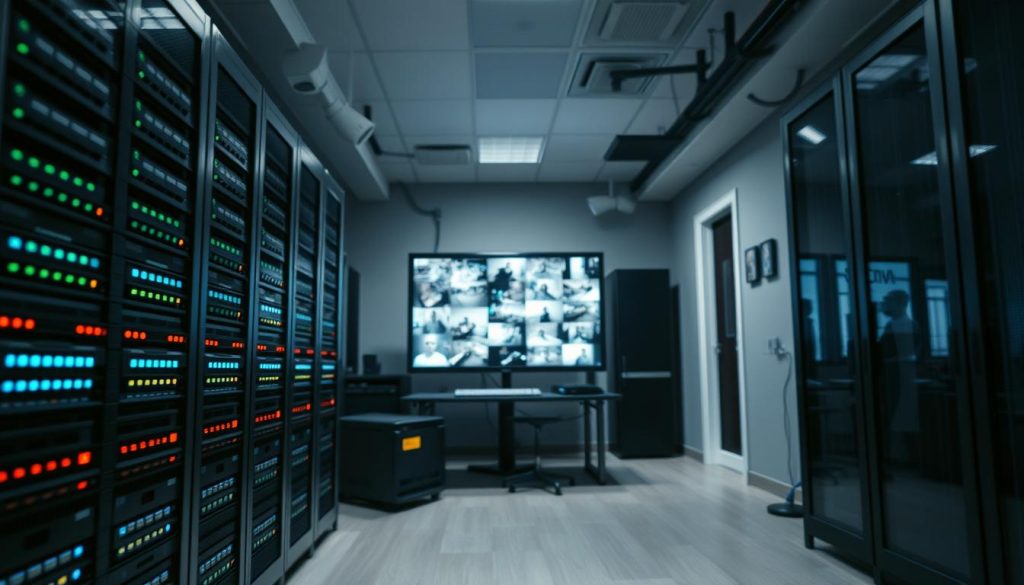
Effective security relies on more than just installing cameras. The real value lies in the recorded footage and how long you can access it. Knowing your storage duration is crucial for investigations, compliance, and peace of mind.
This is especially true when systems are inactive. You need a clear plan for data preservation. In Singapore, specific legal and operational needs shape these requirements.
Multiple factors determine retention periods. These include hard drive capacity, recording quality, and system settings. A smart strategy goes beyond simple storage space.
This guide provides a comprehensive look at CCTV footage retention in Singapore. We will explore the technical, legal, and practical considerations. Our goal is to help you manage your surveillance data effectively over time.
Key Takeaways
- Understanding storage duration is fundamental to a security system’s effectiveness.
- Legal requirements in Singapore often set minimum footage retention periods.
- The duration archived video remains accessible depends on hardware, settings, and recording resolution.
- A proper storage strategy is an intelligent data lifecycle management plan.
- This guide offers a Singapore-focused overview of best practices for CCTV cameras.
- Proactive planning for footage preservation prevents the loss of critical evidence.
- Balancing security needs with practical storage limits is key to operational efficiency.
Introduction to CCTV Footage Storage and Retention
A camera’s lens captures moments, but a well-defined storage and retention policy gives those moments lasting value. These two concepts form the backbone of effective video surveillance. Storage refers to the physical or digital space holding the data.
Retention is the planned duration that footage remains accessible and usable. Without a clear policy, recorded video becomes a digital clutter, not a security asset.
Simply recording events is not enough. The real power of a surveillance system lies in its ability to retrieve past events. A deliberate retention strategy turns raw video into actionable intelligence.
This management serves three core objectives. First, it preserves evidence for investigations or legal disputes. Second, the very knowledge of recorded footage acts as a crime deterrent.
Third, it allows for operational oversight, like reviewing customer traffic or staff procedures. Each goal demands a different storage period.
What determines how long to keep video? The purpose of monitoring and the property type are key. A home’s needs differ vastly from a bank’s.
In Singapore, common practices highlight this. Residential properties often maintain recordings for about two weeks. Commercial establishments and businesses typically require at least 30 days.
For critical investigations, law enforcement suggests a 31-day retention window. This balances security demands with personal privacy concerns.
These specific needs create a central challenge. You must match them with your system‘s physical storage capacity. Planning for weeks or months of video requires smart data lifecycle management from the start.
Understanding CCTV Storage Duration: The Basics
Setting a clear timeline for video accessibility transforms random recordings into a structured security asset. This section breaks down the core elements of storage duration.
We will explore why defined timelines are crucial and compare typical requirements across different environments.
Why Storage Duration Matters for Security and Compliance
Defined retention periods are not just a technical setting. They are a foundational part of your security posture.
A clear policy ensures you can retrieve past incidents when needed. This turns your archive into actionable evidence.
In Singapore, adhering to frameworks like the PDPA is a key compliance issue. Your security needs must balance with data protection rules.
A planned duration helps manage this balance effectively. It prevents data hoarding while ensuring critical footage is preserved.
Typical Retention Periods: From Homes to Corporations
Storage needs vary dramatically by location and purpose. There is no universal rule for how long to keep footage.
For homes, requirements are often shorter. Residents typically need access to at least two weeks of recorded video.
Commercial businesses face greater demands. Many operations standardize on a 30-day retention window.
Larger corporate environments may extend this further. It is common to keep footage for 30 to 90 days.
Highly regulated sectors have the strictest mandates. Banks, for example, are often required to archive video for at least six months.
Your security needs and legal obligations directly shape your storage duration. A residential camera system has a very different profile from a corporate network.
Understanding these baseline retention periods is the first step in managing your CCTV data lifecycle effectively.
Key Factors Affecting CCTV Camera Storage Time Frame
Behind every defined retention period lies a delicate balance of hardware capabilities and software settings. The actual storage time your archive provides is not fixed. It is dynamically shaped by several core technical factors.
Mastering these elements lets you configure your CCTV system effectively. You can align its performance with your specific security and compliance goals.
Video Resolution and Storage Requirements
Image clarity comes at a direct cost to your storage space. Higher video resolution means more detailed footage. It also consumes significantly more digital space.
A standard 1TB hard disk fills up quickly with multiple high-resolution feeds. 4K systems demand far more capacity than HD or standard definition cameras.
Choosing the right quality level is a critical trade-off. You must balance investigative detail with practical archive duration. This decision fundamentally impacts how long you can keep recorded data.
Storage Capacity of DVR, NVR, and Cloud Systems
The type of CCTV system you use defines its inherent storage capacity. Traditional DVRs and modern NVRs rely on internal hard drives.
These devices have a fixed, physical limit. Once the drive is full, older footage is automatically overwritten. Expanding this local storage space often requires hardware upgrades.
Cloud storage offers a different model. Capacity typically scales with your subscription plan. This provides flexibility, allowing your archive to grow with your needs without swapping hardware.
Recording Mode: Continuous vs. Motion-Activated
Perhaps the most impactful setting is the recording mode. A system running continuous, 24/7 capture uses storage space at a constant, high rate.
Motion-activated recording changes this equation. The system only records when it detects motion within the camera’s field of view.
This can drastically reduce storage consumption. It ignores long periods of inactivity, preserving capacity for relevant events. For many properties, this is the single best way to extend usable storage time.
Understanding these three factors—resolution, system capacity, and recording logic—is essential. It allows you to build a surveillance archive that lasts as long as you need.
Defining the CCTV Camera Inactivity Shelf Life
When a security camera stops functioning, a critical question arises about the fate of the video it has already captured. The inactivity shelf life addresses this directly. It refers to how long recorded footage can be preserved when the equipment is no longer operational.
This concept is vital for planning and incident response. Your data doesn’t necessarily vanish the moment a lens goes dark. Understanding this shelf life helps you manage risks associated with equipment failure.
What “Inactive” or “Non-Working” Really Means for Storage
It’s crucial to distinguish between a failed camera and a failed storage system. A non-working camera unit is physically disconnected or broken. However, the recorder (DVR/NVR) or cloud account holding the footage might still be perfectly functional.
In such cases, the existing archive remains intact and accessible. The storage device simply stops receiving new video feeds. This separation between capture and storage components is a key point.
For modern systems, the integrity of the data depends on the health of the drive or cloud server. A broken camera doesn’t automatically corrupt files saved earlier. Your focus for preservation shifts to maintaining the recorder or cloud access.
How Storage Media Degrades Over Time Without Use
Physical storage media degrades naturally, even when idle. Hard disk drives (HDDs) and solid-state drives (SSDs) have a finite lifespan. Critical factors like humidity and temperature fluctuations accelerate this degradation.
A drive sitting in a hot, humid server closet is under constant stress. Platters can corrode, and solder joints may weaken. This happens over time regardless of whether new footage is being written.
This silent degradation poses a real threat to long-term data archives. It means that preservation for non-operational systems requires proactive environmental control. Simply unplugging a recorder and storing it is not a safe long-term strategy.
How Many Months Can Store the CCTV Camera If It Is Not Working?
Planning for hardware preservation is a critical, yet often overlooked, aspect of security system management. When a surveillance unit is decommissioned or fails, a practical question arises. How many months can store the CCTV camera if it is not working?
The general guideline suggests a range of six months to one year. This is not a guaranteed shelf life but a realistic window before component degradation risks rise significantly. Your goal during this period is to maintain the unit’s potential for re-use or forensic analysis.
General Storage Durations for Preserved Equipment
A six to twelve-month preservation window is a useful benchmark. This duration assumes the equipment is stored properly after being taken offline.
Several factors influence this timeline. The make, model, and build quality of your security cameras play a major role. Higher-end units often use more robust components designed for longevity.
It’s vital to distinguish between storing the physical camera and preserving the footage it recorded. The data resides on a separate recorder or cloud server. A non-operational lens does not automatically corrupt archived video.
For evidence purposes, focus on securing the recorder, not just the sensor. This separation is key for effective long-term storage planning.
Environmental Impact on Long-Term Camera Preservation
The guideline of several months to a year hinges entirely on environmental conditions. Poor storage can shorten a unit’s functional life to just weeks.
Temperature and humidity are the primary enemies. Consistent heat accelerates the breakdown of internal electronics and battery cells. High humidity promotes corrosion on circuit boards and connector ports.
Dust accumulation acts as an insulator, trapping heat and potentially causing short circuits. Direct exposure to sunlight or water elements causes immediate and severe damage.
A climate-controlled environment is the single best practice for extending preservation time. A cool, dry, and clean space drastically reduces environmental stress on the components.
By controlling these variables, you actively manage the storage lifespan of your inactive security equipment.
Legal Framework Governing CCTV Retention in Singapore
The duration you keep CCTV footage isn’t just a technical decision—it’s a legal obligation in Singapore. A comprehensive regulatory framework governs video surveillance practices. This framework ensures data protection while meeting security needs.
Organizations must navigate these rules carefully. Legal compliance forms the bedrock of any surveillance program. Failure to understand these requirements exposes businesses to significant risk.
Two primary authorities set the standards. The Personal Data Protection Commission enforces the PDPA. The Media Development Authority provides technical guidelines for CCTV systems.
Personal Data Protection Act (PDPA) Requirements
The PDPA is Singapore’s cornerstone data privacy law. It applies directly to any footage capturing identifiable individuals. The Act mandates specific obligations for those operating cameras.
First, organizations must provide clear notification. Visible signage must inform people they are under surveillance. This satisfies the consent and purpose limitation principles.
Second, the law regulates how long you can retain personal data. The retention period must be reasonable and necessary for its purpose. Once that purpose expires, the data should be deleted.
Third, the PDPA requires reasonable security safeguards. This protects archived video from unauthorized access or breaches. Proper storage and disposal methods are essential components.
Non-compliance penalties are severe. The Commission can impose fines up to S$1 million for violations. This includes improper handling of personal data within surveillance recordings.
Media Development Authority (MDA) Technical Guidelines
Beyond privacy law, technical standards ensure evidentiary quality. The MDA issues guidelines for surveillance systems. These often dictate minimum operational capabilities.
Recent updates focus on recording quality and duration. For commercial installations, a minimum resolution like 1080p may be required. This ensures footage is useful for identification and investigation.
The guidelines also suggest baseline retention periods. Many commercial entities are expected to maintain recordings for at least 30 days. This provides a reasonable window for incident review.
These standards help standardize CCTV evidence across industries. They ensure that when footage is needed, it meets a usable threshold. Adhering to them demonstrates a commitment to operational best practices.
Consequences of Non-Compliance and Improper Retention
Ignoring these regulations carries serious repercussions. Financial penalties are the most immediate concern. The S$1 million maximum fine under the PDPA represents a substantial business risk.
Reputational damage can be even more costly. News of a data breach or unauthorized filming harms public trust. Customers and partners may question an organization’s commitment to privacy.
Operational setbacks are another consequence. Authorities may order a non-compliant system to be shut down. This creates a security gap while upgrades are implemented.
Improper storage or access controls can lead to data breaches. Leaked surveillance video violates privacy on a large scale. It also exposes the organization to lawsuits from affected individuals.
In summary, the legal rules are not suggestions. They are mandatory requirements that define how long you must keep footage. A proactive approach to legal compliance protects both the organization and the public.
Industry-Specific Retention Policies: A Comparative Look
From bustling bank lobbies to quiet residential corridors, retention policies adapt to specific operational risks. No single rule governs all surveillance video. The timeline for keeping recordings is shaped by distinct industry pressures.
High-security sectors face strict regulatory mandates. General commerce balances loss prevention with practical storage limits. Homes must weigh security against personal privacy rights.
This comparative analysis outlines standard practices across three key environments. Understanding these benchmarks helps you align your system with industry norms.
Banking and Financial Institutions: Extended Archival Needs
Banks and financial firms operate under the longest retention mandates. These security needs are driven by fraud investigation and regulatory compliance. Authorities often require archives spanning six months to a full year.
This extended window supports detailed forensic audits. It allows investigators to trace transaction discrepancies or unauthorized access. High-value CCTV footage becomes a critical audit trail.
The storage infrastructure must be robust and highly secure. Systems are designed for long-term data integrity and controlled access. This sector’s policy is defined by necessity, not convenience.
Retail, Hospitality, and Commercial Standards
For most businesses, a 30 to 90-day retention period is standard. This includes retail stores, hotels, offices, and warehouses. The goal is to cover typical incident investigation cycles.
Shoplifting claims or customer disputes often surface within weeks. Staff safety incidents or operational reviews also fall within this window. Companies keep footage long enough to resolve these matters.
This balance meets operational security needs without excessive storage costs. Motion-activated recording is common here to conserve space. The policy is practical and aligned with common business cycles.
Residential CCTV Storage Norms and Privacy Considerations
Homeowners typically keep footage for a shorter duration. Norms range from 14 to 30 days. This is sufficient for reviewing package theft or property damage.
Privacy is a paramount concern in residential settings. Cameras must not film beyond one’s property boundary. Community management rules often enforce this to protect neighbor privacy.
Singapore’s PDPA guides the handling of personal data. Recorded CCTV footage should be secured and deleted when its purpose ends. A residential policy prioritizes security without infringing on the rights of others.
CCTV Camera Storage Solutions: Local vs. Cloud
Navigating the landscape of video archiving requires a clear understanding of the two dominant paradigms: on-premises hardware and cloud-based services. Your choice between these storage solutions defines your control, cost, and resilience. It’s a fundamental decision that shapes your entire CCTV system‘s effectiveness.
Local storage options keep your footage on-site within physical recorders. Cloud storage moves your surveillance data to secure remote servers. Each path offers distinct advantages and trade-offs for Singaporean users.
The right selection balances your security needs with practical constraints like budget and IT resources. This comparison will help you evaluate both storage options objectively.
Pros and Cons of DVR/NVR Local Storage
Traditional systems use DVRs or NVRs for local storage. These devices house hard drives inside your premises. They offer direct, physical control over your surveillance archive.
The primary advantage is a one-time capital expenditure. You buy the hardware, and there are no ongoing subscription fees. This can simplify long-term budgeting for many businesses.
You also maintain complete ownership of the data. There’s no reliance on an internet connection for basic recording functions. This ensures continuous capture even during network outages.
However, these storage solutions have inherent limitations. Physical capacity is fixed by the size and number of installed hard drives. Expanding space often means purchasing and installing additional hardware.
The most significant risk is on-site vulnerability. A fire, flood, or theft could destroy both the recorder and the archived footage. This single point of failure is a major concern for critical evidence.
Retrieving footage typically requires physical presence at the recorder. Remote access is possible but often depends on complex network configuration.

Advantages of Cloud-Based Storage and Hybrid Models
Cloud storage represents a modern shift in surveillance data management. Your video is encrypted and transmitted to off-site data centers. This approach fundamentally changes the storage dynamic.
The most celebrated benefit is effortless remote access. Authorized users can review live or recorded footage from any internet-connected device. This supports mobile management and rapid incident response.
Scalability is another key strength. Cloud storage capacity can usually be increased with a simple plan upgrade. There’s no need to service hardware or worry about physical space.
It also provides built-in off-site redundancy. Your archive is protected from local disasters that could wipe out on-premises equipment. This geographic separation is a powerful form of data insurance.
The trade-off involves recurring operational expenses. Monthly or annual subscription fees replace a large upfront cost. You must also trust the provider’s security protocols and ensure a stable, high-bandwidth internet connection.
Hybrid models are gaining popularity for their balanced approach. They combine a local NVR with automatic cloud backup for critical video.
This strategy offers the best of both worlds: immediate local access and off-site disaster recovery.
Recent footage stays on the fast local drive for quick review. Important events are duplicated to the cloud for long-term preservation. It’s a resilient architecture suited for high-value locations.
Choosing the Right Solution for Your Security Needs
Selecting the optimal storage solution is not a one-size-fits-all decision. It requires a careful assessment of your specific operational environment and goals.
Start by defining your non-negotiable security needs. How critical is 24/7 remote viewing for your team? What is the absolute minimum retention period required for compliance or investigation?
Evaluate your technical infrastructure and budget. A robust local system demands upfront capital and perhaps IT support for maintenance. A cloud service shifts costs to an operational model and requires reliable, high-speed internet.
Consider your appetite for risk management. If losing archived video to a physical disaster is unacceptable, cloud or hybrid models provide essential redundancy. For those concerned about data sovereignty, local DVRs and NVRs keep everything within your walls.
Think about future growth. Will your storage needs expand significantly in the coming years? Cloud and hybrid storage options typically offer easier scalability than physical hardware upgrades.
For scenarios requiring very long-term archives, such as for potential legal matters, ensure your chosen method supports it. Understanding the process for retrieving older surveillance footage is part of due diligence.
Ultimately, the best choice aligns technology with your priorities. It provides reliable access to your footage, fits your financial model, and safeguards your data against foreseeable threats.
Maintaining Storage for Non-Operational CCTV Systems
When surveillance hardware is taken offline, its physical care determines future usability. Proper handling extends the functional life of your security assets. This process is about more than just boxing up old gear.
It involves deliberate steps to protect electronic components and stored data media. A good plan prevents premature failure and preserves resale value. Think of it as an insurance policy for your security investment.
Whether you are rotating equipment or holding units for evidence, correct storage is key. The right approach mitigates risks from environmental controls and physical damage. Let’s explore the best practices to keep your systems ready for future use.
Best Practices for Preserving Inactive Equipment
Following a simple checklist ensures your decommissioned cameras and recorders remain in good condition. These actions shield sensitive electronics from common factors that cause decay.
- Power Down and Remove Batteries: Always fully shut down systems before storage. Take out any backup batteries to prevent leakage and corrosion over time.
- Clean Components Thoroughly: Gently wipe down housings and lenses with a dry, soft cloth. Remove dust, cobwebs, and any moisture residue to avoid buildup.
- Use Original Packaging: The manufacturer’s box offers the best protection. It is designed to cushion the device and often includes anti-static materials.
- Label Everything Clearly: Mark each box with the device model, serial number, and decommission date. This simplifies inventory management and future retrieval.
- Choose a Cool, Dry Location: Select a dedicated storage area away from dampness and heat sources. A stable environment is the cornerstone of long-term preservation.
These steps create a strong foundation for safeguarding non-operational equipment. They focus on preventing the most common causes of damage during idle periods.
Environmental Controls: Temperature, Humidity, and Dust Management
The physical space where you store equipment is as important as the packing method. Consistent environmental controls are non-negotiable for electronic longevity.
Temperature is a primary concern. Ideal conditions range from 50°F to 85°F (10°C to 30°C). Avoid locations near heaters, air conditioners, or direct sunlight, which cause thermal stress.
Excessive heat accelerates the breakdown of internal circuits and solder joints. Consistent cold is less harmful but can make plastics brittle.
Humidity control is equally critical. Aim to keep relative humidity levels below 60%. Moisture in the air leads to corrosion on metal contacts and circuit boards.
In Singapore’s climate, a dehumidifier in the storage room may be necessary. Silica gel packs inside sealed containers also help absorb excess moisture.
Dust management is the third pillar. Dust acts as an insulating blanket, trapping heat and potentially causing short circuits. It can also clog fan vents and lens covers.
Store equipment in sealed boxes or plastic bins. Ensure the room itself is clean and well-sealed from external dust sources. Regular cleaning of the storage area is a simple but effective habit.
By mastering these three environmental controls, you directly combat the main enemies of electronic preservation. This proactive management protects both the hardware and any archived data media it may contain, ensuring your cameras remain viable assets.
Proactive Tips for Managing Your CCTV System’s Storage Lifespan
Maximizing the utility of your video evidence requires ongoing attention to both hardware health and software configuration. A proactive approach extends your storage lifespan and ensures your retention goals are reliably met. This active stewardship turns your archive into a dependable security resource.
Waiting for a failure is a reactive strategy. Scheduled check-ups and smart settings optimization are the pillars of a resilient CCTV system. These practices help you get the most from your existing storage space.
Regular System Check-ups and Maintenance Procedures
Consistent system maintenance prevents minor glitches from becoming major failures. A monthly or quarterly inspection routine is a wise investment. It safeguards the integrity of your entire surveillance operation.
Your checklist should include several key actions. These verify that your security cameras and recorders are performing as intended.
- Review Recorded Footage: Periodically sample clips to check for blurry or distorted images. This can indicate lens issues or camera misalignment.
- Verify Continuous Recording: Confirm that all cameras are logging video without unexplained gaps. A failed channel wastes valuable archive capacity.
- Test Motion Detection Sensors: Ensure motion-activated recording triggers correctly. False alerts from foliage or lighting changes fill drives with useless data.
- Inspect Storage Drive Health: Most modern CCTV system recorders have a built-in health status tool. Monitor it for early signs of hard disk failure.
- Check System Logs: Review error logs for recurring warnings. These can flag network problems or software conflicts before they impact footage capture.
This routine maintenance ensures your equipment operates efficiently. It prevents wasted storage space on corrupted files or irrelevant recordings.
Optimizing Settings to Maximize Effective Storage Duration
Intelligent configuration stretches your available capacity without compromising security. The goal is to record only what you need at an adequate quality. Fine-tuning these settings is a powerful way to extend your archive’s retention window.
Start by evaluating your video resolution. Do all cameras need to record in 4K? For general monitoring, a high-definition 1080p stream often provides sufficient detail while using significantly less space.
Next, enable advanced video compression. Modern codecs like H.265 can reduce file sizes by up to 50% compared to older standards. This efficiency directly doubles your effective storage duration for the same drive capacity.
Finally, refine your motion detection parameters. Most systems allow you to draw specific zones within the camera’s view. Configure these zones to cover only entry points or valuable assets.
This tells the system to ignore activity in non-critical areas, like a public sidewalk. It ensures your recording is triggered only by essential events. You preserve storage space for genuinely important footage.
Together, these optimizations form a smart data management strategy. They help ensure critical video is retained for the desired duration. You maintain reliable access to evidence without immediate hardware upgrades.
Handling Old Surveillance Footage: Retention and Disposal
Every surveillance system reaches a critical juncture where its recorded history must be deliberately concluded. A formal process for managing expired data and retired equipment is essential. This final phase protects your organization and the community.
It completes the security lifecycle responsibly. Without it, you risk privacy violations and environmental harm. This section outlines the necessary steps for secure disposal.
Secure Data Destruction Guidelines for Expired Footage
Once the mandated retention period ends, old video must be destroyed. Simply deleting files is often insufficient. Specialized data destruction methods are required to prevent recovery.
This practice aligns with Singapore’s PDPA principles. You should only keep footage as long as necessary for its purpose. Holding CCTV footage beyond that time creates liability.
For digital files, use certified secure deletion software. These tools overwrite the storage space multiple times. This ensures the original data is irrecoverable.
For physical media like hard drives, physical destruction is the gold standard. Industrial shredders or degaussing machines render the platters unreadable. This is crucial for high-security environments.
Establish a clear schedule for this purging activity. Many organizations perform it monthly or quarterly. Documenting the process provides an audit trail for compliance.
Ethical and Legal Disposal of Decommissioned CCTV Hardware
Retired cameras, DVRs, and NVRs contain sensitive components. They must not enter the general waste stream. Proper e-waste recycling is both an ethical and legal duty in Singapore.
The first step is always data sanitization. Remove any hard drives or memory cards from the system. Destroy them using the methods described above before recycling the shell.
Next, partner with a licensed e-waste recycler. Look for providers certified under Singapore’s NEA program. They safely extract valuable metals and dispose of toxins.
This responsible approach prevents hazardous materials from polluting landfills. It also stops discarded devices from becoming a source for data thieves. Old hardware can still contain configuration files or cached video.
Implementing this end-of-life policy demonstrates corporate responsibility. It closes the loop on your security investment. Your organization safeguards both information and the environment.
Emerging Trends in Surveillance Storage Technology
Tomorrow’s security archives will be managed not by manual settings, but by predictive algorithms. A new generation of technology is reshaping how we capture, process, and keep surveillance video. These innovations focus on making data more intelligent and storage far more efficient.
For CCTV operators in Singapore, this means extending retention periods without constant hardware upgrades. The focus shifts from simply adding more capacity to working smarter with existing resources. Three key advancements are leading this change.
AI-Powered Retention and Smart Storage Optimization
Artificial intelligence is moving far beyond basic motion detection. Modern AI algorithms can analyze video content in real-time to understand what they see. They distinguish between a person, a vehicle, and irrelevant movement like swaying trees.
This intelligence enables smart storage optimization. The system can automatically tag and prioritize clips containing relevant events. Empty scenes or false alarms are discarded immediately, not written to disk.
The result is a dramatic reduction in storage consumption. Data centers on evidence, not just activity. You maintain a high-evidentiary quality archive while using a fraction of the capacity.
The Role of Edge Computing and Improved Compression Codecs
Edge computing complements AI by processing video directly on the camera. Instead of sending raw, continuous streams to a recorder, the camera analyzes footage locally. It transmits only condensed metadata or short, relevant event clips.
This approach minimizes bandwidth use and central server load. It is a foundational shift for scalable systems, especially when integrating with cloud solutions.
Advanced compression technology further slashes file sizes. Codecs like H.265 or Axis Zipstream are now standard in modern CCTV equipment.
- H.265 (HEVC): Can reduce file sizes by approximately 50% compared to older H.264, with no loss in visual detail.
- Manufacturer-Specific Codecs (e.g., Zipstream): Use adaptive compression, applying more compression to static background areas and less to critical moving objects. This can achieve savings of 50-75%.
Together, edge processing and smart compression work in tandem. They ensure that only essential, optimized data is stored. This synergy is the key to future-proofing your surveillance storage strategy.
Implementing Best Practices for CCTV Data Management
A systematic approach to video data governance turns reactive monitoring into proactive risk management. For businesses in Singapore, this means moving beyond technical setup. It requires establishing formal procedures that govern the entire lifecycle of your surveillance information.
This disciplined data management framework protects your organization. It ensures compliance with regulations like the PDPA. More importantly, it transforms your archive from a passive record into a reliable security asset.
The core of this framework rests on two pillars: a clear written policy and consistent operational oversight. Together, they create accountability and control over your CCTV operations.
Developing a Clear Retention and Access Policy
The foundation of good governance is a documented retention policy. This is not a vague guideline but a specific, written directive. It clearly answers who, what, when, and how regarding your surveillance footage.
First, the policy must define specific periods for different cameras or zones. A lobby camera might need 30 days of storage, while an ATM feed requires 90. This tailoring aligns data preservation with actual risk.
Second, it establishes a strict access policy. The document should list authorized personnel by role or name. It must detail the approved procedures for retrieving and reviewing recorded footage.
Finally, a complete policy includes protocols for data handling and secure destruction. It states how expired video is permanently deleted. This closes the loop and fulfills legal obligations for data minimization.
Creating this policy forces a review of your operational and legal needs. It provides a clear reference for all staff, ensuring consistent and compliant action.
Conducting Regular Audits and Staff Training
A policy alone is not enough. Its effectiveness depends on regular verification through audits. Scheduled checks confirm that your system is operating as the policy dictates.
An audit verifies that recordings are being retained for the correct duration. It checks access logs to ensure only authorized personnel are viewing footage. This process can also identify technical malfunctions, like a camera that stopped recording.
These reviews are a powerful compliance tool. They provide documented evidence that your organization is managing its CCTV data responsibly.
Equally critical is comprehensive staff training. Every employee who interacts with the system must understand the policy. Training minimizes the risk of accidental privacy violations or improper data handling.
Staff should know how to request footage properly and why certain rules exist. This cultural awareness turns policy from a document into a practiced standard.
Implementing these best practices completes your security posture. It provides structured solutions for managing video evidence. Your surveillance data becomes a trusted, accountable part of your overall security strategy.
Future-Proofing Your CCTV Storage Strategy
Your footage’s long-term value depends on a strategy that anticipates change rather than reacts to it. This proactive mindset is the core of future-proofing your surveillance archive.
It transforms your storage from a static cost into a dynamic security asset. Choose scalable solutions like cloud or hybrid models.
These options grow with your needs, avoiding sudden capacity crunches. Stay informed about technology advancements and Singapore’s regulatory updates.
Build flexibility into your retention and access policies. This allows your systems to adapt to new security challenges.
A forward-thinking approach ensures cost-efficient, compliant CCTV operations for years. By planning ahead, you maintain an effective surveillance posture that stands the test of time.