
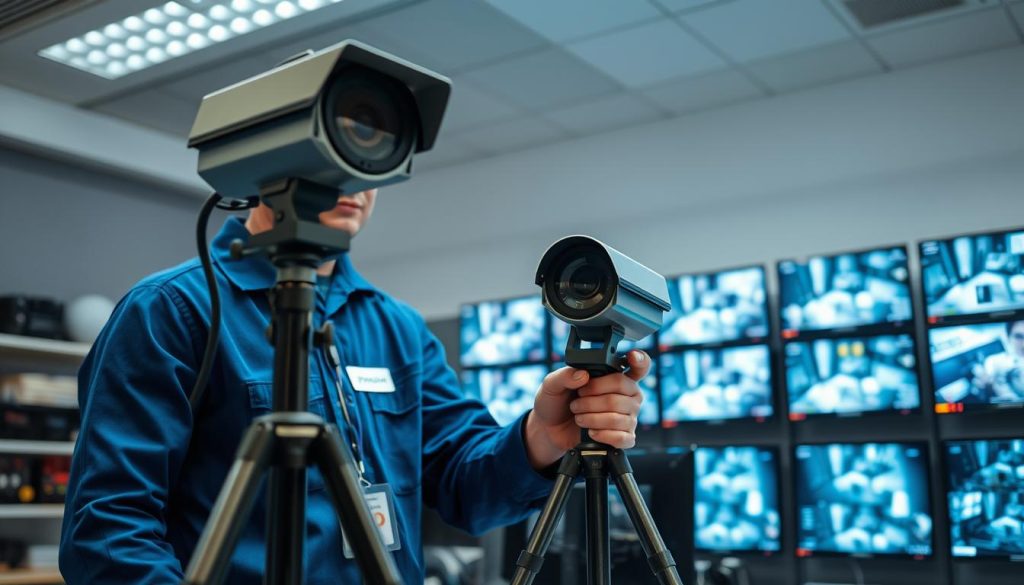
Your surveillance setup is only as strong as its weakest link. In a high-security environment like Singapore, where humidity and constant use are common, proactive care for your security systems is non-negotiable.
This essential process involves scheduled inspections, thorough cleaning, software updates, and timely repairs. It keeps every camera, recorder, and cable functioning at peak performance.
Neglecting this service leads to serious problems. You might face blurred video footage, unexpected system failures, or complete downtime. These issues create security gaps and often result in much higher repair costs later.
Conversely, a consistent upkeep schedule delivers major benefits. It enhances surveillance reliability, extends your equipment’s lifespan, and ensures compliance with local data protection rules. Statistics show regular care can reduce failure rates by up to 30%.
This guide provides actionable insights for property owners and facility managers. We’ll explore maintenance types, critical components, checklists, scheduling, and how to choose a provider in Singapore.
Integrating a well-maintained CCTV system with other measures, like access control, creates a powerful, layered defense. Let’s ensure your surveillance investment is protected.
Key Takeaways
- Proactive upkeep is critical for security system reliability, especially in Singapore’s climate.
- Routine maintenance includes physical checks, cleaning, software updates, and component repairs.
- Skipping service can cause poor video quality, system failures, and increased security risks.
- Regular care extends equipment life and can prevent up to 30% of potential failures.
- Proper maintenance helps ensure compliance with Singapore’s data and monitoring regulations.
- A maintained system integrates better with other security layers for comprehensive protection.
- Planning scheduled service avoids costly emergency repairs and operational downtime.
What is CCTV Maintenance? Understanding the Basics
A robust security posture depends on more than just installing cameras. It demands a regimen of dedicated care. This ongoing process ensures your monitoring network operates without fail.
Defining CCTV Maintenance and Its Scope
Think of this process as the scheduled health check for your entire surveillance operation. It is the planned servicing of all video security components to guarantee peak performance.
The scope is comprehensive, covering every physical and digital element. This holistic approach prevents small issues from becoming major failures.
Key areas under constant review include:
- Camera lenses and housings for clarity and integrity.
- Wiring, cables, and power supplies for stable connections.
- Recording devices and data storage systems for video integrity.
- Network infrastructure and software for secure access.
Regular checks and cleaning form the backbone of this proactive care. They adapt your equipment to local environmental challenges.
Why Regular Upkeep is Non-Negotiable for Security
Consistent service is the bedrock of security systems reliability. Without it, your property’s protection has clear weaknesses.
Blind spots from dirty lenses or failed cameras create opportunities for unauthorized access. High-quality footage is crucial for identifying details and providing legal evidence.
In Singapore, humidity can quickly fog camera lenses and corrode connections. Proactive care directly counters these environmental threats.
Industry standards and local regulations often mandate functional surveillance. Proper upkeep ensures compliance and avoids potential penalties.
Contrast a well-maintained cctv system with a neglected one. The latter risks complete downtime, security breaches, and irreversible data loss.
Proactive maintenance reduces the total cost of ownership. It prevents expensive emergency repairs and extends equipment lifespan.
Firmware and software updates are a critical part of the process. They patch vulnerabilities and add new features to your cctv systems.
Understanding these fundamentals prepares you for deeper dives into specific maintenance types and schedules. The following sections will provide actionable guidance.
The Critical Importance of CCTV Maintenance in Singapore
For security infrastructure in Singapore, consistent upkeep is not a luxury but a fundamental operational requirement. The city-state’s unique environment and strict legal landscape make a proactive approach essential.
This dedicated care directly impacts how well your monitoring network performs every single day. It safeguards your investment and ensures continuous operational security.
Enhancing Surveillance Reliability in Humid Climates
Singapore’s tropical weather is a constant test for electronic equipment. High humidity and frequent rain create persistent challenges.
Moisture in the air can quickly lead to lens fogging on camera lenses. This obscures the view and ruins video clarity.
Over time, dampness promotes mold growth and corrosion on internal components and external cables. This degradation silently damages system integrity.
Dust and salt particles accelerate wear. They can scratch delicate glass and clog moving parts in PTZ units.
Regular cleaning and environmental sealing are your first line of defense. A simple schedule prevents these common issues.
Technicians use specialized solutions to clean housings without residue. They also apply weatherproofing seals to keep moisture out.
A practical tip is using silica gel packets inside camera housings. These small packets absorb excess moisture and significantly extend equipment life.
These actions ensure your surveillance delivers clear, usable footage year-round. Reliability in this climate is earned through proactive care.
Reducing Equipment Failures and Unplanned Downtime
Sudden system failure creates a dangerous security gap. Research indicates a disciplined service schedule can lower malfunction risks by up to 30%.
This statistic highlights the power of preventive action. Scheduled checks identify weak points before they break.
Contrast the costs for a moment. A planned maintenance visit is a predictable, affordable expense.
An emergency repair after a crash is costly and urgent. You pay premium rates and suffer from lost protection in the meantime.
Downtime means zero recording during a critical event. It can lead to irreversible data loss and liability.
For businesses, this interruption threatens operational continuity. Retail stores, industrial sites, and residential complexes all depend on constant monitoring.
A well-maintained cctv system supports seamless business security. It deters crime effectively and provides evidence if needed.
Viewing this care as an investment pays off. It maximizes your security systems lifespan and minimizes surprise costs.
Compliance with Local Security Regulations
Operating in Singapore brings specific legal responsibilities. The Personal Data Protection Act (PDPA) governs how surveillance data is handled.
The law requires that collected information be accurate and secure. A faulty cctv camera producing blurry or missing footage fails this standard.
Proper maintenance ensures your system records properly and stores video correctly. It is a cornerstone of regulatory compliance.
Authorities may also have standards for monitoring in certain areas. Functional equipment is often a mandatory condition for licenses.
Failing to meet these rules carries legal liabilities. Businesses with non-operational surveillance can face penalties or lawsuits.
Routine service acts as a powerful risk mitigation strategy. It demonstrates due diligence in protecting people and property.
Furthermore, reliable cctv systems contribute to Singapore’s renowned safety. They aid law enforcement and maintain the nation’s low crime rates.
Integrating a proactive maintenance program is the smart choice. It builds a resilient security infrastructure that performs, protects, and complies.
Core Components of Your CCTV System That Need Care
To ensure your property remains under vigilant watch, you must understand and maintain the core elements of your setup. A surveillance network is only as strong as its individual parts working in harmony.
Focus your care on four primary groups: the cameras that capture images, the wiring that delivers power and signal, the devices that handle recording, and the storage that holds the data. Neglecting any one can cripple the entire system.
Cameras and Lenses: The Eyes of Your Security
Dust, scratches, and misalignment are the main enemies of clear video. A dirty lens obscures critical details, turning potential evidence into useless blur.
For basic cleaning, use a soft, lint-free cloth and lens cleaner. Gently wipe the outer housing to prevent dust buildup. Avoid abrasive materials that can cause permanent damage.
Check the camera’s field of view every few months. Has it shifted due to wind or vibration? A slight adjustment can eliminate a dangerous blind spot.
“A single smudged camera lens can render an entire monitoring zone ineffective, creating a security gap where you least expect it.”
Choosing the right lens and positioning is vital for coverage. Wide-angle lenses cover large areas, while varifocal models allow precise zoom. Proper placement reduces shadows and glare.
Wiring, Connections, and Power Supplies
This network of cables and connectors is your system’s circulatory system. Loose terminations, corrosion, and rodent damage are common issues.
Inspect cable runs for signs of wear or exposure. Look for cracked insulation or connectors pulling away from walls. Secure loose cables with clips to prevent strain.
Power supplies are a critical failure point. Use a multimeter to check voltage output periodically. Install surge protectors to shield sensitive equipment from electrical spikes.
Test battery backups for network video recorders. A power outage shouldn’t mean a total security blackout. This simple check ensures continuous protection.
Recording Devices and Data Storage Systems
The recorder is the brain of your operation. Its health dictates whether footage is saved and accessible. Monitor hard drive status for early signs of failure.
Plan your storage capacity based on retention needs. Running out of space halts recording automatically. This creates a major vulnerability during an incident.
Regular software and firmware updates are non-negotiable. They patch security flaws and improve system stability. Schedule these updates during low-activity periods.
Perform periodic playback tests. Verify that video from each camera is being recorded correctly and can be retrieved. This confirms data integrity.
Every component in this chain is interdependent. A faulty cable disables a cctv camera. A full hard drive stops all recording. Holistic maintenance ensures every link is strong, preserving your security investment and performance.
Types of CCTV Maintenance: Preventive, Corrective, and Predictive
Not all upkeep is created equal. Different methodologies serve different purposes in a security plan.
Understanding these approaches helps you allocate resources wisely. It also ensures your monitoring network remains a reliable asset.
Three primary strategies dominate modern surveillance care. Each one addresses distinct stages in the equipment lifecycle.
They are preventive, corrective, and predictive. A blend of these methods often delivers the strongest results.
Preventive Maintenance: Proactive Checks and Cleaning
This is the scheduled, proactive care for your setup. It focuses on stopping problems before they start.
Regular inspections and cleaning form its core. Technicians follow a strict checklist during each visit.
Common tasks include physical lens cleaning to remove dust and grime. They also test all power supplies and cables for integrity.
Software and firmware updates are applied to patch vulnerabilities. Component testing verifies every camera and recorder works correctly.
The benefits of this approach are significant. It leads to lower long-term costs by avoiding major repairs.
System reliability and performance stay consistently high. Many manufacturers require this service to keep warranties valid.
Extending your equipment’s operational life is a key outcome. This strategy is the foundation of a robust security posture.
Corrective Maintenance: Fixing Issues After They Occur
Corrective action is the reactive response to a failure. It begins after a system component has already stopped working.
The process involves diagnosing the fault, sourcing replacement parts, and executing repairs. This often happens under time pressure.
Costs for this service are typically higher. Emergency call-out fees and premium parts add up quickly.
More critically, a security gap exists during the downtime. Your property is unprotected until the fix is complete.
Typical scenarios include replacing a blown infrared LED array in a camera. Fixing corrupted data storage on a recorder is another common job.
“A reactive repair restores function, but the security breach has already happened. The goal is to minimize this window of vulnerability.”
Quick response times from your provider are essential here. A fast technician can limit exposure and restore protection.
Predictive Maintenance: Using Technology to Forecast Problems
This advanced approach uses data analytics to forecast failures. It represents a shift from scheduled to condition-based care.
Internet of Things (IoT) sensors monitor equipment health in real time. They track parameters like temperature, voltage fluctuations, and hard drive health.
Artificial intelligence analyzes this information for patterns. It can predict when a specific component is likely to fail.
This intelligence allows for perfectly timed interventions. Resources focus only on parts showing genuine signs of wear.
The efficiency gains are substantial. Unnecessary scheduled checks are reduced, saving both time and money.
System performance and reliability reach new heights. Unexpected issues become rare events.
Leading security providers in Singapore now offer these smart solutions. They integrate predictive analytics into comprehensive service plans.
Comparing the cost-effectiveness of each type is insightful. Preventive care offers the best value for most standard installations.
Corrective action is a necessary backup but should not be the primary plan. Predictive strategies provide elite efficiency for critical or large-scale systems.
The smart move is a shift from reactive to proactive strategies. Use data and scheduled checks to inform your decisions.
This evolution improves your overall security posture dramatically. It turns your surveillance investment into a dependable, long-term shield.
How to Create a Comprehensive CCTV Maintenance Checklist
A structured checklist transforms surveillance upkeep from a guessing game into a precise, accountable process. This document aligns your care regimen with the specific size, complexity, and environmental exposure of your setup.
Tailoring this guide ensures no critical task is overlooked. It turns sporadic attention into a disciplined routine for maximum reliability.
Daily and Weekly Visual Inspection Tasks
Frequent visual checks catch issues before they escalate into failures. These quick reviews are vital for high-traffic or critical areas.
Assign a staff member to perform a brief walkthrough. They should verify all camera views remain unobstructed by new foliage, debris, or signage.
Look for the recording status indicator lights on each cctv camera and the central recorder. A missing light could signal a power or connection problem.
- Scan for signs of physical tampering or damage to housings.
- Ensure camera angles haven’t shifted due to wind or vibration.
- Confirm remote live viewing feeds are accessible and clear.
This routine takes just minutes but provides continuous peace of mind. It’s your first line of defense against unexpected downtime.
Monthly Cleaning and Testing Procedures
Dedicate time each month for deeper cleaning and functional tests. This prevents the gradual degradation of video quality.
Use a soft, lint-free cloth and approved lens cleaner for camera lenses. Gently wipe the exterior housing to remove dust and grime buildup.
Test essential camera functions like infrared night vision and motion detection. Verify alerts are triggering correctly within your monitoring software.
Review storage capacity on your recorder. Ensure you have sufficient space for your required footage retention period.
Inspect cables and connections for wear, corrosion, or looseness. Check the output of power supplies and test any battery backups.
“Monthly testing isn’t just about cleaning; it’s a functional health scan that validates every component is performing its intended role.”
Document all findings and actions taken. This log creates a valuable history for tracking recurring problems.
Annual Professional Audit and System Review
Once a year, engage a qualified technician for a comprehensive audit. This deep dive goes beyond routine checks.
The professional will conduct a thorough inspection of all hardware components. They assess lenses for internal fogging and housings for seal integrity.
Critical software and firmware updates are applied. These patches address security vulnerabilities and improve system performance.
A network security assessment is often included. It ensures your surveillance data remains protected from unauthorized access.
Technicians will also calibrate cameras for optimal focus and field of view. This fine-tuning maximizes coverage and image clarity.
Documentation is a cornerstone of this annual service. Maintain a master checklist with columns for task, frequency, responsible person, and status.
A well-executed checklist streamlines operations and reduces costly oversights. It also provides tangible evidence for insurance or compliance audits.
Consider integrating your schedule into facility management software. Mobile apps can send reminders and enable digital record-keeping on the go.
This structured approach guarantees your security investment delivers consistent, dependable protection year after year.
Common CCTV Maintenance Issues and Troubleshooting Tips
Encountering a problem with your monitoring setup is a frustrating but common experience. Quick identification and resolution are key to restoring your property’s protection.
Most operational issues fall into three clear categories. These are hardware faults, connectivity failures, and software glitches.
A systematic approach helps you diagnose the root cause efficiently. This guide provides actionable steps for each major problem type.
Solving Blurry Footage and Camera Lens Problems
Poor image quality often stems from the camera’s front element. Dirt, moisture, and physical misalignment are the usual suspects.
Dust and grime accumulation on the exterior lens is the simplest fix. Use a soft, microfiber cloth designed for camera lenses.
For stubborn spots, apply a small amount of isopropyl alcohol (70% solution) to the cloth, not directly on the lens. Gently wipe in a circular motion.
Condensation inside the housing is a frequent issue in Singapore’s humidity. This requires removing the unit to let internal components dry completely.
Check the camera’s focus. For varifocal models, you may need to adjust the focus ring manually. A slight turn can restore sharp images.
- Step-by-step cleaning: Power down the camera. Use a blower to remove loose dust. Wipe with a microfiber cloth. Avoid paper towels which can scratch.
- When to call a pro: If internal fogging persists, the seal is likely compromised. A worn-out lens with permanent scratches also needs expert replacement.
Persistent blurriness after cleaning often indicates a deeper hardware fault. At this point, professional service is the best course of action.
Addressing Wiring and Connectivity Failures
These problems manifest as lost feeds, flickering video, or complete downtime. The cables and connectors form your network’s nervous system.
Start by inspecting all physical connections. Look for loose BNC or RJ45 connectors. Gently reseat each plug to ensure a firm contact.
Examine cable runs for visible damage. Rodents, weather, and accidental cuts can break the line. Use a multimeter for continuity testing if a break is suspected.
Power supply interruptions are a major cause of failure. Verify the output voltage with a tester. A faulty adapter will not deliver stable current.
“In our Singapore projects, over 40% of connectivity faults are due to corroded outdoor connectors. A simple weatherproofing sealant application during installation prevents this.”
For network-based systems, check the configuration. Ensure each camera has a unique IP address and that your router’s settings allow the traffic.
Outdoor connections need extra care. Use waterproof junction boxes and dielectric grease on metal contacts to fight corrosion.
Dealing with Software Glitches and Firmware Updates
Digital hiccups can be just as disruptive as hardware faults. Symptoms include system freezes, gaps in recording, or mobile app disconnections.
The first troubleshooting step is often a simple reboot. Power cycle the network video recorder and your network switch. This clears temporary memory errors.
Outdated firmware is a primary source of instability and security risks. Regular updates patch vulnerabilities and improve performance.
To update safely, always download firmware from the manufacturer’s official website. Follow their instructions precisely to avoid bricking your equipment.
If an update causes new problems, you may need to reset the device to factory settings. Remember to back up your configuration first.
Case Study: A Singapore Retail Store
A local shop experienced random recording stops. Daily visual checks showed cameras were online, but playback had missing hours.
The technician diagnosed a failing hard drive and a conflict between the software and a recent router firmware update. Replacing the drive and rolling back the router fix restored full surveillance.
This prompt fix saved them from a potential inventory loss incident during the downtime window.
Knowing when to DIY is crucial. Simple cleaning and reboots are generally safe. Any task involving internal electronics, complex wiring, or firmware should involve a qualified technician.
Attempting advanced repairs yourself can void warranties and lead to more damage. A professional brings diagnostic tools and certified parts for a lasting solution.
Setting Up an Effective CCTV Maintenance Schedule
Strategic planning transforms routine upkeep from a chore into a powerful security asset. A well-defined timeline ensures your monitoring network receives consistent attention without overwhelming your resources.
This proactive approach maximizes equipment lifespan and keeps your surveillance sharp. It turns sporadic efforts into a disciplined routine for peak performance.
Determining Frequency Based on Usage and Environment
Your schedule must match how and where your cameras operate. A one-size-fits-all plan will miss critical needs.
Consider three main factors: camera count, location, and usage intensity. A large network with dozens of units needs more frequent checks.
Outdoor areas face harsher conditions than indoor ones. Singapore’s humid climate demands extra vigilance against moisture and dust.
High-traffic zones like building entrances require monthly inspections. Low-activity spots might only need a professional look every six months.
Follow this general frequency guide for most setups:
- Daily: Quick visual confirmation all cameras are online and unobstructed.
- Weekly: Review system logs for errors or failed recording alerts.
- Monthly: Clean lenses and housings; test basic functions like night vision.
- Quarterly: Professional inspection of cables, power supplies, and storage health.
- Annually: Comprehensive audit including software updates and security reviews.
Adjust these intervals based on environmental stressors. A camera in a dusty warehouse may need cleaning every two weeks.
A unit facing direct sun and rain could benefit from bi-monthly seal inspections. Tailoring your plan prevents small issues from becoming big problems.
Balancing In-House Checks with Professional Services
The most efficient schedule leverages both your staff and external experts. Each group has distinct strengths.
In-house teams excel at frequent, visual checks. They can quickly spot a shifted camera angle or a spider web on a lens.
Facility staff can also perform basic cleaning with proper training. This keeps video quality high between professional visits.
However, complex diagnostics and repairs should be left to qualified technicians. They have the tools and expertise for deep system analysis.
“We recommend a 70/30 split: facility teams handle 70% of routine visual tasks, while certified providers manage the 30% involving technical depth and warranty compliance.”
Professionals should conduct all firmware updates and hardware repairs. They ensure components are replaced with certified parts.
This division of labor optimizes costs and reliability. It prevents minor damage during DIY attempts on sensitive electronics.
Documenting Maintenance for Accountability and History
Every service action must be recorded. This log is your system’s medical chart, providing a clear history.
Detailed records turn your schedule from a plan into proof. They show due diligence for insurance or regulatory audits.
Make sure your log includes these essential details for each visit:
- Date and time of the service.
- Specific tasks performed (e.g., “cleaned exterior housing of camera 12”).
- Any issues found and corrective actions taken.
- Parts replaced, including model and serial numbers.
- Name of the technician or staff member responsible.
This documentation helps track performance over time. You can identify if a specific camera has recurring problems.
It also provides vital evidence for warranty claims. Manufacturers often require proof of regular care.
Use digital tools to manage this process efficiently. A simple spreadsheet can work for small setups.
For larger networks, consider a CMMS (Computerized Maintenance Management System). These platforms send automatic reminders and store records in the cloud.
Sample Annual Calendar for a Singapore Business:
- January: Annual professional audit & software update.
- March, June, September: Quarterly inspection of wiring and power.
- Monthly: In-house team cleans all lenses and checks footage playback.
- Daily: Security guard verifies live feeds during patrols.
A well-executed schedule is your best defense against downtime. It ensures consistent protection and maximizes the return on your security investment.
How to Choose a CCTV Maintenance Provider in Singapore
Finding the right technical ally for your video monitoring setup requires careful vetting beyond just price. Your provider becomes a long-term partner for your property’s security.
This decision impacts your system’s reliability, compliance, and total cost of ownership. A skilled service partner prevents downtime and extends equipment life.
Key Factors to Evaluate: Experience, Reputation, and Response Time
Start your search by examining a company’s track record. Look for providers with several years of hands-on experience in Singapore’s unique climate.
Ask for a portfolio of similar projects. A firm familiar with your building type or industry will understand specific surveillance needs.
Reputation is built on customer satisfaction. Read online reviews and request testimonials. Pay attention to comments about professionalism and problem-solving.
Response time guarantees are critical for emergencies. A slow repair leaves your property vulnerable. Ensure their SLA promises swift action for urgent issues.
Certifications validate technical competency. Look for SSIC registration or vendor-specific training. These credentials show adherence to industry standards.
Understanding Service Plans and Contract Options
Service plans structure your ongoing care. They range from basic to comprehensive support packages.
Common plans offered by Singaporean companies include:
- Ad-hoc: Pay-per-visit for specific problems. Suitable for very small setups with minimal risk.
- Monthly: Regular checks and cleaning. Includes basic software updates and performance reports.
- Quarterly: A balanced option for most businesses. In-depth inspection of components, lenses, cables, and power supplies.
- Annual: Comprehensive audit with full system review. Often includes priority emergency service.
Review contract options carefully. Key clauses cover service level agreements, pricing structures, and termination terms.
Clarify coverage exclusions upfront. Understand what parts or labor are not included. This prevents surprises during a repair.
Questions to Ask Before Hiring a Maintenance Company
Prepare a list of essential questions for potential providers. Their answers reveal their operational standards and fit.
Critical questions to ask include:
- Do you offer 24/7 emergency support for critical security systems?
- Are common spare parts readily available in your inventory?
- How do you handle data privacy during recording device service?
- Can you provide references from clients with similar cctv systems?
- What is your process for documenting all maintenance and repairs?
“Always request a site assessment before signing. A reputable provider will want to see your specific cctv system configuration and environmental challenges.”
Obtain multiple quotes for comparison. Look at the total value, not just the lowest price. Consider the scope of services and the provider’s reliability.
In Singapore, established companies like ED Viston, Huntaway, and Prowler offer specialized service portfolios. Research their specialties to find a good match.
Conducting this due diligence is crucial. It helps you partner with a firm that acts as a long-term security ally, not just a vendor. The right choice ensures continuous protection and peace of mind.
Understanding CCTV Maintenance Costs and Contract Considerations
A clear grasp of pricing factors and service agreements turns upkeep from a cost into a value-driven strategy. Smart financial planning for your monitoring network ensures long-term reliability and shields your investment.

This section breaks down what influences prices in Singapore. We’ll compare different service plans and explain the advantages of committed contracts.
Factors Influencing Maintenance Pricing in Singapore
Several key elements determine your final service bill. Understanding these helps you budget accurately and choose the right level of care.
The number of cameras is a primary driver. A larger network requires more time for inspection and cleaning during each visit.
System age and technology type also matter. Older analog setups may need more frequent part replacements. Modern IP systems often require specialized network diagnostics.
Equipment accessibility impacts labor time. Cameras mounted in high or hard-to-reach areas need special tools and safety gear.
The required service frequency directly affects annual costs. Monthly plans cost more than quarterly or semi-annual options.
Based on local industry averages, initial installation for a basic setup ranges from SGD 500 to SGD 1,500. Ongoing annual maintenance typically falls between SGD 300 and SGD 600.
These figures can scale significantly for commercial properties with dozens of units. Always request a customized quote for your specific situation.
Comparing Different Service Plans for Value
Providers use various pricing models. Knowing which suits your property size optimizes your spending.
Per-camera charges are common. You pay a fixed rate for each unit serviced. This model is transparent for small, simple installations.
Flat-rate packages cover an entire system for a set fee. They offer predictability and are often best for medium-sized businesses.
Tiered plans provide different levels of service. A bronze plan may include basic cleaning, while gold covers emergency support and software updates.
When comparing plans, look beyond the monthly price. Evaluate the scope of included services, guaranteed response time for issues, and any stated exclusions.
The following table helps visualize common options:
| Plan Type | Typical Inclusions | Best For |
|---|---|---|
| Basic (Ad-hoc) | Pay-per-visit, fault diagnosis | Very small setups, low-risk areas |
| Standard (Monthly/Quarterly) | Scheduled cleaning, performance checks, basic reports | Most residential and small business systems |
| Comprehensive (Annual Contract) | Full audits, priority emergency response, software & firmware updates, data storage review | Commercial properties, high-security needs |
Choosing the right plan balances cost with the protection level you require.
Benefits of Long-Term Maintenance Contracts
Committing to a yearly agreement offers significant advantages over ad-hoc repairs. It transforms your service into a strategic partnership.
Locked-in rates protect you from price hikes during the contract term. This makes annual budgeting for security much easier.
Prioritized emergency response is a major benefit. Contract customers often get faster technician dispatch, minimizing potential downtime.
Regular system health checks included in contracts prevent major failures. Technicians spot worn components early.
“A maintenance contract is an insurance policy for your surveillance investment. It ensures consistent performance and turns unpredictable repair costs into a manageable operational expense.”
Additional value often includes scheduled software updates and security patches. Some companies offer discounts on replacement hardware or free compliance reporting.
Be aware of potential hidden costs. Always clarify travel fees, markup on parts, and overtime charges for after-hours service. Negotiate these points upfront.
Consider this cost-benefit example. A retail shop pays SGD 550 annually for a contract. Two emergency ad-hoc repairs in one year could easily cost SGD 800 each, plus the security gap during the failure.
The long-term savings are clear. Contracts provide predictable costs and proactive care.
Review your contract annually. Ensure the services still match your evolving security needs and technology upgrades.
Ultimately, view these costs as a necessary operational expense. They safeguard your surveillance investment and reduce the total cost of ownership for your equipment.
Best Practices for Effective CCTV Camera Care and Upkeep
Adopting a disciplined approach to camera upkeep prevents minor issues from escalating into major failures. Consistent, proper care is the key to long-term reliability and sharp video quality.
These proven methods protect your investment and ensure your surveillance operates at peak performance. They form a simple yet powerful routine for any property.
Regular Cleaning Guidelines for Clear Imaging
Clear images depend on spotless camera lenses. Dirt, grease, and dust are the main enemies of visual clarity.
Establish a quarterly cleaning schedule for all units. Cameras in areas with high pollution or construction need attention every month.
Follow this step-by-step process to avoid damage:
- Power down the cctv camera to ensure safety.
- Use a blower or compressed air to remove loose dust and debris.
- Apply a small amount of lens-specific cleaner to a microfiber cloth.
- Gently wipe the lens in a circular motion from the center outward.
- Clean the exterior housing with a damp cloth to remove grime.
Never use abrasive materials like paper towels or window cleaner. These can scratch the delicate glass permanently.
Inspect housing seals for cracks or leaks during each session. A compromised seal lets moisture inside, leading to internal fogging.
“A microfiber cloth and proper technique are your best tools. Rushing or using the wrong cleaner can cause more harm than the dirt itself.”
Environmental Protection Against Humidity and Dust
Singapore’s climate demands specific defensive measures. High humidity and airborne particles constantly challenge outdoor equipment.
For moisture control, consider these tactics. Place silica gel desiccant packets inside camera housings to absorb excess dampness.
Apply anti-fog treatment to external lenses. Ensure housings have adequate ventilation to prevent condensation buildup.
Outdoor units need extra protection. Install sun shields to guard against direct heat and UV damage.
Use waterproof conduits for all external cables and connections. Rodent guards around wire entry points prevent chewing and shorts.
Power management is another critical layer. Connect your recorder and network switches to an uninterruptible power supply (UPS).
This prevents downtime and data loss during blackouts. Install surge protectors on all lines to shield sensitive components from voltage spikes.
Physically secure the system itself. Use tamper-proof mounts and locked control rooms to deter vandalism or theft.
Software Updates and Security Patches
Digital care is as vital as physical cleaning. Regular software updates patch security holes and boost system performance.
Firmware updates from manufacturers fix bugs and add new features. They also close vulnerabilities that hackers could exploit.
To update safely, always follow these steps. First, back up your current configuration settings to a secure location.
Download the firmware file directly from the manufacturer’s official website. Never use third-party sources.
Follow the installation instructions precisely. Do not power off the device during the update process.
Make sure updates are scheduled during periods of low activity. This minimizes disruption to your security monitoring.
Train designated staff on these best practices. A culture of proactive care within your organization ensures consistent follow-through.
Adhering to these guidelines maximizes camera performance and reliability. It reduces the frequency of repairs and keeps your footage crystal clear.
Your security equipment remains a dependable tool for protection year after year.
The Evolving Landscape of CCTV Maintenance and Surveillance
Emerging trends are shifting upkeep from routine checks to intelligent, data-driven management. Artificial intelligence now predicts hardware failures before they occur. Cloud solutions enable remote software updates and monitoring.
Internet of Things sensors provide real-time alerts on environmental conditions. This integration makes your entire security system more resilient and efficient.
Enhanced cybersecurity measures are now a core part of any care routine. High-resolution cameras also demand more robust data storage plans. These advancements add new layers to traditional surveillance care.
The core message remains unchanged. Proactive strategies are essential for system performance and reliability, regardless of technological evolution. Consistent care ensures continuous protection.
Implement the guidelines discussed to future-proof your investment. Stay informed about new developments. Remember, even advanced CCTV equipment will need maintenance to safeguard people and assets effectively.