
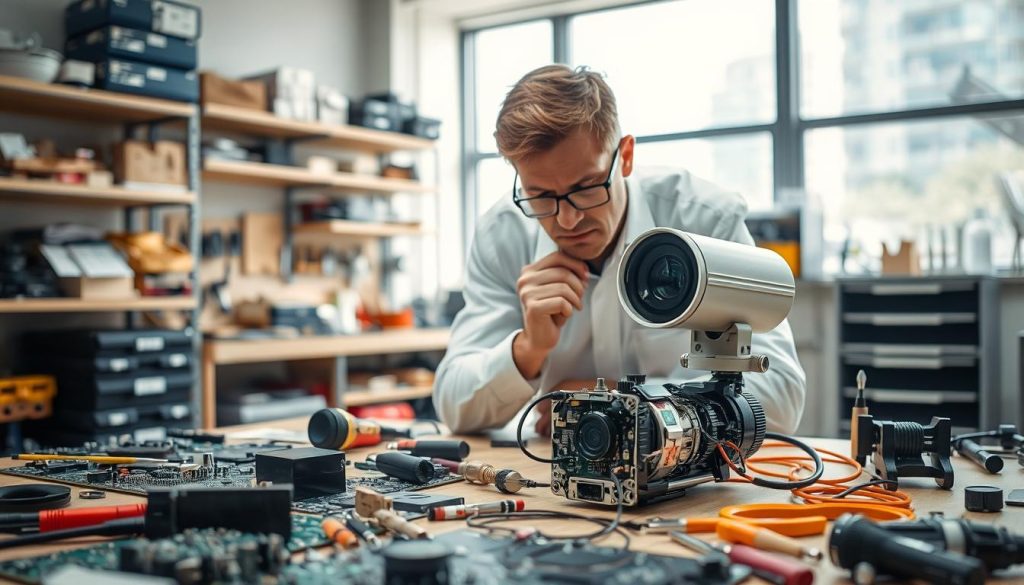
A faulty surveillance unit doesn’t mean you need a full replacement. Most security equipment can be restored to full working order with the right expertise.
Choosing to fix your system is often a smart financial decision. In Singapore, basic fixes for these devices typically range from SGD 50 to SGD 150. More complex work can reach up to SGD 300.
Your surveillance system is a critical layer of protection for your home or business. Keeping it operational is essential for continuous safety.
Local technicians offer reliable service, with high response rates between 82% and 83%. They also maintain excellent customer ratings for quality work.
Regular check-ups and timely fixes are proactive strategies. This approach extends your system’s life, prevents total failure, and safeguards your assets.
Key Takeaways
- Most surveillance equipment is fixable and does not require immediate replacement.
- Opting for professional repair is often cost-effective compared to buying new.
- Basic service costs in Singapore start around SGD 50, with advanced repairs costing more.
- Local repair services are known for their quick response and high customer satisfaction.
- Maintaining your security system ensures it continues to protect your property without interruption.
- Proactive maintenance helps avoid complete system breakdowns and saves money long-term.
- Consulting a professional is recommended for accurate diagnosis and optimal performance.
The Critical Role of CCTV Cameras in Modern Security
A visible security apparatus actively discourages unlawful entry and other criminal acts. Its presence creates a powerful psychological barrier. Potential intruders are far less likely to target a property they know is being watched.
This deterrent effect is the cornerstone of modern protection. It turns a reactive tool into a proactive shield. For both homes and businesses, this means preventing incidents before they even occur.
Why CCTV is Essential for Homes and Businesses
Surveillance provides more than just recorded evidence. It offers real-time monitoring capabilities that are invaluable. Homeowners can watch over their families and possessions remotely.
Businesses use these systems for asset protection and operational oversight. Managers can ensure safety protocols are followed. They can also monitor high-traffic areas to improve customer service.
The ability to review footage is crucial for resolving disputes. It provides an unbiased account of events. This functionality helps keep places safe and secure for everyone.
Specific Importance in Singapore’s Context
Singapore’s dense urban environment presents unique security challenges. A noted rise in theft incidents has heightened public awareness. This trend justifies the increased adoption of surveillance systems across the city-state.
Features like high-resolution imaging are highly valued here. Clear footage is critical for identifying perpetrators in a fast-paced city. Remote mobile access is another key feature for Singaporeans.
It allows property owners to monitor their assets from anywhere, at any time. This ensures constant vigilance and enables a swift response if needed. A reliable surveillance system is a critical component of any comprehensive security strategy.
Such a strategy often combines electronic monitoring with access control and personnel. Together, they create a layered defense that is difficult to breach. Maintaining this equipment in top working order is, therefore, not just an option—it’s a necessity for ongoing safety.
Understanding How CCTV Systems Work
A surveillance network functions through a coordinated series of hardware and software interactions. Grasping this process is key to maintaining a reliable security setup. It helps you identify issues quickly and communicate effectively with technicians.
Every piece must work in harmony to deliver clear, continuous monitoring. From capturing footage to storing it for review, each step relies on specific components. Knowing these parts and their roles forms the foundation for any troubleshooting effort.
Components of a CCTV System
A standard surveillance system consists of four core elements. These are the imaging devices, the recording unit, storage media, and a display monitor. Each plays a vital role in the overall security chain.
Cameras are the eyes of the operation. They capture visual data and convert it into an electronic signal. This signal travels via cables or a network to the next component.
The recording device is the brain. For traditional setups, a Digital Video Recorder (DVR) processes analog signals. Modern IP-based systems use a Network Video Recorder (NVR) to handle digital data over a network.
Storage, typically hard drives, archives the video footage. Sufficient capacity is crucial for retaining evidence over required periods. Finally, a monitor provides a live view or playback of the recorded streams.
The signal flow is straightforward. Visual data moves from the lens to the recorder. It is then encoded, stored, and can be displayed in real-time or accessed later. A break in this chain results in a loss of surveillance coverage.
Types of CCTV Cameras: IP, Analog, and Smart
Not all surveillance units are created equal. The three primary categories differ in technology, performance, and features. Your choice impacts video quality, installation complexity, and long-term maintenance.
IP Cameras connect directly to your data network. They transmit high-definition video using internet protocols. A major advantage is remote access from smartphones or computers from anywhere.
- Pros: Superior image resolution, flexible installation, and advanced features like digital zoom.
- Cons: Dependent on network stability and bandwidth; generally higher initial cost.
Analog Cameras are the traditional workhorses. They send video signals through coaxial cables to a DVR. These units are known for their simplicity and proven reliability in dedicated systems.
- Pros: Stable, less prone to network interference, and often more cost-effective.
- Cons: Video quality is typically lower; limited advanced functionality.
Smart Cameras incorporate built-in analytics and intelligence. They can perform tasks like motion detection, line crossing alerts, and facial recognition. Many connect via Wi-Fi and include two-way audio.
- Pros: Automated alerts, intelligent search features, and easy integration with smart home systems.
- Cons: Can be complex to configure; may require consistent software updates.
Understanding these differences is crucial when a problem arises. It informs whether a fix is simple, an upgrade is needed, or a professional should be called. This knowledge empowers you to make smart, cost-effective decisions for your security.
Key Signs Your CCTV Camera Requires Attention
Detecting early warning signs from your surveillance equipment is crucial for uninterrupted protection. Your security system will often show clear symptoms before a complete failure. Recognizing these indicators allows for swift action.
Ignoring these signals can leave your property vulnerable. Addressing them promptly is the first step in the restoration process. This prevents minor faults from escalating into major security gaps.
Blurred or Distorted Images
Clear footage is the foundation of effective monitoring. When visuals become hazy or warped, identification becomes impossible. This is one of the most frequent camera issues reported.
Several factors can cause this common problem. A dirty lens is a simple yet frequent culprit. Focus mechanism misalignment or a failing internal image sensor are more serious technical faults.
Such degradation directly compromises your security’s effectiveness. It turns a critical tool into an unreliable one. Professional cleaning or calibration can often resolve these issues.
Loss of Video Feed or Flickering Displays
A complete black screen or a constantly flickering display signals a critical failure. These problems create dangerous blind spots in your coverage. They often point to underlying electrical or connection faults.
Interruptions in the power supply are a primary cause. Loose or corroded connections at the source or recorder can also be to blame. Physical damage to transmission cables is another common culprit.
Flickering specifically suggests unstable voltage or signal interference. This is not a problem to ignore. It requires expert diagnosis to pinpoint and fix the root cause.
Inconsistent Recording Patterns
This is a stealthier issue where the system appears operational. The live feed might look fine, but the unit fails to archive crucial events. You might find gaps in the timeline or missing footage.
Incorrect settings, like faulty motion detection zones, can cause this. A full storage drive or a failing hard drive will also stop new recordings. Software glitches within the recorder can lead to sporadic archiving.
These patterns mean your evidence chain is broken. Regular checks of your recorded footage are essential. Catching this early ensures your system documents every important moment.
Each sign discussed is an early warning. Timely professional intervention based on these clues can restore full functionality. It safeguards your investment and maintains your peace of mind.
Most Common CCTV Camera Problems Explained
Many security system malfunctions stem from a handful of predictable and fixable issues. Knowing these common problems helps you diagnose faults faster and communicate better with technicians.
Each category has unique symptoms and root causes. We will explore the five most frequent technical troubles that plague surveillance setups.
Power Supply and Electrical Issues
Electrical faults are a leading cause of total system failure. Without stable power, even the most advanced unit cannot function.
Problems often arise from voltage fluctuations or a failed adapter. Blown fuses within the power supply box can also render equipment inoperative.
Wireless units with batteries present another challenge. Dead batteries will cut power instantly, creating a blind spot.
Diagnosing these issues starts with checking the outlet and the power adapter. A multimeter can verify if the correct voltage is reaching your device.
Faulty Wiring and Cable Damage
Physical connections are the lifelines of a wired surveillance network. Damaged cables disrupt the vital signal transmission between components.
Coaxial or Ethernet cables can degrade from wear and tear. Rodent damage or poor initial installation often breaks these critical connections.
This damage doesn’t just stop the signal. It can also severely degrade video quality, causing flickering or noise.
Regular visual inspection of cable runs is a key preventive measure. Look for cuts, crimps, or exposed wiring that need attention.
Network Connectivity and WiFi Problems
For IP and wireless models, a stable network is essential. Drops in your WiFi signal are a major source of frustration.
These units suffer from range limitations and interference from other devices. Router conflicts or household bandwidth congestion can choke the connection.
The result is a frozen live feed or failure to record events. It mimics a total system failure but originates from your network.
Solutions include relocating your router, using signal boosters, or dedicating a bandwidth channel for your security equipment.
Firmware and Software Glitches
Think of outdated firmware as a digital ailment for your system. It can cause unexpected crashes, login failures, and strange bugs.
These glitches often create compatibility issues with newer devices or apps. Security vulnerabilities in old software are another serious risk.
Your system might freeze during boot-up or refuse to save settings. These are classic signs that a software reset or update is necessary.
Manufacturers release updates to fix these known problems. Regular maintenance should include checking for and installing these patches.
Video Quality Degradation
Clear footage is non-negotiable for effective monitoring. Degradation often stems from three distinct areas: environment, hardware, or settings.
Environmental factors include glare from the sun, fog, or poor lighting affecting night vision. A dirty lens is a simple but very common culprit.
Hardware issues are more serious. A failing image sensor inside the unit will produce permanently blurred or distorted pictures.
Configuration errors are also frequent. Incorrect resolution or low bitrate settings in the software can drastically reduce clarity.
Separating these causes is the first step to a proper fix. Often, a simple lens cleaning or setting adjustment restores perfect video.
Is CCTV Camera Repairable? Evaluating Your Options
The answer is often yes, but viability depends on specific circumstances. A systematic approach helps you determine the best path forward. This involves assessing technical factors and financial implications.
Factors Affecting Repair Feasibility
Three primary elements determine if a fix is practical. These are the nature of the fault, parts availability, and the unit’s age.
Nature of the Fault: Software glitches or simple connection problems are usually straightforward to resolve. Hardware failures, like a damaged image sensor, are more complex and costly.
Parts Availability: For older or discontinued models, finding replacement components can be difficult. This is a common hurdle for obsolete technology.
Age and Technological Obsolescence: An outdated analog unit may not justify a significant investment. Upgrading to modern IP technology often offers better long-term value.
Cost-Benefit Analysis: Repair vs. Replacement
Weighing the expenses requires looking at both immediate and hidden costs. Use Singapore’s market as a reference point.
Professional service for cctv camera repair typically ranges from SGD 50 to SGD 300. A basic power fix might cost SGD 50, while intricate board-level work can reach the upper limit.
Compare this to the price of a new, advanced system. Sometimes, investing in a modern upgrade is more economical than repeatedly fixing cctv equipment.
Do not overlook hidden replacement costs. These include:
- Re-installation fees for new wiring and mounts.
- Compatibility checks with your existing recorder and monitors.
- Potential software subscription fees for smart features.
When repair is strongly advised: For high-end, recently purchased systems, restoration preserves your investment. It also maintains integration with your current security infrastructure.
When replacement is more prudent: With outdated, low-resolution analog cameras, an upgrade enhances your security capability. Newer models offer sharper images and remote access features.
Your final choice should balance immediate repair costs against long-term value and security needs. This informed decision ensures your property remains protected without unnecessary expenditure.
DIY CCTV Repair: What You Can and Cannot Fix
Before you pick up a screwdriver, it’s vital to know what you can safely handle yourself. A hands-on approach can resolve minor glitches quickly. It also prevents unnecessary service calls for simple small problems.
However, crossing the line into complex technical work risks causing more harm. This guide outlines clear boundaries for do-it-yourself security maintenance. It helps you decide when to act and when to call an expert.
Basic Troubleshooting Steps You Can Take
Several beginner-friendly checks can often fix problems without specialized tools. These actions address common, non-technical issues that mimic bigger failures.
Start with this simple checklist:
- Verify Power Indicators: Ensure the unit’s LED light is on. This confirms it’s receiving electricity.
- Check Connections: Gently reseat all cables at the device and recorder. Loose plugs are a frequent culprit.
- Restart the System: Power cycle your DVR or NVR. A simple reboot clears many temporary software glitches.
- Clean the Lens: Use a soft, microfiber cloth to wipe the exterior glass. Dust and smudges drastically reduce clarity.
- Visual Inspection: Look for obvious physical damage to cables or housing. Check for exposed or pinched wires.
These steps are the cornerstone of checking power and basic connectivity. They are safe, will not void warranties, and can restore function in minutes.
Risks and Limitations of DIY Repairs
Venturing beyond basic checks introduces significant risk. Complex internal faults require professional diagnostic tools and certified skills.
You should never attempt the following:
- Opening the sealed housing of any surveillance unit.
- Tampering with internal circuit boards or components.
- Attempting to repair water-damaged electronics.
- Flashing or manually updating firmware without guidance.
- Splicing or repairing complex wiring runs yourself.
The risks associated with these actions are serious. You could completely void the manufacturer’s warranty. Incorrect handling often exacerbates the original fault, making professional repair cctv work more expensive.
There is also a personal safety hazard when dealing with mains electricity and delicate electronics. The limitations of DIY are clear. Most network configuration issues, software corruption, and internal hardware failures are beyond a layperson’s scope.
For anything more complex than the basic checklist, contacting a qualified technician is the smart choice. This ensures your cctv camera system is restored correctly and safely.
When to Call a Professional CCTV Repair Service
There comes a point where troubleshooting reaches its limit, and professional intervention becomes the wisest course of action. Your security apparatus is a sophisticated piece of technology, and some faults require specialized knowledge to resolve correctly.
Recognizing this threshold protects your investment and ensures continuous protection. Knowing when to get help from a qualified technician is a key part of responsible system ownership.
Identifying Complex Problems Beyond DIY
Certain malfunctions are clear indicators that a problem is too advanced for basic fixes. These symptoms suggest deeper electrical, hardware, or systemic issues.
You should contact a professional if you encounter any of the following:
- Repeated System Crashes: The recorder or software reboots constantly without a clear cause.
- Burning Electrical Smell: Any odor of burnt components points to serious internal damage.
- Multiple Units Failing: When several surveillance devices stop working at once, it often indicates a central power or network fault.
- Recurring Glitches: An issue that returns soon after you’ve attempted a DIY fix needs expert diagnosis.
Understanding the difference between a simple and a complex fault is crucial. A loose cable connection is a do-it-yourself task.
A shorted circuit board inside the housing of a camera is a job for a specialist. Persistent video loss or major firmware corruption also falls into this professional category.
Benefits of Professional Expertise
Hiring a certified technician offers advantages that go beyond simply fixing the immediate fault. Their expertise turns a reactive repair into a proactive system enhancement.
Professionals bring specialized diagnostic equipment to pinpoint problems accurately. They have direct access to manufacturer technical support and genuine replacement parts.
This experience across various brands and models means they can efficiently handle unique issues. A quality service often includes a comprehensive system health check.
This added value involves cleaning lenses, securing connections, and optimizing settings for peak performance. The workmanship is typically backed by a warranty, giving you peace of mind.
Choosing professional repair services is an investment in your property’s long-term security integrity. It ensures your entire CCTV setup functions as intended, complying with all relevant safety standards.
For reliable support, consider reaching out to established professional CCTV repair services in Singapore. They can provide the accurate diagnosis and durable restoration your security system deserves.
Overview of CCTV Repair Services in Singapore
Finding the right professional support is a critical step in restoring your property’s surveillance. Singapore’s market hosts several established providers dedicated to this technical work. These specialists ensure your monitoring setup functions correctly.
They offer solutions ranging from quick fixes to comprehensive overhauls. Understanding the local landscape helps you make an informed choice. This knowledge leads to reliable service and lasting protection.
Leading Repair Companies and Their Offerings
Notable firms like Prowler and Huntaway are prominent in this sector. Each brings distinct strengths to address different client needs.
Prowler is recognized for its rapid response commitment. They provide unlimited onsite support with a 24-hour emergency call-out option. This is ideal for businesses that cannot afford extended downtime.
Huntaway offers comprehensive maintenance packages tailored for various industries. Their services cover everything from residential complexes to large commercial sites. They focus on keeping entire security systems running smoothly.
Service models typically vary between on-site and workshop repairs. On-site visits are convenient for diagnosing connection or power issues. More intricate component-level work often requires a controlled workshop environment.
Many providers also offer annual maintenance contracts. These contracts include scheduled check-ups and priority service. They are a proactive strategy for ongoing cctv maintenance.
Typical Costs for CCTV Repairs in Singapore
Pricing for professional help is structured around the job’s complexity. Basic fixes, like restoring a power connection, can start from SGD 50. Advanced component-level repairs or addressing multiple units may cost up to SGD 300.
Several factors determine the final invoice. Labor rates for skilled technicians form a base cost. The price of any required replacement parts is added separately.
Travel fees for on-site visits can apply, especially for distant locations. The overall complexity of the diagnosis and fix is the primary price driver. A simple cable swap is far less involved than reprogramming a network recorder.
When soliciting quotes, always request a transparent breakdown. A good quote will itemize labor, parts, and any additional fees. This allows for an accurate comparison between different repair services.
Always ask about warranty coverage on the work performed. A reliable technician will guarantee their repairs for a specific period. Comparing multiple quotes ensures you receive fair value and quality assurance.
Choosing a reputable provider is an investment in your property’s long-term security. It ensures your surveillance system remains a dependable guardian.
Step-by-Step Guide to Troubleshooting CCTV Issues
Restoring your property’s surveillance begins with a structured diagnostic routine anyone can perform. This methodical process isolates faults from the simplest to the more technical. Following these steps in order saves time and often resolves common problems without expert help.
Start with basic physical and power checks before moving to network and software issues. This sequence tackles the most likely culprits first. It ensures your security setup gets back online quickly.
Initial Power and Connection Checks
Always begin by confirming the device has electricity. A dead unit is often just unplugged. Verify the wall outlet is active by testing it with another appliance.
Inspect the power adapter and its connections. Look for any visible damage or loose plugs at both ends. Checking power input ports on your recorder and surveillance units is also crucial.
Use a multimeter if you have one. This tool can confirm if the correct voltage is reaching your equipment. These regular checks can prevent many basic failures.
Make sure all indicator lights on your devices are illuminated. A missing LED often points directly to a power supply fault. Reseating every cable connection can also restore a lost feed instantly.
Inspecting Cables and Wiring
Physical damage to cables is a frequent source of signal loss. Visually trace the entire cable run from the device to the recorder. Look for cuts, crimps, or exposed wires along the path.
Check connectors for bent pins or corrosion. These can degrade video quality or stop transmission completely. Gently unplug and reconnect each cable to ensure a secure fit.
If possible, test with a known-good cable. Swapping a suspect cable can quickly confirm if it’s the culprit. Proper cable management helps your entire cctv system work well for years.
Verifying Network Settings and Signals
For IP or wireless models, network health is paramount. Start by logging into your router’s admin interface. Check the list of connected devices to see if your surveillance unit is online.
Look for IP address conflicts that can cause connectivity problems. Use your computer’s command prompt to ping the device’s IP address. A successful reply means the network path is clear.
WiFi signal strength is critical for wireless units. Use a smartphone app to test the signal at the camera location. Weak signals may require a WiFi extender or a repositioned router.
These steps help keep your system running smoothly. They address common network-related issues that mimic hardware failure.
Updating Firmware and Software
Outdated system software can cause erratic behavior and security gaps. Access your recorder’s admin panel through a web browser. Navigate to the system maintenance or firmware section.
Check the manufacturer’s website for the latest official updates. Always download firmware directly from the source to avoid corrupted files. Follow the provided instructions carefully during installation.
Do not power off the unit during an update. This can “brick” the device, making it unusable. A successful update often resolves glitches and adds new features to your cctv system.
This final step ensures your surveillance technology operates with optimal stability and performance. It completes a thorough troubleshooting sequence for your security setup.
Addressing Power Supply and Cable Problems
Ensuring a steady electrical flow and intact wiring is fundamental for any security system’s reliability. These components are the lifelines of your surveillance setup. When they fail, your entire monitoring capability can go dark.
Focusing on these areas solves a majority of common malfunctions. A methodical approach to checking and securing them is the key to keeping your protection active.
How to Check and Secure Power Connections
Begin by verifying that your surveillance device is receiving adequate voltage. A multimeter is an essential tool for this task. Set it to measure DC voltage.
Test the output at the power adapter and at the unit’s connection point. For a standard 12V device, a healthy reading falls between 11.4V and 12.6V. A reading outside this range indicates a faulty adapter or significant voltage drop.
Next, inspect all physical connections. Make sure every plug is fully seated in its port. Look for any debris or corrosion that could interrupt the contact.
Secure loose cable runs with nylon cable ties. This prevents strain on the connectors from wind or accidental tugs. A firm connection prevents intermittent power loss and other frustrating issues.
Identifying and Replacing Damaged Cables
Physical damage to cables is a frequent source of signal and power failure. Conduct a visual inspection along the entire cable run. Pay close attention to connection points and areas exposed to weather.
Look for clear warning signs:
- Fraying or cuts in the outer insulation.
- Cracked or brittle sections from sun exposure.
- Pinch points where a cable is squeezed by a door or window.
- Signs of pest gnawing in outdoor or attic installations.
Using the correct cable type is crucial for prevention. Analog systems often use Siamese cable, which combines power and video. IP systems typically require Cat6 Ethernet cable for data and power.
For long cable runs, ensure the wire gauge is sufficient to prevent voltage drop. Replacing a damaged section requires care.
Follow these steps for a safe replacement:
- Disconnect all power to the system at the source.
- Carefully remove the old cabling from its mounts.
- Run the new, high-quality cable along the same path.
- Terminate the connections properly, following color codes.
- Secure the new cable and restore power to test.
Prevent future problems with simple measures. Use PVC conduit to protect outdoor cables. Install surge protectors at the main power input. Seal connections in weatherproof junction boxes.
These actions help your entire system run smoothly for years. They address the root causes of many common power and cable issues.
Solving Network and Connectivity Issues
Connectivity glitches can render even the most advanced security equipment useless, creating critical blind spots. These faults are distinct from physical hardware failures. They require a focused diagnostic approach to get your surveillance back online.
A stable connection is the lifeline for data transmission. When it fails, your entire monitoring capability is compromised. Let’s explore how to identify and resolve these common digital hurdles.
Troubleshooting WiFi Signal Problems
Wireless units depend entirely on your home or office network strength. Signal attenuation through walls and interference are the main culprits. Microwaves, cordless phones, and neighboring networks can all disrupt the feed.
Start by reducing the distance between your device and the router. Remove physical obstructions like metal cabinets or thick concrete walls. If the signal remains weak, a WiFi extender or a mesh network system can boost coverage effectively.
To objectively assess the situation, use signal analysis tools. Smartphone apps like WiFi Analyzer provide a real-time strength reading at the unit’s location. This data removes guesswork from your troubleshooting.
Next, check your router’s configuration settings. Ensure your surveillance equipment has a consistent connection. Setting a DHCP reservation for a static IP address can prevent dropouts.
Always verify that your network equipment firmware is up to date. Finally, double-check the login credentials entered into your security device’s settings. A simple typo here is a frequent source of connectivity problems.
Wired vs. Wireless Camera Considerations
Choosing between wired and wireless technology impacts long-term reliability. Each has distinct advantages suited for different environments. Your decision should balance installation needs with performance expectations.
Wired (Power over Ethernet – PoE) Systems offer superior stability. They deliver both power and data through a single cable. This design guarantees consistent bandwidth and eliminates signal competition.
- Pros: Maximum reliability, consistent high-quality video, and no WiFi interference. The installation is permanent and scalable for adding more units.
- Cons: Higher upfront installation complexity requiring cable runs. Less flexible if you need to relocate devices later.
Wireless Systems provide excellent installation flexibility. They are ideal for rental properties or hard-to-wire locations like historic buildings. However, they demand a robust network infrastructure.
- Pros: Easy, clutter-free installation and simple relocation. Often quicker to set up for temporary monitoring needs.
- Cons: Susceptible to signal drops and bandwidth congestion. Performance depends entirely on your WiFi’s health and strength.
For a permanent, high-reliability installation, a wired cctv system is typically best. It ensures your security is system running smoothly without wireless hiccups.
For temporary setups or locations where drilling isn’t possible, wireless is a practical solution. Just ensure your network is strong enough to support it working right.
If you encounter persistent network issues beyond basic troubleshooting, it may be time to get help. A technician can optimize your entire setup for peak performance. This ensures every surveillance camera in your cctv system maintains a solid, uninterrupted connection.
Maintaining Firmware and Software for Optimal Performance
A well-maintained surveillance setup depends as much on its code as on its cameras and cables. The digital components act as the central nervous system for your entire security operation.
Keeping this software current is a non-negotiable part of responsible ownership. It ensures your investment delivers reliable protection year after year.
The Importance of Regular Updates
Think of firmware as the instruction manual permanently embedded in your hardware. Manufacturers release updates to fix discovered flaws and improve functionality.
Running outdated software exposes your property to significant risks. The most critical threat is heightened vulnerability to cyber-attacks.
Hackers often exploit known security holes that patches are designed to close. Beyond security, old firmware can cause frustrating performance problems.
You might experience unexplained crashes, login failures, or features that stop working right. Compatibility issues with newer mobile apps or network devices are also common.
These digital glitches can make your entire system seem broken. A simple update often resolves them completely.
How to Safely Update Your CCTV System
Performing updates requires a cautious, step-by-step approach. Rushing this process can corrupt your equipment.
Always start by downloading the firmware file directly from the manufacturer’s official website. Never use files from third-party sources.
Follow this safe procedure:
- Backup Your Configuration: Save your current settings from the recorder’s menu before starting. This lets you restore everything if needed.
- Update the Recorder First: Always apply updates to your NVR or DVR before individual surveillance units. The central brain must be current.
- Choose a Low-Activity Time: Schedule updates for periods when security monitoring is less critical. The system may restart several times.
- Ensure Stable Power: Connect your recorder to an Uninterruptible Power Supply (UPS) if possible. A power failure during an update can “brick” the device.
- Update Cameras Sequentially: After the recorder, update each unit one by one. Follow the on-screen instructions precisely.
Make sure your internet connection is stable throughout. An interrupted download can corrupt the firmware file.
Don’t forget the software on your viewing devices. Keep your mobile app and computer client updated to avoid connectivity issues.
This holistic approach to CCTV maintenance keeps all digital components in sync. It prevents many common problems before they start.
Incorporating these regular checks into your routine is essential. It ensures your CCTV systems operate with maximum security and stability.
Improving Video Quality: Factors and Fixes
You don’t always need new hardware to achieve a significant boost in your monitoring picture quality. Often, subpar footage stems from environmental challenges or incorrect device configuration. Addressing these areas can transform blurry, unusable streams into clear, evidential-grade video.
Let’s explore the two main categories affecting your feed: external conditions and internal settings. Mastering both gives you control over your system’s performance.
Environmental Factors Affecting Video Clarity
Your security devices operate outdoors, facing Singapore’s sun, rain, and humidity. These elements directly challenge image integrity.
Direct sunlight causes severe glare or backlight, washing out details. Positioning a unit facing a window at sunrise creates this common problem. Rain and fog can obscure the lens with water droplets or condensation inside a dome housing.
Poor ambient lighting, especially at dusk, strains the sensor before night vision engages. This creates a murky, grainy gap in coverage.
Practical fixes for environmental issues:
- Install a sunshade or reposition the unit to avoid direct sun paths.
- Mount devices under eaves for protection from direct rain.
- Ensure housing seals are intact to prevent internal condensation.
- Add external infrared (IR) illuminators to boost low-light performance beyond built-in LEDs.
- Make sure to clean the exterior lens regularly with a soft cloth.
Adjusting Camera Settings for Better Results
Internal configuration is equally powerful. Default settings are rarely optimal for your specific scene.
Key parameters reside in your recorder or device’s web interface. Adjusting them tailors the system to your environment.
Resolution and Frame Rate: Always select the highest resolution your storage can support. A higher frame rate (e.g., 25-30 fps) delivers fluid motion but fills drives faster. Find a balance.
Bitrate: This controls the amount of data used per second of video. A higher bitrate means better quality but requires more storage. Set it to match your resolution choice.
Exposure and WDR: In high-contrast scenes, adjust exposure settings. Use Wide Dynamic Range (WDR) to balance bright and dark areas in the same frame, like a doorway facing a sunny yard.
Motion Detection Zones: Draw precise zones to monitor only critical areas. This reduces false alerts from passing traffic and saves storage.
For night vision problems, check specific settings. Verify the IR cut filter switches correctly between day and night mode. Clean the IR LED window, as dirt dims the illuminator.
Angle your surveillance camera away from glass or reflective walls to avoid infrared bounce-back, which causes whiteout. If the built-in IR is weak, an external illuminator is the best upgrade.
These adjustments require no physical tools, just access to your system’s menu. They can resolve many quality issues instantly. A well-tuned cctv camera captures crucial details, making your entire CCTV investment far more valuable.
How to Choose a Reliable CCTV Technician
Your choice of technician can mean the difference between a quick, lasting fix and recurring, costly problems. Selecting the right professional is a critical step in the restoration process. It ensures your surveillance system returns to optimal performance.
This decision directly impacts your property’s long-term safety. A qualified expert does more than just address the immediate fault. They provide a durable solution that keeps your security operational for years.
Key Qualifications and Certifications to Look For
Formal credentials are your first filter for quality. They signal that a technician has undergone specific training and adheres to industry standards.
Look for vendor-specific certifications from major brands like Axis or Hikvision. These prove the professional understands the intricacies of your particular equipment.
A valid electrical license is non-negotiable for work involving power and wiring. It’s a legal requirement in Singapore and ensures safe practices.
Always verify that the service provider carries public liability insurance. This protects you from any accidental damage during the repair work.
Membership in professional associations, such as the Security Association Singapore, is another positive sign. It indicates a commitment to ongoing education and ethical conduct.
These qualifications form the foundation of trustworthy repair services. They are essential for proper cctv maintenance and keeping your system running smoothly.
Evaluating Customer Reviews and Service Quotes
Past client experiences offer invaluable insight into a technician’s real-world performance. Online feedback provides a transparent view of their work ethic and reliability.
Check multiple platforms like Google Reviews, Facebook, and hardware forums. Look for consistent patterns in the feedback, not just isolated comments.
Pay close attention to mentions of punctuality, clear communication, and the quality of the finished work. Comments about post-service support are also highly revealing.
When you’re ready to get help, obtain detailed written quotes from at least three different providers. A comprehensive quote should clearly itemize all costs.
This breakdown must include labor charges, the price of any replacement parts, and any potential travel fees. It should also state whether the quote covers diagnosis only or includes the full repair.
Be wary of red flags during your evaluation. Avoid technicians who refuse to provide references or offer prices that seem suspiciously low.
A lack of a physical business address or vague contract terms are also warning signs. These often indicate an unprofessional operation.
Comparing reviews and quotes side-by-side gives you a complete picture. It helps you select a professional who will restore your security effectively.
This careful selection process is key keeping your entire surveillance infrastructure reliable. Investing time in choosing the right expert safeguards your property and your peace of mind.
The Importance of Regular CCTV Maintenance
Scheduled upkeep transforms your surveillance from a reactive tool into a resilient shield for your property. This proactive approach focuses on preventing faults rather than just responding to them. Consistent attention ensures your security infrastructure remains dependable year after year.
Neglecting this care leads to gradual performance decline and sudden failures. A structured regimen of regular checks is the foundation of reliable monitoring. It turns small problems into simple fixes before they escalate.
Preventive Measures to Avoid Future Issues
Effective cctv maintenance involves a calendar of specific tasks. These actions protect your investment from environmental wear and technical glitches. They are the key keeping your entire setup operational.
Follow this practical schedule for optimal results:
- Daily/Weekly: Verify recording status and review live feeds briefly.
- Monthly: Conduct a visual inspection of all units and housings.
- Quarterly: Clean lenses and check for cable damage or loose connections.
- Semi-Annually: Test backup power supplies and verify storage health.
- Annually: Perform a comprehensive system test and update all software.
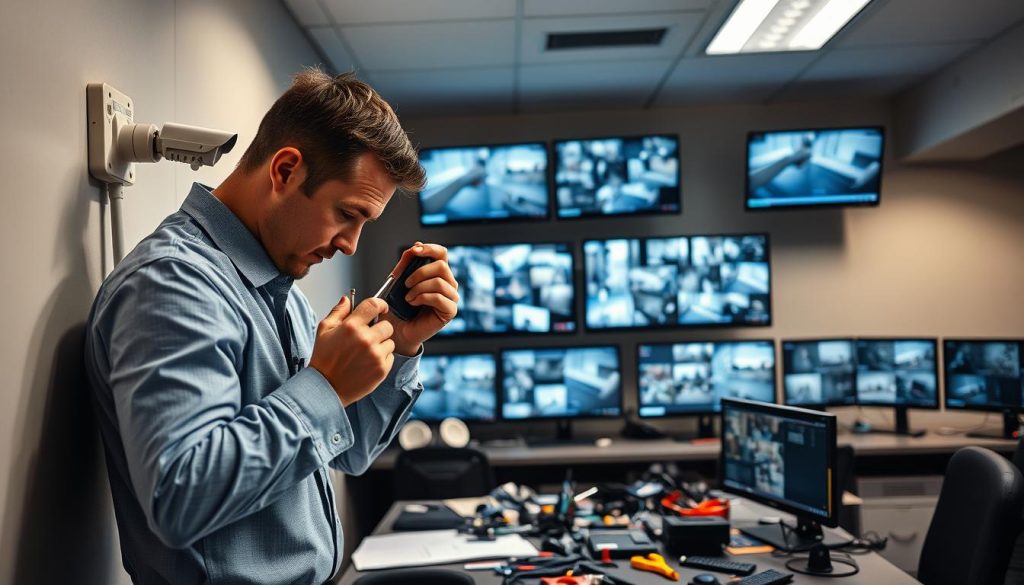
Focus on physical protection for long-term durability. Secure cables in conduits to guard against weather and pests. Clean camera housings to prevent dirt buildup that obscures the view.
Internal checks are equally vital. Monitor your hard drive’s health and available capacity. Full storage will halt recording, creating dangerous gaps in your evidence chain.
These steps form a complete camera maintenance routine. They help keep system running without unexpected interruptions. Your surveillance equipment will thank you with extended service life.
Long-Term Benefits of Consistent Upkeep
Committing to a maintenance plan delivers significant advantages beyond immediate functionality. It maximizes the return on your security investment. Well-cared-for units can perform reliably for over a decade.
First, you drastically reduce the risk of catastrophic mid-crisis failure. This avoids expensive emergency repair calls and potential security breaches. Consistent maintenance ensures video quality remains high for identification purposes.
In Singapore, certain premises must comply with surveillance regulations. A well-maintained cctv system helps meet these legal requirements effortlessly. It provides clear, admissible footage whenever needed.
Your system’s deterrent presence remains strong when it is obviously operational. Regular care prevents the small problems that can make a camera appear broken. This visible reliability discourages potential intruders effectively.
For business-critical systems, consider a professional maintenance contract. Technicians handle all scheduled tasks and provide priority support. This hassle-free option guarantees your cctv infrastructure is always running smoothly.
Ultimately, regular checks and proactive care are the smartest investments you can make. They preserve your peace of mind and protect your assets continuously. A maintained cctv system is a reliable guardian for years to come.
Ensuring Your CCTV System Stays Operational
The true strength of your property’s monitoring lies in a strategy that prioritizes prevention over panic. A proactive approach to surveillance maintenance and timely repair is your most cost-effective security strategy. Understanding when to attempt a fix and when to call an expert empowers you to manage your cctv camera investment wisely.
Recognizing early warning signs and performing basic checks can make sure everything work well. For more complex problems, professional repairs are essential to keep system running smoothly. This knowledge protects your entire security systems from major failures.
Investing in regular checks and timely fixes preserves your setup’s integrity. It keep the entire system reliable and keeps your premises safe. This long-term view delivers lasting peace of mind and protects your security investment.
Assess your current setup’s health today. For expert advice and professional solutions, contact Wen Hong at +65 60135960. They provide reliable support for fixing your surveillance equipment.