
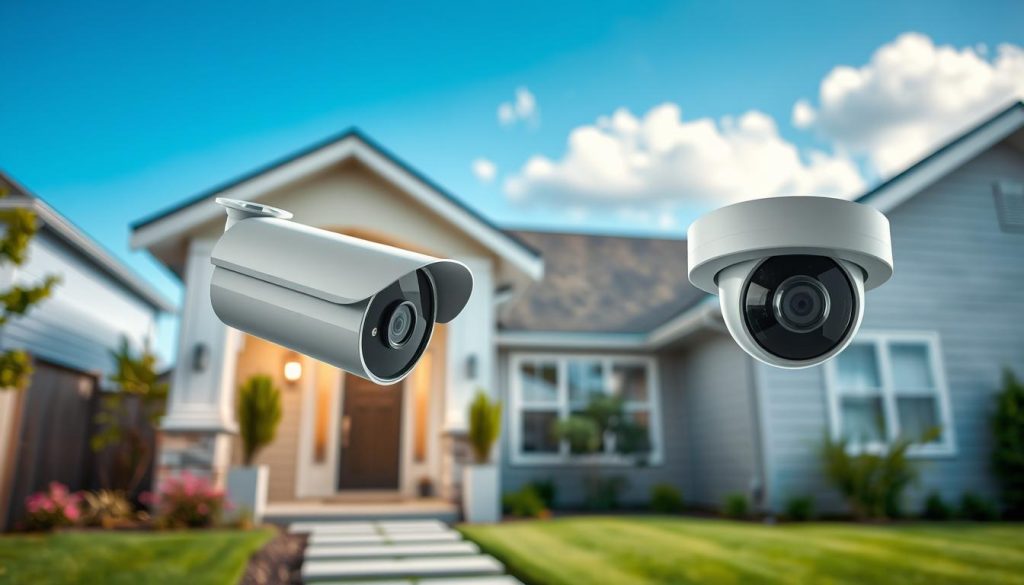
For homeowners in Singapore, creating a safe haven is a top priority. The unique urban landscape, from compact HDB flats to spacious landed properties, presents distinct security challenges. A common question arises: how many cameras should you have outside your house? The answer is not a simple number.
Effective protection requires a balanced approach. It considers comprehensive coverage, your budget, and local legal guidelines. The right quantity is a tailored solution, not a one-size-fits-all formula.
Strategic planning is your most powerful tool. By assessing your property’s specific layout and entry points, you can maximize security without unnecessary overspending. Modern technology offers versatile options to cover critical areas efficiently.
This guide provides actionable insights. We’ll explore camera types, optimal placement, essential features, and Singapore’s specific regulations. Industry research suggests a typical range for most homes, highlighting the significant deterrent value of visible surveillance.
The ultimate goal is genuine peace of mind. A well-planned system addresses both safety and privacy. It also adapts to local factors like Singapore’s tropical climate, housing rules, and community living dynamics.
Key Takeaways
- The optimal camera count depends on your property’s specific layout and vulnerabilities.
- Strategic placement often matters more than simply adding more devices.
- Local regulations in Singapore may influence where you can install surveillance equipment.
- Modern systems offer features that can reduce the need for excessive hardware.
- Visible cameras act as a powerful deterrent to potential intruders.
- Balancing comprehensive coverage with budget is essential for a practical solution.
Why Home Security is a Top Priority in Singapore
Singapore’s reputation for safety belies a deep-seated commitment among residents to proactively secure their homes against potential threats. Despite recording only three housebreaking incidents per 100,000 people in 2021, concern for property protection remains high. This apparent contradiction highlights how home security has evolved beyond basic crime prevention.
Urban Density and Safety Consciousness
Singapore’s unique urban fabric creates distinct challenges. High-density HDB estates and closely packed landed properties mean vulnerabilities are often shared. Proximity fosters a collective safety consciousness where residents become more aware of their environment.
This awareness translates into proactive measures. People naturally consider how their choices impact neighborhood security. The result is a community-wide emphasis on protective systems that safeguard individual homes while contributing to overall area safety.
The Dual Role of Deterrence and Evidence Collection
Visible security cameras perform two critical functions. First, they act as a powerful psychological deterrent. Studies consistently show properties with overt surveillance experience significantly fewer burglary attempts. Potential intruders seek easier targets elsewhere.
Second, cameras provide invaluable evidence when incidents occur. Clear footage simplifies insurance claims and aids law enforcement investigations. This post-event functionality adds a crucial layer of protection that extends beyond prevention.
Modern homeowners now view integrated systems as essential household components. These devices offer more than threat detection. They deliver tangible peace of mind by letting residents monitor their property remotely.
Effective planning always balances robust protection with community considerations. Understanding local regulations on camera placement ensures your system respects privacy norms while maximizing security coverage.
Understanding Modern Surveillance Needs for Singapore Homes
Singaporean residents now demand security solutions that do more than just watch—they need systems that actively participate in daily home management. Contemporary security needs have evolved into a complex blend of protection, convenience, and peace of mind. This shift is reflected in policy changes like the 2023 HDB corridor revision, allowing more flexible camera placement.
Evolving Beyond Basic Crime Prevention
Modern home surveillance serves functions far beyond basic crime deterrence. It has become a multifaceted tool for managing daily life. Residents use cameras to track deliveries, oversee domestic helpers, and monitor property maintenance.
Integration with broader smart home ecosystems redefines convenience. Remote monitoring, automated alerts, and smartphone control are now standard expectations. This connectivity transforms a simple camera into an intelligent security system.
Today’s devices offer proactive features rather than just recording. Key capabilities include:
- Person detection to filter out irrelevant motion
- Package arrival alerts for delivery management
- Two-way audio for immediate communication
- Smart tracking of movement patterns
Research confirms the effectiveness of visible protection. One study found visible security cameras reduce burglary risks by 31%. This demonstrates how modern surveillance addresses both prevention and evidence collection.
The Impact of Visible Cameras on Resident Peace of Mind
The psychological benefit of remote property access is significant. Constant visibility creates a powerful sense of security that enhances daily life. This peace mind factor is now a primary driver for installation.
Visible cameras are becoming normalized in residential landscapes. They contribute to a collective neighborhood watch effect. This societal shift enhances community safety while protecting individual homes.
Different housing types create specific requirements. HDB dwellers need discrete corridor monitoring solutions. Landed property owners require perimeter coverage for gardens and driveways. Each home has unique security needs.
Statistics highlight the risk of inadequate protection. Homes without surveillance face three times higher break-in risks. This reality makes understanding modern requirements crucial for effective planning.
These evolved needs form the foundation for system decisions. They represent the “why” behind equipment choices. A system designed around actual usage patterns delivers genuine peace mind and long-term value.
How Many Cameras Should You Have Outside Your House? The Core Question
Determining the right quantity of surveillance devices begins with understanding industry benchmarks. This central query focuses on achieving effective monitoring without waste. The answer lies in a flexible range that adapts to your living space.
Security is not about filling every corner with hardware. It is about intelligent placement and resource allocation. A tailored approach always beats a generic formula.
The 2 to 6 Camera Range for Typical Homes
Industry analysis reveals a consistent pattern for residential protection. Most setups function optimally with two to six outdoor units. This span balances comprehensive visibility with manageable complexity.
Data from security firms supports this baseline. A compact apartment or small HDB flat often requires just one or two devices. These focus on the primary entrance and a critical secondary point, like a service balcony.
Medium-sized landed properties typically need two to four units. This allows for monitoring the main door, rear access, and driveway. Larger homes with extensive grounds may start at four and go up to six.
The logic behind this range is practical. It provides overlapping fields of view to eliminate blind spots. It also keeps the system cost-effective and easy to maintain.
Real-world case studies validate this approach. Neighborhoods with visible systems in this quantity range report fewer suspicious incidents. The presence of multiple units creates a powerful deterrent effect.
When More or Fewer Cameras Are Appropriate
Your specific situation dictates where you fall within the spectrum. Fewer than two devices might suffice for a studio apartment with a single controlled access point. The key is securing the only viable entry routes.
Conversely, more than six become necessary for complex properties. A large bungalow with a detached garage, garden shed, and multiple gates demands broader coverage. Homes in locales with higher perceived risk also benefit from increased visibility.
The ideal count is dynamic, influenced by device capabilities. A single high-resolution pan-tilt-zoom (PTZ) camera can monitor a wide courtyard. It might replace two or three standard fixed units, reducing the total number needed.
Avoiding both under-coverage and over-coverage is crucial. Gaps in surveillance leave vulnerabilities exposed. Excessive hardware leads to unnecessary expense and data management headaches.
Begin your self-assessment by sketching your property’s layout. Note all doors, windows, and other access areas. Identify dark corners and high-traffic zones that need attention.
Remember, the two-to-six range is a guideline, not a strict rule. The following sections will help refine this estimate into a precise plan. They provide tools to tailor protection to your unique home.
Effective systems within this quantity range deliver proven results. They deter unwanted activity and provide clear evidence if needed. This balance is the foundation of true security confidence.
Key Factors Determining Your Ideal Camera Count
Forget generic formulas; your ideal surveillance setup is dictated by a handful of concrete factors. Moving from a suggested range to a precise number requires a detailed assessment of your unique situation. This analysis turns abstract planning into an actionable, custom security blueprint.
Three primary elements demand your attention. Your property’s physical profile, the security climate of your neighborhood, and the specific vulnerabilities of your layout all play decisive roles. Evaluating these areas systematically ensures your investment delivers maximum protection.
Property Size, Layout, and Architectural Features
The dimensions of your home are the most obvious starting point. Total square footage, land area, and the number of floors directly scale the system required. A core industry guideline suggests one camera for every 20 feet of perimeter space for basic coverage.
Multi-level homes present a distinct challenge. Staggering camera angles on each floor can boost incident detection by up to 40%. This approach eliminates vertical blind zones, especially near staircases and elevated access points.
Architectural complexity often influences camera quantity more than simple size. An L-shaped layout, an interior courtyard, or extensive glazing with many windows creates unique monitoring puzzles. These features may necessitate additional units or specialized lenses to maintain a seamless field of view.
Analyzing Local Crime Rates and Risk Perception
Your local environment is a critical, yet often overlooked, factor. Reviewing neighborhood crime statistics provides a data-driven foundation for your plan. A higher incidence of property-related incidents typically justifies a more comprehensive system.
Beyond raw data, your personal risk perception matters. Living near a high-traffic area or having experienced prior security concerns can validate investing in extra cameras. The goal shifts from basic deterrence to thorough documentation for any potential event.
Identifying Critical Entry Points and Blind Spots
A physical walkthrough is your most powerful tool. You must catalog every potential access point, not just main doors. Ground-floor windows, garage doors, side gates, and basement entries are all prime targets that demand monitoring.
This exercise also reveals blind spots—areas obscured by walls, dense foliage, or other structures. Identifying these hidden zones is crucial for deciding where to add a camera or adjust an existing one’s angle.
Existing lighting conditions profoundly impact your needs. Dark corners or shadowy areas may require cameras with superior night vision. In some cases, adding a unit is better than struggling with poor image quality.
Use this practical checklist for your site survey:
- Sketch your property outline and mark all exterior doors and windows.
- Note the size and shape of gardens, driveways, and outbuildings.
- Identify any visual obstructions like walls, sheds, or large plants.
- Assess night-time lighting levels in key areas.
- Mark previous incident locations or points of concern.
This thorough assessment provides the raw data for intelligent placement. The insights you gather here directly inform the strategic positioning strategies covered later, turning your property survey into an executable security plan.
Navigating the Types of Outdoor Security Cameras
Navigating the market’s options requires a breakdown of power, connectivity, and form factor differences. The right choice for each spot on your property can streamline your entire setup. It influences installation complexity, long-term maintenance, and overall effectiveness.
Understanding these categories helps you build a smarter, more resilient security camera network. You can allocate resources where they matter most.
Wired vs. Wireless: Stability vs. Flexibility
Wired systems, often using Power-over-Ethernet (PoE), deliver rock-solid reliability. They provide continuous power and stable data transmission through a single cable. This eliminates concerns about battery life or Wi-Fi signal drops.
The trade-off is installation complexity. Running cables typically needs professional help, especially for multi-story homes. Placement can be limited by the need for accessible power outlets or cable runs.
Wireless cameras offer ultimate placement freedom. You can mount them virtually anywhere within your Wi-Fi range. This allows for easy experimentation to find the perfect angle before finalizing positions.
This flexibility directly impacts your ideal camera count. A wireless system lets you add a unit to a remote garden shed with minimal hassle. A wired setup might discourage covering that same area due to cabling challenges.
Battery-Powered and Solar-Powered Options
Battery-powered models are the champions of flexibility. They are perfect for hard-to-wire locations like gates, fences, or temporary monitoring points. Installation is truly tool-free and clean.
The main consideration is maintenance. You must schedule regular charging or battery replacements. In high-traffic areas, this can become a frequent chore.
Solar-powered outdoor cameras are a game-changer for Singapore’s sunny climate. They harness renewable energy to stay charged indefinitely. This creates a sustainable, low-maintenance solution.
They are ideal for locations with good sun exposure. A solar panel mounted on a roof or wall can power a camera in a spot where changing batteries is impractical.
The Specialized Role of Video Doorbells
A video doorbell is a specialized type of outdoor camera. It serves as a first line of defense for your primary entrance. This single device integrates multiple functions.
You get doorbell functionality, motion detection, package alerts, and two-way audio. It provides real-time visibility of everyone who approaches your door. This can sometimes replace a standard security camera at that location.
Choosing the right tool for each job optimizes coverage. A mix of types often yields the most practical setup. For example, use wired PoE cameras for key, permanent points like the driveway.
Add a wireless, battery-powered unit for a side garden. Install a video doorbell at the front porch. This hybrid approach maximizes strengths and minimizes weak points.
Popular brands in Singapore include Tapo, Arlo, Eufy, and Google Nest. These offer models suited to local weather conditions and housing layouts. Matching the technology to the location ensures you cover all critical things efficiently.
This strategic selection can optimize your field of view. It may even reduce the total number of devices needed for complete peace of mind.
Essential Features That Impact Your Setup’s Effectiveness
Beyond simply counting devices, the capabilities of each unit define your system’s true power. The right technical specifications can enhance protection and even reduce the total hardware required. Selecting features strategically is key to building an efficient network.
High-performance components deliver forensic-grade detail and reliable operation. They turn a basic video feed into an intelligent security asset. This analysis focuses on the specs that matter most for Singapore homes.
Resolution and Image Quality for Clear Identification
A camera’s resolution is paramount for forensic detail. High-definition options like 1080p, 2K, or 4K allow for the clear identification of faces and license plates. This clarity is non-negotiable for useful evidence.
Super HD 1440p offers an excellent balance. It provides sharp footage without overwhelming storage. Remember, 4K video consumes about three times more data than lower resolutions.
Superior image quality can influence your overall plan. One high-res unit covering a wide area clearly might do the job of two lower-quality devices. Invest in resolution for critical monitoring points.
Field of View and Coverage Area Efficiency
The field of view (FoV), measured in degrees, determines how much area a single device can see. A wider FoV, such as 130 degrees or more, allows a security camera to monitor a large driveway or garden.
This efficiency directly impacts your hardware count. A strategically placed wide-angle unit can provide broad coverage, potentially reducing the number needed for open spaces. Always check the FoV specifications before purchase.
For very large areas, consider cameras with optical zoom or pan-tilt-zoom (PTZ) functions. These features act as a force multiplier. A single PTZ device can dynamically cover zones that might otherwise need multiple fixed cameras.
Durability and Weather Resistance for Singapore’s Climate
Singapore’s tropical climate demands rugged hardware. Look for an IP66 or higher rating for protection against heavy rain and dust. The equipment should also be tested for high humidity resistance, ideally up to 95% RH.
This weatherproofing is non-negotiable for long-term reliability. Corrosion-resistant materials ensure your investment lasts. Avoid frequent replacements by choosing models built for local conditions.
Night vision capability is equally critical. Effective low-light performance eliminates the need for extra security lighting in dark corners. Distinguish between standard infrared (IR) and superior color night vision for better detail after dark.
Advanced features increase a camera’s intelligence. Person or vehicle detection and customizable activity zones minimize false alarms from passing animals. Two-way audio allows for immediate communication.
These smart functions enable more targeted monitoring. They make each device more effective, which can streamline your entire setup. You gain more actionable information from fewer units.
Balance your feature selection with budget wisely. Prioritize core specs like resolution and weather resistance on all devices. Consider advanced features like superior night vision or detection zones on a per-location basis.
Make sure your final choices align with your property’s specific layout. A high-spec camera with wide coverage and smart detection often delivers more value than several basic ones. This approach optimizes both protection and investment.
Strategic Camera Placement to Maximize Coverage
The art of surveillance lies not in the number of devices, but in their precise positioning across your property. Intelligent camera placement acts as a force multiplier, dramatically boosting your system’s effectiveness.
It transforms technical specifications into tangible protection. This strategic approach ensures every unit purchased works at its full potential.
Essential Monitoring Points: Doors, Windows, and Garages
Begin your plan by securing all primary entry points. Statistics reveal that over half of all intrusions happen through doors.
About 34% of burglars use the front door, while 22% target the back. These are your most critical monitoring points.
Garage doors and side entrances are equally vital. They often offer hidden access away from street view. Ground-floor windows also rank high on the list of vulnerable openings.
Your first rule is simple. Make sure cameras have a clear, unobstructed view of every exterior door and accessible window. This creates your foundational security layer.
Covering High-Traffic Zones and Vulnerable Areas
Next, expand your view to common activity areas. Driveways, main walkways, and porches see regular traffic.
Monitoring these areas provides valuable oversight. It can capture suspicious loitering or unusual approach patterns before an incident occurs.
Then, pinpoint your property’s unique weak spots. Secluded side yards, dark alley access, and rear gates are attractive to intruders.
These hidden areas offer them cover. Identifying these zones is key to eliminating dangerous blind spots in your surveillance net.
How Smart Placement Can Reduce the Total Number Needed
Thoughtful positioning optimizes your hardware investment. The principle of overlapping coverage is central to this.
Position cameras so their fields of view intersect by about 30%. This creates a continuous tracking zone along your perimeter, leaving no gaps.
Strategic angling is another powerful technique. Mounting a single unit at a house corner can monitor two sides simultaneously. A well-placed device might cover both a driveway and the front steps.
For open spaces, a wide-angle or 360-degree panoramic camera can replace two or three standard units. This directly lowers the total count needed for comprehensive coverage.
Follow these mounting guidelines for best results:
- Height: Install devices 8 to 10 feet high. This prevents easy tampering while maintaining a good angle for facial recognition.
- Angle: Avoid pointing lenses directly at bright light sources like the sun. This prevents glare and backlighting that ruins footage.
- Device Match: Use bullet cameras for long-range views of driveways. Choose dome cameras for broader area monitoring. Install a video doorbell for focused porch oversight.
This deliberate approach is the most cost-effective security upgrade available. It maximizes the utility of every camera purchased, ensuring your budget delivers maximum peace of mind.
Singapore’s Surveillance Regulations You Must Know
Legal compliance forms the bedrock of any effective and sustainable home security strategy in Singapore. Navigating these rules ensures your system protects without infringing on others’ rights.
It transforms your setup from a potential liability into a trusted asset. Understanding local laws is as crucial as choosing the right hardware.
HDB Corridor and Public Space Placement Guidelines
Updated HDB policies from May 2023 provide clearer direction for residents. You may install corridor-facing devices, but with strict conditions.
The camera’s field of view must be angled within 45 degrees of your own doorway. This minimizes the capture of communal spaces and neighboring units.
Mounting height and lens direction are critical. The goal is to monitor your immediate entry without filming into adjacent homes.
Violating these guidelines can lead to disputes and formal complaints. HDB may require the removal of non-compliant equipment.
Avoid pointing devices at public sidewalks or shared facilities. These areas are common grounds where expectations of privacy differ.
Always perform a sightline check from the camera’s perspective before finalizing installation. This simple step prevents unintentional oversight.
Privacy Laws and Neighborly Considerations
The Personal Data Protection Act (PDPA) directly applies to home surveillance. It governs the collection of footage featuring identifiable individuals.
This includes delivery personnel, visitors, and neighbors passing by. Your system must be operated with respect for personal data.
Proactive communication with adjacent residents is a best practice. Informing them about your camera’s scope fosters goodwill.
It can prevent misunderstandings and potential conflicts. This neighborly approach aligns with Singapore’s community-centric values.
Specific rules exist for monitoring domestic helpers. Explicit consent, as outlined in employment contracts, is generally required.
The ethical principle is clear: avoid cameras in private spaces like bedrooms and bathrooms. Focus on common areas and entry points.
Data Retention and Footage Usage Rules
Establishing a reasonable retention period is a key security and privacy balance. Industry standards suggest 30 to 90 days for most residential needs.
Retaining footage beyond 90 days may violate PDPA principles. An exception exists for ongoing police investigations.
Secure storage of recorded data is non-negotiable. Use encrypted cloud services or password-protected local network storage.
Limit access to this data to trusted household members only. This protects the privacy of those captured on video.
Modern cameras offer privacy masking features. These allow you to digitally block out specific zones, like a neighbor’s window.
Using privacy masking demonstrates a proactive commitment to responsible surveillance. It helps technical compliance align with ethical practice.
The legal risks of non-compliance are tangible. PDPA violations can incur fines of up to S$5,000.
Authorities may also order the removal of improperly placed devices. This compromises your property protection and represents a wasted investment.
View these regulations not as restrictions, but as a framework for responsible ownership. A compliant system is sustainable and community-friendly.
It ensures your pursuit of security enhances, rather than disrupts, neighborhood harmony. This foundation supports long-term peace of mind for everyone.
Balancing Security Needs with Your Budget
Smart financial planning transforms your security aspirations into a practical, sustainable reality. A robust security system is an investment in property value and personal security.
Creating a realistic budget framework is essential. Separate one-time expenses from recurring costs to avoid surprises.
Upfront costs include the cameras themselves, recording hardware like an NVR, and installation fees. Ongoing expenses cover cloud subscriptions, electricity, and routine maintenance.
This clear breakdown helps you allocate funds wisely. It ensures your system remains operational and effective for years.
Cost-Effective Placement and Prioritization Strategies
A phased implementation strategy is highly effective. Begin by securing the most critical entry points with a few quality devices.
Expand coverage over time as your budget allows. This approach is smarter than installing many low-quality units at once.
Professional installations can cost between $900 and $1,600. A competent DIY setup can slash these expenses by up to 60%.
Explore ways to reduce costs without sacrificing protection. Using wide-angle cameras covers more area with fewer devices.
Opting for wire-free models saves on complex installation fees. Choosing systems with free local storage avoids monthly subscriptions.
High-end thermal imaging cameras are a strategic investment. They can reduce the need for extra security lighting in dark zones.
Prioritize your spending based on risk. The front door, rear access, and ground-floor windows are non-negotiable monitoring points.
Investing in Quality Over Quantity for Long-Term Value
The “quality over quantity” principle is crucial for home security. A few reliable, feature-rich devices often outperform a larger array of cheap ones.
Invest in cameras with superior weatherproofing (IP66+), high resolution, and excellent night vision. These features provide better evidence and require fewer replacements.
Professional-grade systems can sometimes qualify for insurance discounts of up to 20%. This offers long-term financial benefits beyond just monitoring.
Spending wisely upfront prevents costly upgrades or total system failures later. Durability and performance are key value drivers.
Evaluate the total cost of ownership, not just the sticker price. A reliable device that lasts five years offers more value than two that fail in two.
Make sure you compare warranty periods and brand reputation. These things contribute significantly to long-term satisfaction and security.
Understanding Ongoing Costs: Storage and Maintenance
Recurring expenses are a vital part of your budget. Cloud storage is convenient but typically costs around $10 per month per camera.
Local Network Video Recorder (NVR) storage involves a higher one-time cost. It offers total control and no ongoing fees, but requires physical space and management.
Your retention needs affect the overall price. Needing 90 days of footage requires more storage capacity than 7 days.
Hidden or indirect costs are easy to overlook. Higher electricity consumption for 24/7 recording can add to your utility bill.
Multiple high-definition streams may necessitate a home network upgrade. The value of your own time for DIY maintenance is another factor.
Here’s a comparative cost analysis for different property types:
- HDB Flat: A basic 2-camera DIY system might cost $400-$600 upfront, with minimal ongoing costs if using local storage.
- Landed Home: A comprehensive 6-camera professional installation could range from $1,800 to $3,000 initially, plus potential cloud storage fees.
Regular maintenance is non-negotiable for optimal performance. Schedule checks for lens cleanliness, firmware updates, and power connections.
A well-planned security system is a long-term investment. Balancing your needs with your budget today creates enduring peace of mind for tomorrow.
Professional Installation vs. DIY: Choosing Your Path
Once you’ve selected your cameras, the next critical choice is between professional expertise and hands-on DIY installation. This decision impacts your system’s performance, longevity, and overall value. Each path offers distinct advantages suited to different homeowner needs.
Consider your technical comfort, budget, and property complexity. A well-executed setup ensures your investment delivers maximum protection. Let’s explore both options to guide your choice.
Benefits of Expert Placement and System Integration
Hiring professionals brings seasoned insight to your security project. Installers conduct a thorough assessment of your property’s unique vulnerabilities. They identify optimal positions for each device to maximize coverage with minimal hardware.
This expert placement directly reduces blind spots. Studies show it can cut false alarms by a significant 40%. Clean, concealed wiring is another hallmark of professional work.
It enhances aesthetics and protects cables from weather and tampering. Proper configuration of network and recording settings is also handled. This ensures reliable remote access and efficient storage management.
Many companies offer warranties on their labor, providing long-term peace of mind. Perhaps the greatest benefit is seamless system integration. Experts can connect new cameras with existing alarms, smart home devices, or monitoring services.
This creates a unified, responsive security ecosystem. Data indicates expert installations increase system lifespan by 30%. Proper weatherproofing and voltage management prevent premature failures.
The DIY Approach: Tools, Planning, and Potential Pitfalls
The DIY route appeals to tech-savvy individuals seeking control and savings. You gain complete customization over your setup. Significant cost savings on labor is a major motivator for many homeowners.
You can install and adjust devices on your own schedule. This hands-on process builds a deeper understanding of the system. Future troubleshooting becomes much easier when you know the installation intimately.
Success requires the right tools and basic skills. Essential things include a power drill, cable management clips, a network tester, and patience. Basic networking knowledge helps configure router settings for remote viewing.
Make sure you have a detailed plan before starting. However, common pitfalls await the unprepared. Research shows 56% of DIY failures stem from cabling issues like poor connections or inadequate weather sealing.
Incorrect camera angles create frustrating blind spots. Poor cable management leads to aesthetic eyesores and potential damage. Network configuration errors can completely block remote access.
Another risk is underestimating the time and effort required. What seems simple in theory can become complex on a ladder. Make sure you account for these things in your plan.
A popular middle-ground exists. Purchase a user-friendly, wire-free camera system designed for DIY. Then, consider a one-time professional consultation for optimal placement advice.
This hybrid approach blends cost-effectiveness with expert insight. It’s ideal for complex properties where placement is tricky.
Use this simple decision matrix to find your best path:
- Choose Professional Installation if: Your property has complex wiring needs, you value time over savings, or you desire integration with other smart home security devices.
- Choose DIY Installation if: You are technically confident, have a straightforward layout, and prioritize budget control and customization.
- Consider the Hybrid Approach if: You want to install yourself but need expert guidance on placement for maximum coverage.
Regardless of the path chosen, thorough planning—using the principles outlined in this guide—is the key to a successful outcome.
Make sure your final decision aligns with your long-term security goals. A well-planned and properly installed system is your strongest deterrent. It provides the reliable protection and peace of mind every homeowner seeks.
Maintaining Your Outdoor Camera System for Optimal Performance
Installation is just the beginning. Long-term protection depends on a disciplined maintenance routine. Your security investment only pays off if the system operates flawlessly when needed.
Neglect leads to failures. Data shows setups with quarterly checks experience 60% fewer outages. A simple schedule protects your footage and extends hardware life.
This upkeep is not complex. It involves visual inspections, cleaning, and software management. Aligning tasks with Singapore’s seasons makes the process efficient.
Regular Checks for Coverage and Functionality
Establish a quarterly inspection routine. Physically check each device for obstructions. Overgrown plants or new structures can create blind spots.
Spider webs and dust are common culprits. They can reduce night vision clarity by up to 40%. This makes identification difficult after dark.
Verify each camera’s field of view is clear. Test motion alerts and live viewing through your app. Ensure recorded clips are saving properly.
Pay special attention to storage health. 22% of hard drive failures happen during monsoon seasons without preventive checks. Monitor your NVR or cloud storage for errors.
For battery-powered cameras, check charge levels routinely. Establish a replacement cycle for rechargeable cells. Clean solar panels to ensure they charge efficiently.
Weatherproofing, Cleaning, and Firmware Updates
Singapore’s tropical weather demands vigilance. After heavy rain or storms, inspect seals and gaskets. Look for cracks or gaps where moisture could enter.
Cable entry points are vulnerable. Make sure waterproof jackets are intact. Re-seal any compromised areas immediately to protect internal electronics.
Cleaning lenses is a delicate task. Use a soft microfiber cloth and compressed air. Never use harsh chemicals that could damage coatings.
Perform a thorough cleaning before the monsoon season. This ensures maximum clarity during periods of low light and heavy rain.
Firmware updates are critical for security and performance. Manufacturers release patches for vulnerabilities. They also add new features and improve stability.
Enable automatic updates if available. Otherwise, check your camera’s app monthly. Update the associated NVR or base station software as well.
Follow this seasonal maintenance checklist:
- Pre-Monsoon (March-May): Deep clean all lenses. Verify waterproofing seals. Update all firmware.
- Post-Monsoon (Nov-Dec): Clear debris from housings. Check for water damage. Test night vision performance.
- Ongoing (Quarterly): Inspect field of view. Test recording and alerts. Check battery and storage health.
Make sure you document these checks. A simple log helps track the health of your cameras over time.
This consistent care is not a chore. It is a crucial practice that protects your financial investment. A well-maintained system is always ready to deliver peace of mind.
Avoiding Common Mistakes in Security System Planning
A proactive audit of your security blueprint is essential. It helps you sidestep pitfalls that render expensive hardware ineffective. Research indicates over half of all system failures stem from preventable planning errors.
These oversights create vulnerabilities and waste your investment. Addressing them before installation ensures your setup delivers reliable protection. This final check is a crucial step for genuine peace of mind.
Overlooking Blind Spots and Lighting Conditions
The most frequent error is an incomplete site survey. Failing to identify all blind spots leaves critical areas unprotected. These gaps are often created by architectural features, dense landscaping, or outdoor furniture.
Data shows 55% of security failures link directly to poor lighting or unmonitored zones. A thorough walkthrough at different times is non-negotiable. You must view your property from an intruder’s perspective.
Lighting conditions are another major pitfall. Placing a camera facing east or west can cause blinding glare at sunrise or sunset. This glare can reduce a 4K unit’s effectiveness by 30% without proper calibration.
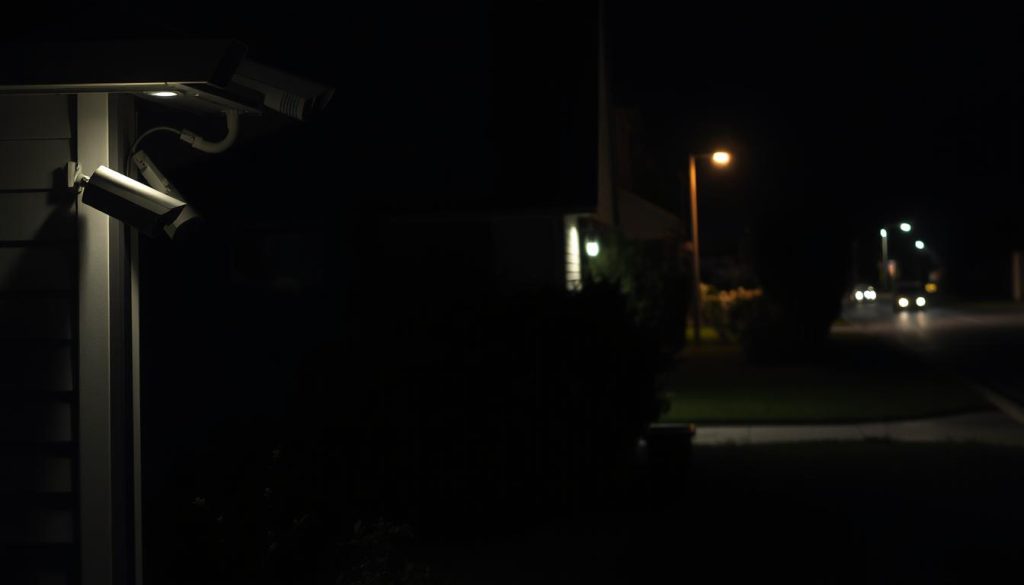
Pitch-black areas also pose a problem. Standard infrared night vision may not provide usable detail. Supplementing with strategic security lighting is often necessary.
You must test your planned positions in various conditions. The “set and forget” mentality leads to false confidence. A system that seems fine at noon may be useless at night or during a storm.
Underestimating Storage, Power, and Bandwidth Needs
Technical miscalculations are a leading cause of operational failure. Storage errors alone account for 37% of system problems. Underestimating needs leads to footage being overwritten too quickly.
A general guideline is to plan for 1TB of storage per four devices. This allows for 30 days of 1080p footage retention. Your needs change with higher resolution, frame rate, and the number of cameras.
Calculate storage: (Bitrate per camera × Cameras × Seconds per day × Retention days) ÷ 8 ÷ 1024³ = TB needed. For example, four 2K cameras recording 24/7 for 30 days may need ~1.8TB.
Power planning is another critical oversight. Ensure your electrical circuit can handle multiple devices drawing continuous power. Overloading a circuit can cause failures or pose a fire risk.
Network bandwidth is equally vital. Streaming multiple high-definition feeds strains your home Wi-Fi. Underpowered routers cause lag, dropouts, and make remote viewing impossible.
Make sure your network can handle the total data load. A robust router and potentially a dedicated network for your security systems are wise investments.
Other common things to avoid include choosing incompatible components. Mixing brands that don’t integrate creates a fragmented, hard-to-manage setup. Opting for the cheapest options often means sacrificing essential weatherproofing or durability.
This leads to early failure and extra costs. Also, always respect privacy laws and neighborly goodwill. Pointing cameras indiscriminately can lead to legal trouble and forced reinstallation.
Make sure cameras are angled responsibly to focus on your property. Use privacy masking features to block out neighboring windows or public spaces.
Use this checklist to audit your plan before purchasing anything:
- Have you conducted a full site survey at night and during the day?
- Are all potential blind spots caused by structures or plants identified?
- Have you checked for lens glare from sun paths at different times?
- Is your storage calculation sufficient for your desired retention period?
- Can your electrical circuit and Wi-Fi network support the full system load?
- Have you tested your planned camera angles for clear coverage?
- Are all components from compatible brands with good warranties?
- Do your camera placements respect privacy and local regulations?
Addressing these points proactively solidifies your security foundation. It turns a collection of devices into a cohesive, reliable shield for your home.
Implementing Your Optimized Home Security Setup
The final step is executing your tailored protection blueprint. Start with your most critical entry points, like the front door. Mount and test each camera individually before securing it permanently.
Conduct thorough checks after installation. Review recorded surveillance footage during the day, at night, and in rainy conditions. This ensures your security system performs reliably. Courteously inform immediate neighbors about external devices, maintaining good community relations.
Keep a simple map of all device locations and login details in a home safe place. Schedule a 30-day audit to assess coverage and adjust settings. This proactive review keeps your network optimized.
The goal is a home that is genuinely safe. A well-implemented setup delivers tangible peace mind and deters crime. Use this guide as a living document, revisiting it as your needs evolve to ensure lasting security and safety.