
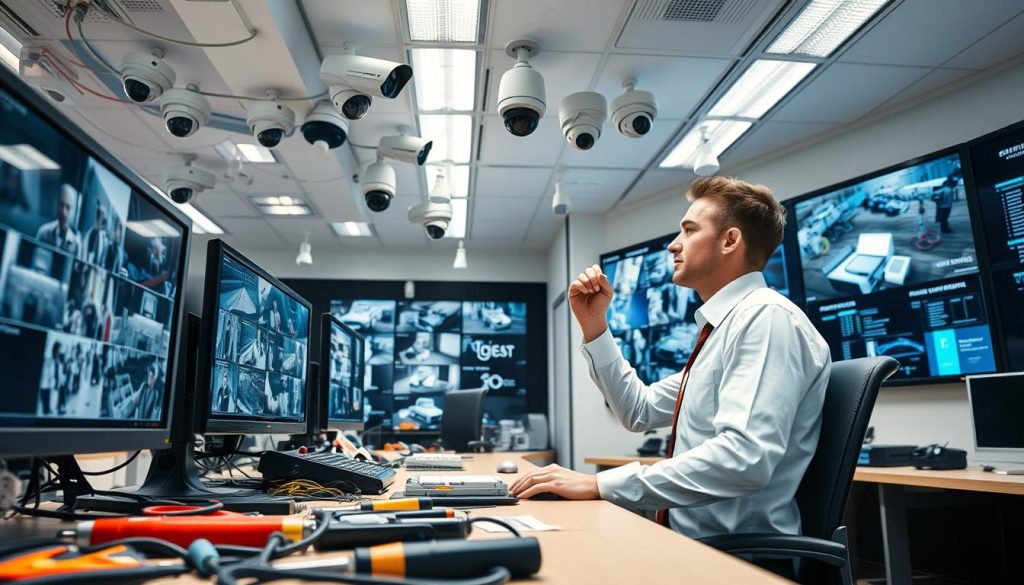
Your surveillance cameras form a critical line of defense for any property. When this equipment fails during a critical incident, the consequences can be severe. Neglect leads to blurry footage, blind spots, and corrupted recordings.
Regular system upkeep is far more than a simple recommendation. For many installations, it is a mandatory requirement. Standards like BS 8418 specify annual checks, with some systems needing even more frequent servicing.
This disciplined approach prevents unexpected failures that leave you vulnerable. It also protects your financial investment, extending the functional life of your security equipment from just months to a decade or more.
This guide provides the foundational knowledge you need. We will outline the structured steps to ensure your surveillance system delivers reliable security and true peace of mind, every single day.
Key Takeaways
- Consistent upkeep of your security system is a non-negotiable aspect of property protection.
- Regular care directly prevents costly, unexpected failures and vulnerabilities.
- A disciplined maintenance routine significantly extends the lifespan of your equipment.
- Adhering to recognized standards ensures legal and regulatory compliance.
- Proper servicing is the key to achieving reliable performance and lasting peace of mind.
- This guide sets the stage for understanding the components and schedules required for effective care.
Why Consistent CCTV Maintenance is Non-Negotiable
A surveillance system is only as strong as its most neglected component, a truth that becomes painfully clear during a crisis. Viewing routine upkeep as optional is a major risk. It transforms your primary security tool into a potential liability.
This section outlines the compelling reasons why scheduled care is essential. We will examine the financial, operational, and legal stakes involved.
Preventing Costly System Failures
Consider a business that lost over $50,000 during a break-in because its cameras failed. This is not a rare story. A total failure at a critical moment leads to substantial financial and security loss.
Proactive servicing acts as a preventative shield. Technicians identify small issues like signal degradation or power fluctuations early. Resolving these minor problems stops them from causing a complete blackout.
The scheduled cost of this care is an investment. It directly prevents large, unexpected bills for emergency repairs or full replacements.
Extending the Lifespan of Your Security Investment
Your video security equipment represents a significant capital outlay. Consistent care protects that investment by directly combating wear and tear.
Dust, moisture, and electrical stress slowly degrade components. A disciplined routine counteracts these forces. It keeps cameras, recorders, and other hardware functioning optimally for years.
This approach transforms your setup from a short-term purchase into a long-term asset. You maximize its functional life and get the full value from your spend.
Ensuring Legal and Regulatory Compliance
For many installations, regular upkeep is not just good practice—it’s the law. Regulations in public spaces and workplaces often mandate specific servicing intervals.
Standards like BS 8418 provide a clear framework for these checks. Non-compliance can result in penalties and invalidate insurance claims.
Furthermore, for video footage to be admissible as evidence in court, the system must be proven well-maintained. Proper upkeep is crucial for data integrity and legal defensibility.
Treating this care as non-negotiable is the foundational step. It builds a reliable surveillance system that performs when you need it most, delivering true peace of mind.
Understanding Your System: Components and Types
A security installation is a network of interconnected hardware, each piece demanding specific attention. You cannot apply a one-size-fits-all approach to its care. The right strategy depends entirely on what you have installed and how it functions.
This knowledge lets you create a targeted plan. It ensures every part of your surveillance receives the correct type of upkeep. Let’s break down the essential pieces and their unique needs.
Core Components: Cameras, DVR/NVR, Cables, and Power
Every video surveillance setup is built from a few key parts. Knowing them is the first step to proper care.
- Cameras: These are your eyes. Common types include fixed dome or bullet models and movable PTZ (Pan-Tilt-Zoom) units. Each style has different physical requirements.
- Recording Device (DVR/NVR): This is the brain. A DVR works with analog cameras, while an NVR manages IP cameras. Both store footage and require internal care.
- Cables & Connectors: These are the nervous system. They carry power, video signals, and data. Their physical condition is critical for a clear picture.
- Power Supply: This is the heart. Consistent, stable power keeps everything running. Fluctuations can damage sensitive electronics.
The DVR or NVR needs special focus. Check its hard drive health using built-in SMART diagnostics. Ensure its cooling fans are clean and unobstructed. Overheating is a common cause of premature failure.
Analog vs. IP-Based Systems: Different Maintenance Needs
The technology your setup uses defines its primary vulnerabilities. Older analog and modern IP systems have distinct care profiles.
Analog Systems rely on coaxial cables and BNC connectors. Their upkeep is intensely physical. Regularly inspect for connector corrosion, especially in humid conditions. Check cables for cracks, animal damage, or loose connections. Signal degradation here is often a physical wiring issue.
IP-Based Systems offer higher resolution and network flexibility. Their care is more digital. You must monitor network bandwidth and ensure cameras have a strong, stable connection. Firmware updates for cameras and the NVR are crucial for security and performance. Cybersecurity, like strong passwords, becomes part of the routine.
The Special Care for PTZ and Wireless Cameras
Advanced cameras bring advanced functionality—and specific upkeep demands.
PTZ Cameras have motors and moving parts. These mechanisms require periodic inspection. Lubricate gears as the manufacturer recommends to prevent wear. Test the pan, tilt, and zoom functions fully. Recalibrate preset positions if the camera’s view drifts over time.
Wireless Cameras eliminate cables but introduce new variables. Regularly verify signal strength at the receiver. Interference from other wireless devices can disrupt your coverage. For battery-powered models, establish a strict schedule for checking and replacing batteries. A dead battery means a blind spot.
Environmental conditions directly impact your schedule. Locations with high humidity or salt air accelerate corrosion on metal connectors and housings. In these areas, visual inspections for rust and decay should be more frequent.
By understanding your specific components and system type, you can move from generic checks to precise, effective care. This tailored approach is what delivers long-term reliability.
Building Your CCTV Maintenance Toolkit
Effective upkeep of your video security relies as much on the toolkit you assemble as on the schedule you follow. The right instruments turn vague worries into specific, solvable tasks. They empower you to find and fix issues before they escalate.
This process moves your care routine from reactive guesswork to proactive precision. A well-organized toolkit is your first line of defense in preserving your investment.
Essential Physical Tools: From Multimeters to Microfiber Cloths
Your hardware needs hands-on attention. Start with diagnostic gear. A multimeter is indispensable for verifying stable voltage at camera endpoints and power supplies. A portable CCTV tester monitor lets you check the live feed directly at the installation point, saving hours.
Never underestimate proper cleaning supplies. A soft microfiber cloth and a can of compressed air are vital. They safely remove dust, dirt, and spider webs from delicate lenses and housings without causing scratches.
For your wiring infrastructure, keep cable testers and connector inspection tools handy. They proactively find breaks, shorts, or corrosion in cables before the signal fails. A basic set of screwdrivers, pliers, and wire cutters handles physical repairs.
For outdoor units, have weatherproofing silicone and isopropyl alcohol on hand. The silicone seals new connectors, while the alcohol cleans contacts for optimal conductivity.
Critical Software and Diagnostic Utilities
The digital side of your surveillance setup requires its own specialized toolkit. First, always use the manufacturer’s official firmware update utilities. These patches fix security flaws, add features, and resolve performance bugs. Regular updates are a core part of digital upkeep.
For IP-based networks, a network analysis tool is crucial. It monitors bandwidth usage and identifies devices causing congestion. This ensures your cameras always have a strong, stable connection for clear video.
Inside your recorder, storage health is paramount. Use hard drive health monitoring software that reads SMART diagnostics. This software predicts storage failures long before they corrupt your valuable footage.
Finally, integrate remote monitoring applications into your process. They allow you to perform quick system checks and verify recording status from anywhere. This completes a toolkit that addresses both physical and digital needs.
You can source these tools from electronics suppliers, security specialty stores, or reputable online marketplaces. Investing in this complete set transforms routine checks into a precise, effective process for long-term reliability.
Creating a Proactive Maintenance Schedule
Transforming your video security from a static purchase into a dynamic, reliable asset requires one fundamental shift: adopting a proactive mindset. A well-defined plan turns good intentions into consistent, effective action.
This structure ensures nothing is left to chance. It is the blueprint for long-term reliability and clear, usable footage.
The High-Value of Planned Preventative Maintenance
Planned Preventative Maintenance (PPM) is a scheduled, strategic approach. It focuses on preventing problems before they occur. This contrasts sharply with reactive repairs, which happen after a failure.
The reactive model is inherently more expensive and stressful. You face emergency service calls, potential security gaps, and higher long-term costs. PPM flips this script.
It is a calculated investment in uninterrupted coverage and extended equipment lifespan. By systematically addressing wear, you maintain optimal performance and protect your investment.
Weekly Quick-Check Tasks
These fast, non-invasive checks take just minutes. They confirm your security setup is operational and alert you to immediate issues.
- Verify Live Feeds: Quickly view all camera feeds. Ensure the image is clear and free of distortion.
- Check for Obstructions: Look for new branches, spider webs, or debris blocking any lens.
- Test Remote Access: Use your mobile app or web portal to confirm you can view feeds remotely.
- Confirm Recording: Spot-check recorded footage from the last 24 hours to verify storage is active.
Monthly and Quarterly Deep Maintenance Routines
Dedicate more time each month for hands-on care. Physically clean camera lenses and external housings with a soft cloth. Inspect all visible cables and connectors for damage or wear.
Review your recorder’s settings. Verify motion detection zones are still accurate and haven’t been triggered by new, benign movement like growing plants.
Every quarter, go deeper. Apply all available firmware and software updates for cameras and your recorder. These updates patch security flaws and improve performance.
Test any backup power supply (UPS) under a simulated load. Perform a thorough deep-clean of housing vents. Finally, reassess each camera’s field of view to ensure coverage hasn’t shifted.
Your environment dictates the frequency of specific checks. In humid, coastal climates like Singapore’s, corrosion on metal parts accelerates.
Increase the frequency of physical inspections for rust and decay. For a detailed evaluation of your specific needs, consider a professional security assessment.
Keeping a detailed log is essential. Document every check, cleaning, and update. This log tracks performance over time, provides proof of compliance, and makes troubleshooting future issues much faster.
A disciplined schedule is the backbone of consistent system performance. It is the most reliable method for catching minor issues long before they impact your security quality.
Your Comprehensive CCTV Maintenance Checklist
You can transform anxiety about your equipment’s health into confidence with a single, actionable document. A detailed checklist is your master guide for a complete evaluation. It ensures no critical component is overlooked during your routine or quarterly sessions.
A disciplined review process is the bridge between hoping your security works and knowing it does.
Use the following structured points to conduct a thorough assessment of your entire surveillance setup. This approach turns a complex network into manageable, verifiable tasks.
Camera and Lens Inspection Points
Begin with a visual and functional review of your eyes on the property. Start by checking each unit for physical damage to the housing or mount.
Ensure all weatherproof seals are intact and housings are securely closed. This prevents moisture and dust from entering.
For the lens, use a soft microfiber cloth to gently clean the surface. Remove any dirt, spider webs, or water spots. Immediately after cleaning, verify the feed provides a sharp, clear picture.
Check the focus and field-of-view alignment. Has the camera’s aim shifted due to wind or vibration? For PTZ models, fully test the pan, tilt, and zoom functions. Confirm that any preset positions return accurately.
Recording System and Storage Health Checks
Next, move to the brain of your operation: the recorder. First, confirm the DVR or NVR is powered on and functioning without error lights.
Access the menu to monitor available storage capacity. Is there enough space for your required retention period? Review and adjust recording schedules if motion patterns have changed.
Most importantly, test the playback. Select footage from different times and cameras to ensure it is smooth and usable. Delete any old, non-essential recordings to free up space.
Integrate software review here. Check the manufacturer’s website or system menu for available firmware updates. Applying these updates maintains security patches and resolves performance glitches.
Verifying Power and Network Connections
Stable energy and data flow are non-negotiable. For power, inspect all supplies and adapters. Are they clean, cool, and functioning?
Test any backup battery (UPS) under a simulated load. Examine power connectors for signs of corrosion or wear, especially in humid environments.
Inspect all visible cables and conduits for damage, animal bites, or loose connections. Secure any wiring that has become exposed.
For IP-based systems, network verification is key. Use your router’s interface or a network tool to confirm each camera has a stable connection. Ensure your network has sufficient bandwidth to handle the video data transmission without dropping the signal.
This complete checklist serves as your definitive tool for proactive care. Following it methodically guarantees every part of your investment is reviewed, securing long-term performance and reliable evidence.
Step-by-Step Guide to Cleaning and Physical Care
Hands-on care addresses the environmental forces that silently degrade your system’s performance. Dust, grime, and weather slowly obscure lenses and weaken components. A disciplined physical routine directly counters this wear to preserve image clarity and hardware integrity.
How to Safely Clean Camera Lenses and Housings
Always start by blowing away loose debris. Use a can of compressed air to dislodge dust, dirt, and spider webs from the lens surface and housing vents. This prevents scratching during the next step.
Next, gently wipe the lens with a soft, clean microfiber cloth. Apply a small amount of lens-specific cleaner in light, circular motions. Avoid household glass cleaners, as they can damage optical coatings.
For the external housing, use a damp cloth with mild soap to remove built-up grime. Ensure all drainage holes are clear to prevent water pooling. It’s also wise to check inside the housing for dust accumulation on internal parts, which can cause overheating.
Inspecting for Weather Damage and Corrosion
Regular visual checks are your best defense. Look closely at all metal brackets, screws, and connectors for early signs of rust or corrosion. This is especially critical in coastal or high-humidity areas.
Examine the weatherproofing seals around the lens and housing seams. Check for cracks, brittleness, or signs of water seepage like condensation inside the dome. If seals are compromised, apply a thin bead of waterproof silicone sealant to restore the barrier.
Proactive sealing is a smart measure in challenging climates. It prevents moisture ingress that leads to electrical failure and foggy images.
Securing Mounts and Adjusting Camera Angles
Vibration and wind can loosen mounting brackets over time. Firmly tighten all bolts and screws during your inspection. A secure mount prevents the unit from gradually shifting, which creates blind spots.
After cleaning or tightening, you must readjust the camera’s field of view. Look through the live feed and ensure key areas are covered. Trim any landscaping that has grown to block the lens.
For movable units, test the full range of pan, tilt, and zoom functions. Recalibrate any preset positions if the view has drifted.
Document your work. Take simple before-and-after photos of each unit’s condition. This creates a visual history, helps identify recurring wear patterns, and proves due diligence for compliance records.
This physical care routine ensures every component provides a clear, reliable view. It is the essential counterpart to digital upkeep for total system health.
Software, Firmware, and Digital Upkeep
The intelligence of your surveillance setup lies not just in its hardware, but in the digital code that brings it to life. For modern IP-based systems, this digital layer is the central nervous system. It demands regular attention to ensure security, stability, and peak performance.
Neglecting this aspect can leave you with a system that is slow, vulnerable, or unable to record when you need it most. A disciplined digital routine protects your investment just as much as cleaning a lens.
The Critical Importance of Firmware Updates
Firmware is the embedded software that controls your camera’s and recorder’s core functions. Manufacturers release updates to fix bugs, patch security holes, and sometimes add new features.
Applying these updates is a non-negotiable part of digital care. An outdated firmware version can have critical vulnerabilities. Hackers can exploit these weaknesses to gain access to your network.
Updates also resolve performance glitches that cause freezing or poor image quality. They ensure compatibility with newer software and mobile apps.
Always back up your system configuration before updating. This includes your recording schedules and camera settings. A failed update should never mean starting from scratch.
Check for updates quarterly. Use the manufacturer’s official utility or your system’s admin menu. The process is usually simple but essential for long-term reliability.
Reviewing Settings and Storage Management
Your system’s digital settings directly impact its effectiveness and storage use. Periodically review and optimize them.
Start with motion detection zones and sensitivity. Adjust them to minimize false alarms from trees or passing cars. This saves storage space and makes reviewing footage easier.
Next, look at recording schedules and resolution. Recording 24/7 at the highest resolution fills a hard drive fast. Consider scheduling recording for key hours or using motion-activated recording.
Proactive storage management prevents a full drive from stopping recordings. Set your recorder to automatically overwrite the oldest footage when full. For important clips, manually archive them to an external drive or cloud service.
Use your system’s software tools for remote health checks. These tools can alert you to offline cameras or storage problems. They provide a dashboard view of your entire setup’s status.
Finally, digital upkeep includes cybersecurity. Beyond firmware, enforce strong, unique passwords for all user accounts. Change default credentials immediately. This digital hygiene is your first defense against unauthorized access.
Treating software and firmware care with the same priority as physical cleaning guarantees your surveillance system remains intelligent, secure, and ready.
DIY Maintenance vs. Professional Service Contracts
Deciding who should care for your video surveillance is a strategic choice. It directly impacts its reliability and your budget. A balanced approach often yields the best results for long-term performance.
You can handle many basic tasks yourself. For complex issues, a specialist’s expertise is invaluable. Understanding this division of labor is key to effective upkeep.
Tasks Well-Suited for DIY Enthusiasts
Many regular checks are straightforward. They require minimal technical skill and common tools. These are perfect for a hands-on owner.
Your weekly or monthly routine can include several simple steps. Start by verifying all live camera feeds are clear. Check for physical obstructions like spider webs or overgrown plants.
Testing remote access via your mobile app is another quick task. You can also perform basic lens cleaning with a soft cloth. Inspecting visible cables for obvious damage is within most people’s ability.
These actions provide immediate feedback on your setup’s health. They are cost-effective and let you respond quickly to minor issues.
When to Call a Professional Technician
Do-it-yourself efforts have clear limits. Some problems require specialized tools and certified knowledge. Recognizing these situations protects your investment.
Complex wiring faults or signal loss often need diagnostic equipment. Recovering from a failed firmware update is a technical process. Mechanical repairs on PTZ camera motors should be left to experts.
In-depth network troubleshooting for IP cameras is another professional domain. You should call a specialist for recurring issues you cannot solve.
Major component failure, like a dead recorder, also warrants a service call. If you are expanding your setup or need compliance documentation, professional help is essential.
Understanding Maintenance Contract Benefits
A service agreement provides structured, expert oversight. It transforms reactive repairs into proactive care. This is the core value of a professional maintenance plan.
A typical contract includes scheduled quarterly or bi-annual visits. The technician performs comprehensive inspections and cleaning. They apply critical software updates and verify storage health.
Contracts often provide priority emergency support and discounted repair rates. This ensures predictable budgeting for your security operations.
The expert oversight guarantees nothing is missed. It also helps keep your system within manufacturer warranty requirements. This safeguards your long-term investment.
Compare the upfront cost of a contract to the risk of a major, undetected failure. The latter can lead to significant financial loss and security gaps. The contract offers peace of mind.
Your final decision should balance your system’s complexity with your own technical comfort. For simple setups, a hybrid approach works well. For critical or complex security networks, the guaranteed reliability of a professional contract is often the wisest choice.
CCTV Maintenance Considerations for Singapore
Singapore’s tropical climate presents a unique set of challenges for any electronic equipment installed outdoors. Your video security setup must withstand constant heat, moisture, and salt air. This section provides tailored advice to keep your surveillance network reliable in these demanding conditions.
Combating High Humidity and Salt Air Corrosion
The island’s high humidity and coastal salt air dramatically accelerate corrosion. Metal brackets, screws, and electrical connectors are especially vulnerable. Green corrosion on contacts can disrupt power and signal connections.
Moisture can also seep into camera housings. This causes internal damage and lens fogging. A blurred image renders your security feed useless.
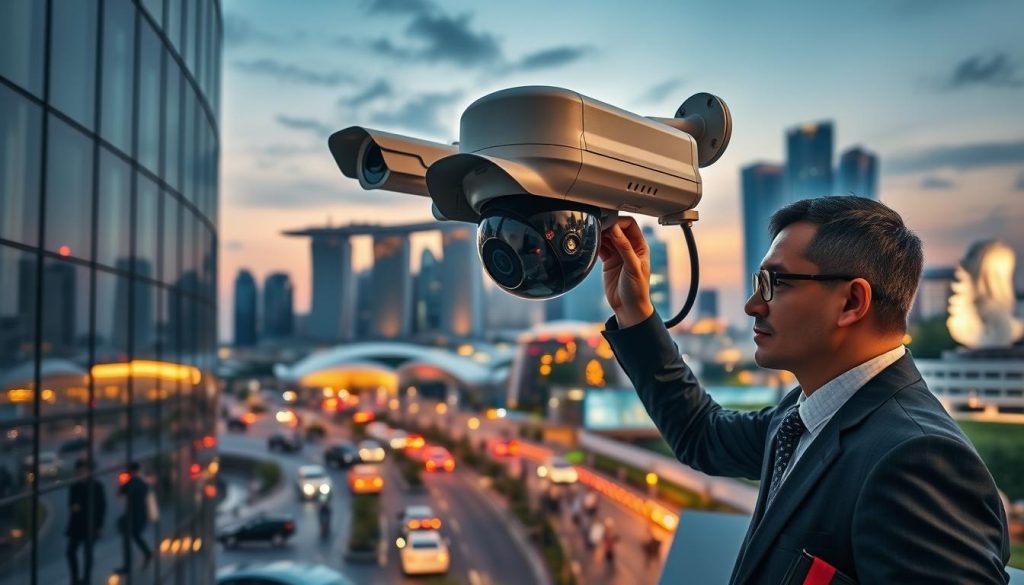
Increase your inspection frequency for outdoor components. We suggest weekly visual checks for early signs of rust or decay. Pay close attention to all cable termination points.
Use high-grade silicone sealant on all housing seams and conduit entries. This creates a durable moisture barrier. Also, ensure drainage holes are clear to prevent water accumulation inside.
Ensuring Performance During Seasonal Weather
Singapore’s weather brings intense sun exposure and heavy monsoon rains. Both test your equipment’s integrity. Proactive measures are essential for consistent performance.
Ultraviolet rays can degrade plastic housings and fade markings over time. Consider adding sunshades or choosing units with UV-resistant coatings. This protects your investment from solar damage.
Seasonal downpours test weatherproofing seals. Monsoon winds can also shift camera mounts, creating blind spots. After major storms, verify each unit’s field of view and tighten all mounting hardware.
Dust and urban pollution accumulate on lenses quickly. This directly affects image quality. Schedule more frequent lens cleaning to maintain a clear, sharp picture.
Think about camera placement strategies. Where possible, install units under eaves or other cover. This minimizes direct exposure without compromising coverage of critical areas.
Tailor your general care schedule to this local context. A proactive approach is non-negotiable here. It ensures your entire setup remains operational and delivers peace of mind year-round.
Securing Long-Term Reliability and Peace of Mind
Reliable security isn’t a product you buy; it’s a result you cultivate through diligent care. This guide has shown that consistent, structured maintenance is the most effective way to ensure your CCTV system remains a dependable asset for years.
The time and resources you invest pay significant dividends. They protect your initial financial outlay and maximize the functional life of your equipment from mere months to a full decade.
The ultimate goal is clear, usable evidence and uninterrupted coverage. Following the outlined schedules and checklists guarantees this function and optimal performance. It transforms your setup into a trusted guardian.
Choose the care path that fits your needs—disciplined DIY or a professional contract. Start your proactive routine today. View this not as a chore, but as an essential part of responsible property security and risk management.
In Singapore’s demanding climate, this proactive stance is non-negotiable. A reliably functioning surveillance system forms the cornerstone of comprehensive property protection. It delivers the true peace of mind that comes from knowing your security will perform when it matters most.