
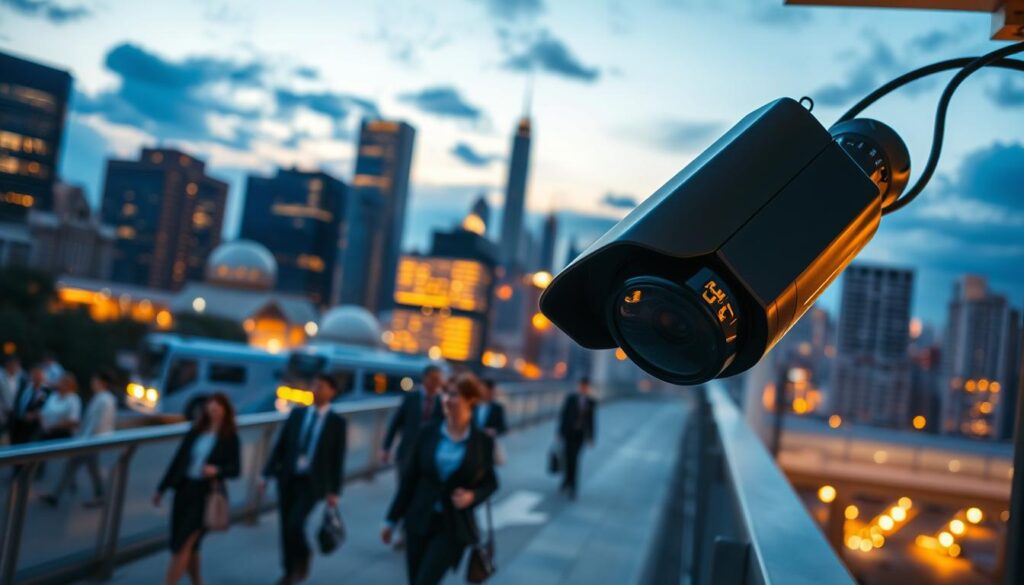
In today’s world, security systems have become vital for homes and businesses alike. Many individuals often ponder the question: do these devices constantly capture footage? Understanding the functionality of surveillance systems is crucial for effective protection.
Modern technology offers various recording modes, making the answer to this question more complex than a simple yes or no. Homeowners and business owners in Singapore, in particular, need to grasp how these systems operate to optimize their security.
The choice between continuous and motion-activated recording can significantly influence both security outcomes and storage needs. This guide aims to break down essential functionalities, power dependencies, and storage options for surveillance systems.
Readers will discover how to verify active recording status, explore different camera types, and understand legal considerations specific to Singapore. Proper knowledge of these recording capabilities is essential for maximizing the return on any security investment.
Key Takeaways
- Understand the different recording modes available in modern surveillance systems.
- Learn how to verify if your security system is actively capturing footage.
- Explore the impact of recording choices on security effectiveness and storage needs.
- Familiarize yourself with legal considerations regarding surveillance in Singapore.
- Gain insights to make informed decisions about security system purchases.
Understanding User Intent: Why Knowing if CCTV Cameras Always Record Matters
With the rise in property crimes, the demand for reliable security systems has surged. Many users in Singapore are increasingly concerned about whether their surveillance devices continuously capture footage. This concern stems from a heightened awareness of security needs and the desire for complete protection.
Understanding the recording behavior of these systems is essential. It directly impacts a user’s ability to retrieve critical footage after incidents like break-ins or vandalism. Knowing how and when your devices record helps set realistic expectations about what can be captured in various scenarios.
There’s a common misconception that all surveillance devices operate 24/7. In reality, many residential setups utilize motion-activated recording to conserve resources. This approach can significantly affect how users plan their security strategies.
Moreover, this knowledge influences purchasing decisions. Buyers must align their security needs with the appropriate recording technology. Peace of mind comes from knowing exactly when and how footage is being captured, especially for those monitoring vulnerable entry points.
Different user profiles—homeowners, small business operators, and enterprise security managers—have varying needs regarding continuous versus event-based recording. Understanding these factors can help tailor solutions that best fit individual requirements.
Storage capacity and power availability also play crucial roles in determining whether a system can realistically support round-the-clock recording. Informed users can troubleshoot issues more effectively and communicate their needs with security professionals.
Ultimately, knowing the recording capabilities of your surveillance system empowers you to make informed decisions. This knowledge equips you to evaluate your own setups and ensures that you are prepared for any security challenges.
How CCTV Cameras Work: Core Functionalities and Recording Mechanisms
To ensure optimal protection, it’s crucial to grasp the inner workings of surveillance setups. Every effective security system is built on a foundation of essential technologies. Understanding these components helps users maximize their investment in security.
Here are the fundamental parts of a surveillance system:
- Camera Lens: The lens captures light and focuses it onto the image sensor, determining the field of view.
- Image Sensor: This component converts light into electrical signals, forming the basis of the video footage.
- Processor: It processes the signals from the image sensor, enhancing video quality and enabling features like compression.
- Recording Unit: This is where footage is stored, with options for both Digital Video Recorders (DVRs) and Network Video Recorders (NVRs).
Analog cameras connect to DVRs, which handle traditional feeds, while IP cameras transmit digital signals over a network to NVRs. This distinction is crucial for users to understand the capabilities of their systems.
Modern surveillance setups often utilize infrared technology and Starlight sensors. These features ensure clear video capture even in complete darkness, a critical aspect for overnight monitoring.
Additionally, motion sensing technology plays a vital role. Systems use passive infrared sensors and pixel-based detection to trigger recording events only when movement is detected. This not only saves storage space but also enhances security by focusing on relevant activity.
Frame rates and resolution settings significantly impact video quality. Higher frame rates provide smoother motion, while resolution affects clarity. Balancing these factors is essential for effective monitoring.
Furthermore, video compression using codecs like H.264 and H.265 allows for high-quality footage with manageable file sizes. This optimization is vital for efficient storage management.
Power over Ethernet (PoE) technology simplifies installation by delivering both power and data through a single cable. This reduces wiring complexity and makes setup easier.
Smart features, such as AI-based object classification, can distinguish between humans, vehicles, and animals. This capability enhances the effectiveness of surveillance by filtering out irrelevant footage.
Modern systems also allow for simultaneous recording and live streaming. Users can monitor their property in real-time while footage is being saved, ensuring comprehensive security coverage.
Understanding these core functionalities empowers users to configure their systems for optimal performance based on their specific security requirements.
Continuous vs. Motion-Activated Recording Modes
In the realm of security, understanding the different recording methods can make a significant difference. Two primary modes are commonly used: continuous recording and motion-activated recording. Each has its own advantages and disadvantages that can impact your security strategy.
Advantages and Disadvantages of Continuous Recording
Continuous recording captures and saves footage around the clock. This means that whether it’s a busy street or a quiet backyard, the camera is always on. The primary advantage is that you never miss a second of activity. Even if something happens just outside the motion detection zone, you’ll have the footage.
However, this mode comes with a significant drawback: it consumes a lot of storage space. Users will need a robust NVR system with multiple terabytes of hard drive space to manage this constant flow of data.
Advantages and Disadvantages of Motion-Activated Recording
In contrast, motion-activated recording is an intelligent approach. Here, the system only saves footage when its sensors detect movement. This can drastically reduce storage needs, potentially saving up to 80-90% of data generation compared to continuous modes.
While this mode is efficient, there is a slight risk of trigger delay. Sometimes, the camera may start recording just a second too late, missing critical action. Fortunately, modern systems now use AI to distinguish between different types of movement, such as humans, vehicles, and animals. This feature helps minimize false alerts from minor disturbances.
Many advanced systems also offer a hybrid approach. This means they can record continuously at a lower resolution but switch to high-definition 4K when motion is detected. This flexibility allows users to tailor their surveillance to meet specific needs.
Different environments call for different recording modes. High-security commercial spaces often benefit from continuous recording, while residential homes may prefer motion-activated setups. The choice does not have to be exclusive; many modern systems support flexible, zone-based configurations tailored to specific areas.
The Role of Power Supply in CCTV Recording
In the modern landscape of security technology, understanding power supply dynamics is essential for effective surveillance. The performance of any security system hinges on its ability to maintain a consistent power source. Without it, these devices cannot function properly, making power supply the backbone of any surveillance system.
Wired systems are a popular choice for many users. They draw electricity directly from the building’s electrical grid through permanent cabling. This setup enables true 24/7 operation without interruption. Reliable power ensures that users can count on their systems to capture crucial footage at all times.
Power over Ethernet (PoE) technology is a game-changing innovation in this field. It delivers both data connectivity and electrical power through a single Ethernet cable. This simplifies installation and improves reliability, as users do not have to worry about Wi-Fi dropping out at critical moments.
In contrast, wireless options offer flexibility in placement. However, they often rely on rechargeable batteries. These battery-powered models cannot sustain continuous operation for more than a few hours. Users must be mindful of their limitations, especially when considering long-term monitoring.
Solar-powered cameras present a sustainable alternative. They harness Singapore’s abundant sunlight to maintain charge without increasing electricity costs. This makes them an appealing choice for environmentally conscious users.
Despite the advantages of various systems, power interruptions can create dangerous gaps in security coverage. Even brief outages can result in missed documentation of critical moments. Therefore, having backup power solutions is vital.
Uninterruptible Power Supplies (UPS) automatically activate during electrical disruptions. They keep systems operational for short to medium durations, ensuring continuous surveillance. For longer-term needs, generators and large battery banks provide extended backup for commercial installations that cannot afford any downtime.
In conclusion, every security setup should include some form of power redundancy. This ensures that users are prepared for potential outages, tailored to the specific risks in their area. As the saying goes,
“An ounce of prevention is worth a pound of cure.”
Storage Options and Challenges for CCTV Footage
Choosing the right storage solution is critical for managing the vast amounts of footage generated by surveillance systems. There are three primary storage destinations for this footage: Network Video Recorders (NVRs), SD cards, and cloud-based services. Each option has its unique benefits and limitations.
Network Video Recorders, SD Cards, and Cloud Storage
NVRs serve as the central hub of a surveillance system. They house large-capacity hard drives that can store weeks of continuous footage from multiple cameras. This setup is efficient, as it allows for loop recording, where older files are automatically overwritten when storage capacity is reached.
On the other hand, SD cards are found in some cameras. However, they are typically only suitable for motion-activated recording. A standard 128GB card can fill up within a single day if recording continuously. Thus, they are better for setups that only capture footage during specific events.
Cloud storage offers a convenient off-site solution. It protects footage even if the physical recorder is stolen or damaged. However, it comes with high costs and requires substantial upload bandwidth. For instance, a single high-definition camera can generate about 1TB of data monthly, making cloud solutions potentially expensive for multiple devices.
Calculating Storage Needs Based on Recording Modes and Camera Setup
When planning your storage, consider several key factors. These include the number of cameras, video resolution, and the average activity in monitored areas. For example, small businesses may need 2-4TB for basic setups, while larger installations might require 8TB or more.
Motion-activated systems significantly reduce storage needs. They may use only 10-20% of the capacity required for continuous recording. Additionally, modern compression technologies like H.265 can help minimize storage requirements without sacrificing video quality.
In conclusion, effective storage planning should be done before installation. It’s essential to account for current needs and potential future expansions of your camera system. Understanding these options and challenges will help you optimize your security setup.
Are CCTV Cameras Always Recording? How to Check Your System’s Active Status
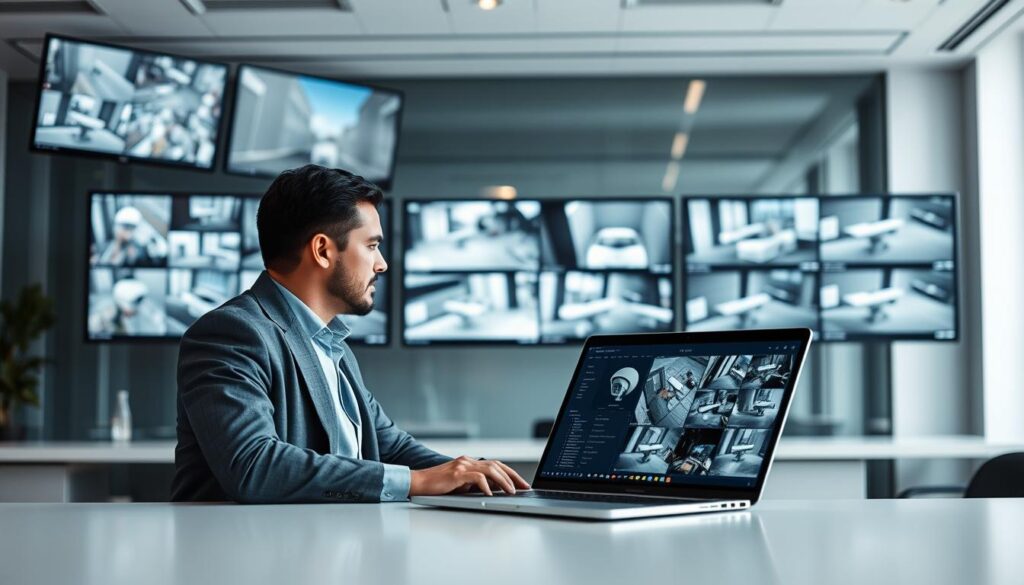
Understanding the active status of surveillance systems is crucial for effective security management. Knowing if your devices are operational ensures you can respond promptly to any incidents. This section will guide you through practical methods to verify if your security setup is actively capturing footage.
Visual Indicators and LED Lights
Most modern surveillance devices feature status lights that communicate operational conditions instantly. A steady green light typically indicates normal functioning, while a blinking red light often signals active monitoring mode. If the light is steady red, it shows constant operation. Pay attention to blinking patterns, as they might indicate recording activity or system errors.
Physical movement can also confirm the functionality of pan-tilt-zoom features. Additionally, operational sounds, like subtle whirring, suggest that the device is powered and functioning correctly. However, be cautious; fake or dummy models often feature exaggerated blinking red lights, while authentic security devices maintain more subtle visual indicators.
Using Monitoring Software and Mobile Apps
Digital platforms offer comprehensive status verification for your surveillance systems. Many modern setups include dedicated applications that provide real-time operational data. Users can check connection status instantly and access live feeds to confirm proper functioning.
Recording indicators within these apps show if the system is actively capturing video. Dashboard alerts notify users of connectivity issues, storage capacity warnings, or camera malfunctions in real time. Reviewing historical logs can also be beneficial, as they document all activity periods, with motion detection events appearing as time-stamped entries.
Establishing a regular verification routine is advisable. Weekly checks of all camera feeds and storage status can help catch issues before they result in missed footage. Additionally, confirming that remote viewing capabilities are functioning ensures users can access their surveillance system from anywhere via smartphone.
In conclusion, consistent status verification is essential for maintaining reliable security coverage. It helps prevent undetected system failures and ensures that your property remains protected.
Types of CCTV Cameras and Their Recording Capabilities
In the diverse landscape of security technology, selecting the right type of surveillance device is essential for effective monitoring. Different models offer unique features and recording capabilities, catering to various security needs.
Analog, IP, Battery-Operated, and Solar-Powered Models
Traditional analog devices connect directly to Digital Video Recorders (DVRs). These systems typically capture footage continuously. They represent the foundation of modern surveillance technology. DVR setups provide reliable performance for basic monitoring needs.
However, they lack the advanced smart features found in newer options. Users may find these systems to be cost-effective solutions for comprehensive coverage, though they may miss out on higher resolution capabilities.
On the other hand, Internet Protocol (IP) cameras have become the modern standard. They connect to Network Video Recorders (NVRs) through Ethernet or Wi-Fi. This setup enables advanced features and higher resolution capture, often up to 4K. IP systems also offer superior image quality and analytical capabilities.
Many models can intelligently distinguish between different types of movement. Cloud integration provides flexible storage solutions, allowing users to access footage from anywhere with an internet connection.
Battery-operated cameras present flexible wireless solutions. They are ideal for locations where running cables is impractical. Modern battery devices can last several months between charges, maintaining functionality during power interruptions.
Additionally, solar-powered options, like the Reolink Argus 3 Pro, leverage Singapore’s abundant sunlight for continuous, eco-friendly operation. These sustainable choices ensure ongoing protection without added electricity costs.
Choosing the Right Camera for Your Security Needs in Singapore
When selecting a camera, consider the installation environment and power availability. Different form factors serve specific monitoring needs. Dome cameras offer discreet monitoring with wide viewing angles, while bullet models provide long-distance observation for outdoor areas.
PTZ (Pan-Tilt-Zoom) units enable remote control of viewing direction, enhancing flexibility in monitoring.
Singapore’s urban environment, with its mix of high-rise apartments and landed properties, influences camera selection. Users should assess their unique requirements, including desired recording mode, resolution needs, and installation complexity, before making a purchase decision.
For further insights on optimizing your security setup, check out our article on how long CCTV can record without.
Privacy, Legal, and Practical Considerations for CCTV Usage in Singapore
In Singapore, understanding the legal and privacy implications of surveillance systems is essential for responsible usage. Surveillance technology is not just about security; it also involves adhering to strict laws and guidelines. Organizations must follow regulations to avoid fines and reputational damage.
Turning off surveillance systems can have significant legal consequences. Organizations are required to maintain operational systems in certain contexts. Failing to do so can result in serious penalties. It’s vital for businesses to understand these laws to prevent legal troubles.
Here are some important considerations for users:
- Legal Framework: Familiarize yourself with the Personal Data Protection Act and guidelines from the Personal Data Protection Commission. These laws govern how surveillance footage is handled.
- Operational Requirements: Businesses must keep their surveillance systems running. Disabling cameras can lead to fines and damage to their reputation.
- Privacy for Residential Users: Position cameras carefully to avoid capturing private spaces of neighbors or public areas beyond your property boundary.
- Audio Recording Regulations: Many modern systems include built-in microphones. Be aware that audio capture may be subject to stricter legal controls.
- Signage: Display appropriate signs to inform visitors and passersby that monitoring is in operation. This is both a legal requirement and a deterrent.
- Data Protection Responsibilities: Ensure secure storage of footage, controlled access to recordings, and proper disposal procedures when footage is no longer needed.
- Sharing Footage: Be cautious when sharing footage with third parties or on social media. Improper distribution can violate privacy laws.
- Balancing Security and Privacy: Design surveillance setups that protect your property without infringing on others’ rights.
- Regular Maintenance: Regular system checks are essential for technical reliability and legal compliance.
In conclusion, users should consult official Singapore government resources or legal professionals. This ensures their surveillance setup fully complies with all applicable regulations. Being informed helps maintain a balance between security needs and privacy rights.
Moving Forward: Optimizing Your CCTV System for Reliable and Effective Security
As security needs evolve, it’s vital to adapt your surveillance systems for optimal effectiveness. The answer to whether these devices capture footage depends on your configuration, power supply, and user settings.
For businesses and high-security environments, prioritizing continuous recording with robust NVR storage and backup power is essential. This approach ensures complete coverage without gaps.
Residential users should consider motion-activated or hybrid setups that balance effective security with manageable storage and costs. Regular maintenance, including firmware updates and storage health checks, is crucial for optimal performance.
Periodically reviewing and adjusting your recording settings as needs change will enhance security. Testing backup power solutions ensures uninterrupted protection during outages.
Adopting a hybrid recording approach captures continuous low-resolution footage while saving high-definition clips for motion-triggered events. Utilizing smart features like AI-based detection and mobile alerts keeps you informed in real-time.
Plan for future expansion by selecting systems that can accommodate additional cameras as your needs grow. Assess your current setup against these insights and make informed adjustments to achieve reliable, effective, and compliant security coverage.