
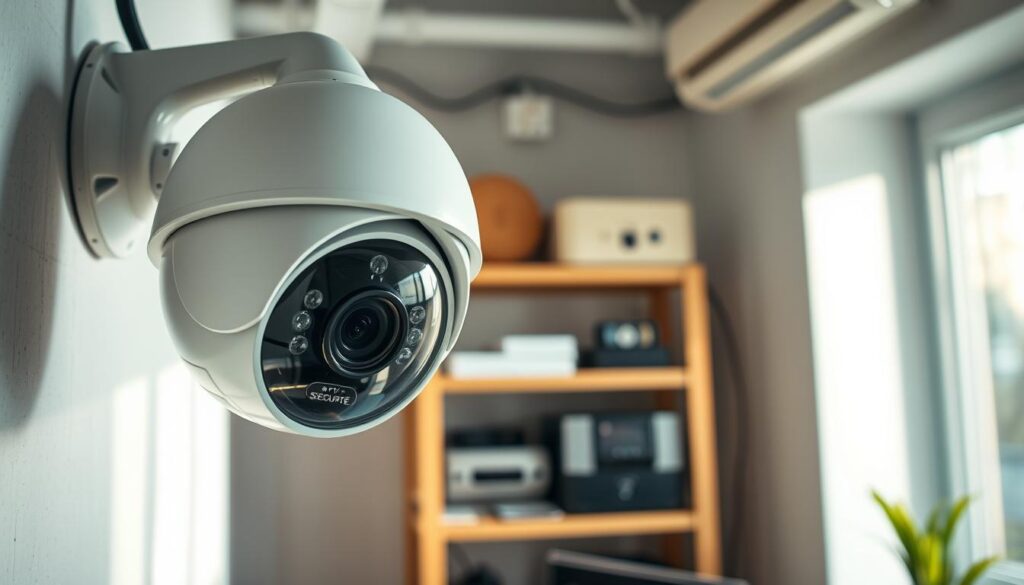
Many homeowners and business owners in Singapore often wonder about the feasibility of setting up a CCTV system without relying on a WiFi connection. The good news is that it is entirely possible and practical. This guide will delve into various non-WiFi solutions, including cellular, wired, and local storage options.
In a world where internet connectivity can be unreliable, securing your property is crucial. Modern security cameras like the Reolink Go Plus and Arlo Go 2 utilize 4G LTE for remote monitoring, ensuring uninterrupted surveillance. Additionally, wired systems with DVRs or NVRs provide continuous recording without needing an internet connection.
By the end of this guide, readers will understand all available options for setting up a CCTV system effectively. This includes practical tips on installation, maintenance, and legal considerations specific to Singapore.
Understanding CCTV Systems and How They Work Without WiFi
Understanding how CCTV systems operate is crucial for effective surveillance. These systems capture, transmit, and store video footage, ensuring that your property remains secure. CCTV stands for Closed-Circuit Television, which means the video signals are sent directly to a specific set of monitors or recorders.
The core components of any CCTV system include cameras, cables or wireless transmitters, and a recording device like a DVR (Digital Video Recorder) or NVR (Network Video Recorder). Traditional analog cameras transmit uncompressed video over coaxial cables to a DVR, making them a reliable choice for offline surveillance.
IP cameras, on the other hand, digitize video and can connect via Ethernet cables to an NVR. While many IP cameras require an internet connection for full functionality, some models can operate on a local network for basic recording. This flexibility allows for various installation options.
Cellular security cameras represent the latest advancement in CCTV technology. These cameras, like the Reolink Go Plus and Arlo Go 2, utilize 4G LTE networks to stream video and send alerts. This capability completely eliminates the need for WiFi, allowing for remote monitoring from virtually anywhere.
Understanding the differences between these camera types is essential for selecting a system that works without WiFi. Each type has distinct cabling, power, and storage requirements, influencing your choice based on budget, installation environment, and desired video quality.
All three types—analog, IP, and cellular—can be configured to work independently of an internet connection. This ensures continuous surveillance and local footage storage, providing peace of mind regardless of network availability.
Benefits of Installing CCTV Without WiFi
Choosing to install a CCTV system that doesn’t rely on WiFi can lead to various benefits for users. These advantages include improved privacy, reliability during internet outages, and significant cost savings. Understanding these benefits can help property owners make informed decisions about their security needs.
Improved Privacy and Security
Installing CCTV without WiFi dramatically enhances privacy. Video footage remains local, never traveling over the public internet. This setup eliminates the risk of remote hacking or unauthorized cloud access. Offline systems store all footage on DVRs, NVRs, or microSD cards. This gives property owners complete control over who can view or access their surveillance recordings.
Reliability During Internet Outages
Reliability is a major benefit of non-WiFi cameras. They continue recording during internet outages, power fluctuations, or network failures. This ensures no gaps in security coverage. Wired CCTV systems with battery backup can operate for hours without mains power. Cellular cameras equipped with solar panels provide indefinite off-grid surveillance, making them a robust option for continuous monitoring.
Cost Savings and Local Control
Cost savings accumulate over time by avoiding monthly cloud storage subscriptions. Using local storage like a microSD card can save over $95 per year per camera compared to cloud plans. Businesses benefit from predictable, one-time hardware costs rather than ongoing operational expenses. Local control means footage is physically secure on-site, reducing dependence on third-party service providers.
Overall, choosing CCTV without WiFi provides a robust, private, and cost-effective security solution. It remains operational regardless of external network conditions, making it ideal for sensitive locations such as government buildings and private residences.
Can I install CCTV without WiFi? Exploring Your Options
Navigating the landscape of non-WiFi CCTV solutions can provide peace of mind for property owners. There are three primary categories of systems to consider: cellular-based cameras, wired CCTV systems with DVRs or NVRs, and battery or solar-powered options. Each of these solutions has unique features that cater to different needs and environments.
Cellular-Based CCTV Cameras
Cellular-based CCTV cameras operate on 4G LTE mobile networks. They require a SIM card and a data plan, similar to a smartphone. This makes them perfect for locations lacking fixed internet infrastructure.
Popular models include the Arlo Go 2, which supports major networks like Verizon, AT&T, and T-Mobile. The Reolink Go Plus offers impressive 2K resolution and two-way audio, all while functioning independently of WiFi.
Wired CCTV Systems with DVR/NVR
Wired CCTV systems represent the most traditional and reliable approach. They utilize coaxial or Ethernet cables to connect cameras directly to a local recorder. This setup allows for continuous 24/7 footage capture.
Brands like Lorex offer DVRs with storage options ranging from 1TB to 16TB. These systems can support high-definition video up to 4K resolution, ensuring quality footage without internet dependency.
Battery and Solar-Powered CCTV Solutions
Battery-powered CCTV solutions provide maximum installation flexibility. They operate wire-free and store footage on internal microSD cards, making them ideal for temporary setups or rental properties.
On the other hand, solar-powered cameras, such as the Reolink Keen Ranger PT, combine battery efficiency with renewable energy. This enables indefinite off-grid operation, perfect for remote areas like farms or construction sites.
Each option has distinct power requirements. Wired systems need a constant electrical supply, while battery cameras require periodic recharging. Solar models depend on adequate sunlight exposure.
Ultimately, the choice between these options depends on the property’s existing infrastructure, desired video retention period, and the need for remote access. Understanding these solutions empowers property owners to select the most appropriate non-WiFi CCTV system tailored to their specific security needs.
Types of CCTV Cameras That Don’t Require an Internet Connection
When selecting a CCTV system, understanding the different types of cameras available for offline use is essential. Various camera types cater to specific surveillance needs and environments. Here, we will explore the most common types of CCTV cameras that function effectively without relying on an internet connection.
Bullet, Dome, PTZ, and C-Mount Cameras
Bullet cameras are easily recognizable by their long, cylindrical shape. They are designed primarily for outdoor use, offering excellent long-range visibility. Often, these cameras feature weather-resistant housings, making them ideal for various weather conditions.
Dome cameras provide a more discreet surveillance option. Their compact, dome-shaped enclosures make it difficult for subjects to determine which direction the lens is pointing. This feature enhances security by preventing tampering and vandalism.
PTZ (Pan-Tilt-Zoom) cameras offer the most flexibility. Users can remotely pan, tilt, and zoom the lens to track moving subjects or focus on specific areas of interest. This capability allows for comprehensive monitoring without the need to physically reposition the unit.
C-Mount cameras are specialized devices equipped with detachable lenses. This feature enables users to swap lenses for different focal lengths, achieving precise coverage for unique surveillance requirements.
Cellular-Enabled Cameras and Their Features
Cellular-enabled cameras represent the cutting edge of non-WiFi technology. These cameras, such as the Reolink Go Plus, feature built-in 4G LTE modems. They transmit video and alerts over mobile networks, eliminating the need for local internet connections.
Key features of cellular security cameras include high-definition video, ranging from 1080p to 2K. They often come with infrared night vision for low-light conditions, ensuring clear footage at any time. Additionally, many models include motion detection with instant alerts and two-way audio communication, enhancing their functionality.
Cameras With Local Storage (MicroSD, DVR)
Cameras with local storage are an excellent option for those looking to avoid cloud subscriptions. These devices record footage directly to onboard microSD cards, with many models supporting capacities up to 256GB. This allows for weeks of retention without relying on external services.
DVR-based camera systems connect multiple analog cameras to a central recorder. This setup provides centralized storage and management without any internet requirement. It ensures that all footage remains secure and accessible on-site, offering peace of mind to property owners.
The choice of camera type should align with specific surveillance goals. Whether discreet indoor monitoring with dome cameras or long-range outdoor coverage with bullet cameras, all these types can function effectively when paired with appropriate local recording hardware or cellular connectivity.
How to Connect Your CCTV Camera to Your Phone Without WiFi
Connecting a CCTV camera to your smartphone is easier than you might think, especially when avoiding WiFi. There are practical methods to achieve remote viewing, allowing users to monitor their security systems effectively. This section explores how to use cellular data, peer-to-peer (P2P) connections, and compatible mobile applications.
Using Cellular Data for Remote Monitoring
Connecting a CCTV camera to a phone without WiFi is primarily achieved through cellular data networks. This setup involves using a SIM card in the camera to transmit video directly to a mobile app over 4G LTE.
For example, the Arlo Go 2 and Reolink Go Plus are excellent cellular cameras. They enable remote monitoring from virtually anywhere with mobile coverage. Users receive real-time motion alerts and can stream live video feeds directly to their smartphones.
Peer-to-Peer (P2P) Connection Methods
P2P connection methods establish a direct, encrypted link between the camera and the phone. This process bypasses the need for any external network infrastructure. Users can set up this connection by scanning a QR code or entering a unique device ID.
P2P technology is particularly useful for local setups where the phone and camera are within a certain range. However, users should consider distance limitations and potential interference.
Mobile Apps Supporting Non-WiFi Cameras
Dedicated mobile applications from manufacturers like Reolink, Arlo, and Lorex serve as the control hub for non-WiFi cameras. These apps provide intuitive interfaces for live viewing, playback of recorded footage, and system configuration.
These applications support features such as:
- Motion detection zones
- Scheduling
- Alert customization
This allows users to tailor their surveillance experience even when not connected to WiFi. Setting up cellular monitoring requires inserting an activated SIM card into the camera, downloading the corresponding app, and following the in-app pairing instructions.
Data consumption is a critical factor when using cellular monitoring. Streaming HD video continuously can use approximately 1GB of data every two hours. Therefore, optimizing motion detection settings is essential for efficient data usage.
By utilizing cellular data, P2P technology, and robust mobile apps, connecting CCTV cameras to phones is entirely feasible. This approach provides flexible and reliable remote surveillance, ensuring security is always within reach.
Choosing the Right Mobile Data Plan for Your CCTV System
Selecting the right mobile data plan is essential for maximizing the performance of your CCTV system. With cellular security cameras becoming more popular, understanding how to choose a suitable plan can enhance your monitoring capabilities while keeping costs manageable.
Data usage is a critical factor in this decision. Continuous HD video streaming can consume approximately 1GB of data every two hours. Thus, it’s important to evaluate how often you will need live streaming versus motion-triggered recordings, which use significantly less data.
Understanding Data Usage and Costs
Monthly data plan costs for CCTV cameras typically range from $10 to $40 per camera. Higher-tier plans often offer larger data caps, making them suitable for multiple cameras or frequent remote viewing. To make the most of your plan, consider the following:
- Understanding data usage is the first step in choosing a mobile data plan.
- Selecting a plan based on camera usage involves assessing how often live streaming is needed.
- Location plays a crucial role; checking signal strength at the installation site ensures reliable connectivity.
Selecting Plans Based on Camera Usage and Location
Choosing the right plan also depends on the location of your cameras. Cellular coverage varies by carrier, so it’s wise to check which providers offer the best service in your area. T-Mobile, for example, is known for its extensive coverage suitable for camera deployments.
Additionally, optimizing motion detection zones and sensitivity settings can reduce false alarms and unnecessary data transmission by up to 70%. This adjustment helps stretch a limited data plan much further.
Optimizing Battery Life with Data Plans
Battery-powered cellular cameras are particularly sensitive to data transmission frequency. Each upload consumes power, so balancing alert frequency with battery life is essential for sustainable operation. Here are some tips to enhance battery life:
- Schedule cameras to record only during specific hours, such as business operating times or nighttime.
- Consider specialized IoT data plans designed for devices like security cameras, often at lower rates than standard mobile plans.
- Evaluate the total cost of ownership, including camera hardware, SIM card, and ongoing data plan.
By properly matching the data plan to your camera’s usage patterns and location, you can ensure reliable remote monitoring without unexpected overage charges or battery depletion. For more insights on connecting your CCTV camera to your phone, check out this helpful guide.
Key Features to Look for When Installing CCTV Without WiFi
Identifying the most important features for a non-WiFi CCTV system is crucial for optimal performance. When selecting a security system, understanding specific attributes can significantly enhance your surveillance experience. Here are some key features to consider:
Video Quality and Resolution
Video quality is paramount. A minimum of 1080p Full HD is recommended for clear identification of subjects. Higher resolutions, such as 2K or 4K, provide even more detail, which is essential for recognizing faces and license plates.
Night Vision and Motion Detection
Night vision capability, typically achieved through infrared technology, allows cameras to capture clear footage in complete darkness. Some advanced models even offer color night vision for enhanced detail.
Additionally, motion detection is a must-have feature. It triggers recording and alerts only when activity occurs, conserving storage space and reducing unnecessary data usage for cellular cameras.
User Interface and Mobile App Accessibility
The user interface of the accompanying mobile app or local monitor should be intuitive and responsive. This enables easy access to live feeds, recorded footage, and system settings without technical expertise.
Mobile app accessibility is especially important for cellular cameras, as the app serves as the primary interface for remote monitoring, alert management, and camera configuration.
Durability and Weather Resistance
Durability is critical for outdoor cameras. Look for models with an IP65 or higher weather resistance rating. This ensures operation in rain, dust, and extreme temperatures, which are common in Singapore’s tropical climate.
Additional features like two-way audio, siren alarms, and smart detection can add significant value to a non-WiFi CCTV system.
Finally, ensure that local storage capacity, whether via microSD card or DVR hard drive, is sufficient to retain several days of continuous footage. Evaluating these key features will help you choose a CCTV system that delivers reliable, high-quality surveillance tailored to your specific security needs.
Ensuring Security and Privacy for Non-WiFi CCTV Cameras
Security and privacy are paramount when it comes to non-WiFi CCTV systems. Although these cameras are less vulnerable to remote hacking, it is essential to implement robust measures to protect against both physical and digital threats.
One of the most critical aspects of securing your CCTV system is encryption. This technology ensures that even if video footage is intercepted during cellular transmission, it remains unreadable to unauthorized parties. Implementing strong encryption protocols can significantly enhance the security of your data.
Importance of Encryption and Data Protection
Non-WiFi cameras are inherently more secure than internet-connected models. They do not expose footage to the public internet, significantly reducing the attack surface for remote hackers. However, it is still vital to safeguard data transmitted over mobile networks.
Protecting Against Hacking and Unauthorized Access
Protecting against unauthorized access starts with changing default passwords to strong, unique credentials. Enabling two-factor authentication wherever supported by the camera or recorder adds an extra layer of security. Regular firmware and software updates are also critical, as manufacturers release patches to address newly discovered vulnerabilities.
Maintaining Secure Connections Over Cellular Networks
For wired systems with DVRs or NVRs, physical security is equally important. Storing the recorder in a locked, ventilated cabinet prevents theft, tampering, and overheating. Additionally, microSD cards used for local storage should be encrypted and periodically backed up to an external drive.
Cellular network connections, while more secure than public WiFi, still benefit from additional measures. Utilizing VPN tunnels or encrypted transmission protocols can protect data in transit. Monitoring access logs and setting up alerts for failed login attempts helps detect potential intrusion attempts before they compromise the system.
Businesses handling sensitive footage should establish clear data handling policies. Limiting access to authorized personnel and regularly auditing who views or exports recordings is essential. By implementing these security and privacy measures, non-WiFi CCTV systems can provide robust surveillance while maintaining the highest standards of data protection and user privacy.
Popular Non-WiFi CCTV Camera Models for Reliable Surveillance
In the realm of security, selecting the right CCTV camera model can significantly impact your surveillance strategy. Various options are available that operate effectively without an internet connection. Here’s a comparative overview of some of the most popular non-WiFi CCTV camera models.
Features and Price Comparison
When considering non-WiFi cameras, it’s essential to evaluate their features and price points. Below are some standout models:
- Reolink Go Plus: This 4G cellular camera offers 2K Super HD resolution, integrated night vision, and two-way audio. It also features a microSD card slot for local storage, priced around $150-$180.
- Arlo Go 2: A premium option, this camera provides 1080p HD video and color night vision. It supports multiple carriers, with a price range of approximately $250-$300.
- Lorex Wired DVR Systems: These systems support up to 4K resolution and provide continuous 24/7 recording. Storage options range from 1TB to 16TB, with four-camera kits starting at around $500.
- Reolink Keen Ranger PT: Ideal for remote locations, this solar-powered cellular camera combines 4G LTE connectivity with a rechargeable battery and solar panel for indefinite operation.
Top Brands: Reolink, Arlo, Lorex, and More
Each brand offers distinct advantages in terms of resolution, storage, and connectivity:
- Reolink: Known for affordability and flexibility, Reolink provides both cellular and solar-powered options with generous local storage support via microSD cards.
- Arlo: Emphasizes ease of use and ecosystem integration, featuring intuitive mobile apps and optional cloud storage plans for hybrid solutions.
- Lorex: Prioritizes reliability and professional-grade features, including active deterrents like motion-activated lights and sirens, suitable for commercial properties.
Price comparisons reveal that while cellular cameras have higher upfront costs ($150-$300) plus ongoing data plan expenses, wired DVR systems require a larger initial investment ($350-$500+) but have no recurring fees. Evaluating these popular models ensures readers select a non-WiFi CCTV system that delivers the right balance of features, reliability, and cost-effectiveness.
Step-by-Step Guide: Setting Up Your CCTV System to Connect to Your Phone
Setting up a non-WiFi CCTV system to connect to your smartphone can be straightforward with the right guidance. This step-by-step guide will help you through the entire process, from selecting the appropriate cameras to troubleshooting common issues.
Selecting and Installing Cameras
The first step in setting up a non-WiFi CCTV system is selecting the right camera type based on your installation environment. You can choose a cellular camera for remote areas, a wired camera for permanent installations, or a battery-powered unit for flexible placement.
Physical installation involves mounting the camera securely at the desired location. Ensure that there is an unobstructed field of view and verify that power sources are accessible, whether through electrical outlets, batteries, or solar panels.
For cellular cameras like the Reolink Go Plus or Arlo Go 2, inserting an activated SIM card with an appropriate data plan is essential before powering on the device. Wired CCTV systems require running coaxial or Ethernet cables from each camera to the central DVR or NVR unit, which should be placed in a secure, ventilated location.
Downloading and Configuring Mobile Applications
Downloading the correct mobile application from the Apple App Store or Google Play Store is the next step. Each manufacturer provides a dedicated app such as the Reolink App, Arlo Secure, or Lorex Home.
Configuring the mobile app involves creating an account and following the in-app pairing wizard. Connect to the camera by scanning its QR code or manually entering its unique device identification number.
Connecting Cameras to Mobile Data or P2P Networks
For cellular cameras, the app will guide users through network selection and data connection setup. For P2P connections, the app establishes a direct link between the phone and camera without external servers.
Setting up motion detection zones, customizing alert preferences, and scheduling recording times are crucial configuration steps. These optimize both security coverage and data or battery usage.
Troubleshooting Common Setup Issues
Common setup issues include weak cellular signals at the installation site, outdated camera firmware causing compatibility problems, and mobile app permissions blocking notifications or camera access.
Troubleshooting these issues typically involves relocating the camera for better signal, updating firmware through the app, and adjusting phone settings to grant necessary permissions. This ensures a smooth and successful setup process.
Maintaining Your CCTV System for Optimal Performance Without WiFi
Maintaining a non-WiFi CCTV system is essential for ensuring reliable security monitoring. Regular upkeep helps to extend the lifespan of your cameras and ensures they operate at peak performance. Here are key maintenance tasks to consider:
Regular Hardware Inspections and Cleaning
Conduct hardware inspections every 6 to 12 months. This helps identify physical issues like loose mounts, corroded cables, or dirty camera lenses that can degrade video quality.
Cleaning camera lenses with a soft, dry cloth removes dust, spider webs, and rain spots. This ensures clear image capture at all times, which is vital for effective monitoring.
Additionally, check cable connections for signs of wear, corrosion, or animal damage. This prevents unexpected signal loss, especially for wired systems exposed to outdoor elements.
Firmware and Software Updates
Perform firmware and software updates quarterly. Manufacturers release patches that improve system stability, add new features, and address security vulnerabilities.
Updating firmware on non-WiFi cameras typically involves downloading the update file to a computer and transferring it via USB or microSD card. For cellular-connected models, use the mobile app for seamless updates.
Managing Storage Space and Battery Life
Managing storage space is critical for continuous recording. Regularly review footage and back up important clips to an external drive. Formatting microSD cards prevents storage full errors.
DVR and NVR systems with hard drives should be monitored for available capacity. Older footage is automatically overwritten when drives reach capacity, but manual cleanup may be needed for optimal performance.
Battery-powered cameras require diligent monitoring of charge levels. Rechargeable batteries typically last several months, depending on usage, motion frequency, and environmental conditions.
For solar-powered cameras, clean the solar panels periodically to maintain charging efficiency, especially in dusty or pollen-heavy environments common in Singapore.
Proactive maintenance extends the lifespan of CCTV equipment, ensures uninterrupted surveillance, and protects your investment in a non-WiFi security system for years of reliable service.
Alternatives to WiFi-Dependent CCTV Systems You Should Consider
Exploring alternatives to WiFi-dependent CCTV systems can significantly enhance your security options. Various non-WiFi solutions cater to different needs, ensuring reliable surveillance without relying on an internet connection.
Wired Systems with Continuous Local Recording
Wired CCTV systems with continuous local recording to DVRs or NVRs remain the gold standard for reliability. They capture every second of footage without gaps, compression artifacts, or dependency on external networks.
These systems use coaxial or Ethernet cables to transmit video, ensuring zero interference and consistent quality. Storage capacities can range from 1TB to 16TB, allowing for months of footage retention.
Battery-Powered and Solar CCTV Technologies
Battery-powered cameras offer an attractive alternative for situations where running cables is impractical. Models like the Blink XT provide completely wire-free installation with a multi-year battery life and local storage options.
Solar-powered CCTV technologies represent the most sustainable choice. They utilize photovoltaic panels to keep batteries charged indefinitely, making them ideal for remote locations without access to electrical power.
The Reolink Keen Ranger PT exemplifies solar technology, combining a 4G LTE cellular connection with a solar panel for truly off-grid surveillance that requires minimal human intervention.
Hybrid Systems Combining Local and Cloud Storage
Hybrid systems bridge the gap between local and cloud storage. They record continuously to an on-site DVR while offering optional cloud connectivity for remote viewing when internet access is available.
Brands like Swann and Lorex provide hybrid solutions that prioritize local storage but allow for flexibility with remote access through mobile apps when a network connection is present.
Each alternative has distinct trade-offs. Wired systems offer the highest reliability but require complex installation. Battery cameras provide flexibility but need periodic maintenance, while solar cameras excel in remote areas but depend on sunlight.
Evaluating these alternatives against the specific constraints of your property—such as power availability, cabling feasibility, and desired remote access—guides the selection of the most appropriate non-WiFi solution.
Considering these alternatives ensures that property owners do not default to WiFi-dependent systems when more suitable, reliable, and cost-effective options exist for their unique surveillance needs.
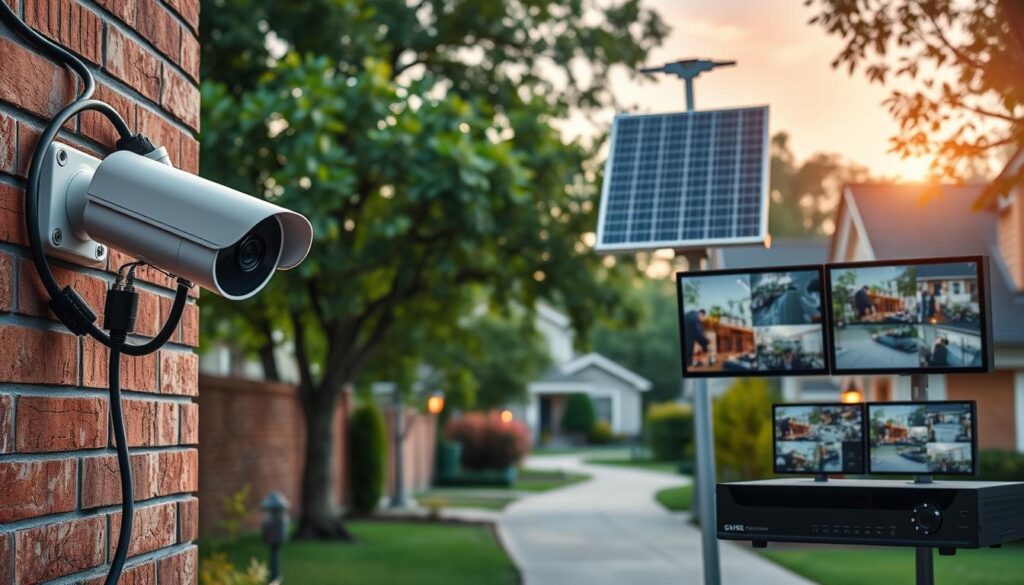
Understanding Legal and Regulatory Considerations for CCTV in Singapore
It’s important to grasp the legal and ethical implications of CCTV installations in Singapore today. With nearly one million cameras operating across the nation, understanding the regulations is crucial for responsible use. The primary legal framework governing CCTV usage is the Personal Data Protection Act (PDPA).
Compliance with Personal Data Protection Act (PDPA)
The PDPA regulates the collection, use, and storage of personal data captured by CCTV systems. This applies to both businesses and individuals deploying surveillance cameras. Under the PDPA, organizations must obtain consent from individuals before capturing their personal data through CCTV.
This consent is typically achieved through clear signage indicating that surveillance is in operation. Businesses are also required to establish and communicate data protection policies that specify the purpose of CCTV monitoring, how footage is stored, who has access, and how long recordings are retained.
Required Permissions for Residential and Commercial Installations
For residential installations, particularly in HDB flats, residents must seek approval from the relevant town council and local authorities. This is especially important for cameras that may capture common areas or neighboring units.
Landed property owners generally face fewer regulatory hurdles but must ensure their cameras do not intrude on neighbors’ privacy. This includes avoiding capturing footage beyond their own property boundaries.
Commercial installations in offices, retail spaces, and industrial facilities require compliance with the PDPA. This includes appointing a data protection officer and conducting regular audits of surveillance practices.
Privacy and Ethical Surveillance Practices
Individuals have the legal right to request access to their personal data captured by CCTV systems. Organizations must respond to such requests within a reasonable timeframe. Ethical surveillance practices extend beyond legal compliance.
Positioning cameras to minimize intrusion into private spaces is essential. Additionally, using appropriate retention periods and securing footage against unauthorized access are crucial for ethical monitoring.
Non-compliance with the PDPA can result in significant financial penalties and reputational damage. Therefore, it is essential for CCTV operators to stay informed about their legal obligations.
Consulting with legal professionals or CCTV experts like ED Viston at +65 8313 4578 ensures that installations meet all regulatory requirements while effectively addressing security needs.
Empowering Your Security with Non-Internet CCTV Solutions Today
The evolution of CCTV technology presents exciting opportunities for reliable surveillance without internet dependency. Non-internet CCTV solutions have matured into a robust category of security technology, providing dependable monitoring for various properties across Singapore.
From cellular cameras like the Reolink Go Plus to wired Lorex DVR systems, there are options for every need and budget. Embracing offline CCTV empowers property owners with complete control over their footage, eliminating recurring cloud fees and reducing hacking risks.
Investing in a quality non-WiFi system pays dividends through years of reliable service and peace of mind. Today is the perfect time to explore these solutions, ensuring your property remains secure and your loved ones protected.
For personalized advice on selecting and installing the perfect non-WiFi CCTV system, reach out to local experts like ED Viston at +65 8313 4578 or Wen Hong at +65 60135960. Take action today and secure your future!