
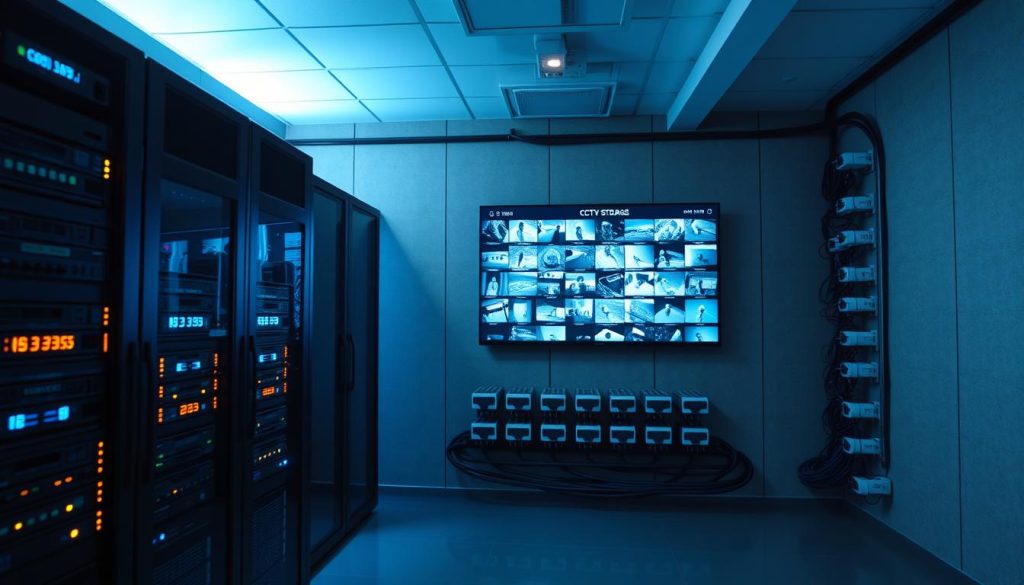
Many people and businesses in Singapore ask a pressing question about their security systems. They wonder if retrieving video recorded two years in the past is possible.
The answer is not simple. Most surveillance setups have built-in limits. Digital video recorders and network systems often use a process called automatic overwriting.
This means old data gets erased to make space for new recordings. The capacity of hard drives and cloud storage plans directly affects how long video is kept.
Your ability to access this old CCTV footage depends on several key factors. You must know the type of CCTV system in place and its specific storage setup. The configured retention policies are the most critical element.
In Singapore, handling such data also involves legal care. The Personal Data Protection Act (PDPA) sets rules for accessing archived material.
Do not lose hope. While challenging, recovery of deleted footage can sometimes be achieved. Methods include checking backup systems, employing specialized data recovery software, or using a Network-Attached Storage (NAS) solution.
Key Takeaways
- Retrieving very old surveillance video is a complex process, not a simple yes-or-no answer.
- Standard security systems are designed with storage limits and often overwrite old data automatically.
- The feasibility hinges on your specific system’s type, storage media, and set retention policies.
- Singapore’s PDPA provides a legal framework that must be considered when accessing personal data in archives.
- Successful recovery may be possible through dedicated methods like checking backups or using data recovery services.
- Understanding your own system’s capabilities is the essential first step.
- Acting quickly improves the chances of restoring any old footage that might still exist.
The Critical Role of CCTV Footage in Modern Security
Beyond their familiar black domes and lenses, CCTV systems serve as a cornerstone for contemporary safety and legal accountability. This recorded visual data is indispensable for protecting people, property, and business interests.
Its importance stretches across three primary functions: preventing incidents, documenting events, and providing proof.
Deterrence, Documentation, and Evidence
The visible presence of cameras is a powerful psychological tool. It discourages criminal activity before it happens. Potential offenders often avoid areas under surveillance.
When an incident does occur, the CCTV footage becomes an immutable record. It provides an objective account that human memory cannot match. This documentation is vital for police reports and court proceedings.
Insurance companies also rely on this visual evidence to validate claims. A clear video file can resolve disputes quickly and fairly.
The Rising Prevalence of Surveillance Systems
Adoption of these security systems is soaring. In Singapore, over 60% of preschools have installed CCTV system cameras. This highlights a major societal shift towards enhanced monitoring.
Businesses use surveillance for safety, loss prevention, and operational oversight. Homeowners utilize it for peace of mind. This widespread use creates a massive volume of visual data.
Managing this flood of information is the next challenge. Organizations must decide how long to keep data. They configure retention policies and choose between cloud storage or local video recorders.
Understanding this landscape is the first step toward accessing archived material, even years ago. It also introduces risks like data loss from automatic overwriting or hardware failure.
Responsible handling of this personal data is governed by Singapore’s protection act, the PDPA. This ensures data protection principles are followed when dealing with any old footage.
How CCTV Storage Systems Determine Footage Lifespan
At the core of every surveillance setup lies a critical component: the storage architecture. The technology you use to save video files directly controls how long they remain accessible.
This system storage is not infinite. It operates within physical and digital constraints. The type of recorder, the capacity of its hard drives, and the configured rules all work together.
They create a defined window of time for your recordings. Understanding this ecosystem is the first step to knowing what’s possible with older material.
Types of Storage: DVR, NVR, Local Drives, and Cloud
Security systems rely on a few primary technologies to hold their data. Each has distinct strengths and limitations for archiving.
- Digital Video Recorders (DVRs): These are traditional boxes for analog cameras. They contain internal hard drives with fixed capacity. Once full, they typically begin automatic overwriting of the oldest files. Their design often makes long-term archiving challenging.
- Network Video Recorders (NVRs): Modern systems for IP cameras. NVRs manage digital video streams over a network. They offer more flexibility, often supporting both local drives and cloud storage integration for better data protection.
- Local Hard Drives: The physical spinning disks inside a DVR or NVR. Their size (e.g., 1TB, 4TB) sets the absolute ceiling for how much footage you can keep data. They are fast but prone to wear and eventual failure.
- Cloud Storage: Video is sent over the internet to secure offsite servers. This solution is highly scalable and allows for remote access from anywhere. Retention is governed by your service plan, not physical drive space.
For larger installations, a Network-Attached Storage (NAS) device can centralize recordings from multiple video recorders. It acts as a dedicated archive server, potentially extending the lifespan of footage.
The choice between these options creates a fundamental blueprint. It dictates whether your CCTV system can even theoretically hold recordings from the distant past.
Understanding Data Retention Policies and Automatic Overwriting
A data retention policy is the rulebook for your video archive. It’s a setting that answers: “How long should we keep this footage?”
This policy directly battles against finite storage space. To manage this, nearly all systems use a process called automatic overwriting.
When the designated storage is full, the system automatically deletes the oldest recordings to make room for new ones. This cycle is continuous and often invisible to the user.
For example, a standard DVR with a 1TB drive might be set to overwrite footage after 30 days. A cloud service subscription might enforce a strict 90-day retention window.
These retention policies balance legal requirements, operational needs, and cost. A financial institution may be mandated to keep records for years, while a retail shop might only need 30 days.
The interplay is clear. Your storage capacity sets the maximum possible archive size. Your retention policy settings then determine what portion of that capacity is used over time.
This is the technical heart of the matter. Most consumer and business systems are not designed with multi-year archival in mind. Their architecture and settings make the permanent loss of old CCTV recordings a standard, expected function.
When deleted footage is needed, the feasibility of data recovery hinges entirely on this foundation. If the system wasn’t built to store it, and the policy erased it, recovery becomes a specialized challenge.
Common Reasons Why CCTV Footage Gets Deleted or Lost
The disappearance of recorded evidence is rarely a mystery. It follows predictable patterns rooted in technology, human action, and environmental factors.
Identifying the exact cause for missing video files is the critical first step. This diagnosis directly informs which data recovery method, if any, might succeed.
Several common culprits are responsible for most instances of data loss.
Automatic Overwriting Due to Storage Limitations
This is the most frequent reason surveillance footage gets erased. Modern systems are designed for continuous operation within finite storage space.
When a hard drive reaches capacity, the CCTV system must make room. It does this by deleting the oldest recordings to capture new ones.
Automatic overwriting is a continuous, silent cycle. It treats storage as a reusable loop, not a permanent archive.
The length of this cycle depends on your retention policies and drive size. A small digital video recorder might only hold two weeks of material before overwriting begins.
For cloud storage services, the cycle is enforced by your subscription plan. Once your retention period ends, the data is typically purged from the servers.
Manual Deletion: Accidental and Intentional
Human intervention is another major source of lost CCTV footage. This can happen by mistake or on purpose.
Accidental deletion often occurs during system maintenance. A user might format the wrong drive while troubleshooting. They could mistakenly purge a date range while searching for an event.
Without a proper backup, this deleted footage is often gone for good.
Intentional deletion also happens. An individual might erase recordings to protect personal data privacy. In rare cases, malicious actors delete evidence to cover up an incident.
Both scenarios highlight a key vulnerability. Many systems lack safeguards against permanent erasure by authorized users.
Hardware Failures and Environmental Damage
The physical components storing your data are not infallible. They can and do fail.
Hard drives inside DVRs and NVRs have moving parts. They are subject to wear and mechanical failure. A seized drive means all its old CCTV recordings become inaccessible.
Environmental threats pose a severe risk. Flooding can short-circuit a recorder. Fire can destroy the unit entirely. Power surges during storms can fry delicate electronics.
Even extreme temperatures in an equipment room can degrade components over time. This physical damage often makes standard data recovery attempts impossible.
Cybersecurity Threats: A Modern Vector for Data Loss
Networked surveillance systems face digital dangers. Malware or ransomware attacks are a growing concern.
A virus could corrupt the indexing of video files, making them unplayable. More dangerously, ransomware can encrypt the entire storage drive.
The attackers then demand payment for the decryption key. This renders all deleted footage and current recordings completely locked.
This threat underscores the need for robust security. It also complicates any attempt to retrieve old footage from a compromised system.
Understanding these causes provides clarity. It turns a frustrating search for material from years ago into a structured diagnostic process.
Can I Get CCTV Footage from 2 Years Ago? Assessing Feasibility
Feasibility is not uniform. It varies dramatically based on the original design and management of the recording system.
A definitive answer requires examining three interconnected pillars. These pillars form a diagnostic checklist for any retrieval attempt.
Key Factors: Storage Type, Capacity, and Retention Settings
The first pillar is physical and technological storage. Was the video saved on local hard drives, sent to a cloud storage service, or archived on a network-attached storage device?
Each method has a different inherent longevity. Local digital video recorders have the most severe limitations.
The second pillar is total capacity. A 1TB drive holds far less than a 10TB array. This raw number creates an absolute ceiling for how much history you can keep data.
The final, most critical pillar is the configured retention policy. This is the rule that battles capacity limits.
Most consumer and business security systems use “rolling” storage. This is a continuous loop where old data is erased for new recordings.
In contrast, “archive” systems are designed for long-term preservation. They use separate, larger storage pools specifically for historical video files.
Understanding this distinction is crucial. If your CCTV system uses only rolling storage, material from years ago is almost certainly gone due to automatic overwriting.
Industry Case Studies: From Retail to Financial Institutions
Real-world practices highlight this stark feasibility divide. Different industries have vastly different needs and capabilities.
Consider a major retail store. Its primary goal is loss prevention and daily safety. Storage costs are a key concern.
A typical setup might involve an NVR with a 30-day retention policy. After one month, deleted footage is overwritten. Retrieving two-year-old video here is technically impossible.
Now, examine a financial institution in Singapore. Regulatory compliance mandates much longer retention. Banks may be required to keep data for six months, two years, or even longer.
To meet this, they invest in robust infrastructure. This often includes multi-tiered storage with local recorders for immediate viewing and a centralized cloud storage or NAS archive for the long term.
Their systems are built for archival, not just recording. This architecture allows for remote access to historical material, supporting audits and investigations.
Your own situation falls somewhere on this spectrum. The assessment is clear. If your setup resembles the retail model, hope for old footage is slim.
If it incorporates dedicated archiving like the financial model, the path to that data may still be open. This evaluation is the essential first step before any data recovery effort begins.
Identifying Your CCTV System Type and Storage Method
Successfully finding recordings from the distant past hinges on one foundational step: knowing your system inside and out. You cannot apply the correct data recovery method if you do not understand the original technology.
This identification process is your practical starting point. It involves examining physical hardware and checking software settings.
The goal is to build a complete picture of your security systems architecture. This knowledge directly dictates what recovery paths, if any, are open to you.
Analog vs. Digital vs. IP-Based Systems
Surveillance technology falls into three main categories. Each uses different cables, recorders, and offers distinct features.
Analog systems are the traditional setup. They use coaxial cables to connect cameras to a digital video recorder (DVR). The DVR converts the analog signal for storage on internal hard drives.
These systems are reliable but often lack advanced features. Retrieving old CCTV footage from them can be challenging due to limited connectivity.
Digital and IP-based systems represent modern standards. Cameras connect via Ethernet cables or Wi-Fi to a Network Video Recorder (NVR).
An NVR manages digital video files directly. A key advantage is enabling remote access and live monitoring from smartphones or computers.
This network connectivity also allows for integration with cloud storage services. It provides more flexibility for how you keep data.
Locating Your DVR, NVR, or Network-Attached Storage (NAS)
Your next task is to find the physical device housing the recordings. Start by looking for a metal box, often near monitors or in a utility room.
Check the front panel for labels like “DVR” or “NVR.” This identifies your primary video recorder. Note the make and model number.
This information is vital for seeking technical support or compatible recovery software.
For larger or more advanced setups, footage might be on a dedicated server or a network-attached storage (NAS) device. A NAS is a centralized storage unit connected to your local network.
It acts as a private archive server for multiple cameras. If you have one, it could be the key to accessing historical material.
You must also determine if cloud storage is active. Log into your system’s web interface or mobile app.
Look for settings related to “Cloud Services,” “Online Backup,” or brand names like Coram. Your user manual will specify this feature.
Accessing the system’s interface is crucial. Use a connected monitor or type the recorder’s IP address into a web browser.
Here, you can view storage status and check the configured retention policies. These settings control the automatic overwriting cycle.
Understanding this interface is the final piece of the identification puzzle. It reveals how your data is managed and protected.
This foundational knowing system work is not just technical. It respects the handling of personal data under Singapore’s data protection principles.
With a clear map of your CCTV system, you can now proceed intelligently. For a professional assessment of your specific setup, consider consulting experts like Wenhong.
Technical and Physical Challenges in Retrieving Old Footage
Technical barriers present formidable challenges when attempting to access archived visual data. The process is far from a simple file search.
Physical wear and digital decay create significant hurdles. Do-it-yourself recovery of very old material often becomes difficult or impossible.
These obstacles stem from the nature of the storage hardware and the passage of time. Understanding them is crucial before any attempt.
Impact of Hard Drive Failures and Corrupted Data
Hard drives inside recorders are mechanical devices. They spin at high speeds for years under constant write cycles.
This relentless operation leads to eventual failure. Common signs include loud clicking noises, a complete failure to boot, or the drive not being recognized by the CCTV system.
When this happens, the data is physically trapped. Specialized tools in a cleanroom environment are typically required for extraction.
Data corruption is another major threat. It can occur from sudden power loss during recording, software bugs, or bad sectors on the aging storage media.
The result is unplayable or missing video files. The index that tells the system where files are located can also become damaged.
Manufacturers often use proprietary video formats. Even if a file is recovered, you may need the brand’s specific player software to decode it.
The issue of overwritten data is perhaps the most final. When new recordings occupy the same physical sectors on a drive, the original deleted footage is permanently destroyed.
After two years in a constantly recording system, the chance of this is high.
Overcoming Formatting and File Corruption Issues
Addressing these problems demands specific technical skills. Standard recovery software designed for documents may fail with surveillance video files.
These tools can sometimes scan a drive and find remnants of old files. Success depends heavily on the level of corruption and whether the sectors were overwritten.
A formatted drive presents a unique challenge. The system erases the file table, making all data appear gone.
However, the actual video data may still reside on the platters until new information writes over it. This creates a narrow window for data recovery.
For physical damage, DIY methods are not advised. Opening a hard drive outside a sterile environment risks permanent data loss from dust contamination.
This is where professional data recovery services become essential. They have the hardware and expertise to handle degraded media.
They can also navigate proprietary file structures that stump consumer recovery software.
Recognizing these technical limits is a key step. It sets the stage for knowing when to call in experts, a topic covered later.
Method 1: Recovering Deleted Footage from Existing Backups
The first and most reliable recovery method involves leveraging a structured backup archive. If a copy of your surveillance recordings exists offline or offsite, retrieving deleted footage becomes a straightforward process.
This approach bypasses the technical hurdles of data recovery from a primary drive. It simply restores a known-good copy of the video files.
Success hinges on one critical factor: a backup must have been created before the data was lost. This method highlights why proactive storage management is essential.
The Non-Negotiable Importance of Regular Backup Systems
Implementing automated backups is the single best practice for preserving visual evidence. A robust backup protocol acts as an insurance policy against data loss.
It protects against all common failure modes—drive crashes, accidental deletion, and system corruption. For businesses in Singapore, this is not just a technical measure but a component of responsible personal data stewardship under the protection act.
Effective backup destinations vary based on need and budget:
- External USB Hard Drives: A simple, cost-effective solution for smaller digital video recorders. Drives can be swapped manually, though this relies on human consistency.
- Secondary Internal Drives: Some advanced video recorders support a mirrored RAID configuration. This provides instant redundancy within the same CCTV system enclosure.
- Network-Attached Storage (NAS) Devices: These dedicated units are ideal for centralizing archives from multiple systems. They offer large capacity and can be configured for automated, scheduled backups.
- Cloud Storage Backup Services: Offers offsite security and remote access. Providers handle the infrastructure, and retention is often flexible. This is a popular choice for ensuring business continuity.
An automated, scheduled backup system removes human error from the preservation equation. It ensures your critical recordings are copied before the primary storage overwrites them.
Step-by-Step Process for Accessing and Restoring Backup Files
Follow this structured guide to retrieve your archived material. The process assumes you have identified your backup location from the previous step.
Step 1: Locate and Access the Backup Media
Physically connect your external drive or log into your cloud storage account. For a NAS, access its shared folder via your network. You need the appropriate credentials and knowing system pathways.
Step 2: Navigate to the Target Files and Folders
Backup structures are typically organized by date and camera channel. Browse through folders named by timestamp (e.g., 2023_10_15) or camera ID. Locate the directory corresponding to the period of your old footage.
Step 3: Select and Restore the Required Video Files
Identify the specific video files you need. Copy these files to a new location on your computer or a fresh drive. Do not move them; always create a copy to preserve the original backup integrity.
Step 4: Verify the Integrity of the Restored Footage
Open the copied files with a compatible media player or your surveillance software. Play back several key segments to confirm the video is complete and uncorrupted. This verification is a crucial final step.
This method has one clear limitation. Backups only contain what was actively copied. If your retention policies did not instruct the system to keep data for two years, that specific CCTV footage will not be in any archive.
For Singaporean users, consulting your system integrator can clarify your backup setup. A professional can ensure your strategy aligns with both operational needs and data protection expectations.
Method 2: Utilizing Data Recovery Software for CCTV Systems
When backups are unavailable, specialized software offers a potential lifeline for lost surveillance recordings. This approach targets the primary storage device directly.
It attempts to find and restore video files that the operating system no longer recognizes. Success is not guaranteed, but it represents a crucial option.
This method is essential for digital video recorders and other local systems where no secondary archive exists.
Evaluating Effective Tools: EaseUS Data Recovery Wizard and Others
Not all recovery software is created equal. Surveillance video files have unique formats and sizes.
Choosing the right tool requires checking several key features. Support for common file systems like NTFS, FAT32, and exFAT is fundamental.
The software must handle multi-gigabyte video streams without crashing. A preview function is vital to verify file integrity before restoration.
Several reputable programs are known for their compatibility with security data. EaseUS Data Recovery Wizard is a popular choice for its user-friendly interface.
Stellar Data Recovery is another robust option with deep scan capabilities. These tools are designed to navigate the complex structures of DVR and NVR hard drives.
Their algorithms look for file signatures that indicate the presence of old CCTV recordings. This process can sometimes bypass corruption in the file table.

A Guided Walkthrough: Scanning, Selecting, and Restoring Video Files
A successful data recovery operation follows a strict, careful sequence. The first step is the most critical for preserving evidence.
Immediately power down and remove the affected storage drive from the CCTV system. Connect it to a separate, healthy computer as a secondary or external drive.
This prevents the system from writing any new data and overwriting the deleted footage you need. Install your chosen recovery software on the separate computer.
Launch the program and select the connected drive for scanning. Start with a quick scan to find recently removed files.
If that fails, initiate a deep scan. This more intensive process searches the entire drive sector-by-sector but takes much longer.
Once the scan completes, the software presents a list of recoverable items. Use filters to show only video files, often by extension (.avi, .mp4, .h264).
Preview the files to confirm they contain the correct CCTV footage. Select the target old footage and choose a recovery destination.
Always save the recovered files to a different healthy drive. Never save them back to the original source drive, as this could destroy the very data you are trying to rescue.
Manage your expectations realistically. The success rate depends entirely on how much the drive has been used since deletion.
If the system has been recording continuously for months, the chances of restoring material from years ago are very low. The sectors have likely been overwritten many times.
For Singaporean users, this process respects the handling of personal data. Responsible data recovery aligns with the principles of the protection act (PDPA).
Knowing your system and acting quickly are your greatest allies in this technical endeavor.
Method 3: Accessing Historical Recordings via Network-Attached Storage (NAS)
A Network-Attached Storage unit transforms scattered video recordings into a searchable, organized digital library. This third method targets installations where long-term archiving is a formal requirement.
Unlike basic digital video recorders, a network-attached storage device is a dedicated file server. It connects directly to your local network to centralize data from multiple cameras or systems.
For businesses in Singapore, this setup is common. It provides the scalable storage needed to comply with extended retention policies.
How NAS Systems Centralize and Manage Large Video Archives
A NAS differs fundamentally from a simple hard drive inside a CCTV system. It acts as a centralized, independent appliance on your network.
Its primary role is to aggregate and manage video files from various sources. This creates a single point of control for your entire video archive.
The benefits for retrieving old footage are significant:
- Organized File Structures: Recordings are stored in logical folders, often by camera ID, date, and time. This makes locating specific events straightforward.
- User Access Controls: Administrator settings determine who can view or export personal data. This supports compliance with Singapore’s protection act (PDPA).
- Massive Aggregate Capacity: NAS units support multiple high-capacity drives in RAID arrays. This offers terabytes of space, far exceeding standard video recorders.
- Enhanced Data Protection: RAID configurations can provide redundancy. If one drive fails, the data is protected, reducing the need for emergency data recovery.
A properly configured NAS shifts storage from a consumable resource to a managed archive. It is designed to keep data accessible for years, not just days or weeks.
Configuring and Navigating NAS for Footage Retrieval
Accessing archived material on a NAS requires knowing your system credentials and network path. The process typically involves a web interface.
First, identify the NAS device’s IP address on your network. You can often find this in your router’s connected devices list or the original setup documentation.
Open a web browser on a computer connected to the same network. Enter the NAS IP address into the address bar. This will load the login portal for the storage management software.
Log in using the administrator username and password. If credentials are lost, you may need to contact your IT department or system installer.
Once inside, navigate to the shared folders designated for surveillance data. Look for directories named “Surveillance,” “Camera,” or the brand name of your CCTV system.
Within these, subfolders will be organized by date and camera channel. Browse to the folder corresponding to the period you need—for example, “2022_October_Camera03.”
Here, you will find the actual video files. Select the required clips and use the interface’s export or download function. You can usually save them directly to your computer or an external drive.
This method provides true remote access. Authorized users can often perform this search from outside the office via a secure VPN connection.
If recordings from years ago exist anywhere in your infrastructure, a well-configured network-attached storage system is the most probable location. It represents the pinnacle of organized, long-term CCTV footage management.
Navigating Data Protection and Privacy Laws in Singapore
Before any attempt to retrieve old recordings, one must first navigate the legal landscape governing their use. In Singapore, this landscape is defined by the Personal Data Protection Act (PDPA).
This law sets strict rules for how organizations handle all personal data, including images captured by security systems. Understanding these rules is not optional.
It is a fundamental part of responsibly managing any CCTV system. The act ensures that the collection and use of surveillance data balance security needs with individual privacy rights.
Complying with the Personal Data Protection Act (PDPA)
The PDPA considers identifiable individuals in CCTV footage as personal data. This classification triggers several key obligations for any organization operating cameras.
These obligations form the core of legal data protection:
- Purpose Limitation: You must have a legitimate reason for collecting footage, such as safety or theft prevention. You cannot use it for unrelated purposes later.
- Notification: Individuals should be informed that recording is taking place, typically through clear signage.
- Protection: Organizations must implement reasonable security safeguards to prevent unauthorized accessing archived material, loss, or modification.
- Retention Limitation: You cannot keep data indefinitely. Footage should only be retained for as long as the business or legal purpose requires.
These principles apply from the moment a camera records to the final deletion of the video files. A robust data retention policy is your practical tool for compliance.
Legal Grounds for Accessing Archived Surveillance Footage
An organization has legitimate grounds to access its own old CCTV recordings for specific, justified reasons. Common scenarios include conducting an internal investigation into an incident.
Submitting evidence for an insurance claim is another valid reason. Compliance with a court order or a formal request from law enforcement is a clear legal mandate.
For individuals, the protection act provides a right to request access to footage containing their own personal data. They must submit a formal request to the organization.
The organization is then obligated to provide the information, unless specific exceptions apply.
A clearly documented data retention policy justifies why you might keep data for a specific period, such as two years. It also mandates secure deletion once that period ends, preventing indefinite storage.
This policy directly counters the default action of many systems: automatic overwriting. It turns a technical process into a legally defensible practice.
Non-compliance with the data protection act carries serious consequences. The Personal Data Protection Commission can impose significant financial penalties.
Reputational damage from a public breach of trust can be even more costly. Therefore, integrating PDPA principles into your storage and retention policies is essential for any responsible entity in Singapore.
Best Practices for Storing and Managing CCTV Footage
The key to avoiding future retrieval headaches lies in implementing sound storage and access protocols today. Proactive management turns your surveillance system into a reliable long-term asset.
This involves two core pillars. First, you must balance technical capacity with your legal and operational needs. Second, robust digital security is non-negotiable for protecting sensitive visual information.
Adopting these practices ensures your CCTV footage remains accessible and intact. It also aligns with Singapore’s commitment to responsible data protection.
Balancing Storage Capacity with Retention Needs
Your first task is calculating required storage capacity. Use a simple framework based on key variables.
Consider the number of cameras, their resolution (e.g., 1080p or 4K), and frames per second. Multiply these by your desired retention period in days.
For example, eight 4MP cameras recording continuously need significantly more space than two 1080p cameras on motion detection. Online calculators from security systems vendors can simplify this math.
The goal is to purchase adequate hard drives or cloud storage from the start. This prevents premature automatic overwriting of critical events.
Next, define a formal Data Retention Policy. This document states how long you will keep data and why.
A clear retention policy justifies your archive’s lifespan. It demonstrates compliance with the Personal Data Protection Act (PDPA) by linking retention to a specific business purpose.
For vital recordings, implement the 3-2-1 backup rule. Keep three total copies of your data.
Use two different storage media, with one copy stored offsite. This strategy guards against device failure, theft, or environmental damage.
Implementing Encryption and Secure Access Controls
Protecting archived video files requires strong digital safeguards. Begin by enabling AES-256 encryption on your digital video recorders or network-attached storage device.
This scrambles data at rest, making it unreadable without the correct key. For remote access, always use a Virtual Private Network (VPN).
A VPN creates a secure tunnel for viewing footage, far safer than risky port forwarding on your router.
Access controls are your next layer of defense. Every CCTV system login needs a strong, unique password.
Better yet, configure user roles with specific privileges. Administrators can export old footage, while view-only users cannot alter settings.
This principle of least privilege limits exposure if credentials are compromised.
Modern managed solutions simplify this entire process. Services like Coram’s cloud-based platform handle encryption, backups, and access automatically.
They offer a hybrid approach, blending local recording with secure offsite cloud storage. This reduces the burden of knowing your system inside out.
Finally, schedule regular maintenance. Check your recorder’s drive health logs monthly for early warning signs.
Test your backup restoration process quarterly to ensure it works. Conduct annual audits of your retention policies and user access lists.
These habits transform your security systems from a passive recorder into a resilient, compliant archive. They are the ultimate defense against future data recovery emergencies.
When to Seek Professional Data Recovery Services
There comes a point in every data recovery effort where amateur attempts must yield to professional expertise. Do-it-yourself methods have clear limits, especially with complex surveillance systems.
Pushing beyond these limits risks permanent data loss. Understanding when to engage specialists protects your valuable CCTV footage and saves time.
This decision hinges on recognizing specific failure scenarios. It also requires choosing a provider with the right skills and tools for the job.
Recognizing Situations Beyond DIY Recovery
Several clear signs indicate that professional intervention is necessary. These scenarios involve physical damage, severe corruption, or repeated software failures.
Physical hard drive failure is a primary indicator. Listen for unusual sounds like clicking, grinding, or buzzing from your recorder.
If the storage device is not detected by any computer, the problem is likely hardware-based. Physical damage from water, fire, or impact also falls into this category.
Severe data corruption is another major red flag. This occurs when recovery software scans complete but finds no usable files.
It also happens when found files are unplayable or severely fragmented. Repeated failed scans with different recovery software tools signal a deeper issue.
The critical importance of the old footage itself is a key factor. For legal evidence or major investigations, the stakes are too high for trial and error.
When the integrity of the data is paramount, professional services offer the highest chance of success. They bring specialized tools unavailable to consumers.
Professional labs operate in ISO-certified cleanrooms. These environments prevent dust contamination during physical hard drive repairs.
They also possess expertise in proprietary video formats used by various digital video recorders. This knowledge is crucial for reconstructing corrupted video recorders files.
Attempting DIY fixes on physically damaged hard drives usually makes things worse. It can destroy any remaining chance of data recovery.
Selecting a Reputable Service Provider
Choosing the right company requires careful evaluation. Not all data recovery services understand the nuances of surveillance systems.
Look for providers with specific experience handling CCTV system media. They should be familiar with DVR, NVR, and network-attached storage formats.
A clear, transparent process is essential. Reputable firms follow a standardized workflow from initial contact to data delivery.
Use this checklist when vetting potential data recovery providers:
- Certifications and Cleanroom Facilities: Verify they have a certified Class 100 cleanroom for physical repairs. This is non-negotiable for opening hard drives.
- Surveillance Media Expertise: Ask for case studies or examples of successful CCTV footage recovery. Experience with your brand of recorder is a plus.
- Transparent Evaluation and Pricing: A trustworthy service offers a free or low-cost diagnostic evaluation. They provide a firm quote before any work begins.
- No Recovery, No Fee Policy: This clause protects you financially. You only pay if they successfully recover your specified data.
- Secure Chain of Custody: The provider must document every handoff of your storage device. This is critical for maintaining evidence integrity, especially under Singapore’s protection act.
- Data Privacy Guarantees: Ensure they have strict protocols for handling personal data. Your security systems recordings should remain confidential.
The typical professional data recovery process involves several stages. It starts with an initial consultation to understand the failure and the data needed.
Next, the provider performs a diagnostic evaluation in their lab. This assessment determines the cause of data loss and the feasibility of recovery.
They then provide a detailed price quote and timeline. Upon approval, engineers attempt the physical or logical recovery in a controlled environment.
Finally, they deliver the recovered data on new media and verify its integrity with you. For Singapore-based clients, selecting a local or regional firm with a proven track record is advisable.
Local providers understand the specific retention policies and legal context. They can also facilitate faster shipping and communication.
Always get the service agreement, especially the “no recovery, no fee” terms, in writing. This document clarifies responsibilities and sets clear expectations for both parties.
Investing in professional data recovery is often the final, most effective step. It turns a seemingly lost cause into a retrievable asset when knowing your system and DIY methods fall short.
Proactive Steps to Secure Your CCTV Footage for the Future
Empower yourself by transforming your CCTV setup from a simple recorder into a reliable evidence archive. Begin with a documented audit of your current system. Note the storage type, capacity, and configured retention policies.
Implement an automated backup strategy immediately. Use external hard drives or cloud storage services for redundancy. This protects against data loss from drive failure or accidental deletion.
Align your data retention practices with both operational needs and Singapore’s PDPA. A clear policy justifies how long you keep data and ensures compliance with the protection act.
For long-term needs, consider scalable solutions like network-attached storage or enterprise cloud plans. These systems offer the capacity to securely store video files for extended periods.
Schedule regular health checks. Test backup integrity and monitor drive health. This proactive maintenance prevents future data recovery emergencies.
While retrieving very old footage is challenging, securing future recordings is within your control. Careful planning and these best practices ensure your security systems serve as a resilient, compliant archive.