Guide: How to View Your CCTV Camera Online
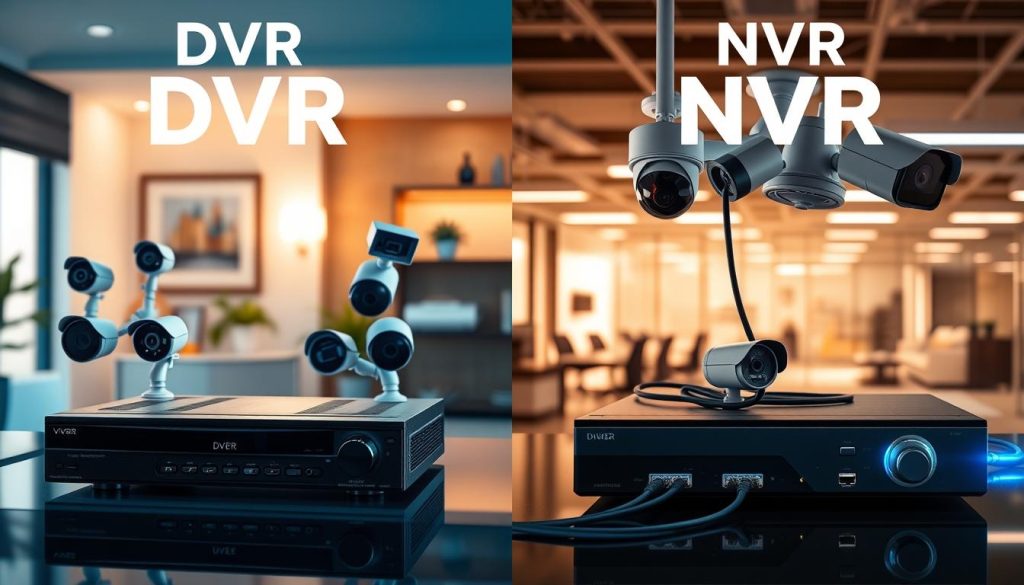
Keeping an eye on your property is now easier than ever. Modern security technology lets you watch live footage from anywhere. This guide explains the process for remote viewing. Remote access to your surveillance system is a powerful tool. It connects your cameras to the internet. This setup allows for real-time monitoring of your home or business. You gain peace of mind and enhanced security. Whether you use IP cameras or a DVR system, the core principle is the same. Your device must be on a network and configured correctly. This article walks you through the essential steps. You will learn about the necessary prerequisites. We cover two main methods: using a dedicated app and a web browser. Concepts like port forwarding will also be explained. Key Takeaways Remote monitoring provides live and recorded video access from any location. An active internet connection is the fundamental requirement for this functionality. Most modern security systems, including IP and some analog setups, support web access. Primary methods involve manufacturer-provided mobile applications and web browser interfaces. Proper network configuration, such as router settings, is often necessary for setup. Remote surveillance offers significant benefits like increased peace of mind and proactive security. Following a structured guide ensures a secure and reliable connection to your cameras. Understanding Remote CCTV Access and Its Benefits The capability to view surveillance footage from afar transforms a static security setup into a dynamic monitoring tool. This function is known as remote CCTV access. It allows you to connect to your security cameras over the internet. You can watch live video or review recorded footage from any location. The primary advantage is enhanced security. You gain the power to observe your property or business operations around the clock. This real-time oversight enables an immediate response to any unusual activity. Alerts can be sent directly to your smartphone or computer. You are always informed, providing significant peace of mind. Remote viewing also offers remarkable convenience for daily life. Verify that children have returned home safely. Monitor pet behavior or confirm a delivery has arrived. All this is possible without being physically present. For commercial settings, this technology is a powerful management asset. It supports loss prevention and employee oversight. Accessing multiple camera feeds at once boosts operational efficiency. Modern surveillance system features expand these core benefits. Look for integrated two-way audio, smart motion detection, and cloud storage. These features make remote access more versatile and useful. Understanding these points underscores the value of a connected CCTV system. Remote monitoring is no longer a luxury. It is an indispensable part of a robust security strategy for any home or business. What You Need Before You Start: Prerequisites for Online Viewing The foundation for reliable online access to your surveillance system is built on two pillars: proper gear and network knowledge. Gathering the right components and understanding a few technical concepts ensures a smooth setup process. This preparation phase is critical. It prevents common connection errors and saves time. Essential Hardware: Cameras, Recorders, and Routers Your physical security setup forms the backbone of remote access. You will need several key pieces of equipment. First, you require compatible CCTV cameras. These can be modern IP cameras or analog models. Ensure they are correctly installed in their desired locations. Each camera must have a stable power source. They also need a link to the central recorder. The recorder is the system’s brain. It manages all video footage. You will use either a Network Video Recorder (NVR) for IP cameras or a Digital Video Recorder (DVR) for analog ones. This device connects directly to your local network. Use an Ethernet cable to link the recorder to your router. Your router is the gateway to the internet. It must have an active broadband connection. A modern router that supports necessary settings like port forwarding is ideal. Finally, do not forget the necessary cables. These include power adapters, Ethernet cables, and possibly BNC cables for analog systems. Network Fundamentals: IP Addresses, Ports, and Internet Connectivity Your local network allows devices to communicate. Understanding its basics is crucial for remote viewing. Every device on your network, including each camera and the DVR/NVR, has a unique local IP address. Think of it as a house number for your security system. Ports are like specific doors on that house. The HTTP port (often port 80) is commonly used for accessing the camera‘s interface. For a stable connection from outside your home, your internet service must have sufficient upload bandwidth. Low upload speed causes lag and poor video quality. You must also gather specific information before configuration: The local IP address of your camera or recorder. The HTTP port number it uses. Your router’s admin login credentials. Your router must support port forwarding. This setting tells your router which local device to connect to an external request. Familiarize yourself with these terms: Static IP vs. Dynamic IP: A dynamic IP can change, while a static IP remains fixed. Remote access is easier with a static IP from your ISP. Dynamic DNS (DDNS): This service provides a web address for your system if your public IP address changes. Always verify your entire system works perfectly on the local network. Confirm you can see live feeds on a monitor connected to the recorder. Only then should you proceed to configure remote access. How Can I Check My CCTV Camera Online? The Two Primary Methods The path to viewing your security feed online diverges into two clear, well-traveled routes. Each method connects your camera system to the internet for remote viewing. Your choice depends on technical comfort and desired features. One path offers plug-and-play simplicity. The other provides direct control and advanced settings. Both techniques deliver live video and recorded footage to your smartphone or computer. You gain true internet access to your surveillance system from anywhere. Method 1: Using the Manufacturer’s Mobile App (P2P/UUID) This approach leverages modern technology for a hassle-free setup. Most new CCTV cameras and recorders support it. The app
Guide: How to View Your CCTV Camera Online Read More »