
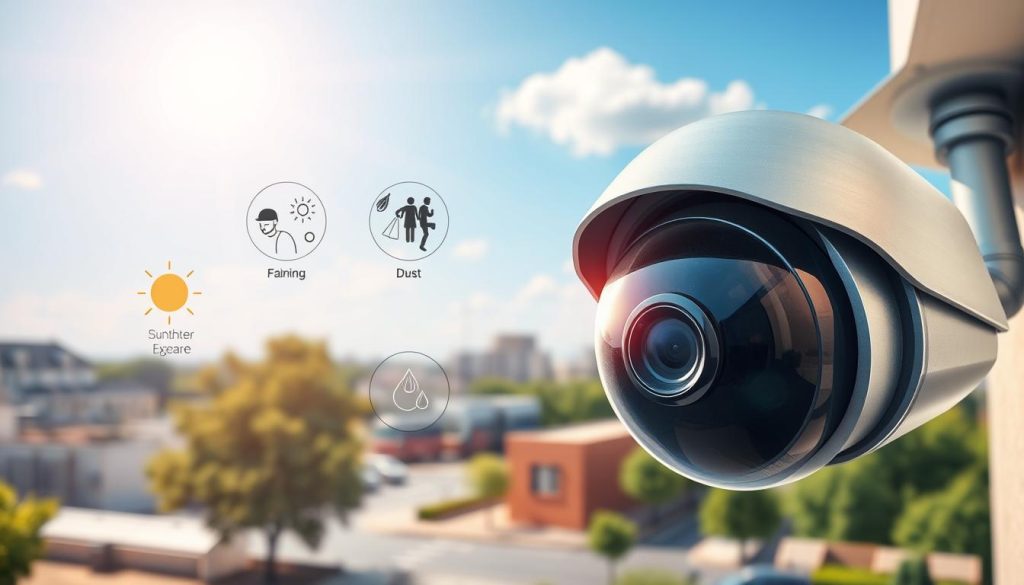
Investing in a surveillance system is a commitment to safety. A common concern is whether these devices lose their effectiveness as they age. Understanding the typical lifespan of your equipment is crucial for long-term security planning, especially in Singapore’s humid and rainy climate.
On average, you can expect a unit to serve you well for three to ten years. Professional-grade systems often last seven years or more. This range depends heavily on several key factors.
Build quality, installation environment, and daily usage patterns all play a major role. Outdoor cameras face constant exposure to sun, rain, and heat. This weather can accelerate wear if the device isn’t built for it.
Proactive maintenance and understanding when to upgrade are vital. Technological advances, like AI analytics, can also extend a system’s relevance. They help maintain clear video and reliable performance.
For residents in Singapore, selecting tropical-rated gear and considering local data privacy laws (PDPA) are smart steps. This guide will provide actionable insights to help your surveillance investment last longer.
Key Takeaways
- The operational lifespan of surveillance cameras typically ranges from 3 to 10 years.
- Environmental conditions, especially heat and humidity, are major factors affecting durability.
- Higher-quality professional systems generally offer longer service life and better performance.
- Regular maintenance and timely upgrades are essential to protect your security investment.
- Choosing equipment rated for tropical climates is critical for reliability in Singapore.
- Technological advancements can help extend the useful life and relevance of your system.
Understanding Security Camera Lifespan and Durability
Not all surveillance devices are created equal, and their expected service life varies significantly. This section breaks down what lifespan truly means for your equipment and provides realistic years expectations for common types.
Defining “Lifespan” in Surveillance Terms
In surveillance, lifespan refers to the operational period before a unit’s performance notably declines or it fails. It is not the same as a warranty. A warranty covers defects for a limited time.
True operational lifespans are influenced by two main forces. Physical wear from the environment is one. Technological obsolescence is the other. Even a physically intact device can become outdated.
Average Lifespan Ranges for Different Camera Types
Industry benchmarks provide helpful averages. Modern setups often security cameras last 3-5 years. Professional systems can exceed seven years.
Here are typical ranges for major categories:
- Analog Cameras: 5-10 years. Their simpler components are very robust.
- IP Cameras: 3-5 years. More delicate electronics can shorten their service.
- Dome & Bullet Models: 5-10 and 4-7 years, respectively.
- PTZ Cameras: 5-8 years, depending on mechanical parts usage.
IP cameras generally have a shorter functional period. Their complex processors and sensors are more sensitive than analog camera parts.
Durability is a related key concept. It is a product’s ability to withstand stress over years. High-grade components like Sony STARVIS sensors directly boost this trait.
Recording devices like NVRs often outlive the cameras they support. They frequently cameras last 5-10 years with care. Commercial-grade units are engineered for even longer lifespans, sometimes over a decade.
Remember, these are general ranges. Your actual security investment’s longevity hinges on specific factors like installation quality and local conditions. We’ll explore those options next.
Do Security Cameras Degrade Over Time?
Every piece of technology experiences a natural decline, and monitoring devices are no exception to this rule. The straightforward answer is yes, surveillance equipment does gradually lose its optimal performance. This process is typically slow and cumulative, not an overnight event.
It’s crucial to distinguish between two scenarios. Gradual degradation is a slow decline in quality. Complete failure is a sudden, total stoppage. Understanding this difference helps in planning maintenance and replacements.
The Inevitability of Wear and Tear
Constant operation and environmental exposure guarantee some level of wear. Even high-grade components are subject to this reality. Units running 24/7 experience sustained stress on their internal parts.
Physical damage often manifests in several common ways:
- Lens Scratching: Dust and debris can mar the glass, permanently affecting image clarity.
- Housing Corrosion: Metal brackets and casings may rust, especially in humid coastal areas.
- Cable Breakdown: Insulation on outdoor wiring can become brittle and crack over the years.
Digital wear is less visible but equally impactful. A sensor’s light sensitivity can diminish. Infrared LED arrays in night vision units slowly lose their brightness. Outdated firmware can cause compatibility problems.
Real-world examples illustrate this well. A dome unit might develop internal fogging from sealed housing failure. A PTZ model’s servo motors can wear down from frequent movement.
Degradation vs. Complete Failure
Managing a slow performance drop is different from handling a catastrophic breakdown. Degradation often allows for corrective actions like cleaning or recalibration. Total failure usually demands immediate replacement.
For professional systems, reliability is often measured statistically. The Mean Time Between Failures (MTBF) rating predicts the average operational period before a malfunction. A high MTBF suggests a more robust product designed for a longer lifespan.
The rate at which your equipment declines is not uniform. It hinges on a combination of specific factors and conditions. We will explore these key determinants in the next section.
Key Factors That Determine How Long Your Cameras Last
The longevity of your surveillance investment is not left to chance. It’s dictated by a set of critical, controllable elements. Four primary pillars directly influence how many reliable years you get: component quality, environmental conditions, daily usage, and installation standards.
Mastering these factors is the key to making your equipment last longer. Neglecting even one can significantly shorten its effective service life.
Quality of Components and Manufacturing
Superior components form the foundation of durability. Premium brands like Axis, Hikvision, and Dahua invest in high-grade materials. These resist the wear that cheaper parts cannot.
Look for metal housings instead of plastic. They better withstand physical damage and heat. Conformal-coated circuit boards protect electronics from moisture. Nano-coated lenses repel water and dust, maintaining clear performance.
This superior build quality is a main reason professional systems often last years longer than consumer models.
Environmental Exposure and Climate
Your local environment is a relentless test. In Singapore, average humidity near 90% and intense UV exposure are major threats. Monsoon rains and salt spray near coastal areas add to the challenge.
This extreme weather accelerates corrosion on metal brackets. It causes lens haze and can lead to internal condensation. Heat stress also shortens the lifespan of sensitive electronic components.
A unit in a controlled indoor setting will far outlive one facing these harsh outdoor conditions.
Usage Patterns and Operational Load
How you use your surveillance gear matters. Continuous 24/7 recording puts constant strain on hardware. It wears down storage drives and infrared LED arrays much faster.
Motion-activated recording is a smarter option for longevity. It reduces operational load during quiet periods. Your technological choices also play a role.
Modern Network Video Recorders (NVRs) offer better scalability and less stress on the overall system than older DVR options. This can help your entire setup last longer.
Installation Quality and Weatherproofing
Even the best camera can fail quickly if installed poorly. Professional installation is crucial. It ensures all seals are properly engaged to keep moisture out.
Good cable management prevents water ingress at connection points. Mounting a device in a shaded spot protects it from direct, punishing sunlight. These simple checks during setup prevent premature failure.
Proper weatherproofing turns a good product into a resilient, long-term security solution.
While all these factors are important, environmental conditions are among the most critical. They are also highly manageable with the right planning and equipment choices.
The Impact of Environmental Conditions on Camera Health
For equipment installed outdoors, every day is a battle against heat, moisture, and debris. The surrounding environment is the single greatest accelerator of wear on any electronic device. This is especially true in tropical regions, where extreme weather relentlessly tests a product’s limits.
Understanding these threats allows you to choose better gear and plan smarter placements. It directly influences how many reliable years you get from your surveillance investment.
Singapore’s Humidity and Heat: A Major Test
Singapore’s average humidity hovers near 90%. This dense, moist air is a constant challenge. It seeks out every tiny gap in a unit’s housing.
Inside, this moisture condenses on cool surfaces like the lens and circuit boards. This leads to fungal growth that permanently clouds the glass. On electronics, it causes electrochemical migration—a slow, corrosive short-circuiting of delicate parts.
Combined with persistent heat, this environment stresses components far beyond standard ratings. It can significantly shorten the functional life of internal sensors and processors.
Effects of Rain, Dust, and Direct Sunlight
Monsoon rains do more than get a housing wet. They test the integrity of waterproof seals with pressure and volume. A failed seal allows water ingress, leading to immediate and catastrophic damage.
Wind-driven dust and coastal salt spray act as abrasives. They slowly scratch external surfaces and can coat a lens, obstructing the view. Dust accumulation inside a housing also affects thermal management.
Perhaps the most insidious threat is direct sunlight. Intense UV radiation breaks down plastic housings, making them brittle. It can also overheat the image sensor, causing color distortion and reducing its sensitivity over time.
Why Outdoor Cameras Face a Tougher Challenge
An indoor unit is shielded from these harsh conditions. An outdoor camera must endure them all. This fundamental difference explains the disparity in lifespan.
Data suggests outdoor cameras in tropical climates may have a service life 30% shorter than similar models in temperate zones. Where an indoor model might last eight years, an outdoor one may only deliver five or six.
You can fight back with the right equipment and planning. Seek out models with UV-resistant polycarbonate or metal housings. Sun shields provide crucial shade. Pressure-equalization vents help prevent internal condensation by balancing air pressure.
Strategic placement is a powerful, free defense. Mount units under eaves to shield them from direct rain and sun. Face them away from prevailing winds to minimize exposure to driven dust.
Your first line of technical defense is the product’s ratings. The IP (Ingress Protection) code defines its resistance to solids and liquids—like rain and dust. For Singapore’s weather, an IP66 rating or higher is considered essential for reliable performance.
Material Quality and Build Durability
The choice between plastic and metal is more than cosmetic; it’s a direct investment in longevity. The physical construction of your equipment forms the unshakable foundation for its entire service life. Superior material and build quality are your first, and most reliable, line of defense against the environment.
Robust components resist wear and physical damage far better than cheap alternatives. This directly translates to a longer, more reliable lifespan for your surveillance setup. Let’s break down what makes a camera truly durable.
Importance of Housings: Plastic vs. Metal
The housing is the unit’s exoskeleton. It takes the brunt of physical and environmental stress. While budget models often use plastic, professional systems favor metals like aluminum or stainless steel.
Metal housings offer a significant durability advantage. Studies suggest they can boost overall toughness by up to 40% compared to plastic. They provide superior resistance to impact, UV degradation, and corrosion. This is crucial in Singapore’s humid, salty coastal air.
Internally, quality matters just as much. The lens glass should be hardened and coated to repel water. High-grade image sensors maintain performance over years. Robust, gold-plated connectors prevent signal loss.
Manufacturers confident in their build often back it with longer warranties—sometimes 3 to 5 years. Features like silicone gaskets, double-sealing cable glands, and hermetic seals are silent heroes. They ensure long-term weatherproofing where it counts most.
Understanding IP and IK Ratings for Protection
Technical ratings tell you exactly what a product can withstand. They are your cheat sheet for matching gear to your specific conditions. For outdoor cameras in Singapore, two ratings are non-negotiable.
The IP (Ingress Protection) code defines resistance to solids and liquids. It has two digits:
- First Digit (Solids): Ranges from 0 (no protection) to 6 (complete dust protection).
- Second Digit (Liquids): Ranges from 0 to 9. A rating of 6 protects against powerful water jets. A rating of 7 allows temporary submersion.
For relentless tropical rain, prioritize a rating of IP66 or IP67.
The IK (Impact Protection) rating measures vandalism resistance. It ranges from IK00 to IK10. Each level corresponds to an impact energy measured in joules.
For example, an IK10 rating means the housing can resist an impact of 20 joules. This is equivalent to a 5kg weight dropped from 40cm. For high-risk installation areas, look for IK08, IK09, or IK10 ratings.
Internal parts also get protective treatments. Conformal coating on circuit boards is a thin polymer layer. It shields electronics from humidity, preventing corrosive electrochemical migration. Military-spec models take this further, using titanium fasteners for extreme toughness.
Your pre-purchase checks should always include these ratings. Choosing a security camera with the right IP and IK codes is the smartest way to ensure your security investment stands up to local weather and use.
Recognizing the Signs of Camera Degradation
Catching the early warning signs of a faltering camera can mean the difference between a simple fix and a costly replacement. A visual and functional audit of your surveillance setup is a smart habit. It helps you spot problems before they create a security gap.
Look for changes in image clarity, connection stability, and physical condition. These are the three main areas where wear becomes visible. Addressing them promptly protects your investment’s lifespan.
Declining Image Quality: Fuzziness and Noise
The most obvious red flag is a drop in video quality. Your footage should remain sharp and clear over time. When it doesn’t, specific issues are often to blame.
A persistently blurry or hazy view usually points to a dirty lens. Dust, pollen, or water spots are common culprits. A simple cleaning often restores clarity.
Internal failures cause different signs. Pixelation or color distortion can signal a failing image sensor. A stuck infrared cut filter may create a permanent color cast. Ghosting or smearing in the video can result from excessive digital noise reduction.
Fogging inside a dome housing is a frequent issue in humid environments. If it doesn’t clear, the internal seal has likely failed. This requires professional attention to prevent further damage to internal components.
Intermittent Connectivity and Signal Loss
Random disconnections are more than an annoyance. They indicate underlying hardware or network problems. Your system loses its reliability when feeds drop in and out.
Failing network components or damaged cables are common causes. Check for corrosion at connection points. Outdated firmware can also create compatibility issues that disrupt the signal.
These connectivity signs suggest specific parts are nearing the end of their functional years. A systematic checks of your network infrastructure is crucial. It helps isolate the faulty element.
Physical Damage and Lens Obstruction
Regularly inspect the physical state of your security cameras. Look for cracked or corroded housings. Loose mounts can misalign the unit’s field of view.
Obstructions like spider webs or bird nests directly block the lens. They severely compromise image quality. Night vision performance is another area to monitor.
If infrared illumination creates dark spots or its range shrinks, the IR LED array is failing. This is a clear sign of internal damage. It renders the unit ineffective after dark.
Manufacturer diagnostic tools can help. They check for pixel defects or a degrading signal-to-noise ratio. This data confirms subjective observations about your footage.
Spotting these signs early allows for maintenance or repair. It prevents total failure. For a detailed guide on evaluating aging equipment, learn more about when to replace your security cameras.
Fortunately, many degradation symptoms can be mitigated. Proactive care and a good maintenance routine make a significant difference. The next section details how to implement these practices for maximum lifespan.
Proactive Maintenance for Maximum Longevity
Proactive care is the bridge between a camera’s theoretical durability and its actual, reliable years of service. A disciplined upkeep routine directly counters the wear and environmental factors that shorten equipment life. This practice transforms your purchase from a product into a long-term security asset.
Industry data is compelling. Regular maintenance can prevent up to 98% of common system failures. This isn’t about complex repairs. It’s about simple, scheduled checks and cleaning that preserve performance.
Creating a Routine Maintenance Schedule
Consistency is key. A calendar-based plan ensures nothing is overlooked. For Singapore’s demanding climate, a tiered schedule works best.
Tailor this framework to your specific setup:
- Monthly: Wipe external housings and clean lenses to remove dust, salt spray, and bird droppings.
- Quarterly: Inspect cable connections for corrosion. Check mounting brackets for tightness. Look for physical damage or obstructions.
- Bi-Annually: Perform a deep check. Clean ventilation filters and pressure-equalization diaphragms. Verify infrared illumination is even. Update device firmware.
- Annually: Schedule a professional inspection. A technician can assess internal components and system-wide performance.
Log every activity. A simple record tracks each unit’s health and predicts potential issues. This logbook becomes invaluable for managing your entire surveillance network over time.
Essential Tools for DIY Camera Care
You don’t need a full workshop. A small kit of the right tools makes DIY maintenance safe and effective.
Assemble these items:
- Lint-free microfiber cloths: For streak-free lens and housing cleaning.
- Soft-bristled brush: Gently dislodges cobwebs and debris from crevices.
- Canned compressed air: Blows dust from sensitive areas like IR LED windows.
- 99% isopropyl alcohol: Cleans stubborn grime from glass without leaving residue.
- Silicone lubricant spray: Protects metal parts and rubber seals from drying out.
- Basic multimeter: Checks voltage at connections to diagnose power issues.
Cleaning technique matters. For dome units, use a circular motion on the cover to avoid scratches. Never spray liquid directly onto a housing. Apply cleaner to the cloth first.
Pay special attention to features like ventilation filters. A clogged filter traps heat, cooking internal electronics. Gently vacuum or brush them clean. Also, inspect and tighten all screws on mounts and brackets. Loose fittings cause misalignment and vibration.
Remember, DIY has its limits. Tasks involving electrical repairs, high-altitude access, or complex disassembly should be left to certified professionals. This careful upkeep sets the stage for the most critical routine task: detailed cleaning and connection checks, which we will explore next.
The Importance of Regular Cleaning and Inspections
Routine physical upkeep is the single most effective task for preserving your system’s health. Data shows that quarterly cleaning alone can reduce image quality loss by up to 70%.
This hands-on care directly combats the dust, grime, and wear that slowly harm components. It prevents small problems from becoming major failures. A consistent schedule protects your security investment and extends its useful lifespan.
Step-by-Step Guide to Safely Cleaning Camera Lenses
Scratching the lens is a real risk. Always follow this order: remove loose debris first, then tackle finer particles. This method prevents grinding dirt into the glass.
- Blow: Use a handheld blower or canned air to dislodge loose pollen, spider webs, and dust. Hold the can upright to avoid spraying moisture.
- Brush: Gently use a soft, clean brush (like a makeup brush) to sweep away any remaining particles. Use light, circular motions.
- Wipe: Apply a small amount of lens cleaner or 99% isopropyl alcohol to a microfiber cloth. Never spray directly on the camera. Wipe the lens gently in a spiral pattern from the center outward.
For dome cameras, clean the entire transparent cover. Avoid harsh chemicals like window cleaner or vinegar. They can damage anti-reflective coatings. For stubborn grease near kitchens, a dab of isopropyl alcohol on a cloth works best.
Checking Cables, Connections, and Mounts
These checks ensure power and data flow reliably. They also confirm your installation remains solid against the environment.
Inspect all cables and connections thoroughly:
- Look for fraying, cuts, or rodent bites along the cable length.
- Check metal connectors for green or white corrosion. Clean contacts with electronic contact cleaner if found.
- Verify that waterproof cable glands and junction box seals are intact. Reapply silicone sealant if they are cracked or shrunken.
Next, examine the mounting hardware. Ensure brackets are tight and secure. Look for rust on screws and bolts, especially in coastal areas.
Confirm the unit’s field of view hasn’t shifted. Even a slight tilt can miss crucial activity.
Pay special attention to units in challenging spots. Cameras near kitchens battle grease buildup. Those in coastal zones face accelerated salt corrosion.
Make it a habit to perform these checks after major weather events. A severe storm or prolonged haze period can cause new damage or obstructions.
This physical maintenance keeps the hardware in top shape. However, your surveillance systems also require digital care for optimal performance over many years.
Firmware and Software: The Digital Maintenance Must-Do
Firmware updates act as a vaccine for your security system, protecting it from digital threats and decay. While physical cleaning fights grime, digital maintenance fights obsolescence and hackers.
Your surveillance system relies on two types of software. Firmware is the embedded code on the device itself. Management software runs on your recorder and apps.
This internal software controls everything your cameras do. It handles image processing, motion detection, and network communication. Keeping it current is non-negotiable.
It’s as vital as cleaning lenses or checking physical components. This digital care is essential for maximizing your system’s lifespan.
Why Updates Are Crucial for Performance and Security
Manufacturers release firmware to fix bugs and add features. The most critical patches close security holes that hackers exploit.
This is a critical layer of protection for your entire network. A vulnerable unit can be a gateway for malware. Skipping these updates leaves your system exposed.
They can also unlock new performance features. Think sharper noise reduction or smarter analytics. Your camera might gain better low-light quality.
Running old software is a major security risk. It can cause compatibility problems with newer recorders. Your system becomes unstable and less reliable.
How to Safely Update Your Camera’s Firmware
A failed update can brick a device. Following a safe process prevents disaster. Always use a stable, wired network connection.
Follow these steps for a smooth update:
- Back Up Settings: Always back up your individual camera settings first. This saves your configuration.
- Get Official Files: Download the firmware file directly from the manufacturer’s official website. Never use files from third-party sources.
- Update Sequentially: Update one camera at a time to monitor for problems. Do not update your entire fleet simultaneously.
- Verify the Update: After rebooting, log back into the device. Check that the new firmware version is active and all functions work.
Scheduling these firmware updates is smart. Plan this during a scheduled maintenance window or other low-activity options.
This maintains image quality and system performance for years. Remember, your entire ecosystem needs attention.
This includes NVR or DVR software, network switch firmware, and mobile apps. Modern systems often update all connected cameras automatically.
Some modern systems offer automatic update features. Manual verification during your routine checks is still wise. This keeps your entire surveillance ecosystem secure.
Even with perfect digital and physical care, hardware has a finite life. Knowing when to repair or replace is the next critical decision.
When to Repair vs. When to Replace Your Camera
Smart asset management involves knowing when to invest in repairs and when to upgrade entirely. This choice balances immediate costs against your long-term protection and budget.
Making the right call protects your investment and ensures reliable performance. A clear framework helps you decide without guesswork.
Assessing the Cost-Effectiveness of Repairs
A simple rule guides many decisions. If repair costs exceed 50% of a new, comparable unit’s price, replacement is usually more economical.
This is especially true for older models. Sinking money into a device near the end of its typical life is often a poor investment.
Repair makes sense for minor, isolated problems. Think of a replaceable power supply or an external housing on a recent, high-quality model.
Fixing major internal components like the image sensor is rarely cost-effective. The labor and parts can quickly approach the price of a new camera.
Consider the hidden costs of keeping aging systems. Older electronics often use more power. Manufacturer support and spare parts may no longer be available.
Outdated firmware can create compatibility problems with modern software. This makes your entire setup less stable over time.
Signals That Indicate Replacement is the Smarter Choice
Certain red flags clearly point toward an upgrade. Recognizing them saves you money and frustration in the long run.
Clear signals for replacement include:
- Obsolete Technology: Analog units lack the resolution and features of modern IP cameras. Upgrading offers a massive leap in quality.
- Persistent Failures: If the same camera needs fixing repeatedly, it’s a sign of systemic wear. Continuing repairs is a money pit.
- Exceeded Lifespan: A unit that has served for 7-10 years has likely reached its expected operational life. Further repairs offer diminishing returns.
- Inability to Meet Needs: If you require higher resolution, wider coverage, or night vision your old gear can’t provide, an upgrade is necessary.
Not upgrading has a significant opportunity cost. You miss out on modern features like AI-powered analytics, cloud storage, and seamless remote monitoring.
These options aren’t just convenient. They actively enhance your property’s security and can help your new system last years longer.
When you do replace, dispose of old equipment responsibly. Wipe all footage for data security. Check for local e-waste recycling options.
For complex surveillance networks, a professional audit is wise. An expert can assess all factors and provide the best repair-or-replace strategy for your entire setup.
When replacement is the right choice, modern technological advances offer units built for greater durability and smarter operation from the start.
Technological Advances Worth Investing In for Longer Life
Today’s cutting-edge security cameras incorporate smart features designed to actively combat the very factors that cause older models to fail. These innovations are more than just performance boosts. They are direct investments in your system’s long-term durability and reliability.
Choosing modern technology can significantly extend the useful lifespan of your surveillance setup. It also reduces ongoing maintenance needs. This approach protects your investment for many more years.
How Modern Cameras are Built to Last Longer
Manufacturers now engineer systems with longevity as a core principle. Advances in materials science lead to housings that better resist UV rays and impact. Improved sealing techniques achieve higher IP ratings for reliable installation in any environment.
Thermal management is a major focus. New low-power chipsets and passive cooling designs generate far less heat. This reduces the thermal stress that is a primary killer of electronic components.
For challenging climates like Singapore, specific options are available. Automatic defogging algorithms and heated housings actively combat internal condensation. This prevents lens fogging that ruins image quality.
Features that Reduce Wear, Like Smart IR and Analytics
Intelligent software is just as important as hardy parts. Edge analytics process video data on the camera itself. This reduces the constant data transmission that strains network switches and storage drives.
AI-powered features like smart motion detection are game-changers. They can distinguish a person from a swaying tree. This minimizes false alarms and unnecessary recordings.
It saves precious write cycles on your hard drives. Your entire storage system experiences less wear and lasts longer.
Night vision technology has also evolved. Smart IR or varifocal IR automatically adjusts infrared intensity based on distance. It prevents overexposure of close objects.
More importantly, it extends the operational life of the IR LED arrays. They aren’t constantly running at full power, which reduces burnout.
Modern software ecosystems support remote health monitoring and firmware updates. You can often check device status and apply patches from a central portal. This makes proactive care simpler and more effective.
View these technological options not merely as upgrades. They are strategic choices that lower the total cost of ownership. A smarter, more efficient system is inherently a more durable one.
Singapore-Specific Considerations for Camera Longevity
To ensure your security investment thrives in Singapore, you must address both the relentless tropical environment and specific local legal frameworks. General advice on equipment lifespan needs sharp tailoring here.
The city-state presents a dual challenge. Its climate constantly tests hardware durability. Its well-defined regulations govern how surveillance systems are deployed.
Navigating these factors is a practical strategy. It directly impacts how many reliable years you get from your setup.
Choosing Equipment Rated for Tropical Climates
Singapore’s weather is the primary stressor. High humidity, intense heat, and heavy rain demand robust technical specifications.
Your selection checklist should prioritize these features:
- Ingress Protection (IP) Rating: Seek IP66, IP67, or IP68. These codes guarantee protection against powerful water jets and dust ingress.
- Impact Protection (IK) Rating: For vandal resistance, an IK08 or higher rating is advisable for public or accessible areas.
- Tropicalized Design: Look for models advertised as “corrosion-resistant” or built for tropical use.
Material choice is equally critical. Stainless steel or aluminum alloy housings outperform plastic in this climate.
They resist UV degradation and salt spray corrosion far better. For coastal installations, using marine-grade sealants on connections adds an extra layer of defense.
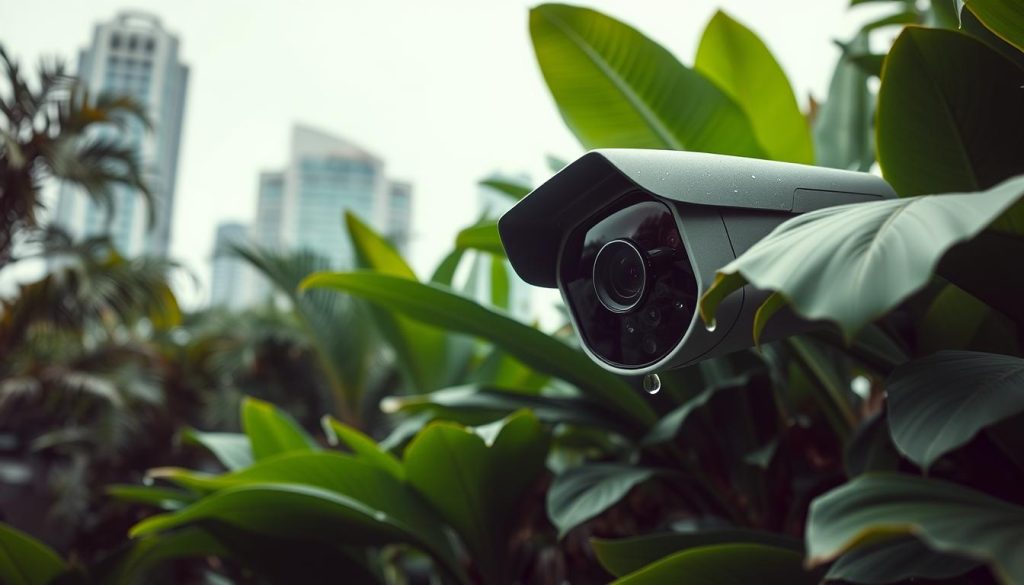
Internal protection matters too. Conformal-coated printed circuit boards (PCBs) shield electronics from moisture-induced failure.
This is a non-negotiable feature for long-term reliability. Engaging a local professional installer offers a major advantage.
They understand which brands and models have proven their durability in Singapore’s unique conditions.
Compliance with Local Regulations and Standards
Following the rules isn’t just about legality. It establishes a framework for proper system management, which supports longevity.
The Personal Data Protection Act (PDPA) is central. If your cameras capture public areas, you must notify individuals.
Clear signage is mandatory. The PDPA also dictates secure handling of footage.
You must retain recordings for a minimum period, often cited as 30 days for investigations. Secure disposal of old footage and devices is also required.
For Housing & Development Board (HDB) residents, special rules apply. Installing a camera in a common corridor requires prior written approval from the Town Council.
This ensures your installation does not infringe on neighbors’ privacy or safety.
Commercial and public-space projects face additional mandates. The Urban Redevelopment Authority (URA) often requires IP66-rated enclosures for equipment in public view.
Adhering to standards from the Singapore Police Force or the Security Association of Singapore (SAS) is wise for professional systems.
There are financial incentives for businesses. The Productivity Solutions Grant (PSG) can offset up to 50% of costs for qualifying security upgrades for SMEs.
This makes investing in a durable, modern system more accessible.
In summary, treating these local considerations as core to your planning is smart. It ensures your installation is resilient, compliant, and built to deliver performance for its maximum potential lifespan.
Making Your Security Investment Last for Years to Come
With proper care, your surveillance gear can safeguard your property for a decade or more. View this setup as a long-term asset, not just a product.
Its lifespan is shaped by build quality, the local environment, and consistent maintenance. Implement a regular schedule for cleaning and system checks.
Stay informed about new technological options and keep firmware updated. This proactive approach lowers total cost and ensures reliable performance.
Periodically review your needs and system health. For tailored solutions in Singapore, professional consultation can provide a custom plan. Your diligence ensures protection for many years.