
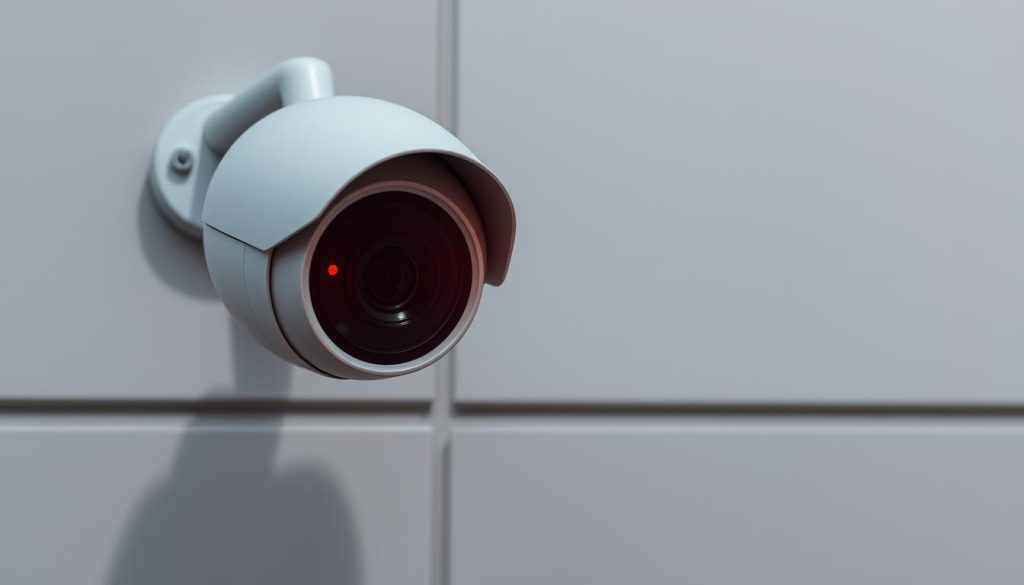
You glance at your security camera and notice a small, flashing red LED. Your immediate thought might be that it’s actively capturing footage. That assumption isn’t always correct.
Visual indicators on surveillance equipment communicate various statuses. A steady or flashing red indicator can signal recording. It might also mean low battery, network issues, or a system error.
The meaning changes between brands and models. Misreading these signals can create vulnerabilities in your home or business protection.
In Singapore, where safety is a top priority, correctly interpreting your device’s language is essential. This guide decodes common LED patterns across popular models.
We provide clear steps to verify if your unit is truly recording. You will also learn how to troubleshoot misleading signals.
Key Takeaways
- A flashing red LED does not always mean a camera is recording.
- Different brands and models use unique light patterns to communicate status.
- Common alternate meanings include low battery, Wi-Fi disconnection, or boot-up sequences.
- Misinterpreting these indicators can lead to security gaps.
- Always consult your device’s manual for specific light code definitions.
- Practical verification steps exist to confirm recording status.
- Understanding these signals enhances your overall security setup.
Understanding Security Camera Indicator Lights
Security cameras communicate their operational state through a silent language of lights. These visual indicators are essential tools. They convey the device’s status to you at a glance.
Think of them as a dashboard for your security system. A quick look tells you if everything is working correctly.
The Role of Visual Status Cues
These cues, often small LEDs, provide immediate feedback. They report on power, network connectivity, active recording, and system errors. This instant communication helps users monitor their camera systems efficiently.
Visual status lights serve a dual purpose. They inform the owner about the device’s health. Simultaneously, a visible glow can act as a deterrent to potential intruders.
The design of these indicators has evolved. Early CCTV models might have had a simple on/off bulb. Modern devices use red lights, blues, and greens in complex patterns to convey detailed information.
“A clear visual signal transforms a complex electronic device into an understandable tool for home protection.”
In Singapore, where safety is paramount, correctly reading these lights show responsible ownership. It ensures your surveillance systems perform as intended.
Not all cameras show prominent indicators, however. Some high-security or discreet models minimize visible light entirely for covert operation.
Understanding these cues is the first step in mastering your security setup. It allows you to verify function and close any potential gaps in your coverage.
What Does a Blinking Red Light on a Camera Mean?
A pulsating crimson dot on your surveillance device immediately grabs your attention. This visual cue is packed with potential messages. Interpreting it correctly is vital for your property’s safety.
Manufacturers design these red lights to communicate specific statuses. The same flashing glow can signal normal operation or a critical fault. Understanding this duality helps keep your system reliable.
The Common Association with Active Recording
For numerous modern systems, a blinking red indicator often means the unit is actively capturing footage. This association is strong in popular culture. Movies and TV shows frequently use this signal to denote live surveillance.
Many common cameras use this pattern during normal operation. For instance, a Blink camera may flash its LED red during its initial setup mode. This confirms the device is processing commands and preparing to record.
“The flashing red LED has become a visual shorthand for ‘watchful eye,’ but smart owners look beyond the glow.”
This design choice provides immediate user feedback. It confirms the system is armed and functioning. However, relying solely on this assumption can be a mistake.
When a Blinking Red Light Signals a Problem
That identical flashing signal can indicate a malfunction. It’s a primary way your device calls for help. The context and blink pattern reveal the true issue.
Common problems signaled by a blinking red glow include:
- Network loss or Wi-Fi disconnection.
- A low battery warning requiring a recharge.
- Failed storage, like a full or corrupted memory card.
- A general system error during boot-up.
For example, a Eufy HomeBase unit flashes its red LED when it loses internet connectivity. The same visual cue means two different things based on the device state.
Pay close attention to the rhythm. A slow, steady blink might indicate recording. A rapid, irregular flash often points to an error. Your device’s manual is the definitive guide for these codes.
Never assume footage is being saved just because an LED is active. Always verify through your app or software. This step ensures your security camera truly protects what matters.
Blinking Red Light vs. Solid Red Light: Decoding the Difference
The hue is the same, but a continuous glow and a rhythmic flash tell entirely different stories. For property owners, confusing these two signals can lead to a false sense of security or unnecessary alarm.
Learning to decode this visual language is a fundamental skill. It turns a simple observation into actionable knowledge about your system’s health.
Solid Red Light: Typically Indicates Constant Operation
A solid red glow, also called a steady red indicator, generally points to uninterrupted activity. This light usually means the unit is powered on and functioning in a constant state.
For many models, a continuous red light signifies active, non-stop recording. The device is capturing footage to its storage without pause. This is common for systems monitoring high-traffic areas or critical assets.
Infrared security units provide a clear example. In dark places, their night vision LEDs emit a faint, constant crimson glow. This visible red light confirms the infrared array is active and illuminating the scene.
In this context, a solid indicator is reassuring. It shows the camera is in a ready state, performing its core task. The consistent signal usually means all systems are nominal.
Blinking Red Light: Can Mean Intermittent Recording or System Status
A blinking red signal is more dynamic. It often represents a process or a conditional mode of operation, rather than a steady state.
This pattern can indicate motion-activated recording. The unit rests until it detects movement, then the LED flashes as it captures a clip. It might also signal data transmission, like uploading footage to the cloud, or a system process such as booting up.
The rhythm of the flash holds clues. A slow, metronomic blink could be normal for event-based recording. A fast, erratic pattern frequently points to an error, like a failed network connection.
“The blink’s tempo is a Morse code from your device; learning it reveals whether it’s working hard or calling for help.”
A critical point of distinction involves dummy units. Many fake security cameras work by using a convincing blinking red LED to simulate activity. This mimicry makes understanding genuine signals a key factor in identifying real equipment.
Always remember, a solid glow for one brand might signify standby, while for another it means camera is actively archiving footage. Your device’s manual is the only definitive source for these codes.
For a deeper dive into understanding your camera’s signals, consistent verification through your app is the best practice. Never rely on lights alone to confirm your system’s status.
Other Colored Lights and Their Meanings on Security Cameras
Beyond the familiar crimson glow, security cameras employ a spectrum of indicator colors to relay detailed operational information. These status lights form a comprehensive visual language. Understanding each hue is crucial for accurate system monitoring.
Modern security devices use more than just red. Blue and green indicators provide specific insights into connectivity and power states. This full-color dashboard lights show the complete health of your camera.
Blue Light Indicators: Often Signify Live Streaming or Connectivity
A steady or flashing blue light typically points to network activity. It commonly appears when a unit is actively streaming live footage to your mobile app. This visual cue confirms a successful Wi-Fi connection.
For some brands, this color also signals active archiving. Certain Reolink models, for instance, use a blue light to indicate recording is in progress. Always check your manual for the specific code.
“The shift from red to blue indicators in modern systems reflects a move towards user-friendly, app-centric monitoring.”
Seeing a blue glow generally means your device is communicating with your network. It is a positive sign of an online and functional security unit.
Green Lights: Usually Denote Power or System Readiness
A green indicator is most often a good news signal. It usually means the device is powered on and has completed its boot-up sequence. The system is in a normal standby mode, ready to respond.
For battery-powered models, a solid green light frequently indicates a full charge. It tells you the unit has sufficient power for operation. This color is universally associated with “go” or “ready” status across many electronic systems.
If your camera shows a green LED, it is typically in a stable, operational state. It is waiting for an event, like motion, to trigger its recording function.
Infrared LEDs: The Red Glow in Low-Light Conditions
In total darkness, many cameras show a ring of faint, small red lights around the lens. These are infrared (IR) illuminators, not standard indicators. They emit light invisible to the human eye to enable night vision.
The visible deep red glow in dark places confirms the IR array is active. Your camera is functionally illuminating the scene for clear nighttime footage. All genuine infrared security cameras have this feature.
This is a different function from a blinking status LED. The cameras red IR glow means it is working in low-light conditions. It is a reliable sign of a capable surveillance device.
There is no universal standard for these color codes. One brand’s green standby light could be another’s blue recording signal. This variation makes your user manual an essential reference.
The presence of multiple colored LEDs often indicates a sophisticated, genuine device. Fake or dummy CCTV units rarely replicate this complex color behavior accurately.
For users in Singapore, taking time to learn your specific model’s color language is a smart practice. It ensures you can accurately monitor your system’s health and avoid misinterpretation. For a complete guide on understanding your camera’s signals, consistent verification through your app remains the best method.
How Camera Manufacturers Use Different Light Signals
The language of camera indicator lights is not a universal code but a collection of brand-specific dialects. Each company designs its visual signals based on unique engineering choices and user experience goals.
This means identical-looking lights can communicate completely different things. For a property owner in Singapore, it is important know your specific device’s language.
Brand-Specific Codes: Blink, Reolink, and Eufy Examples
Major brands available locally illustrate this lack of standardization perfectly. Their indicators follow distinct patterns that owners must learn.
Blink cameras use a flashing signal for multiple statuses. During initial setup, a blinking red light confirms the device is in configuration mode. If the internet connection drops, the same unit may flash its LED red every three seconds as an alert.
Reolink models often employ a different color scheme. Many use a steady blue light to show the system is ready or actively archiving. High-end units like the Reolink Altas PT Ultra focus on seamless 4K UHD continuous recording, often with minimal visible indicators to avoid distraction.
For Eufy systems, the central HomeBase is key. A pulsating red light on this hub typically signals a problem. It often means a lost connection to the internet or to the peripheral security camera units.
“A Blink flash, a Reolink blue glow, and a Eufy pulse are all saying something different. The user’s first task is to learn their device’s native tongue.”
Why There’s No Universal Standard for Indicator Lights
Manufacturers design these signals around their product’s core features and target market. A budget model aimed at simple setup might use red blinking as a clear guide during installation. A premium model for discreet monitoring might minimize all lights.
This design freedom creates a significant challenge for consumers. You must learn the unique visual language of your chosen brand. You cannot assume what works for one model applies to another.
This variability explains a curious fact. Not all genuine surveillance systems have a blinking red light. Many fake or dummy units, however, include one because it’s a common expectation. They mimic the signal without the function.
Ultimately, there is no one-size-fits-all answer. The same visual cue means recording on one device and an error on another. This reinforces a critical rule: always consult your specific model’s manual. Your device’s light indicator codes are its own.
Understanding this landscape is empowering. It shifts your focus from guessing to knowing. You learn to verify function through your app, not just by watching the lights.
Step-by-Step: How to Verify If Your Security Camera Is Recording
A definitive check on your surveillance system’s activity requires more than a glance at its indicator lights. Visual cues can be misleading. To ensure your property is truly protected, you must perform a direct verification.
This process gives you concrete proof your security camera is functioning. It moves you from guessing to knowing. For homes and businesses in Singapore, this certainty is non-negotiable.
Two complementary methods exist. The first uses digital software for the clearest evidence. The second involves a safe physical examination of the unit itself.
Method 1: Using Security Camera Software and Mobile Apps
Your camera’s dedicated app or web portal is the most reliable tool. It provides direct access to the device’s core functions. This method helps users bypass ambiguous hardware signals.
Start by logging into your account on your smartphone or computer. Navigate to the live view section. A real-time video feed is the ultimate confirmation your camera is online and active.
Next, look for specific icons or labels. Most apps display a clear “Recording” symbol or a red dot when archiving is in progress. You can also access your footage library to review recently saved clips.
If you see stored videos from the last hour, your systems are working right. This digital audit is the gold standard for verification. It proves the camera is not just powered on, but actively capturing events.
Method 2: Conducting a Physical Inspection of the Device
Always ensure your safety first. Use a ladder properly if the unit is mounted high. A close physical check can reveal telltale signs of operation that software might not show.
Observe the status lights from up close. Look for any illuminated LED, whether solid or flashing. Remember, a red light might not mean archiving, but its presence confirms power.
In a dark room, look for a faint crimson glow around the lens. These are infrared LEDs activating for night vision. Their presence shows the camera is functional in low-light conditions.
Listen carefully. Some motorized units make a soft whirring sound when they pan or tilt. Feel the housing gently. A slight warmth often indicates continuous electronic operation.
Key Physical Checkpoints to Look For
During your inspection, focus on these specific areas. They provide the best physical evidence your security device is active.
- The LED Indicator: Check its color and pattern. Even if it’s not a definitive recording signal, it shows the device has power and is processing commands.
- The Lens Area: In darkness, the small red light glow from IR illuminators is a strong sign. Genuine CCTV and IP cameras work with this feature.
- Housing Warmth: After hours of operation, the unit’s body may be warm to the touch. This suggests internal components are active.
- Moving Parts: Observe if a PTZ (pan-tilt-zoom) model changes position. Motion is a clear sign the camera is responding to commands or tracking movement.
For advanced users, monitoring your Wi-Fi network can help. Use a network analyzer app on a second device. A spike in data traffic often occurs when your camera is streaming or uploading footage.
“Software shows you the footage; physical signs confirm the machine is alive. Together, they tell the full story of your security system’s health.”
It is important know that neither method alone is foolproof. The most reliable approach combines both. Check your app for the live view and stored clips. Then, perform a quick physical scan for the signs listed above.
This dual verification is especially crucial in Singapore’s security-conscious environment. Make it a part of your routine maintenance. Regular checks ensure your lights recording indicators show ’re you the truth, not just a hopeful signal.
Common Scenarios for a Blinking Red Light
The flashing signal you observe is not a single message but a prompt to investigate further. That rhythmic pulse can signify several distinct operational states.
Understanding the context is everything. Each scenario has its own clues and required actions.
Scenario 1: Normal Recording Mode
In this case, the indicator is confirming activity. A regular, metronomic blink often means the unit is actively capturing footage.
This is common for event-based security setups. The camera rests until it detects motion, then the LED flashes as it saves a clip.
Some continuous recording setups also use a slow, steady flash. It visually confirms the archiving process is ongoing without interruption.
Scenario 2: Setup or Configuration Mode
Many devices use this signal during installation. A flashing pattern guides you through Wi-Fi pairing or firmware updates.
The Blink Outdoor 4 model, for example, flashes its LED red when in its initial sync mode. This light usually means the unit is ready to connect to your network.
It’s a temporary state. Once configuration is complete, the indicator will change to its normal operational pattern.
Scenario 3: Connectivity Issues or Network Loss
This is a critical warning sign. An erratic or specific error flash pattern usually means a lost connection.
The device cannot communicate with your router, NVR, or cloud service. This can prevent remote access and sometimes halt recording.
A Blink Mini will flash red if it loses its link to the internet. The same visual cue can signal different things on other brands.
“A network error flash is your camera’s way of saying it’s isolated. The first fix is always to check your router and Wi-Fi signal.”
Scenario 4: Low Battery or Power Warning
For wireless units, this is a vital alert. A flashing crimson indicator serves as a primary low battery warning.
It tells you the unit needs charging soon to maintain operation. Ignoring this signal can lead to a complete shutdown, creating a security gap.
This red light means power is critically low. The device is prioritizing its last energy to send you this visual alert.
Identifying the correct scenario requires cross-referencing. Match the LED pattern with what you see in your device’s app.
If the software shows a live feed and stored videos, the camera is working right. If the app reports an error, the light is likely signaling a problem.
Here are initial responses for each situation:
- For Normal Recording: Verify footage in your app. The red lights here means camera working as intended.
- For Setup Mode: Complete the pairing process via the manufacturer’s application.
- For Connectivity Issues: Restart your router and the camera. Check for Wi-Fi interference.
- For Low Battery: Charge the unit immediately according to the manual’s instructions.
These systems rely on you to interpret their signals correctly. A proper response keeps your protection active and reliable.
An Overview of Modern Camera Recording Technology
To truly understand what a glowing LED means, one must first grasp how modern surveillance captures and stores video. The indicators you see are a direct interface for complex internal electronics.
This technology has undergone a radical transformation. That evolution directly shapes whether a light is solid, flashing, or off entirely.
From Analog CCTV to IP and Cloud-Based Systems
Early CCTV cameras relied on analog technology. They sent raw video signals through coaxial cables to a recording deck.
These systems archived footage onto magnetic tapes or later, digital video recorders (DVRs). They offered minimal user feedback. A simple power light was often the only status cue.
The shift to Internet Protocol (IP) cameras changed everything. These devices digitize video internally and transmit data over networks.
Footage streams to a Network Video Recorder (NVR) or directly to the cloud. This leap enabled cameras to become intelligent, standalone computing devices.
Cloud-based recording is now dominant for many homes. It relies on constant, stable internet connectivity. This makes status lights for network health more critical than ever before.
How Recording Technology Influences Indicator Design
Smart cameras with onboard processors enabled sophisticated, programmable LEDs. A single light can now convey multiple statuses through color and blink patterns.
The chosen recording mode directly dictates indicator behavior. Continuous archiving might warrant a steady glow. Motion-activated recording often uses a brief flash to confirm an event was captured.
Scheduled systems may turn their indicators off during inactive periods. This programmable flexibility is a hallmark of modern security tech.
“The shift from passive analog eyes to active digital sentinels demanded a new language. Status lights became that language, translating silicon processes into simple glances.”
Older security setups provided little feedback. Users had to check tapes or logs. Modern camera interfaces use lights as a primary communication tool.
This is highly relevant in Singapore. The rapid adoption of cutting-edge smart home technology means these advanced indicators are commonplace. Understanding their link to core recording technology empowers users.
High-end models may perform better in low light without intrusive glows. They manage this while still providing clear status cues through their apps.
Ultimately, the red light you see is a product of this digital evolution. It is far more than a simple bulb.
How to Tell a Real Security Camera from a Fake Dummy Camera
Distinguishing a functional guardian from a mere plastic prop requires a keen eye for detail. The market is filled with convincing decoys that offer only the illusion of safety.
For homeowners and businesses in Singapore, investing in actual protection is crucial. Knowing how to spot a fake ensures your money buys security, not just a visual deterrent.
The Telltale Sign: Blinking Red Lights on Fake Cameras
Many imitation units rely on a stereotypical signal. They feature a prominent, rhythmic red light to mimic active surveillance.
This is a classic trick. The light means camera is working in the minds of observers. Authentic security camera models rarely rely on such a constant, obvious blink.
Their lights are more nuanced. They may flash briefly during an event or stay off entirely. A perpetually blinking indicator is often a giveaway of a dummy unit.
“A fake camera’s most convincing feature is often its blinking LED. It’s designed to be seen, not to signify function.”
Remember, a real fake unit distinction hinges on this. Do not let a flashing glow be your sole measure of a device’s capability.
Inspecting Build Quality, Branding, and Wiring
Physical examination reveals much. Pick up the unit. Authentic devices have a substantial weight from internal electronics and robust housing.
Check for a legitimate brand logo from companies like Reolink, Arlo, or Nest. Reputable manufacturers clearly mark their products. Generic or missing branding is a major red flag.
Look at the back. Functional camera units require power and data connections. You should see ports for a power adapter, Ethernet cable, or a compartment for a battery.
Fake cameras often have dummy wires or no ports at all. Their wiring is for show, not function. This visual inspection show ’re you the truth about its internals.
Looking for Functional Infrared LEDs at Night
This is a definitive test. Take the unit into a dark places or observe it after sunset. A genuine surveillance device uses infrared illuminators for night vision.
You will see a soft, faint cameras red glow around the lens. These are the IR LEDs activating. They are a sure sign of a working camera.
A dummy unit will have no such glow. It may have painted-on dots to simulate LEDs. But in total darkness, it will remain completely dark.
Other giveaways are often present. A real device will have a microphone hole, an SD card slot, or a reset button. Fake ones lack these functional elements.
Be wary of unrealistic warranties or prices that seem too good to be true. It is important know what you are buying.
For security-conscious residents in Singapore, this knowledge prevents costly mistakes. Always purchase from authorized retailers or trusted security providers.
They offer professional solutions with verified functionality. This ensures your property gets the genuine protection it deserves.
Addressing Misconceptions About Camera Recording Indicators
Common assumptions regarding camera indicator lights can lead to significant security misunderstandings. Many people believe they can interpret a device’s status with a simple glance.
This confidence is often misplaced. Relying on these false beliefs creates dangerous gaps in your property’s protection.
Let’s dismantle three widespread myths. Understanding the truth keeps your surveillance system reliable.

Myth 1: “No Light Means the Camera Is Off”
This is a potentially costly mistake. Many modern surveillance units are designed for discretion.
High-end models from brands like Hikvision or Dahua often have no visible indicators. They operate silently in the background.
A lack of glow does not equal a lack of function. These cameras use stealth to avoid drawing attention while actively archiving footage.
They remain fully powered and connected. You must verify operation through your mobile app or software portal.
Assuming a dark unit is offline is a major security risk. Intruders might target an area they believe is unmonitored.
Myth 2: “Any Red Light Means It’s Definitely Recording”
This oversimplification causes confusion. A crimson glow can signal several different things.
While it often correlates with active archiving, that is not the only possibility. The same red light means power-on status during a boot-up sequence for some models.
It can also indicate night vision activity. Infrared illuminators emit a faint red glow in darkness.
For other units, a steady crimson signal points to a system error or low battery. This light means the device needs your attention, not that it is saving video.
“A red indicator is a single word in your camera’s vocabulary. You need the full sentence to understand its message.”
Brands use red lights for various operational modes. Always check the context and your device’s manual.
Myth 3: “All Real Security Cameras Have a Blinking Light”
This idea comes straight from Hollywood. Movies and TV shows popularized the blinking LED as a symbol of surveillance.
In reality, most genuine, high-quality security units do not feature a constantly flashing indicator. They employ solid lights or none at all.
Ironically, many fake cameras overuse this feature. They include a convincing blinking LED to mimic the movie trope and appear functional.
Authentic devices prioritize accurate communication over theatrical signals. A perpetual blink is often a sign of a dummy unit, not a professional camera.
Genuine equipment uses its lights purposefully. A brief flash may confirm motion detection or data upload.
These myths originate from popular culture and the prevalence of convincing decoys. Believing them can cause unnecessary panic or, worse, a false sense of safety.
You might ignore a genuine warning because the red lights don’t match your expectation. Alternatively, you could assume you’re protected by a flashing dummy unit.
For residents in Singapore, accurate knowledge is your first line of defense. Base your understanding on your device’s official documentation.
Cross-reference the information in this guide. Verify recording status through your app, not just by watching the glow.
This approach closes security blind spots. It ensures your security system performs as intended, keeping your property truly safe.
Privacy Considerations and Camera Indicator Lights
In the dense urban landscape of Singapore, a camera’s indicator light carries social weight beyond its technical function. These visual signals serve a dual purpose. They provide essential status feedback to the owner while potentially creating discomfort for others in the space.
This creates a delicate balance. The very feature that helps keep you informed can also broadcast surveillance in a way that affects interpersonal dynamics. Understanding this impact is crucial for responsible device usage.
Feeling Surveilled: The Psychological Impact of Visible Lights
A prominent, glowing LED can induce a sense of being constantly watched. For visitors, employees, or neighbors, this visible cue translates to a loss of privacy. It fosters an atmosphere where one feels their actions are always monitored.
User data reflects this concern. Approximately 85% of individuals express worry about devices that visibly show ’re they are archiving footage or live streaming. This anxiety isn’t about wrongdoing but about the pervasive feeling of observation.
Some models even add to the confusion. Certain Wyze units change their LED colors based on subscription levels. This can make the indicators unclear to everyone, amplifying uncertainty about what the light means at any given moment.
“A visible indicator doesn’t just tell you the camera is on; it tells everyone they are being watched. That knowledge changes behavior and mood.”
The psychological effect is significant in shared or semi-private areas. In Singapore’s compact living environments, this consideration is especially relevant. A blinking red light in a common corridor or shared facility can feel intrusive.
Balancing Deterrence with Discretion in Camera Placement
Effective security often relies on the deterrent effect of a visible unit. However, discretion may be preferred to maintain a comfortable environment. The goal is to achieve protection without creating unnecessary tension.
Several strategies can help achieve this balance. Thoughtful placement is the first step. Position cameras to cover entry points without pointing directly into private neighboring spaces.
Many modern security cameras offer software settings to disable their status LEDs. This allows for covert operation. A key drawback is that it also removes your quick visual check, requiring you to rely solely on app verification.
It’s important to know your local laws. In some jurisdictions, including parts of Singapore, visible recording indicators may be a legal requirement. They serve as a notification to individuals that they are being recorded.
Consider these points when configuring your system:
- Evaluate the necessity of a prominent light. Is the deterrent value worth the potential social cost?
- Use app-based checks if you disable the physical LED. This maintains your oversight without the visible glow.
- Be transparent when recording in shared spaces. Clear signage can sometimes supplement or replace a blinking red light.
- Choose models with customizable LED settings. This gives you control over when the lights are active.
For residents in Singapore, being mindful of your neighbors’ privacy fosters better community relations. Your security setup should protect without alienating.
Ultimately, managing your camera indicators is about respect and effectiveness. It ensures your system provides safety while acknowledging the comfort of those within its view. This thoughtful approach helps keep everyone at ease.
Troubleshooting a Malfunctioning or Misleading Indicator Light
Misleading signals from your camera’s LED can undermine your entire security setup if not addressed promptly. An erratic glow or a completely dark light indicator creates uncertainty about your camera‘s true status.
This guide provides a practical path to resolution. Follow these steps to diagnose and fix common issues with your surveillance unit’s visual cues.
Basic Steps: Rebooting and Checking Connections
Start with the simplest solutions first. These actions resolve a majority of temporary glitches that cause lights to behave oddly.
Perform a full power cycle. Unplug the device from its power source for 30 seconds. Then reconnect it. This clears temporary memory errors and reboots the internal systems.
Inspect all physical connections. Ensure power adapters and Ethernet cables are firmly seated. Frayed or loose wires are a common culprit. For battery-powered units, verify the cells are properly installed and charged.
Verify your network stability. A weak Wi-Fi signal can cause the red light to flash as an error code. Check your router’s status and move the unit closer if needed.
“A simple reboot is the digital equivalent of a deep breath. It often resolves issues that seem complex but are just temporary hiccups.”
For connectivity problems, consider a wired alternative. Using an Ethernet cable for devices like Eufy avoids wireless interference entirely. This ensures a stable data link for continuous recording.
When to Consult the Device Manual or Manufacturer
If basic steps fail, deeper investigation is needed. Your device’s documentation holds specific answers for its unique light indicator codes.
Check for firmware updates. Bugs in the camera’s software can cause LED malfunctions. Use the manufacturer’s app to search for and install any available updates. This keeps your security camera working right.
Perform a factory reset as a last resort. This returns all settings to their original state. Warning: this will erase your custom configurations. Refer to your manual for the reset procedure, often involving a small button.
It is important know when to seek help. Contact technical support if you observe:
- A permanently lit error red light that won’t turn off.
- A completely dead indicator on a unit that should have one.
- Unusual blink patterns not listed in your guide.
Manufacturer support is especially valuable if your device is under warranty. They can diagnose hardware failures that DIY steps cannot fix.
For complex CCTV systems in Singapore, engaging a professional technician is often the best solution. Local service providers understand regional network standards and can ensure your cameras work seamlessly with your property’s infrastructure.
Persistent issues with recording indicators should never be ignored. They are primary communication tools for your camera. Restoring their accurate function is key to maintaining reliable surveillance.
The Legal Implications of Recording and Indicator Lights
The glow from your camera’s LED carries legal weight beyond its technical status message. Using surveillance equipment is not just a technical matter. It is also a legal one, with regulations that vary significantly by region.
State laws play a major role in how you operate recording devices. Some jurisdictions require informing people when audio and video are captured. Knowing your local laws is key to lawful use of your security setup.
For residents and business owners in Singapore, this understanding is critical. The city-state has specific regulations governing surveillance.
Understanding Local Laws Regarding Audio/Video Recording
Singapore’s legal framework for surveillance is detailed. The Personal Data Protection Act (PDPA) is a cornerstone. It governs the collection, use, and disclosure of personal data.
Video footage that captures identifiable individuals often falls under this act. This applies to both private homes and commercial spaces. Understanding the PDPA is essential for compliant camera use.
A crucial distinction exists between audio and video. In many places, capturing audio without consent has stricter rules. Singapore law treats audio recording with particular caution.
“Ignorance of surveillance laws does not shield one from liability. Proactive compliance is the only safe path for property owners.”
Recording conversations without the knowledge of all parties can lead to legal issues. Video monitoring in areas with a reasonable expectation of privacy is also regulated. This includes bathrooms, changing rooms, and hotel rooms.
For standard home security, pointing cameras at your own property is generally acceptable. Angling them to capture public streets or a neighbor’s home may cause problems. It is important know your boundaries.
How Visible Indicators Relate to Privacy Notification
A visible light on your device can serve as a legal notification. It tells individuals they are within view of a camera. This function may be a formal requirement in certain contexts.
In some areas, a blinking red light or steady glow fulfills a “notice” obligation. It provides a clear, continuous signal that recording is occurring. This transparency helps balance security needs with privacy rights.
This contrasts sharply with covert surveillance. Disabling indicators for hidden monitoring carries stricter legal thresholds. Such actions usually require a much stronger justification and may be prohibited in residential contexts.
Professional CCTV systems in commercial settings often follow strict notification rules. They combine visible cameras with posted signs. This layered approach ensures compliance and manages expectations.
For homeowners, erring on the side of caution is wise. Use visible indicators and place cameras only where monitoring is expected. Avoid bedrooms and other private areas inside the home.
Familiarize yourself fully with the PDPA and related regulations. Consult a legal professional if your setup is complex. This proactive step protects you from unintended violations.
Your security camera should provide peace of mind, not legal worry. A clear understanding of these implications lets your systems protect without overstepping.
Best Practices for Managing Your Security Camera’s Status Lights
Effective security management hinges on a systematic approach to interpreting your device’s status cues. This final section synthesizes the guide’s lessons into actionable routines. These practices transform sporadic observations into confident, ongoing oversight of your property’s protection.
Your visual indicators are tools, not oracles. A methodical strategy ensures they serve you reliably. This is especially valuable in Singapore, where proactive security is a community priority.
Familiarizing Yourself with Your Specific Model’s Manual
Your first and most critical step is to read the user guide. Every manufacturer designs its own visual language for status lights. There is no universal dictionary for these signals.
Your manual decodes the unique blink patterns and colors of your unit. It tells you what a steady glow or a rapid flash show ’re about its health. This knowledge is non-negotiable for accurate monitoring.
Keep the manual accessible, either as a physical copy or a saved PDF. Refer to it whenever the lights behave unexpectedly. This simple habit prevents misinterpretation and false alarms.
“The user manual is the Rosetta Stone for your camera’s light language. Skipping it is like guarding your home with a locked door you don’t have the key to.”
It is important know your specific model’s codes. What signifies a network error on one brand might indicate normal archiving on another. This foundational understanding helps users respond correctly to every signal.
Regularly Checking Software Feeds for Verification
Never rely solely on the glow of an LED. The only definitive proof of function is within your security app or software portal. Make this digital check a core part of your weekly routine.
Log in and view the live feed from each unit. Navigate to the footage library to confirm recent clips are being saved. This direct verification overrules any ambiguous red light.
This practice confirms your lights recording indicators align with reality. It closes the gap between what the hardware suggests and what the software confirms. Your security camera app is the ultimate source of truth.
Set calendar reminders or link this check to another regular task. In Singapore’s fast-paced environment, building habits ensures consistency. A quick weekly audit takes minutes but provides peace of mind for days.
Considering the Use of Discreet vs. Prominent Indicators
You have a strategic choice. Should your camera announce its presence with a bright glow, or operate covertly? This decision balances deterrence with discretion.
Prominent lights can deter potential intruders by signaling active surveillance. They also provide you with an at-a-glance status check. However, they may affect the comfort of people in the space.
Discreet or disabled indicators allow for covert monitoring. This can be useful for specific investigations. The trade-off is losing that quick visual reference, forcing total reliance on app verification.
Review your security goals and local norms. For most homes, a middle path works best. Use visible indicators for outdoor units meant to deter. Consider disabling them for indoor units in private areas to respect comfort.
Beyond these core practices, adopt these additional habits for robust management:
- Document Normal Behavior: Note your camera‘s typical red light patterns when functioning correctly. This creates a baseline. Future deviations become easier to spot and troubleshoot.
- Integrate Checks into Broader Routines: Pair your camera status review with other home maintenance tasks. This embeds security management into your lifestyle, making it sustainable.
- Update Credentials and Firmware: Change default passwords and enable two-factor authentication. Regularly update your device’s firmware. This protects your systems from digital threats while ensuring recording reliability.
Remember, status lights are a helpful aid. They are not the sole source of truth for your system’s health. A blinking red light might be normal, or it might be a cry for help.
Your combined strategy—manual knowledge, software verification, and thoughtful configuration—creates a resilient security posture. This proactive approach ensures your surveillance investment delivers real, reliable protection for your Singapore home or business.
Choosing the Right Security Camera for Your Needs in Singapore
A camera’s visual indicators are just one factor in a complex decision matrix for buyers. Your final choice must align with your property’s layout, your technical comfort, and local regulations.
This selection process is critical in Singapore’s unique urban environment. Dense housing and high security standards demand tailored solutions.
Evaluating the Importance of Clear Status Indicators for You
First, decide how much you rely on those visual cues. Do you need an obvious glow for deterrence, or prefer subtlety for discretion?
Easy interpretation matters for multi-user households. If family members monitor the system, clear indicators prevent confusion. For tech-savvy users who live in the app, prominent lights might be less critical.
“The best status light design is the one you understand instantly without checking the manual. It should serve your lifestyle, not complicate it.”
Ask yourself key questions. Is a visible red light a helpful alert or a privacy concern for your space? Your answers guide you toward models with bold or minimal use red lights.
Prioritizing Features Beyond the Indicator Light
Look past the LED to core performance specs. Video resolution is paramount. Standard high-definition (1080p) is good, but 4K UHD, like in the Reolink Altas PT Ultra, captures incredible detail.
Consider the field of view. A wide angle covers more area with fewer devices. Night vision range determines how well your security camera sees in total darkness.
Storage type affects reliability and cost. Local options like SD cards keep data onsite. Cloud subscriptions offer remote access but require stable internet.
Power source is a practical decision. Wired CCTV cameras provide constant operation. Battery-powered units offer flexible placement but need recharging.
Smart integrations add convenience. Compatibility with voice assistants or smart home systems creates a seamless security network.
Always choose reputable brands. They offer strong warranties and reliable local support. This ensures your security investment lasts for years.
Consulting with local experts provides immense value. Professionals like Wen Hong at +65 60135960 understand Singapore’s climate and regulations. They can recommend CCTV solutions tailored to your specific needs.
Before buying, try to see units in person. Demo how the cameras and their indicators behave in real-world scenarios. Detailed online reviews from other Singapore users are also invaluable.
The ideal device balances functional status signals with overall performance. It should deliver reliable recording and fit seamlessly into your life. Your peace of mind depends on this holistic match.
Key Takeaways for Interpreting Your Camera’s Signals
Your journey through camera signals concludes with a handful of powerful, actionable truths. Mastering your device’s visual language is the final step to confident security management.
Remember, a blinking red light commonly suggests active recording. It is not a universal rule. That same signal can indicate setup mode, errors, or low power. The meaning of any indicator—red, blue, or green—is set by the camera manufacturer. Your user manual is the essential guide.
Software verification and physical inspection are more reliable than trusting lights alone. Check your app for live feeds and stored clips. Fake units often overuse a flashing red light, while genuine security devices may use solid lights or none.
It is important know local Singapore laws regarding surveillance. Use this knowledge to operate your security system effectively. Ensure your home or business is properly monitored. For professional advice on current solutions, contact local experts.