
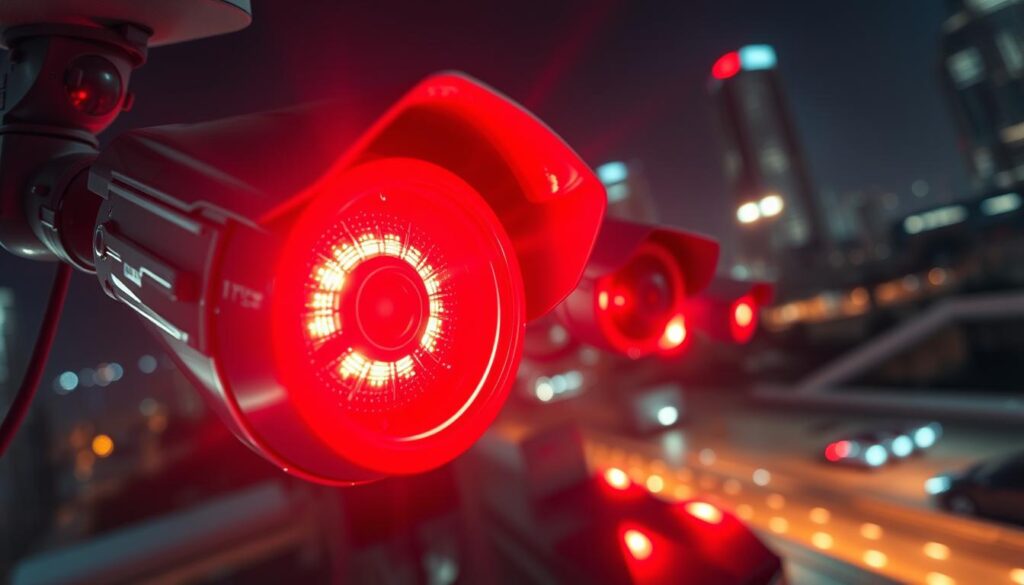
When it comes to security cameras, many people often ask, does a red light indicate that recording is taking place? This question arises frequently, especially in Singapore, where surveillance systems are prevalent. Understanding the function of camera indicators is crucial for both home and business security.
In Singapore, over 320 traffic enforcement devices utilize visible signals. These signals usually show that the device is active, but they do not always mean that someone is monitoring live footage. A recent survey found that 62% of respondents mistakenly believe that blinking indicators imply active human observation.
This guide aims to clarify the common misconceptions surrounding camera lights and their meanings. By the end, readers will know how to interpret different indicators, verify recording status, and differentiate between genuine and fake security cameras. Furthermore, it will cover technical aspects of camera operation, including infrared technology and motion detection.
Understanding these indicators is essential for effective security management and avoiding unnecessary confusion regarding your surveillance systems.
Key Takeaways
- Many people question the purpose of glowing indicators on surveillance devices.
- Understanding what these indicators signify is vital for maintaining security.
- This guide explains the relationship between camera lights and recording status.
- It addresses common misconceptions about security camera indicators.
- Readers will learn to interpret different camera lights and verify recording status.
- The article covers legal and privacy considerations specific to Singapore.
The Significance of Red Light Indicators on Security Cameras
The role of red light indicators in security cameras is often misunderstood. These visual signals serve multiple purposes, which are crucial for both users and observers. Understanding these functions can help enhance security measures and deter potential intruders.
Purpose of Red Lights in Surveillance Devices
Red light indicators on security cameras serve various roles. They can show power status and indicate active infrared illumination during night surveillance operations. Many people assume that a glowing red light means the camera is recording, but this is not always the case.
Infrared vs Recording Indicators: What the Red Light Represents
The steady red light visible on many cameras often represents infrared LED activation for night vision capabilities. This does not confirm that the camera is actively recording footage. Understanding this distinction helps eliminate confusion about what your surveillance devices are actually doing at any given moment.
How Red Light Indicators Enhance Safety and Deterrence
Security cameras equipped with visible red lights create a psychological deterrent effect. Potential intruders are more likely to avoid properties with obvious surveillance systems. Research from NTU Singapore shows that visible camera indicators modify behavior in 37% of observed cases, proving that lights are effective beyond their technical functions.
The presence of red light indicators enhances overall safety. They signal to both residents and visitors that the premises are under surveillance protection. In Singapore’s urban environment, visible camera indicators contribute to the city-state’s comprehensive approach to public safety and crime prevention.
- Red lights show power status and infrared activation.
- Steady red lights do not confirm recording status.
- Visible indicators deter potential intruders.
- Research shows that indicators modify behavior significantly.
- Visible lights enhance safety perceptions among residents.
- Different models use red lights in various ways.
Understanding Different Camera Status Lights and Their Meanings
Security cameras come equipped with various LED indicators that convey important information. Understanding these signals can significantly enhance your ability to monitor and manage your security systems effectively.
Common LED Colors and What They Indicate
Security cameras utilize a standardized color system. Each color typically signifies a specific operational status:
- Red: Indicates active recording or infrared operation.
- Green: Shows normal functioning with a stable connection.
- Amber/Yellow: Signifies standby mode or system initialization.
- Blue: On models like Hikvision, this indicates wireless transmission activity.
- Purple: Used by Reolink for SD card activity.
Steady Versus Blinking Lights: Behavioral Implications
The behavior of camera lights provides crucial information. A steady illumination generally indicates normal operation. In contrast, blinking patterns communicate specific conditions:
- A single blink per second typically means standard recording is in progress.
- Rapid blinking often signals network connectivity problems requiring attention.
- Alternating colors usually indicate firmware updates are being installed.
Variations Across Camera Brands and Models
Different camera brands and models exhibit significant variations in how their lights show operational status. It is essential to consult the user manual for accurate interpretation. Understanding these indicator patterns helps users distinguish between normal camera operation and potential technical issues that may compromise their security coverage.
By recognizing the types of lights and their meanings, you can better manage your surveillance systems and ensure effective security.
For more insights on camera indicators, visit this guide.
Does red light mean recording? Clarifying the Main Question
Clarifying the meaning of red light indicators is vital for anyone using surveillance systems. Understanding what these lights indicate can prevent confusion and enhance security measures.
Steady Red Light: Camera Powered On or Recording?
A steady red light on most security cameras typically signifies that the device is powered on and operational. However, it does not universally confirm that the camera is actively recording. In low-light conditions, this illumination is essential for visibility, but it can lead to misunderstandings about the camera’s status.
Blinking Red Light: Does It Always Indicate Recording?
When a camera displays a blinking red light, it might suggest that recording is in progress. However, this interpretation can vary by manufacturer. Some brands use blinking patterns to indicate recording activity, while others may reserve this feature for alerting users to issues such as connectivity problems.
Lighting Behavior in Real vs Fake Security Cameras
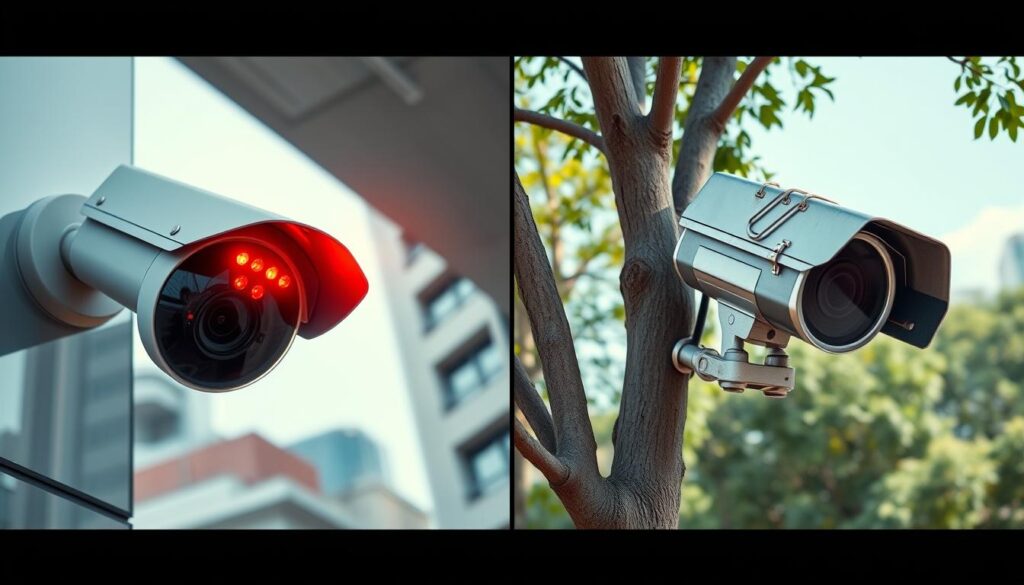
Real security cameras typically do not exhibit a blinking red light as a standard feature. This behavior is often found in fake cameras, which use blinking lights to simulate operation. Understanding these differences is crucial for accurately assessing whether your surveillance system is functional.
Consulting the manufacturer’s guidelines is essential for determining what each light means on your specific model. Remember, about 40% of non-functional units still include misleading LED indicators, making it vital to verify the authenticity of your security devices.
- The question does red light mean recording does not have a universal answer.
- A steady red light typically indicates that the device is powered on.
- A blinking red light might suggest recording, but this varies by brand.
- Fake security cameras often use blinking lights to mimic functionality.
- Real cameras display more consistent lighting behavior.
- Understanding your camera’s indicators requires checking the manufacturer guidelines.
- The distinction between steady and blinking indicators is crucial for monitoring.
How to Verify if Your CCTV Camera Is Recording
Verifying whether your CCTV camera is actively capturing footage is essential for effective security management. There are several practical methods you can use to confirm the recording status of your surveillance systems.
One of the simplest ways to check is by inspecting the camera’s LED indicators. Each manufacturer has specific patterns that signal active recording. A solid or blinking light may indicate that the camera is in operation. Always refer to the manufacturer’s guidelines for precise meanings.
Checking the Camera’s LED Indicators
Physical inspection of the LED indicators is the most straightforward method. Look for specific patterns that signal active recording according to the manufacturer specifications. A steady light often means the camera is powered on, while a blinking light might suggest recording activity.
Using Camera Software and Apps to Confirm Recording Status
Modern security cameras come with companion software and mobile applications. These tools provide real-time status information, allowing users to confirm recording activity remotely through their smartphones or computers. Logging into the camera’s software can show if it is actively capturing footage.
For example, the Reolink Altas PT Ultra offers 4K UHD Continuous Recording capability. This feature ensures that you can monitor your security status effectively.
Reviewing Recorded Footage for Confirmation
Reviewing previously recorded footage serves as the definitive method for confirming that your surveillance system is capturing and storing video as expected. If the camera has been recording, you should be able to access and view stored clips easily.
IP security cameras enable users to verify recording status over the internet. They transmit video signals that can be checked from any location with network access. Additionally, network scanning tools can detect data transmission packets from cameras, confirming that recording devices are actively sending footage to storage destinations.
Regular verification of recording functionality should be part of routine security system maintenance. This ensures continuous protection of your property and peace of mind.
Types of Camera Indicator Lights and Their Meanings
Indicator lights on security cameras play a crucial role in understanding their operational status. Each color and pattern conveys specific information about the camera’s functions. Knowing these signals helps users effectively monitor their surveillance systems.
Red, blue, green, and amber lights are the most common indicators found on surveillance cameras. Understanding what each of these colors signifies can help users interpret their camera’s status accurately.
Red, Blue, Green, and Amber Indicators Explained
Red indicators typically signal active recording or infrared night vision operation. They are essential for indicating that the camera is functioning during low-light conditions. In contrast, green lights generally confirm a stable power supply and normal functioning of the camera.
Blue lights on modern security cameras often indicate wireless transmission activity. This shows that the device is actively communicating with the network rather than recording footage. Amber or yellow indicators usually represent standby mode or system initialization processes, helping users understand when their cameras are transitioning between operational states.
Power, Network, and Recording Status Lights
Power status lights use specific colors and behaviors to communicate battery levels and electrical supply conditions. For instance, a constant green light indicates optimal power, while a flashing red light suggests that battery replacement is needed.
Network activity indicators provide visual confirmation of connectivity status. This helps users quickly identify when their surveillance devices have lost connection to the monitoring system. Recording status lights are specifically designed to show when footage is being captured, although their behavior can vary significantly across different camera brands and models.
Special Indicators for Motion Detection and Storage Activity
Some advanced systems include specialized indicators for motion detection events and storage activity. These features enhance the functionality of security cameras, providing users with more detailed information about their surveillance environment.
For example, Dahua’s professional series allows complete customization of light patterns through its software interface. This flexibility enables tailored status communication for specific security applications, ensuring users are always informed about their system’s performance.
The Role of Motion Detection in CCTV Recording
Motion detection technology plays a crucial role in enhancing the effectiveness of CCTV systems. This innovative feature allows cameras to identify movement and trigger recording events automatically. By using sophisticated algorithms and sensors, these systems ensure that relevant activity is captured without the need for continuous recording.
How Motion Sensors Trigger Recording
When motion sensors detect activity, they send signals to the recording system. This initiates footage capture only during relevant events, rather than continuously recording empty scenes. As a result, security cameras become more efficient and focused, providing a clear view of important occurrences.
Benefits of Motion-Activated Surveillance
Motion-activated surveillance offers significant storage efficiency benefits. By eliminating hours of unnecessary footage, these systems focus recording resources on meaningful security events. Additionally, security personnel can quickly locate relevant events without sifting through empty video, making the review process much simpler.
Configuring Motion Detection for Optimal Security
Configuring motion detection settings properly is essential for optimal security. Users need to adjust sensitivity levels, detection zones, and recording duration parameters to suit their specific needs. Modern security cameras allow for the definition of specific areas within the camera view for motion detection. This reduces false triggers from irrelevant movements, such as tree branches or passing vehicles.
Regular testing and adjustment of motion detection configurations ensure that surveillance systems continue to meet evolving security needs. As environmental conditions change, these settings may require fine-tuning to maintain effective monitoring.
The integration of motion sensors with camera recording functionality represents one of the most important features in contemporary security camera systems. This balance between comprehensive coverage and practical storage management is vital for enhancing overall security.
Exploring Various CCTV Recording Modes
CCTV systems offer various recording modes that cater to different security needs. Understanding these modes is essential for maximizing the effectiveness of your surveillance strategy. The three primary recording modes are continuous recording, scheduled recording, and motion-activated recording. Each mode has its own advantages and limitations.
Continuous Recording: Pros and Cons
Continuous recording captures video footage around the clock without interruption. This mode ensures that no security event goes unrecorded, regardless of when it occurs. However, the primary advantage of continuous recording is its comprehensive coverage. It does require substantial storage capacity, generating large volumes of footage that may be time-consuming to review.
Scheduled Recording: Use Cases and Limitations
Scheduled recording allows users to define specific time periods when cameras should actively capture footage. This approach is ideal for businesses that only need surveillance during operating hours. The scheduled method helps manage storage requirements efficiently while still providing coverage during critical time windows for security monitoring.
Motion-Activated Recording: Efficiency and Challenges
Motion-activated recording represents the most storage-efficient approach. It triggers footage capture only when the camera detects movement within its field of view. While this system conserves storage space, it may occasionally miss fast-moving subjects or experience slight delays between detection and recording initiation.
Modern CCTV systems often allow users to combine multiple recording modes. This flexibility enables property owners to apply different strategies to different cameras based on specific location needs and security priorities. Understanding the features and limitations of each recording mode helps you select the most appropriate configuration for your particular surveillance requirements.
Technical Components Behind CCTV Cameras and Recording Indicators
Examining the technical elements of security cameras helps clarify their operational indicators. Understanding how these components work together enhances your ability to manage your surveillance systems effectively.
Key Hardware: Sensors, Lenses, and LEDs
Modern CCTV cameras incorporate sophisticated hardware components. These include CCD image sensors that directly affect video quality. Chip sizes range from 1/4 inch to 1/2 inch, determining light sensitivity and overall performance.
The resolution capabilities of these cameras span from 720p HD to 5 Megapixels. Higher resolutions provide clearer images, allowing for better identification of details in recorded footage.
Additionally, LED arrays play a vital role in indicating camera status. They can signal whether the camera is powered on or actively recording.
How Recording Indicators Are Controlled Electronically
The electronic control systems managing recording indicators use voltage-regulated circuits. These circuits power status LEDs with millisecond precision, ensuring consistent and reliable visual signals.
Dedicated microcontroller units on camera circuit boards monitor various parameters. They track input voltage fluctuations, backup battery levels, and power consumption rates, accurately managing indicator light behavior.
Infrared Technology and Night Vision Indicators
Infrared technology relies on 850nm wavelength LED arrays. These produce the characteristic faint red glow visible around camera lenses during nighttime operation. This glow indicates that the camera is using infrared light for night vision.
Moreover, precision IR cut-filters shift position to allow infrared light penetration during low-light conditions. They block visible spectrum interference during daytime recording, ensuring optimal performance.
Understanding the technology behind camera indicators helps users appreciate why different lights behave in specific ways. The integration of infrared illumination with visible recording indicators demonstrates how security devices balance operational functionality with transparent status communication.
Importance of Regular Maintenance for CCTV Systems
To ensure optimal performance, regular upkeep of CCTV systems is crucial. This maintenance guarantees that security cameras function properly and that indicator lights display accurate status information.
Cleaning camera lenses every three months prevents dust and debris from obscuring footage quality. This simple task is essential for maintaining the effectiveness of your surveillance investment.
Inspecting camera housing every six months helps identify potential water damage or physical deterioration. Catching these issues early can prevent complete system failure.
Monthly checks of all cable connections ensure a stable power supply to cameras. This prevents intermittent operation that could leave security gaps in your surveillance coverage.
Testing recording functionality on a weekly basis allows for early detection of potential problems. This proactive approach prevents situations where important footage is lost due to undetected malfunctions.
Monitoring hard drive status monthly helps prevent data loss. Identifying storage issues before they result in corrupted or missing surveillance recordings is vital.
Regular firmware updates should be applied to ensure cameras have the latest features and security patches. Keeping your systems updated is key to compatibility with evolving surveillance technology standards.
For comprehensive security, consider professional maintenance services. These can provide thorough system checks that address both visible indicators and internal components, ensuring complete reliability for your security cameras.
Legal and Privacy Considerations for Camera Indicators in Singapore
In Singapore, understanding the legal framework for surveillance cameras is crucial for responsible usage. The laws governing these systems ensure that security measures do not infringe on individual rights.
The Personal Data Protection Act (PDPA) outlines specific requirements for the operation of surveillance cameras. This act mandates visible signs in all areas where recording occurs. Violating this law can result in hefty fines, reaching up to S$1 million for covert operations.
Personal Data Protection Act (PDPA) Requirements
Under the PDPA, organizations must provide clear notifications regarding data collection. This includes details about the purpose of the surveillance and contact information for the responsible entity. Such transparency helps build trust with the public.
Notification and Signage Obligations for Surveillance
Public space monitoring in Singapore requires conspicuous signage. These signs must inform people about the presence of recording devices and the nature of footage collection. Proper signage not only fulfills legal obligations but also enhances community awareness.
Audio Recording Laws and Ethical Surveillance
Audio recording is subject to additional restrictions under Singapore law. The PDPA prohibits capturing conversations without consent in private areas. Furthermore, workplace monitoring regulations explicitly exclude restrooms and prayer rooms from surveillance.
A notable enforcement case in 2022 penalized a shopping mall for failing to notify visitors about facial recognition technology trials. This highlights the importance of adhering to legal standards in surveillance practices.
Ethical surveillance operations require a balance between security needs and individual privacy rights. Camera placement and recording practices should respect personal dignity while ensuring safety.
Understanding the legal framework for camera indicators helps property owners in Singapore maintain compliant surveillance systems while avoiding significant regulatory penalties.
- Singapore’s Personal Data Protection Act establishes strict requirements for surveillance camera operation.
- Visible signs in all recording areas are mandatory, with fines reaching S$1 million for violations.
- Public space monitoring requires specific signage content informing people about recording devices.
- Audio recording faces legal restrictions, prohibiting conversations capture without consent in private areas.
- Workplace surveillance must exclude restrooms and prayer rooms from monitoring.
- A 2022 case penalized a mall for failing to notify visitors about facial recognition trials.
- Ethical surveillance balances security needs with individual privacy rights.
- Understanding these laws helps maintain compliant surveillance systems.
Common Misconceptions About Red Lights and Camera Recording
There are several prevalent myths regarding the functionality of red lights on security cameras. Understanding these misconceptions is crucial for effective surveillance management.
Myth: All Red Lights Mean Cameras Are Recording
One of the most widespread misconceptions is that all red lights indicate active recording. In reality, these indicators can signify various operational states, including power status and infrared activation. This misunderstanding can lead to confusion about whether a camera is truly capturing footage.
Fake Cameras and Misleading Blinking Lights
A significant survey finding shows that 62% of people mistakenly interpret blinking camera indicators as evidence of active human observation. This myth is particularly problematic because fake security cameras deliberately use blinking red lights to appear operational and deceive potential intruders. Approximately 40% of non-functional dummy cameras still include LED indicators, demonstrating how unreliable light signals can be for determining authentic surveillance.
When No Light Does Not Mean Camera Is Off
Many people believe that a camera without visible lights must be turned off. However, advanced covert surveillance systems intentionally avoid visible signals while remaining fully operational. Professional security installations in locations like Singapore’s financial district often use hidden infrared markers instead of visible indicators for discreet monitoring.
Understanding these common misconceptions helps property owners make informed decisions about their security camera systems. The relationship between red light indicators and camera recording is more nuanced than most people realize, requiring education about specific device capabilities and manufacturer specifications.
- Not all red lights indicate active recording; they can show various operational states.
- Many people confuse blinking indicators for human observation.
- Fake cameras often use blinking lights to mimic functionality.
- 40% of non-functional cameras still feature misleading LED indicators.
- No visible lights do not always mean a camera is off; some systems operate without them.
- Professional installations may use hidden infrared markers for discreet monitoring.
How to Distinguish Real Security Cameras from Fake Ones
Understanding how to identify authentic security cameras is crucial for effective surveillance. Knowing the differences can save you from investing in devices that provide false security. Here are some practical tips to help you distinguish real security cameras from their imitation counterparts.
Physical Characteristics and Build Quality
Distinguishing real security cameras from fake ones requires attention to physical characteristics. Authentic units typically feature robust construction and genuine cabling connections. Look for:
- Build Quality: Real cameras are often made from durable materials, while fake ones may use cheap plastic.
- Lens Examination: Authentic cameras usually have glass lenses, while imitation units may have plastic lenses.
- Cabling Verification: Check the cables for proper connections; fake cameras often have non-functional or poorly constructed cables.
LED Indicator Behavior and Its Reliability
LED indicators can reveal much about a camera’s authenticity. Real security cameras generally do not exhibit a blinking red light. Instead, they display coordinated light patterns that indicate their operational status. Pay attention to:
- Consistent Patterns: Authentic cameras show lights that correspond to actual functions, unlike fake units that may blink randomly.
- Infrared Reflection Test: Real cameras reveal internal infrared LEDs reflecting when viewed from specific angles, while fake ones lack this property.
Using Technology to Verify Camera Authenticity
Technology can assist in verifying whether a camera is operational. For instance, network scanning tools can detect data transmission packets from cameras. This method helps confirm if the device is genuinely sending footage. Additionally:
- MAC Address Identification: Real cameras have unique MAC addresses that can be verified on the network.
- Vendor Reports: According to Singapore security vendors, 68% of dummy camera units fail at least two standard verification tests.
By understanding these verification methods, property owners can avoid investing in fake security devices. This ensures that your surveillance system provides real peace of mind and effective monitoring.
Final Steps to Ensure Your Security System Is Reliable and Effective
To maintain the integrity of your surveillance system, it’s crucial to implement effective monitoring strategies. Ensuring your security system remains reliable requires regular audits. This process verifies that all cameras function correctly and that recording indicators display accurate status information.
Professional consultation with CCTV experts can identify gaps in coverage. They can recommend tailored solutions to meet specific property needs. Staying informed about evolving camera technology enables property owners to upgrade systems with advanced features.
Regular system testing should include verification of all indicator lights, recording functionality, and network connectivity. Motion detection features are valuable enhancements, improving both recording efficiency and storage management.
Property owners in Singapore must ensure compliance with applicable laws regarding camera indicators. For specialized offers and the latest CCTV solutions, contact Wen Hong at +65 60135960. A well-maintained security camera system provides peace of mind, knowing your property and people are protected by reliable surveillance technology.