
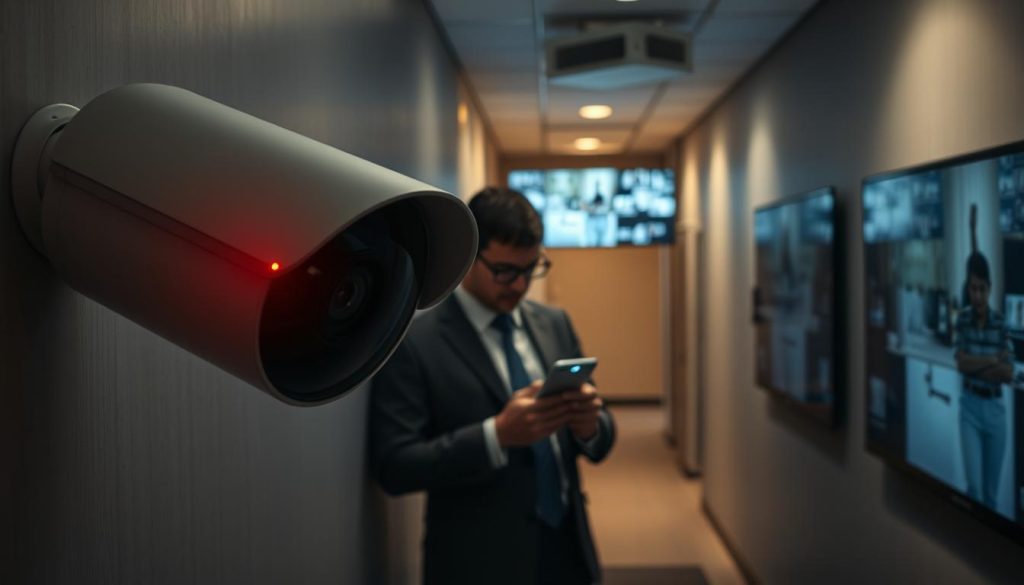
For many in Singapore, a critical security question arises: “How do I know if my CCTV is on or off?” You should never assume your surveillance system is working. A non-functional security camera creates a dangerous blind spot.
This leaves your property open to theft or vandalism with no recorded evidence. It is a serious security risk for any home or business.
Your CCTV camera might seem off for simple reasons. A power interruption, loose cable, or network outage could be the cause. Firmware glitches or even intentional tampering are other possibilities.
The good news is that verifying your camera status is straightforward. You do not need expert technical knowledge. A multi-method approach provides reliable confirmation.
This guide covers visual inspections, functional tests, and technical diagnostics. These methods give you a clear roadmap for checking your security cameras. Regular checks are an essential part of responsible CCTV ownership.
In Singapore’s context, reliable security surveillance is a priority. Ensuring your CCTV system is always active provides vital peace of mind.
Key Takeaways
- Never assume your surveillance system is recording without checking its status first.
- A camera that is off creates a critical security blind spot, leaving you vulnerable.
- Common causes include power loss, loose connections, network issues, or software glitches.
- You can verify operation through simple visual checks, functional tests, and software indicators.
- Regular verification is a simple but non-negotiable part of maintaining security.
- For both homes and businesses in Singapore, reliable CCTV is a fundamental layer of protection.
- Following a structured approach removes guesswork and ensures your cameras are always on guard.
Why Monitoring Your CCTV Camera Status is Essential for Security
Every moment a security camera is offline, your property loses a critical layer of its defense. An inactive unit does not just stop recording. It creates a dangerous gap in your overall security posture.
The consequences are twofold. First, a camera that is obviously off fails as a visual deterrent. Potential intruders often look for these signs of vulnerability. Second, it cannot capture crucial footage during a break-in or act of vandalism.
This renders your entire surveillance investment useless at the most critical time. You are left with no evidence for authorities or insurance claims.
For businesses, the stakes are even higher. Many insurance policies require proof of active surveillance systems. A non-functional CCTV system can void a claim. It also breaches internal security protocols and compliance standards.
Unexpected camera downtime is a common vulnerability. Power failures, severe weather, or simple technical glitches can cause it. These temporary outages create windows of opportunity for security incidents.
Proactive status monitoring is a core security strategy. It allows for the early detection of issues before an event occurs. This approach transforms your CCTV cameras from passive recorders into active risk management tools.
Privacy is another vital consideration. Knowing your camera’s status ensures recording only happens when intended. This maintains trust with neighbors and ensures legal compliance for data collection.
Regular checks are a minor time investment. They provide major peace of mind. Consistent verification ensures your property is protected around the clock. It guarantees your surveillance system delivers on its fundamental promise.
How Do I Know If My CCTV Is On or Off? Key Indicators to Look For
Reliable confirmation of CCTV activity comes from observing a combination of physical and digital cues. You do not need to rely on a single sign. Several distinct categories of indicators provide a complete picture.
These verification methods fall into three primary groups. Each group offers different ways to check your security camera status. Using them together delivers the most trustworthy result.
Visual and physical signals are the most immediate indicators. Many cameras have small LED lights that show power and recording status. In low light, an active infrared night vision mode often emits a faint red glow.
For models with moving parts, you might see or hear them operate. Pan-tilt-zoom (PTZ) cameras may move through a preset patrol pattern. These are clear, tangible signs your unit is working.
Software and functional tests provide direct proof through the system’s interface. The most definitive method is accessing the live video feed. You can view this stream on a dedicated monitor or a mobile app.
Another powerful check involves testing the motion detection feature. Walk in front of the lens to see if it triggers a recording alert. This confirms both the camera and its smart functions are active.
Technical and connectivity checks address the underlying infrastructure. Start by verifying the power supply to each device. Inspect cables and connections for any damage or looseness.
For modern IP cameras, network tools can scan for the device on your Wi-Fi. A successful ping confirms the unit is online and communicating. These methods solve problems at the source.
Always use a multi-pronged approach for verification. Some ways to check can be disabled in the settings. Not all models have every physical feature, like status lights.
Your specific CCTV camera type determines the best methods. Wired analog systems rely more on physical and power checks. Wireless IP cameras often depend on app-based view and network tests.
Assess your own security camera setup first. Then, apply the relevant ways from each category. This structured process removes all doubt about your CCTV system’s operational state.
Visual Cues: LED Lights and Night Vision Signs
Before diving into software or technical checks, start with a simple visual inspection of your surveillance hardware. The physical design of a security camera offers the most immediate clues about its operational status.
Look directly at the unit for telltale signs of activity. These visual indicators are built into most modern devices for quick user reference.
Understanding Power and Status LEDs
Most modern cameras feature a small Light Emitting Diode (LED) on the housing. This tiny light is a primary status indicator.
A solid green or blue LED typically signals normal operation. The camera is powered on and functioning correctly. A blinking pattern often means something else.
Blinking LEDs usually indicate a process like booting up, connecting to Wi-Fi, or transmitting data. It shows the device is active but may not be in a ready-to-record state yet.
A crucial point to remember: the absence of an LED light does *not* definitively mean the unit is off. Many models have a setting to disable these lights for discreet, covert monitoring.
Always check your specific model’s settings in its app or software. The LED behavior you see is your first, most direct visual cue.
Checking for Infrared Night Vision Glow
For cameras with night vision capability, the lens area provides another clear sign. Active infrared (IR) LEDs emit a faint red glow in low-light conditions.
This soft red halo around the camera lens is a definitive visual proof. It confirms the unit is powered on and its night vision system is engaged.
To check this, observe your security cameras in a darkened environment. You can use your hand or a book to block ambient light falling on the lens. This makes the red glow from the IR lights easier to see.
Be aware of an important exception. “No-glow” IR cameras use a 940nm wavelength. They are designed for total stealth and emit no visible red light.
If you own this cctv cameras type, the absence of a glow is normal. You will need to use alternative verification methods covered later in this comprehensive guide to CCTV security.
Finally, a word of caution. Do not rely solely on blinking red lights as a sign of a real, working camera. Many dummy or fake models use this feature to mimic activity and deter intruders visually.
Visual cues from LED lights and night vision are powerful first indicators. They provide instant, on-site confirmation of your system’s basic operational state.
Physical and Auditory Signals: Movement and Sound
Beyond static lights, your security camera can communicate its status through physical motion and subtle sounds. These tangible signals provide direct, physical evidence your surveillance hardware is functioning.
For units with mechanical parts, their operation offers the most unmistakable confirmation. Listening closely can also reveal the quiet hum of an active system.
Observing Pan-Tilt-Zoom (PTZ) Camera Movement
PTZ cameras are designed to move. Their startup sequence is a definitive signal. Many models perform a calibration sweep shortly after receiving power.
You will see the unit pan left and right or tilt up and down. This initial movement confirms the camera is booting up correctly.
Even when idle, a PTZ camera might not be still. If its “patrol” or “tour” function is active, it will move automatically between preset positions. This constant, automated movement is clear visual proof of operation.
A powerful functional test involves the motion detection feature. Walk deliberately within the camera’s field of view.
An active PTZ model will often track your movement. This auto-tracking behavior is the ultimate confirmation. It proves the camera sees you and its smart detection algorithms are engaged.
Listening for Operational Sounds
Your ears can detect what your eyes might miss. Get close to your security camera and listen carefully in a quiet room.
A low hum or faint whirring sound often comes from the housing. This is typically the sound of internal motors or cooling fans. It indicates the unit is powered on and its electronics are active.
When the camera adjusts its focus or zooms, you may hear a distinct buzz. For models with two-way audio, listen for a soft internal “click” upon power-up. This sound means the microphone and speaker components are initializing.
Remember, fixed CCTV cameras do not have moving parts. The absence of movement is completely normal for these types.
For fixed models, rely more on these auditory checks or other verification methods. Understanding your camera’s power state is crucial, as it directly relates to its ability to record when switched off.
Combining observations of movement with attentive listening gives you a robust, multi-sensory check. These physical and auditory signals leave little room for doubt about your CCTV system’s active status.
Software and App-Based Verification Methods
The ultimate confirmation of a working CCTV system lies in its software and recorded output. This method goes beyond checking for power. It verifies successful data transmission and full recording functionality.
Accessing the digital interface provides definitive proof your security cameras are active. It is the most authoritative check you can perform.
Accessing Live Feed via Monitoring Software
Your first step is to view the live video stream. You can do this through a dedicated monitor connected to an NVR/DVR. Alternatively, use the manufacturer’s mobile app on your smartphone.
Popular apps include Reolink, Arlo, and EZVIZ. Open the app and select the specific camera you want to check. A healthy feed shows a clear, real-time image that updates without lag.
This live view confirms both power and network connectivity are working. If you see a problem, it points to an underlying issue.
A “No Signal” message, a frozen image, or a persistent loading screen are common signs. These typically indicate a power loss, network dropout, or a hardware fault with the camera itself.
Testing Motion Detection and Recording
Seeing a live feed is excellent. Confirming that recording works is even better. Actively test the motion detection feature to validate the entire pipeline.
Walk deliberately in front of the camera’s lens. Then, check for the captured footage. The process differs slightly based on your system type.
For NVR/DVR systems, navigate to the playback menu on your monitoring screen. Search for video from the exact time of your test. Finding that clip proves the camera recorded the activity.
For cloud-based cameras, open the “Events” or “Alerts” section within your app. You should see a new entry with a thumbnail from your test. Selecting it will play back the short recording.
Successful detection and retrieval of test footage is the gold standard. It means your CCTV software is fully operational. The cameras are not just on—they are capturing evidence as intended.
Regular monitoring through your software is the final, most reliable step. It removes all guesswork about your system’s status.
Technical Checks for Power and Connectivity
Diagnosing a seemingly offline camera requires moving past surface indicators to inspect its core infrastructure. When visual cues and app checks fail, the problem often lies in the fundamentals. You must verify the flow of electricity and data.
This process addresses the root cause of many common cctv issues. It is a logical next step for any non-responsive security camera. These technical checks give you definitive answers about your system‘s health.
Verifying Power Supply and Cables
Begin with the most basic element: power. For traditional wired cameras, confirm the wall adapter is plugged into a live outlet. Check the adapter itself for a small LED light, which indicates it is receiving electricity.
For PoE (Power over Ethernet) systems, the Ethernet cables are lifelines. They carry both data and power to the camera. Ensure each cable is securely connected at both ends—at the camera and the network switch or NVR.
For wireless cameras that run on batteries, the issue is often simple depletion. Open the companion app and navigate to the device settings. Look for the battery status percentage. A critically low level is a frequent cause of failure.
Finally, conduct a physical inspection of all cables. Look for frayed wires, chew marks from pests, or loose connectors. Even minor damage can cause intermittent power loss or data corruption.
Using Network Tools for IP Cameras
Modern IP cameras rely on your home network. If the app shows no signal, the problem might be connectivity, not power. You can verify this using simple network diagnostic tools.
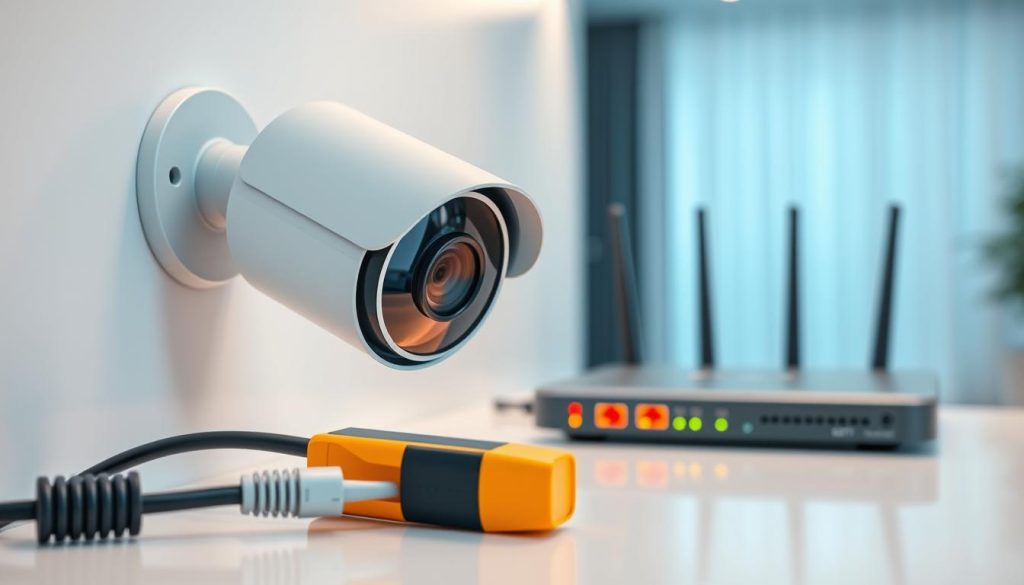
Applications like Fing or Advanced IP Scanner can scan your Wi-Fi. Your router’s admin page also lists all connected devices. Look for your cctv camera‘s unique IP address or device name in this list.
Finding the device listed as “online” or “active” is a strong confirmation. It means the camera has power and is connected to the network. The app problem may be a separate software glitch.
If the device is missing, try basic troubleshooting. Power-cycle the camera by unplugging it for 30 seconds. Restart your NVR/DVR and your router. These steps clear temporary system hiccups and re-establish connections.
Mastering these technical tools and checks empowers you. You move from guessing about a cctv camera‘s status to knowing precisely why it failed. This knowledge is key to restoring your security coverage quickly.
Differentiating Between Real and Fake CCTV Cameras
Distinguishing a functional surveillance device from a convincing replica requires a keen eye for specific details. This knowledge is vital when a camera appears inactive. You must determine if it is a genuine security camera with a problem or a dummy unit designed solely for deterrence.
Authentic cameras are built to capture footage. Fakes are built to look the part without any camera recording capability. Learning the telltale signs protects your investment and ensures real security.
Inspecting Wires and Brand Labels
Begin with a physical examination of the unit’s connections. A real wired security camera will have legitimate cables for power and data transmission.
Look for proper Ethernet (Cat5/6), coaxial, or dedicated power cables. These should feel secure and lead to a junction box or network device. Battery-powered models will have a visible charging port.
Many fake cameras have no wiring at all. Others use dummy cables that are glued in place or simply dangle without a real connection.
Next, check for a manufacturer’s label or logo. Reputable brands like Hikvision, Dahua, or Reolink clearly mark their products. Perform a quick online search of the brand name.
Legitimate companies have official websites and product support pages. If the brand yields no results or only links to novelty items, you likely have a decoy.
Identifying Blinking Lights and Other Telltale Signs
Light signals are a major differentiator. A solid red light often indicates active infrared night vision on a real cctv camera.
In contrast, a small, prominently placed LED that blinks rhythmically is a classic sign of a fake. Most real security cameras do not have a blinking front light as a status indicator.
Weight is another reliable clue. Pick up the device if possible. Authentic cameras have substantial heft from internal electronics, circuit boards, and lenses.
Decoy units are often surprisingly light and hollow. This is because they lack the crucial components needed for actual camera recording.
Examine the lens closely. A real security camera lens is made of glass or has a complex multi-element design. You can usually see a sensor deep inside.
A fake might have a painted black dot, a cheap plastic bubble, or a shallow reflective sticker. It will not have the depth of a true optical lens.
Understanding these signs addresses important privacy concerns. If you suspect you are under surveillance, spotting a fake can provide immediate relief.
The definitive test, however, is using the software methods from earlier sections. A real cctv system will show a live feed and recorded footage in its app or NVR. A dummy camera will never produce any signals or footage.
Regular verification of your cctv camera authenticity is just as important as checking its power status. It ensures your security measures are substantive, not just theatrical.
Proactive Maintenance and Regular Status Checks
Regular, scheduled checks are the cornerstone of a surveillance system you can always rely on. Move from reactive troubleshooting to proactive habits. This ensures continuous monitoring and prevents security blind spots.
Establish a simple weekly routine. Quickly review all camera live feeds in your app to confirm their status. This takes just minutes but verifies your entire system is online.
Keep cameras physically clean and updated. Gently wipe lenses for clear footage. Check outdoor housings for humidity or insect nests, common in Singapore’s climate. Always install the latest firmware to fix bugs and patch vulnerabilities.
Document your setup details for faster troubleshooting. Perform a quarterly health check. Test live view, motion recording, and night vision functions thoroughly.
Integrating these small actions is the most effective long-term solution. It guarantees your CCTV cameras consistently protect your property. A maintained cctv camera system provides true peace of mind.