
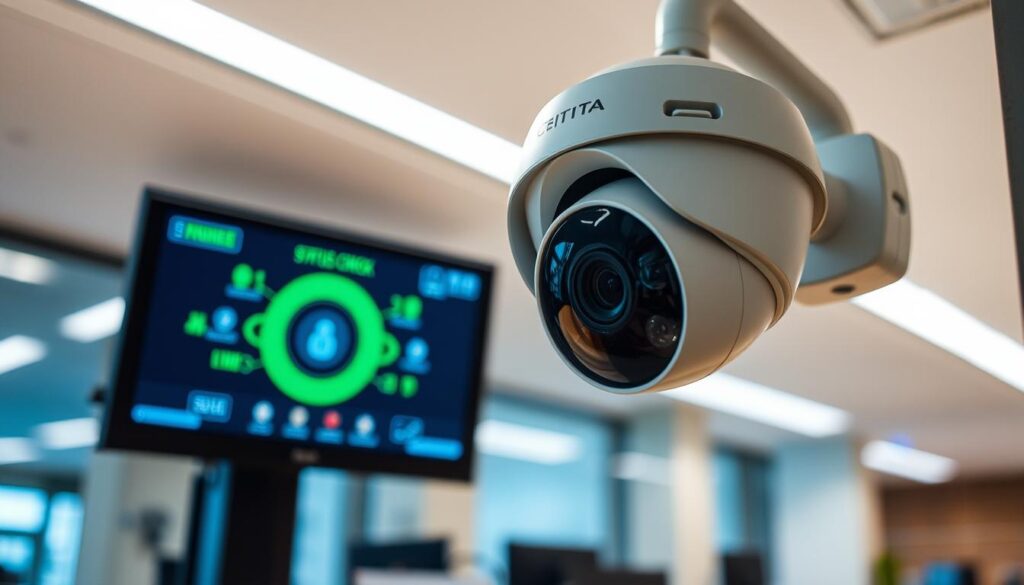
Understanding the operational status of your CCTV camera is essential for ensuring the safety of your property. In Singapore, where security is a top priority, knowing whether your camera is actively recording can be the first line of defense against potential threats. A camera that appears intact may not be recording due to power failures or technical issues.
Regular checks can help identify downtime early, preventing dangerous blind spots. For businesses, maintaining a functional CCTV system is crucial for meeting security compliance and insurance requirements. If your camera is off, you risk leaving your home or business vulnerable to intruders.
This guide will explore various ways to confirm your CCTV status. You will learn simple techniques that require no specialized tools, making it easy for anyone to verify their camera’s functionality quickly and reliably.
Key Takeaways
- Knowing your CCTV camera’s status is vital for property security.
- A physical inspection doesn’t guarantee the camera is recording.
- Common issues like power outages can disable your CCTV without notice.
- Blind spots from inactive cameras can lead to security vulnerabilities.
- Regular status checks are essential for effective security maintenance.
Why It’s Important to Know if Your CCTV Camera Is On or Off
Monitoring the functionality of your CCTV cameras is crucial for maintaining security. Many people overlook their CCTV systems, assuming everything is fine. However, cameras can shut down unexpectedly due to power failures, loose wiring, or even vandalism.
A camera that is off will not capture intruders, theft, or accidents. This defeats the purpose of your security investment. Regular status checks help you catch downtime early and avoid blind spots. This ensures your system is ready when you need it most.
For businesses, understanding the status of your CCTV system is key to meeting security compliance and insurance requirements. Here are some important points to consider:
- A non-functioning CCTV camera provides a false sense of security. This leaves your Singapore property exposed to risks that could have been prevented with a simple status check.
- Unexpected shutdowns can occur at any time. Power surges, tripped circuit breakers, or drained batteries in wireless models make routine verification essential.
- Loose wiring or corroded connections are common in Singapore’s humid climate, potentially causing intermittent power loss that goes unnoticed until you need the footage.
- Firmware glitches or outdated software can cause cameras to freeze or stop recording while still appearing powered on, creating a deceptive illusion of functionality.
- For business owners, an offline camera can mean non-compliance with insurance policies or security regulations, potentially leading to financial and legal consequences.
- Regular checks help identify issues early. This reduces the risk of extended downtime and ensures continuous surveillance coverage for your entire property.
- A camera that is on but not recording is equally useless. It emphasizes the need to verify both power status and active recording capabilities.
- Commit to incorporating CCTV status checks into your weekly or monthly routine to maintain peace of mind and protect your loved ones and assets.
Understanding Different Types of CCTV Cameras and Their Status Indicators
Recognizing the various types of CCTV cameras and their indicators is vital for effective security. Each type of camera comes with its own features and methods for checking its operational status. Understanding these differences can help you maintain your security system effectively.
Wired vs. Wireless Cameras
First, identify whether your CCTV system uses wired or wireless cameras. Wired models rely on physical cables, which can be inspected for damage. In contrast, wireless cameras depend on Wi-Fi signal strength and battery levels, making them easier to set up and relocate.
Analog vs. IP (Digital) Cameras
Next, consider the type of camera technology. Analog cameras are older and typically lack remote viewing capabilities. They often require a direct connection to a DVR for status verification. On the other hand, IP cameras are digital and allow for app-based monitoring from your smartphone, offering better video quality.
Fixed, Pan-Tilt-Zoom (PTZ), and Night Vision Cameras
Different camera types also include fixed and PTZ models. Fixed cameras remain stationary and need close physical inspection to check their indicator lights. PTZ cameras can move to follow motion and often perform a startup sequence with visible movement when powered on.
Additionally, night vision cameras equipped with infrared LEDs emit a faint red glow around the lens in low-light conditions. This provides a quick visual cue that the camera is active and functioning. Understanding these indicators can prevent misdiagnosing a functioning camera as being off.
Finally, outdoor cameras must withstand Singapore’s high humidity and heavy rainfall. Therefore, weatherproof seals and robust power connections are critical for consistent operation. For an eco-friendly solution, consider solar-powered cameras that charge from sunlight. However, they require adequate sunlight exposure to maintain charge, as a depleted battery is a common reason these cameras appear off.
Familiarize yourself with your specific camera model’s manual to accurately interpret its unique LED light behaviors. This knowledge will enhance your ability to monitor your security system effectively.
How do I know if my CCTV is on or off? Visual Signs to Look For
To ensure the safety of your property, it’s crucial to identify the status of your CCTV cameras. Most modern security cameras provide visual indicators that can help you quickly assess their operational state. Understanding these signs will empower you to maintain effective surveillance.
Interpreting LED Status Lights and Colors
LED status lights are among the fastest and most straightforward indicators of your CCTV camera’s functionality. Here’s what to look for:
- Solid Green or Blue Light: This usually means your camera is powered on and functioning normally. Some brands use blue specifically to indicate active recording, while green may signify standby power.
- Blinking LED: A blinking light often signals that the camera is attempting to connect to a network, undergoing a firmware update, or experiencing connectivity issues. It does not necessarily mean the camera is off.
- No Visible Light: Many modern security cameras allow users to disable LED lights for covert surveillance. Thus, the absence of visible lights does not automatically confirm that the camera is off.
Detecting Night Vision Infrared (IR) Glow
For cameras equipped with night vision, detecting infrared (IR) indicators is crucial. Here’s how to check:
- Look for a Red Glow: Turn off all lights in the room or wait until nighttime. Look closely at the camera lens for a faint red glow, indicating that the infrared LEDs are active.
- No-Glow IR Cameras: Some advanced models use no-glow IR technology, operating at a 940nm wavelength, which produces no visible red light. In this case, alternative methods must be used to verify if the camera is operational.
Observing Physical Movements in PTZ Cameras
PTZ (Pan-Tilt-Zoom) cameras provide additional visual cues. When powered on, these cameras typically perform a calibration sequence:
- Automatic Movement: Observe for automatic panning or tilting, which indicates the camera is operational.
- Audible Cues: Listen for a soft buzzing or whirring sound, which can serve as an audible confirmation of activity, even if the camera’s front panel is not visible.
By paying attention to these visual signs, you can confidently determine the operational status of your CCTV cameras. Regular checks not only enhance security but also ensure peace of mind.
Step-by-Step Methods to Check if Your CCTV Camera Is Recording
Verifying whether your CCTV camera is actively recording is crucial for effective security management. There are several methods to confirm your camera’s status. These techniques will help you ensure that your security system is functioning as intended.
Accessing and Verifying the Live Camera Feed
The most reliable way to check if your camera is recording is to view its live feed. Here’s how to do it:
- Use the NVR/DVR Monitor: Access your CCTV system’s live feed through the dedicated monitor or NVR/DVR interface. This method confirms whether your camera is actively capturing and transmitting video in real time.
- Smartphone App: For IP cameras and wireless systems, open the manufacturer’s app to view the live stream. A clear, real-time image confirms the camera is powered on and connected to your network.
- Investigate Issues: If the feed appears black, frozen, or pixelated, investigate immediately. These symptoms indicate potential power loss, network disconnection, or hardware failure.
Testing Motion Detection and Playback Features
Another effective method to verify your CCTV camera’s functionality is by testing its motion detection:
- Walk in Front of the Camera: Deliberately walk through the camera’s field of view. Then, review the playback timeline or event history to check if the camera recorded the motion.
- Navigating Playback Menus: For NVR and DVR systems, navigate to the playback menu to locate footage from the time you triggered motion. This ensures the recording function is working properly and that storage is available.
- Cloud-Based Cameras: For cloud-based systems, check the app’s events tab for motion-triggered recordings. If no clips are available, it may indicate disabled detection settings or a full SD card.
Using Security Camera Apps and Software for Status Checks
Utilizing dedicated apps can enhance your ability to monitor your CCTV cameras:
- Two-Way Audio Feature: If available, use the two-way audio feature by speaking through the app. Listen for sound output from the camera, confirming both power and audio functionality.
- Regular Schedule Verification: Regularly verify that your camera’s recording schedule and motion detection settings are enabled in the app or system menu. Accidental changes can disable recording without affecting the live feed display.
Technical Approaches to Confirm Your CCTV Camera’s Power and Connectivity
Ensuring your CCTV camera has a reliable power source and network connection is essential for effective surveillance. A thorough check of these elements can help prevent security lapses. Below are some methods to confirm the operational status of your CCTV systems.
Verifying Power Supply and Cable Connections
Start by inspecting all power connections. This includes wall adapters, power cables, and PoE Ethernet connections. Loose or damaged power sources are common reasons why cameras appear inactive.
- Voltage Testing: Use a voltage tester or multimeter to confirm that the electrical outlet supplying your wired camera is delivering consistent power. This is especially important after thunderstorms or power fluctuations common in Singapore.
- Battery Checks: For wireless and solar-powered cameras, check the battery level through the manufacturer’s app. A completely drained battery will render the camera non-functional.
- Solar Panel Positioning: Ensure solar panels are positioned to receive adequate sunlight and are free from debris. Blocked panels can lead to unexpected power loss.
- NVR/DVR Status: Examine the status lights and monitor display of your NVR or DVR unit. A failed NVR can make multiple cameras appear offline simultaneously.
- Restarting Devices: Restart your NVR, DVR, or individual cameras by unplugging them for 30 seconds. This often resolves temporary firmware glitches and connectivity issues.
Checking Network Connectivity and Using IP Scanners
For IP cameras, confirming network connectivity is vital. Utilize network scanning tools to verify that your camera is connected to the local network.
- Network Scanning Tools: Tools like Fing or Advanced IP Scanner can help detect whether your IP camera is online. Search for the camera’s IP address; if it appears, the camera is powered and connected.
- Data Connectivity: Confirm both power and data connectivity in one step using these tools.
Employing Electronic Bug Detectors and Detection Tools
For a more technical approach, consider using electronic bug detectors. These devices can identify the electromagnetic signals emitted by active CCTV cameras.
- Signal Detection: Electronic bug detectors can detect the balanced signal or higher energy radiation that CCTV cameras produce when they are operational.
- Hidden Indicators: This method is especially useful when visual indicators are hidden or disabled.
Troubleshooting Common Reasons Why Your CCTV Might Appear Off
Troubleshooting your CCTV system can help you identify issues that may prevent it from functioning properly. Several factors can cause your cameras to seem inactive. Addressing these issues quickly is essential for maintaining security.
First, let’s look at power and wiring issues. Inspect all power cables and connections for signs of wear, corrosion, or looseness. In Singapore’s humid environment, moisture can degrade electrical contacts over time. Ensure that all adapters are plugged in and outlets are functioning.
Power and Wiring Issues to Inspect
- Check Power: For wired cameras, ensure adapters are plugged in and outlets work. For wireless models, recharge or replace batteries or check solar panel functionality.
- Secure Connections: Tighten every Ethernet, coaxial, and power cable connection firmly. Loose connections can cause intermittent power loss, making your camera appear off.
- Restart the Camera: Unplug the camera or remove the battery for 30 seconds, then reconnect. This fixes most temporary glitches.
If restarting does not work, you may need to resolve firmware and software glitches. Keeping your camera’s software updated is crucial. Update your camera’s firmware through the manufacturer’s app or web interface. This can resolve issues that cause freezing or unresponsiveness.
Resolving Firmware and Software Glitches
- Check for Updates: Regularly update your camera’s firmware to avoid software issues.
- Reset to Factory Settings: If restarting fails, reset the camera following the manufacturer’s instructions and reconfigure it via the app.
Next, consider network interruptions and Wi-Fi problems. Restart your router and check Wi-Fi signal strength at the camera’s location. Network interruptions can disconnect IP cameras, making them appear offline even when they are powered on.
Addressing Network Interruptions and Wi-Fi Problems
- Signal Strength: Ensure your camera is within range of your Wi-Fi network for optimal performance.
- Router Restart: Restart your router to refresh the network connection.
Finally, review camera settings to ensure recording is enabled. Accidental changes can disable critical functions, leaving your system vulnerable.
Reviewing Camera Settings to Ensure Recording Is Enabled
- Check App Settings: Review all camera settings in the app or system menu to confirm that recording schedules and motion detection are enabled.
- Clean the Camera Lens: Regularly clean the lens to remove dust or debris that can obstruct the view.
If the camera remains unresponsive after all troubleshooting, contact the manufacturer’s technical support team. Internal hardware failures, such as damaged power ports or faulty sensors, may require professional repair or replacement.
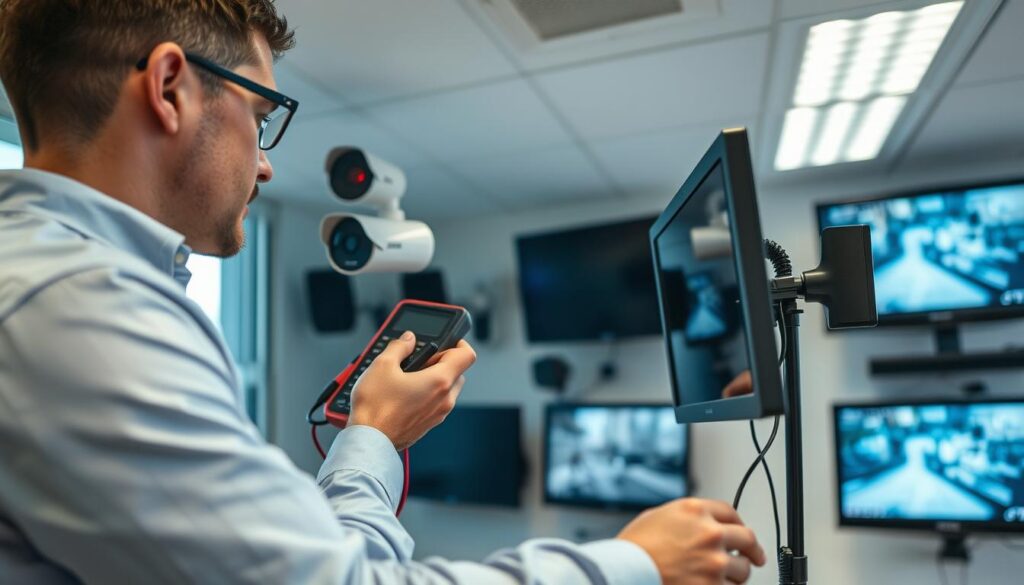
Maintaining Continuous CCTV Performance for Security Peace of Mind
A proactive approach to maintaining your CCTV cameras enhances overall security. Regular checks ensure that both power and recording functions are operational. A camera that is on but not recording is just as ineffective as one that is off. This vigilance is crucial for preventing blind spots and ensuring your system is always ready.
For businesses, consistent monitoring is essential for meeting security compliance and insurance requirements. If issues arise frequently, it may be time to evaluate if your current system meets your needs.
- Establish a routine maintenance schedule to check all CCTV cameras weekly.
- Set up automated alerts through your camera’s app for immediate notifications of issues.
- Regularly test motion detection sensitivity to ensure genuine events are captured.
- Keep firmware and app software updated for optimal performance.
- Monitor storage space to prevent recording failures.
- Consider upgrading to modern cameras with advanced features if needed.
- Document maintenance activities to track patterns and identify recurring issues.
- Invest in a UPS for critical cameras to maintain operation during outages.
- Educate household members or employees on basic camera status checks.