
Your security camera setup is a vital investment for your home or business. In Singapore’s dense urban landscape, reliable surveillance is non-negotiable. But a common assumption can create risk: just because a camera is installed doesn’t mean it’s recording. So, how do you know if your CCTV is working?
A non-functional system offers a dangerous false sense of security. It can lead to missed critical events, leaving your property vulnerable. This guide provides clear, actionable steps to verify your CCTV operation.
We’ll cover simple visual checks, app verification, and power audits. You’ll also learn about advanced detection methods and proactive maintenance habits. The goal is to empower you with knowledge, not technical jargon.
Regular checks ensure your security investment is sound. For a detailed look at power status, you can check if your CCTV is on or. This peace of mind is invaluable for any homeowner or business operator.
Following this guide helps you spot potential issues early and apply the right solutions. Let’s ensure your monitoring network is always active and protecting what matters most.
Key Takeaways
- A functioning CCTV system is essential for real security, not just the appearance of it.
- Never assume an installed camera is automatically recording and working correctly.
- Regular, simple checks can prevent major security gaps and missed events.
- This guide provides methods suitable for both homeowners and business operators in Singapore.
- Proactive verification protects your investment and provides true peace of mind.
- Understanding basic troubleshooting steps empowers you to maintain system health.
Why Verifying Your CCTV is Critical for Security in Singapore
Singapore’s unique living landscape demands a proactive approach to electronic security. High-density housing estates, condominiums, and shared corridors create complex environments. A static camera installation does not guarantee active protection.
Regular verification ensures your security investment performs as intended. This practice is essential for true peace of mind.
The High Stakes of Urban Surveillance in a Dense Environment
Living in HDB flats or condos involves many shared spaces. Common corridors, lift lobbies, and car parks are potential blind spots. Physical patrols cannot monitor these areas continuously.
Electronic surveillance fills this critical gap. Data from the Singapore Police Force highlights a key fact. Visible, active security cameras reduce crime rates by 27% in housing estates.
Over 84% of households view these systems as essential. This statistic underscores the public’s reliance on reliable monitoring. A non-functional unit offers no deterrent value and leaves property exposed.
From Deterrence to Evidence: The Multi-Role Function of CCTV
Modern CCTV serves multiple, vital roles. First, it acts as a visual deterrent to discourage unwanted activity. Second, it provides a live monitoring tool for residents or security personnel.
Its third, and perhaps most crucial, role is evidential. Clear, timestamped footage is invaluable for police reports and insurance claims. This evidence can be the difference between resolving an incident and a permanent loss.
This functionality aligns with Singapore’s Smart Nation goals. It enables remote property oversight, a feature many now depend on. You can verify your CCTV from a mobile to utilize this capability fully.
Therefore, regular checks are not optional maintenance. They are a necessity to maintain this multi-role functionality. A “set and forget” mentality invites problems during critical moments.
A dormant system creates a dangerous illusion of safety. It provides no real protection while fostering complacency. Proactive verification transforms a static installation into a dynamic, reliable security shield.
This habit ensures your cameras are always ready to deter, monitor, and record. It safeguards your home and assets effectively.
How Do I Know If My CCTV Is Working? Start with These Basics
A practical verification process for any security camera setup starts with basic, easy-to-perform steps. You do not need advanced technical skills or tools. This foundational approach empowers every homeowner and business operator.
Regular checks transform your installation from a static object into a dynamic shield. They confirm operational status and prevent dangerous security gaps. Adopting this habit ensures your system works when needed most.
Begin by identifying your camera type. Is it a wired or wireless model? This simple distinction guides your entire verification strategy. Wired units rely on physical cables, while wireless ones depend on network stability.
Three primary methods offer immediate clues about your CCTV health. Master these to build confidence and spot issues early.
- Visual Inspection: Look at the physical unit for indicators like LED lights or infrared glow.
- App Verification: Use the companion mobile application to view live feeds and test alerts.
- Power Audit: Check all connections, adapters, and outlets supplying energy to the system.
These actions take only minutes but provide critical insight. They are your first line of defense against problems. A non-functional camera often reveals itself through obvious signs.
For instance, a missing power light or a frozen app screen signals trouble. Spotting these issues early allows for quick solutions. It prevents total security failure during a critical event.
In Singapore’s fast-paced environment, proactive maintenance is non-negotiable. Do not wait for an incident to test your CCTV. Schedule quick verifications as part of your routine.
This systematic approach—from simple to advanced—is most effective. It ensures no obvious malfunction is overlooked. Starting with the basics builds a solid understanding of your security infrastructure.
You gain the confidence to perform checks regularly. This practice safeguards your property and provides true peace of mind. Your camera setup becomes a reliable partner, not just an installed device.
Conduct a Quick Visual Inspection for Immediate Clues
Before diving into apps or power checks, a simple look at your CCTV unit can reveal crucial clues about its health. This is the fastest way to gauge operational status without any tools.
Your eyes can spot obvious signs of life or failure. These physical indicators provide a reliable, immediate report on your security system’s condition.
Decoding LED Indicator Lights and Their Meanings
Most modern security cameras use LED lights to communicate. These small indicators are a primary source of information.
Common color codes provide a quick read. A solid green light often signals normal power. A blinking light typically means network activity or data transmission.
Specific colors hint at active features. A red light usually means night vision is engaged. A blue LED can indicate motion detection is active.
Important: These codes vary by brand and model. Always refer to your camera’s manual for precise meanings.
The absence of any light is a major red flag. It often points to a complete power or system failure. This requires immediate attention.
Be aware that some dummy units have blinking red lights for show. Authentic systems usually have solid lights or none at all in normal light.
Observing Physical Movement in PTZ and Motorized Cameras
Pan-Tilt-Zoom (PTZ) cameras are designed to move. This movement is a perfect test of their functionality.
Use your control software or app to command a rotation. Watch the physical unit for a response. Visible rotation confirms both power and command processing.
You might also hear a distinct, low buzz from the internal motors. This sound is another clear sign the unit is powered and operational.
A stationary PTZ camera, especially a dome-style one, suggests a problem. It could indicate motor failure or a disconnected power source.
This simple movement test is definitive. If the unit doesn’t move on command, a deeper issues audit is needed.
Spotting the Infrared Glow in Low Light Conditions
Night vision is a critical feature for round-the-clock security. Verifying it works is straightforward.
Infrared IP cameras use small LEDs around the lens. In complete darkness, these emit a faint red or amber glow.
To check, observe the camera in a dark room. Look for a soft red ring around the lens. This confirms the IR lights are active.
Here’s a clever field test. Use a book or your hand to block ambient light falling on the camera.
If the lights turn red when covered, your camera is on and its night mode is functional. A solid red light in low-lit settings is a strong indicator of a real, working unit.
These visual clues—LEDs, movement, and IR glow—offer a powerful first check. Make this inspection a standard part of your routine maintenance.
Using Your Security App for Real-Time System Confirmation
For instant verification, nothing beats opening your security system’s official app. This mobile software is your direct portal to live monitoring and operational status. It answers the core question of how you know if your CCTV is working from anywhere.
Your phone becomes a powerful security dashboard. Regular app checks provide a comprehensive overview of your entire camera network’s health.
Accessing and Verifying the Live Video Feed
Start by launching your brand-specific application, like Hik-Connect or Reolink. Log in with your credentials and navigate to the live view section. This is where you see each camera’s current perspective.
A clear, uninterrupted video stream is the primary indicator of a functioning unit. Look for smooth motion without constant buffering or lag. The feed should display a current timestamp in the corner.
This timestamp proves the camera is actively recording. A frozen image or a “No Signal” message signals an immediate problem. A live, moving feed confirms real-time operation.
Testing Motion Detection Alerts and Push Notifications
Active motion detection is a key security feature. Test it by walking within your camera’s field of view. Your phone should receive a push notification within seconds.
These alerts often include a snapshot from the triggered event. If no alert arrives, check your app’s notification settings. Ensure alerts are enabled and sensitivity is configured correctly.
This test validates that your system is not just seeing but also reacting. It confirms the software is processing data and communicating effectively.
Checking Timestamps and Feed Responsiveness for Accuracy
Accurate timestamps are critical for reliable footage. Compare the time on the live feed with your phone’s clock. Any major discrepancy can invalidate evidence during an investigation.
Also, test interactive features if your camera supports them. Use two-way audio or PTZ controls. A responsive feed confirms strong signal and processing power.
Finally, visit the app’s device health or status page. This dashboard displays connection strength, storage capacity, and any active error messages. It’s a diagnostic hub for your CCTV.
Persistent “offline” status or failed alerts point to deeper issues. These could be network, power, or configuration problems needing troubleshooting.
Making these app-based verifications a weekly habit is essential. They offer the most complete picture of your modern IP-based surveillance health.
Performing a Thorough Power Supply and Connection Audit
To guarantee uninterrupted operation, you must verify the lifelines of your security system: electricity and data. A methodical audit here resolves most common problems. This process moves from the wall socket to the camera itself.
Stable power and robust connections form the silent backbone of any CCTV setup. Failures often originate from these physical points, not complex software. A systematic check empowers you to fix many issues quickly.
Inspecting Power Adapters, Cables, and Outlets
Begin your audit at the wall outlet. Plug a small lamp or phone charger into the same socket. This confirms the outlet delivers mains power.
Next, examine the power adapter. It should feel slightly warm during operation. Look for a lit LED light on the adapter body. These are positive indicators of a functioning power source.
Trace the DC cables from the adapter to your camera. Check for frayed wires, cracked insulation, or bent connectors. Ensure each plug is fully seated in its port. A loose connection can mimic a total system failure.
Verifying Wired Ethernet and Network Link Integrity
For wired IP cameras, data travels via Ethernet cables. Physically trace the cable from the camera to your network switch or router.
Look for sharp kinks, cuts, or chew marks from pests. Ensure the RJ45 connectors are securely clicked into place at both ends. A loose plug is a frequent culprit for an offline status.
If connection problems persist, a simple network cable tester can verify internal wiring. This tool confirms all eight pins inside the cable are correctly connected. It’s a definitive check for faulty cabling.
Troubleshooting Unstable Wi-Fi for Wireless IP Cameras
Wireless cameras depend entirely on a strong, stable signal. First, log into your router’s admin interface. Check the list of connected devices. Your camera should show an “online” status.
If it’s listed as offline, the camera isn’t communicating with the network. Use a free Wi-Fi analyzer app on your phone. Stand near the camera’s location and measure the signal strength.
A reading better than -67 dBm is acceptable for video streaming. Common sources of interference in Singaporean homes include thick concrete walls, microwave ovens, and cordless phones.
For weak signals, consider these solutions:
- Reposition your router or camera to reduce obstructions.
- Install a Wi-Fi extender to boost coverage to distant areas.
- Switch your camera to a less congested 5GHz network band in your router settings.
Concluding a methodical power supply and connection audit fixes the majority of perceived glitches. It ensures your security investment has the solid foundation it needs.
Advanced Verification: Using Electronic Signal Detectors
The most conclusive proof of an active surveillance transmission comes from scanning the airwaves themselves. This approach uses specialized hardware to detect the radio frequency energy emitted by operational devices.
It moves verification beyond app status lights and into the physical realm. For definitive answers, electronic signal detectors are the ultimate tool.
How RF Bug Detectors Can Confirm Camera Transmission
Wireless security cameras and many modern CCTV systems broadcast data. They emit Radio Frequency (RF) signals when streaming video or sending alerts.
An RF bug detector is designed to scan for these specific emissions. When swept near an active wireless camera, the device will alert with a beep, light, or meter spike.
This method is definitive. It confirms the unit is actively broadcasting data, not just powered on. A connected but dormant camera won’t trigger the same response.
It provides hardware-level certainty about your system’s operational state. This is invaluable for troubleshooting intermittent problems.
Employing Detectors for Privacy Assurance and Hidden Camera Checks
These tools have a powerful dual function. You can verify your own wireless camera transmissions. You can also sweep for unauthorized devices to ensure privacy.
This application is critical in sensitive environments. Hotel rooms, Airbnb rentals, and private changing rooms are common locations for hidden surveillance.
A thorough sweep with a quality detector adds an extra layer of security. It can spot well-concealed threats that visual inspection misses.
While not an everyday tool for most homeowners, it offers ultimate peace of mind. Frequent travelers or those with high security needs benefit greatly.
Investing in a reliable RF detector is a smart solution for specific concerns. It complements all simpler verification methods.
This advanced technique completes a comprehensive security audit. It ensures your CCTV network is not just installed, but actively and verifiably protecting your space.
Ensuring Your Network Foundation is Solid and Stable
A weak network connection is the single most common cause of frustrating CCTV problems like lag, dropouts, and false offline statuses. Your router and cabling form the unseen digital backbone of any modern IP-based security system. Investing time in optimizing this foundation prevents the majority of technical issues before they start.
This section covers three critical network pillars. You’ll learn optimal router placement, the wired versus wireless debate, and how to manage bandwidth for multiple HD streams. A stable network transforms individual cameras into a cohesive, responsive security shield.
Optimal Router Placement for Strong Camera Connectivity
Your router’s location directly impacts wireless camera performance. For the strongest signal, centralize the device within your home. Elevate it on a high shelf, away from thick furniture and metal appliances like microwaves or refrigerators.
Singapore’s concrete construction in HDB flats and condos presents a unique challenge. These dense walls, especially for the faster 5GHz band, can dramatically weaken Wi-Fi signal strength. A camera just one room away might struggle.
For larger homes or units with many walls, a mesh Wi-Fi system is a powerful solution. These kits use multiple satellite nodes to blanket your entire space with a strong, unified network. This ensures every camera has a reliable connection.
Wired vs. Wireless Setups: Weighing Reliability and Flexibility
Choosing between Ethernet and Wi-Fi involves a trade-off. A wired setup offers superior reliability and speed—often up to 30% faster for video streaming. It’s the best choice for fixed cameras near your network switch.
Wireless setups provide unparalleled placement flexibility. You can install a camera anywhere within range of your Wi-Fi. Always verify the signal strength at the intended mount point during installation.
If using Wi-Fi, connect your security cameras to the 5GHz band where possible. This band has less interference from other household devices but a shorter range. The 2.4GHz band travels farther through walls but is more congested.
Managing Bandwidth for Multiple HD Camera Feeds
Every streaming camera consumes a portion of your internet bandwidth. A single HD feed can use 2 to 4 megabits per second (Mbps). Three or four cameras running simultaneously can saturate a basic home network.
This saturation causes problems: choppy video, delayed motion detection alerts, and complete dropouts. The solution lies within your router’s admin settings.
Enable a feature called Quality of Service (QoS). This tool lets you prioritize network traffic. You can tell your router to give security camera data the highest priority, ensuring smooth monitoring and recording.
Adopt simple network maintenance habits. Reboot your main router every few months to clear memory glitches. This quick action often resolves intermittent connectivity issues.
A well-planned network is the critical foundation for a reliable CCTV system. It ensures your security investment performs flawlessly, providing true peace of mind and uninterrupted protection.
Identifying Real CCTV Cameras vs. Convincing Dummy Units
Distinguishing operational surveillance gear from convincing replicas is a crucial skill for property owners. A dummy unit provides only psychological deterrence. An authentic camera delivers that plus functional monitoring and evidence.
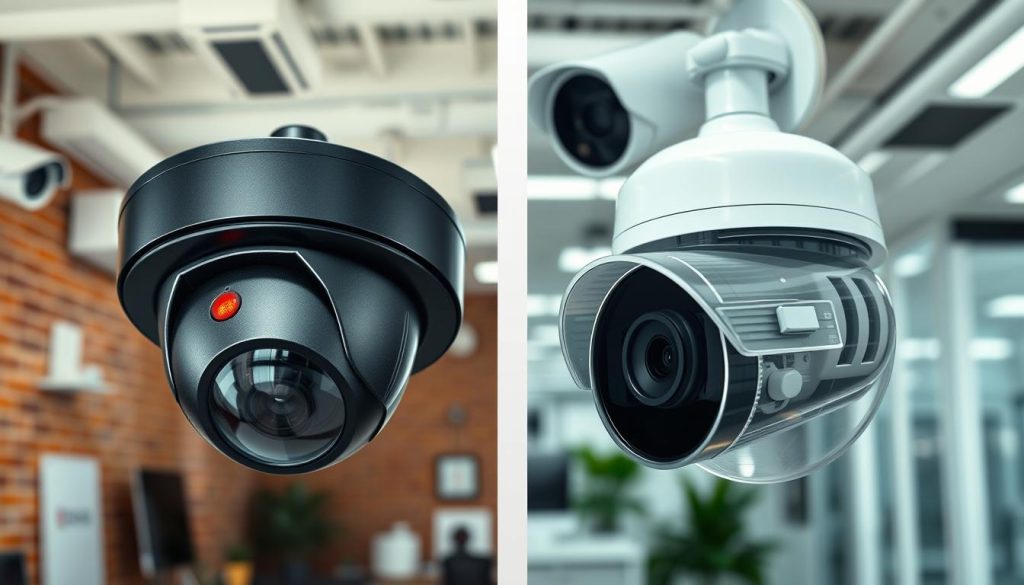
Knowing the difference protects your investment. It also helps you assess the security landscape around your home or business. These inspection methods are straightforward and effective.
Examining Wires, Connectors, and Housing for Authenticity
Start with a physical inspection. Authentic security cameras require power and data connections. Look for legitimate cables that run into walls or conduits.
Decorative wires that end abruptly are a clear sign. Check the connectors at the camera housing. They should be secure, professional-grade ports, not glued-on caps.
Next, assess the housing material. Real units use durable metal or thick, robust plastic. They have a substantial weight. A lightweight, hollow feel often indicates a dummy.
The lens is another tell. Genuine CCTV camera lenses are glass or high-quality polycarbonate. They have depth and clarity. Painted dots or flat plastic covers suggest a fake.
Researching Brands and Models for Common Security Features
Reputable brands are your best guide. Legitimate manufacturers like Hikvision, Dahua, and Axis have official distributors. Their products feature detailed online specifications.
Compare your physical unit against official product images. Look for exact model numbers and certification marks. Subtle status lights or indicators can also signal a real device.
Some advanced dummies mimic blinking LEDs to appear active. Authentic systems often have solid lights or none in normal conditions. A key difference is network connectivity.
A real IP camera will appear in your router’s device list. It processes commands and streams data. A dummy cannot perform these core functions.
This knowledge is useful for evaluating your own system. It also helps when assessing the security of neighboring properties. Authentic equipment serves a dual purpose: deterrence and documentation.
Dummy units offer only the former, creating a potential vulnerability. Ensure your CCTV setup is built on real, functional technology for complete protection.
Understanding Your Camera Type for Targeted Checks
The foundation of effective CCTV maintenance lies in a simple, often overlooked fact: not all security cameras are the same. Applying generic checks to the wrong camera type wastes time and misses critical failure signs.
Identifying your specific model is the first step toward efficient verification. This knowledge directly informs which troubleshooting steps and operational indicators are relevant for your setup.
Wired vs. Wireless and Analog vs. IP Camera Differences
Your verification strategy splits at the first major distinction: connection type. Wired cameras use physical cables for both power and data, offering superior stability.
Their installation is more permanent, but connection problems are often traced to a loose plug or damaged wire. Wireless cameras provide flexible placement but depend entirely on your Wi-Fi network’s strength.
The second key difference is the technology generation. Older analog models transmit a standard-definition signal to a central recorder. They may not support remote viewing via smartphone apps.
Modern IP or digital cameras are the standard today. They process video internally and connect directly to your network. This enables high-definition streaming, smart alerts, and full control through a mobile application.
Features of Fixed, PTZ, Indoor, Outdoor, and Solar Cameras
Beyond connectivity, design dictates function. A fixed camera has a static view, monitoring one specific area like a doorway. Its operational sign is a steady status light.
Pan-Tilt-Zoom (PTZ) units are motorized. They can rotate, tilt, and zoom on command. A clear sign of health is visible physical movement when you use the app’s controls.
Indoor models are typically compact and not built to withstand weather. Outdoor cameras feature rugged, weather-resistant housing. They also boast stronger infrared LEDs for long-range night vision.
A special category is the solar-powered camera. It uses a built-in panel to charge its battery, offering operation during grid power outages. Plug-in models need constant mains electricity.
Each type has distinct indicators. Look for PTZ movement, an IR glow for outdoor models, or a battery status icon for wireless and solar units.
Always identify your camera type before starting any check. This simple act makes your verification targeted and efficient. It also provides clarity when planning an upgrade or expansion of your security system.
Understanding these categories empowers you with the right knowledge. You can then apply the precise verification and maintenance solutions your specific surveillance equipment requires.
Step-by-Step Troubleshooting for a Non-Responsive Camera
Restoring a dead camera involves checking its core dependencies: power, network, and software. A systematic approach isolates the problem quickly. This saves time and prevents unnecessary stress.
Follow this guide when your security feed goes dark. These solutions address the vast majority of common issues. You can often resolve the problem yourself without a service call.
Confirming Power Source and Battery Charge
Always start with the physical power source. A disconnected plug is a frequent culprit. For plug-in cameras, verify the wall outlet works with another device.
Inspect the power adapter and its cable for damage. Ensure the DC plug is fully seated in the camera’s port. A loose connection can mimic a total failure.
For battery-powered or solar CCTV units, check the charge status in the app. Ensure solar panels are clean and receiving sufficient sunlight. Weak sunlight during rainy seasons in Singapore can drain batteries.
A universal first step is to power cycle the device. Unplug it for 30 seconds, then reconnect. This clears minor electronic glitches that cause unresponsiveness.
Diagnosing Internet Connection and Wi-Fi Strength
Modern IP cameras rely on a stable network. If the power check passes, move to connectivity. First, test your Wi-Fi signal at the camera’s location.
Use another device, like a smartphone, to see if it can connect. If not, the problem is with your network, not the camera. Restart your main router by unplugging it for one minute.
This simple reboot fixes many intermittent issues. After restarting, check your router’s connected devices list. Your camera should reappear with an online status.
For persistent weak signal, consider repositioning the router or adding an extender. Thick concrete walls in local homes often weaken Wi-Fi.
Updating Camera Firmware and Reviewing App Settings
Outdated software is a common source of glitches. Navigate to the device settings within your security app. Look for a “Firmware Update” or “Device Information” section.
Install any available updates. This often resolves bugs causing freezing or disconnection. Ensure your mobile app itself is also updated to the latest version.
Next, review all configuration settings. Accidentally disabled features can make a camera seem broken. Verify these key items:
- Motion Detection: Ensure this feature is turned on and sensitivity is set appropriately.
- Recording Schedule: Check if recording is set to “Always” or a specific schedule that matches your needs.
- Notification Alerts: Confirm push notifications are enabled in the app’s notification settings.
Check the camera’s health status page in the app. It may display specific error messages pointing to storage or connection problems.
If all else fails, a factory reset is the final solution. Warning: this erases all custom settings. Use the small reset button on the camera or the option in the app.
Most non-responsive systems suffer from simple power or connection issues, not hardware failure. Methodical troubleshooting saves money on unnecessary replacements.
Document the steps you take. This record is helpful for future reference or if you need to call a professional. Your proactive approach keeps your CCTV security reliable.
When to Consider Upgrading Your Outdated CCTV System
Holding onto an outdated CCTV setup can silently undermine your property’s protection. Technology advances quickly, turning yesterday’s reliable system into today’s potential vulnerability. Recognizing when your current surveillance gear is holding you back is a critical part of maintaining robust security.
An upgrade moves you from passive recording to intelligent, proactive monitoring. It’s an investment in clearer evidence, fewer false alarms, and true peace of mind. Let’s explore the clear signs that it’s time for a change and the modern features that redefine protection.
Signs Your Current System is No Longer Adequate
Several clear indicators suggest your camera network is falling behind. Consistently poor video quality is a major red flag. Grainy or pixelated footage makes identifying faces or license plates impossible, rendering recordings useless for evidence.
If you cannot access live feeds remotely on your phone, your system lacks a fundamental modern capability. Frequent offline episodes or connection dropouts signal deep reliability issues. These problems create dangerous gaps in your security coverage.
The absence of smart features is another telling sign. Older analog or basic IP cameras bombard you with false alerts from passing leaves or pets. They lack the intelligence to distinguish between real threats and harmless motion.
- Blurry or Low-Resolution Footage: Inability to capture critical details like facial features.
- No Remote App Access: You must be on-site to view your camera feeds.
- Unreliable Connectivity: Cameras frequently go offline or suffer from lag.
- Excessive False Alarms: Constant notifications triggered by non-threats like animals or weather.
- Limited Night Vision: Poor infrared performance that leaves dark areas completely black.
Modern Features for Enhanced Security: AI Detection and Solar Power
Newer CCTV systems leverage artificial intelligence to filter out noise. AI-powered person and vehicle detection drastically reduces false alarms. Your phone only alerts you when a human or car enters the designated zone, making monitoring far more efficient.
Video clarity has also leaped forward. 4K resolution provides stunning detail, essential for identifying specifics. Color night vision technology, often using powerful spotlights, illuminates scenes in full color instead of grainy black and white.
Solar-powered cameras represent a revolution in installation and resilience. They operate completely wire-free, drawing power from the sun. This makes them ideal for locations without easy access to outlets and ensures they stay online during grid power outages.
Additional modern features create a comprehensive shield. Two-way audio lets you speak through the camera. Smart tracking automatically follows motion across its field of view. Integration with smart home ecosystems allows for automated routines, like turning on lights when motion is detected.
Beyond features, newer systems offer superior reliability. They have better weather sealing, more stable connectivity protocols, and longer manufacturer warranties. Upgrading can be cost-effective long-term, reducing maintenance headaches and providing court-ready footage quality.
For Singaporean homes, these advancements align perfectly with dense urban living and sustainability goals. AI detection manages alerts in busy environments, while solar power supports green initiatives.
Assess your current system against these capabilities. If it misses several key modern features, an upgrade is likely warranted. Investing in a contemporary CCTV system transforms your security from a simple recorder into an active, intelligent guardian.
Proactive Habits for Uninterrupted CCTV Surveillance
True peace of mind from your surveillance investment comes from regular, disciplined maintenance routines. A security camera setup demands active care, not a “set and forget” approach. This transforms your system into a dynamic shield for your property.
Establish a simple schedule. Perform a monthly visual check of each camera, ensuring a clean lens and proper status lights. Verify live feeds and motion detection alerts through your mobile app weekly.
Conduct a quarterly power and connection audit. Keep camera firmware and apps updated for optimal performance. Adjust settings like sensitivity with the seasons for accurate alerts.
These proactive methods build a reliable security posture over time. They ensure your CCTV network remains a dependable guardian for your home or business, providing continuous protection and evidence-ready footage.