

Understanding your security camera data usage is crucial for both homeowners and businesses in Singapore. With the rise of internet-connected surveillance systems, managing bandwidth effectively has become essential.
Proper data management prevents unexpected costs and ensures your security investment delivers maximum value. Monitoring consumption helps maintain optimal performance without straining your network.
This guide explores the key factors influencing daily data needs. We’ll examine how resolution, compression, and recording settings impact your system’s bandwidth requirements.
Whether using local storage or cloud services, smart configuration makes all the difference. Discover how to balance video quality with practical data usage for your specific security needs.
Key Takeaways
- Security camera data consumption varies significantly based on multiple factors
- Bandwidth management is essential for cost-effective surveillance operation
- Video resolution and compression settings dramatically affect data usage
- Motion detection features can substantially reduce daily data requirements
- Proper system configuration ensures optimal performance without overspending
- Both residential and commercial users benefit from understanding data needs
- Cloud storage solutions have different data implications than local storage
Why Understanding Your CCTV’s Internet Usage Matters
Network-aware security installations prevent unexpected operational disruptions. Modern surveillance has evolved from basic recording to intelligent, connected systems.
Traditional cameras stored footage locally. Today’s internet-connected models transmit data constantly. This enables real-time monitoring across various networks.
Wi-Fi, 4G, and 5G networks support these advanced systems. Remote access via smartphones revolutionizes security responsiveness. Immediate alerts enable quick threat response.
Real-time notifications transform security effectiveness. You receive instant updates about suspicious activity. This capability significantly enhances protection levels.
Advanced features like facial recognition add another layer. Motion detection technology optimizes data consumption. These tools improve both security and business operations.
Reliable internet connectivity remains fundamental for quality surveillance. Understanding your system’s bandwidth requirements ensures consistent performance.
Proper bandwidth management prevents system failures during critical moments. This knowledge connects directly to overall reliability. Effective systems maintain operation when needed most.
Business benefits extend beyond basic security considerations. Operational efficiency improves with optimized surveillance. Smart configuration supports various commercial applications.
Singapore’s internet costs make this understanding particularly valuable. Monitoring your data usage prevents budget overruns. Smart configuration maximizes your security investment.
How Much Internet Does CCTV Use Per Day? The Core Answer
Pixel count directly correlates with network consumption in modern security setups. Higher resolution means more data transmission for clear footage quality.
Data Consumption Based on Video Resolution
Video resolution dramatically impacts your data usage. Each pixel increase demands more bandwidth for transmission.
Standard definition (720p) consumes approximately 0.5-1 GB hourly. This resolution works well for general monitoring areas.
Full HD (1080p) requires 1-2 GB each hour. The enhanced clarity comes with higher data consumption requirements.
4K ultra-high definition needs 3-6 GB per hour. This option provides exceptional detail but demands significant bandwidth.
The mathematical relationship follows a simple principle. Doubling resolution quadruples data requirements due to pixel area increase.
Bandwidth calculation uses this formula: Bandwidth (Mbps) = Bitrate (Main) * N + Bitrate (sub) * M. N and M represent camera counts for main and sub-streams.
Compression standards greatly affect these numbers. H.264 technology efficiently reduces file sizes compared to older MJPEG format.
For 1080p cameras using H.264 at 30 fps: expect 2-4 Mbps per unit. This efficient compression maintains quality while managing data needs.
MJPEG compression requires significantly more bandwidth. A 2MP camera needs 12 Mbps versus 4 Mbps with H.264 technology.
Average Daily Usage Estimates for Different Resolutions
Continuous recording creates substantial daily totals. A single 1080p camera can use 24-48 GB over 24 hours.
Multiple cameras compound these requirements significantly. Four 1080p units might consume 96-192 GB daily.
Intermittent recording reduces consumption dramatically. Motion-activated systems might use 10-20% of continuous recording data.
Practical examples demonstrate real-world impacts. A home with two 1080p cameras might use 15-25 GB daily with motion activation.
Business surveillance often requires higher resolution coverage. A 4-camera 4K system could consume 288-576 GB with continuous recording.
Bitrate determines the quality versus size balance. Higher bitrates preserve detail but increase storage and transmission needs.
Choosing appropriate resolution depends on surveillance requirements. High-traffic areas might justify 4K despite increased data usage.
Lower traffic zones often work well with 1080p or 720p resolution. This balanced approach optimizes both security and data management.
Key Factors That Dictate Your CCTV’s Bandwidth Appetite
Several technical elements determine your security camera data requirements. These settings control both video clarity and network load.
Smart configuration balances surveillance needs with practical limitations. Understanding these factors helps optimize your entire system.
Video Resolution and Frame Rate Impact
Higher resolution means more detailed footage. It also significantly increases bandwidth demands.
Frame rate affects motion smoothness in your video. Standard 15 fps provides adequate clarity for most situations.
Higher rates like 30 frames per second double the data consumption. This setting is useful for high-speed activity monitoring.
Each camera setting combines to determine total usage. Multiple cameras multiply these requirements accordingly.
The Role of Recording Mode and Compression
Continuous recording captures everything constantly. This mode generates the highest data volume.
Motion detection activation saves substantial bandwidth. The system only records when movement occurs.
Modern compression technologies like H.265 work efficiently. They maintain quality while reducing file sizes dramatically.
Advanced compression can cut data needs by 50% compared to older formats. This technology benefits both storage and transmission.
Smart configuration considers all these elements together. Proper setup meets security needs without overwhelming your network.
Choosing Your Connection: 4G vs. Wi-Fi CCTV Systems
The connection type you choose for your security cameras determines both accessibility and bandwidth requirements. This decision impacts your overall surveillance effectiveness and operational costs.
Modern security systems offer multiple connectivity options. Each approach serves different installation scenarios and user needs. Understanding these differences helps optimize your security investment.
Singapore’s diverse environments require flexible security solutions. Urban areas typically favor Wi-Fi connectivity. Remote locations often benefit from 4G capabilities.
Navigating Data Limits on 4G Networks
Mobile networks impose strict data caps on surveillance usage. High-definition video streaming consumes substantial bandwidth daily. Most 4G plans limit monthly data allowances.
Standard HD security footage requires 1-3 GB daily per camera. This consumption quickly exhausts limited mobile data plans. Users face service degradation once limits are exceeded.
4G cameras excel in remote monitoring applications. They operate without traditional power sources in many cases. This makes them ideal for construction sites and rural properties.
Mobile connectivity costs vary significantly in Singapore. Data-only SIM plans range from affordable to premium pricing. Businesses must budget for ongoing data expenses.
Leveraging Unlimited Bandwidth on Wi-Fi
Wi-Fi systems connect through existing internet infrastructure. Most home and business plans offer unlimited data usage. This eliminates concerns about exceeding data caps.
Traditional broadband connections provide consistent bandwidth. They support multiple high-resolution cameras simultaneously. Video quality remains stable without compression compromises.
Wi-Fi installations require reliable power sources. They depend on electrical infrastructure for continuous operation. Setup typically involves simpler configuration processes.
Most Singaporean homes and businesses already have Wi-Fi networks. Integration with existing systems proves straightforward. Remote access capabilities function seamlessly across devices.
Connection reliability differs between options. 4G networks may experience signal fluctuations. Wi-Fi systems maintain more consistent performance in covered areas.
Choosing between these systems depends on specific requirements:
- Location accessibility and existing infrastructure
- Power availability and installation constraints
- Budget considerations for ongoing data costs
- Required video quality and storage needs
- Remote monitoring frequency and accessibility
Singapore’s urban landscape favors Wi-Fi for most applications. 4G solutions serve niche requirements where traditional internet isn’t available. Smart configuration maximizes either system’s potential.
Where Your Footage Lives: CCTV Storage Options Explained
Your surveillance system’s storage method directly impacts accessibility, security, and ongoing costs. Choosing between local and cloud solutions requires understanding their distinct advantages.
Each approach offers unique benefits for different security scenarios. The right choice depends on your specific operational requirements and budget constraints.
Local Storage: SD Cards and DVRs/NVRs
On-site storage keeps your footage physically accessible at all times. This approach uses devices like SD cards, USB drives, or dedicated recorders.
SD cards offer simplicity for single camera setups. They’re affordable and easy to install but have limited capacity. These cards work well for basic residential security needs.
DVR and NVR systems provide organized storage for multiple cameras. They manage space efficiently through compression and scheduled recording. These dedicated units maintain video quality while optimizing storage use.
Local storage eliminates monthly subscription fees. You pay once for the hardware without ongoing costs. This makes it budget-friendly for long-term surveillance operations.
Physical access requirements present both advantages and limitations. You maintain complete control over your security footage. However, this also means handling retrieval and maintenance personally.
Cloud Storage: Accessibility and Data Implications
Remote storage solutions offer off-site protection for your surveillance footage. Cloud systems automatically backup your video data to secure servers.
This approach provides exceptional accessibility from anywhere. You can view footage through mobile apps or web interfaces. Remote access proves valuable for businesses with multiple locations.
Automatic backups ensure footage preservation during emergencies. System damage or theft doesn’t compromise your security recordings. Cloud storage maintains business continuity through reliable data protection.
Bandwidth considerations become important with cloud solutions. Uploading footage consumes internet data continuously. Higher resolution videos increase this consumption significantly.
Subscription models offer scalable storage based on your needs. Plans typically charge monthly fees based on storage capacity and retention periods. Businesses often find the convenience worth the ongoing investment.
Legal compliance benefits from cloud storage’s timestamping features. Footage remains unaltered with verified timestamps for evidence purposes. This reliability proves crucial for insurance claims and legal proceedings.
Hybrid systems combine both storage methods effectively. They keep recent footage locally while archiving important clips to the cloud. This balanced approach optimizes both accessibility and cost efficiency.
Your choice should align with specific security requirements and operational preferences. Consider retrieval needs, budget constraints, and technical capabilities when selecting your storage solution.
The Magic of Compression: Saving Data Without Losing Clarity
Video compression technology revolutionizes security camera efficiency while maintaining visual clarity. This process reduces file sizes by eliminating redundant information from footage.
Modern algorithms analyze each frame to identify repeating patterns. They store only the changes between consecutive images. This approach dramatically decreases storage requirements.
H.264 compression set the standard for efficient video encoding. It delivers good quality at reasonable bitrates. Most security systems currently use this technology.
H.265 represents the next evolution in compression standards. This advanced codec achieves the same visual quality at approximately half the bitrate. The improvement comes from smarter prediction algorithms.
Bitrate reduction capabilities make H.265 particularly valuable for surveillance. A 4MP camera using H.264 might require 8 Mbps bandwidth. The same camera with H.265 compression needs only 4 Mbps.
Advanced compression maintains image quality through intelligent processing. The technology preserves critical details while discarding unnecessary data. Motion areas receive more bits than static backgrounds.
Storage savings become substantial with modern compression methods. H.265 can reduce file sizes by 40-50% compared to H.264. This efficiency doubles your storage capacity without additional investment.
Implementation considerations include device compatibility and processing power. Newer cameras typically support H.265 encoding out of the box. Older systems might require firmware updates or replacement.
Compatibility issues can arise with mixed technology environments. Some recorders cannot decode H.265 streams from newer cameras. Ensure all system components support your chosen compression standard.
Transmission efficiency improves significantly with advanced compression. Lower bitrates mean smoother streaming over limited bandwidth connections. Remote viewing becomes more responsive and reliable.
Choosing appropriate compression settings depends on your specific needs. Higher compression ratios work well for general monitoring areas. Lower compression preserves detail for identification purposes.
Future compression technologies like H.266 promise even greater efficiency. This upcoming standard could reduce bitrates by another 50% compared to H.265. The evolution continues toward smarter data management.
Singapore’s surveillance market increasingly adopts these advanced technologies. The combination of high quality and efficient data usage meets both security and practical requirements. Smart compression choices optimize overall system performance.
A Practical Guide to Calculating Your CCTV’s Data Needs
Accurate calculation of your surveillance system’s data requirements ensures optimal performance and cost efficiency. Proper planning prevents network overload and unexpected expenses.
Follow these steps to determine your security camera data usage:
- Identify each camera’s resolution and frame rate settings
- Determine daily recording hours for each unit
- Calculate bitrate requirements based on compression technology
- Multiply by the total number of cameras in your system
- Add buffer for remote viewing and network fluctuations
The fundamental bandwidth formula provides precise estimates:
Bandwidth (Mbps) = Bitrate (Main) * N + Bitrate (sub) * M
N and M represent camera counts for main and sub-streams. Main streams handle primary recording while sub-streams manage remote viewing.
Bitrate values vary significantly based on multiple factors. Higher resolution demands increased bitrate for quality footage.
Standard bitrate recommendations for H.264 compression:
- 720p resolution: 1-2 Mbps per camera
- 1080p resolution: 2-4 Mbps per unit
- 4K resolution: 8-16 Mbps for ultra-high definition
Multiple cameras compound your total bandwidth needs. A four-camera security system requires quadruple the single camera bandwidth.
Environmental conditions dramatically affect data consumption. Complex scenes with movement demand higher bitrates than static environments.
Testing methodology ensures accurate assessments:
- Begin with simple scenes like blank walls
- Progress to empty rooms and well-lit areas
- Test complex environments like parking lots
- Evaluate busy entryways with constant movement
Recording schedules impact total data usage per day. Continuous operation consumes significantly more than motion-activated recording.
Motion detection typically reduces consumption by 60-80%. This technology only captures activity periods rather than continuous video.
Interpretation of results requires practical understanding. Theoretical calculations often exceed actual usage in real-world applications.
Common calculation mistakes to avoid:
- Overestimating required frame rates
- Ignoring compression efficiency gains
- Forgetting remote viewing bandwidth needs
- Underestimating environmental complexity factors
Ongoing assessment tools maintain optimal performance. Regular monitoring ensures your security camera data needs align with actual usage patterns.
Singaporean users should consider local internet infrastructure. Network capabilities influence practical implementation of calculated requirements.
Template calculations provide starting points for customization. Adjust based on your specific surveillance objectives and operational constraints.
Smart Strategies to Reduce CCTV Internet Data Consumption
Optimizing your surveillance setup saves bandwidth while maintaining protection levels. Intelligent configuration balances security needs with practical network limitations.
Strategic adjustments prevent unnecessary data transmission. These methods maintain video quality while reducing overall consumption.
Utilizing Motion Detection Features
Motion-activated recording significantly cuts data requirements. This technology only captures footage during activity periods.
Advanced sensors detect movement within designated areas. The system remains idle during inactive times.
Proper configuration maximizes efficiency. Adjust sensitivity settings to match your environment’s activity patterns.
Motion detection typically reduces data consumption by 60-80%. This substantial saving comes from eliminating empty footage.
Zone customization focuses on critical areas. Ignore sections with frequent false triggers like waving trees.
Schedule activation during high-risk hours. Nighttime settings might differ from daytime requirements.
Adjusting Resolution and Frame Rate Settings
Resolution selection directly impacts bandwidth needs. Higher resolutions demand more data for transmission.
Match resolution to identification requirements. Entry points might need 1080p while general areas work with 720p.
Frame rate adjustment affects motion smoothness. Most surveillance works perfectly at 15 frames per second.
Reducing fps from 30 to 15 cuts bandwidth usage in half. This setting maintains adequate clarity for security purposes.
Consider time-based resolution changes. Lower settings during closed hours save additional data.
Compression technology selection dramatically affects file sizes. H.265 compression maintains quality at half the bitrate of H.264.
Advanced algorithms eliminate redundant information. They preserve critical details while discarding unnecessary data.
Camera placement strategies minimize unnecessary recording. Wide-angle units cover larger areas with fewer cameras.
PTZ cameras provide flexible coverage without multiple fixed units. Their efficiency comes from reducing total camera count.
Sub-stream utilization saves data during remote viewing. Lower-quality streams provide overview without full bandwidth consumption.
Time-based scheduling optimizes recording periods. Program cameras to record only during relevant hours.
Network frequency selection improves transmission efficiency. Dual-band WiFi cameras connect to less crowded channels.
These strategies work together for maximum effect. Combined implementation delivers outstanding data reduction.
Singaporean users benefit from these optimized configurations. They maintain security while managing internet costs effectively.
Real-World Data Usage Scenarios for Different Setups
Actual surveillance requirements vary dramatically across different environments and applications. Understanding these practical patterns helps optimize both security and resource allocation.
Each setup presents unique challenges and opportunities for efficient operation. Real-world examples demonstrate how configuration choices impact overall performance.
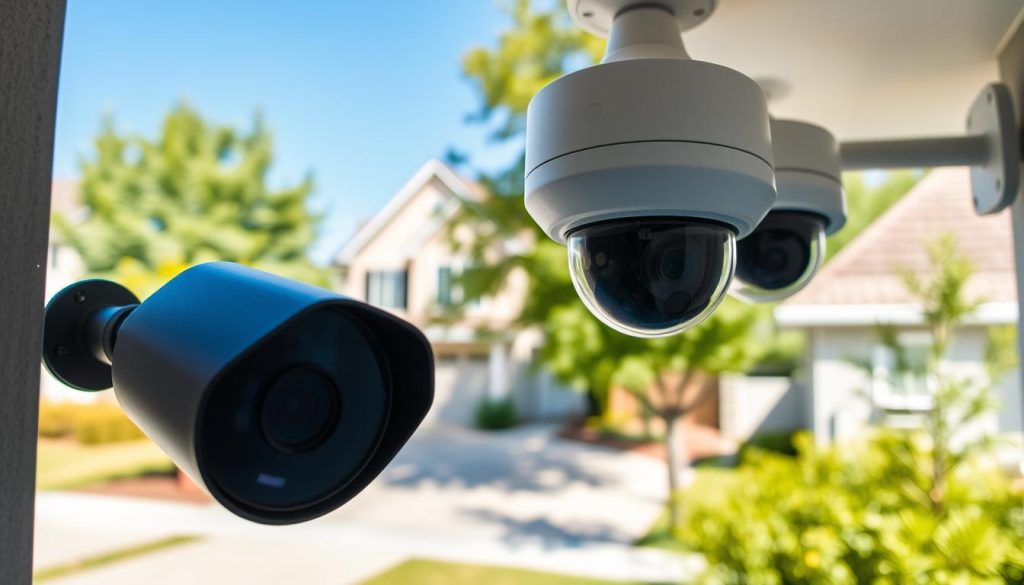
Data Patterns for a Typical Home Surveillance System
Residential security typically involves one to four cameras covering key areas. These systems prioritize essential coverage without excessive data consumption.
A standard 1080p home camera using motion detection consumes approximately 200 GB monthly. This balanced approach provides adequate security while managing bandwidth effectively.
Entry points like doors and gates often receive higher resolution coverage. Interior spaces might use lower settings for general monitoring purposes.
Key residential data patterns include:
- Single-camera systems average 60-100 GB monthly with continuous recording
- Motion activation reduces consumption by 60-80% compared to constant recording
- Night mode often increases data usage due to infrared activation and motion triggers
- Remote viewing adds 10-20% extra bandwidth during active monitoring sessions
Most homeowners choose local storage solutions for cost efficiency. SD cards and NVR systems handle typical residential footage storage needs.
Singapore’s compact homes benefit from optimized camera placement. Strategic positioning maximizes coverage while minimizing the number of required units.
Bandwidth Demands for Commercial CCTV Applications
Business surveillance systems face more complex requirements than residential setups. Commercial applications demand higher coverage and better image quality.
Retail environments typically use 5-10 cameras with motion detection settings. A medium-sized store might consume around 50 GB monthly through smart configuration.
High-traffic businesses require more extensive coverage and higher resolution. Multiple 4K cameras can consume 1 TB or more with continuous operation.
Healthcare facilities demonstrate advanced optimization techniques. One hospital reduced its data consumption from over 1 TB to approximately 300 GB monthly.
They achieved this through:
- Advanced video compression technology implementation
- Strategic cloud storage integration
- Zoned motion detection activation
- Time-based resolution adjustment
Commercial factors affecting bandwidth needs:
- Business size and physical space requirements
- Peak hours and customer traffic patterns
- Security priority areas and identification needs
- Compliance and evidence retention requirements
Large enterprises often implement hybrid storage solutions. They combine local storage for immediate access with cloud backup for important footage.
Singaporean businesses consider local internet infrastructure capabilities. Recording duration directly impacts both storage and bandwidth requirements.
Environmental conditions significantly influence actual data patterns. Complex scenes with constant movement demand higher bitrates than controlled environments.
Scaling recommendations for different business types:
- Small offices: 2-4 cameras with motion detection
- Retail stores: 5-8 cameras with zoned activation
- Manufacturing facilities: 10-20 cameras with mixed resolution
- Healthcare institutions: 15-30 cameras with advanced compression
Each industry presents unique surveillance challenges and opportunities. Proper configuration ensures optimal security without excessive resource consumption.
Tools and Tips for Monitoring Your CCTV Data Usage
Effective surveillance management requires continuous oversight of your network resources. Modern security systems provide multiple methods to track and analyze your camera data consumption patterns.
Built-in analytics tools offer comprehensive monitoring capabilities. Most contemporary security camera models feature advanced tracking systems. These tools measure bandwidth usage in real-time.
Manufacturer-specific dashboards display detailed consumption statistics. They show hourly, daily, and monthly data usage patterns. This information helps identify peak usage periods.
Internet Service Providers in Singapore offer valuable monitoring resources. Major providers like Singtel and StarHub provide customer portals. These dashboards display overall network consumption data.
ISP tools help you understand total household or business usage. They differentiate between general internet traffic and security camera data. This separation clarifies your surveillance system’s impact.
Mobile applications bring monitoring convenience to your smartphone. Many security brands offer companion apps with usage tracking features. Third-party network monitor apps provide additional functionality.
Key monitoring capabilities include:
- Real-time bandwidth consumption displays
- Historical usage charts and trend analysis
- Camera-specific data tracking
- Customizable alert thresholds
- Exportable reports for analysis
Setting up usage alerts prevents unexpected data cap issues. Configure notifications when consumption reaches predetermined levels. This proactive approach avoids service interruptions.
Regular monitoring transforms raw data into actionable insights for system optimization
Establish consistent monitoring routines for best results. Check your data usage at least weekly. Monthly reviews help identify long-term patterns and trends.
Interpretation skills turn numbers into practical knowledge. Look for unusual spikes in consumption. These might indicate configuration issues or security events.
Singapore-specific considerations include understanding local ISP data caps. Most residential plans have fair usage policies. Business plans often offer more generous allowances.
Troubleshooting based on monitoring data is straightforward. Sudden increases might indicate:
- Changed camera settings
- New activity patterns
- Technical issues
- Unauthorized access
Optimization opportunities become clear through consistent tracking. Adjust resolution settings based on actual usage patterns. Fine-tune motion detection sensitivity.
Integration with overall system management creates efficiency. Combine monitoring data with security reviews. This holistic approach maximizes both protection and resource utilization.
Local storage systems benefit from capacity monitoring. Cloud storage users should track upload bandwidth. Both approaches require different monitoring strategies.
Advanced users can implement automated optimization systems. Some platforms adjust settings based on usage patterns. This intelligent automation maintains optimal performance.
Singapore’s competitive security market offers various monitoring solutions. Choose tools that match your technical comfort level. Simpler interfaces work best for most users.
Regular monitoring ensures your security investment delivers maximum value. It prevents budget overruns while maintaining protection quality. Smart oversight keeps your system running smoothly.
Implementing Your Optimal CCTV Data Management Plan
Effective CCTV data management begins with a systematic implementation approach. Start by assessing your specific security needs and available bandwidth resources.
Configure each camera with appropriate resolution and motion detection settings. Balance video quality with practical data consumption requirements.
Choose between local storage and cloud storage solutions based on your operational needs. Singaporean users should consider local internet infrastructure capabilities.
Establish regular maintenance routines to monitor data usage patterns. Adjust settings as your surveillance needs evolve over time.
Train staff on proper system management techniques. This ensures consistent performance while optimizing bandwidth utilization.
Scale your system gradually as security requirements grow. Always prioritize essential coverage areas first.
Implementing these strategies creates efficient surveillance operations. Your security camera investment delivers maximum protection without excessive data costs.