
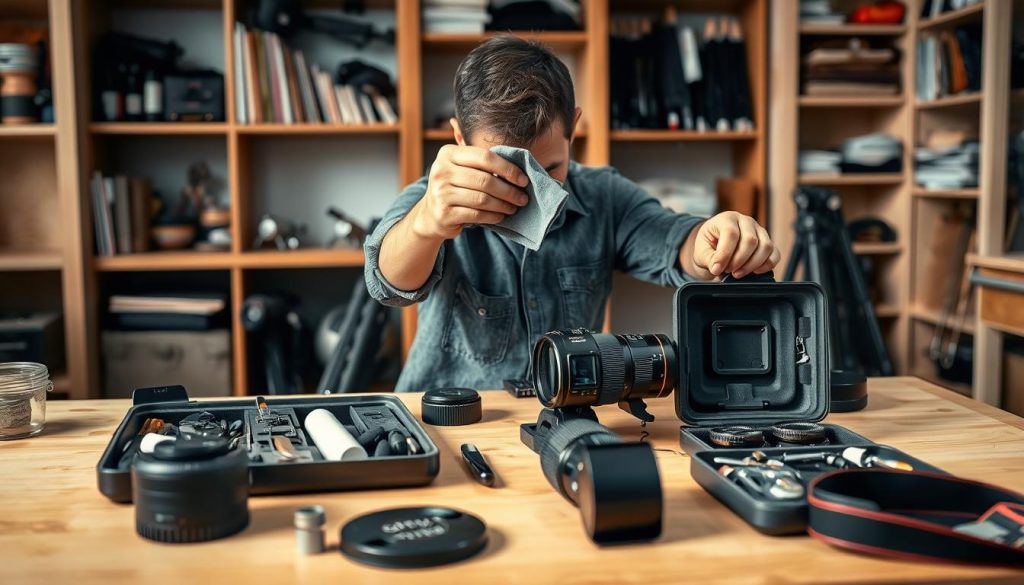
Your photography equipment represents a significant investment in your creative passion. Regular care ensures your gear performs at its best for years to come.
Dust accumulation on lenses and sensors directly impacts image quality. These particles can cause spots, reduce sharpness, and lead to frustrating malfunctions.
Proper upkeep prevents these issues while maintaining optimal performance. Following expert guidance makes the process straightforward and highly effective.
Consistent care means your equipment will reliably capture stunning images. This protection preserves both your investment and your photographic results.
Key Takeaways
- Regular maintenance extends your camera’s lifespan significantly
- Dust on lenses and sensors directly reduces image quality
- Proper care prevents equipment malfunctions and performance issues
- Well-maintained gear consistently produces high-quality photographs
- Expert tips make camera upkeep manageable and effective
- Protecting your equipment investment ensures long-term reliability
Why Regular Camera Maintenance is Essential
Your photography gear deserves consistent attention to perform at its peak. Proper upkeep protects your investment while ensuring reliable results.
Neglecting your equipment leads to avoidable problems. Dust, humidity, and everyday wear accumulate over time.
Singapore’s tropical climate presents unique challenges. High humidity can cause internal damage if left unchecked.
Extending Your Equipment’s Lifespan
Routine care significantly reduces wear and tear on your camera gear. This practice prevents minor issues from becoming major repairs.
Simple actions make a big difference. Regular cleaning stops dust from settling into delicate mechanisms.
You save money by avoiding professional repairs. Well-maintained equipment rarely needs replacement parts.
Consistent maintenance protects against long-term damage. This is especially important in humid environments.
Improving Image Quality and Performance
Clean lenses and sensors directly impact your photos. Dust particles on these surfaces create dark spots in images.
Sharpness and color accuracy improve with proper care. Your camera performs better when all components function correctly.
Regular checks include firmware updates and system diagnostics. These steps optimize your gear’s capabilities.
Your photography results reflect your equipment’s condition. Superior image quality comes from well-maintained camera gear.
Investing time in upkeep pays dividends in photographic excellence. Your camera will reliably capture those special moments.
Understanding Your Camera’s Key Components
Knowing your equipment’s core elements transforms how you approach upkeep. This knowledge helps you address specific needs rather than applying generic solutions.
Each component serves a unique purpose in image creation. Understanding these roles makes maintenance more effective and purposeful.
The Lens: Your Window to Great Photos
Your camera lens focuses light onto the sensor with precision. Even minor scratches or dirt significantly reduce image quality.
Dust particles on the glass surface create visible artifacts in your photos. Regular cleaning prevents these issues from affecting your work.
Many photographers use protective filters for added security. These accessories shield the front element from potential damage.
Proper care maintains optical clarity and sharpness. Your images remain crisp and vibrant through consistent attention.
The Sensor: Heart of Your Camera
The image sensor captures light information to create digital files. This sensitive component requires careful handling.
Dust accumulation on the sensor appears as dark spots in images. These artifacts become especially noticeable at small apertures.
Canon sensors, like other brands, benefit from professional cleaning services. Attempting DIY cleaning risks permanent damage to this delicate part.
Regular inspection helps identify contamination early. Addressing issues promptly preserves image quality and sensor health.
Camera Body and External Controls
The physical body houses all internal components securely. Its condition affects both protection and handling comfort.
Buttons, dials, and ports require occasional cleaning for reliable operation. Singapore’s humidity can cause corrosion in metal contacts.
Regular inspection identifies wear before it becomes problematic. This proactive approach extends your equipment’s lifespan.
Keeping external surfaces clean prevents internal contamination. A well-maintained camera feels responsive and reliable during use.
Essential Tools for Effective Camera Cleaning
Having the right equipment makes all the difference in keeping your photography gear pristine. Proper tools prevent damage while ensuring thorough cleaning results.
Must-Have Professional Cleaning Tools
A rocket blower removes loose particles without contact. This prevents scratches during the initial cleaning phase.
Microfiber cloths gently wipe surfaces without leaving residue. They’re essential for lens cleaning and body maintenance.
Sensor cleaning swabs address internal dust accumulation. These specialized tools require careful handling for best results.
Pre-moistened wipes like Zeiss brand offer convenience and effectiveness. They’re affordable solutions for maintaining optical clarity.
Everyday Items That Work Surprisingly Well
Soft paintbrushes effectively remove exterior dust from camera bodies. Their fine bristles reach into crevices without causing damage.
Makeup brushes provide gentle cleaning for delicate surfaces. These household items offer surprising utility for gear maintenance.
Store your tools in sealed bags to keep them dust-free. This simple practice ensures your equipment stays ready for use.
These accessible solutions make regular upkeep manageable. They help maintain your equipment’s performance between professional cleanings.
Step-by-Step Guide: How to do Maintenance on Camera?
Following a systematic approach ensures thorough cleaning without risking your equipment. This method protects your investment while maintaining peak performance.
Pre-Cleaning Preparation and Safety Measures
Begin by powering down your device completely. Remove batteries and memory cards to prevent electrical issues.
Choose a clean, well-lit workspace with minimal airflow. This prevents new dust from settling during the process.
Gather all necessary tools before starting. Having everything within reach makes the workflow smoother.
Always handle your gear with clean, dry hands. This prevents transferring oils or moisture to sensitive components.
Cleaning Your Camera Body and External Parts
Start with a rocket blower to remove loose particles. Hold the camera upside down while blowing to let gravity help.
Inspect the body for any visible debris or residue. Pay special attention to buttons, dials, and crevices.
Use a soft brush for stubborn dust in hard-to-reach areas. Gentle strokes prevent scratching the surface.
Dampen a microfiber cloth slightly for sticky residues. Avoid getting moisture near electronic ports or openings.
Wipe the body in one direction using light pressure. This technique gathers dust effectively without spreading it.
Allow all surfaces to air dry completely before reassembling. Never store equipment while damp.
Regular checks help identify potential issues early. This proactive approach extends your gear’s lifespan significantly.
Proper Lens Cleaning Techniques
Your lens quality directly determines your final image results. Proper care keeps glass elements performing at their absolute best.
Different parts require specific attention during the process. Each element demands particular handling for optimal results.
Safe Front Element Cleaning Process
Always begin with a rocket blower to remove loose particles. This prevents scratching during subsequent steps.
Hold your equipment facing downward during this process. Gravity helps dislodged dust fall away from the glass.
Gently brush remaining particles with a lens pen. Use light circular motions without applying pressure.
Finish with a microfiber cloth using the same circular pattern. Avoid breathing on the surface to prevent coating damage.
Rear Element and Mount Maintenance
The rear element requires careful handling to prevent sensor contamination. Any dust here transfers directly to your camera interior.
Use a blower first while holding the lens mount downward. This positioning prevents particles from falling into the mechanism.
Gently wipe the mount contacts with a dry cloth. Clean connections ensure proper communication with your camera body.
Regular attention here prevents many common performance issues. Your equipment maintains optimal functionality through consistent care.
Dealing with Stubborn Smudges and Marks
Pre-moistened wipes effectively tackle persistent grime. Brands like Zeiss offer specialized formulations for optical surfaces.
Gently buff the area after using cleaning solutions. This removes residues while restoring optical clarity.
Avoid homemade cleaners or harsh chemicals. These can permanently damage delicate lens coatings.
Always clean your lens caps regularly too. This prevents transferring dirt back onto freshly cleaned surfaces.
Smart Camera Storage Solutions
Proper storage practices protect your photographic investment between shooting sessions. Thoughtful organization prevents environmental damage while keeping equipment ready for action.
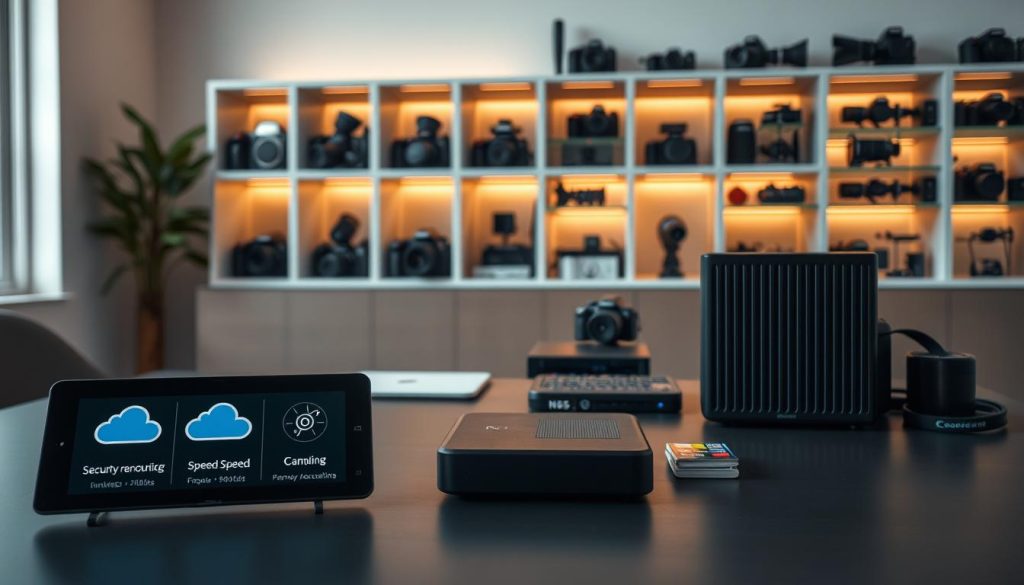
Singapore’s tropical climate demands special attention to storage conditions. High humidity levels can threaten sensitive electronic components over time.
Ideal Storage Conditions for Singapore’s Climate
Store your camera in cool, dry locations away from direct sunlight. Temperature stability prevents condensation and internal damage.
Avoid areas with frequent temperature fluctuations. These conditions promote moisture accumulation inside your gear.
Use airtight containers with silica gel packs for humidity control. This method effectively manages moisture in Singapore’s humid environment.
Dehumidifiers maintain optimal storage conditions in enclosed spaces. They provide consistent protection against atmospheric moisture.
Moisture Control and Prevention Strategies
Silica gel packs absorb ambient humidity within storage areas. Replace these regularly to maintain their effectiveness.
Never leave equipment in bags where mold can develop. Always air out your gear after use in humid conditions.
Remove batteries when not using your camera for extended periods. This prevents drainage and potential leakage damage.
Regularly inspect storage conditions and equipment status. Early detection prevents minor issues from becoming major problems.
Protective bags shield lenses from environmental threats during storage. Ensure storage areas remain well-ventilated and moisture-controlled.
These strategies preserve your equipment’s performance and longevity. Proper care ensures reliable operation when you need it most.
Regular Maintenance and Performance Checks
Establishing a consistent routine transforms equipment upkeep from reactive to proactive care. This approach ensures your photographic tools remain in optimal condition through systematic monitoring.
Professional photographers understand that regular attention prevents unexpected failures. Your investment deserves this level of commitment to preserve its capabilities.
Creating Your Personal Maintenance Schedule
Your usage patterns determine the ideal frequency for equipment checks. Heavy users should inspect their gear monthly rather than annually.
Consider these timing guidelines for different components:
- Weekly: Lens cleaning and external wipe-down
- Monthly: Full body inspection and function testing
- Quarterly: Sensor spot checks and firmware updates
- Annual: Professional servicing for comprehensive assessment
Singapore’s climate demands more frequent moisture checks. Humidity can affect internal components faster than in drier environments.
Keep a simple logbook to track your maintenance activities. Note any changes in performance or unusual observations during each session.
Identifying Early Signs of Potential Issues
Subtle changes often indicate developing problems before they become serious. Listen for unusual mechanical sounds during operation.
Watch for these warning signs during your regular checks:
- Unusual error messages on your display
- Decreased image quality despite proper technique
- Stiff or unresponsive buttons and dials
- Visible dust patterns that persist after cleaning
- Loose fittings or unusual vibrations
Early detection saves significant repair costs over time. Addressing minor issues promptly prevents them from escalating into major problems.
For comprehensive assessment, consider professional camera servicing annually. Experts can identify issues you might miss during self-inspection.
This proactive approach ensures your equipment always performs at its best. Consistent care translates to reliable performance when you need it most.
Keeping Your Camera Updated and Optimized
Modern photography equipment combines sophisticated hardware with advanced software systems. Both elements require regular attention to maintain peak performance.
Staying current with technological improvements ensures your gear operates at its full potential. This approach maximizes your investment while delivering superior results.
Checking and Installing Firmware Updates
Camera manufacturers regularly release firmware improvements. These updates enhance features, fix bugs, and optimize overall performance.
Follow these steps to keep your equipment current:
- Visit your brand’s official support website monthly
- Download updates directly to your computer
- Back up your current settings before proceeding
- Follow the manufacturer’s installation instructions carefully
- Test all functions after completing the update process
Regular updates can significantly improve your camera’s capabilities. New features sometimes emerge through these software enhancements.
Always use a fully charged battery during installation. Power interruptions during updates can cause serious system issues.
When to Seek Professional Sensor Cleaning
Some situations require expert intervention for optimal results. Professional service ensures delicate components receive proper care.
Consider professional sensor cleaning when you notice:
- Persistent dust spots appearing in sky photos
- Multiple failed attempts at DIY cleaning
- Unusual patterns that don’t respond to standard methods
- Calibration issues affecting image quality
Authorized service centers like Canon provide specialized equipment and training. Their technicians handle complex issues without risking damage.
Professional cleaning preserves your sensor’s long-term health. This investment protects your equipment’s image quality over time.
Schedule annual professional check-ups for comprehensive assessment. Experts can identify potential issues before they affect your photos.
Protecting Your Gear from Environmental Factors
Singapore’s weather conditions demand special protective measures for camera gear. The tropical climate presents unique challenges that require thoughtful preparation and response strategies.
Proper protection ensures your equipment performs reliably despite environmental pressures. This approach preserves both functionality and investment value over time.
Weatherproofing for Singapore’s Tropical Climate
Humidity control becomes essential in Singapore’s moist atmosphere. Silica gel packs in your storage areas absorb excess moisture effectively.
Waterproof cases provide excellent protection during transportation. These containers shield equipment from sudden downpours and high humidity levels.
Protective covers offer practical solutions for shoots near water. They prevent salt spray and moisture from reaching sensitive components.
Even weather-sealed cameras benefit from additional protection. No camera is completely waterproof against prolonged exposure.
Handling Rain, Humidity, and Extreme Conditions
Rain covers become essential during outdoor photography sessions. They allow you to continue shooting while protecting your equipment.
Microfiber cloths quickly absorb moisture from wet surfaces. Always wipe down your gear immediately after exposure to rain.
Never power on equipment until completely dry. Moisture inside electronic components can cause permanent damage.
Allow gear to acclimate slowly between temperature extremes. Rapid changes can cause condensation inside lenses and bodies.
Beach photography requires extra attention to salt protection. Salt particles can corrode metal components and degrade optical coatings.
After any wet conditions, inspect your equipment thoroughly. Seek professional assessment if water exposure was significant.
“The best camera protection comes from anticipating environmental challenges before they become problems.”
These protective strategies extend your equipment’s lifespan significantly. They maintain optimal performance despite challenging conditions.
Your photography adventures need not be limited by weather concerns. Proper preparation lets you shoot confidently in various environments.
Consistent care preserves your investment while ensuring reliable results. Your gear will perform beautifully for years to come.
Maintaining Your Entire Photography Ecosystem
Successful photography relies on an entire ecosystem of supporting equipment. Your camera bag, tripod, and filters all contribute to capturing perfect photos.
Regular cleaning prevents dust buildup on all your gear. Store accessories in cool, dry locations to protect against Singapore’s humidity.
Inspect straps, joints, and surfaces during each maintenance session. Proper care extends the lifespan of your entire photography setup.
Organized equipment reduces damage risk and ensures everything works together seamlessly. This holistic approach saves time and preserves your investment.
Consistent attention to all components guarantees reliable performance. Your complete photography system will deliver exceptional results for years.