
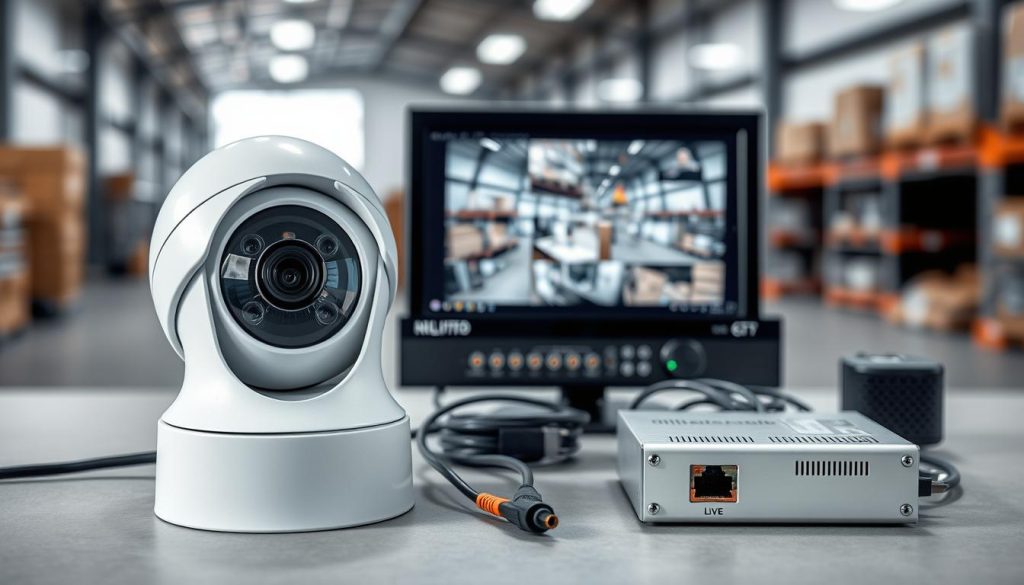
In today’s world, a reliable security system is crucial for peace of mind. Closed-circuit television, or CCTV, forms the backbone of modern video surveillance for homes and businesses across Singapore.
This technology creates a private network where live video feeds are sent directly to dedicated monitors or recording devices. It is not broadcast publicly.
Understanding the core parts of a CCTV system empowers you to make informed choices. Every functional setup relies on five essential pieces working together.
You will encounter two primary technology paths: Internet Protocol (IP) and traditional Analog systems. Each offers distinct advantages for different needs.
A well-designed surveillance system does more than just record. It actively deters crime, provides critical evidence, and allows for remote monitoring from your smartphone or computer.
Key Takeaways
- CCTV is a closed-circuit television network for private video monitoring.
- Security is a top concern, making these systems a vital investment for Singaporean properties.
- Five core components form the foundation of any functional setup.
- Modern systems fall into two main categories: IP (digital) and Analog.
- The right solution offers deterrence, evidence collection, and remote access.
- Knowing these basics helps you select equipment that fits your specific security goals.
Why a Reliable CCTV System is Non-Negotiable for Security Today
Modern property protection demands more than just sturdy locks and alarm sirens. It requires a proactive, visual record of all activity. A dedicated CCTV system provides this crucial layer, moving security beyond simple alerts.
Visible cameras serve as a powerful psychological deterrent. Their presence significantly lowers the risk of theft, vandalism, and unauthorized entry. Potential offenders often seek easier targets when they know they are being watched.
When incidents do occur, recorded video footage becomes invaluable evidence. High-resolution clips are essential for police investigations and insurance claims. This visual proof can resolve disputes quickly and definitively.
For business owners, these surveillance solutions are multi-functional tools. They help monitor daily operations and ensure employee safety. Cameras also play a key role in preventing internal shrinkage and fraud.
Modern setups offer real-time monitoring from anywhere. Homeowners and managers can check live feeds on a smartphone. This remote access provides immense peace of mind, whether you are at work or overseas.
Investing in a robust security system can also lead to financial benefits. Many insurers offer lower premiums for properties with comprehensive video surveillance. It demonstrates a clear commitment to risk management.
In Singapore’s dense urban landscape, constant monitoring is vital. High-traffic commercial areas and residential estates benefit greatly from reliable cctv systems. They create a safer environment for everyone.
Understanding this importance is the first step. The next is knowing how these systems are built to deliver such reliable protection.
What are the 5 Essential Components of a CCTV Camera System?
The foundation of any reliable monitoring solution lies in its five fundamental building blocks. Each part has a specific job: capturing, processing, storing, and displaying the video stream.
Selecting compatible components is crucial for a smooth-running security network. For a detailed look at these essential components, consider professional guidance.
1. Surveillance Cameras: The Eyes of Your System
Cameras are the primary sensors of your setup. They capture visual data from their surroundings.
Your first major choice is between IP and analog cameras. IP models send digital signals over a network. Analog types transmit a traditional video signal.
This decision influences every other part of your cctv system.
2. The Video Recorder: DVR or NVR
This device acts as the system’s brain. It manages the incoming video feeds and handles the recording process.
The type of recorder you need is locked to your camera choice. A Digital Video Recorder (DVR) works exclusively with analog cameras.
A Network Video Recorder (NVR) is designed for IP cameras. Understanding this dvr nvr distinction is key to a functional setup.
3. Storage Solutions: Where Your Footage Lives
Your recorded video needs a secure place to reside. This is the system’s memory bank.
Most setups use an internal hard disk drive (HDD). It is vital to use drives rated for surveillance. These are built for constant writing, 24 hours a day.
Solid-state drives (SSD) and cloud-based storage offer alternative solutions for different needs.
4. Monitors and Viewing Interfaces
These are your windows into the live and recorded footage. A dedicated display provides a constant view of your property.
Modern systems offer incredible flexibility. You can view feeds on a computer, tablet, or smartphone.
This remote access turns your security devices into a powerful tool for peace of mind, anywhere.
5. Cables, Connectors, and Power Supply
This network of wires is the lifeblood of the operation. It connects all components and delivers essential electricity.
Analog systems typically use coaxial cables for video. IP systems use standard Ethernet cables to carry data.
For IP setups, Power over Ethernet (PoE) is a streamlined power supply solution. It sends both electricity and data through a single cable.
Together, these five elements create a complete video surveillance ecosystem for your home or business.
Choosing the Right Cameras: Resolution, Type, and Placement
Your camera choices directly determine the clarity, coverage, and intelligence of your entire security setup. This decision impacts everything from the quality of evidence to daily monitoring ease.
It involves three interconnected factors: the core technology, the physical design, and where you install each unit. Getting this combination right is essential for a powerful video surveillance network.
IP vs. Analog: Understanding the Core Technology
The first fork in the road is choosing between IP and analog technology. This choice sets the foundation for your whole cctv system.
IP cameras are modern digital devices. They process video internally and send data over your network. This allows for superior image quality, often in 4MP or 4K resolution.
These systems are highly scalable. Adding more cameras is usually as simple as connecting them to your network switch.
Analog cameras are the traditional option. They send a raw video signal via coaxial cable to a central recorder. While reliable, they offer lower resolution and fewer advanced features.
For new installations in Singapore, IP-based systems are strongly recommended. Their higher resolution is critical for identifying details like faces or license plates. They are also more future-proof and support remote access seamlessly.
Common Camera Types: Dome, Bullet, PTZ, and Their Uses
Once you pick a technology, select the right housing and lens for the job. Each camera type serves a distinct purpose.
Dome cameras are named for their circular, tinted housing. They are discreet and ideal for indoor spaces like retail shops or lobbies. Potential subjects often cannot tell where the lens is pointing.
Bullet cameras have a cylindrical, long-bodied design. They are highly visible, making them excellent for overt outdoor deterrence. Their shape often supports longer-range lenses for monitoring driveways or perimeters.
For covering large, open areas like parking lots, PTZ (Pan-Tilt-Zoom) cameras are unmatched. Operators can control them remotely to pan across a scene, tilt up or down, and zoom in on activity.
Specialized types address unique needs. Thermal cameras detect heat signatures, perfect for total darkness. Varifocal lenses let installers adjust the field of view precisely during setup.
Resolution is a key spec across all types. Think of it as the clarity of your footage.
Standard definitions like 1080p are good for general monitoring. For critical areas where identification is vital, 4MP or higher is essential. It turns a blurry shape into a recognizable face.
Strategic placement completes the plan. Cover all primary entry points—doors, gates, and first-floor windows.
Eliminate blind spots by considering camera angles. Mount units at a height of 8-10 feet for a broad view. Always match the camera specifications to its environment.
An outdoor unit must have a proper weatherproof rating to withstand Singapore’s humidity and frequent rain.
This thoughtful approach to selection and positioning ensures your security investment delivers maximum value and peace of mind.
DVR vs. NVR: Selecting Your Video Recording Device
Choosing between a DVR and an NVR is a pivotal decision that locks your entire security setup into a specific technological path. This choice is not flexible; it is dictated by the type of cameras you own or plan to purchase.
The recorder is the command center of your cctv system. It processes incoming video streams, manages recording, and enables you to review live and recorded footage. Selecting the right one ensures all other components work together seamlessly.
Key Features of a Digital Video Recorder (DVR)
A Digital Video Recorder is the traditional engine for analog camera systems. Its primary job is to convert analog signals from cameras into a storable digital format.
Standard features include support for multiple channels, like 4, 8, or 16. This number should match or exceed your total camera count. Modern DVRs use efficient H.264 or H.265 compression.
This technology saves significant storage space without heavily compromising video quality. Intelligent recording modes are common.
You can set schedules to record only during business hours. Motion-activated recording saves space by capturing video only when activity is detected. Basic remote viewing via smartphone apps is typically supported.
Connectivity is a key differentiator. A DVR connects directly to each analog camera using coaxial cables for the video signal. Each camera also requires a separate power cable, leading to more complex wiring.
Key Features of a Network Video Recorder (NVR)
A Network Video Recorder is the modern solution for IP-based surveillance. It is designed to manage digital video data streams from network cameras.
An NVR does not process raw video signals. Instead, it receives already-digitized data from the cameras over your local area network (LAN). This architecture supports much higher resolutions.
It can handle feeds from 4MP, 5MP, or even 4K cameras without quality loss. This makes it ideal for detailed identification. The network-based connection offers superior placement flexibility.
Cameras only need to be connected to the same network switch as the NVR, not directly to the unit itself. This simplifies running cables in large or complex buildings.
A major advantage is Power over Ethernet (PoE). Many NVRs have a built-in PoE switch. A single Cat5e or Cat6 Ethernet cable can deliver both data and power to each camera.
This streamlined approach reduces cable clutter and installation cost. The user software on modern NVRs is often more advanced. You get intuitive interfaces with smart search functions.
You can quickly find events by motion, date, or time. Robust remote access is a standard feature. You can view live feeds from multiple devices like phones and computers with ease.
Your decision is straightforward. If you use traditional analog cameras, you require a DVR. If you have modern IP cameras, an NVR is necessary.
For those transitioning between technologies, hybrid recorders exist. They accept both analog and IP camera feeds on different channels.
When selecting a unit, ensure the channel count meets your needs. Consider if an NVR with a built-in PoE switch would simplify your installation. This central device is crucial for a reliable video recording operation.
Navigating Storage: Capacity, Retention, and Cloud Options
Your surveillance investment hinges on one critical function: securely storing the video data it produces. This storage plan dictates how much history you can review and how reliably that evidence is preserved.
Effective solutions require drives built for constant writing. Standard computer hard disks often fail under the 24/7 load of a security system. You must match your storage hardware to your operational needs.
Capacity depends on several factors. These include the number of cameras, their video resolution, frame rate, and your desired retention period.
Hard Drives (HDD/SSD) for On-Site Storage
Most CCTV systems use an internal hard drive inside the recorder. For reliable on-site storage, you need surveillance-rated Hard Disk Drives.
These HDDs are engineered for continuous operation. They handle the non-stop writing of recorded footage, unlike desktop drives. This specialization prevents premature failure and data loss.
Solid State Drives (SSDs) offer an alternative. They have no moving parts, making them faster and more durable. Their higher cost often reserves them for high-performance or low-vibration applications.
Calculating required capacity is straightforward. You must consider your camera count, resolution, and how long you need to keep footage.
- A single 4MP camera recording continuously may need about 1TB for 30 days.
- Higher resolutions like 4K demand significantly more space per camera.
- Using motion-activated recording can drastically reduce storage needs.
The retention period is a key planning factor. Is seven days of history sufficient, or do business rules require 30 or 90 days? Define this before purchasing your storage drive.
The Role of Network-Attached Storage (NAS) and Cloud
For larger setups, a Network-Attached Storage device is a powerful solution. A NAS is a centralized storage unit connected to your network.
It can serve multiple NVRs, consolidating footage in one place. Many NAS devices support RAID configurations. This technology provides redundancy, protecting your data if a single drive fails.
Cloud storage represents a modern shift. It uploads your video streams to secure off-site servers. This offers a vital layer of protection.
If the on-site recorder is stolen or damaged, your recorded footage remains safe. This is a major advantage for disaster recovery. Be aware that cloud services involve ongoing subscription fees.
They also require a stable, high-bandwidth internet connection. Continuous upload of high-resolution video can consume significant data.
Choosing between local and cloud often involves a balance. Local storage gives you full physical control and no monthly fees.
Cloud solutions offer effortless remote accessibility and inherent protection from local physical disasters. Many users opt for a hybrid model.
For Singaporean users, evaluate your internet upload speed before committing to a cloud plan. Sufficient bandwidth is essential for a smooth experience.
This ensures critical footage is both immediately accessible on-site and backed up off-site. A thoughtful storage strategy completes your reliable surveillance network.
Advanced Features That Elevate Your Surveillance
Beyond the fundamental hardware, modern CCTV systems are distinguished by a suite of intelligent features that actively enhance security. These capabilities transform a basic recording setup into a proactive surveillance system.
They provide real-time alerts, enable remote management, and ensure reliable operation in challenging conditions. Choosing the right features tailors your system to your specific property needs.
Motion Detection, Alerts, and Remote Viewing
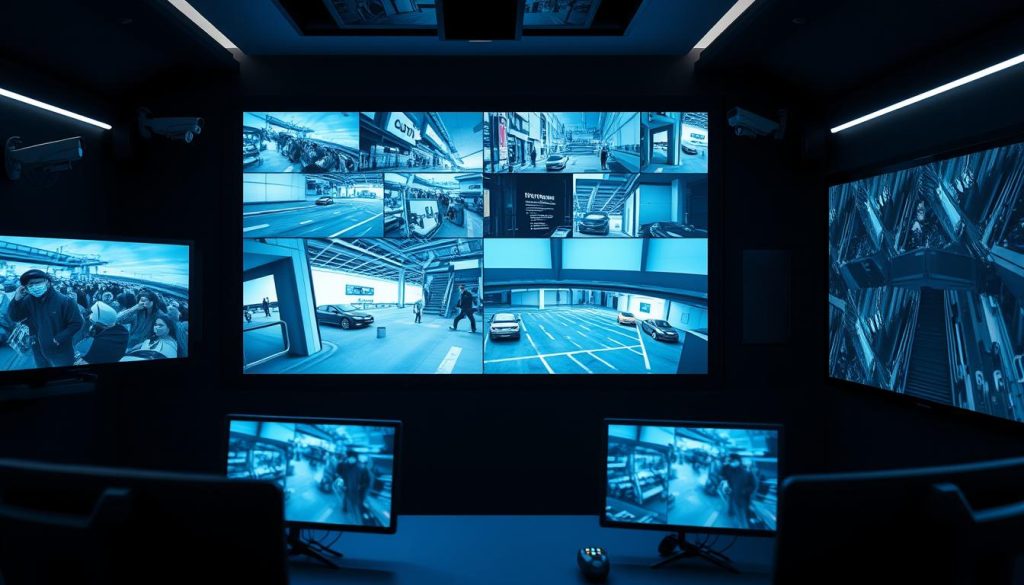
Motion detection is a foundational smart feature. Instead of recording non-stop, cameras save video only when movement is sensed.
This conserves valuable storage space and extends the life of wireless devices. More importantly, it can trigger instant push notifications to your smartphone.
You receive an alert the moment activity is detected, enabling a real-time response. This turns passive monitoring into an active security tool.
Remote viewing capability is a game-changer for property owners. Using a secure app or web browser, you can access live feeds or recorded footage from anywhere.
Check on your home while at work or monitor a business while overseas. This constant access provides ultimate peace of mind and control over your security.
Night Vision, Vandal Resistance, and Audio Capabilities
Effective surveillance operates 24/7. Night vision uses infrared (IR) LEDs to illuminate scenes in total darkness.
Standard IR provides clear black-and-white images at ranges like 30 or 50 meters. Advanced technologies, such as “Dark Fighter,” can deliver superior low-light color images.
This ensures critical details are captured around the clock, a vital part of any complete system.
Vandal resistance is crucial for cameras installed within reach. Public areas, corridors, or ground-level mounts require robust protection.
These devices feature tough, impact-resistant housings and shielded domes. They are engineered to withstand physical tampering and harsh weather, ensuring continuous operation.
Audio capabilities add another layer of information. Some cameras support one-way sound recording or two-way communication.
This can be useful for remote announcements or gathering audio evidence. However, it comes with significant legal responsibility.
In Singapore, audio recording is strictly regulated by privacy laws. You may be required to post clear signage, and recording conversations without consent is often prohibited. Always consult local regulations before enabling audio features.
Other advanced solutions include people or vehicle detection, which is smarter than basic motion sensing. Line-crossing detection and integration with smart home systems are also powerful tools.
The key is to prioritize features based on your actual security goals. Do not pay for every available option. Focus on the intelligent components that address your specific risks and provide actionable intelligence.
Key Considerations for CCTV Systems in Singapore
Singapore’s unique climate and urban landscape present specific challenges for surveillance equipment. A successful installation here requires more than just selecting standard components.
You must adapt your entire security plan to local environmental and legal factors. This ensures your cctv system is both effective and compliant from day one.
Accounting for Humidity, Heat, and Urban Environments
Singapore’s tropical weather is a primary concern for outdoor cameras. Constant high humidity and frequent heavy rain can damage unprotected electronics.
Always choose cameras and housings with a high Ingress Protection rating. Look for IP66 or IP67 certification. This guarantees protection against dust and powerful water jets.
These ratings are non-negotiable for long-term reliability. The consistent heat also stresses internal components.
Verify the operating temperature range of your chosen system. It must comfortably handle Singapore’s average temperatures. This prevents premature failure and ensures stable performance.
Urban settings add another layer of complexity. Tall buildings create harsh shadows and intense glare from sunlight.
This complex lighting can ruin video clarity. A camera with Wide Dynamic Range technology solves this problem.
WDR balances the bright and dark areas within a single frame. It delivers a clear image where details matter most.
For network installations, use outdoor-rated Ethernet cables. They resist moisture and UV degradation better than standard indoor cables.
Understanding Local Regulations and Privacy Laws
Operating a surveillance system in Singapore carries legal responsibilities. The Personal Data Protection Act governs the collection and use of video data.
Compliance is not optional. Your first duty is to inform people they are being recorded.
You must display clear and conspicuous signage at all entry points. The signs should state that monitoring is in operation.
Responsible camera placement is a critical part of compliance. Angle your cameras to cover only your own property.
Avoid pointing lenses into neighbors’ windows or private spaces. Public areas with a high expectation of privacy should also be avoided.
Secure data handling is a core requirement under the law. Always password-protect your recorder and any viewing software.
Use strong, unique passwords. Enable encryption for your video footage if your system supports it.
Establish a formal policy for data retention. Decide how long you will keep recorded footage before deleting it.
A common period is 30 days, but base this on your specific needs. Storing data indefinitely without a purpose is not advisable.
Non-compliance with the PDPA can result in significant financial penalties and legal complications. Treating data responsibly protects both your subjects and your business.
By addressing these environmental and legal needs, you build a robust and trustworthy security solution. Your cctv systems will perform reliably and within the bounds of Singaporean law.
From Components to Complete System: Installation and Maintenance
Assembling the individual parts is just the beginning. True reliability comes from expert integration and consistent care.
This phase turns your collection of hardware into a vigilant, long-lasting security network. Proper setup and upkeep ensure your investment delivers peace of mind for years.
Two critical practices define this stage. Professional installation creates a solid foundation. Ongoing maintenance preserves the system’s performance and health.
The Importance of Professional Installation
Expert setup is the bridge between buying components and having a working cctv system. A skilled technician brings essential knowledge to the job.
They perform a site survey to identify optimal camera angles. This eliminates blind spots and ensures full coverage of entry points and valuable assets.
Correct cable management is another major benefit. Pros route and conceal coaxial cables or ethernet lines safely. This protects wires from damage and maintains your property’s aesthetics.
Configuration is handled correctly the first time. The installer sets up the recorder, configures network settings, and enables secure remote access. They ensure the entire system meets local electrical and building codes.
Attempting a DIY installation often leads to problems. Suboptimal camera placement creates coverage gaps. Incorrect wiring can cause power issues or data loss.
Technical misconfigurations may leave your surveillance system vulnerable. For a complex setup with many cameras, professional help is a wise investment.
It guarantees seamless operation from day one. You gain a security solution that works as intended, without guesswork.
Ensuring Longevity with Regular CCTV Maintenance
Think of maintenance as essential healthcare for your cctv equipment. It is an ongoing practice, not a one-time event.
A simple checklist prevents major failures. Start with the physical components. Clean camera lenses every few months.
Dust, spider webs, and water spots blur your video. Use a soft, lint-free cloth for best results. Check all cable connections, especially outdoors.
Secure any loose cables and look for weather damage. Verify that infrared LEDs for night vision are not obstructed by dirt or foliage.
Software upkeep is just as crucial. Regularly update your camera and recorder firmware. These updates patch security vulnerabilities and can add new features.
Test your remote viewing app monthly. Ensure you can still access live feeds from your smartphone or computer. This confirms your monitoring capability remains intact.
Your power supply needs protection too. An Uninterruptible Power Supply (UPS) is a critical part of maintenance.
It acts as a battery backup during outages. This prevents data corruption from sudden power loss. It also allows for an orderly shutdown of your recording devices.
For added security, a UPS ensures your cameras keep running even during a brief blackout. This continuous operation is vital for high-risk areas.
Finally, schedule a professional system check at least once a year. A technician can diagnose potential issues like a failing hard drive or degraded cables.
They address these problems before they lead to a total system failure. This proactive approach extends the lifespan of your entire cctv investment.
Following these steps transforms your setup into a dependable surveillance partner. It remains ready to protect your property through every season.
Your Roadmap to a Confident CCTV Purchase
Armed with knowledge of the essential elements, you can now approach your CCTV investment with confidence. This guide has walked you through assessing security needs, choosing between network video and analog technology, and selecting the right cameras and recorders.
Understanding storage requirements and robust cabling completes the picture. For Singapore, always factor in local climate and privacy laws during planning.
Translating this into a working system is where experts shine. Professional installers ensure optimal placement and reliable integration of all components.
For tailored solutions in Singapore, contact ED Viston at +65 8313 4578 or Wen Hong at +65 60135960. Your informed purchase is a long-term investment in safety and peace of mind.