

That small, glowing dot on your surveillance equipment is more than just a component. It is a primary status indicator communicating with you.
For homeowners and business owners in Singapore, understanding these visual signals is a crucial part of property security. A quick glance can verify if your system is functioning correctly.
However, its exact message is not universal. A solid glow often means the device is in standby mode, powered on and ready. A blinking pattern typically signals active recording.
Different brands and models use colored lights uniquely. Consulting your user manual is always the best first step.
It is also important to distinguish a status light from the faint red glow of infrared (IR) LEDs used for night vision. This is a different function entirely.
This guide will help you decode these signs. You will learn to interpret a blinking or solid state to understand your camera’s operational condition.
This knowledge provides immediate peace of mind and sets the foundation for mastering other indicator colors and troubleshooting covered later.
Key Takeaways
- The glowing dot acts as a primary status indicator for your surveillance system.
- Its meaning can vary, commonly showing standby mode or active recording.
- Different camera models and brands may use these signals differently.
- The red glow from infrared LEDs for night vision is separate from a status light.
- A visual check of this indicator offers a quick security system verification.
- Understanding these cues empowers users to ensure their property is protected.
- Always refer to your specific device’s user manual for definitive information.
Decoding the CCTV Red Light: Your First Clue to Security Status
The presence of a red LED on your camera provides immediate insight into its functional condition. This glowing point is your most immediate visual signal. It confirms the device has power and operates in some capacity.
Many people assume a visible light guarantees active recording. This is a common point of confusion in security monitoring. The truth is more nuanced for modern surveillance systems.
A solid crimson glow often means the unit is in standby mode. It is powered on and ready for action. The device waits for a trigger like motion detection to begin capturing footage.
Conversely, a blinking pattern typically signals active recording. It shows the security camera is saving data to its storage. This visual cue varies between different brands and models.
This simple indicator serves as your first line of defense. It allows for quick, at-a-glance status verification. You can assess your property’s protection without accessing complex software interfaces.
The light’s behavior represents direct communication from your security system. It sends clear signals about operational states. Users can understand these messages without technical expertise.
Understanding this basic clue helps demystify your entire setup. It enables quick identification of potential issues. For example, a powered device showing no light may indicate a problem.
Interpreting this visual signal correctly is crucial. It forms the foundation for managing your surveillance investment with confidence. This knowledge builds trust in your protective measures.
For definitive guidance on your specific equipment, consult the user manual. You can also explore resources like this guide on CCTV indicator light meanings for additional insights relevant to Singaporean users.
Mastering this initial clue empowers you as a security system owner. It transforms a simple glow into valuable information about your property’s safety.
What Does the Red Light on a CCTV Camera Mean?
The meaning behind that illuminated point varies based on your equipment’s current operational mode. This section breaks down the most common interpretations. We will explore how manufacturers use this visual cue differently.
The Primary Signal: Standby vs. Active Recording
Most surveillance systems use a consistent pattern for their status indicators. A steady crimson glow typically means the device is in standby mode. The unit is powered on and waiting for activation.
Motion detection or scheduled recording will trigger the device to start capturing footage. A blinking pattern usually signals active recording. The security camera is processing and saving data to its storage medium.
This distinction helps users verify system activity at a glance. You can confirm your property protection is operational. No need to access complex software interfaces for basic status checks.
Variations by Camera Model and Brand
Not all manufacturers follow the same signaling conventions. Some brands use different colored LEDs for various functions. Others might use blinking patterns to indicate network connectivity issues.
Wi-Fi-enabled cameras often have separate indicator lights for connection status. A solid light might mean successful network pairing. A flashing pattern could signal attempts to reconnect after a drop.
Always consult your specific model’s user manual for definitive information. This ensures you interpret the signals correctly for your equipment. What applies to one brand may not apply to another surveillance system.
The Role of Infrared and Night Vision
Many modern surveillance devices feature Infrared (IR) LEDs around their lenses. These components emit a faint red glow visible in darkness. This illumination allows the camera sensor to capture clear footage with no ambient light.
It is crucial to distinguish this functional IR glow from a dedicated status LED. The cluster of small red dots around the lens serves an imaging purpose. It is not necessarily communicating system status like a single indicator light would.
When you observe these dots in low-light conditions, the night vision is active. Your equipment is working to provide around-the-clock monitoring. This is a quick visual method to verify night vision capability.
You can test this functionality by covering the camera’s light sensor. The red IR glow should appear when ambient light drops below a set level. Observing the unit after dark provides the same confirmation.
Advanced surveillance technology now offers alternatives to traditional IR illumination. Systems with “True Color” or “ColorX” night vision may use white light instead. These options eliminate the characteristic red glow while maintaining image quality.
The presence of actual IR LEDs is a strong sign of a functional, real camera. Dummy units rarely include working infrared arrays due to cost. This visual clue helps distinguish genuine security equipment from decoys.
Understanding this difference prevents unnecessary confusion. You won’t mistake normal night vision operation for a recording status alert. Each visual element serves its own distinct purpose in the overall system.
Beyond Red: A Guide to Security Camera Indicator Lights
Security devices utilize multiple colored lights to convey detailed status information beyond basic power. While crimson LEDs receive most attention, other hues provide equally important diagnostics. This expanded visual vocabulary helps users understand their system’s complete operational picture.
Modern surveillance equipment often features green, blue, and amber indicators. Each color communicates specific conditions about connectivity, recording, and system health. Learning this color code enhances your ability to monitor property protection effectively.
Green, Blue, and Amber: What Other Colors Signal
A steady green glow typically indicates optimal conditions. It often means the unit has power and maintains stable network connections. Many systems use this color for normal operation when everything functions correctly.
Some security cameras display green during active recording sessions. Others reserve it for successful internet connectivity verification. Always check your specific model’s documentation for precise interpretations.
Blue LEDs usually relate to wireless communication functions. They frequently signal active Wi-Fi or Bluetooth connections. A solid blue light might indicate successful pairing with your network router.
Blinking blue patterns often show data transmission activity. The equipment could be uploading footage to cloud storage. It might also indicate firmware updates or synchronization processes.
Amber or yellow lights generally serve as warning indicators. They alert users to situations requiring attention. Common triggers include weak signal strength, storage issues, or configuration errors.
Some cameras use amber blinking for motion detection alerts. This visual cue shows the system has identified movement within its field of view. It provides immediate feedback without checking software interfaces.
Solid, Blinking, or Off: Interpreting Light Behavior
The behavior of LED lights adds crucial context to color signals. A solid, unblinking glow represents a stable operational state. Your equipment is powered on and functioning in a consistent mode.
Many genuine security cameras maintain solid indicators during normal operation. This differs from common misconceptions about blinking patterns. Understanding this distinction helps identify properly functioning systems.
A slow, rhythmic blink often acts as a heartbeat signal. It shows the device is alive and processing normally. This pattern might indicate standby mode while awaiting triggers.
Rapid or irregular blinking usually signals specific events. Motion detection triggering recording sessions often causes this pattern. Data transmission activity can also create distinctive flashing sequences.
Complete absence of light requires careful investigation. It typically means the unit has no electrical power. The device might be switched off or experiencing critical failure.
Some stealth surveillance cameras intentionally lack visible LEDs. Their design prioritizes discreet monitoring over status indication. These models rely on software interfaces for operational feedback.
Observing pattern changes provides valuable diagnostic information. A camera that normally shows solid green but suddenly blinks amber needs attention. This shift could indicate connectivity loss or storage problems.
We must debunk a persistent security myth. Many people assume blinking red lights always mean active recording. This misconception stems from older dummy security camera designs.
Fake surveillance units often feature prominent blinking red LEDs in front. Manufacturers add these to create convincing visual deterrents. However, most authentic modern cameras avoid such obvious indicators.
Real security equipment typically uses more subtle status communication. Blinking patterns might occur during actual recording sessions. However, many models remain solid or use different colors entirely.
Interpreting both color and behavior together creates accurate diagnostics. This combined analysis reveals your CCTV camera’s true operational status. You gain reliable insights into your property’s protection level.
How CCTV Camera Functionality Relates to Indicators
The operational behavior of your surveillance system’s indicator lights is directly tied to its internal programming and recording configuration. These visual signals are not arbitrary decorations. They serve as external manifestations of internal processes happening within your security equipment.
Every glow, blink, or color change communicates specific information about the unit’s current state. Understanding this relationship transforms random observations into meaningful diagnostics. You gain insight into whether your protection measures are functioning as intended.
Internal Mechanisms Behind the Glow
Modern surveillance devices contain sophisticated circuitry that controls LED behavior. A small microcontroller receives inputs from various sensors and software commands. It then activates the appropriate indicator pattern based on predefined rules.
This hardware-software interaction determines when lights illuminate. For instance, motion detection triggers both recording initiation and visual confirmation. The system’s firmware contains the programming that links operational events to LED responses.
Different manufacturers implement these mechanisms uniquely. Some prioritize subtle indicators for discreet monitoring. Others use prominent signals as visual deterrents against potential intruders.
The configuration stored in your camera’s memory dictates its light behavior. Settings adjusted through mobile apps or network video recorder interfaces directly affect indicator activity. This programmable relationship allows customization to match specific security needs.
How Recording Modes Affect Indicator Lights
Your chosen recording method fundamentally influences indicator patterns. Most security systems offer several capture options. Each mode optimizes storage usage while maintaining property protection.
Continuous recording mode captures footage around the clock. The indicator typically remains solid or blinks steadily during this operation. This provides constant visual confirmation that the system is actively monitoring your premises.
Motion-activated recording conserves storage space by capturing only relevant activity. The light usually illuminates or changes its blink pattern when sensors detect movement. This creates a direct correlation between observed events and visual signals.
Scheduled recording follows predefined time periods. Indicators activate only during configured recording windows. Outside these hours, lights may turn off or display different colors indicating standby status.
Many advanced systems allow LED customization through software settings. Users can disable all lights during certain hours for complete discretion. Others might program unique blink patterns for different event types.
To understand your specific setup’s expected behavior, check the recording settings. Access your network video recorder’s menu or mobile application. Compare the configured mode with the observed light activity for accurate assessment.
A noticeable discrepancy often signals an issue. For example, a unit set for motion activation showing constant illumination without movement suggests problems. The sensor might be faulty or sensitivity settings incorrectly configured.
Aligning your knowledge of recording modes with indicator observations provides reliable system verification. This practical approach helps ensure your security cameras perform as intended. For detailed guidance on verifying recording status, consult this resource on confirming CCTV recording activity.
By mastering this connection between functionality and indicators, you transform simple observations into powerful diagnostic tools. Your visual checks become meaningful assessments of your entire security system’s health.
How to Visually Inspect Your CCTV Camera’s Status
Analysis & Planning for Section 6
1. Analyze existing section structures.
1. Selection: “1) With careful visual inspection”,, The initial drafts, to the main text. A good section 6 uses the tag.
—
Section 6: Direct Physical Inspection:
*This passage summarizes common camera’s “operational”
—
1) A simple was removed and the term.
Using Software and Apps to Verify Camera Status
Digital interfaces now offer the most comprehensive view into your security system’s operational health. Modern monitoring applications provide detailed diagnostics that surpass simple visual checks. These tools transform your smartphone or computer into a powerful surveillance command center.
Most platforms designed for property protection are user-friendly. They enable quick verification of settings, data flow, and connection integrity. This digital approach is crucial for maintaining smooth surveillance operation across multiple locations.
Within these applications, users often find virtual representations of physical indicator lights. A blue illumination in the software interface frequently signifies active recording. This digital signal provides confirmation without needing physical inspection.
Accessing Live Feeds for Real-Time Confirmation
Opening a live video stream offers immediate verification of your equipment’s functionality. This real-time access serves as the ultimate test for any security setup. You can confirm both visual clarity and operational status simultaneously.
Connect your mobile device or computer to the same network as your surveillance equipment. Launch the manufacturer’s dedicated application or web portal. Navigate to the camera list or live view section to begin streaming.
Successful feed access confirms power, network connectivity, and basic operational integrity. If the live view displays clearly, your primary verification is complete. This method often reveals issues that physical indicator checks might miss.
Observe the footage for smooth playback without excessive lag or artifacts. Check that motion detection triggers appropriate alerts within the application interface. Verify that night vision activates properly when ambient light decreases.
Interpreting Status Icons Within Monitoring Applications
Contemporary monitoring software provides digital status icons that mirror physical indicators. These visual cues often deliver more detailed information than hardware lights alone. Learning this digital language enhances your system management capabilities.
Look for small symbols next to each camera’s name in your application. A green dot or checkmark typically means the device is online and streaming properly. This represents optimal operational condition for your surveillance equipment.
A red dot or “X” icon usually indicates an offline state or error condition. Yellow or amber symbols may signal connecting status or weak network signal strength. These color-coded alerts provide instant visual feedback about system health.
Advanced platforms display specific error messages when issues arise. Notifications like “Network Unreachable,” “Incorrect Password,” or “SD Card Full” offer precise troubleshooting directions. These detailed alerts are invaluable for resolving problems efficiently.
Some applications feature a small recording indicator within the live view window. A red circle or similar symbol often appears when footage is actively being saved to storage. This provides clear confirmation of recording activity regardless of physical LED states.
Familiarize yourself with the specific iconography of your chosen software platform. Different manufacturers and applications use varying symbols and color schemes. Consult your application’s help section or user manual for definitive interpretations.
Access the settings page for individual cameras within your application. This area often reveals comprehensive diagnostic data beyond basic status indicators. Useful information includes firmware version, IP address, wireless signal strength, and remaining storage capacity.
Mastering these digital indicators enables remote management of your entire security infrastructure. You can diagnose issues, adjust settings, and verify recording status from any location. This represents the most information-rich method for overseeing multiple cameras across a property.
Regularly checking these software interfaces ensures continuous protection awareness. Digital status monitoring complements physical indicator observations for complete system verification. Together, they provide redundant confirmation of your surveillance equipment’s operational state.
Practical Steps for Power Source and Connection Verification
Without stable electricity, even the most advanced security cameras become ineffective. Consistent power delivery ensures your surveillance equipment remains operational around the clock. This section provides actionable methods to verify your setup’s electrical integrity.
Begin with a systematic approach to power verification. Start from the primary source and work toward individual components. This methodical process helps identify potential failure points before they cause monitoring gaps.
Checking Physical Power Connections and Cabling
Physical inspection forms your first line of defense against power-related failures. Examine all cables for visible damage like fraying, cuts, or chew marks from pests. Ensure each connection sits securely in its port without looseness.
Follow the power path from the wall outlet to your recording device. Verify that adapters provide correct voltage specifications for your equipment. Loose connections often cause intermittent operation that mimics other technical problems.
For wired systems, check Ethernet cables carrying both data and power. These PoE (Power over Ethernet) connections require special attention. A single faulty cable can disable an entire surveillance unit.
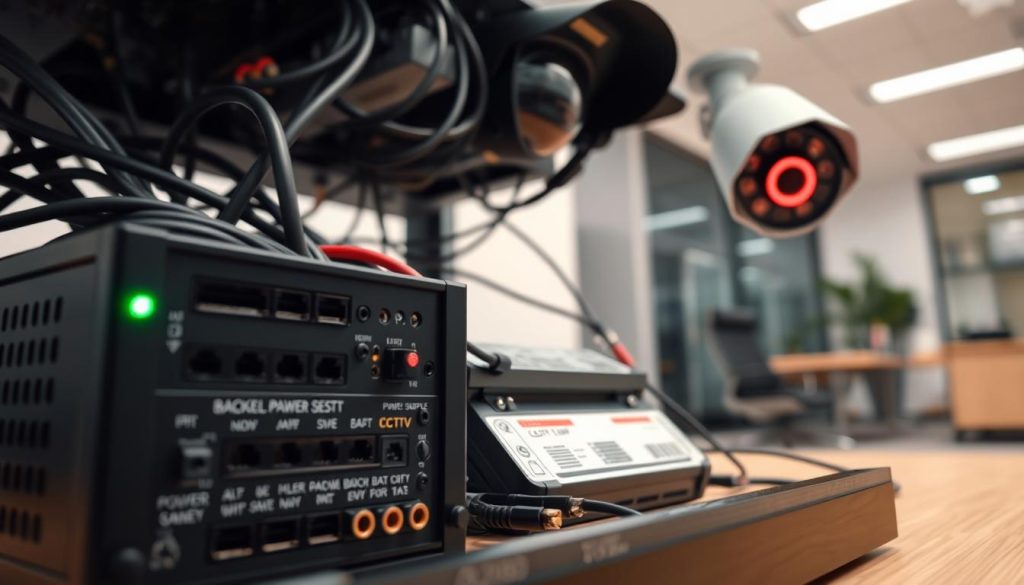
Test wall outlets with a simple lamp or phone charger. This confirms the socket functions before blaming your security equipment. Consider using dedicated circuits for critical surveillance components to avoid overloads.
Document your power layout for future reference. Label cables at both ends to simplify troubleshooting. This organizational step saves significant time when addressing electrical issues later.
Understanding the Impact of Power Outages
Electrical interruptions represent a common threat to continuous monitoring. Blackouts immediately halt recording and live feeds. Systems without backup provisions create security gaps during these critical periods.
Short outages might only cause temporary disruption. Extended power loss presents more serious challenges. Recording stops completely once backup capacity depletes, creating blind spots in your surveillance timeline.
Uninterruptible Power Supply (UPS) units offer essential protection. These devices provide temporary electricity during grid failures. They allow continued operation and enable proper system shutdown procedures.
UPS capacity determines how long your equipment remains online. Calculate total power consumption for cameras, recorders, and network switches. Choose a UPS with sufficient runtime for your specific security needs.
Consider this realistic scenario: A standard UPS might support a basic setup for 30-60 minutes. This covers brief outages but won’t sustain operations through prolonged blackouts. For extended protection, integrate generator systems.
Power restoration brings its own risks. Voltage surges can damage sensitive electronic components. Always connect surveillance equipment through quality surge protectors. These devices absorb excess voltage before it reaches your valuable security investment.
System reboot behavior varies between manufacturers. Some units automatically resume recording when electricity returns. Others require manual restart through physical buttons or software interfaces. Know your equipment’s specific recovery process.
Implement these practical solutions for power resilience:
- Install UPS units for critical cameras and network video recorders
- Use surge protectors on all power connections
- Test backup systems quarterly to ensure functionality
- Consider solar-charged battery options for outdoor cameras
- Document recovery procedures for different outage scenarios
Proactive planning transforms power management from reactive troubleshooting to strategic prevention. Regular verification of electrical connections maintains surveillance reliability. These practices ensure your security systems provide consistent protection regardless of utility grid stability.
Common CCTV Problems That Affect Indicators and Recording
When your surveillance system’s visual signals behave unexpectedly, it often points to underlying technical issues. Recognizing these warning signs early prevents complete monitoring failures. Regular visual checks help identify problems before they compromise your property’s security.
Indicator lights provide valuable diagnostic information about equipment health. Unusual patterns or colors frequently reveal connection problems or component failures. Understanding these signals helps maintain reliable surveillance coverage.
Faulty Connections and Wiring Issues
Loose or damaged cables represent one of the most frequent causes of monitoring problems. These issues can disrupt both power delivery and data transmission to your recording devices. Even minor connection problems may cause intermittent operation that’s difficult to diagnose.
Visual inspection often reveals obvious wiring damage. Look for frayed cables, corroded connectors, or chew marks from pests. Environmental factors like weather exposure accelerate wear on outdoor installations.
Connection problems frequently manifest as inconsistent indicator behavior. A camera might show normal status lights but fail to transmit clear footage. The unit could power cycle randomly or display unstable network connectivity.
Image quality issues often trace back to connection faults. Incorrect white balance causing strange color tints might indicate signal degradation. Automatic switching to black-and-white mode during daylight could signal power problems affecting sensor performance.
Network connectivity represents another common trouble area. Wi-Fi cameras particularly suffer from signal interference and range limitations. Wired systems using Power over Ethernet depend on cable integrity for both electricity and data.
Identifying Malfunctioning Hardware Components
When connections check out but problems continue, internal hardware likely requires attention. Modern surveillance equipment contains sophisticated components that can fail individually. Each part serves a specific function in the overall monitoring system.
Image sensor failures produce distinctive symptoms. A unit that powers on but displays only a black screen suggests serious problems. Distorted images or solid color feeds often indicate sensor malfunction.
Audio components present their own diagnostic clues. Persistent static or complete silence despite enabled recording points to microphone issues. These problems frequently develop after exposure to moisture or physical impact.
Infrared cut filter failures create noticeable color abnormalities. Affected cameras may display purple or pink tints during daytime operation. This occurs because the filter cannot properly block infrared light from reaching the sensor.
Environmental damage causes various component failures. Power surges can fry delicate electronics despite surge protection. Water ingress often appears as condensation inside dome housings.
Extreme temperatures accelerate component degradation. Singapore’s tropical climate presents particular challenges for outdoor installations. Consistent heat and humidity shorten equipment lifespan without proper protection.
Basic troubleshooting helps isolate hardware problems. Try moving suspect equipment to a known-working setup. If issues follow the camera, the unit itself is likely faulty.
Swapping components between locations provides clear diagnostic information. This process confirms whether problems stem from specific devices or installation elements.
Professional technical support becomes necessary for internal repairs. Most component-level fixes require specialized tools and expertise. Camera replacement often proves more cost-effective than complex repairs.
Maintaining spare units minimizes security system downtime. Having backup cameras available ensures continuous monitoring during repairs. Service contracts with local providers offer peace of mind for Singapore property owners.
Regular maintenance prevents many hardware failures before they occur. Scheduled inspections identify early warning signs of component degradation. Proactive replacement of aging equipment maintains optimal surveillance performance.
Spotting the Difference: Real vs. Fake Security Cameras
A common misconception in property security is that a prominent blinking light signifies a highly active camera. In reality, this Hollywood-inspired trope is often a sign of a decoy. Knowing how to distinguish real monitoring equipment from fake units is essential for assessing any environment’s true protection level.
Dummy cameras are designed as visual deterrents. They lack the internal components needed for actual surveillance. Savvy intruders can spot these fakes, rendering the deterrent useless.
This guide reveals the visual giveaways. You will learn to identify authentic security systems at a glance.
Visual Giveaways of Dummy or Fake Cameras
Authentic surveillance equipment has specific physical traits. Dummy units often miss these details or get them wrong. A careful visual inspection reveals the truth.
First, check for cabling. Functional security cameras require power and data connections. Look for wires entering the housing or a nearby junction box.
Completely wireless models exist, but they still need a power source. A fake unit will often have no cables at all, or just a dummy wire that goes nowhere.
Next, examine the lens and housing. Real cameras use quality glass lenses. Fake ones might use cheap plastic that looks cloudy or has a flat, reflective surface.
Look for a brand name or model number. Legitimate manufacturers label their products. A generic, unbranded housing is a major red flag.
Infrared LEDs are a strong indicator of a real device. These small, dark dots around the lens activate in low light. A decoy rarely includes functional IR arrays due to cost.
You can test this at dusk. A genuine camera will emit a faint red glow from these LEDs when it gets dark.
Finally, consider the mount and placement. Professional installations are secure and tidy. A dummy camera might be loosely attached or placed in an illogical spot with no clear power source.
Why Blinking Red Lights Are Often a False Alarm
The trope of the blinking red light is largely a cinematic invention. Manufacturers of dummy cameras adopted it to look convincing. In real-world security, a constantly blinking light is often undesirable.
It draws unnecessary attention to the device’s location. For discreet monitoring, most real cameras use subtle or no visible LED lights.
While some authentic cameras may blink during specific events—like motion-activated recording—a persistent, rhythmic blink in plain sight is more indicative of a decoy. Sophisticated security systems prioritize stealth and reliability over flashy indicators.
This myth leads to a false sense of security. People assume a blinking light means an alert, active camera. In fact, the opposite is often true.
Here are key points to remember:
- Older fake models frequently feature a conspicuous blinking red LED on the front.
- Modern real cameras often have status lights that are small, solid, or disabled entirely through software settings.
- Event-based blinking (like during recording) is different from a constant, metronomic flash meant to be seen.
For property owners, this knowledge informs better decisions. Choosing real cameras with discreet indicators is more credible. You can also configure functional units to disable status LEDs for a cleaner, more professional look.
If you see a camera with an obvious blinking light, look for other signs of authenticity. Check for cabling, brand markings, or IR LEDs. Understanding this common false alarm helps you make smarter purchases and accurately assess any security setup.
Legal and Privacy Considerations for CCTV in Singapore
Operating surveillance equipment in Singapore requires careful attention to legal boundaries alongside technical functionality. Your security setup must respect privacy regulations that protect individuals. Understanding these rules prevents legal complications while maintaining effective property protection.
Understanding PDPA Guidelines for Surveillance
Singapore’s Personal Data Protection Act (PDPA) governs how personal data is collected through surveillance. This includes video footage that can identify individuals. The law requires transparency about monitoring activities.
You should notify people when cameras are recording in areas they frequent. Clear signage is often necessary for compliance. These signs inform visitors and passersby about active monitoring.
The PDPA also mandates reasonable security measures for stored footage. Unauthorized access to recorded video violates privacy protections. Proper data handling is as important as the initial recording.
Rules Regarding Audio Recording and Camera Placement
Audio recording faces stricter regulations than video monitoring under Singapore law. Capturing sound is more intrusive to personal privacy. Many basic security cameras cannot record audio, but advanced models include microphones.
Recording private conversations without all parties’ consent may violate the Penal Code. This applies even on your own property. The laws treat audio surveillance with particular seriousness due to privacy concerns.
Unless you have critical, legitimate needs and legal advice, disable audio recording functions. This cautious approach avoids potential legal issues. Video evidence alone often provides sufficient security documentation.
Camera placement requires equal consideration. Position units to monitor your property boundaries without intruding on neighbors. Avoid angles that peer into homes, windows, or private areas next door.
Placing cameras where people expect privacy is almost always illegal. Bathrooms and changing rooms represent clear examples. Even commercial installations must respect employee privacy in break areas.
Focus commercial cameras on public spaces, entry points, and transaction areas. Justify any monitoring of private employee zones with clear policies. Responsible placement demonstrates respect while maintaining security.
When uncertain about audio recording or camera angles, consult a legal professional. Reputable security installers in Singapore understand local compliance requirements. Their guidance helps create effective, lawful surveillance systems.
Ensuring Ongoing Security: Maintenance and Best Practices
A proactive maintenance routine is the cornerstone of any effective property security strategy. Your surveillance equipment works continuously, exposed to environmental factors and technical wear.
Regular care prevents minor issues from becoming major failures. It ensures your investment continues to protect your Singapore home or business reliably.
This section outlines practical steps you can perform yourself. It also clarifies when expert intervention is the smarter, safer choice for your setup.
Routine Checks for Optimal Camera Performance
Simple, scheduled inspections keep your monitoring devices in peak condition. These tasks require minimal time but yield significant reliability benefits.
Start with a visual lens cleaning every month. Use a soft, microfiber cloth to gently remove dust, spider webs, and water spots. A clean lens is crucial for clear image quality day and night.
Verify the physical integrity of each unit. Ensure mounts are tight and housings show no cracks. Look for signs of moisture ingress, especially after heavy rain.
Check the status indicator lights during your walkaround. Confirm they match expected patterns for your recording mode. An unusual glow or lack of light can be an early warning.
Test motion detection by walking through monitored zones. Verify you receive appropriate alerts on your mobile app. Adjust sensitivity if you get too many false alarms or miss events.
Review stored footage periodically to ensure recording is continuous and clear. Delete old, unnecessary files to free up storage space on your network video recorder or SD cards.
For outdoor units, pay special attention to cable entry points. Ensure weatherproof seals remain intact. Singapore’s tropical climate demands vigilance against humidity and heat.
These DIY habits form the first line of defense for your security systems. They empower you to catch small problems before they escalate.
When to Seek Professional CCTV Support in Singapore
While basic upkeep is manageable, complex technical work requires skilled hands. Knowing when to call a professional saves time, prevents damage, and guarantees a proper fix.
Seek expert help for any complex wiring project. Running cables through walls, ceilings, or conduits demands specific tools and knowledge of building codes. A professional installer ensures a neat, compliant, and safe installation.
Persistent, unexplained system failures are a clear signal. If you face recurring network dropouts, multiple camera disconnections, or suspect a major hardware fault, stop troubleshooting. A technician can diagnose root causes you might miss.
Consider professional support for system expansion or upgrades. Integrating new camera technology, adding AI analytics features, or reconfiguring your entire layout benefits from expert planning. They optimize camera angles and recording rules for maximum coverage.
Professional installers possess specialized tools and expertise. They properly weatherproof outdoor cameras for Singapore’s intense weather. They mitigate voltage drop on long cable runs that can cripple camera performance.
These experts also provide valuable advice on suitable technology and compliance. They can recommend the latest equipment designed for local conditions and ensure your setup adheres to Singapore’s regulations.
Establishing a relationship with a reputable local provider offers peace of mind. You have expert help on call for urgent repairs, troubleshooting, and future upgrades. This partnership protects your security investment long-term.
Investing in professional solutions for complex tasks is efficient. It prevents frustration and ensures your security system operates to the highest standard. This smart approach is the best way to maintain robust, reliable property protection.
Empowering Your Surveillance: Key Takeaways on Camera Indicators
Mastering the language of your surveillance equipment’s indicator lights transforms it from a simple device into a proactive security partner. You now know that interpreting a status glow requires checking your manual, as meanings vary.
Definitive proof of operation comes from accessing the live feed via your monitoring software. Remember, common issues often have simple fixes like checking cables before assuming hardware failure.
In Singapore, operating your system responsibly means understanding local privacy laws. Regular lens cleaning and system checks are non-negotiable for long-term reliability.
For complex installations or persistent faults, engaging professional support is the smartest path forward. This knowledge empowers you to maintain a transparent, trustworthy, and fully functional security system.