
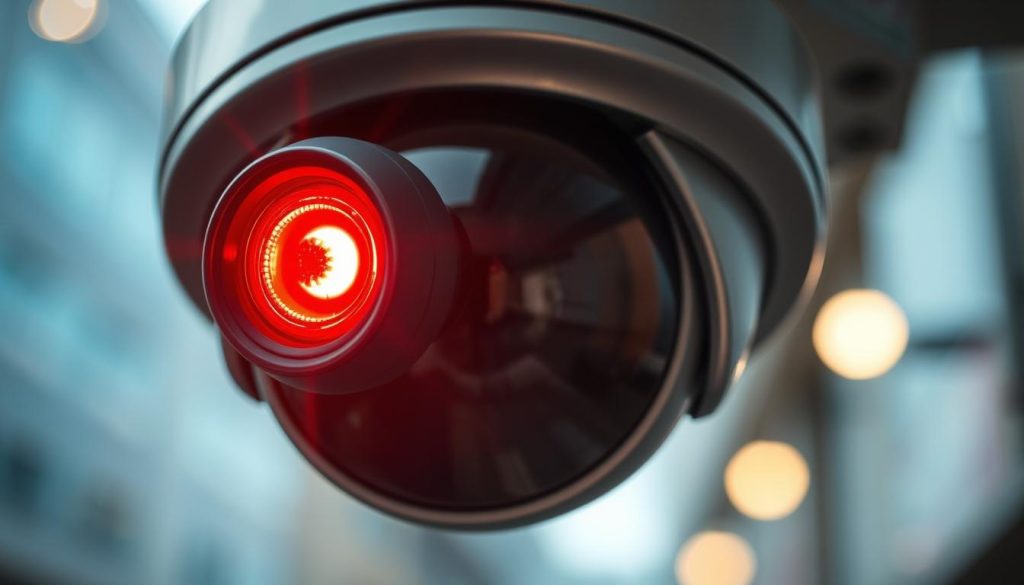
That small, glowing dot on your surveillance equipment is more than just a simple bulb. It acts as a primary status indicator, offering immediate visual feedback. For homeowners and business operators across Singapore, understanding this signal is crucial for effective security management.
In low-light environments, a steady glow often confirms the device is powered on and actively monitoring. This visible cue serves a dual purpose. It reassures users of the system’s operational state and can act as a deterrent to potential intruders.
A blinking pattern, however, typically conveys a different message. This signal frequently means the unit is actively capturing footage. It’s a clear sign of recording activity within your security setup.
Not all models function the same way. Some advanced security cameras use infrared LEDs, which are invisible to the human eye. Others might use blue or green LED lights for different status alerts. The specific meaning can vary significantly between brands and models.
This guide will decode these visual signals. We’ll help you ensure your surveillance system is functioning correctly to provide the peace of mind you deserve.
Key Takeaways
- The visible light on a security camera is a vital status indicator, communicating its operational state.
- A solid, steady glow usually means the camera is powered on and actively monitoring an area.
- A blinking pattern often signifies that the device is currently recording video footage.
- These visual cues can serve as an effective deterrent against unauthorized activity.
- Light colors and their meanings are not universal; they can differ based on the camera brand and model.
- High-end surveillance systems may use invisible infrared lights instead of visible LEDs.
- Recognizing these signals is essential for verifying that your security investment is working properly.
Understanding CCTV Camera Status Indicators
The illuminated dots on security cameras serve as a direct communication channel between the system and its users. These visual cues translate complex technical status into simple, understandable signals that anyone can recognize at a glance.
For property owners in Singapore, recognizing these signals is fundamental. It ensures your investment in protection technology delivers the intended results.
The Role of LED Lights in Surveillance
LED lights act as the primary interface for most modern surveillance devices. They provide immediate feedback without requiring you to access software or check connections manually.
A solid glow typically confirms the unit has power and is operational. A blinking pattern often means the device is actively capturing footage. Different colors communicate distinct messages about the camera’s current mode.
These visual signals function as built-in diagnostic tools. They help users quickly verify if their equipment is functioning correctly or if attention is needed.
Why Visible Indicators Matter for Security
Visible status lights offer more than just technical information. They provide psychological reassurance that your property remains under watchful observation.
The presence of an active indicator can deter unauthorized activity. Potential intruders often notice these signals and may reconsider their actions.
For system owners, these lights confirm that recording is happening as expected. This verification is crucial for maintaining confidence in your security setup.
Understanding these indicators helps identify problems early. Changes in normal light behavior can signal connectivity issues or hardware malfunctions before they cause complete failure.
How CCTV Camera Functionality Relates to Lights
Status lights on security cameras offer more than simple notifications—they mirror the device’s functional state. Each glow or blink corresponds directly to internal processes within the unit. Understanding this connection helps users interpret signals accurately.
Modern surveillance equipment contains sophisticated components working in harmony. External indicators provide real-time feedback about this internal activity. For Singapore property owners, this knowledge transforms simple observations into meaningful diagnostics.
Core Components of a Surveillance System
Every security camera relies on several key elements to operate effectively. The image sensor, often a CCD chip, captures visual information. Common sizes include 1/2 inch and 1/4 inch sensors affecting overall image quality.
Processing units analyze this raw data before transmission. Connectivity modules handle network or wired connections. Storage systems save the recorded footage for later review.
Resolution capabilities vary significantly between models. Basic units may offer 720p HD quality. Advanced security cameras can reach 5 megapixels or higher for detailed monitoring.
Indicator lights connect directly to these core systems. A steady glow often means power flows correctly to all components. Specific blink patterns can signal processor activity or data transmission.
Network connectivity issues might trigger alternate light sequences. Storage problems could manifest as irregular indicator behavior. Recognizing these patterns helps identify which component needs attention.
From Power On to Recording: The Camera’s Process
Surveillance devices follow a specific sequence when activated. Initial power-up triggers basic system checks. Internal diagnostics verify sensor functionality and processor readiness.
Network connections establish next for IP-based systems. Configuration settings load from internal memory. Only after these steps does active monitoring begin.
LED indicators reflect each stage of this process. Many units show a solid light during boot-up. A change to blinking often confirms recording has commenced.
Infrared cameras add another layer to this sequence. Their night vision features activate automatically in low light. A faint red glow may appear when infrared LEDs engage.
Different camera types signal status uniquely. Analog systems might use simpler light patterns. Wireless security cameras often include connection status in their indicators.
Understanding this workflow helps troubleshoot problems. If lights stall at a certain pattern, that stage likely has an issue. This knowledge empowers users to provide better information to technical support.
For effective security in Singapore, recognizing these functional relationships is crucial. It ensures your surveillance investment performs as intended. Proper interpretation of light signals maintains system reliability.
What is the Red Light on My CCTV Camera?
A persistent red beacon on monitoring devices translates complex technical states into immediate, understandable information for property owners. This visual cue forms the core of a camera’s communication system, telling you exactly what’s happening without checking apps or software.
For residents in Singapore, correctly interpreting these signals ensures your surveillance investment performs as intended. Misreading them could mean missing crucial footage or wasting time on false alarms.
Solid Red Light: Standby vs. Active Recording
A steady crimson glow typically means your equipment has power and is operational. Many units display this when in standby mode, ready to begin capturing footage when triggered.
However, some models use a solid light differently. Certain brands might keep it illuminated during active recording too. This variation highlights why checking your manual is essential.
Key distinctions for Singapore users include:
- Standby Mode: Device is powered on, monitoring the area, but not saving video continuously.
- Active Monitoring: The camera is live and may be streaming to your network.
- Recording State: Some systems use solid lights even during footage capture.
Never assume a solid glow means recording isn’t happening. Verify your specific model’s behavior through manufacturer documentation.
Blinking Red Light: What It Typically Signals
A flashing crimson indicator usually carries a more specific message. This pattern often signifies that the device is actively saving video to its storage medium.
The blinking frequency can provide additional clues. Rapid pulses might indicate high activity or data transmission. Slower flashes could signal scheduled recording or event-based capture.
Common scenarios signaled by blinking patterns:
- Motion-Activated Recording: The light flashes when movement triggers footage capture.
- Continuous Capture: Steady blinking during 24/7 video saving.
- Network Activity: Data transmission to cloud storage or network video recorders.
- System Errors: Irregular patterns may indicate storage or connection problems.
Again, manufacturer specifics matter greatly. What means “recording” for one brand could indicate “network error” for another.
Infrared LEDs and Night Vision Activation
Many modern surveillance devices use infrared technology for low-light monitoring. These LEDs emit light invisible to humans, illuminating scenes for the camera’s sensor.
At close range, you might notice a faint red glow from these infrared clusters. This isn’t a status indicator in the traditional sense—it’s the byproduct of night vision being active.
Important facts about infrared illumination:
- Invisible Spectrum: True infrared light cannot be seen by the naked eye.
- Faint Glow: Lower-quality LEDs may leak visible red light.
- Automatic Activation: Most systems switch to night mode based on ambient light sensors.
- No Status Info: This glow doesn’t indicate recording status, only that night vision is enabled.
High-end security cameras often use pure infrared with no visible glow. This makes them less detectable while maintaining excellent low-light performance.
Understanding these distinctions eliminates common confusion. A visible red glow could mean normal operation, infrared night vision, or a specific alert state. Always cross-reference with your device’s official documentation for precise interpretations.
For Singapore homeowners, this knowledge transforms simple observations into accurate system diagnostics. You’ll know whether your equipment is merely powered on or actively securing your property with recorded evidence.
Decoding Other Common LED Light Colors
A rainbow of LED signals exists on contemporary monitoring devices, with each hue representing a distinct operational mode. While crimson indicators often receive the most attention, understanding the full spectrum of colors provides complete insight into your equipment’s behavior.
Modern security cameras employ various colored lights to convey specific information. This visual coding system helps users quickly assess their surveillance setup’s current state without accessing complex software interfaces.
Green Light: Power and Network Status
A steady green glow typically signals that your equipment has proper electrical connection. Many units display this color when powered on but not actively capturing footage.
In network-connected devices, green illumination often confirms successful internet or local network linkage. Some models use blinking green patterns to indicate data transmission activity.
Common interpretations for green indicators include:
- Solid Green: Device is powered on and in standby mode
- Blinking Green: Network activity or system boot-up in progress
- Alternating Green/Red: Firmware updates or system diagnostics
For Singapore homeowners, recognizing these signals helps verify that surveillance equipment maintains constant network connectivity. This ensures remote monitoring capabilities remain active.
Blue Light: Recording and Wi-Fi Connection
Azure indicators frequently appear on newer security camera models. This color commonly signifies active recording or successful wireless connection establishment.
Many modern devices use blue LEDs to show they’re saving footage to internal storage or cloud servers. The specific pattern provides additional context about recording mode.
Blue light behaviors and their meanings:
- Steady Blue: Continuous 24/7 recording in progress
- Slow Blinking Blue: Motion-activated or scheduled recording
- Rapid Blinking Blue: Wi-Fi connection process or data sync
- Pulsing Blue: Device pairing or setup mode active
Understanding these signals helps distinguish between normal operation and potential issues. For instance, constant rapid blinking might indicate connection problems requiring attention.
No Light or Off: Interpreting the Absence
The absence of illumination can be as informative as colored signals. A dark indicator might mean several different things depending on your specific setup.
Possible reasons for no visible light include:
- Normal Operation: Some high-end models disable LEDs during recording for stealth
- Power Failure: Complete electrical supply interruption
- Manual Disable: User has turned off indicator lights in settings
- Hardware Malfunction: LED component failure
- Sleep Mode: Energy-saving state with periodic wake-up
If your camera normally shows lights but suddenly goes dark, investigate power sources first. Check cables, adapters, and circuit connections before assuming hardware failure.
Manufacturers implement color systems differently across their product lines. Always consult your device’s manual for precise interpretations specific to your model.
| Color | Common Meaning | Brand Examples | Notes for Singapore Users |
|---|---|---|---|
| Green | Power On / Network Connected | Hikvision, Dahua | Often indicates stable connection to NVR systems |
| Blue | Recording Active / Wi-Fi Connected | TP-Link, Reolink | Common in consumer-grade wireless cameras |
| Amber/Yellow | Setup Mode / Warning | Axis, Bosch | May indicate configuration needed or minor issues |
| White | Reset / Factory Default | Various Brands | Often appears during system restoration processes |
LED technology in surveillance equipment continues evolving. Newer models sometimes feature multi-color LEDs capable of displaying numerous status combinations through color blending.
Advanced systems may use sequential color patterns to convey complex information. For example, a green-blue alternating sequence might indicate simultaneous recording and network streaming.
Understanding this full spectrum of signals empowers Singapore residents to monitor their security investments effectively. You can distinguish between normal operational states and situations requiring troubleshooting attention.
When uncertain about your specific device’s light meanings, checking recording status directly provides definitive confirmation. This approach eliminates guesswork about LED interpretations.
By mastering this visual language, you ensure your surveillance system delivers reliable protection. Prompt identification of irregular light behavior allows early intervention before major problems develop.
How to Tell If Your CCTV Camera is Actually Recording
Don’t rely on assumptions. Use these practical methods to check your camera’s recording status directly. For Singapore homeowners, this verification is the cornerstone of a trustworthy security system.
Visible indicators offer hints, but definitive proof requires a multi-step approach. Combining digital checks with physical inspection gives you complete confidence.
Method 1: Accessing the Camera’s Software or App
Your surveillance system’s digital interface provides the most accurate status report. Logging into the dedicated software or mobile app is the first step.
Once inside, look for these key features:
- Live View Feed: A functioning live stream confirms the camera is online and monitoring. No feed typically means a connection or power issue.
- Recording Status Icon: Most platforms display a clear symbol (like a red dot or “REC”) when footage is being saved.
- Playback Library: Access recorded clips from earlier. If new files appear with recent timestamps, your system is working.
- System Health Dashboard: This area often shows storage capacity, network strength, and any active alerts.
Advanced models, like the Reolink Argus series, show recording mode details directly in the app. You can see if it’s continuous, scheduled, or motion-triggered.
Method 2: Conducting a Physical Visual Inspection
Get close to the unit and use your senses. Look, listen, and observe for signs of activity.
Observe the LED Patterns: A steady glow often means power and standby. A blinking pattern usually signals active recording or data transmission. Remember, a solid light doesn’t always mean it’s not saving footage.
Listen Carefully: Some devices emit a faint hum from internal components when processing video. PTZ (Pan-Tilt-Zoom) cameras may make slight mechanical noises when tracking movement.
Check for Night Vision Glow: In darkness, look for a faint red or pink hue from infrared LEDs. This confirms the low-light vision feature is active, though it doesn’t guarantee recording.
Be aware that dummy units often have unconvincing, always-blinking red lights. Genuine security cameras have more varied and purposeful indicator behavior.
Method 3: Verifying Power and Network Connections
Recording cannot happen without stable electricity and data pathways. This method checks the foundation.
Power Supply Check:
- Inspect the power adapter and cable for damage.
- Ensure it’s plugged into a working outlet. Test the outlet with another device.
- For PoE (Power over Ethernet) cameras, verify the network switch or injector is powered on.
Network Connectivity Verification:
- For Wi-Fi cameras, check signal strength in the app. Weak signals cause recording drops.
- For wired IP cameras, ensure the Ethernet cable is securely connected at both ends.
- Restart your router or network video recorder (NVR) if you suspect network issues.
Storage System Status: Full storage halts recording. Check your DVR, NVR, or cloud account to ensure there is available space for new footage.
Always test your setup in both day and night conditions. Some cameras switch recording modes based on light levels. By applying these three methods, you move from guessing to knowing. You ensure your investment delivers continuous protection for your Singapore property.
Spotting the difference between functional cameras and mere props involves examining construction, wiring, and light behavior. In Singapore’s competitive security market, both genuine monitoring devices and convincing imitations exist. Knowing how to distinguish them protects your investment and ensures actual protection.
Identifying Real Security Cameras vs. Fake Dummy Units
Dummy cameras create an illusion of surveillance without providing any real security benefits. These props often look convincing at first glance but lack the internal components needed for actual monitoring. For Singapore homeowners and business operators, falling for these fakes means wasted money and false confidence.
Understanding the distinctions helps consumers make informed purchasing decisions. It also prevents potential legal issues that might arise from misleading security representations. Let’s explore the key indicators that separate authentic equipment from decorative replicas.
Visual Clues: Build Quality and Wiring
Authentic surveillance equipment exhibits specific physical characteristics. Genuine security cameras typically feature sturdy construction with medium to high-quality materials. Their weight feels substantial due to internal electronics like image sensors and processors.
Examine the housing carefully. Real units have precise seams and professional-grade finishes. Look for weatherproof ratings like IP66 or IP67 for outdoor models. These certifications indicate genuine protection against Singapore’s humid climate.
Wiring configurations offer another telltale sign. Modern functional cameras usually require just one cable for Power over Ethernet (PoE) setups. Older models might need separate power and data connections. Dummy units often have fake, non-functional wires or overly simplistic cabling.
Check for legitimate connection ports. Authentic devices feature proper Ethernet, power, or audio/video ports. These components enable actual camera working and footage transmission. Fake models might have painted-on or sealed-shut ports that serve no purpose.
The Truth About Blinking Red Lights on Fakes
Many dummy cameras incorporate constantly blinking red lights to simulate activity. This feature creates the appearance of a functioning system. However, genuine security cameras rarely use this specific light pattern during normal operation.
Authentic surveillance systems employ LED indicators purposefully. A solid glow often means power and standby status. Brief blinking might signal recording activity or data transmission. Constant, rhythmic blinking red lights typically indicate dummy units designed to deceive.
“The most convincing fake cameras often include unnecessary blinking lights that real manufacturers avoid. It’s an ironic giveaway.”
Consider the context of the light behavior. In low-light conditions, real cameras might show a faint, steady red glow from infrared LEDs. This indicates night vision capability, not constant blinking. Understanding these subtle differences helps identify props masquerading as protection.
Some fake models even include multiple blinking colors simultaneously. This excessive light display rarely occurs in professional surveillance equipment. Real manufacturers prioritize subtle, meaningful indicators over flashy light shows.
How to Research and Verify Camera Brands
Legitimate security companies maintain transparent business identities. Start by researching the brand name printed on the device. Search for official company websites with detailed product information and support sections.
Check for customer reviews on multiple platforms. Genuine brands accumulate feedback across retailers, forums, and professional installation networks. Be wary of products with no reviews or exclusively perfect ratings.
Verify warranty and support information. Authentic manufacturers provide clear warranty periods and customer service contacts. Look for Singapore-based distributors or authorized dealers who can validate product authenticity.
Examine packaging and documentation quality. Real security cameras come with professional manuals, warranty cards, and proper regulatory certifications. Counterfeit products often have blurry printing, spelling errors, or missing documentation.
Here are practical verification steps for Singapore consumers:
- Contact Manufacturers Directly: Use official websites to verify product models and specifications.
- Check Technical Specifications: Compare listed features like resolution, field of view, and storage options against known industry standards.
- Verify Retailer Authenticity: Purchase from established security suppliers with physical locations in Singapore.
- Request Demonstrations: Ask to see the camera working before purchase, including live feed access.
- Research Company History: Legitimate brands have track records and industry presence beyond just product listings.
Understanding these verification methods prevents costly mistakes. It ensures your security investment delivers genuine protection rather than decorative reassurance. For Singapore property owners, this knowledge transforms purchasing decisions from guessing to informed selection.
Exploring Different CCTV Recording Modes
Beyond simple indicator lights, contemporary security systems provide sophisticated recording modes that balance coverage with efficiency. Each approach serves distinct protection needs while managing practical concerns like storage capacity and power use.
For Singapore property owners, selecting the right recording strategy ensures optimal surveillance performance. The choice affects everything from evidence quality to system maintenance requirements.
Modern devices typically offer three primary recording methods. Continuous capture saves every moment, scheduled recording focuses on specific timeframes, and motion-activated systems respond to detected activity.
Continuous 24/7 Recording
This method captures footage without interruption, day and night. It provides complete chronological documentation of everything occurring within the camera’s field of view.
Continuous recording proves ideal for high-security locations. Financial institutions, retail stores with valuable inventory, and sensitive research facilities often employ this approach.
The main advantage lies in evidence completeness. No event goes unrecorded, regardless of timing or nature. This eliminates gaps that might occur with other methods.
Storage demands represent the primary challenge. A single high-definition camera can generate several terabytes of data monthly. This requires substantial hard drive capacity or cloud storage subscriptions.
Indicator behavior during continuous capture varies by brand. Some models show steady illumination, while others display rhythmic blinking. This visual feedback confirms the system is actively preserving footage.
Scheduled and Time-Based Recording
This intelligent approach activates recording only during predetermined hours. Users program their surveillance equipment to capture footage when most needed.
Business premises in Singapore often benefit from this method. Retail stores might record only during operating hours or overnight when closed. Office buildings could focus on after-hours activity.
The configuration process typically involves setting start and end times. Many systems allow different schedules for weekdays versus weekends. Some advanced models support holiday schedules too.
Storage efficiency represents the key advantage. By eliminating redundant footage of empty spaces during off-hours, this method dramatically reduces data volume. This extends storage media lifespan and lowers cloud service costs.
During inactive periods, camera status indicators often change. A solid glow might shift to blinking or alternate colors. This visual signal helps users verify their schedule settings are functioning correctly.
Motion-Activated Recording and Its Triggers
This responsive method begins capturing footage only when sensors detect movement. It represents the most storage-efficient approach for many residential and commercial applications.
The activation mechanism relies on sophisticated detection algorithms. These analyze pixel changes within the camera’s view to distinguish meaningful movement from environmental factors.
Modern systems offer adjustable sensitivity settings. Users can fine-tune responsiveness to avoid false triggers from rain, moving shadows, or small animals. This customization prevents unnecessary recording.
“Advanced motion detection now distinguishes between human movement, vehicles, and general activity. This intelligence reduces false alarms by over 80% in properly configured systems.”
Zone configuration represents another powerful feature. Users can designate specific areas within the camera’s view for monitoring. A driveway might have high sensitivity while ignoring a busy public sidewalk.
When motion triggers recording, indicator lights typically respond immediately. Many models display rapid blinking or color changes. This provides visual confirmation that the event has been captured.
Storage benefits are substantial. Instead of hours of empty footage, users review only relevant clips showing actual activity. This makes evidence retrieval faster and more efficient.
Each recording mode affects system components differently. Continuous operation demands constant power and generates consistent data flow. Scheduled recording creates intermittent demands on storage systems.
Motion-activated approaches produce burst activity patterns. The sudden processing requirements when detection occurs can influence indicator light behavior. Some cameras briefly intensify illumination during these moments.
Choosing between these methods involves considering several factors:
- Security Priority: Maximum protection versus practical constraints
- Storage Capacity: Available local or cloud storage space
- Review Efficiency: How quickly needed footage can be located
- Power Considerations: Continuous versus intermittent energy use
- Environmental Factors: Typical activity patterns at the monitored location
Many modern surveillance systems support hybrid approaches. A camera might use scheduled recording during business hours while switching to motion-activated mode overnight. This combines the benefits of multiple methods.
Advanced features continue evolving current technology. Person detection algorithms now distinguish humans from other moving objects. Vehicle recognition can identify cars versus trucks or motorcycles.
These intelligent features enhance motion-activated recording accuracy. They reduce false triggers while ensuring meaningful events get captured. The technology learns patterns to improve performance over time.
For Singapore homeowners, understanding these options enables informed decisions. A residential gate might need continuous recording, while a backyard could use motion activation. Business entrances often benefit from scheduled capture during vulnerable hours.
Proper configuration ensures your security investment delivers maximum value. It balances protection needs with practical considerations unique to each property. This optimization provides peace of mind without unnecessary resource consumption.
Essential Maintenance for Reliable Camera Status Lights
Consistent maintenance routines form the backbone of trustworthy surveillance system performance. Those small indicator lights only provide value when they accurately reflect what’s happening inside your equipment. For Singapore residents, regular upkeep ensures your investment continues delivering protection year after year.
Dust accumulation, weather exposure, and simple wear can degrade performance over time. Without proper care, status signals might show normal operation while critical functions fail. This creates dangerous security gaps that maintenance prevents.
Regular Cleaning and Physical Checks
Start with the camera lens itself. Dust and grime obscure views and affect light sensor accuracy. Clean lenses every three months using appropriate materials.
Use a soft microfiber cloth for dry cleaning. For stubborn spots, apply lens cleaning solution sparingly. Never use abrasive materials or household cleaners that could damage coatings.
Inspect the housing thoroughly during each cleaning session. Look for cracks, gaps, or seal deterioration. Singapore’s humid climate accelerates weatherproofing breakdown.
Check these critical areas:
- Housing Seals: Ensure rubber gaskets remain pliable and intact
- Cable Entry Points: Verify waterproof connectors show no corrosion
- Mounting Hardware: Confirm brackets and screws remain tight
- Ventilation Openings: Clear any blockages preventing airflow
Examine all cable connections carefully. Loose wires cause intermittent power loss and false status readings. Gently tug-test each connection to verify security.
Verify mounting stability by checking for movement or sagging. Even slight position shifts can dramatically reduce coverage areas. Re-tighten mounting hardware as needed during inspections.
Monitoring System Health and Storage
Physical maintenance pairs with digital monitoring for complete system care. Your surveillance software provides vital health metrics that status lights alone cannot show.
Access your system’s management interface regularly. Look for storage capacity indicators showing available recording space. Most platforms alert users before reaching full capacity.
Test recording functionality monthly. Verify that motion events trigger captures properly. Check that scheduled recording follows your programmed timelines.
Monitor these key software metrics:
- Storage Utilization: Maintain at least 20% free space for optimal performance
- Network Connectivity: Ensure consistent connection strength and stability
- Recording Logs: Review activity logs for gaps or errors
- System Temperatures: Watch for overheating warnings in Singapore’s heat
Perform timestamp verification quarterly. Compare camera timestamps with reliable time sources. Drifting time settings create evidence chain problems.
Check night vision performance during evening inspections. Verify infrared illumination activates properly in darkness. Clean infrared LED covers if night vision appears dim.
Updating Firmware and Software Settings
Manufacturers release updates that improve performance and security. These updates often enhance how status indicators communicate system states.
Schedule firmware checks every six months. Most modern systems support automatic update notifications. Manual verification ensures you don’t miss critical patches.
Backup configuration settings before applying updates. This precaution allows quick restoration if compatibility issues arise. Store backups in multiple locations for safety.
“Regular firmware updates address security vulnerabilities that could compromise your entire surveillance network. They’re not just feature improvements—they’re essential security patches.”
Review software settings during maintenance sessions. Verify motion detection zones remain accurately configured. Adjust sensitivity settings based on seasonal changes in your environment.
Singapore’s urban setting requires particular attention to these settings:
- Motion Sensitivity: Adjust for increased pedestrian activity during festivals
- Privacy Masking: Update zones to respect neighbor privacy as vegetation grows
- Schedule Adjustments: Modify recording times for changing daylight hours
- Alert Settings: Fine-tune notifications to avoid alarm fatigue
Document all maintenance activities systematically. Create a simple log tracking cleaning dates, inspection findings, and updates applied. This history helps identify recurring issues.
Establish a quarterly maintenance checklist tailored to Singapore’s conditions. Include monsoon season preparations and post-festival cleanings. Consistent routines prevent minor issues becoming major failures.
Proper maintenance extends equipment lifespan significantly. It ensures status indicators provide truthful information about your system’s operational state. This reliability delivers the peace of mind every security system promises.
Addressing Common Problems with Camera Indicators
Malfunctioning status indicators create dangerous gaps in your security awareness. These visual signals normally provide instant feedback about your equipment’s operational state. When they fail, you lose that crucial communication channel.
Common issues range from simple power interruptions to complex software glitches. Early detection prevents minor problems from escalating into system failures. For Singapore residents, understanding these troubleshooting steps ensures continuous protection.
What to Do If the Red Light is Off
An absent crimson glow often signals a basic power problem. Start by checking the most obvious sources first. Verify that the electrical outlet functions properly with another device.
Examine the power adapter and cable for physical damage. Look for frayed wires or bent connectors. Singapore’s humid climate can accelerate corrosion on electrical contacts.
Try resetting the surveillance device by unplugging it for thirty seconds. This simple action clears temporary glitches in many modern security cameras. Reconnect the power and observe if normal illumination returns.
Check your system settings through the management software. Some models allow users to disable LED indicators for stealth operation. Ensure this feature hasn’t been accidentally activated.
For Power over Ethernet setups, verify the network switch provides adequate voltage. Voltage fluctuations in Singapore can sometimes disrupt PoE delivery. Consider using a voltage stabilizer for sensitive equipment.
Troubleshooting Faulty Connections and Wiring
Physical connections represent the weakest link in many surveillance setups. Loose or damaged wiring causes inconsistent indicator behavior. Begin with a thorough visual inspection of all cables.
Follow each wire from the camera to its termination point. Look for pinch points, animal damage, or weather exposure. Singapore’s frequent rainstorms can degrade outdoor cable insulation over time.
Test connection points by gently tugging on each connector. Secure connections should not move or disconnect. Loose terminations often cause intermittent power loss.
Use a multimeter to verify voltage delivery at the camera end. Compare readings against your equipment’s specifications. Significant voltage drops indicate wiring problems.
For network-based systems, check Ethernet cable integrity. Damaged network cables can provide power but fail at data transmission. This might leave power indicators on while recording signals fail.
Consider Singapore’s unique environmental challenges. High humidity promotes corrosion on metal contacts. Install protective covers on outdoor connections to extend their lifespan.
Resolving Software and Configuration Issues
Digital problems often mimic hardware failures in modern surveillance devices. Incorrect settings can disable indicator lights while the camera continues recording. Always verify software configurations before assuming physical damage.
Access your system’s management interface and review LED settings. Some platforms offer granular control over each light’s behavior. Ensure these settings match your operational preferences.
Check for available firmware updates from the manufacturer. Outdated software frequently contains bugs affecting indicator functionality. Regular updates address these issues while improving security.
“Software glitches account for nearly 40% of reported indicator problems in modern surveillance systems. Most resolve with a simple firmware update or settings reset.”
Review recording schedules and motion detection settings. Conflicts between different operational modes can confuse indicator logic. For example, a camera might show incorrect lights if scheduled recording overlaps with motion activation.
Test compatibility between system components. Mixing brands sometimes creates communication errors affecting status signals. Stick with certified compatible equipment for reliable performance.
When software troubleshooting fails, consider a factory reset. This returns all settings to default values, eliminating configuration errors. Remember to backup your settings before proceeding.
Know when to seek professional assistance. Complex network issues or persistent software bugs may require expert intervention. Singapore has numerous qualified security system technicians.
Reliable indicator lights provide peace of mind for property owners. They confirm your surveillance investment functions as intended. Regular troubleshooting maintains this crucial communication channel.
Technical Insights: How Cameras Work Behind the Light
Behind every status indicator lies a sophisticated network of components converting light into actionable security data. These internal processes determine when and how external signals activate. Understanding this relationship transforms simple observations into meaningful diagnostics.
Modern surveillance equipment contains intricate technological systems working in harmony. Each component plays a specific role in capturing, processing, and storing visual information. For Singapore property owners, this knowledge enhances system management and troubleshooting capabilities.
Image Sensors and Video Processing
The journey begins when light enters the camera lens. Image sensors, typically CMOS or CCD chips, capture this visual information. These sensors contain millions of photosensitive pixels that convert light into electrical signals.
Sensor size significantly impacts image quality. Larger sensors, like 1/2 inch or 1/4 inch types, capture more light and detail. This directly affects low-light performance and overall clarity in captured footage.
Video processing chips then analyze these raw electrical signals. They apply corrections for color balance, contrast, and exposure. Advanced processors can also handle noise reduction and edge enhancement in real time.
High-resolution recording demands substantial processing power. Modern units like the Reolink Atlas PT Ultra capture footage in 4K UHD quality. This standard provides exceptional detail for identifying faces, license plates, and other crucial evidence.
Processing pipelines directly influence indicator behavior. When the system begins analyzing video data, it often triggers status signals. A blinking pattern might indicate active processing and encoding operations.
Audio capabilities represent another important consideration. Basic surveillance devices often lack sound recording features. Advanced models include built-in microphones that capture audio alongside video footage.
Network Transmission and Data Storage
Once processed, video data must travel to storage locations. Network protocols determine how efficiently this transmission occurs. Wired systems typically use Ethernet cables with Power over Ethernet capabilities.
Wireless security cameras rely on Wi-Fi or cellular connections. These units constantly monitor signal strength and network stability. Connection issues often manifest through specific indicator patterns.
Data storage systems receive and organize the transmitted footage. Local options include DVRs and NVRs with internal hard drives. Cloud storage provides remote accessibility but requires consistent internet connectivity.
Storage capacity directly affects recording continuity. When available space runs low, many systems trigger warning indicators. Some models use specific light sequences to signal storage problems before recording stops.
“Modern surveillance systems balance local and cloud storage for redundancy. This dual approach ensures footage preservation even if one system fails.”
Transmission protocols influence indicator behavior significantly. During active data transfer, many devices display blinking lights. The frequency often correlates with data volume being transmitted.
Network security features also play a crucial role. Encryption protocols protect footage during transmission. These security measures operate transparently but may affect processing loads and indicator responses.
The Role of Infrared in Low-Light Surveillance
Infrared technology enables monitoring in complete darkness. IR LEDs emit light at wavelengths invisible to human eyes. Camera sensors, however, can detect this illumination perfectly.
These infrared clusters activate automatically when ambient light drops below certain levels. Light sensors within the housing detect darkness and trigger night vision mode. This transition often coincides with indicator changes.
High-quality IR illumination produces no visible glow. Lower-grade LEDs may leak faint red or pink light. This visible emission doesn’t indicate recording status—it simply reveals active night vision.
Infrared range varies between models. Basic units might illuminate up to 30 feet, while advanced systems reach 100 feet or more. This capability determines effective monitoring range during nighttime hours.
Smart infrared systems adjust intensity based on distance to subjects. This prevents overexposure of nearby objects while maintaining distant visibility. Such features demonstrate the sophistication behind modern low-light surveillance.
Understanding these technical foundations helps interpret equipment behavior accurately. It reveals why certain indicators activate during specific operations. This knowledge empowers Singapore residents to maintain optimal security system performance.
Ensuring Your Surveillance System Provides Peace of Mind
Peace of mind in security comes from both installing quality cameras and comprehending their operational language. Understanding status indicators transforms your setup from passive recording to active protection.
Modern features like 4K UHD recording and night vision deliver clearer footage. Regular maintenance keeps these systems reliable. Proper interpretation of visual signals ensures you know when equipment functions correctly.
For Singapore residents, this knowledge creates true security confidence. If unsure about your system’s performance, professional assistance is available. Contact Wen Hong at +65 60135960 for expert guidance on optimal surveillance solutions.
Your property deserves comprehensive protection. Mastering your camera’s communication ensures lasting peace of mind throughout your space.