
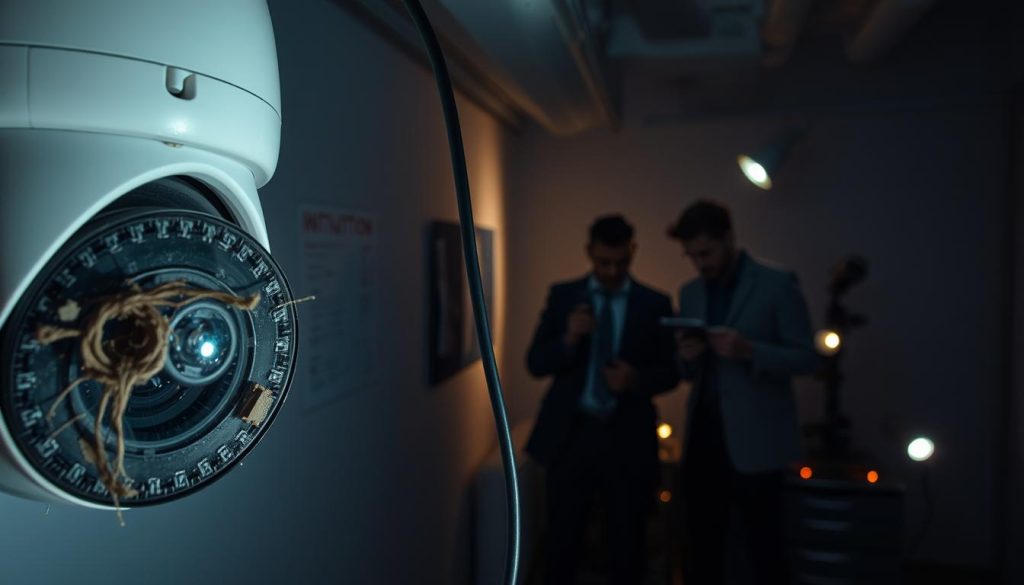
Your surveillance system provides peace of mind. But when cameras stop working, that feeling of safety disappears.
Video loss is a common headache for many property owners. It often signals deeper issues within your monitoring setup.
Various factors cause these failures. Power supply glitches, network connectivity drops, and harsh weather conditions all play roles.
Understanding these triggers helps maintain reliable protection. Regular check-ups and quality equipment choices make a big difference.
This guide explores common malfunction reasons. It also offers practical solutions to keep your cameras running smoothly.
Key Takeaways
- Surveillance equipment can fail unexpectedly, creating security gaps
- Video loss often indicates underlying system problems
- Power and network issues frequently cause camera malfunctions
- Environmental factors significantly impact camera performance
- Regular maintenance prevents many common surveillance issues
- Proper equipment selection enhances system reliability
- Timely troubleshooting extends camera lifespan
Understanding Video Loss in Security Camera Systems
The sudden absence of visual monitoring can leave properties exposed to risks. Recognizing early warning signs helps prevent complete system failure. Many property owners encounter video loss issues without understanding the underlying causes.
Various symptoms indicate potential problems with surveillance equipment. These signs often appear before complete failure occurs. Early detection saves time and maintains protection.
Common Symptoms of CCTV Malfunction
Several clear indicators signal video feed issues. Black screens represent complete transmission failure. This means no visual data reaches your monitoring station.
Flickering images suggest intermittent connection problems. Power fluctuations often cause this unstable performance. The feed appears and disappears unpredictably.
- Complete absence from specific units indicates individual camera failures
- Warning messages about no signal require immediate attention
- Regular monitoring helps identify these symptoms early
Static or distorted visuals typically indicate transmission problems. Signal interference creates these frustrating display issues. The footage becomes unusable for security purposes.
Different Forms of Surveillance Video Failure
Video interruption manifests in multiple ways. Complete signal loss shows as blank screens. Partial interruptions display fragmented images.
Degraded image quality often precedes complete failure. This gradual deterioration signals underlying system issues.
Some units appear operational but fail to record. This suggests storage or configuration problems. The system seems functional but provides no historical data.
Understanding these failure modes enables targeted troubleshooting. Different symptoms point to specific underlying causes. This knowledge helps maintain reliable surveillance coverage.
For comprehensive protection, consider how CCTV cameras record when they are switched to ensure continuous monitoring.
Power Supply Problems: A Primary Cause of Camera Failure
Power distribution issues rank among top surveillance failures. Without stable electricity, even advanced monitoring equipment becomes ineffective. Proper voltage maintenance ensures continuous protection.
Identifying Insufficient Power Issues
Several signs indicate power supply deficiencies. Intermittent operation suggests unstable electrical flow. Units may reboot randomly or show flickering images.
Complete shutdowns often signal severe power problems. These outages leave properties vulnerable to security breaches. Voltage drops become noticeable during performance reviews.
Common causes include:
- Loose cable connections reducing energy transmission
- Extended wiring runs causing voltage depletion
- Faulty adapters providing inconsistent electricity
- Overloaded systems unable to meet multiple demands
Quick Fixes for Power-Related Camera Problems
Immediate solutions restore monitoring functionality. Check all connections for tightness and corrosion. Singapore’s humid climate accelerates connection degradation.
Replace damaged cables with shorter, higher-quality alternatives. This improves power delivery and reduces resistance. Test different outlets to identify distribution issues.
For IP systems, direct NVR connections through PoE switches enhance reliability. These setups provide consistent power alongside data transmission. Regular adapter inspections prevent unexpected failures.
Implementing these measures maintains uninterrupted surveillance. Consistent electricity flow ensures cameras operate at peak performance. Proper maintenance extends equipment lifespan significantly.
Electrical Interference and Power Spike Damage
Unseen electrical forces can silently compromise your surveillance effectiveness. These invisible threats often cause frustrating performance issues without obvious warning signs.
Voltage irregularities and electromagnetic disturbances create significant challenges for monitoring equipment. Understanding these factors helps maintain reliable protection.
Common Sources of Electrical Interference
Various everyday devices generate disruptive energy patterns. Large motors and industrial machinery produce strong electromagnetic fields.
Fluorescent lighting systems create consistent interference patterns. Wireless devices and radio transmitters add to signal disruption.
These common sources cause specific problems:
- Image distortion and flickering in video feeds
- Complete signal loss during peak interference periods
- Random rebooting due to power fluctuations
Improper grounding amplifies these issues significantly. Without proper earth connections, systems become more vulnerable.
Lightning strikes represent extreme power surge events. These natural phenomena can permanently damage sensitive electronics.
Protecting Cameras from Surges and Spikes
Effective protection strategies prevent most electrical damage. Surge protection devices form the first defense layer.
High-quality suppressors block disturbances before reaching cameras. They absorb excess voltage during spike events.
Uninterruptible power supplies maintain operation during outages while stabilizing voltage fluctuations
Proper installation techniques reduce susceptibility. Avoid placing equipment near metal surfaces and conductive materials.
Regular testing ensures protection devices remain functional. Solar-powered options eliminate grid dependency concerns.
These practical measures significantly enhance system reliability. They provide peace of mind during electrical storms and grid instability.
Network Connectivity and Bandwidth Issues
Modern surveillance depends heavily on stable internet access. When network reliability falters, your entire monitoring system suffers. These connectivity problems often manifest as frustrating video interruptions.
Wireless setups face unique challenges compared to wired connections. Distance and physical obstacles create significant barriers. Understanding these limitations helps maintain consistent protection.
WiFi Limitations Affecting Camera Performance
Wireless cameras struggle with distance from routers. Signal strength diminishes significantly beyond certain ranges. This creates dead zones in larger properties.
Physical barriers compound these issues. Concrete walls and metal structures block wifi signals effectively. Even furniture placement can impact transmission quality.
Common interference sources include:
- Other wireless devices competing for bandwidth
- Neighboring networks operating on similar channels
- Microwave ovens and cordless phones disrupting signals
- Multiple cameras overwhelming available bandwidth
Bandwidth congestion represents a silent threat to surveillance reliability. Too many devices sharing limited capacity degrades video quality substantially.
Improving Signal Strength for Reliable Surveillance
Strategic placement enhances connection stability. Moving equipment closer to routers often solves weak wifi connection problems. This simple adjustment improves performance immediately.
Signal boosters extend coverage to problematic areas. These devices amplify existing signals without requiring new wiring. They’re particularly useful for outdoor installations.
Regular maintenance prevents many security gaps. Check all connectors and cables monthly. Monitor signal strength through your system’s interface.
Dual-band systems manage bandwidth more effectively. They separate traffic between frequency bands. This approach reduces congestion for critical monitoring devices.
Why do security cameras go bad? Hardware and Technical Factors
Internal components and digital systems form the backbone of your surveillance setup. When these elements falter, your entire monitoring operation faces challenges. Technical factors often cause frustrating operational problems.
Recognizing Hardware Malfunctions
Physical component failures display clear warning signs. Units that refuse to power on indicate serious internal damage. This often stems from power supply or motherboard issues.
Visual quality degradation signals sensor or lens problems. Blurry footage typically means optical components need cleaning or replacement. Consistent focus issues suggest deeper hardware failures.
Operational commands provide another diagnostic tool. Inability to zoom or pan points to mechanical component failures. These functions rely on precise internal mechanisms.
- Overheating units indicate cooling system failures
- Unusual noises suggest motor or fan malfunctions
- Inconsistent operation reveals power distribution problems
- Complete shutdowns often mean severe hardware damage
Regular inspection helps identify these hardware concerns early. Addressing them promptly prevents complete system failure.
The Critical Role of Firmware Updates
Digital software forms the intelligence behind your surveillance equipment. Firmware acts as the bridge between physical components and operational commands. Keeping this software current ensures optimal performance.
Regular updates address security vulnerabilities and functional bugs. They enhance compatibility with other system components. Outdated firmware creates security risks and reduces efficiency over time.
Automated update features maintain current firmware without manual intervention. This ensures continuous protection against emerging threats.
Update benefits include:
- Improved camera functionality and feature access
- Enhanced stability and reduced system crashes
- Better integration with monitoring devices
- Increased resistance to cyber threats
Manufacturer support assists with complex technical issues. Their expertise helps resolve persistent hardware and software challenges. Quality equipment combined with regular maintenance ensures long-term reliability.
Cable and Wiring Faults Impacting Performance
Physical connections between components represent critical yet vulnerable points in monitoring setups. These often-overlooked elements significantly influence overall system reliability. When wiring fails, the entire surveillance operation suffers immediate consequences.
How Faulty Wiring Affects Camera Reliability
Compromised cables create multiple operational problems. Loose connections cause intermittent signal loss. This leads to unreliable camera operation and missed recordings.
Damaged wiring exposes internal components to environmental factors. Moisture and heat accelerate damage in Singapore’s climate. This degradation reduces transmission quality over time.
Visual evidence reveals these issues clearly. Unclear images indicate signal deterioration. Complete blackouts suggest broken connections or severed cables.
Regular inspection identifies wear before complete failure occurs. This preventive approach maintains consistent surveillance coverage.
Diagnosing and Fixing Cable Problems
Systematic troubleshooting resolves most cable problems. Begin with visual inspection of all connections. Look for frayed wires, corrosion, or loose fittings.
Individual camera testing isolates wiring issues. This method identifies specific equipment affected by faulty cables. It prevents unnecessary replacement of functional components.
Effective solutions include:
- Replacing damaged cables with weather-resistant alternatives
- Ensuring tight connector installation for optimal performance
- Using cable management systems to prevent physical damage
- Testing each connection point for signal integrity
These measures significantly improve system reliability. They ensure continuous protection through maintained physical connections. Proper maintenance extends the lifespan of all surveillance equipment.
Environmental Factors Affecting Outdoor Cameras
Outdoor surveillance units face constant exposure to natural elements. These environmental challenges create unique maintenance requirements. Understanding these factors helps maintain reliable monitoring.
Singapore’s tropical climate presents specific problems for exterior monitoring equipment. High humidity and frequent rainfall test even robust systems. Proper protection ensures consistent performance.
Weather-Related Camera Damage
Extreme weather conditions significantly impact outdoor security cameras. Heavy rainfall can penetrate improperly sealed units. This moisture causes internal corrosion and circuit board failure.
Intense sunlight creates overheating issues. Prolonged exposure reduces component lifespan. It also affects image quality through lens damage.
Freezing temperatures present different challenges. They can crack external lenses and damage internal mechanisms. These conditions require specialized protective measures.
- Moisture intrusion leads to electrical shorts and component failure
- Heat buildup causes premature aging of internal electronics
- Temperature fluctuations create condensation inside camera housings
- Wind-driven debris can physically damage lenses and housings
Protective Measures for Harsh Conditions
Weatherproof housing provides essential protection against environmental damage. These enclosures shield cameras from direct weather exposure. They maintain optimal operating conditions.
Strategic placement extends equipment longevity. Install units under eaves or protective coverings. This reduces direct exposure to rain and sunlight.
Regular cleaning prevents environmental buildup that affects performance. Monthly inspections identify potential issues before they become serious problems.
Environmental ratings guide appropriate camera selection. IP ratings indicate protection levels against solids and liquids. Higher numbers offer better protection for challenging areas.
Heated enclosures maintain operation in cold conditions. These specialized housings prevent ice buildup. They ensure reliable monitoring throughout all seasons.
These protective measures significantly extend equipment lifespan. They maintain consistent security coverage over time. Proper planning prevents weather-related system failures.
Choosing Quality Equipment for Long-Term Reliability
Smart investment decisions in surveillance technology yield lasting protection benefits. Superior monitoring gear delivers consistent operation with minimal maintenance needs. This approach prevents frequent replacements and unexpected downtime.
Premium surveillance components withstand Singapore’s challenging climate conditions. They maintain optimal functionality despite humidity and temperature fluctuations. This resilience ensures uninterrupted monitoring coverage.
Selecting Durable Surveillance Systems
Robust construction materials define reliable monitoring solutions. Weather-resistant housings protect internal components from environmental damage. Metal alloys and polycarbonate blends offer superior durability.
Advanced imaging sensors provide clearer footage in various lighting conditions. Infrared capabilities ensure nighttime visibility without additional lighting. These features enhance overall system effectiveness.
- Industrial-grade components resist wear from constant operation
- Sealed connectors prevent moisture intrusion and corrosion
- Temperature-rated electronics handle tropical heat conditions
- Impact-resistant designs survive accidental bumps and vibrations
Integration capabilities simplify expanding existing security arrangements. Compatible devices work seamlessly with current monitoring setups. This flexibility supports future security enhancements.
Importance of Brand Reputation and Support
Established manufacturers deliver proven performance through extensive testing. Their products undergo rigorous quality control before market release. This process ensures consistent reliability across all units.
Comprehensive warranty coverage protects against manufacturing defects. Most reputable companies offer multi-year protection plans. These guarantees provide peace of mind for significant investments.
Responsive customer support teams resolve technical issues promptly. Their expertise helps maximize equipment performance and lifespan.
User reviews offer valuable insights into real-world performance. These testimonials highlight strengths and potential limitations. They guide consumers toward informed purchasing decisions.
Technical support availability ensures professional assistance when needed. Manufacturers provide installation guidance and troubleshooting help. This support maintains optimal system operation over time.
Regular firmware updates keep security features current against emerging threats. These digital improvements enhance functionality without hardware changes. They represent ongoing commitment to product excellence.
Implementing Effective Maintenance Routines
Consistent care preserves your monitoring investment over time. Proper maintenance routines prevent unexpected failures and costly replacements. They ensure continuous protection for your property.
Regular attention keeps all components functioning optimally. This approach minimizes disruptions to your surveillance coverage. It also extends the lifespan of your monitoring equipment.
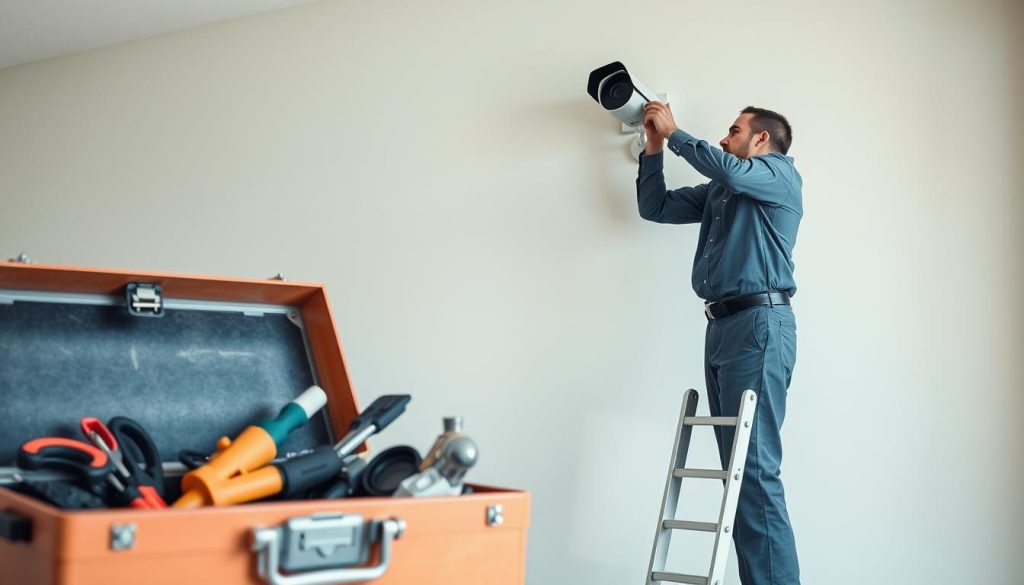
Regular System Checks and Cleaning Procedures
Weekly inspections catch minor issues before they escalate. Check each unit for clear image quality and proper operation. Look for signs of wear or environmental damage.
Lens cleaning maintains optimal visual performance. Use microfiber cloths to remove dust and debris. Avoid harsh chemicals that could damage optical coatings.
Connection verification ensures reliable power and data transmission. Inspect all cables for tightness and corrosion. Replace any damaged wiring immediately.
Key maintenance tasks include:
- Cleaning camera lenses monthly for clear footage
- Testing each unit individually for proper function
- Checking cable connections for security and stability
- Updating software to address vulnerabilities
- Documenting all maintenance activities for tracking
Scheduled Maintenance for Optimal Performance
Quarterly comprehensive reviews catch developing problems. These thorough inspections examine all system components. They identify areas needing attention before failures occur.
Professional services handle complex technical issues. Experts provide deep cleaning and calibration services. They ensure your equipment operates at peak performance.
Preventive maintenance reduces repair costs by up to 50% compared to reactive approaches. This proactive strategy saves both time and money.
Make sure to establish a consistent maintenance schedule. Regular care prevents most common surveillance problems. It maintains reliable protection for your property.
Software updates should occur automatically when possible. These digital improvements enhance functionality and security. They keep your system current against emerging threats.
Proper maintenance routines deliver peace of mind. They ensure your monitoring equipment remains reliable over time. This investment in care protects your larger security investment.
Ensuring Continuous Protection with Reliable Power Solutions
Your monitoring setup needs stable electricity to work right. Good power supply stops most problems before they start.
Use UPS units for backup during outages. They keep your system running when the grid fails. Surge protectors guard against voltage spikes too.
PoE switches help manage electricity for multiple devices. They work well with NVR setups. This combo makes installation simpler.
Check your wiring often. Make sure it can handle all your equipment. Strong connections prevent many issues.
A smart electrical plan keeps your surveillance working. It protects your property day and night.