
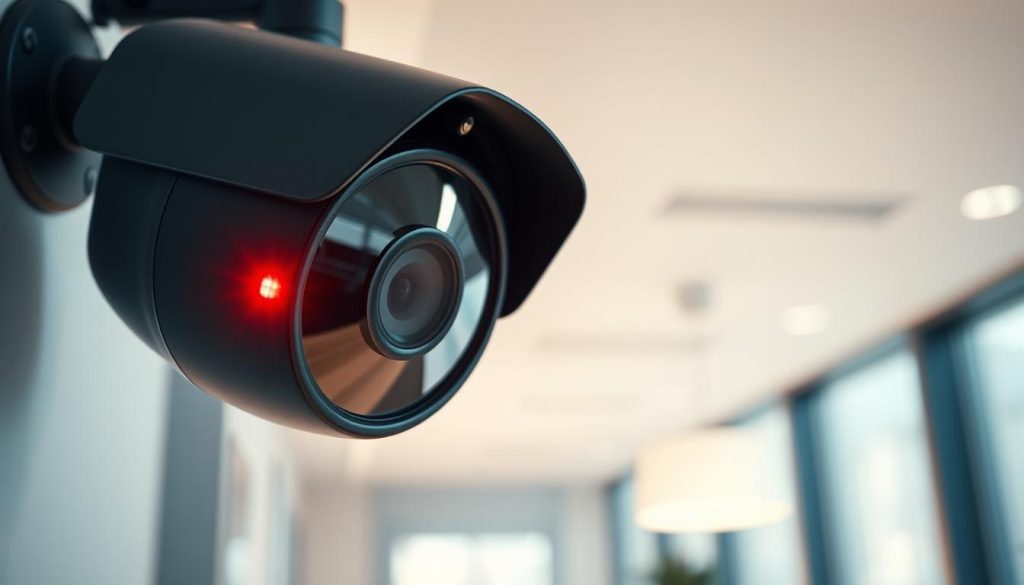
Many security system owners notice that distinctive flashing indicator on their surveillance equipment. This visual signal varies significantly across different brands and models.
Interpreting this indicator correctly is crucial for maintaining effective security monitoring. A misunderstanding could lead to either unnecessary concern or missed warnings about system issues.
This guide specifically addresses Singapore users, considering local regulations and common practices. Modern security systems use LED indicators to communicate various status updates.
That flashing signal might indicate normal camera recording activity. Alternatively, it could alert you to connectivity problems or other technical issues.
We’ll demystify what that blinking red light means through practical troubleshooting steps. Our approach includes physical inspections, software diagnostics, and brand-specific insights.
Always consult your manufacturer’s manual first for accurate interpretation. With systematic steps, resolving concerns about your security system’s indicators becomes straightforward.
Key Takeaways
- Blinking indicators vary by brand and model – check your manual first
- The red light can signal normal operation or potential issues
- Proper interpretation ensures effective security monitoring
- Singapore users should consider local regulations and practices
- Modern security systems use LED indicators for status communication
- Troubleshooting involves both physical and software diagnostics
- Most blinking light concerns can be resolved with systematic steps
Understanding Your CCTV Camera’s Status Indicators
LED indicators on security cameras serve as immediate visual feedback mechanisms. These small lights provide crucial information about your device’s operational status. Understanding these signals helps users maintain optimal surveillance performance.
The Role of LED Lights in Security Systems
Modern security systems employ various colored lights to communicate status. Red, blue, and green indicators each convey specific messages about camera operations. These visual cues offer real-time feedback without requiring software access.
Red illumination typically signifies recording activity or power status. Blue lights often indicate wireless connectivity or system readiness. Green indicators usually represent normal operation or successful connections.
Infrared-enabled devices may display red illumination during night vision mode. This occurs when the camera switches to low-light recording capabilities. Advanced technology has made these visual signals more reliable than ever.
These light indicators serve dual purposes in security systems. They provide operational feedback while potentially deterring intruders. Visible activity suggests active monitoring, enhancing overall security effectiveness.
Why Visual Cues Are Essential for Monitoring
Visual indicators enable rapid assessment of camera status. Users can quickly verify operations without consulting manuals or accessing apps. This immediate feedback is important know for maintaining surveillance integrity.
Misinterpreting these signals can lead to unnecessary concerns. It might also cause missed warnings about genuine system issues. Proper education about light patterns prevents false alarms.
Consistent monitoring of these visual cues maintains system responsiveness. Regular checks help identify potential problems before they escalate. This proactive approach ensures continuous security coverage.
Security system design prioritizes usability and clarity through these indicators. The evolution of visual signaling reflects this user-centered approach. Modern cameras use sophisticated yet intuitive status communication methods.
Understanding your device’s specific light patterns is crucial for effective monitoring. Different manufacturers may implement unique signaling systems. Always reference your particular model’s documentation for accurate interpretation.
Why is the Red Light Blinking on My CCTV Camera?
That pulsating crimson glow on your surveillance device can signal various operational states. This visual cue often means different things depending on your specific equipment model and settings.
Many users assume a blinking red light always indicates active recording. While this is frequently true, it’s not a universal standard across all security systems.
Several factors can trigger this visual indicator on monitoring equipment. Normal operation during recording is the most common reason for this signal.
Environmental conditions like darkness may activate infrared modes. This transition to night vision capabilities often produces a similar visual effect.
Power-related issues can also manifest as blinking patterns. Low battery levels or unstable power connections might cause irregular light behavior.
Connectivity problems between devices sometimes trigger warning signals. Network synchronization issues may result in specific blinking patterns.
Different manufacturers implement unique signaling systems for their equipment. Always consult your specific model’s documentation for accurate interpretation.
Some security cameras use rapid blinking to indicate error conditions. Slower, rhythmic patterns might signify normal recording activity instead.
This visual feedback can cause unnecessary concern when misunderstood. Many users worry about malfunctions when seeing unfamiliar light patterns.
Even decoy surveillance devices often mimic these signals. Fake cameras use blinking lights to appear functional and deter potential intruders.
Context is crucial for proper diagnosis of these visual indicators. Consider time of day, recent settings changes, and environmental conditions.
Understanding your specific equipment’s signaling system prevents misinterpretation. This knowledge ensures you respond appropriately to actual issues.
Common Reasons for a Blinking Red Light
Security cameras communicate through visual signals that vary across different models. Understanding these patterns helps identify whether your device functions normally or needs attention.
Most surveillance equipment uses LED indicators to show operational status. The red light usually means different things depending on context and manufacturer specifications.
Normal Operation: Signifying Active Recording
Many devices use a pulsating red light to indicate active recording. This visual confirmation assures users that their surveillance system works properly.
Some manufacturers employ solid lights for recording instead. Always check your specific model’s documentation for accurate interpretation.
Night Vision or Infrared Mode Activation
Infrared LEDs often produce a faint glow during low-light conditions. This blinking red appearance occurs when night vision engages automatically.
The effect might seem irregular due to infrared sensors adjusting to darkness. This is completely normal for most security cameras.
Low Battery or Power Supply Issues
Power problems frequently trigger warning signals through visual indicators. Insufficient power or unstable connections cause irregular light patterns.
Blink cameras famously flash red when batteries need replacement. Other brands might use different colors for power warnings.
Network or Connectivity Problems
Connection issues between devices often manifest as specific light patterns. Synchronization problems with networks or recorders trigger alert signals.
Weather conditions or physical obstructions can worsen connectivity issues. Singapore’s humid climate sometimes affects wireless signals.
Remember that not all blinking indicates malfunctions. Many patterns represent standard functionality across various security systems.
- Observe when blinking occurs – nighttime suggests night vision mode
- Check power connections and battery levels regularly
- Verify network connectivity through manufacturer apps
- Consult your model’s manual for specific light patterns
- Most issues resolve with basic troubleshooting steps
This recording status indication means camera operations are working as intended. Proper understanding prevents unnecessary concerns about your security system.
It Might Not Be Recording: Decoding Blinking Patterns
Visual indicators on surveillance equipment often communicate more than meets the eye. Many users mistakenly assume a pulsating glow always signifies active recording. This assumption can lead to security gaps when devices actually signal problems.
Different manufacturers implement unique signaling systems. The same visual cue might mean different things across various brands and models. Understanding these variations prevents misinterpretation of your security system’s status.
Power Status Indicators vs. Recording Indicators
Security devices use visual signals for both power status and recording activity. A steady illumination often means recording is in progress on many models. Some systems use pulsating patterns for low battery warnings instead.
Power-related signals typically indicate electrical issues. These include unstable connections or insufficient energy supply. Recording indicators focus on surveillance functionality and data capture.
Advanced systems may combine both functions into single indicators. Color changes or pattern variations differentiate between status types. This dual-purpose design simplifies device aesthetics while maintaining functionality.
How Different Manufacturers Use Light Signals
Major brands employ distinct visual languages for their equipment. Hikvision and Dahua typically use solid red illumination during active recording. Reolink often utilizes blue indicators for normal operation instead.
Some manufacturers implement rapid pulsating for error conditions. Slower rhythmic patterns might indicate normal recording activity. These variations highlight why consulting manufacturer documentation is essential.
Decoy surveillance devices frequently mimic random blinking patterns. Authentic equipment follows consistent, predictable signaling conventions. This difference helps distinguish real security systems from imitation units.
Modern systems sometimes incorporate color transitions between status modes. A shift from green to red might indicate recording activation. These visual cues provide immediate understanding of device status changes.
Manufacturer documentation remains the definitive source for interpreting visual signals. Always reference your specific model’s guide for accurate pattern interpretation.
Software verification tools provide additional confirmation when visual signals seem ambiguous. Mobile applications and monitoring software show camera status directly. This dual verification approach ensures accurate system monitoring.
Some advanced units feature audible alerts alongside visual indicators. These multi-sensory warnings reduce confusion about device status. They provide additional clarity during critical security situations.
Understanding your equipment’s visual language prevents unnecessary concerns. It also ensures prompt attention to genuine technical issues. This knowledge maintains optimal security system performance.
Is Your Camera Real? Blinking Lights on Dummy Models
Many surveillance setups incorporate decoy units alongside functional equipment. These imitation devices often feature pulsating indicators to create the illusion of active monitoring.
Understanding the difference between real and fake units protects your security investment. Proper identification ensures you maintain actual surveillance coverage rather than visual deception alone.
Identifying Authentic vs. Decoy Security Cameras
Genuine surveillance equipment typically carries manufacturer branding and certification labels. These markings indicate quality standards and warranty coverage.
Authentic devices feel substantial due to internal electronics and metal components. Their weight distribution differs significantly from hollow plastic replicas.
Functional infrared capabilities represent another key differentiator. Real night vision produces subtle illumination rather than bright, constant blinking.
Advanced features like motion tracking and remote access confirm operational status. These capabilities separate actual security cameras from basic imitations.
Why Fake Cameras Often Use Blinking Red Lights
Decoy units employ simple visual signals to mimic operational status. These pulsating patterns aim to deter potential intruders through psychological impact.
Imitations typically use basic LED circuits without variation or sophistication. Their patterns remain constant rather than adapting to different operational modes.
Visual deception through imitation cameras may violate Singapore’s Consumer Protection Regulations if misrepresented as functional surveillance systems.
Standalone dummy units lack integration with monitoring systems or mobile applications. This isolation prevents them from providing actual security documentation.
While cost-effective initially, fake systems create security gaps if used exclusively. They cannot capture evidence or provide alerts during actual incidents.
For reliable protection, invest in verified surveillance equipment from reputable brands. Authentic systems offer peace of mind through actual monitoring capabilities.
Your First Step: Consulting the Manufacturer’s Manual
Security equipment documentation holds the key to understanding your device’s visual language. Many users overlook this crucial resource when troubleshooting their systems.
Manufacturer manuals provide exact definitions for every status indicator. These guides eliminate guesswork about what different signals represent.
Finding Brand-Specific Indicator Definitions
Each security brand uses unique visual signaling systems. Reolink cameras typically employ blue illumination during recording. Hikvision models often use solid red instead.
This variation makes consulting your specific model’s manual essential. Documentation provides precise interpretations for your equipment’s light indicators.
You can find these resources through multiple channels. Physical copies often accompany product packaging. Official manufacturer websites host digital versions.
Customer support teams can provide documentation upon request. Some brands offer QR codes on devices for instant manual access.
How Documentation Solves Common Confusion
Manufacturer guides clarify whether blinking represents normal operation. They distinguish between recording status and potential error conditions.
This knowledge prevents unnecessary service calls or equipment replacements. Understanding your manual helps maintain system reliability.
Troubleshooting sections address common issues like irregular patterns. Step-by-step guides walk users through resolution processes.
Digital manuals often feature search functionality for quick reference. This helps during urgent situations requiring immediate attention.
Informed users who understand their equipment’s visual language maintain more effective security systems. Manufacturer documentation provides this essential knowledge.
Keep your manual accessible for regular consultation. Store physical copies in labeled folders. Bookmark digital versions on your devices.
Always check camera documentation before assuming malfunction. This practice saves time and prevents unnecessary expenses.
Knowing lights mean specific things across different brands. This understanding is important know for proper system maintenance.
Regularly check camera documentation for firmware updates. Updated manuals often include new troubleshooting information.
Ignoring manufacturer guidance can lead to misinterpretation. This might cause missed warnings about genuine system issues.
Proper documentation use ensures optimal security system performance. It transforms visual signals from mysteries into clear communication.
Step-by-Step Physical Inspection Guide
A thorough hands-on examination often reveals simple solutions to complex problems. Many technical issues stem from basic physical factors that users can identify themselves.
This systematic approach helps determine if your device is working right. Regular checks maintain optimal performance and prevent unexpected failures.
Checking Power Connections and Cables
Begin your inspection with the power supply system. Verify all cables are firmly connected at both ends.
Examine wiring for any visible damage or wear. Frayed insulation or bent connectors often cause intermittent power issues.
Loose connections frequently trigger irregular indicator patterns. Ensure plugs fit snugly into their respective ports.
Test power outlets with another device to confirm functionality. Sometimes the issue lies with the electrical source rather than the equipment.
Inspecting for Physical Damage or Obstructions
Carefully examine the external housing for cracks or deformation. Weather exposure can compromise protective casings over time.
Remove any dirt, spider webs, or debris blocking the lens. These obstructions can affect infrared sensors and trigger false indicators.
Check for moisture accumulation inside the housing. Singapore’s humidity sometimes causes condensation issues.
Clean the lens gently with appropriate materials. Use microfiber cloths to avoid scratching optical surfaces.
Observing Camera Movement and Housing
For PTZ models, test pan-tilt-zoom functionality through your control interface. Unresponsive movement may indicate mechanical issues.
Listen for unusual sounds during operation. Grinding or clicking noises often precede complete failure.
Verify mounting brackets remain secure and stable. Vibration from loose mounts can disrupt internal components.
Ensure weatherproof seals remain intact around housing edges. Compromised seals allow environmental elements to enter.
Regular physical maintenance extends equipment lifespan and prevents most common issues. Simple cleaning and connection checks resolve many apparent malfunctions.
Document any findings during your inspection. Note specific issues for reference if professional repair becomes necessary.
Most physical problems show visible evidence upon careful examination. Systematic checking ensures you don’t overlook obvious solutions.
This hands-on approach confirms whether your camera working properly or needs further attention. Physical inspection should always precede complex troubleshooting.
Using Software and Apps for Diagnosis
Modern surveillance technology offers powerful digital tools for troubleshooting. These applications provide clear insights into your equipment’s performance. They complement physical inspections with real-time data analysis.
Software diagnostics help verify operational status beyond visual indicators. Many platforms offer comprehensive monitoring through intuitive interfaces. This approach helps users understand their equipment better.
Accessing Live Feeds to Confirm Recording Status
Manufacturer applications allow immediate viewing of surveillance footage. Live streaming confirms whether capture functions work properly. This verification method overcomes potential misinterpretation of visual signals.
Popular platforms like Reolink and Hikvision iVMS-4200 provide these capabilities. Users can check footage quality and recording consistency. This direct observation validates equipment functionality.
Interpreting Alerts and Dashboard Warnings
Digital interfaces display clear notifications about system health. These alerts cover connectivity, storage, and power issues. Dashboard warnings often explain specific indicator patterns.
Software can log historical data about performance trends. This information helps identify recurring problems. Pattern recognition assists in preventive maintenance.
The Advantages of Remote Monitoring Tools
Mobile applications enable status checks from any location. Remote access enhances responsiveness to potential issues. Users receive instant notifications about system changes.
These tools simplify firmware updates that might resolve bugs. Regular software maintenance keeps equipment performing optimally. Remote diagnostics save time and reduce service calls.
Combining software verification with physical inspection provides the most accurate diagnosis. Digital tools offer clarity where visual indicators might confuse.
Modern surveillance security systems integrate seamlessly with diagnostic software. These platforms make troubleshooting accessible for all users. They transform complex technical issues into manageable solutions.
- Install your manufacturer’s official application
- Log into your account using secure credentials
- Navigate to device status and live view sections
- Review alert history and system notifications
- Perform recommended maintenance procedures
Digital tools provide confidence in your surveillance system’s performance. They offer peace of mind through comprehensive monitoring capabilities. This approach ensures your security investment remains effective.
A Guide to Camera Brands and Their Indicators
Different manufacturers implement unique visual languages for their surveillance equipment. These signaling systems vary significantly across various models and price points.
Understanding these differences helps users accurately interpret their device’s status. This knowledge prevents confusion about normal operation versus potential issues.
Common Practices Across Major Brands
Leading manufacturers follow consistent patterns in their indicator designs. Hikvision equipment typically uses solid illumination during active recording.
Their systems employ pulsating patterns for error conditions instead. This distinction helps users quickly identify operational status.
Dahua implements similar signaling approaches to Hikvision. Both brands prioritize clarity and consistency in their visual communication.
Reolink often chooses different color schemes for status indication. Some models use blue illumination for normal recording activity.
These variations mean different things across product lines. Users must consult specific model documentation for accurate interpretation.
Understanding Variations in Color and Pattern
Visual indicators communicate through both color and rhythm variations. Green illumination typically signifies successful network connections.
Red indicators usually mean recording activity or potential warnings. The specific interpretation depends on the manufacturer’s design choices.
Pattern differences convey important status information. Slow, rhythmic blinking often indicates normal operation.
Rapid, irregular patterns typically signal error conditions. These distinctions help users respond appropriately to various situations.
Budget-friendly options might exhibit inconsistent indicator behavior. Generic brands sometimes lack standardized signaling systems.
Manufacturer websites maintain extensive support sections with indicator guides. These resources provide clarification when physical manuals become unavailable.
Online communities offer model-specific advice for unusual patterns. User forums contain valuable insights from real-world experience.
Singaporean users should consider local distributor information. Regional variations sometimes affect equipment configuration.
Knowing your brand’s specific signaling language reduces guesswork. This understanding enhances overall system management effectiveness.
Proper interpretation maintains surveillance reliability and peace of mind. It ensures appropriate responses to actual equipment needs.
When the Light Signals a Problem: Common Malfunctions
Visual indicators sometimes reveal deeper technical issues within surveillance systems. These warning signs help users identify problems before they affect security coverage. Understanding these signals ensures timely intervention.
Equipment status lights often communicate specific error conditions. A particular pattern might mean connectivity loss or hardware failure. Proper interpretation prevents security gaps.
Resolving Connectivity and Sync Issues
Network problems frequently trigger unusual indicator behavior. Wireless drops or cable disconnections cause specific blinking patterns. These issues require immediate attention.
Singapore’s humid climate sometimes affects network performance. Moisture can degrade cable connections over time. Regular inspection maintains reliable connectivity.
Sync problems with recording equipment manifest as irregular signals. Cameras unable to communicate with NVRs display distinctive patterns. Restarting both devices often resolves this.
Network tools help diagnose connection stability issues. Bandwidth testing identifies interference problems. These solutions restore normal operation quickly.
Addressing Internal Hardware Failures
Internal component damage triggers specific error indicators. Faulty sensors or circuit boards cause persistent unusual signals. These problems require technical expertise.
Environmental factors accelerate hardware degradation. Heat and moisture affect electronic components over time. Protective housing maintenance reduces these risks.
Persistent indicators despite basic troubleshooting suggest internal damage. Professional assessment determines repair feasibility. Some issues necessitate complete replacement.
Manufacturer support teams provide the most accurate diagnosis for hardware issues. Their technical expertise ensures proper resolution.
Regular maintenance prevents many hardware problems. Firmware updates address known component issues. Preventive care extends equipment lifespan.
Understanding what a status signal light means helps users respond appropriately. Some patterns indicate immediate attention requirements. Others suggest gradual degradation.
Equipment documentation specifies error indicator interpretations. These guides help distinguish temporary glitches from serious malfunctions. Always consult manufacturer resources first.
Security system reliability depends on prompt issue resolution. Addressing problems early maintains continuous protection. Professional assistance ensures proper repairs.
Staying Compliant: CCTV Regulations in Singapore
Singapore’s legal framework establishes clear boundaries for surveillance system operation. Understanding these regulations ensures your security measures remain both effective and lawful.
Proper compliance protects both property owners and individuals’ privacy rights. It also prevents potential legal complications that might arise from improper monitoring practices.
Understanding Local Privacy and Surveillance Laws
Singapore operates under the Personal Data Protection Act (PDPA) for surveillance matters. This legislation governs how personal data gets collected through monitoring systems.
Public area recording generally receives permission under these regulations. However, audio capture often faces additional restrictions and requirements.
Private spaces demand different considerations entirely. Bedrooms and bathrooms require explicit consent for any monitoring equipment installation.
Ensuring Your System Meets Legal Requirements
Proper system configuration maintains compliance with local regulations. Your security camera setup should respect privacy boundaries while providing protection.
Placement considerations are crucial for lawful operation. Avoid pointing equipment toward neighboring properties without permission.
It’s important know that visible indicator lights can demonstrate transparent monitoring. These signals show others that recording is occurring openly.
Non-compliant systems may face penalties under PDPA regulations. Fines and legal action can result from privacy violations.
Always check your specific installation against regulatory guidelines. Professional consultation helps ensure complete compliance.
Most cameras use standard configurations that meet basic legal requirements. However, custom setups might need additional verification.
Best practices include posting clear surveillance notices. These signs inform people about monitoring activities in the area.
Secure storage of recorded footage protects against unauthorized access. Limited viewing permissions maintain privacy compliance.
Decoy units might create legal complications if they imply unauthorized surveillance. Authentic systems provide actual protection without deception.
Compliant CCTV camera systems enhance security without legal risks. They balance protection needs with privacy respect effectively.
Regular reviews ensure ongoing compliance with evolving regulations. Singapore’s legal landscape occasionally updates surveillance guidelines.
Beyond CCTV: Other Devices with Red Light Indicators
Many electronic devices use visual signals similar to surveillance equipment. These indicators provide quick status updates across various technologies. Understanding these patterns helps users interpret device behavior correctly.
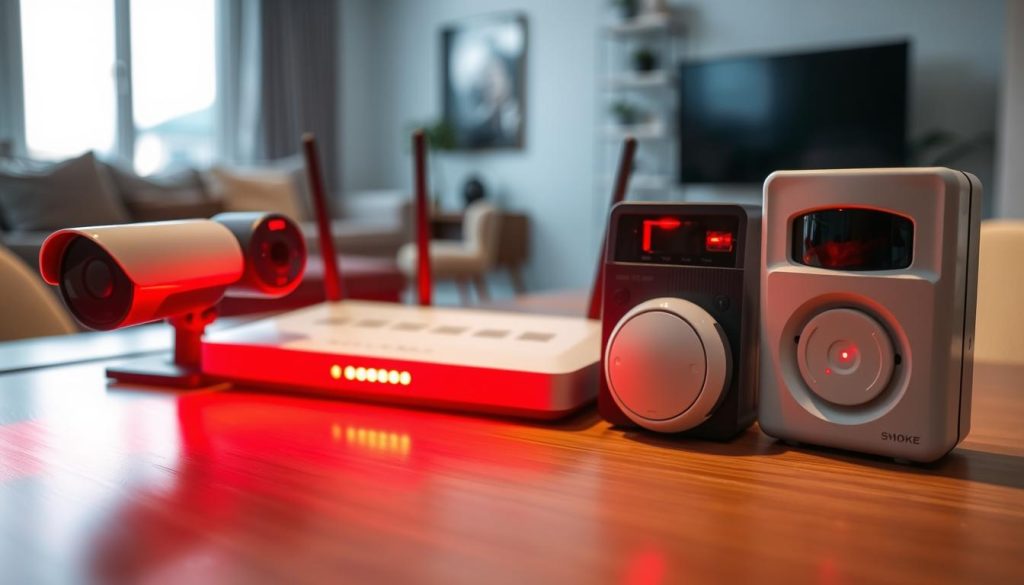
Different gadgets employ similar visual communication methods. A steady glow often indicates active operation. Pulsating patterns might signal attention-needed states.
Blink Cameras and Smart Home Devices
Popular home security products use distinctive visual cues. Blink equipment flashes crimson when batteries need replacement. This warning helps users maintain continuous protection.
Connectivity issues also trigger specific patterns. Wireless drops cause irregular illumination. These signals prompt timely troubleshooting.
Smart doorbells employ similar indicator systems. Motion detection activates brief visual confirmation. This feedback assures users of proper functionality.
Digital Cameras and Smartphones
Photography equipment uses illumination during capture. A steady glow typically means active light recording. This confirms media is being saved properly.
Mobile devices utilize various indicator colors. Crimson illumination often signals charging status. Notifications might also trigger brief pulses.
These visual cues mean different things across manufacturers. Always check device manuals for accurate interpretation. The same signal might indicate opposite conditions.
Universal design principles make red illumination a common warning indicator across electronics. This consistency helps users quickly identify potential issues.
Many gadgets use crimson signals for low-power states. This visual warning prompts timely charging. Ignoring these indicators can lead to unexpected shutdowns.
Smart home sensors employ similar visual language. Door/window contacts might flash during activation. Motion detectors use brief illumination for status confirmation.
- Blink cameras flash for low battery alerts
- Digital cameras use steady lights during recording
- Smartphones indicate charging with crimson LEDs
- Smart doorbells show activity with brief pulses
- Universal troubleshooting principles apply across devices
These visual patterns show ‘re recording or need attention. Understanding them enhances device management. The same diagnostic steps work for various electronics.
Consult manufacturer guides for specific interpretations. Brand variations exist in visual signaling systems. Proper knowledge prevents misinterpretation.
Crimson red lights serve as universal attention-getters across electronics. Their consistent use makes troubleshooting intuitive. This design approach benefits users managing multiple devices.
Recognizing these patterns helps maintain all your electronic equipment. The same principles apply from security systems to personal gadgets. Visual indicators provide valuable operational feedback.
Keeping Your Security System Updated
Regular maintenance through updates keeps your surveillance equipment performing optimally. Modern security systems require ongoing attention to maintain peak performance. This proactive approach prevents many common issues before they occur.
Staying current with technological advancements ensures your protection remains effective. Updated systems provide better reliability and fewer false alarms. They also offer enhanced features that improve overall security monitoring.
The Impact of Firmware and Software Updates
Firmware updates address various technical issues within your equipment. They can resolve problems with status indicators showing incorrect patterns. These corrections ensure your visual signals communicate accurate information.
Connectivity improvements often come through regular software updates. Better network stability reduces intermittent connection problems. This usually means fewer error indicators and more reliable performance.
Updated diagnostic tools help identify issues more precisely. Enhanced alert systems provide clearer notifications about system status. These improvements make troubleshooting much simpler for users.
Many manufacturers release patches for known vulnerabilities. These security updates protect against potential breaches. Regular installation maintains your system’s defense capabilities.
Consistent updates ensure your security camera working as intended, providing accurate status indicators and reliable performance.
Embracing New Technologies in Surveillance
Artificial intelligence integration transforms modern monitoring capabilities. AI can automate status monitoring and reduce visual indicator reliance. This technology provides more accurate system assessments.
Cloud storage solutions offer enhanced data protection. Remote access capabilities improve system management flexibility. These advancements provide peace of mind for property owners.
Improved night vision technology reduces false alerts after dark. Better connectivity options maintain stable network performance. These features work together to create more reliable security systems.
Mobile integration allows remote system management from anywhere. Real-time notifications keep users informed about system status. This connectivity helps users respond quickly to any issues.
Understanding your security camera status becomes easier with updated systems. Modern equipment provides clearer communication about operational states.
- Enable automatic updates when available for timely improvements
- Regular updates extend equipment lifespan through added functionality
- New technologies reduce false alerts and improve accuracy
- Updated systems maintain compliance with evolving security standards
- Proactive update management prevents most common malfunctions
Keeping your system current ensures everything is working right. Updated security systems provide reliable protection and accurate status indicators. This maintenance approach guarantees optimal performance year-round.
Resolving the Blinking Light and Ensuring Future Security
Successfully managing your surveillance system comes down to proper indicator interpretation. That crimson signal often represents normal operation but can also alert you to issues.
Always check your manual first for brand-specific guidance. Physical inspections and software tools provide complete diagnostic coverage.
Understanding what each light means prevents unnecessary concerns. Singapore users must consider local compliance requirements too.
Regular maintenance and genuine equipment investment ensure long-term protection. Most indicator issues resolve with basic troubleshooting steps.
Bookmark this guide for future reference. For persistent problems, contact professionals at +65 60135960.
Stay informed about evolving security technology. Proactive care keeps your system performing reliably for years.