
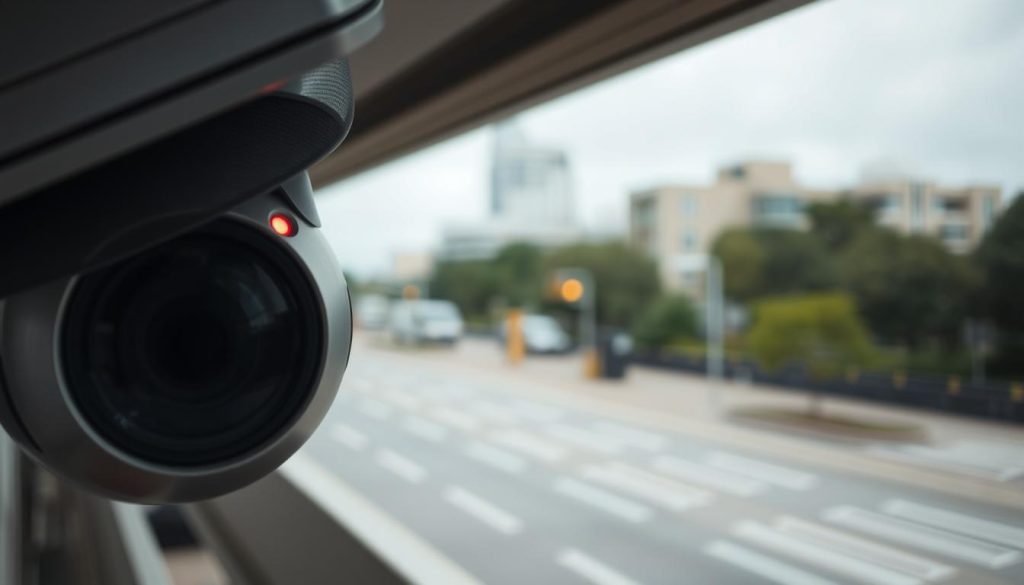
Many people assume a visible indicator is necessary for a security camera to function. This common belief often leads to confusion when the familiar glow is absent. Users may worry their surveillance equipment has failed.
In Singapore’s dense urban landscape, reliable monitoring solutions are crucial. Modern technology allows for discreet operation. Many devices are designed for stealth without compromising performance.
This article serves as a comprehensive troubleshooting guide. We explore various reasons for an absent indicator. You will learn to verify if your CCTV is recording even without a visible cue.
The lack of a glow is not always a sign of a problem. It could be a design feature or a settings choice. For complex issues, professional assessment is key. Contact experts at +65 60135960 for support with your system.
Key Takeaways
- Indicator LEDs serve different purposes across camera models.
- Many modern security systems are designed for covert operation.
- Power and network connection problems are common culprits.
- You can verify recording through video feed or data transmission.
- Singapore’s climate can affect equipment installation and monitoring.
- Professional technicians can diagnose and fix technical signal issues.
Understanding the Purpose of the Red Light on CCTV Cameras
A camera’s visual indicator is more than just a light; it’s a diagnostic tool engineered for user awareness. This small LED acts as a silent communicator for your security system. It provides instant feedback on the device’s operational state.
Understanding these signals is crucial for effective monitoring. It helps you confirm functionality quickly. You can also identify potential problems before they affect your footage.
What the Status Indicator is Meant to Signal
The primary role of the status light is to inform. A steady red glow commonly means the camera is actively recording. This could be continuous or triggered by motion.
Blinking or flashing patterns are critical diagnostics. They often signal specific conditions. These may include network connectivity issues, ongoing firmware updates, or storage problems.
High-end models balance functionality with discretion. Brands like Reolink design systems with very subtle or configurable LEDs. This maintains stealth without sacrificing performance.
Different Colors and Their Operational Meanings
Manufacturers use a color-coding system for quick assessment. Each hue communicates a distinct status. This technology simplifies security management.
- Red Light: Typically indicates active recording. The camera is capturing video.
- Green Light: Often signals the device is powered on but in a standby or idle mode.
- Blue Light: Commonly denotes network activity. This is frequent in IP-based security cameras.
Traditional CCTV often uses a steady red light. Modern IP cameras may use combined colors for multi-status alerts.
Be cautious of simplistic blinking red LEDs. Fake or decoy devices often use them as a visual trick. They lack the nuanced patterns of genuine professional equipment.
Remember, the absence of a visible glow does not mean failure. Many contemporary solutions are designed for covert operation. Discreet surveillance is a key feature in modern security technology.
Why is There No Red Light on My CCTV Camera? Common Reasons
Several key factors contribute to a security camera operating without its typical visual cue. Understanding these common causes can save you from unnecessary worry. It also helps you focus on genuine problems that need fixing.
The absence of that glow is often a feature, not a fault. Modern surveillance technology prioritizes both function and discretion.
Infrared Night Vision Mode is Active and Stealthy
One of the most frequent reasons for a missing indicator is active infrared mode. When ambient light drops below 10 lux, an automatic IR-cut filter engages. This sensor shift allows the camera to see in near-total darkness.
To maintain complete stealth, most devices disable their visible status LEDs during this mode. A glowing red light would defeat the purpose of covert night vision. It could also cause light pollution, interfering with the infrared illumination.
This means your camera is working perfectly, capturing clear footage in the dark. The lack of a visual signal is a deliberate design choice for effective low-light security.
Deliberate Manufacturer Design for Discreet Surveillance
Many contemporary CCTV systems are built for covert operation from the ground up. Manufacturers eliminate all visible indicators to avoid detection. This design philosophy appeals to users who prioritize unobtrusive security solutions.
Popular stealth-focused models in Singapore include certified options for reliable performance. These cameras deliver high-quality video without any tell-tale glow.
- Hikvision DarkFighter Mini Dome: PSB-certified for covert operation.
- Bosch Flexidome IP starlight 7000: UL listed with no visible lights.
- Uniview 4K IR Turret: IMDA compliant and designed for discretion.
Choosing such a model means the absent red light is a core feature. Your equipment is functioning exactly as intended, recording footage silently.
Underlying Power Supply or Electrical Faults
If stealth modes aren’t the cause, power supply issues are a primary suspect. Voltage fluctuations account for nearly 40% of indicator light failures. An inconsistent power stream can disable the status LED while the camera itself struggles on.
Singapore’s humid tropical climate exacerbates these electrical problems. Moisture can lead to corrosion in connectors and power adapters. This is especially true for 12V DC systems with cable runs over 100 meters.
Checking the power supply should be your first troubleshooting step. Verify the adapter output and inspect all connections for damage. Ensuring stable power is a fundamental requirement for all security equipment.
Remember, a missing red light due to IR mode or stealth design is intentional. It does not compromise your camera‘s ability to record. For persistent issues suspected to be power-related, professional assessment is recommended to safeguard your system‘s performance.
How Infrared (IR) Technology Affects Camera Lights
Infrared illumination is the silent engine behind most modern surveillance cameras, operating in a spectrum our eyes cannot see. This technology is the reason your security system can capture clear night footage without a bright, visible beacon. Its implementation directly influences whether you see a status light.
When a camera switches to low-light mode, it engages a sophisticated IR sensor network. This shift often changes the behavior of all external indicators. Understanding this process explains many cases of an absent visual cue.
The Science Behind Visible vs. Invisible IR Illumination
Human vision is limited to a specific range on the electromagnetic spectrum. We see wavelengths between approximately 400 and 700 nanometers (nm). Infrared light exists just beyond this visible red light, from about 700nm to over 1000nm.
Surveillance equipment uses special LEDs that emit light in this infrared range. The camera‘s image sensor is sensitive to these wavelengths, allowing it to “see” the illuminated scene. To us, the area may look dark, but to the camera, it’s clearly lit by IR.
This is how discreet night vision works. The device provides its own illumination without alerting anyone to its presence. It’s a fundamental technology for effective, covert security solutions.
Why 940nm IR LEDs Show No Glow While 850nm Might
Not all infrared is created equal. The wavelength determines its visibility. Most security cameras use LEDs at either 850nm or 940nm.
- 850nm IR LEDs: These emit a very faint red glow that can be noticeable in complete darkness. They offer slightly better illumination range and quality for night footage.
- 940nm IR LEDs: These are virtually invisible to the human eye. They provide complete stealth but may have a marginally reduced effective range.
Manufacturers choose based on priority. For maximum covert operation, 940nm is the standard. Many modern CCTV models use these LEDs specifically to eliminate any visible glow.
High-end models exemplify this trade-off. The Reolink RLC-811A uses eight powerful IR LEDs for night vision up to 100 feet without a visible cue. Brands like Hikvision employ advanced technology like ColorX to enhance low-light performance, reducing reliance on traditional IR and minimizing indicators.
Furthermore, when a camera activates its IR mode, it often automatically disables the red status light. This prevents light pollution that could interfere with the IR sensors or reveal the device‘s location. The missing glow is a sign of sophisticated, stealthy operation.
Realizing your camera uses this technology is key. An absent red indicator often means it’s functioning optimally in a dedicated low-light mode, capturing crucial video data silently.
Stealth and Discreet Camera Designs in Modern Security
Unobtrusive monitoring is no longer a luxury but a standard expectation for both residential and commercial security in Singapore. Modern systems are engineered to provide robust protection without announcing their presence. This shift towards invisible vigilance reflects a sophisticated understanding of effective surveillance.
The absence of glowing lights does not equate to non-functionality in today’s security devices. Instead, it signifies a deliberate design choice focused on covert operation and high performance. These solutions integrate seamlessly into any environment, from bustling business districts to quiet residential areas.
Market Demand for Unobtrusive Surveillance Systems
A growing number of homeowners and businesses now prioritize discreet security. They seek effective protection without the intimidating presence of obvious, bulky cameras. This demand drives innovation towards sleeker, more covert CCTV designs.
In Singapore’s dense urban landscape, subtlety is particularly valuable. Visible equipment can be a target for vandalism or tampering. Discreet installation helps maintain the aesthetic of a property while providing continuous monitoring.
Many PSB-certified models available locally are designed with this stealth philosophy in mind. They comply with stringent performance standards while meeting aesthetic preferences for hidden security. This caters to environments where subtlety is required for ethical or legal reasons.
How Advanced Sensors Enable High Performance Without Visible Lights
Cutting-edge sensor technology is the cornerstone of modern stealth cameras. Recent advancements in CMOS sensor design enable clear imaging without auxiliary lighting. These sensors capture usable footage in extremely low-light conditions.
The Hikvision DarkFighterX series exemplifies this capability. It can see in near-total darkness, as low as 0.0005 lux. This makes traditional red status lights completely unnecessary for night operation.
Such sensors outperform human night vision capabilities by 400%. They allow cameras to record high-quality video continuously, day or night, without any visible glow. This represents a monumental leap in surveillance technology.
Power-over-Ethernet (PoE) technology further supports discreet designs. It delivers both data and electrical power through a single cable. This streamlined approach eliminates the need for separate power supply indicators and bulky adapters.
Many Singapore installations use PoE+ systems for 24/7 operation with minimal visible hardware. The transmission of video and power is handled efficiently and invisibly.
Discreet camera designs do not sacrifice performance. In fact, they often incorporate the latest technology to provide superior image quality and reliability. A CCTV camera without a red light can be a sign of a sophisticated, modern design focused on covert security.
This approach addresses core user requirements for both effectiveness and subtlety. It ensures long-term system reliability and optimal performance without compromising on stealth.
Troubleshooting Power Supply Problems Step-by-Step
A missing indicator light often points directly to the heart of your surveillance system: its power source. Electrical faults are a leading cause of operational issues in security equipment. A methodical approach can quickly isolate the problem.
Follow this structured guide to diagnose power supply problems. It will help you restore full functionality to your CCTV camera. Begin with the simplest checks before moving to complex solutions.
Checking Voltage Requirements and Connection Integrity
Start by verifying your camera‘s specific voltage requirements. Most models need a precise 12V DC input. Some commercial devices use 24V AC.
Use a digital multimeter to test the power at the camera‘s terminals. A reading below 11V often triggers a protective shutdown of non-essential functions like status LEDs. The acceptable range is typically 11.5V to 12.5V DC.
Inspect all physical connections for tightness and integrity. Loose cable connections are a frequent culprit. Check every connector, power splitter, and terminal block.
Singapore’s hot climate can degrade components faster. Look for signs of overheating on power adapters and transformers. Corrosion in coastal areas can also disrupt the electrical signal.
Testing with Alternative Power Sources like PoE or UPS
Isolate the problem by testing your camera with a known-good power supply. Use a different 12V adapter or try another port on your DVR/NVR.
For systems using Power-over-Ethernet (PoE), connect the camera directly to the NVR. This bypasses potential issues with a separate PoE switch or injector.
- Swap Ports: Move the camera to a different PoE port on your network video recorder.
- Use a Spare Adapter: Test with a compatible adapter from another working device.
- Check Cable Length: Runs over 100 meters can cause significant voltage drops.
Consider integrating an Uninterruptible Power Supply (UPS). A UPS provides stable power and protects against fluctuations. This is crucial for maintaining continuous video footage and system performance.
If the camera operates normally with an alternative source, the original power supply is faulty. Replace or repair the adapter, transformer, or cable.
For long cable runs, use shorter, higher-quality cables. Adding a voltage regulator may be necessary to ensure stable power transmission. Proper installation prevents future problems.
These steps address the most common electrical issues. They help ensure your security cameras receive consistent power under all conditions.
Diagnosing Cable and Connection Issues
Nearly one-third of all CCTV system malfunctions can be traced back to preventable faults in cables and connections. These components are the silent backbone of your security setup, responsible for power and data transmission. When a status indicator is absent, a methodical cable inspection is a critical step.
Physical damage or degradation often interrupts the signal or power supply. This can disable non-essential functions like status LEDs while the camera struggles. A systematic approach helps isolate these common problems.
Identifying Faults in BNC, Ethernet, and Power Cables
Begin with a visual and tactile inspection of every cable associated with your security cameras. This includes BNC video cables for analog systems, Ethernet cables for IP devices, and DC power cables.
Examine each wire inch by inch for visible damage. Look for cuts, severe crimps, fraying, or sharp bends. These imperfections can break internal conductors, leading to a complete loss of signal or intermittent power.
Pay special attention to cables routed through attics, crawl spaces, or conduits. Rodents, pinching, and environmental stress are common culprits here.
Connector integrity is equally vital. Check every BNC, RJ45, and DC power connector.
- BNC Connectors: Ensure the central pin is straight and the outer shell is securely twisted onto the port.
- RJ45 Ethernet Connectors: Verify all eight tiny pins are unbent and the plastic clip locks firmly.
- DC Power Connectors: Confirm the plug fits snugly without wobble, and the inner contact is clean.
Loose or corroded connectors are a primary source of transmission issues. They create resistance that weakens the signal, potentially affecting camera performance and indicator lights.
How Singapore’s Humidity Can Lead to Corrosion and Damage
Singapore’s tropical climate presents a unique challenge for outdoor security equipment. High humidity and salt air in coastal areas accelerate the corrosion of metal connectors and cable sheathing.
This degradation is often invisible at first glance. A greenish patina on a BNC connector can severely impede the video signal. Moisture ingress into Ethernet cables can cause short circuits and data loss.
Regular inspections every six months are advised for installations in high-humidity conditions to prevent sudden system failure.
The most reliable diagnostic method is testing by substitution. Replace a suspect cable with a known-good one of the same type. If the camera and its indicators spring back to life, you’ve found the faulty component.
For long-term reliability, employ proper cable management and protection.
- Use Shielded Cables: These protect against electromagnetic interference from nearby power lines or appliances.
- Route Cables Carefully: Keep them away from heat sources and sharp edges. Avoid creating stress points at connectors.
- Employ Weatherproof Gear: For outdoor installations, use IP-rated junction boxes and gel-filled connectors to seal out moisture.
While not always obvious, cable and connection issues are a frequent root cause of operational problems. A thorough investigation here can restore both your video footage and the reassuring glow of a status light.
Verifying Camera Operation Through DVR/NVR and Settings
Your digital video recorder holds the definitive answers to your camera’s operational status. When a visual cue is absent, the DVR or NVR interface becomes your primary diagnostic tool. This centralized hub manages recording, storage, and the configuration of all connected devices.
A comprehensive check here can reveal if the missing indicator is a simple settings toggle. It confirms whether your security system is capturing crucial video footage behind the scenes.
Checking Configuration Menus for Indicator Light Settings
Begin by accessing the main configuration menu of your DVR or network video recorder. Navigate to the camera management or device settings section. Look for an option labeled “Status LED,” “Indicator Light,” or “Privacy Mode.”
Many modern systems allow you to disable these lights for discreet operation. This is often a default in business installations or areas requiring covert monitoring.
Privacy mask configurations and high motion detection sensitivity can also affect LED behavior. Adjust these settings to see if the visual indicator reactivates.
Advanced configuration plays a key role in system performance. Options like H.265+ video encoding reduce storage needs by 75% without affecting recording quality. RAID 5/6 configurations ensure data redundancy for your footage.
Confirming Active Recording and Signal Reception
Verifying actual recording is the most critical step. First, check the recording schedule. Ensure it’s set to “Continuous” or that motion-triggered events are properly configured.
Switch to the live view feed on your connected monitor. A clear, real-time video stream is the strongest sign of a functioning camera. Look for on-screen icons that show a red dot or “REC” symbol.
For IP cameras, confirm signal reception through your NVR’s interface. Active channels typically display a green checkmark or a bandwidth graph showing data transmission. You can also check network traffic logs for the camera‘s IP address.
Compatibility issues are a common hidden problem. A mismatched brand or unsupported resolution can cause the NVR to show “No Signal” even if the camera has power.
Consult the support team of your security camera brand on technical details. Ensure you eliminate all possible hiccups related to signal type and decoding capabilities.
The ultimate proof of operation is a test recording. Manually trigger an event or wait for scheduled recording. Then, navigate to playback mode and search for the recent footage. Successful playback confirms your CCTV camera is working correctly.
If menus are unclear, consult your camera or NVR manufacturer’s support for model-specific guidance. A thorough DVR/NVR check is often the solution, turning a perceived hardware fault into a simple configuration fix.
Environmental and Installation Factors in Singapore
The intense tropical climate presents distinct challenges for maintaining clear visibility of all camera functions. Singapore’s unique weather conditions directly impact the physical performance and longevity of security equipment. A strategic approach to installation is essential for reliable operation.
Impact of Tropical Climate on Housing and Component Visibility
High humidity, intense sunlight, and heavy rainfall define Singapore’s environment. These elements can physically degrade camera housings over time. Persistent moisture may seep into seams, potentially damaging internal LEDs and circuitry.
Direct sun glare is a major factor. The powerful afternoon sun can completely wash out a status indicator, making it impossible to see. This is especially true during peak daylight hours.
Using weatherproof housings is non-negotiable. An IP66 rating or higher is recommended to withstand the 90% average humidity and heavy rain. Coastal areas require extra protection against corrosive salt spray.
The National Environment Agency notes 12-hour daylight cycles that affect visual confirmation of devices. The Urban Redevelopment Authority recommends UV-resistant ASA polymer housings and stainless steel mounting hardware for durability.
Corrosion-resistant materials protect the entire system. This includes the tiny LEDs that serve as status lights. Without proper sealing, moisture leads to damage and electrical problems.
Optimizing Camera Placement to Avoid Sun Glare and Weather Damage
Optimal placement mitigates environmental issues. Install cameras under eaves, awnings, or shades. This protects the lens and housing from direct exposure to the elements.
Avoid pointing devices directly into the afternoon sun. This prevents overheating and premature component failure. Ensure the housing angle avoids water pooling on the lens or indicator window.
Regular maintenance checks are crucial. Schedule inspections every six months to clear debris, mold, or salt buildup. This monitoring prevents blockages that could obscure a status light.
Consider the indicator’s placement during the initial setup. Ensure any visible light is within the intended field of view from your monitoring angle. This confirms the camera‘s operational status at a glance.
Proper installation tailored to local conditions ensures long-term reliability. It safeguards all camera functions, including vital status indicators. This proactive approach is key for effective security solutions in Singapore’s demanding climate.
Legal and Security Considerations for Stealth Operation
In Singapore, deploying discreet monitoring solutions requires careful navigation of privacy laws. The absence of a visible indicator does not remove the operator’s legal responsibilities. Understanding these rules is crucial for any security system.
Compliance ensures your surveillance equipment protects property without infringing on rights. It turns a powerful technology into a trusted tool. This balance is fundamental for long-term performance and peace of mind.
Singapore’s PDPA and Guidelines for Covert Surveillance
The Personal Data Protection Act (PDPA) governs how data from security cameras is collected and used. It mandates transparency, even when devices are designed to be covert. You must inform individuals they are being recorded in most areas.
Specific zones are off-limits for surveillance under related laws like the Protection from Harassment Act. Recording in these spaces can lead to serious legal issues.
- Restroom and changing facilities
- Religious prayer areas
- Medical examination rooms
- Residential bedrooms without explicit consent
- Locker rooms and hotel guest rooms
For public or common spaces, clear signage is a core requirement. Signs must be placed at a maximum height of 2.4 meters. They should state the purpose of monitoring and who to contact.
PDPA Section 20 requires written notifications for tenants or employees. This policy should outline key details clearly.
- The specific purpose for collecting video footage
- The defined period for retaining recorded data
- Procedures for individuals to request access to their data
Creating this document is not just about compliance. It builds trust and sets clear expectations for everyone on the premises. A well-documented policy supports your security objectives.
Balancing Effective Security with Privacy and Compliance
Using stealth cameras offers clear security advantages. The ethical use of this technology requires a proportional and justified approach. Monitoring should be focused on legitimate security needs.
For business owners, this means installation in entry points, stock rooms, or cash handling areas. In homes, focus on external perimeters and common living spaces. Avoid pointing cameras into neighboring properties.
Responsible use of stealth technology enhances security without infringing on rights. Understanding these considerations is crucial for any CCTV system operator in Singapore.
While cameras without red lights are legal for general protection, their use must be communicated. A hidden camera in a staff break room, for example, would likely violate privacy norms and the PDPA.
Consulting with legal professionals or accredited security experts is highly recommended. They can review your system layout and policies. This step ensures full compliance with Singapore’s specific laws and industry standards.
This proactive approach safeguards your business or home from potential disputes. It ensures your security solutions operate effectively within the legal framework. Proper planning turns discreet surveillance into a reliable, respected tool.
Ensuring Long-Term Reliability and Optimal Performance
A consistent verification routine transforms your CCTV setup from a simple device into a dependable security solution. Remember, an absent indicator is often a deliberate feature for stealth. Confirming operation through live feeds or network activity provides real peace of mind.
Proactive maintenance is non-negotiable for reliable performance. Singapore’s humid climate accelerates wear. Monthly self-checks prevent most common issues. Clean lenses and inspect housing seals.
Use simple tools for verification. A smartphone camera can detect invisible IR emissions. A multimeter confirms stable power supply. These methods bypass reliance on visible lights.
For comprehensive care, engage professional services. PSB-certified providers offer tiered maintenance programs. These include audits, firmware updates, and hardware replacements. This ensures your entire system remains secure and updated.
Ultimately, a well-maintained surveillance system delivers years of trustworthy protection. For expert support with installation or troubleshooting, contact the professionals at +65 60135960.