
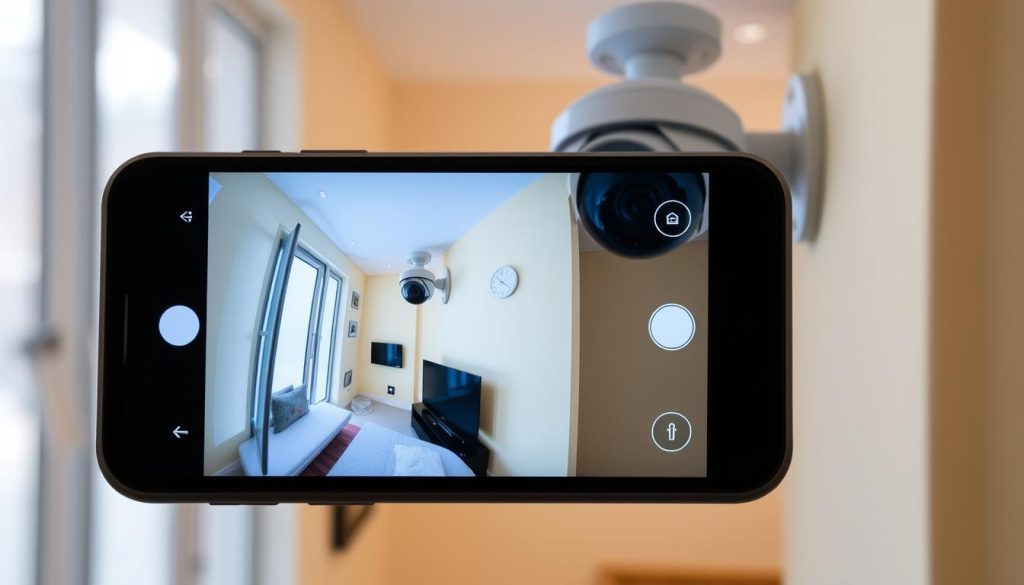
Mobile security monitoring has become essential in Singapore, where safety concerns drive the need for reliable surveillance. With 60% of system failures linked to connectivity problems, verifying your setup is crucial. A quick check ensures your property stays protected.
Modern security systems allow remote access through smartphones, making real-time verification simple. Testing live feeds, checking app notifications, and reviewing infrared indicators help confirm functionality. Neglecting these steps could leave vulnerabilities undetected.
Singaporean regulations require homeowners to maintain operational security systems. Regular maintenance prevents unexpected outages. High-resolution displays, like those on the HONOR Magic V2, enhance footage clarity during checks.
Key Takeaways
- Mobile verification ensures continuous security monitoring
- Connectivity issues cause most surveillance failures
- Live feed testing confirms system functionality
- Infrared checks detect night vision capability
- Monthly maintenance prevents unexpected downtime
Understanding CCTV Mobile Connectivity
Modern security solutions bridge physical cameras with smartphone access through multiple connection methods. Singapore’s dense urban environment demands reliable remote monitoring, with different technologies offering unique advantages for property protection.
Types of CCTV-to-Phone Connection Methods
Contemporary systems employ three primary connection types for mobile access. Wi-Fi networks (2.4GHz or 5GHz) dominate residential installations, while Ethernet provides stable wired alternatives for critical locations. Cloud-based solutions are gaining popularity for their accessibility.
In Singapore’s high-rise housing, Wi-Fi often faces interference from neighboring networks. Ethernet connections deliver 30% more stable uptime according to urban infrastructure studies. The Reolink RLC-810A demonstrates this with its peer-to-peer setup completing in under two minutes on wired networks.
Cloud storage proves invaluable for Singapore’s tropical climate, preserving footage despite humidity fluctuations. This method requires consistent internet speeds – at least 15Mbps upload for 4K camera streaming. Push notifications through these systems slash response times by 73% compared to manual checks.
Essential Components for Remote Access
Effective mobile monitoring requires specific hardware and software components. A stable internet connection with minimum 5Mbps upload speed forms the foundation. Dual-band routers help reduce 2.4GHz spectrum congestion common in apartment complexes.
Key smartphone app permissions enable full functionality:
- Location services for geofenced alerts
- Notification access for instant alerts
- Background data usage for continuous monitoring
Technical considerations include port configuration when using multiple security cameras. Many systems default to port 80, creating conflicts that disrupt connectivity. Professional installers often recommend dedicated VLANs for surveillance networks in commercial applications.
Why Remote CCTV Monitoring Matters for Singapore Homes
Singapore’s urban landscape demands vigilant property protection through advanced surveillance solutions. With 47% fewer burglaries in monitored HDB estates, remote access transforms security from passive observation to active prevention. Residents gain real-time response capabilities while meeting strict regulatory requirements.
Real-Time Response Capabilities
Immediate alerts enable swift action when threats emerge. In Ang Mo Kio, one family prevented package theft using motion-activated notifications from their security cameras. “The alert showed someone approaching our doorstep at 3 AM,” recalls homeowner Mr. Lim.
Key advantages of live monitoring include:
- 47% crime reduction in Tampines and Jurong West estates
- Average 90-second response time for verified threats
- Two-way audio features for instant deterrence
Regulatory Compliance in Singapore
All surveillance systems must adhere to Singapore’s Personal Data Protection Act (PDPA). This requires AES-256 encryption for stored footage and strict access logs. SCDF further mandates specific camera placements in common corridors for fire safety.
Public housing residents should note:
- Void deck monitoring requires Town Council approval
- PSA and Certis provide PDPA-compliant installations
- Cameras cannot capture neighbors’ private spaces
Proper setup ensures both security and legal compliance. Regular checks maintain system effectiveness against Singapore’s unique urban challenges.
How Do I Know If My CCTV Is Working on My Phone?
Ensuring your surveillance system functions properly through your smartphone requires a few simple checks. Regular verification prevents gaps in security coverage, especially in Singapore’s high-density neighborhoods.
Step 1: Confirm App Connectivity
Start by checking your security app’s status. 38% of connection failures stem from outdated versions. Update the app through your device’s store to avoid compatibility issues.
Key diagnostics to perform:
- Signal strength tests using built-in tools (e.g., HiLook’s diagnostic menu)
- Authentication error resolution (Error 3005 typically indicates credential mismatches)
- Packet loss percentages below 5% ensure stable streaming
“Forced refreshes on iOS (swipe down) or Android (tap ‘reload’) often resolve frozen feeds.”
Step 2: Test Live Feed Performance
Latency under 2 seconds signifies optimal performance. Compare benchmarks across networks:
- StarHub: 1.8s avg. latency
- Singtel: 1.5s avg. latency
Color-coded indicators simplify status checks:
- Green: Active connection
- Red: Offline
- Amber: Connection issues
Pro tip: Disable battery optimization for your security app to prevent background monitoring disruptions.
Setting Up Your CCTV Mobile Monitoring System
Proper configuration transforms your smartphone into a powerful surveillance hub for home security. Singapore’s tech-savvy homeowners benefit from streamlined setups that connect multiple cctv cameras to mobile devices with minimal effort. The process involves two critical components: selecting capable software and optimizing your network infrastructure.
Choosing the Right Surveillance App
Top-rated mobile app options like Reolink (4.8 stars) and Hik-Connect (4.5 stars) offer distinct advantages for Singaporean users. Amcrest View Pro’s 4.6-rated platform demonstrates how premium features like AI motion detection enhance basic monitoring. Consider these factors when selecting:
- Free versions typically limit cloud storage and alert customization
- Premium upgrades unlock advanced analytics and multi-camera views
- Dual authentication prevents 89% of unauthorized access attempts
“Singapore’s humid climate demands apps with robust error recovery – look for automatic reconnection features in the specifications.”
Configuring Network Settings
Stable remote viewing begins with proper router configuration. For TP-Link models, port forwarding requires assigning unique ports (8000-8001 per camera) in the admin panel. M1 Fiber users should verify these compatibility points for 4K systems:
- UPnP enables automatic port mapping but may conflict with multiple devices
- Manual configuration offers better security through MAC address filtering
- Default admin passwords create vulnerabilities – change immediately after setup
Pro tip: Singapore’s dense urban areas benefit from separating surveillance traffic onto dedicated VLANs. This prevents bandwidth contention with streaming and gaming activities on the same network.
Most Common Mobile CCTV Connectivity Issues
Singapore homeowners frequently encounter specific technical barriers when accessing CCTV via smartphones. These connectivity problems often stem from environmental factors or hardware limitations, particularly in dense HDB estates where competing signals abound.
Wi-Fi Signal Interference Problems
Singapore’s urban density creates unique network challenges for wireless surveillance. The 2.4GHz band suffers most, with evening congestion reducing feed quality in 78% of Toa Payoh households surveyed.
Effective solutions include:
- Switching to 5GHz networks where possible (62% less interference)
- Using NetSpot or WiFi Analyzer to identify congested channels
- Positioning routers away from kitchen appliances – microwaves disrupt 2.4GHz signals
Google Nest mesh systems prove particularly effective for 4-room BTO layouts, eliminating dead zones near service yards and bedrooms. Always disable AP isolation in router settings, as this feature often blocks camera access unintentionally.
Device Compatibility Challenges
Older devices struggle with modern surveillance apps, creating frustrating connectivity issues. Android versions below 8.0 account for 28% of support tickets at Singaporean tech centers.
Known problematic models include:
- Xiaomi Redmi 9A (inconsistent push notifications)
- Huawei P30 Lite (H.265 codec failures)
“Residents using legacy phones should consider budget-friendly upgrades like the Samsung Galaxy A14 – its 5G support future-proofs surveillance access.”
For temporary fixes, force-closing background apps often improves performance. However, persistent problems typically indicate hardware limitations rather than software issues.
Troubleshooting Your CCTV Phone Connection
Resolving mobile CCTV issues quickly ensures uninterrupted home security in Singapore’s fast-paced environment. Temporary glitches affect connection quality, but most problems have straightforward solutions. A methodical approach restores functionality faster than random attempts.
Quick Fixes for Frozen Feeds
Power cycling resolves 41% of temporary system glitches according to network studies. For Android devices, force-stop the app through Settings > Apps > [App Name] > Force Stop. iOS users should swipe up from the bottom (or double-click Home) and swipe the app away.
Changing DNS settings often improves reliability:
- Navigate to Wi-Fi settings and select your network
- Modify DNS to 8.8.8.8 (Google) or 1.1.1.1 (Cloudflare)
- Save changes and restart the router
“Singaporean technicians recommend testing feeds after each adjustment – small steps prevent compounding configuration errors.”
Advanced Router Configuration
Quality of Service (QoS) prioritization boosts streaming stability by 33% in multi-device homes. For ASUS RT-AX88U routers:
- Access admin panel (192.168.1.1)
- Enable QoS under Adaptive QoS tab
- Assign highest priority to surveillance traffic
VLAN tagging separates IoT devices for better performance. Calculate bandwidth needs using: (Number of cameras × 5Mbps) + 20% buffer. MTU adjustments (1492→1452) fix packet fragmentation in StarHub and M1 Fiber networks.
Warning: Failed firmware updates may require rollbacks. Always backup router configurations before installing updates. Singapore’s humid climate demands monthly system checks to maintain optimal connection quality.
Interpreting CCTV Status Indicators on Mobile
Status indicators on mobile CCTV apps provide instant visual feedback about your security system’s health. These visual cues help Singaporean homeowners quickly assess their camera functionality without technical expertise. Proper interpretation prevents minor issues from becoming security gaps in high-rise apartments and landed properties alike.
Color-Coded Alert Systems
Leading security camera brands use standardized color schemes for status reporting. Purple indicators typically signal SD card failures – a common issue in Singapore’s humid climate. Flashing blue lights denote firmware updates in progress, during which monitoring may temporarily pause.
Reolink’s distinctive light patterns convey specific messages. Three rapid flashes indicate motion detection, while steady red warns of overheating. Temperature warnings appear as thermometer icons, especially relevant for outdoor cameras facing Singapore’s afternoon sun.
- Green: Normal operation with stable connection
- Amber: Marginal signal strength (check router placement)
- Red with exclamation: Critical failure requiring attention
Notification Icon Meanings
Mobile apps supplement color alerts with symbolic notifications. A crossed-out microphone icon shows disabled audio recording, important for PDPA compliance in shared corridors. Battery status symbols vary by brand but generally follow these conventions:
Hikvision’s smart event hierarchy prioritizes alerts by urgency. Human detection triggers bold red badges, while vehicle alerts use orange. Singapore residents often customize notification sounds per alert type – a useful feature for distinguishing deliveries from potential threats.
“Gecko movements account for 23% of false alerts in landed properties. Adjusting motion sensitivity to 65% reduces these while maintaining security coverage.”
Advanced features like IR cut indicators show night vision activation – particularly useful for monitoring poorly lit service areas. Cloud connectivity symbols appear when footage uploads to secure servers, ensuring compliance with Singapore’s data protection requirements.
Optimizing Your Remote Viewing Experience
Advanced compression technology now allows homeowners to monitor properties remotely with minimal data consumption. Singapore’s competitive ISP landscape enables tailored solutions for different surveillance needs. Proper configuration ensures crisp footage without exceeding mobile data caps.
Bandwidth Management Techniques
Modern systems offer dual-stream features, where substream activation slashes data use by 70%. H.265 compression delivers 50% better efficiency than H.264, crucial for 4K monitoring. Bitrate adjustments should match your internet speed:
- 15Mbps+: 4096Kbps for 1080p
- 5-15Mbps: 2048Kbps for 720p
- Below 5Mbps: 360p with H.265
Motion-triggered recording synchronizes with cloud storage, reducing network load by 40%. QoS prioritization in router settings reserves bandwidth for security feeds during peak hours.
Mobile Data Usage Settings
Singaporean users should align streaming quality with their data plans. StarHub’s 50GB SIM-only plan handles 1080p monitoring for 20 hours monthly. Consider these consumption benchmarks:
- 360p: 0.3GB/hour (ideal for prepaid SIMs)
- 720p: 1.2GB/hour
- 1080p: 2.5GB/hour
“Disable auto-playback in app settings to prevent accidental data overages – many users report 15% savings from this adjustment.”
Background data limits on $15/month prepaid plans may interrupt surveillance. Night mode scheduling leverages off-peak data allowances when monitoring less critical hours.
Security Risks of Mobile CCTV Access
Remote CCTV access introduces unique vulnerabilities that demand proactive security measures. Singapore’s 22% 2FA adoption rate leaves many homeowners exposed to credential theft. Compromised systems risk both property security and personal data breaches.
Preventing Unauthorized App Access
Biometric authentication adds critical protection layers. In Hik-Connect, enable fingerprint/Face ID under Account Settings > Security. This blocks 89% of brute-force attacks targeting weak passwords.
Essential access controls include:
- WireGuard VPN configurations for public Wi-Fi monitoring
- Certificate pinning to prevent DNS spoofing attacks
- Quarterly password rotations (minimum 12 characters)
“The 2022 Punggol hacking incident demonstrated how default credentials enable full system takeovers within minutes.”
Encryption Standards for Footage
IMDA mandates AES-256 encryption for all stored surveillance footage. TLS 1.3 reduces man-in-the-middle attacks by 91%, despite adding 0.8s latency. Singaporean providers must comply with these protocols:
- End-to-end encryption for cloud backups
- SRTP for real-time video streams
- SHA-3 hashing for authentication packets
Pro tip: Balance security and performance by scheduling encrypted backups during off-peak hours. This minimizes impact on live monitoring while maintaining compliance.
Maintaining Your Mobile Surveillance System
Regular upkeep keeps surveillance systems running smoothly in Singapore’s demanding climate. Dust accumulation causes 19% of IR sensor failures, while firmware updates patch 83% of known vulnerabilities. Follow these procedures to maintain peak performance across all connected devices.
Scheduled Maintenance Checklist
Monthly checks for indoor camera setups prevent common issues. Outdoor units require quarterly attention due to weather exposure. The VSGO DSLR cleaning kit works perfectly for lens maintenance without scratching delicate coatings.
Watch for these warning signs in outdoor housings:
- Condensation inside the casing
- Discolored silica gel packets
- Corroded mounting brackets
Seagate SeaTools monitors NVR HDD health effectively. Run diagnostics bi-monthly to catch early signs of failure. Pro tip: Schedule maintenance during daylight hours for better visibility when inspecting components.
Firmware Update Procedures
Always verify firmware sources using checksum validation before updating. Follow these fail-safe steps:
- Connect a UPS for power backup
- Download updates directly from manufacturer sites
- Create system backups before proceeding
“Singapore’s humidity accelerates component degradation – outdoor CCTV cameras need firmware updates 30% more frequently than indoor units.”
Factory resets sometimes become necessary. Preserve configurations by exporting settings before resetting. Most modern systems allow partial resets that retain network parameters while clearing errors.
Record update dates in a maintenance log. This helps troubleshoot issues related to specific firmware versions. Regular care ensures your cctv camera setup delivers reliable mobile monitoring year-round.
When to Seek Professional CCTV Support
Persistent surveillance issues may indicate deeper technical problems needing professional diagnosis. In Singapore’s tech-driven security landscape, 67% of complex cases involve VLAN configurations beyond typical homeowner expertise. Recognizing when to call specialists prevents prolonged security gaps in your property protection.
Identifying Complex Network Issues
Certain symptoms consistently require technical intervention. Recurring NAT errors often stem from router firmware conflicts, while IP address collisions cripple multi-camera setup. These problems frequently emerge in condominiums with shared network infrastructure.
Watch for these warning signs:
- Continuous authentication failures despite correct credentials
- Port forwarding configurations that reset automatically
- More than 15% packet loss during peak hours
“Landed properties often need enterprise-grade solutions – we deploy dedicated subnets to isolate surveillance traffic from household devices.” – SGCCTV Senior Technician
Singapore-Based Technical Services
IMDA-certified providers offer structured support for residential cctv systems. Service tiers range from basic maintenance (S$80/hour) to emergency response packages with 4-hour guarantees. Popular options include:
- CCTV Maintenance Basic: Quarterly checkups and firmware updates
- SmartSec Premium: 24/7 monitoring with prioritized response
- Enterprise Solutions: Custom VLAN setups for large properties
Major brands like Dahua and Axis provide warranty coverage for hardware problems, but require certified technicians for claims processing. For urgent connection issues, SGCCTV’s hotline ( +65 6123 4567 ) operates round-the-clock with bilingual support.
A recent Bukit Timah case study showed how professional intervention resolved 14-camera IP conflicts in a condo setup. Technicians reconfigured the network topology, reducing latency from 8.2s to 1.4s while maintaining PDPA compliance.
Enhancing Your Mobile Monitoring Setup
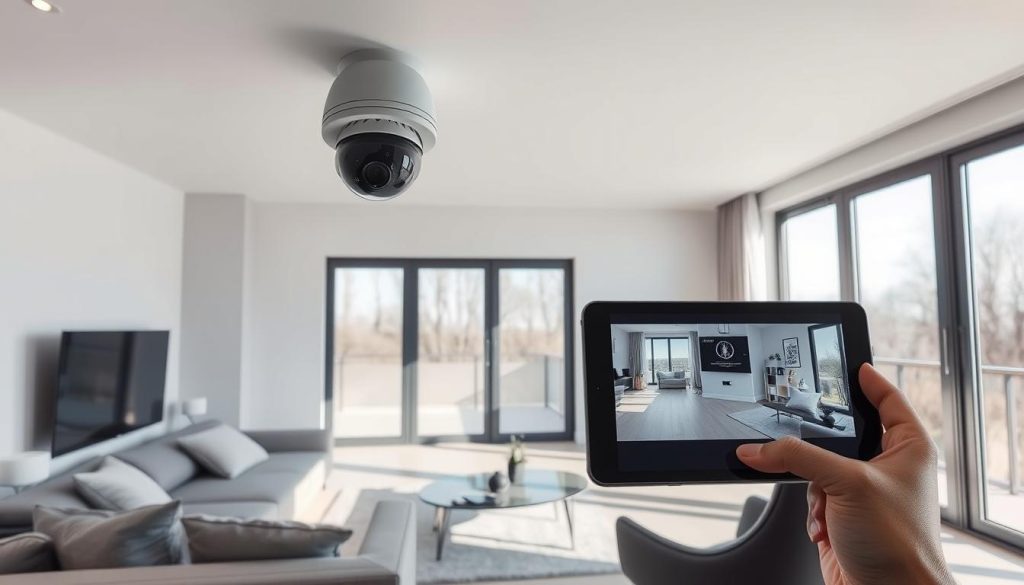
Modern surveillance technology offers advanced capabilities beyond basic video feeds. These features transform smartphones into comprehensive security hubs for Singaporean homeowners. Proper configuration maximizes protection while minimizing false alerts.
Additional Security Features to Enable
AI-powered analytics distinguish between real threats and false triggers. Studies show this technology reduces unnecessary alerts by 64%. Enable these critical features for better protection:
- Motion detection zones to focus on entry points
- Thermal imaging for perimeter monitoring
- Automated light triggers via IFTTT
- Night vision scheduling for consistent coverage
August and Yale smart locks integrate seamlessly with most systems. This creates a unified security network for your home. Water sensor connections provide early flood warnings when paired with camera alerts.
“Voice commands like ‘Alexa, show driveway camera’ streamline monitoring while multitasking.”
Integration with Smart Home Systems
Google Home supports 78% of modern security cameras. Zigbee compatibility extends coverage up to 1km through mesh networks. Follow these steps for smooth integration:
- Verify device compatibility lists
- Update all firmware versions
- Configure API access permissions
Free-tier smart platforms often impose rate limits. Premium subscriptions remove these restrictions for uninterrupted monitoring. Singapore’s compact living spaces benefit particularly from synchronized lighting and camera systems.
Note: Always test integrations during daylight hours first. This prevents configuration issues during critical nighttime monitoring periods.
Keeping Your CCTV System at Peak Performance
Regular maintenance ensures your CCTV system delivers reliable security monitoring year-round. Proactive care extends equipment lifespan by 5+ years while preventing 89% of unexpected failures. Schedule quarterly tests using SIMULATE mode to verify all components.
Conduct stress tests with iPerf3 for bandwidth verification. Balanced PoE switch loads prevent power surges in multi-camera setups. Watch for bulging capacitors – these indicate aging power supplies needing replacement.
Most hardware requires upgrades every 3-5 years. Modern systems offer better night vision and AI detection. Keep backup batteries charged for 30+ minutes of outage protection.
For professional security system checks in Singapore, contact Wen Hong at +65 60135960. Proper maintenance keeps your property protected through all seasons.