
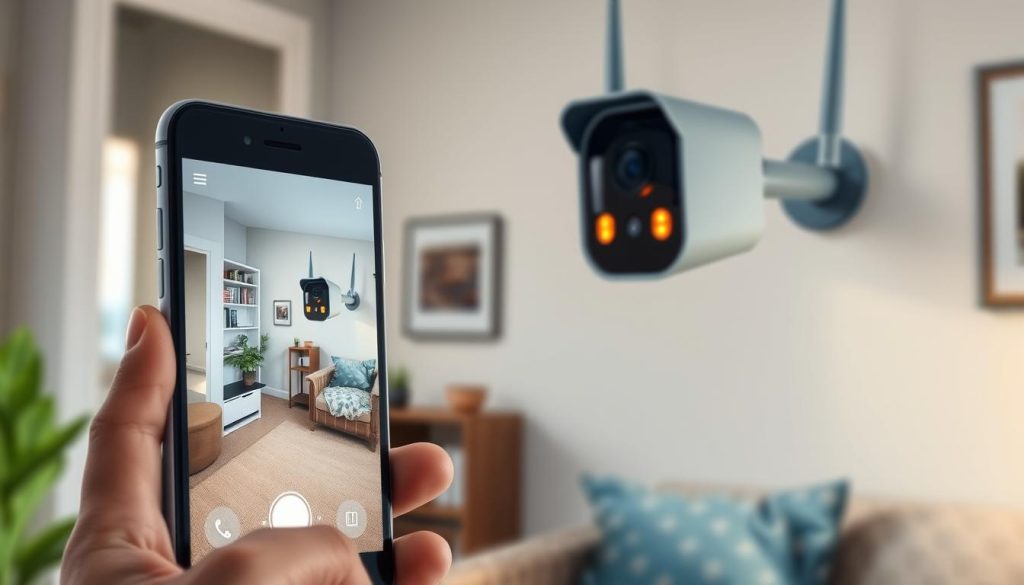
Modern security needs often extend beyond areas with a stable Wi-Fi signal. In Singapore and globally, places like construction sites, rural properties, and temporary event spaces require reliable surveillance.
The demand for flexible security camera setups is rising. Many seek a direct wireless connection between their camera and smartphone that doesn’t rely on a traditional internet network.
Fortunately, several practical methods exist. These solutions allow for real-time viewing and data storage even in remote locations. You can maintain vigilant monitoring without internet.
This is especially useful for project managers and homeowners. Securing a temporary worksite or a weekend cabin becomes straightforward. Your phone becomes a powerful security command center.
This guide explores those options in detail. It provides a clear path to setting up a robust surveillance system. You will learn how to access live footage and recorded clips directly on your mobile device.
Key Takeaways
- Reliable surveillance is possible in areas lacking standard Wi-Fi connectivity.
- Wireless CCTV camera systems can operate independently of an internet network.
- Multiple technical solutions exist for direct camera-to-phone connections.
- These methods are highly practical for temporary or remote sites like construction zones.
- Choosing the right setup depends on your specific environment and monitoring needs.
- Live viewing and footage playback on your phone are achievable goals.
Introduction: Surveillance Beyond the WiFi Network
Effective monitoring demands solutions that function beyond the confines of a standard wireless network. Many critical locations lack the infrastructure for reliable Wi-Fi. This creates a significant gap in security coverage.
Think of a remote farm in Lim Chu Kang or a bustling construction site in Punggol. Temporary events like night markets or pop-up stores also need watchful eyes. These are all scenarios where a traditional internet connection is impractical or unavailable.
WiFi-dependent security cameras face real limitations here. Signal instability over distance is a major issue. The complete absence of network infrastructure in remote areas is another.
Fortunately, modern security solutions bypass these hurdles. Cellular security cameras use 4G LTE networks to transmit data. Wired CCTV systems create their own local network for monitoring.
Local storage is a key component for surveillance without internet access. Many cameras record directly to an onboard SD card. Network Video Recorders (NVRs) store footage from multiple camera units on-site.
In Singapore’s context, this is vital. The urban density of the Central Business District is one reality. The seclusion of the Southern Islands is another. A robust security camera system must adapt to both.
The core takeaway is powerful. A reliable CCTV camera does not need an active internet link for its primary job. This operational independence is a major security advantage.
It ensures continuous monitoring and data preservation. Your phone can still access this footage through direct methods. The following sections detail these practical and reliable techniques.
Why Opt for a Non-WiFi Security Camera in Singapore?
Singapore’s unique mix of dense cityscapes and isolated areas makes non-WiFi cameras a compelling choice for security. From high-rise construction in Punggol to the quiet farms in Lim Chu Kang, reliable monitoring cannot always depend on a standard wireless network.
These security cameras provide a vital link where internet access is unstable or completely absent. They operate on independent cellular networks or direct wired connections. This ensures your surveillance system remains active, no matter the location.
Common Use Cases: Remote Sites, Construction, and Temporary Setups
Specific scenarios in Singapore greatly benefit from this approach. Remote locations like the Southern Islands or agricultural plots are prime examples. A traditional Wi-Fi security camera simply cannot function there.
Busy construction sites present another key use case. These areas are dynamic, with no permanent network infrastructure. A robust camera system using LTE or local recording is essential for site safety and asset protection.
Temporary setups also rely on these solutions. Think of weekend pop-up markets at Marina Bay or short-term event security. Deploying a quick, wire-free security solution without configuring venue Wi-Fi is a major advantage.
Key Benefits and Potential Limitations
The benefits of choosing a non-WiFi setup are significant. You gain complete immunity from local Wi-Fi outages and router problems. Your security becomes independent of residential or commercial internet service.
There is also a notable increase in physical security against network hacking. Since the camera isn’t on a shared Wi-Fi network, one common digital attack vector is removed. Local data storage on SD cards or NVRs keeps footage secure on-site.
However, practical limitations exist and must be planned for. Cellular security cameras require an active SIM card and a monthly data plan, adding a recurring cost. The quality of service depends entirely on mobile network coverage in your specific area.
Wired CCTV systems offer superb stability but need professional installation and cable management. Their range is physically limited by the length of the cables run. For some users, the higher initial investment in equipment can be a barrier.
In Singapore’s context, a hybrid approach often works best. Urban areas with signal interference might use wired solutions for core coverage. Truly remote areas will depend on the strength of cellular networks. Understanding these trade-offs is the first step to building a resilient security system.
How Can I Connect My CCTV Camera to My Phone Without WiFi? Core Methods Explained
Four distinct pathways exist for creating a wireless CCTV-to-phone link that operates independently of a home Wi-Fi network. Each method provides a reliable connection for security monitoring where traditional internet is absent.
The core principle uniting all these security solutions is simple. They completely bypass the need for a standard wireless router. Your security system establishes its own direct link or uses an alternative network.
You can choose from several effective techniques. Your choice depends on your need for live viewing, budget, and physical location.
- 4G LTE Cellular Security Cameras: These cameras use a SIM card to transmit data over mobile networks. They offer true wireless freedom but require a monthly data plan.
- Direct Wired CCTV Connections: This method uses Ethernet or USB cables for a physical link. It provides maximum stability but limits mobility and needs professional setup.
- Leveraging a Phone’s Mobile Hotspot: Your smartphone creates a temporary wireless network for the camera to join. It’s a flexible, on-demand solution best for temporary setups.
- Offline Recording with Local Storage: Cameras record directly to a memory card or a Network Video Recorder (NVR). This method works without internet entirely, with footage reviewed later.
Assess your primary goal before selecting a method. Do you need real-time alerts and live viewing? Or is reliable surveillance with periodic footage review sufficient?
Consider your site’s characteristics. A permanent remote location suits a cellular security camera. A temporary project site might benefit from a hotspot or local storage options.
This overview serves as your technical roadmap. The following sections provide detailed, step-by-step guides for each connect camera method. You will learn exactly how to implement your chosen security solution.
Method 1: Utilizing 4G LTE Cellular Security Cameras
Harnessing the power of mobile networks, 4G cameras offer a robust alternative to WiFi-dependent systems. This approach provides genuine wireless freedom for your security needs. You gain reliable surveillance in places where traditional internet is unavailable.
These cellular security cameras operate on Singapore’s extensive 4G LTE infrastructure. They transmit video and alerts using the same technology as your smartphone. This makes them ideal for remote areas and temporary sites.
Understanding 4G LTE & SIM Card Technology for Surveillance
4G LTE is a high-speed mobile network standard. For security cameras, it enables real-time streaming of footage to your phone. The camera contains a SIM card slot, just like a mobile phone.
You must insert an active SIM card with a data plan from a local provider. This SIM card is the camera’s passport to the cellular networks. It establishes a secure connection for data transmission.
The key difference from WiFi models is independence. A 4G cellular security camera does not need a local router. It communicates directly with cell towers, creating its own network path.
“4G LTE technology has transformed remote monitoring, making it as simple as checking a text message.”
This self-contained system is perfect for construction sites or rural properties. Your monitoring capability is tied only to mobile signal strength, not internet availability.
Step-by-Step Setup for a 4G Camera and Phone Pairing
Setting up your security camera is a straightforward process. Follow these steps to establish a live connection to your mobile device.
- Acquire a SIM and Data Plan: Purchase a compatible SIM card from a provider like Singtel, StarHub, or M1. Choose a data plan suitable for continuous video streaming.
- Insert and Power the Camera: Open the camera’s housing and insert the SIM card. Connect the camera to a power source, such as a solar panel or battery pack.
- Download the Manufacturer’s App: On your phone, search for and install the app (e.g., Reolink or Aura Smart). Create an account within the application.
- Pair the Devices: Use the app to scan the QR code found on the camera or its packaging. This registers the device to your account.
- Configure Settings: Adjust video quality, motion detection zones, and alert preferences. Your camera is now online and streaming.
Models like the Bokysee 4K AI camera or Reolink Go PT Ultra simplify this process. Their apps guide you through each step with clear instructions.
Evaluating the Pros, Cons, and Data Plan Considerations
Cellular security solutions offer significant advantages. The primary benefit is extensive coverage across Singapore. You get live viewing from virtually anywhere with a 4G signal.
These cameras are also immune to home internet outages. They provide excellent mobility for temporary security setups. Many models offer battery or solar power for complete wire-free operation.
However, practical limitations exist. Performance hinges entirely on local cellular networks signal strength. Dead zones, like some underground areas, can interrupt service.
The most critical consideration is the ongoing data plan cost. Streaming high-definition video consumes significant data.
- Estimate Your Needs: Standard definition uses about 1GB per day. High-definition can use 3GB or more. Choose a plan with sufficient monthly data.
- Monitor Usage: Use your provider’s app to track consumption. Adjust camera settings to lower quality if needed to avoid overage fees.
- Consider AI Features: Cameras with smart detection send alerts only when needed. This reduces constant streaming and saves data.
For Singapore users, evaluate signal maps from different carriers. Test the signal at your specific location before finalizing the system. This ensures your CCTV camera will perform reliably.
With proper planning, 4G LTE cellular security cameras are a powerful tool. They deliver professional monitoring without the constraints of WiFi.
Method 2: Establishing a Direct Wired CCTV Connection
Physical cables form the backbone of the most dependable security camera systems. This traditional approach eliminates wireless uncertainties for a rock-solid connection. It provides a persistent video feed perfect for critical security points.
A direct wired setup is a fundamental camera system technique. It operates completely without internet access to a local network. Your surveillance remains active even during widespread network outages.
This method is ideal for permanent installations in Singapore. Think of a warehouse in Jurong or a fixed checkpoint at a construction site. Cables can be neatly routed for a clean and professional installation.
Required Tools and Cables for a Wired Setup
Gathering the correct components is the first step. You will need specific cables and adapters to establish a physical link. Quality matters for stable data and power transmission.
The core item is the ethernet cables. Category 5e or Cat6 cables are standard for modern CCTV camera systems. They carry both video signals and power in PoE (Power over Ethernet) setups.
For non-PoE cameras, you need a separate power adapter and a data cable. USB cables are common for connecting to a smartphone. You may also require an On-The-Go (OTG) adapter for your mobile device.
Other essential tools include a portable monitor for on-site viewing. Cable clips, conduits, and a basic toolkit help with installation. Always verify compatibility between your camera, cables, and viewing device.
Connecting Your Camera Directly to a Phone or Monitor via Cable
Follow a clear sequence to establish a direct viewing link. The process is straightforward and does not require complex software.
- Select a Compatible Camera: Choose a security camera with a wired output port. This is typically an Ethernet or USB port.
- Secure Power Connection: Plug the camera into a reliable power source using its adapter. Ensure the unit boots up properly.
- Attach the Data Cable: Connect one end of the ethernet cables to the camera. Connect the other end directly to your phone (via an OTG adapter) or to a dedicated monitor.
- Access the Video Feed: On your phone, open the manufacturer’s app or a generic video player app. The direct input should be detected automatically.
- Test the Setup: Verify you can see live footage clearly. Check that you can pan, tilt, or zoom if your camera supports PTZ controls.
This direct link creates a private security loop. Cameras use the cable as a dedicated highway for video. There is no signal competition from other wireless devices.
Advantages of Stability and Drawbacks of Limited Mobility
The primary benefit of a wired connection is unmatched reliability. Cameras offer a consistent, high-quality stream without Wi-Fi dropouts. The system is also more secure from remote digital interference.
You gain excellent video clarity for detailed monitoring. There is virtually no latency in the feed. This is crucial for identifying faces or license plates in recorded footage.
However, significant trade-offs exist. The most obvious is limited mobility due to cable length. Your camera placement is fixed by the physical reach of the wires.
Installation requires effort and planning for cable management. Running wires through walls or across spaces needs careful work. Maintenance is also needed to protect cables from weather or physical damage.
In Singapore’s context, this method excels in controlled environments. A guardhouse, retail stockroom, or fixed warehouse entrance are perfect examples. It also forms the backbone of expandable professional NVR systems for multi-camera storage.
“A wired connection is the gold standard for signal integrity. It’s the choice when failure is not an option.”
Weigh the need for absolute stability against the requirement for flexibility. For many permanent security solutions, the reliability of a direct wired CCTV camera setup is worth the installation effort.
Method 3: Leveraging Your Phone’s Mobile Hotspot
Your smartphone holds a powerful tool for temporary surveillance: its built-in mobile hotspot. This feature creates a portable wireless network using your cellular data.
It allows a standard Wi-Fi-capable security camera to transmit video when no traditional router is present. Think of it as a quick bridge for your camera to reach your phone.
This approach is highly flexible but comes with important limitations. It is best suited for short-term needs rather than a permanent security system.
When to Use a Hotspot for Temporary Camera Connectivity
This method shines in specific, time-bound scenarios. It provides a fast way to get a camera online without installing new infrastructure.
Ideal use cases include monitoring a short-term rental property for a weekend. It’s also useful for a one-day event like a community fair or pop-up market.
Contractors might use it as an interim solution at new construction sites before permanent lines are run. It can serve as a diagnostic tool when testing camera placement.
Important: This is not a set-and-forget solution. The connection depends entirely on your phone’s proximity and battery life. The phone must remain near the camera for the link to stay active.
Configuring Your Camera to Connect to a Hotspot Network
Setting up the link is a straightforward process. It mirrors connecting any device to a Wi-Fi network.
First, enable the personal hotspot on your smartphone. On an iPhone, find this in Settings > Personal Hotspot. On Android, look in Settings > Network & Internet > Hotspot & tethering.
Note the network name (SSID) and the password. Keep this information handy.
Next, put your security camera into its Wi-Fi setup mode. This is usually done via a button on the device or through a preliminary app setup.
Follow these steps to complete the pairing:
- Activate the Hotspot: Turn on your phone’s mobile hotspot feature.
- Initiate Camera Setup: Power on the camera and start its standard Wi-Fi connection process.
- Select the Network: On the camera or in its app, choose your phone’s hotspot SSID from the list of available networks.
- Enter the Password: Input the hotspot password you noted earlier.
- Confirm Connection: Wait for the camera to indicate a successful link. You should then see it appear in your camera’s dedicated mobile app.
Many battery-powered security cameras, like certain Reolink models, are compatible with this method. Their apps guide you through the Wi-Fi selection step seamlessly.
Important Caveats Regarding Data Usage and Stability
While convenient, using a hotspot has significant drawbacks. Understanding them prevents surprise bills and security gaps.
The primary concern is massive data consumption. Streaming video continuously can use several gigabytes per day. This can quickly exceed typical Singapore mobile plans, leading to throttled speeds or extra charges.
Connection stability is another major issue. The signal weakens if your phone moves too far from the camera. Other tasks on your phone that use data can also impact the video stream quality.
“Using a phone’s hotspot for surveillance is like using a rental car for a cross-country move. It works in a pinch, but it’s not designed for the long haul.”
Compare this to a dedicated 4G cellular security camera. Those devices are optimized for efficient, long-term data use. A hotspot method is far less efficient and not cost-effective over weeks or months.
For better results, adjust your camera settings if possible:
- Set the camera to record only on motion detection, not 24/7.
- Lower the stream video quality to standard definition.
- Ensure your phone is plugged into a power source to avoid battery drain.
This method provides a way to access camera feeds without internet from a router. It is a practical last resort or temporary fix. For any lasting security need, a more robust solution is strongly recommended.
Method 4: Offline Recording with Local Storage and NVR Systems
The most dependable security is often the simplest: cameras that record directly to a memory card or local recorder. This method provides a rock-solid surveillance solution that functions completely without internet access.
It focuses purely on capturing and preserving video evidence on-site. You trade real-time alerts for absolute reliability and zero ongoing data costs. For a permanent installation at a construction site or rural property, this is a top choice.
This approach is detailed in our comprehensive guide to non-WiFi security solutions. It covers two primary storage options: standalone cameras with cards and full Network Video Recorder (NVR) systems.
How Cameras with SD Cards Work Without Any Live Connection
Many modern security cameras feature a built-in slot for a microSD card. This transforms the unit into a self-contained recording device. It needs only a power source to operate.
The camera saves all captured footage directly onto this local storage medium. You can typically configure it to record 24/7 or only when motion is detected. This allows for efficient use of the card’s capacity.
Planning storage capacity is crucial. A 128GB high-endurance memory card can store several days of continuous high-definition video. For motion-triggered recording, it can last weeks.
High-endurance cards are essential. Standard consumer-grade cards are not designed for the constant write cycles of security monitoring. They will fail prematurely. Always invest in cards rated for surveillance use.
These standalone cameras offer plug-and-play simplicity. They are perfect for securing a single point, like a warehouse door or a farm gate in remote areas. Their operation is silent and completely offline.
Setting Up a Complete NVR System for 24/7 Local Monitoring
For comprehensive coverage, a Network Video Recorder (NVR) system is the professional standard. This setup is ideal for homes and businesses across Singapore seeking robust, cable-connected security.
A typical system includes multiple PoE (Power over Ethernet) cameras, an NVR unit, and a monitor. The NVR is the brain, handling video processing, storage, and playback. It contains one or more hard drives for footage.
Follow these steps to establish your own local monitoring network:
- Position Your Cameras: Mount your PoE CCTV camera units at strategic points. Ensure they cover all critical entryways and assets.
- Run Ethernet Cables: Connect each camera to the NVR using Cat5e or Cat6 ethernet cables. These cables deliver both data and power.
- Connect the NVR to a Monitor: Use an HDMI or VGA cable to link the NVR to a dedicated monitor or TV. This is your local viewing station.
- Power On and Configure: Turn on the NVR and cameras. Use the on-screen menu to configure recording schedules, motion zones, and video quality settings.
“An NVR system creates a private, closed-circuit television network. Its reliability is unmatched because it depends on nothing outside its own cables and hardware.”
This wired connection ensures maximum stability. The system operates independently of your home internet or cellular networks. It is a perfect fit for permanent installations in both urban and remote locations.
Accessing and Reviewing Your Footage Without Internet
Retrieving your recorded footage is straightforward, though it requires physical access. There is no live streaming to a smartphone unless the NVR is later connected to a network.
For standalone cameras with an SD card, you have a simple process. Safely power down the camera and remove the memory card. Insert it into a computer or a card reader.
You can then browse the video files directly. Many manufacturers provide desktop software for organized playback. This method is ideal for periodic review of events.
With an NVR system, access is even more integrated. Simply use the connected monitor and the NVR’s interface. You can search by time, date, or motion event with ease.
The NVR’s hard drive provides massive storage for weeks or months of continuous recording. This ensures you never miss a critical event due to a full card.
Remember: While live remote viewing on a phone isn’t possible without internet, these systems provide the most reliable recording possible. They are the go-to security solution when immediate alerts are less important than guaranteed evidence capture.
For permanent sites like construction sites, storage facilities, or rural properties, this offline method is often the most cost-effective and resilient choice available.
Troubleshooting Common Non-WiFi Connection Issues
Common issues with cellular, wired, and app-based connections are often easy to diagnose and resolve. Even the most robust security system can face occasional hiccups. A methodical approach quickly restores your surveillance and peace of mind.
This guide walks you through fixes for the most frequent problems. You will learn to solve cellular network errors, physical cable faults, and software mismatches. These steps are tailored for setups operating independently of a traditional Wi-Fi connection.
Resolving SIM Card or Cellular Network Problems
Cellular security cameras depend on a stable mobile signal and a valid data plan. If your camera fails to go online, start with these checks.
First, inspect the SIM card insertion. Power down the camera and ensure the card is properly seated in its tray. A loose SIM is a common culprit for a failed connection.
Next, verify your data plan is active and has sufficient balance. Contact your provider (Singtel, StarHub, or M1) to confirm the service status. Also, check their online coverage map for your specific location in Singapore.
- Restart the Camera: A simple reboot can clear temporary network registration glitches. Power cycle the device completely.
- Check Signal Strength: Many camera apps display signal bars. Position the unit closer to a window or higher ground if strength is weak.
- Update Firmware: Outdated software can cause compatibility issues. Use the manufacturer’s app to install the latest camera firmware.
- Test the SIM: Insert the SIM into another device, like an old phone, to verify it can connect to the cellular networks.
Persistent issues may require a different mobile carrier with better local coverage. A dedicated cellular security solution should provide consistent monitoring.
Fixing Cable Connection and Power Supply Challenges
Wired CCTV setups offer great stability but have physical points of failure. Intermittent video or a dead camera often traces back to cables or power.
Begin with a visual inspection of all ethernet cables. Look for cuts, kinks, or chew marks from pests. Even minor damage can disrupt the data stream.
Ensure every connection is secure. Push RJ45 connectors firmly into their ports on the camera and recorder. Loose terminations cause signal dropouts.
- Use High-Quality Cables: Cheap cables degrade faster. Invest in outdoor-rated Cat5e or Cat6 cables for durability.
- Test the Power Adapter: Use a multimeter to check the output voltage. A faulty adapter won’t deliver enough power to boot the security camera.
- Check for Overload: One power supply might be trying to run too many cameras. Ensure your setup meets the total power requirements.
- Bypass Test: Try a different, known-working cable and adapter. This isolates the faulty component quickly.
“Ninety percent of wired system failures are due to physical layer issues—cables, connectors, or power. A systematic check saves hours of frustration.”
For permanent installations, consider using a surge protector. It shields your security cameras from voltage spikes during Singapore’s thunderstorms.
Ensuring Camera and Smartphone App Compatibility
Sometimes the security system works, but you cannot access camera feeds on your smartphone. This is usually a software or compatibility problem.
First, confirm your phone’s operating system supports the camera app. Check the app’s listing on the Google Play Store or Apple App Store for minimum OS requirements.
Download the latest app version. Developers frequently release updates to fix bugs and improve connection protocols. An outdated app may fail to pair with newer camera firmware.
Follow these steps to ensure harmony between your devices:
- Check Phone Specs: Older smartphone models might lack the processing power for smooth video decoding. Ensure your device meets the app’s recommended specs.
- Re-pair the Devices: Remove the camera from the app and repeat the pairing process from scratch. This clears corrupted configuration data.
- Update Camera Firmware: As with cellular models, ensure your wired CCTV camera has the latest firmware via its NVR or direct connection.
- Grant App Permissions: The camera smartphone app needs access to your phone’s local network and notifications. Enable all required permissions in your phone settings.
If problems persist, contact the camera manufacturer’s support. They can provide model-specific guidance to get your security feed back online reliably.
Selecting the Right Security Camera for Your Needs
Choosing the ideal surveillance equipment requires matching your specific environment and goals. This decision transforms a basic monitoring attempt into a reliable security asset. Your unique situation in Singapore dictates the best camera system.
Consider your physical location, budget, and desired features. A dense HDB estate has different needs than a rural farm on Pulau Ubin. Temporary event security differs from permanent warehouse monitoring.
This guide simplifies the selection process. It helps you navigate key factors like environment, cost, and technology. You will learn to prioritize what matters most for your surveillance success.
Assessing Your Environment: Urban vs. Remote Locations
Your location is the most critical factor in choosing a security camera. Urban and remote areas present vastly different challenges. The right security solutions address these directly.
In urban Singapore, think of high-rise apartments or busy shopfronts. These settings demand cameras with high-resolution video and smart AI detection. Weather resistance is also vital for our tropical climate.
Cameras offer features like person detection to filter out false alerts from passing traffic. A cctv camera with a high IP rating (like IP66) withstands heavy rain. This ensures continuous monitoring in neighborhoods like Toa Payoh or Orchard.
Remote locations like farms in Lim Chu Kang or the Southern Islands need a different approach. Here, internet access and consistent power are often limited. Your camera must operate independently.
Prioritize models with solar charging capabilities and large battery packs. Wide-angle lenses cover more area with fewer units. Local storage options like SD cards are essential without internet for live streaming.
Also, distinguish between temporary and permanent setups. A portable, battery-powered camera suits a short-term construction site. A robust wired CCTV system is better for a fixed warehouse. Match the tool to the task’s duration.
Budgeting for Devices, Data Plans, and Ongoing Costs
A clear budget framework prevents surprise expenses. Your total investment includes upfront hardware and recurring operational fees. Plan for both to ensure long-term security sustainability.
Start with one-time costs. This covers the security cameras themselves, any necessary cables, and a Network Video Recorder (NVR) for multi-camera setups. Premium features like 4K resolution or advanced AI increase the initial price.
For example, a Bokysee 4G camera for a construction site is a dedicated hardware purchase. A Reolink NVR kit for a warehouse represents a larger upfront investment. Quality components pay off in reliability.
Next, account for ongoing expenses. If you choose a cameras4g cellular solution, a monthly data plan from Singtel, StarHub, or M1 is mandatory. Streaming video consumes significant data, so select a plan with adequate limits.
“The most cost-effective system is the one that doesn’t fail when you need it most. Sometimes, a higher initial investment saves money on replacements and missed footage.”
Other recurring costs might include cloud storage subscriptions for backup, though local storage avoids this. Also factor in potential maintenance, like replacing memory cards every few years. Create a simple budget table in your notes:
- Hardware: Camera units, NVR, cables, mounts.
- Recurring: SIM card data plan, cloud fees (if any).
- Accessories: Solar panels, extended batteries, protective housings.
Balancing cost and capability is key. A robust security system is an investment in peace of mind.
Key Features to Prioritize: Durability, Battery Life, and Video Quality
With countless models available, focus on these core features. They directly impact performance in Singapore’s diverse environments. Prioritizing them leads to a camera that works when it matters.
Durability and Weather Resistance: Look for a high IP (Ingress Protection) rating. IP65 or IP66 means the camera is dust-tight and protected against powerful water jets. This is non-negotiable for outdoor use in our humid, rainy climate.
Battery Life and Power Options: For wire-free setups, battery capacity is king. Many security cameras advertise 3-6 months on a charge. Solar panels can provide indefinite power in sunny remote locations.
Video Quality and Night Vision: Resolution determines how much detail you see. 1080p is standard, but 4K provides crystal clarity for identifying faces or license plates. Equally important is night vision range and clarity, using infrared LEDs or starlight sensors.
Here is a quick checklist of essential specs to compare:
- Image Sensor: Larger sensors (e.g., 1/2.8″) perform better in low light.
- Field of View: A wider angle (e.g., 120°) covers more area with one camera.
- Smart Detection: AI for people, vehicles, or packages reduces false alerts.
- Local Storage: Support for high-capacity microSD cards or direct NVR connection.
- Companion App: The camera smartphone app should be intuitive for live view and footage playback.
Remember, no single camera excels in all areas. A model perfect for a remote farm might lack the AI features needed downtown. Balance these features against your budget and primary use case.
Your final choice should deliver reliable surveillance tailored to your scene. Whether it’s a camera mobile unit for a temporary site or a permanent CCTV installation, informed selection ensures optimal value and performance.
Implementing Your Non-WiFi Security Solution
Your journey to secure remote locations begins with a clear plan. This guide has shown that reliable surveillance without internet access is entirely achievable.
You have four practical methods. Cellular security cameras offer live mobile viewing. Direct wired connections provide maximum stability. Phone hotspots work for temporary setups. Local storage systems handle offline recording.
Careful assessment of your environment and budget is key. Whether monitoring construction sites or a rural property, the right security system fits your needs.
Modern solutions like cellular networks and advanced cameras use robust technology. The landscape continues to evolve with innovations like 5G.
With Aura Smart, home security has become reliable, whether there are WiFi, data, or hotspot connections. Upgrade your protection today. You can now access camera footage directly on your smartphone, ensuring peace of mind anywhere.