
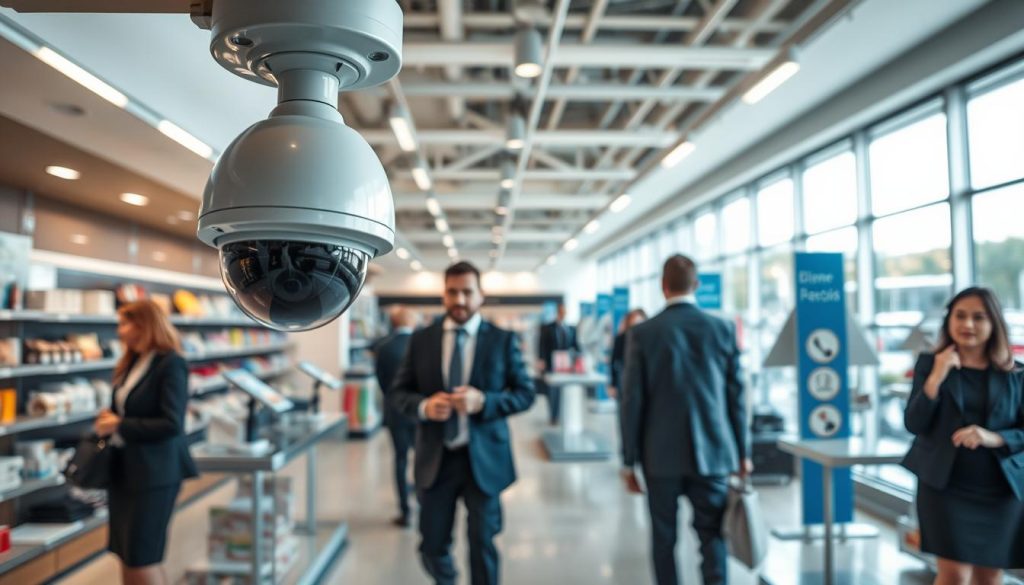
Navigating the world of modern surveillance can be complex. This definitive resource is designed for shop owners and managers in Singapore looking ahead to 2025. We break down the technical details into clear, actionable advice.
A robust visual monitoring system is crucial for any shop. It protects your inventory and ensures staff safety. It also provides insights into daily operations and customer behavior.
Choosing the right setup is a strategic investment. It prevents financial loss from theft and helps manage liability risks. This guide covers essential features, system integration, and smart functionality.
Our goal is to empower you with knowledge. You will learn to select a reliable solution that fits your store’s specific layout and traffic patterns. Make a confident purchase decision to protect your assets around the clock.
Key Takeaways
- This guide simplifies technical specs to help you choose the right visual monitoring system without prior expertise.
- Modern surveillance is a strategic investment that protects assets, enhances safety, and improves store operations.
- Key factors include your store’s physical layout, product value, and customer flow patterns.
- The right system deters crime, monitors interactions, and provides crucial evidence if needed.
- Integration capabilities with other business systems can boost overall efficiency.
- By the end, you’ll be equipped to consult with vendors or make a purchase with full confidence.
Why Security Cameras Are Essential for Retail Stores in Singapore
For shop owners across Singapore, implementing a surveillance solution addresses critical vulnerabilities that many small and midsize enterprises face. These establishments often hold valuable stock and cash. They also present multiple points of entry that criminals may exploit.
A visual system is a cornerstone of modern risk management. It shifts your approach from reactive to proactive. In a dense urban environment with high customer flow, this continuous oversight is non-negotiable for operational control.
Deterring Theft and Reducing Shoplifting
Visible units act as a powerful psychological barrier. The mere sight of them makes most people think twice before committing an act of dishonesty. This applies to both potential shoplifters and staff.
Shoplifting causes a significant part of inventory loss. A well-positioned system captures clear video of any incident. This evidence can lead to apprehensions and discourages repeat offenders from targeting your location.
Security cameras act as both a deterrent for crime and also help authorities bring criminals to justice.
This dual function is vital. It prevents loss and supports law enforcement. The result is a safer environment for everyone inside your shop.
Monitoring Customer Service and Employee Activity
These tools offer invaluable insights beyond theft prevention. Managers can review recordings to assess service quality. They see how staff interact with shoppers during busy periods.
This review process helps identify training opportunities. Teams can learn from positive examples and correct mistakes. Observing daily operations also ensures procedures are followed correctly.
It helps resolve workplace disputes fairly. Accusations about incidents or timekeeping can be checked against the recorded timeline. This creates a transparent and accountable work culture.
Providing Evidence for Legal and Insurance Purposes
High-resolution video provides indisputable proof when needed. If a crime occurs, footage gives police a clear lead. It increases the chance of identifying those responsible and recovering items.
For insurance claims, documented evidence is crucial. It supports cases involving vandalism, burglary, or customer accidents like slips. A solid video record streamlines the claims process and helps prevent fraudulent activities.
Modern setups allow remote viewing via smartphone apps. Owners gain peace of mind, checking on their business anytime. Integrating visual monitoring with alarms creates a layered defense for your assets.
Ultimately, this technology transforms how you protect your enterprise. It enables you to stop losses before they happen and makes smart oversight a core part of your daily strategy.
Key Factors to Consider Before Purchasing Retail Security Cameras
A successful purchase hinges on understanding how different features align with your shop’s unique needs. Technical specs directly impact the system’s effectiveness.
You must evaluate several core specifications. This ensures you get reliable protection without overspending.
Camera Resolution: 1080p, 2K, 4K, and Beyond
Image clarity starts with resolution. It defines the detail level in your recorded video.
Common standards are 1080p Full HD (2MP), 2K, and 4K Ultra HD (8MP). Higher megapixel counts capture finer details.
This allows for facial recognition and license plate reading at greater distances. A 4K unit is ideal for monitoring high-traffic entrances.
A stockroom might only need a 1080p model. Matching the resolution to the scene prevents buying over-engineered gear.
Field of View and Coverage Area for Optimal Surveillance
The field of view (FoV) dictates how much a single device can see. A wide-angle lens covers a larger area.
This can reduce the number of units needed. However, it may distort images at the edges.
Varifocal lenses allow for precise adjustment. You can zoom in on specific spots like cash registers.
Planning your coverage involves mapping your floor plan. Identify all entry points and blind spots.
Effective coverage ensures no activity goes unrecorded. This is a cornerstone of a robust camera system.
Durability: Weatherproof and Vandal-Resistant Designs
Build quality is non-negotiable for reliable operation. This is critical for indoor outdoor placement.
An IP67 rating guarantees resistance to dust and temporary water immersion. It’s essential for Singapore’s humid climate.
For accessible locations, look for an IK10 vandal-resistance rating. This means the housing can withstand heavy impacts.
Such durable construction ensures continuous protection. Your investment remains safe from environmental and physical damage.
Power Source: PoE, Wired, or Wireless Options
How your equipment receives power affects installation and reliability. You have several options.
Power over Ethernet (PoE) is a popular choice. It sends data and power through one cable, simplifying setup.
Traditional wired options offer maximum stability. They provide uninterrupted video feeds without Wi-Fi interference.
Wireless models grant installation flexibility. Yet, they depend on battery life or a consistent wireless signal.
For a retail setting, hardwired connections are often recommended. They ensure critical, continuous recording for your business.
Understanding Different Types of Security Cameras for Retail
Not all surveillance units are created equal. Their form dictates their function in a commercial space.
Choosing the right hardware category is crucial. Each design offers unique advantages for specific tasks. A mix of types creates a layered visual defense.
This overview breaks down the primary models available. You will learn where each excels within a shop environment.
Dome Cameras for Discreet Indoor Surveillance
Dome cameras feature a compact, hemispherical housing. This design is ideal for discreet monitoring inside a store.
Their fixed casing makes it hard to see where the lens is pointing. This uncertainty can deter internal theft. Staff and customers remain unaware of the exact view.
These models are often built with vandal-resistant materials. A product like the AvaEye 4MP Dome Camera uses a Starlight sensor for clear low-light images.
It is a top pick for indoor outdoor spaces like stockrooms and sales floors. The dome is a cornerstone of subtle, effective surveillance.
Bullet Cameras for Outdoor and Long-Range Monitoring
Bullet cameras have a cylindrical, highly visible shape. They serve as a strong psychological deterrent against crime.
Their design typically supports longer focal length lenses. This allows for detailed monitoring over greater distances.
They are built with robust, weatherproof housing. This makes them perfect for indoor outdoor applications like storefronts and loading docks.
For example, the AvaEye 4K PoE Bullet Camera offers high resolution and durability. It provides excellent coverage for corridors and parking areas.
PTZ Cameras for Active Tracking and Large Areas
Pan-Tilt-Zoom (PTZ) cameras offer remote directional and zoom control. Security personnel can actively follow movement across a large space.
This is invaluable for tracking suspicious activity on a vast sales floor. It is also useful for monitoring a crowded parking lot.
PTZ units provide dynamic oversight that fixed cameras cannot match, though they come at a higher cost.
Models like the PTZIR2K25 allow operators to zoom in on details from a distance. They are an investment for critical, high-risk zones where active surveillance is needed.
Panoramic and Multi-Sensor Cameras for Wide Coverage
Panoramic or multi-sensor cameras use several lenses. They stitch together a 180° or 360° view.
This technology eliminates blind spots in wide-open spaces. A single device can cover a main entrance or a central aisle.
A product such as the AEPANO4K provides immense coverage. It reduces the number of units needed for a comprehensive scan.
This simplifies camera systems and can lower installation costs. It is a smart solution for achieving maximum visual oversight with fewer devices.
Strategic deployment is key. Use dome units for registers, bullet cameras for entrances, and a PTZ for the lot.
This approach creates a network that addresses all vulnerabilities. For a seamless setup, consider professional retail CCTV system installation to optimize placement and integration.
Understanding these features and types lets you allocate your budget wisely. Invest in advanced models for critical zones and use fixed units for general observation.
Essential Features for Effective Retail Security Cameras
The true power of a visual monitoring setup lies in its advanced capabilities, which go far beyond simple video capture. Modern units offer intelligent features that actively protect your assets and provide valuable operational insights.
Understanding these functionalities helps you choose a system that works smarter, not harder. It transforms passive observation into a proactive tool for loss prevention and business management.
Smart Motion Detection and AI-Powered Analytics
Basic motion sensors trigger alerts for any movement, including shadows or passing animals. This leads to frequent false alarms that waste time and resources.
AI-powered detection changes the game. It can accurately distinguish between people, vehicles, and irrelevant motion. Brands like AvaEye and Arlo utilize this artificial intelligence to filter out noise.
This smart filtering ensures recordings start only for genuine threats. It saves storage space and lets you focus on important events. Advanced analytics add another layer of value.
These tools can track customer dwell times and queue lengths. They offer insights into shopping behavior beyond simple security. Features like line crossing and intrusion zones create virtual tripwires.
AI-driven detections provide business intelligence that helps optimize store layout and staff scheduling, turning a security device into a management tool.
Night Vision: Infrared vs. Color Night Vision Technology
Continuous monitoring requires clear vision after dark. Traditional infrared (IR) technology uses invisible LEDs to illuminate scenes in black and white.
This method provides reliable footage in total darkness. A unit might offer IR illumination up to 164 feet, like some AvaEye models. However, identifying details like clothing color is difficult.
Newer color night vision technologies, such as Starlight sensors, capture full color video in very low light. They use advanced image processing to brighten the scene without harsh IR glare.
This results in footage where you can distinguish a red jacket from a blue one. For identifying suspects or reviewing incidents, color night vision provides a critical advantage. Your choice depends on the lighting conditions around your shop.
Two-Way Audio and Active Deterrence Capabilities
Hearing and speaking through your unit adds a powerful interactive layer. Two-way audio allows a manager to communicate directly through the built-in speaker.
You can instruct an employee from your office or warn a loiterer near the back door. This immediate voice contact can de-escalate situations without physical presence.
Active deterrence takes this a step further. When detection occurs, the device can activate built-in strobe lights and a loud siren. This sudden, startling response often stops a crime in progress.
Models like the AvaEye 4K AI Smart Bullet Camera combine these features. They offer high-resolution video, two-way talk, and powerful deterrents in one housing. This creates a formidable barrier for your perimeter.
Integration with Network Video Recorders (NVR) and Cloud Systems
A robust system needs a central brain to manage footage. A Network Video Recorder (NVR) provides this hub, enabling continuous recording and centralized access.
Seamless integration, like with AvaEye NVRs, unlocks advanced AI features. It allows for smooth playback and organized storage of video from multiple units. You can review timelines from different angles on one screen.
The choice between local NVR and cloud storage involves key trade-offs. Local recording keeps data on your premises, offering full control and no monthly fees. Cloud storage provides off-site backup and easy remote access from any device.
Many businesses opt for a hybrid approach. Critical footage stays on the local nvr for instant review, while the cloud serves as a secure backup. This redundancy ensures your evidence is safe even if hardware is damaged.
Prioritize features that match your operational workflow. Reliable person detection and clear night vision at entry points are often the most valuable. They provide the intelligence needed to prevent loss before it happens.
Top Picks: Best Security Cameras for Retail Stores in 2025
To safeguard your assets effectively, it’s crucial to consider specific recommendations tailored to retail environments. This curated selection focuses on proven performers and trusted manufacturers.
We evaluate key specs, standout features, and ideal use cases. This helps you match the right technology to your shop’s unique needs.
Our analysis balances performance, reliability, and cost. Whether you run a small boutique or a large outlet, these models offer solid protection.
Best Budget Option: AvaEye 2MP 1080p PoE Bullet Camera
The AvaEye IP2MPBLA delivers exceptional value for cost-conscious businesses. It provides Full HD video at 1080p resolution.
This camera uses Power over Ethernet for simple setup. Key features include smart motion detection and two-way audio.
Its weatherproof design suits both indoor outdoor placement. You get reliable monitoring without a high upfront investment.
- Pros: Affordable price, clear daytime footage, includes audio capabilities.
- Cons: Lower detail for long-distance identification, basic night vision range.
- Best for: General coverage of aisles, stockrooms, or secondary entrances.
Best High-Resolution Camera: AvaEye 4K PoE Bullet Camera
For evidence that leaves no doubt, the AvaEye IP4K1BLG is a top choice. It captures ultra-sharp 8MP video.
This unit excels in low-light conditions with Starlight technology. It also boasts a long 164-foot infrared range for total darkness.
The detailed imagery allows for facial recognition at a distance. It is perfect for monitoring high-value areas or busy points of sale.
High-resolution footage is invaluable for identifying suspects and providing clear evidence to authorities.
- Pros: Exceptional detail, excellent low-light performance, durable build.
- Cons: Higher price point, requires more storage space for recordings.
- Best for: Main entrances, cash registers, and locations where fine detail is critical.
Best for Active Deterrence: AvaEye 4K AI Smart Bullet Camera
The AvaEye IP4KBEYE4 goes beyond simple recording to prevent crime. It features built-in strobe lights and a loud siren.
Advanced AI analytics filter alerts for people and vehicles. This reduces false alarms from passing animals or shadows.
Two-way audio lets you communicate directly through the camera. This combination actively discourages theft and vandalism.
- Pros: Proactive crime prevention, smart alert filtering, interactive capabilities.
- Cons: More complex setup, premium cost.
- Best for: Perimeter defense, back alleys, or any area where visible deterrence is a priority.
Best Discreet Indoor Camera: AvaEye 4MP Dome Camera
Discreet surveillance is key for sensitive indoor spaces. The AvaEye IP2KDE dome camera offers a low-profile design.
It provides 2K resolution and uses Starlight sensors for clear color night vision. The vandal-resistant housing protects against tampering.
Its compact shape makes the viewing angle difficult to pinpoint. This is ideal for monitoring staff areas or customer service interactions.
- Pros: Unobtrusive, good low-light color video, tamper-resistant.
- Cons: Fixed lens, not suitable for long-range outdoor use.
- Best for: Sales floors, checkout counters, and employee-only zones.
Leading Brands for Retail: ADT, Lorex, Ring, and Arlo
Beyond individual models, several brands provide comprehensive ecosystems. Each offers distinct advantages for shop owners.
ADT is synonymous with professional monitoring and installation. They use premium equipment like Google Nest Cameras and offer 24/7 support.
This is a turnkey solution for businesses that want hands-off management. You pay for peace of mind and reliable service.
Lorex is renowned for feature-rich, professional-grade systems. Their products often include 4K resolution and long-range night vision.
Many systems offer free local recording, avoiding monthly fees. This brand is a favorite for DIY setups in commercial settings.
Ring provides highly customizable and user-friendly options. Their systems are easy to install and integrate with many smart devices.
You can add professional monitoring and cloud storage as needed. This flexibility suits growing businesses.
Arlo excels in wire-free and solar-powered cameras. Their devices use smart detection and offer flexible cloud or local storage.
This is ideal for locations where running cables is difficult. It provides a clean, modern installation.
Choosing a brand often depends on your preferred approach. Do you want professional service, maximum features, easy customization, or wireless convenience?
These recommendations narrow the field to reliable performers. Consider your store’s layout, budget, and operational workflow.
A balanced system might mix a high-resolution unit at the door with discreet domes inside. This approach delivers comprehensive coverage.
Wired vs. Wireless Security Cameras: Pros and Cons for Retail
Choosing between a wired or wireless setup is a foundational decision for shop surveillance. This choice impacts daily reliability, installation complexity, and long-term scalability.
Each connectivity method offers distinct advantages and trade-offs. Your store’s physical layout and operational needs will guide the best path forward.
Reliability and Stability of Wired PoE Systems
Wired systems, especially Power over Ethernet (PoE), deliver unmatched stability. They transmit data and power through a single cable.
This design avoids Wi-Fi signal drops and bandwidth issues. It ensures continuous, high-quality recording without battery failures.
Installation is more invasive, often needing professional help to run cables. This creates a permanent, robust solution with minimal long-term upkeep.
For commercial applications, hardwiring your equipment is generally recommended for the sake of reliability.
A PoE system forms a dedicated network for your visual monitoring. It provides a lower total cost of ownership for a store with a stable layout.
Flexibility and Ease of Installation with Wireless Cameras
Wireless camera options provide significant placement flexibility. You can install them quickly without drilling holes or running wires.
This makes them ideal for temporary pop-up shops or historic buildings. They are also perfect for quickly adding coverage to a new display area.
The primary drawbacks involve dependency. Battery-powered models need regular recharging or replacement.
They also rely on a strong, dedicated Wi-Fi network. Multiple high-resolution units can consume considerable bandwidth. Without proper security, wireless signals are also more vulnerable to interference.
These options suit a business needing a fast, non-invasive setup. They trade some reliability for immense installation convenience.
Hybrid Solutions for Scalable Retail Security
A hybrid approach combines the strengths of both technologies. It offers a balanced and scalable strategy for growing operations.
You can use wired PoE cameras for critical fixed locations. These include cash registers, main entrances, and stockrooms.
Then, add wireless security cameras for flexible or temporary coverage. Monitor a seasonal outdoor display or a newly configured sales section.
This method allows you to adapt your system as your business evolves. It ensures core areas have rock-solid recording while maintaining agility.
The decision hinges on your store’s infrastructure and IT capabilities. Consider if wireless convenience outweighs the potential risk of downtime.
This analysis helps you select the connectivity backbone that supports your operational goals. It ensures your visual monitoring network has the right foundation.
Night Vision and Low-Light Performance for 24/7 Monitoring
When the sun sets, your store’s protection shouldn’t fade into darkness. A reliable visual system must deliver clear video around the clock. This capability is non-negotiable for comprehensive oversight.
Criminals often prefer to use the cover of darkness. Your equipment needs to pierce through low-light conditions effectively. Choosing the right technology ensures your investment works day and night.
Infrared Night Vision for Black-and-White Footage
Infrared (IR) technology is a common and cost-effective solution. It uses invisible LEDs to illuminate scenes in total darkness. This method produces clear black-and-white footage.
These LEDs are often built into the camera housing. They activate automatically when light levels drop below a certain point. The result is a monochrome image ideal for general monitoring.
The effective range varies significantly between models. Budget units may only see clearly for about 30 feet. Professional cameras, like the AvaEye 4K bullet model, offer IR illumination up to 164 feet.
This makes IR suitable for exterior zones and low-traffic indoor areas. It provides a reliable view without requiring ambient light. However, identifying specific details like clothing color is impossible.
Starlight and Color Night Vision for Enhanced Detail
Newer technologies capture full-color video in very low light. Starlight sensors and color night vision use advanced image processing. They leverage minimal ambient light from sources like streetlamps or store signage.
Some cameras use warm white LEDs for illumination instead of IR. This dual-illumination option can provide up to 100 feet of night vision in full color. The AvaEye series, for instance, features Starlight sensors for this purpose.
Color imagery preserves critical details that IR cannot, such as the hue of a vehicle or the pattern on a jacket, which is invaluable for identification.
This technology doesn’t alert subjects with a visible red IR glow. It operates more discreetly while delivering evidential-grade clarity. The enhanced detail supports more accurate detection and review.
Choosing the Right Night Vision Based on Retail Environment
Your store’s specific lighting conditions dictate the best choice. A strategic mix of technologies often yields the optimal result. Analyze each zone within and around your shop.
For storefronts, parking lots, and loading docks, color night vision can be invaluable. Identifying a suspect’s attire or a vehicle’s make requires color data. Units with built-in white lights also serve as an active deterrent when motion is sensed.
Indoor stockrooms after closing may only need strong IR vision. The priority there is general movement detection rather than fine detail. Budget-friendly IR cameras are perfect for this role.
Evaluate specifications like lux rating, which indicates low-light sensitivity. A lower lux number means the camera needs less light to produce a usable image. Testing in your actual environment is the best way to confirm performance.
For most applications, a combination works well. Use robust IR units for wide area coverage. Then, deploy a few strategic cameras with color capability at key entry points.
This balanced approach ensures your surveillance remains effective during the critical overnight hours. Your visual monitoring system becomes a true 24/7 guardian for your assets.
Storage Options: Cloud vs. Local Recording for Retail Footage
Once your cameras are capturing video, the next essential decision is how to retain that data. Your choice of storage determines access, security, and cost for years to come.
You have two primary options: keeping data on-site or sending it to a remote server. Each method serves different operational needs and risk profiles.
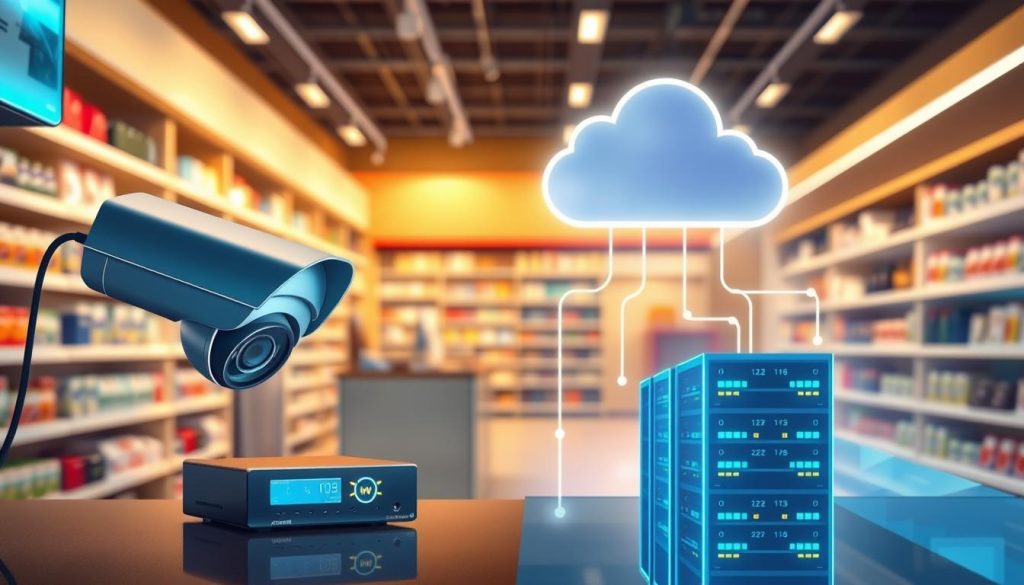
This analysis will help you weigh the pros and cons. You can then build a storage plan that fits your shop’s workflow and budget.
Network Video Recorders (NVR) and Digital Video Recorders (DVR)
An on-site recorder is the traditional hub for a visual system. A Network Video Recorder (NVR) or Digital Video Recorder (DVR) manages all your recording.
These devices connect to your cameras and save footage to internal hard drives. You maintain complete physical control over your data with no monthly fees.
Local recording typically allows for faster playback and review. There’s no delay from internet streaming. The hardware, however, represents an upfront cost and requires secure placement.
If the recorder is stolen or damaged, your video history could be lost. For a business with many high-resolution cameras, multi-terabyte drives are a must.
Cloud Storage Subscriptions: Costs and Benefits
Cloud storage sends your footage over the internet to a remote data center. Providers like Ring, Arlo, or ADT manage this service for a recurring fee.
The major benefit is off-site protection. Your evidence is safe from physical theft, fire, or tampering at your location. You can also view live feeds and past video from any device with an internet connection.
Cloud storage trades upfront control for long-term convenience and redundancy, creating a secure off-site backup automatically.
The cost accumulates over time. You must also have reliable, high-upload bandwidth. In Singapore, connectivity is generally robust, but you must ensure your internet can handle the data stream.
This is crucial to avoid affecting other business operations. Your access to recordings depends entirely on your subscription being active and your internet being up.
Local Storage with MicroSD Cards and On-Device Solutions
Some individual cameras support local storage via a MicroSD card. This is a simple, decentralized option.
It’s suitable for a very small setup or as a temporary backup. You avoid monthly fees and complex network setup. The capacity of these cards is limited, however.
Managing recording across multiple cards is impractical for a larger store. Cards also have a finite lifespan and can fail. They are vulnerable to being removed if the camera itself is tampered with.
For legal and insurance needs, a clear data retention policy is key. You might need to keep footage for 30, 60, or 90 days. Your chosen system must support that duration reliably.
Many shops find a hybrid solution works best. You can use a local NVR for high-capacity, continuous recording. Then, set the system to back up critical event clips to the cloud.
This approach gives you the speed and control of local storage. It also adds the redundancy and remote access of the cloud. Calculating your needs based on camera count, resolution, and retention time is the first step.
Compare the upfront cost of an NVR with hard drives against ongoing cloud fees. Privacy is another factor. Locally stored data stays on your premises. Cloud data requires trust in your provider’s encryption policies.
Your final choice should ensure valuable recordings are secure and ready when you need them. This turns your visual monitoring investment into a reliable source of evidence and insight.
Installation and Setup Tips for Retail Environments
A well-planned setup process transforms your surveillance investment from a concept into a daily operational asset. Proper implementation ensures your visual monitoring network performs reliably from day one.
This phase involves critical decisions about who installs the equipment and where each unit goes. Thoughtful placement and integration maximize the effectiveness of your entire system.
Professional Installation vs. DIY Approaches
Your first choice is between hiring experts or handling the setup yourself. Companies like ADT require professional installation as part of their service package.
This option ensures cameras are optimally positioned and correctly wired. Technicians integrate them with other business systems like alarms. The trade-off is a higher upfront cost and potential long-term contracts.
A do-it-yourself approach can significantly reduce initial expenses. Brands like Ring and Arlo are designed for user-friendly setup. Lorex also offers systems that are manageable for tech-savvy owners.
This path offers great flexibility. You can move cameras as your store layout changes. However, it requires comfort with basic networking and mounting tasks.
There is a risk of suboptimal placement without expert guidance. Some camera models, like certain AvaEye PoE units, feature a plug-and-play design. This simplifies the DIY process for wired setups.
Professional installation provides peace of mind and optimal performance, while a DIY project offers cost savings and control for those willing to learn.
Strategic Camera Placement for Maximum Coverage
Where you mount each device is crucial for comprehensive oversight. Every entry and exit point must have clear visual coverage.
Point-of-sale areas and high-value merchandise sections are top priorities. Do not forget stockrooms and blind spots in aisles. The lens should be positioned to capture faces, not the tops of heads.
Mounting height and angle balance field of view with identifiable detail. A height of 8 to 10 feet is often recommended for indoor cameras. This provides a broad view while keeping units out of easy reach.
Consider the aesthetic impact on your shop’s environment. Discreet dome cameras may be preferred in high-end boutiques. Visible bullet camera designs can enhance the deterrent effect in other settings.
Testing the live feed after installation is a non-negotiable step. Verify that critical zones are covered without obstruction. Check that night vision performs adequately in those specific spots.
Integrating Cameras with Existing Retail Infrastructure
Seamless integration requires planning around your shop’s physical layout. For wired systems, map out cable routes from each unit to the recorder.
Ensure power outlets are available for plugged-in models. Verify your network’s capacity to handle multiple IP cameras streaming data. This is vital for maintaining video quality and remote access.
Installation complexity varies with building structure. Stores with drop ceilings allow for easy cable runs through the plenum. Concrete structures may require surface-mounted conduits, affecting the approach and aesthetics.
Think about future expansion needs from the start. Leaving extra cable or planning wireless add-ons saves time later. A clear site map identifying all power sources and blind spots is an excellent first step.
For a seamless and professional outcome, many shop owners opt for expert retail CCTV installation. This ensures the system works harmoniously with your daily operations.
Proper setup lays the foundation for effective monitoring. It turns your investment into a reliable tool that protects your business and its people.
Integration with Business Security Systems and Smart Technology
Integrating your visual monitoring equipment with broader business systems multiplies its effectiveness exponentially. A standalone device offers basic oversight. A connected ecosystem transforms it into a proactive management tool.
This synergy creates a unified platform for protecting assets and streamlining operations. It allows different technologies to communicate and react intelligently. Your investment becomes smarter and more valuable over time.
Connecting Cameras to Alarm Systems and Access Control
Linking your visual system with intrusion alarms creates a powerful response network. When a sensor triggers, connected cameras can automatically focus on that zone.
This provides instant visual verification for a monitoring center. It confirms if an alarm is a real threat or a false trigger. This integration is crucial for a swift, appropriate response.
Pairing with access control adds another layer of accountability. Every door swipe or keypad entry can be matched with a video clip.
You create a log showing who entered a restricted area and at what time. This visual audit trail is vital for preventing internal loss. It ensures procedures are followed precisely.
Smart Home and Business Automation Compatibility
Modern business tools thrive on connectivity. Compatibility with platforms like Google Assistant or Amazon Alexa opens new possibilities.
You can use voice commands to view a camera feed on a smart display. Brands like ADT work with the Google ecosystem. Ring and Arlo offer Alexa and Google Home compatibility.
This allows for automated routines. For example, when your shop closes, the system can arm the alarms, lock doors, and start specific camera recordings. It centralizes control of your environment and protection devices.
A truly smart setup doesn’t just watch your store; it helps run it by connecting security with daily operational workflows.
This forward-thinking approach protects your investment. It lets your infrastructure evolve as new technologies emerge.
Mobile App Access for Remote Monitoring and Alerts
A robust mobile application is the command center for modern oversight. It puts live feeds and recorded footage in your pocket.
Apps like the free AvaEye remote viewing mobile app provide instant access. Managers receive push alerts for specific events, like motion in a stockroom after hours.
Advanced features reduce notification fatigue. You can set custom alert zones and schedules. This ensures you are only notified about important activity.
Two-way audio turns a camera into an intercom. You can communicate with staff on the floor from anywhere. This enhances operational efficiency and customer service.
For shops with multiple locations, a centralized dashboard is a major advantage. It allows oversight of all sites from a single login. This simplifies management for growing business operations.
Different brands offer unique app experiences:
- ADT Pulse: Provides a single view for all security devices, including professional monitoring status.
- Ring & Arlo Apps: Manage cameras, doorbells, and alarms seamlessly with a user-friendly interface.
- AvaEye NVRs: Integration with their NVRs enables smooth playback and advanced AI detection management through the app.
This mobile capability ensures you are always connected to your shop. You can verify alerts, review incidents, and maintain constant monitoring. It empowers you to manage your business proactively, from anywhere.
Cost Analysis: Budgeting for Your Retail Security Camera System
A clear budget transforms your surveillance purchase from a reactive expense into a strategic investment. This financial planning ensures you get reliable protection without overspending.
You must account for all expenses, both immediate and long-term. A detailed cost breakdown empowers you to make a sound decision for your shop.
Upfront Costs: Cameras, Recorders, and Accessories
The initial outlay covers all hardware needed to start your visual monitoring. This includes the cameras themselves, a recording hub, and essential installation gear.
Individual unit prices vary widely based on features and brand. For example, an AvaEye 2MP model may cost around $129. A 4K unit could be $209.99, while an AI Deterrence camera might be $279.99.
Other brands show similar ranges. Lorex offers units from $50 to $800. Ring devices typically cost $60 to $250. ADT equipment ranges from $130 to $270, and Arlo from $100 to $300.
You also need a Network Video Recorder (NVR) or hub. Add costs for cables, mounts, and power supplies. A dedicated monitor for viewing is another potential expense.
A basic setup for a small business might cost a few hundred dollars. A comprehensive, high-resolution system can reach several thousand. Always include potential professional installation fees in this initial calculation.
Ongoing Expenses: Subscriptions, Maintenance, and Upgrades
After installation, regular costs keep your system operational. Cloud storage subscriptions are a common recurring fee.
Services like Ring may charge around $20 per month. ADT’s professional monitoring can be approximately $40 monthly. These fees provide off-site backup and remote access.
Periodic maintenance is also required. This includes cleaning lenses and checking connections. Over time, hardware upgrades or expansions become necessary.
Your budget should account for network improvements. You might need new switches or Wi-Fi extenders. Planning for these costs prevents surprises later.
Considering the total cost of ownership over 3-5 years is crucial. A slightly more expensive setup with no monthly fees may be cheaper long-term than a low-cost option with mandatory subscriptions.
For shops in Singapore, investing in durable equipment from the start is wise. It prevents frequent replacements in the local climate.
Return on Investment: How Security Cameras Save Money
View this technology as a capital investment, not just an expense. The return on investment (ROI) comes from multiple avenues.
Loss prevention is the most direct benefit. Reduced shoplifting and internal theft directly protect your revenue. Clear footage also helps avoid costly frivolous lawsuits.
Many insurance providers offer lower premiums for stores with verified surveillance. This can lead to significant annual savings. Improved employee productivity is another valuable gain.
You can calculate potential savings for your business. Compare the total system cost against your store’s average loss from theft. For many shops, the setup pays for itself within a surprisingly short timeframe.
Choosing scalable architecture lets you start small and expand later. You can add more cameras as your budget allows. This spreads costs over time without replacing core components.
When getting quotes, ask about warranty terms and support. Understand what is covered and for how long. Plan for future technology refreshes to keep your monitoring effective.
This financial analysis helps you protect your business‘s profitability. It turns your visual oversight into a tool for smart financial management.
Maintenance and Upkeep of Retail Security Cameras
A reliable surveillance system requires consistent care to perform at its peak over the years. Proper upkeep ensures your visual monitoring delivers clear evidence and operates without interruption.
This ongoing process involves physical cleaning, software management, and quick problem-solving. Neglecting these tasks can lead to blurry video or system failures.
A disciplined routine protects your investment and keeps your shop secure.
Regular Cleaning and Lens Care for Clear Footage
Dust, spider webs, and weather residue accumulate on camera lenses. This buildup significantly degrades video quality, especially at night.
Infrared light reflects off these particles, causing hazy or glowing footage. Establish a scheduled maintenance routine, such as quarterly checks.
Physically inspect each unit for proper alignment. Clean lenses with a soft, microfiber cloth and appropriate cleaning solution.
Ensure mounting brackets remain tight and secure. This simple habit maintains the clarity needed to identify people and activities.
Software Updates and Firmware Upgrades
Software and firmware updates are critical for security, performance, and new features. Manufacturers release patches to fix bugs and close vulnerabilities.
Enabling automatic updates is the easiest approach. Alternatively, regularly check the manufacturer’s support portal.
This ensures your entire camera system stays protected against emerging threats. Updates can also improve detection accuracy and add functionality.
Schedule this task during off-hours to avoid disrupting business monitoring. Keeping software current is a key part of digital upkeep.
Proactive maintenance prevents small issues from escalating into major failures that could leave your store unprotected during a critical incident.
Troubleshooting Common Issues in Retail Settings
Even well-maintained cameras can encounter problems. Common issues in shops include units going offline or sending false alerts.
Network problems often cause disconnections. Start by checking power and Ethernet cables. Verify the settings in your recording software.
False motion alerts frequently come from changing light or reflections. Adjust the detection sensitivity or set activity zones.
Night vision failure might stem from IR glare off windows. Repositioning the camera slightly can solve this. Follow a step-by-step guide to diagnose problems.
Maintain a log of all maintenance and issues. This record helps identify patterns and provides valuable data for technical support.
For larger setups, use network tools to monitor device health. They can send alerts if a camera fails.
Train your staff on basic troubleshooting steps. This includes rebooting a recorder or checking cable connections.
Empowering your team minimizes downtime and reduces reliance on external technicians. It keeps your visual oversight active.
This care transforms your equipment into a long-term asset. It ensures reliable performance year after year, protecting your business and customer experience.
Making the Right Choice for Your Retail Store’s Security
Your journey through this comprehensive resource culminates in a confident, informed purchasing decision. This guide has equipped you to evaluate the myriad of options based on your shop’s specific layout, budget, and operational needs.
Start with a core system addressing priority zones like entrances and cash wraps. Prioritize reliable performance and clear footage over flashy extras. Effective protection requires staff trained to use the tools and respond to alerts.
Consulting with reputable local vendors in Singapore ensures your setup meets regulations and provides optimal coverage. This informed investment delivers lasting peace of mind, safeguarding your business and enhancing your monitoring strategy for years to come.