
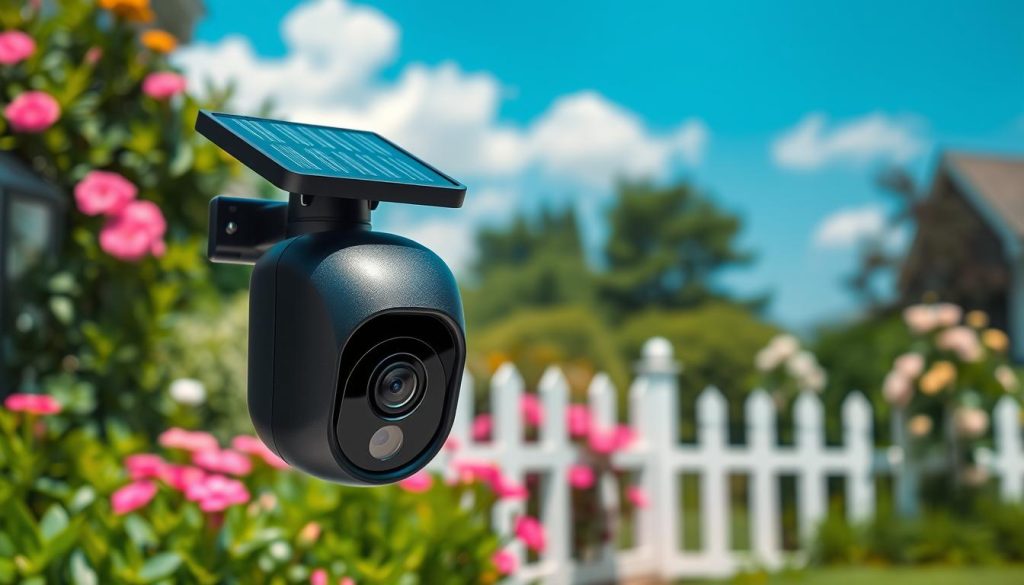
Imagine a watchful eye for your property that works anywhere, completely on its own. This is the promise of a modern, fully wireless surveillance system. It needs no outlet and no Wi-Fi to keep you connected.
Demand is growing for these independent solutions. They are perfect for locations where traditional electricity and internet are unreliable or simply absent.
This guide aims to be your comprehensive resource. We will help you choose the right device based on your specific monitoring needs and local conditions.
The core system has three parts. A solar panel provides perpetual power. A cellular module ensures constant connectivity. The camera unit itself handles the viewing and recording.
Choosing the best model involves several factors. You must consider solar efficiency, battery capacity, data plan costs, and video quality.
Local elements matter greatly. Singapore’s tropical climate affects panel performance. Local network coverage from providers like Singtel or StarHub is crucial. Think about your specific use case, be it a construction site or a rural homestead.
We will cut through the noise by comparing top models, such as the Soliom S600 and Reolink Go series, with concrete specs.
An informed decision leads to reliable, uninterrupted protection. The ultimate goal is long-term peace of mind, knowing your areas are secure.
Key Takeaways
- This guide focuses on fully independent surveillance systems that require no wired power or Wi-Fi.
- These devices are ideal for remote locations, construction sites, and properties with poor connectivity.
- The main components are a solar panel for energy, a cellular modem for data, and the camera itself.
- Key buying factors include solar charging efficiency, battery life, cellular data costs, and video resolution.
- Your local environment, including weather and mobile network strength, directly impacts performance.
- We will provide specific comparisons between leading brands to help you make a confident choice.
Why a Solar Powered Cellular Security Camera Solves Unique Problems
Remote monitoring demands a solution that overcomes two critical barriers: energy and connectivity. Traditional setups fail where electrical outlets and Wi-Fi signals are absent. This innovative combination delivers uninterrupted surveillance precisely where it was once impossible.
Uninterrupted Security in Off-Grid and Remote Locations
Places like mountain cabins, working farms, and nature reserves often lack basic infrastructure. Running power and data lines there is prohibitively expensive. A self-sufficient system changes this equation entirely.
It provides continuous oversight without any costly construction. Your property remains watched over, day and night, regardless of its remoteness.
Eliminating Dependence on Wi-Fi and External Power Lines
Freedom from Wi-Fi is a major advantage. Installation becomes a simple matter of mounting the unit. More importantly, the system is immune to home network outages or local broadband issues.
This independence also enhances resilience. A standard security camera goes dark during a blackout. A truly wireless one does not, maintaining a vigilant watch when other systems fail.
Ideal Use Cases: From Construction Sites to Rural Properties
The practical applications for this technology are vast. They address specific monitoring needs across different scenarios.
Temporary construction sites use them to guard expensive equipment and materials. Rural landowners rely on them for livestock watch or vast perimeter access control.
Vacation homes benefit from seasonal oversight without needing utilities turned on. These cameras are also perfect for mobile assets. They provide a traveling sentinel for RVs, boats, and trailers.
Large outdoor areas like parking lots, warehouses, or event venues are ideal. Wired connections are impractical here. Consistent energy from the solar panel and a strong cellular signal ensure 24/7 operation.
This reliability stands in stark contrast to traditional options. Those can leave locations vulnerable the moment the power fails or the internet drops.
How Does a Solar Cellular Security Camera Work?
Its functionality is built on a reliable partnership between the sun, a battery, and a mobile network. This trio creates an autonomous loop for surveillance. The system gathers energy, stores it, and uses it to send information directly to you.
The Synergy of Solar Power and Rechargeable Batteries
The solar panel is the primary energy harvester. It converts daylight into electrical power. This energy constantly charges a built-in, high-capacity battery.
Models often feature large cells, like a 9000mAh unit. This acts as a crucial buffer. It stores enough juice for continuous monitoring after sunset or during cloudy weather.
The battery ensures the device never sleeps. It powers all internal electronics around the clock. This synergy guarantees 24/7 operation without manual charging.
Connecting via 4G LTE: SIM Cards and Data Plans Explained
Connectivity is handled like a smartphone. You insert a standard SIM card into a slot on the device. It then connects to the nearest 4G LTE or 5G network.
You must activate a compatible data plan with a mobile carrier. This plan covers the video and alert information sent. Some brands simplify setup by including a starter SIM card.
For example, a unit might come with a prepaid 300MB card valid for one week. This allows immediate testing. You then choose a long-term data plan from supported carriers like Singtel or StarHub.
From Motion Detection to Your Smartphone: The Alert Pathway
When activity occurs, a built-in sensor triggers motion detection. The unit instantly records a short video clip. It compresses this footage to save data.
This clip is then uploaded via the cellular link. It travels to a cloud server or a local microSD card for storage. The entire process takes just seconds.
You receive a push alert on your phone through the manufacturer’s app. Tapping it grants instant access to the live feed or the recorded event. This allows for real-time viewing and verification.
You can fine-tune this pathway to match your needs. Adjust motion zones and schedule active hours. This balances alert frequency with data consumption.
Advanced models add two-way audio support. You can speak directly through the unit’s speaker. This enables real-time communication over the cellular connection.
Key Features to Compare in Your Search
To choose the best autonomous monitoring device, you must look beyond the brand name and examine its core technical specifications. The right combination of features determines real-world reliability. Focus on these seven critical areas to make a confident, informed purchase.
Solar Panel Efficiency and Battery Capacity
The energy system is the heart of any off-grid unit. A higher-wattage solar panel captures more light, charging the battery faster. This is vital in less sunny climates or shaded areas.
Battery size, measured in mAh (milliampere-hours), is your buffer. A large cell, like a 9000mAh battery, stores ample power. It ensures the device runs for hours or even days without direct sun.
Always match the panel’s output to the battery’s capacity. This synergy guarantees 24/7 surveillance.
Cellular Connectivity: Supported Networks and SIM Flexibility
Stable connectivity is non-negotiable. First, verify which mobile networks the device supports. In Singapore, compatibility with Singtel, StarHub, or M1 is essential for strong signal access.
Check if the unit is locked to one carrier. An unlocked model that accepts any standard SIM card offers more freedom. You can then shop for the most suitable data plan.
Your plan covers all uploaded video and alerts. Choosing the right one balances cost with your expected data use.
Video Quality, Night Vision, and Field of View
Clarity matters for identification. Resolution options range from 1080p to 4K. Higher video quality shows finer details but consumes more cellular data.
Night vision capability is equally important. Standard infrared modes provide black-and-white footage. Advanced color night vision uses built-in spotlights for clearer images after dark.
Consider the lens’s field of view. A wide or 360° panoramic view covers a large zone. Features like 3x digital zoom let you focus on specific details from a distance.
Motion Detection Sensitivity and Smart Alerts
Basic motion detection uses a PIR sensor. It triggers on any heat movement within a range, say 18 feet. This can lead to false alerts from pets or swaying plants.
Advanced smart detection uses AI to recognize specific targets. It can distinguish people, vehicles, or animals. This intelligence filters out irrelevant activity.
You receive only the important alerts on your phone. It saves data and your time.
Storage Options: Local SD Card vs. Cloud Subscriptions
You have two main choices for saving footage. Local storage uses a microSD card inserted into the unit. It’s a one-time cost and keeps your recordings private. Many models support cards from 8GB to 128GB.
Cloud storage uploads videos to a remote server. It often requires a monthly subscription fee. The benefit is off-site backup—footage is safe even if the device is stolen.
Some brands offer a 30-day cloud trial. This lets you test the service before committing to a paid plan.
Durability and Weatherproof Ratings (IP66 and Beyond)
Since these units live outdoors, build durability is critical. Look for an official IP66 weatherproof rating.
- IP66 means the housing is totally dust-tight.
- It can also withstand powerful jets of water from any direction.
This rating ensures the system withstands heavy rain, intense heat, and dust. It’s perfect for Singapore’s tropical climate. Your investment remains protected year-round.
Also, note extra features like two-way audio for communication. A built-in siren can scare off intruders. Custom activity zones let you focus monitoring on specific areas.
Top Solar Powered Cellular Security Camera Models to Consider
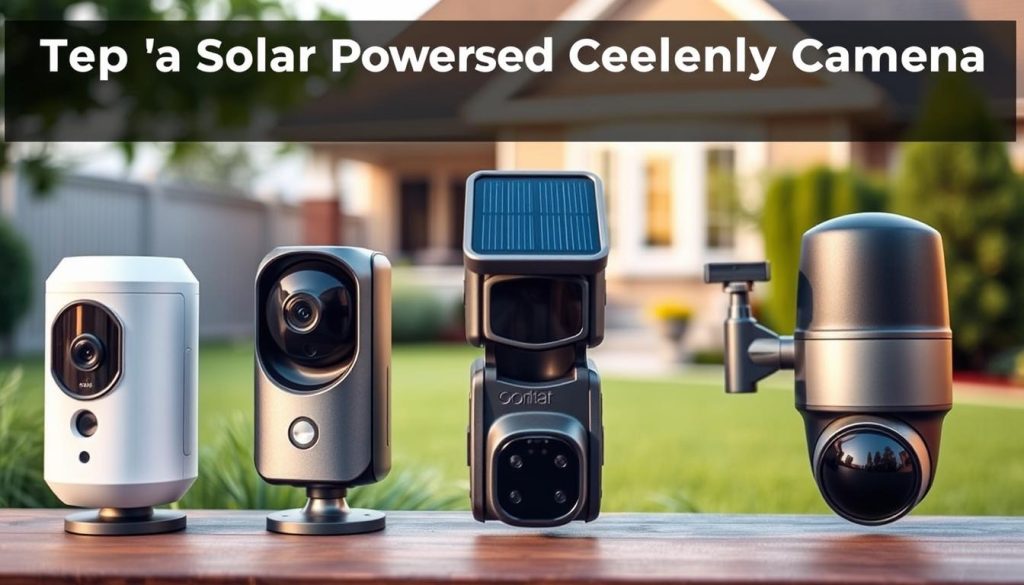
A direct comparison of popular models cuts through marketing claims to reveal the best value for your needs. We focus on two highly regarded brands that excel in off-grid surveillance.
Each offers a compelling blend of features and reliability. Your choice will hinge on budget, desired video quality, and how you prefer to manage data.
Soliom S600: A Value-Powered Option with Panoramic View
The Soliom S600 stands out for its attractive price and all-in-one design. It is a strong contender for cost-conscious buyers who don’t want to compromise on core capabilities.
Its most notable feature is a true 360° panoramic view. This lets a single unit cover a very wide area. The built-in solar panel houses a large 9000mAh battery for sustained power.
Video streams in crisp 1080p resolution. After dark, its color night vision illuminates up to 32 feet. The system uses PIR human detection to send accurate alerts.
Durability is assured with an IP66 weatherproof rating. For storage, it supports a local microSD card up to 128GB. A major convenience is the included starter SIM card with 300MB of data valid for seven days.
Long-term, you can opt for an unlimited data plan directly through the Soliom app, starting around $14.2 monthly. This simplifies the setup process significantly.
Reolink Go Series: Versatility and Smart Detection Features
The Reolink Go series is known for versatility and advanced intelligence. It includes models like the Go PT Ultra and the Go Ranger PT, each catering to different monitoring needs.
The Go PT Ultra delivers exceptional 4K 8MP video quality. It also features color night vision. The Go Ranger PT offers a 360º panoramic view with a unique animal recognition feature.
Both models boast sophisticated AI detection. They can accurately distinguish between people, vehicles, and pets. This drastically reduces false alerts from irrelevant motion.
These units are designed for solar compatibility. They offer flexible storage options. You can use a local SD card or opt for optional cloud backup without a mandatory subscription.
Users must source their own SIM card and plan from a local carrier like Singtel or StarHub. This provides greater control over network choice and data costs.
Comparing Key Specs: Price, Data Plans, and Included Features
This table provides a clear, side-by-side look at how these leading options stack up.
| Feature | Soliom S600 | Reolink Go Series (e.g., Go PT Ultra) |
|---|---|---|
| Approx. Price | $95.99 | $159.99 |
| Video Resolution | 1080p | 4K 8MP |
| Night Vision | Color | Color |
| Key Features | 360° view, built-in battery in panel, included starter SIM | AI Person/Vehicle Detection, Pan-and-Tilt, Animal Recognition (on Ranger PT) |
| Data Plan Note | Optional unlimited plan via app (~$14.2/month) | Bring your own SIM & plan from local carrier |
Your decision involves weighing the initial investment against long-term costs. The Soliom S600 has a lower upfront price and an integrated data plan solution.
Reolink models often have a higher initial cost but offer superior video resolution and smarter detection. You manage the cellular connectivity separately, which can be an advantage or an extra step.
Consider the total cost of ownership. Factor in the device price, monthly data fees, and any optional cloud storage subscription. This ensures your chosen system remains affordable over its entire lifespan.
Your Buyer’s Checklist: Prioritizing Needs vs. Wants
Creating a practical buying checklist helps you focus on what truly matters for your surveillance setup. It moves you from browsing specs to building a system that fits your life. This process separates essential functions from nice-to-have extras.
Start by defining your core objectives. What problem are you solving? Your answers will guide every other choice on this list.
Assessing Your Property’s Layout and Surveillance Goals
Begin with a simple map of your property. Identify all critical zones that require oversight. Think about entry points, valuable assets, and any blind spots.
This visual exercise determines how many units you need. A single device might cover a driveway. A large plot may require multiple devices for complete monitoring.
Next, clarify your surveillance goals. Are you aiming for deterrence, evidence collection, or live viewing? Each goal prioritizes different features.
- Deterrence needs visible placement and perhaps a siren.
- Evidence collection demands higher video quality and reliable storage.
- Live monitoring requires consistent connectivity and instant alerts.
Understanding these needs upfront prevents you from paying for capabilities you won’t use.
Budgeting for the Camera, Data Plan, and Potential Subscriptions
Your budget has three main parts: the initial purchase, ongoing data costs, and optional services. Consider the total cost of ownership over a year or more.
The upfront price covers the device and its energy panel. Remember, a higher initial investment often brings better durability and smarter detection.
Monthly expenses are primarily for your data plan. Cellular units send video over mobile networks, and you pay for that bandwidth. On average, these systems consume between 2GB and 5GB per month.
Costs depend on your chosen model, data plan, and storage options. Finally, factor in any cloud subscription for video backup. Some brands include a free trial, while others charge a monthly fee.
Balancing Video Quality with Cellular Data Consumption
High-definition video is desirable, but it directly impacts your data use. You must find a balance that meets your needs without breaking your plan.
Estimate your usage based on recording mode. Motion-triggered recording saves significant data compared to continuous streaming. The frequency of live viewing also adds up.
Here’s a practical approach. Use 1080p or 2K resolution for general overview areas. Reserve 4K ultra-high-definition for specific, critical locations where detail is paramount.
Prioritize must-have features first. Reliable night vision and long-lasting energy reserves are often more important than advanced AI tracking, especially on a tight budget.
Don’t forget the hardware’s resilience. Choose a unit with a weatherproof rating suitable for your local climate. In humid or rainy areas, a high IP rating is non-negotiable.
Finally, consider long-term upkeep. For optimal performance, the energy panel needs occasional cleaning. Factor in the ease of installation and this minor maintenance when making your choice.
By following this checklist, you can select a system that delivers reliable access and peace of mind. For a closer look at specific models that fit these criteria, explore our detailed review of a solar-powered cellular security camera.
Essential Considerations for Buyers in Singapore
Your autonomous surveillance unit’s performance in Singapore hinges on network strength, climate resilience, and legal compliance. Local conditions directly impact reliability and longevity. Addressing these factors ensures your investment delivers uninterrupted peace of mind.
Local Cellular Network Coverage and Compatible Data Plans
Singapore boasts extensive 4G LTE coverage from major carriers like Singtel, StarHub, and M1. However, signal strength can vary at your specific installation site. Always verify the network bars on your device during setup.
For optimal connectivity, purchase a local prepaid or postpaid SIM card. Data-only plans for IoT devices are often more cost-effective than international options. This gives you greater control over your monthly data plan costs.
An unlocked device that accepts any standard SIM card offers the most flexibility. You can then choose a data plan that matches your expected usage. This is crucial for managing long-term expenses.
Accounting for Singapore’s Climate: Sunlight, Heat, and Rain
Abundant sunlight is ideal for keeping your unit charged. Yet, the tropical climate presents unique challenges. High temperatures regularly exceed 35°C, and heavy monsoon rains are common.
Select a model with a high-temperature tolerance rating. The solar panel should be efficient enough to charge the battery even on cloudy days. This ensures continuous power through all weather conditions.
A weatherproof rating of at least IP66 is non-negotiable. This protects the internal electronics from intense rain and high humidity. It prevents corrosion and guarantees year-round operation.
Understanding Surveillance Regulations and Privacy Laws
Singapore’s Personal Data Protection Act (PDPA) governs the collection and use of personal data. Your surveillance activities must comply with these regulations. This is especially important for monitoring shared or public spaces.
Avoid pointing your device into public areas or a neighbor’s property without consent. Doing so can lead to legal issues and violate privacy norms. Always aim your view at your own premises.
For installations in HDB common corridors or commercial properties, consult official guidelines. Seeking legal advice can clarify your responsibilities. It helps you avoid unintended violations.
Using local storage, like a microSD card, is a smart practice. It keeps recorded footage within your control and can aid in PDPA compliance. This approach supports data residency principles.
By considering these local factors, you build a robust and lawful security system. It will stand up to Singapore’s environment and legal framework for years to come.
Installation and Setup for Optimal Performance
Your investment’s effectiveness depends heavily on two post-purchase actions: strategic mounting and precise configuration. Getting these steps right ensures your system delivers reliable, long-term surveillance. This guide walks you through the process from unboxing to a fully operational guardian.
Finding the Perfect Spot for Sun Exposure and Camera Angle
Location is everything for an autonomous unit. You must balance energy harvesting with a clear view. Start by identifying a spot with direct, unobstructed sunlight for six to eight hours a day.
This consistent exposure keeps the battery fully charged. In Singapore, consider the sun’s path. Position the solar panel to face north for maximum year-round light capture.
Next, think about the monitoring angle. Mount the device high enough to deter tampering but within reach for occasional maintenance. Ensure its lens covers all critical areas of your property.
Avoid pointing it directly at light sources or busy public streets. This simple planning prevents glare and reduces irrelevant activity triggers.
Activating the SIM Card and Configuring the Mobile App
With the unit mounted, the digital setup begins. First, insert your SIM card. If your model includes a starter plan, follow the activation instructions provided.
For other units, use a local data-only SIM from a carrier like Singtel or StarHub. This ensures strong network connectivity and manageable costs.
Now, download the manufacturer’s app on your smartphone. Brands like Soliom and Reolink have dedicated applications. Open the app and follow the prompts to add your new device.
The configuration steps are usually straightforward:
- Connect the unit to the cellular network.
- Set your local time zone for accurate event timestamps.
- Create a strong, unique password to protect access.
- Choose your preferred storage method.
You’ll select between local storage on a microSD card or a cloud subscription. Your choice depends on your needs for backup convenience and data privacy.
Testing Motion Zones and Fine-Tuning Alert Settings
Modern systems offer deep customization to match your environment. The goal is smart detection that informs you without overwhelming you.
Start by defining motion zones within the app. Draw boxes around important locations like your driveway or front door. Exclude zones with constant movement, like a busy road.
This focuses the detection on relevant areas and cuts down on false alerts.
Next, adjust the sensitivity of the motion sensor. For isolated property, a higher setting is good. In areas with frequent animal movement, lower it to avoid pet notifications.
Another useful feature is an alert schedule. You can set hours for receiving notifications. For example, you might only want alerts overnight when the property is empty.
Finally, perform a complete system test. Verify the live feed viewing is clear, both day and night. Check that the night vision activates properly.
Test any two-way audio support and ensure push alerts arrive promptly on your phone. This final check confirms your installation is a success, ready for dependable use.
Making an Informed Choice for Peace of Mind
Ultimately, your choice in a wire-free monitoring system defines the level of protection you achieve. This technology delivers reliable, independent oversight for any location. Matching its features—like battery life and network connectivity—to your specific property and needs is key.
Your initial research pays off with long-term, low-maintenance surveillance. Use the buyer’s guide checklist and model comparisons to evaluate options. Consider future-proofing with expandable storage and network support.
For buyers in Singapore, verify local data plan compatibility and device durability. With the right unit properly installed, you gain constant remote access and instant alerts. This provides undeniable peace of mind. Prioritize a reliable device with strong manufacturer support for a hassle-free experience.