ED VISTON

CCTV storage duration Singapore

CCTV Storage Duration in Singapore: Know the Limits

Ever thought about how long CCTV footage is kept in Singapore? It’s key for your privacy and safety. With almost a million cameras, knowing how long they store footage is vital. These systems boost security but also make us think about data rules and local laws. In Singapore, how long CCTV footage is kept can change. It depends on where the cameras are, like homes or businesses. Companies need to update their systems to handle all the data. Authorities also set rules, suggesting keeping recordings for up to 31 days. But, laws for homes are not always clear, so getting the right approvals is important. As we rely more on CCTV for safety, knowing its limits in Singapore is essential. It helps us follow rules and respect privacy. For top CCTV solutions, call ED Viston at +65 8313 4578. Find out about our latest deals! Key Takeaways Singapore has nearly one million CCTV cameras aiding in extensive surveillance. CCTV footage typically has a retention period of up to 31 days as recommended by authorities. Businesses must comply with local regulations, obtaining necessary permits for installation. Residential CCTV laws can be ambiguous, often requiring approval from relevant authorities. Upgrading systems may be necessary to manage the significant storage demands of recorded footage. Awareness of changing regulations is critical for effective CCTV installation and management. Understanding CCTV Surveillance in Singapore CCTV surveillance in Singapore is key to keeping everyone safe. It uses the latest tech to watch over homes, businesses, and public areas. These systems help stop crimes and help in emergencies. Recently, HDB flat owners can install CCTV cameras at their main doors without needing approval. This shows the government’s effort to boost security. They must keep footage for six months, balancing privacy and security. Companies must follow rules to share CCTV footage when asked. They must also protect personal data and charge fairly for it. It’s important to have clear signs showing where cameras are. Crime rates, like theft, have gone up by over 25% in the first half of 2023. To fight this, using better CCTV tech is essential. Cameras like dome, bullet, and PTZ offer wide coverage and zoom in on details. Getting CCTV right means doing a site survey, installing it well, and keeping it in good shape. Companies should plan their budgets for high-quality cameras. They should think about resolution, sensor tech, and how long the cameras last. Those interested should check out Wenhong’s IP CCTV solutions. They focus on customer support and new tech. For more info, call ED Viston at +65 8313 4578. Importance of CCTV for Security CCTV is key to boosting security. It acts as a strong deterrent against theft and vandalism. Knowing they’re being watched, criminals are less likely to act. Businesses benefit a lot from CCTV. It helps protect their property and assets. This is very important for them. CCTV does more than just prevent crimes. It makes people act responsibly. This is because they know they’re being watched. It helps keep workplaces safe and reduces misconduct. In case of a crime, CCTV footage is very helpful. It gives important evidence for investigations. This makes solving crimes easier and faster. Different industries keep CCTV footage for different times. Retail stores might keep it for 31 to 90 days. Banks often keep it for 90 days or more. Proper storage and retention are key to getting the most out of CCTV systems. Getting a good CCTV system is a smart move. It keeps property and people safe. It also makes communities feel more secure. For the best CCTV options, call ED Viston today at +65 8313 4578. How long is CCTV kept for? The duration of CCTV footage storage in Singapore depends on several things. These include how the CCTV is used, legal rules, and what each person or business needs. Knowing how long CCTV footage is kept helps everyone follow the law and stay safe. Different situations have their own rules for keeping data, which is key for good surveillance. Typical Retention Periods for Different Scenarios At home, people should pick a CCTV system that keeps video for at least two weeks. For businesses, the Media Development Authority says they must keep footage for 30 days. But, if something big happens, they might need to keep it longer than that. Here’s a quick guide on how long to keep CCTV footage: Usage Scenario CCTV Footage Retention Time Residential At least 14 days Small Businesses Two weeks Commercial Spaces Minimum 30 days Large Corporations 30-90 days Banking Industry At least 6 months Legal Regulations Governing CCTV Footage Retention The legal regulations for CCTV in Singapore stress the need for clear data storage rules. The police suggest keeping private CCTV footage for up to 31 days. Businesses also have to keep certain data for legal reasons, like for compliance or as evidence. Not following these rules can cause big problems. To find out more about CCTV solutions and deals, call ED Viston today at +65 8313 4578. Factors Influencing CCTV Storage Duration It’s important for businesses to know how long CCTV footage can be stored. Different things affect how long recordings can last. These include the type of recording device and the storage system’s capabilities. Type of Recording Device Used The type of recording device matters a lot. Older analog DVR systems have lower quality and can’t store as much as newer IP cameras. Analog tapes lose quality over time, about 10% every decade. IP cameras, on the other hand, offer better quality and can record in different ways. This can change how much storage you need and how long you can keep recordings. Storage Capacity and Compression Techniques How much storage you have affects how long you can keep footage. Systems with more storage can keep recordings for months. The number of cameras, their resolution, and the compression used all play a part. Compression makes files smaller, letting you store more. For example, recording only when there’s motion saves space.

CCTV Storage Duration in Singapore: Know the Limits Read More »
solar powered CCTV camera 4G

4G Solar Powered CCTV Camera for Singapore Security

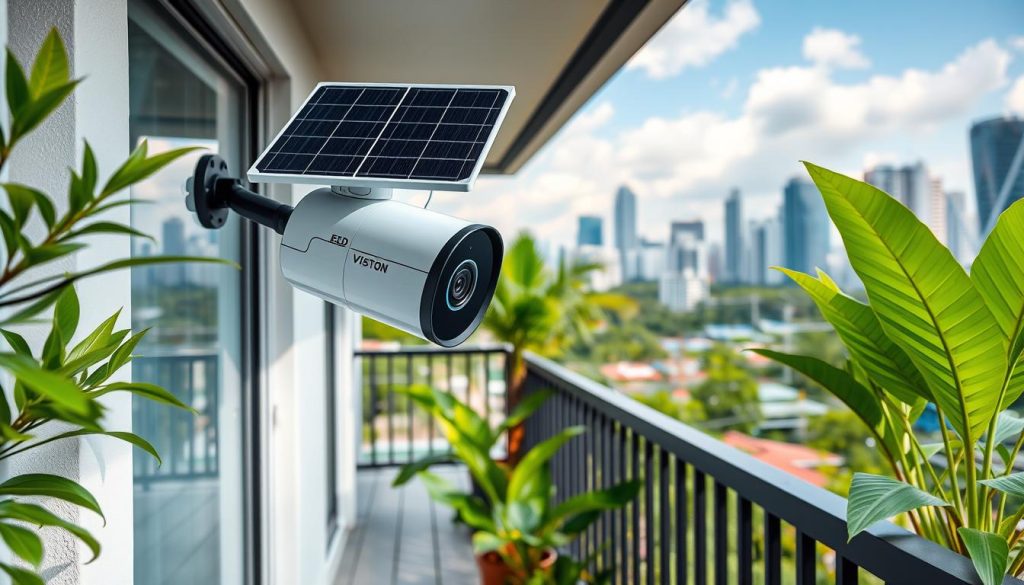
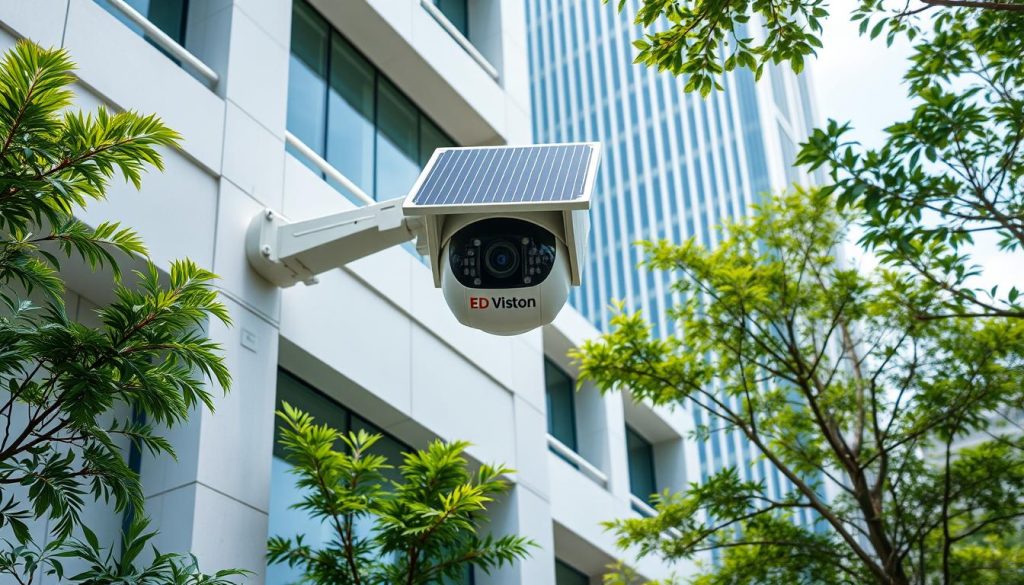
The solar powered CCTV camera 4G is a big leap in security, perfect for homes and businesses in Singapore. It uses solar energy and top-notch surveillance tech. This combo is great for Singapore’s unique weather and security needs. This tech is not just about safety. It’s also good for the planet. It works for up to seven days without sunlight, keeping an eye on things all the time. If you’re looking to boost your security and save on energy, this could be the answer. Key Takeaways Combines advanced surveillance technology with renewable solar power. Operates sustainably, providing energy-efficient security solutions. Ideal for varied environments where traditional power sources may be lacking. Equipped with features for round-the-clock monitoring and intelligent functions. Up to seven days of operation without sunlight enhances reliability. Introduction to Solar Powered Security Cameras Solar powered CCTV cameras are a big step forward in surveillance tech, perfect for sunny places like Singapore. They use the sun’s energy, cutting down on the need for regular power. This makes them great for spots where it’s hard to get electricity. These cameras are easy to set up in tricky spots. You can put them in places where wires can’t reach. In Singapore’s sunny weather, they work well for a long time. Even without direct sunlight, they can last up to seven days thanks to big batteries. More people and businesses in Singapore are choosing solar powered CCTV systems. They save a lot on energy costs, up to 75%. They also help reduce carbon emissions, fitting into the goal of using green tech. In short, solar powered CCTV cameras are reliable, save money, and are good for the planet. Advantages of Solar Powered CCTV Cameras Solar powered security cameras are a great choice for keeping an eye on things. They use the sun’s energy, not fossil fuels. This means they don’t pollute as much as old systems. These cameras also save money on energy bills. They pay for themselves over time. Plus, they’re easy to set up because they don’t need lots of wiring. They’re built to last, too. Cameras like the Trueview Solar CCTV can handle Singapore’s weather. They keep watching day and night, even when the power goes out. They’re also easy to grow with. Adding more cameras is simple. This makes it easy to cover more area without a lot of hassle. And, they don’t mess up the environment during setup. These cameras offer a full view without blind spots. They’re perfect for cities or remote areas. They meet today’s tech needs and care for the planet. How 4G Solar Powered CCTV Cameras Work 4G solar powered CCTV cameras use solar panels to charge batteries. They send data over the cellular network. This lets you watch them on your phone or computer, even without Wi-Fi or electricity. These cameras have smart tech like solar charge controllers and motion sensors. The solar tech keeps them running. The motion sensors save power by only turning on when needed. Setting up these cameras is easy and fast. They start watching right away. This makes them great for places like construction sites and remote areas. You don’t need to run wires or set up Wi-Fi. These cameras work anywhere, thanks to 4G. They don’t need stable internet like Wi-Fi cameras do. This makes them perfect for hard-to-reach spots. Feature 4G Solar Powered CCTV Cameras Wi-Fi Security Cameras Data Transmission 4G Cellular Network Wi-Fi Network Power Source Solar Panels & Batteries Electrical Supply Installation Ease Quick & Flexible Varied (Depends on Wi-Fi strength) Best For Remote & Outdoor Areas Indoor Environments with Wi-Fi Potential Costs Cellular Data Plan Required No Data Plan Required These cameras last over a week on a single charge. They’re built to last and get better with new tech. This makes them a reliable choice for security. Features of Solar Powered CCTV Cameras Solar powered CCTV cameras have cool features that make security better and easier to use. They help you watch over your place better, whether it’s your home or business. High Definition Video Quality These cameras can show HD video up to 1080P. This means you get clear pictures. It’s great for spotting faces and license plates, even in different light. Night Vision Technology They use infrared to see in the dark. This lets them record video even when it’s very dark. It’s perfect for watching over your place at night. Remote Access and Control They also let you watch live footage and control settings from anywhere. You can use apps or websites to manage them. This is super helpful for businesses that need to keep an eye on things all the time. Feature Description Importance HD Video Quality Up to 1080P resolution Enables clear identification Night Vision Infrared capabilities up to 32.8 feet Enhances security in low light Remote Access Manage and view footage remotely Crucial for constant oversight Importance of Solar Energy for CCTV Surveillance Using solar energy for CCTV systems has big benefits, mainly in places with often power cuts. It ensures surveillance works even without regular power. Solar Powered CCTV Cameras are great for remote spots where power is hard to get. In Singapore, the sun shines a lot, over 2,500 hours a year. This makes solar energy a top choice for security. These cameras can run for up to seven days without sunlight, keeping watch all the time. They also save a lot of money, up to 75%, making them a smart buy. Solar energy does more than save money. It cuts down on carbon emissions from old surveillance systems. This helps Singapore’s green efforts. Solar powered solutions are good for many areas, like farms, factories, and city traffic, and are good for the planet. Solar CCTV Cameras work well in tough light, using solar energy wisely. They are used in many important places: Agricultural monitoring: Watching crops and animals, spotting pests. Industrial sites: Keeping an eye on things to stop sabotage and unauthorized entry. Border security: Spotting illegal crossings and smuggling.

4G Solar Powered CCTV Camera for Singapore Security Read More »

wifi outdoor security camera solar powered

Solar Powered WiFi Security Camera for Outdoors

Our use of technology is growing fast. This makes finding good outdoor surveillance solutions even more important. Solar powered WiFi security cameras are a big step forward, thanks to places like Singapore focusing on green tech. These cameras use the sun’s energy, cutting down on electricity use. This means they’re better for the planet. They’re easy to set up in many outdoor spots, from homes to farms. These cameras have cool features like motion alerts and night vision. They work well in bad weather, making them a solid choice for outdoor security. For more info, check out this link. Key Takeaways Solar powered WiFi security cameras are eco-friendly and cost-efficient. They operate autonomously using solar energy, minimizing electricity dependency. Advanced features include night vision and motion detection for enhanced security. These cameras are designed to withstand extreme weather conditions with waterproof ratings. Quick installation processes allow users to set up without needing extensive wiring. They provide functionality suitable for various environments, including urban and rural settings. Introduction to Solar-Powered WiFi Security Cameras Solar-powered WiFi security cameras use the latest tech and green energy. They turn sunlight into electricity to power the camera and more. This is great for places far from power, like 20% of homes in remote areas. More people want solar outdoor cameras because of the environment. The market is growing fast, with solar cameras being a big part. Solar panels work well, making them a good choice for steady power. These cameras let users watch their homes from anywhere on their phones. Setting up solar cameras is much quicker than wired systems. It can save up to 50% on costs. Also, 30% of remote area security setups now use wireless cameras. This helps solve the problems of getting power there. Benefits of Using Solar-Powered Security Solutions Solar-powered security solutions are good for the planet and your wallet. They cut down on environmental harm while keeping your place safe. Using the sun’s power changes how we watch over our homes and businesses. Eco-Friendly Approach Security cameras that run on solar energy don’t need the power grid. This means less pollution. It’s a step towards a cleaner world. These systems help us meet global green goals. They make our communities a bit greener. Cost-Effective Long-Term Solution At first, solar-powered security cameras might cost more. But they save money in the long run. You won’t have to pay for electricity anymore. They also need less maintenance. This means fewer parts to fix or replace. So, solar cameras are a smart choice for saving money over time. How Solar Powered WiFi Security Camera Works A solar-powered WiFi security camera uses advanced tech to work well. It combines solar energy tech, making it both new and dependable for watching over outdoor areas. Solar Energy Conversion The main part of an outdoor wifi camera with solar panel is the PV cells in solar panels. These cells turn sunlight into electrical energy, so the camera works without regular power. Solar panels keep the camera running even when it’s not very sunny, making sure it works all year. Battery Storage and Management Solar cameras have good battery systems for night or when it’s not sunny. The tech helps manage power well, making the battery last longer. Many systems can go for days without sunlight, giving strong surveillance all the time. Integrating WiFi Technology These cameras connect to WiFi easily, allowing for live monitoring and alerts. Users can see live footage and get alerts through apps. Features like speakers and microphones make them great for keeping an eye on the outdoors. Features to Look for in the Best Outdoor WiFi Security Camera Choosing the right outdoor WiFi security camera is key. You need to look at important features for it to work well. A high-resolution outdoor security camera boosts security and gives you peace of mind. Here are the main features to think about when finding the best outdoor wifi security camera. Image Quality and Resolution Clear footage is vital for spotting threats. Choose cameras with at least 1080p or 2K (3MP) resolution. These high-quality images help identify faces or license plates. Solar-powered cameras from Zumimall, for example, offer great image quality, making them a top pick. Durability and Resistance to Weather Outdoor cameras must handle the elements. Look for models with high IP ratings, like IP67, to ensure they’re weatherproof. A weatherproof outdoor security camera works well in rain, dust, and extreme temperatures. This is key for consistent performance in all weather. Storage Options and Connectivity Having flexible storage is important for the best outdoor security camera with WiFi. Many offer cloud storage and local storage via microSD cards. This lets users pick the best storage for their needs. Cloud storage plans start at just $1.67 a month, making it affordable. Feature Importance Recommended Specifications Image Resolution Clear identification of subjects 1080p or higher Durability Resilience against weather IP67 or higher Storage Options Flexibility in footage management Cloud and MicroSD Connectivity Reliable operation in various conditions 2.4 GHz, 802.11n Top Rated Outdoor WiFi Camera Options on the Market Many brands stand out for their top rated outdoor WiFi cameras. Over eight years, over 245 cameras were tested. This led to a list of reliable and affordable options. Image quality is key. Outdoor cameras can spot movement up to 30 to 40 feet away. But, faces and license plates are harder to see beyond 20 feet. Cameras like the TP-Link Tapo Wire-Free Magnetic Security Camera stream at 1080p or 2K. Prices are good, with a single unit under $100. Buying three at once can save money. Battery life varies among cameras. The TP-Link Tapo claims 300 days, but real use might need recharging every four months. The Google Nest Cam offers great recording options but has a shorter battery life. Model Price Battery Life Video Resolution Ratings TP-Link Tapo C120 $24.99 N/A 2K 4.5 (Outstanding) TP-Link Tapo Wire-Free MagCam $69.99 300 days (approx.) 1080p or 2K 4.5 (Outstanding) Arlo Essential XL $89.99 Up to 16

Solar Powered WiFi Security Camera for Outdoors Read More »

security camera mobile app issue

Troubleshooting Security Cameras on Your Phone

Ever found yourself frustrated, staring at your phone, wondering, “Why can’t I see my security cameras on my phone?”? You’re not alone. Many struggle to connect their security systems to phones, a key feature of modern tech. As tech advances, knowing how to fix security camera issues is vital. Connectivity problems often pop up, making it important to understand why and how to fix them. In this article, we’ll look at common reasons for these issues. We’ll cover everything from weak Wi-Fi signals to network congestion. You’ll learn how to fix these problems and enjoy your security camera feeds again. Feeling stuck? Don’t worry, contact ED Viston today at +65 8313 4578. They offer the latest CCTV solutions & offers just for you! Key Takeaways Many users face connectivity issues with their security cameras on smartphones. Understanding the common causes, such as poor Wi-Fi signal strength, is essential in troubleshooting. Apps like AlfredCamera allow sharing of camera feeds through a Trust Circle without sharing passwords. Network congestion can disrupt connections; the number of devices connected to the same network matters. Maintaining updated software and router firmware can prevent many access issues. Understanding the Basics of Security Camera Connectivity Security cameras, like IP models, can connect to smartphones for remote monitoring. They need a stable Wi-Fi or mobile data for smooth access. Good connectivity is key for clear surveillance without breaks. It’s important for the security cameras and phones to work well together. This makes using your home security system easy. Modern CCTV systems come with software that’s easy to use. These systems have apps for both Android and iOS. This ensures you can access your cameras easily. Sometimes, internet issues or device problems can cause problems. For those without internet, there are other options. You can use security camera DVRs, 3G/4G cameras, or systems with SD cards. These alternatives help you keep an eye on things without internet. But, technology isn’t perfect. A weak Wi-Fi signal can cause big problems. Walls or big furniture can block the signal. Other devices on the same frequency can also mess with it. Another issue is network congestion. Too many devices on the same Wi-Fi can slow things down. Managing your devices and adjusting router settings can help. Fixing problems with your setup is important. Make sure your apps are updated and your phone is compatible. Solving these common issues can make your security cameras work better with your phone. For more info on CCTV solutions and offers, call ED Viston at +65 8313 4578. The Benefits of Connecting CCTV Cameras to Your Smartphone Connecting CCTV cameras to smartphones offers many benefits. One key advantage is real-time monitoring. This lets users see their property live, helping them spot odd activities fast. It’s a big help in keeping places safe. Another big plus is remote accessibility. Users can check their security systems from anywhere. This makes it easy to handle security issues, no matter where they are. Smartphone-connected CCTV systems also send notification alerts for things like motion. These alerts keep users updated on what’s happening at home or work. It helps them act quickly if there’s a security issue. Mobile apps make setting up and using these systems easy. They have simple interfaces that help users get started. This makes it simple for anyone to use their surveillance systems well. Wireless CCTV cameras make setup easy, without the need for complicated wiring. They’re also great in places with poor mobile signal. Smartphones like HONOR Magic V2 let users see things clearly, making monitoring easier. Cloud services are another modern feature of CCTV tech. Many systems store footage in the cloud. This means users can access it from their phones, anytime, anywhere. It gives users peace of mind, knowing they can check recordings whenever they want. But, there are some downsides. Network problems can stop CCTV footage from streaming. It’s important to make sure apps and devices work well together. Also, using the right login details and keeping apps updated can help avoid issues. If you’re thinking about getting CCTV systems, talking to experts can help. They can show you what’s available and the latest tech. To learn more about CCTV solutions and get special deals, contact ED Viston today at +65 8313 4578. Common Issues that Prevent Access to Security Cameras Getting to your security cameras on smartphones can be tricky. A big security camera troubleshooting problem is a weak Wi-Fi signal. This often causes a remote viewing problem. Users often see camera connection error messages because of weak signals from walls or furniture. Another big issue is network congestion. In crowded areas, too many devices online can cause problems. Over 80% of CCTV issues are about power and connection. Users often need to check power and cables to fix these problems. To solve these problems, start with a detailed troubleshooting process. Check the camera’s power and cables for damage. Also, make sure the camera settings are correct. Sometimes, just restarting the camera fixes it. If not, you might need professional help. Knowing common issues helps keep your security system working well. It saves time and makes using your system better. For more info on CCTV solutions and deals, call ED Viston today at +65 8313 4578. Poor Wi-Fi Signal Strength Poor Wi-Fi signal strength can cause big problems for security cameras. Things like where you are and other devices can mess with your Wi-Fi. Finding out what’s causing the problem is key to fixing it. Signal Obstructions Affecting Connectivity Things like walls and furniture can block the signal from your router to your camera. Stuff like concrete and metal can block signals even more. If you’re having trouble, try moving your camera closer to the router. Try different spots to see if it helps. Using a Wi-Fi range extender can also help if your camera is far from the router. Making your Wi-Fi stronger is important for a good connection. Interference from Other Devices Other devices using the same frequency can make

Troubleshooting Security Cameras on Your Phone Read More »

CCTV camera troubleshooting issues

Reasons Your CCTV Camera Suddenly Stopped Working

Have you ever wondered why your CCTV cameras stop working without warning? It’s a stressful situation, affecting your security. What could be causing this, and how can you fix it? Understanding why your CCTV camera isn’t recording is key. Issues like bad power, network problems, or old software might be the cause. With over 1.54 million CCTV cameras in India, it’s important to know these common problems. Learning how to fix CCTV camera problems can save you from security issues. Whether at home or at work, being ready can help. For help with CCTV solutions, call ED Viston at +65 8313 4578 today. Key Takeaways CCTV camera malfunctions can stem from power and connection issues, affecting overall performance. Common problems include disconnected cables, power source discrepancies, and network downtimes. Regular updating of firmware is vital for optimal camera performance and security enhancements. Rebooting or factory resetting the camera can resolve persistent issues but should be approached cautiously. Implementing regular maintenance checks will significantly increase the longevity and reliability of your security system. Understanding CCTV Camera Functionality CCTV cameras work with lenses, image sensors, and digital storage. Each part is key to the camera’s success. Knowing these parts helps with keeping your CCTV system in top shape. Lenses: Capture light and focus it onto the image sensor. Image Sensors: Convert light into an electronic signal for video footage. Digital Storage Devices: Store recorded video for later retrieval. Good performance needs enough light and stable connections. If power is low, you might see black screens or flickering videos. Regular checks can help avoid these issues. Knowing your system well helps avoid problems. Make sure connections are tight and don’t skimp on quality. This knowledge makes fixing issues easier. A well-kept system also cuts down on lost video, a big worry for many. Need help with your security? Call ED Viston at +65 8313 4578. Learn about the newest CCTV tech and deals. The Importance of Regular CCTV Camera Maintenance Keeping CCTV cameras in good shape is key to their long-term use. Regular checks, updates, and cleaning boost security. This stops problems that could harm safety and monitoring on construction sites. Good upkeep means clear images and top performance. Why Regular Maintenance is Essential Regular checks prevent costly repairs and extend your CCTV system’s life. Experts say you should service them yearly. Cameras in tough spots might need more frequent checks. Watch over parts like power supplies and lenses as they wear out. Using professional services helps catch small problems before they get big. Tips for Effective CCTV Maintenance Follow these tips to keep your CCTV system running well: Check cameras weekly for any issues Clean lenses often to avoid fuzzy images Adjust camera angles to cover all areas Update firmware regularly for the latest features Swap out old or broken parts for better reliability By following these steps, you can improve your security monitoring. This reduces the chance of CCTV failures. For more on CCTV solutions, contact ED Viston at +65 8313 4578 today. Maintenance Task Frequency Benefits Inspection Weekly Early fault detection Cleaning Lenses Monthly Clear image quality Firmware Update Bi-annually Enhanced system functionality Professional Servicing Annually Reduced repair costs Common Reasons for CCTV Malfunction It’s important to know why CCTV cameras stop working. Most problems come from power issues, connection problems, and outdated software. Fixing these fast helps keep your security strong. Here are some common reasons CCTV cameras malfunction: Power Supply Failures: About 85% of CCTV problems are due to not enough power. Loose Cable Connections: Loose cables cause 60% of video loss. Making sure cables are tight helps a lot. Firmware and Software Errors: Old software can cause big problems. Keeping it updated is key. Wiring Faults: Around 25% of serious video loss is due to cable and wire issues. Network Stability: Weak WiFi or low bandwidth cause 35% of video loss, mainly in IP systems. Environmental Factors: Weather damage can also affect how well cameras work. Regular checks and maintenance can reduce these problems. For more help, call ED Viston at +65 8313 4578. They can tell you about the newest CCTV tech and deals. Issue Source Approximate Impact Power Supply Failures Statistics 85% Loose Cable Connections Surveys 60% Outdated Firmware Research High Wiring Faults Reports 25% Weak Network Connections Data Analysis 35% Power or Connection Problems Understanding what affects CCTV cameras is key to fixing them. Issues with power and connections often cause problems. By tackling these, you can figure out why CCTV cameras suddenly stopped working? Taking the right steps can keep your system running smoothly. Identifying Power Supply Issues Power problems are a common reason for CCTV camera failures. To spot these issues, users should: Check the power adapter and make sure it’s functioning correctly. Inspect the power cable for visible damage or loose connections. Ensure that the camera receives adequate voltage by testing it with a multimeter. Confirm that the power outlet is operational. If the camera doesn’t get enough power, it won’t work right. This can cause video loss or the system to shut down. Checking Connectivity and Cables It’s important to check if your CCTV cameras are connected well. Regular checks can quickly spot problems. Here’s what to do: Inspect all cables for wear and ensure they are securely connected. Verify the settings of the network configuration and check for IP address conflicts. Pinging the camera’s IP address can help ascertain connectivity. Restart the system to reset any temporary glitches. Using good cables and parts can help avoid connection problems. Brands like Reolink are known for their reliability and quality in security. Common Issues Recommended Solutions Camera not recording video Check power supply and settings. Unable to connect to WiFi Inspect network configuration and cables. Malfunctioning night vision Check infrared functionality; restart the camera. Video quality issues Inspect camera settings and connections. By focusing on power and connection issues, you can make your CCTV system more reliable. For more help, call ED Viston today at +65 8313 4578. Learn about

Reasons Your CCTV Camera Suddenly Stopped Working Read More »

security camera risks

Unplugging a Security Camera: What You Need to Know

Ever wondered what happens when you unplug a security camera? The effects might be more serious than you think. It’s important for homeowners and business owners to understand the risks of unplugging these devices. They help prevent crime and provide key evidence in incidents. If you disconnect a camera, you could lose recorded footage and live monitoring. This makes your place more vulnerable to crime. Knowing these risks is key to keeping you and your property safe. Key Takeaways Unplugging a wired security camera leads to immediate functionality loss. Battery-powered cameras can eventually fail if left unplugged for too long. Security systems relying solely on local storage may lose valuable footage during interruptions. Frequent unplugging can diminish the longevity of the camera system. Criminals may use power cuts or jamming devices to disable security cameras. For more insights into the latest CCTV solutions and offers, don’t hesitate to contact ED Viston today at +65 8313 4578. Understanding the Importance of Security Cameras Security cameras are key to keeping your home safe. They help stop criminals by just being there. This makes them think twice before breaking in. One big benefit of security systems is live monitoring. This lets you watch your home from anywhere. It also helps police solve crimes faster. Studies show homes with cameras have less crime. Burglars don’t like them. Plus, knowing you’re being watched makes you feel safer. There are many types of security cameras. Some, like the Reolink Argus 3 Pro, work even when the power goes out. This makes them very reliable. Having many cameras and alarms adds extra protection. If you want to make your home safer, call ED Viston today. They can help you find the best CCTV solutions and offer special deals. Camera Type Power Source Independent Operation Reolink Argus 3 Pro Battery Yes Reolink Go Plus Battery Yes Reolink Altas PT Ultra Battery Yes, up to 8 days on a charge Traditional Alarm System Phone line Yes VoIP/ Cellular Systems VoIP/Cellular No (power outage dependent) What Happens if You Unplug a Security Camera? Unplugging a security camera has big effects on surveillance. The biggest worry is the loss of footage. Different cameras act differently when unplugged, affecting their recording and data sending. Loss of Recorded Footage When you unplug a security camera, like Wi-Fi or PoE types, it stops recording. Many Wi-Fi cameras, powered by direct current, lose all function. This means they can’t record video. If a camera is unplugged during an event, any video from before might be lost. This creates a big gap in security footage. Even if footage on a microSD card or NVR is safe, unplugging stops new recording. Impact on Live Monitoring The live monitoring impact is also a big worry. Without a camera, homeowners can’t see what’s happening around their property. This makes them more vulnerable to threats. Security systems that send alerts when they’re offline don’t work when unplugged. This means no alerts for suspicious activity. Getting back to normal is easy, but the lack of monitoring is a big safety risk. To keep surveillance going smoothly, it’s key to know these risks. Homeowners should take steps to keep their systems safe. For more info on solutions and security cameras, call ED Viston at +65 8313 4578. Find out about the latest CCTV options and deals for your security needs. Security Camera Unplugged Consequences Not having a working security camera puts your home at big risk. An unplugged camera makes your place more open to burglars. They know they can get away with it because there’s no record. Vulnerability to Burglary Without a camera, your home is not watched over. Studies show homes with cameras are less likely to get broken into. Without this warning, your home becomes a tempting target for thieves. Potential for Tampering An unplugged camera is a sign of weak security and a target for tampering. Thieves might take it out to hide their tracks. This shows how important it is to have strong security and check your cameras’ power. To keep your home safe, talk to ED Viston about your security needs. Call them at +65 8313 4578 to find out about the best CCTV systems and deals to protect your home. Unplugging Security Camera Effects on Home Security Removing security cameras can harm your home’s safety. Homeowners rely on these devices to keep their homes safe and watch over them. If a camera is not working, it can lead to big home security risks that people might not even notice. When burglars see that cameras are off, they might think they can get away with more. This is because they believe they won’t be caught on camera. Video loss is a common issue with CCTV systems. Many things can cause this problem, such as: Failed power supply Network instability Wiring faults Hardware failures Camera software errors IP conflicts To fix these problems, you can take a few steps. For example, making sure the power is steady and checking the connections can help. Also, keeping the network stable is key for smooth operation. Keeping your security system in good shape is important. Here are some tips: Check power connections and adapters regularly Use top-quality cables and tools Update camera software often Keep an eye on your network settings If you ignore these steps, you might lose important data. This can weaken your home’s security. Taking action to avoid video loss keeps your system strong against new threats. Want to keep your home safe? Call ED Viston today at +65 8313 4578. Learn about the latest CCTV solutions and get special offers. The Security Camera Offline Impact on Surveillance When security cameras go offline, their impact is huge. They can’t detect crimes as quickly. This means homeowners and police take longer to respond. Surveillance systems are key to spotting suspicious activities, making them essential for safety. Delaying Crime Detection and Response Without working cameras, criminals might slip away unnoticed. Any problem with surveillance can slow down help.

Unplugging a Security Camera: What You Need to Know Read More »

solar outdoor wifi camera

Best Solar Outdoor WiFi Cameras for Singapore Homes

In recent years, more than 70% of Singapore residents have shown concern about their safety. Solar outdoor WiFi cameras offer a solution that is both eco-friendly and technologically advanced. These cameras use Singapore’s sunny weather to work well and help the environment. Brands like Hikvision, Reolink, Eufy, and Ring are at the forefront. They provide top-notch outdoor wireless security cameras. These can run for up to seven days without sunlight. Prices range from $50 to $799.99, making them affordable for many homeowners. Choosing a solar outdoor WiFi camera improves your home’s security. It also supports sustainable living. For more information on solar technology for CCTV, call ED Viston at +65 8313 4578. Key Takeaways Solar outdoor WiFi cameras are ideal for Singapore’s climate. Many models can function up to seven days without sunlight. Homeowners can choose from a variety of price points and features. Leading brands include Hikvision, Reolink, Eufy, and Ring. Sustainable technology helps reduce reliance on traditional energy sources. Introduction to Solar Powered Security Solutions In Singapore, home security is a big concern for over 70% of residents. Solar powered security solutions are a key answer, combining outdoor surveillance with renewable energy. They help avoid the need for the electrical grid, which is great in areas where power is hard to get. Solar outdoor WiFi cameras are a top choice for home security. There are about 35 models available, meeting different needs and budgets. Prices range from $59.99 for the SEHMUA Solar Security Camera to $139.98 for the Ring Stick Up Cam Solar. These cameras offer high video quality and can see up to 150 meters at night. These solar cameras can work for up to 7 days without sunlight. The Reolink Argus 3 Pro, rated 4.4 out of 5, shows they’re reliable. They also let users monitor their homes from anywhere. Solar technology is getting better, showing Singapore’s push for more solar power. The Sembcorp Tengeh Floating Solar Farm is a big example. These systems not only watch over homes but also save money and help the environment. As solar power grows worldwide, solar cameras will likely become even more common. Benefits of Using Solar Outdoor WiFi Cameras Solar outdoor WiFi cameras offer many benefits for homeowners. They use the sun’s energy, cutting down on fossil fuel use. This makes them a green choice for today’s eco-aware people. These cameras also help save money on energy bills. They charge using solar panels, making them a cost-effective option. Plus, they don’t need complicated wiring, making setup easy and quick. They are great at watching over your property. With 360-degree views, they cover a lot of ground. They also have high-definition video and motion detection, keeping your home safe. You can see what’s happening live on your phone, even when you’re not there. In places like Singapore, these cameras are built to last. They work well in rainy weather too. Some can charge in just 6 to 8 hours and keep going for hours in bad weather. While they might cost more upfront, solar cameras can save you money in the long run. They’re a smart choice for anyone looking to save on energy bills. As technology gets better, these cameras will keep getting more useful for keeping your home safe. Camera Model Battery Capacity Charging Time (Sunlight) Power Supply (Rainy Days) S1-WiFi 15000mAh 7.5 hours (40W) 15 hours D1 15000mAh 8 hours (50W) 20 hours D1 15000mAh 6 hours (60W) 20 hours How Solar WiFi Outdoor Cameras Work Solar WiFi outdoor cameras use solar panels to charge their batteries. This lets them work even when it’s not sunny. They can last up to seven days on a full charge. These cameras have a special feature called motion detection. It saves energy by only recording when something moves. The solar panels turn sunlight into electricity. This electricity powers the cameras. To get the most sunlight, place the panels within ten feet of the camera. Even indirect sunlight helps the panels work better. This makes solar-powered cameras great for places without power outlets. They are easy to set up and forget about. These cameras don’t need cables, making them easy to install. The panels are built to last, up to 25 to 30 years. At night, they use the energy they collected during the day to keep watching. It’s important to keep the solar panels clean. This helps them work well. Make sure they face south and are not flat to avoid getting dirty. With proper care, solar WiFi cameras can watch over your place all year. They don’t need electricity to work. Feature Description Battery Backup Lasts up to 7 days without direct sunlight. Solar Panel Lifespan Typically lasts 25 to 30 years; 12-month warranty included. Installation Cable-free and easy setup; best efficiency within 10 feet of the camera. Night Operation Maintains functionality through the night using stored energy. Panel Orientation Optimal when positioned south-facing to maximize sunlight exposure. Key Features of Solar Outdoor WiFi Cameras It’s important to know what makes solar outdoor WiFi cameras special. These cameras are great for boosting your home’s security. They also help the environment. Battery life is a key feature. Solar cameras can run for weeks or months on a single charge. This depends on how much they’re used and how much sunlight they get. Smaller solar panels, like 6-8W, are good for recording when there’s motion. But, bigger panels, 20-60W, let you record all the time. This is perfect for bigger homes. These cameras are built to last, even in bad weather. They have an IP66 rating, so they can handle rain, wind, and snow. They also see in the dark, thanks to infrared technology. Another great thing is you can watch them from anywhere. They connect to the internet through WiFi, Ethernet, and cellular. You can see what’s happening live on your phone or tablet. Some cameras can tell the difference between people, cars, and pets. This helps save space and sends the right alerts. They work well in

Best Solar Outdoor WiFi Cameras for Singapore Homes Read More »

CCTV camera quantity for security in Singapore

Ideal CCTV Camera Quantity for Your Space

Ever thought about how many CCTV cameras you need for security at home or work? It’s not as simple as it seems. The right number depends on your property and what you need. It’s about more than just putting cameras up; it’s about where and how they’re placed. In today’s world, security matters a lot. Knowing what you need and what affects the number of cameras can make you feel safer. Things like how big your place is, its layout, where people enter, and your budget all play a part. Remember, there’s no one answer for everyone. For advice that fits your space, call ED Viston at +65 8313 4578 and check out the latest in Singapore security. Key Takeaways The average home may need between 2-4 outdoor cameras and at least 1 indoor camera. For businesses, up to 64 cameras may be required depending on the property size. Focus on key entry points, like front doors and vulnerable areas. Budget considerations can affect the number of cameras you start with. Strategic placement is key to avoid blind spots and ensure full coverage. Special situations, like watching over young kids or elderly family, might mean more cameras. Adding smart tech features can make your system more effective. Understanding the Importance of CCTV Cameras CCTV cameras are key in today’s security surveillance systems. They boost safety and peace of mind. These cameras make areas safer by up to 60% by deterring crime. They not only scare off intruders but also make people feel secure. This is true for both homeowners and business owners. Real-time monitoring is a big plus of CCTV cameras. It lets users watch over their property and act fast if they see something odd. This quick action helps protect property and can lead to lower crime rates. When picking a CCTV system, think about its features. Look for good resolution and frame rate. A frame rate of 25 FPS makes videos smooth. Resolutions like 720p HD to 5 Megapixels help spot details clearly. To learn more about CCTV solutions and deals, call ED Viston at +65 8313 4578. Factors to Consider for CCTV Camera Quantity When planning a CCTV system, several factors to consider CCTV cameras play a key role. A thorough home security assessment starts with looking at the property layout for CCTV. You need to think about the area size, entry points, and vulnerable spots to monitor. For homeowners, 2 to 6 cameras usually cover their needs. Businesses, on the other hand, might need 16 to 64 cameras. This depends on the property size and security goals. Budget is also a big factor. Spending more on a quality recorder than on cameras is wise. A budget of about $450 can get you an 8-channel recorder and one camera without sacrificing quality. Choosing devices that can grow with your needs is smart. Outdoor security is another important thing to think about. Areas like parking lots and gardens might need their own cameras. These spots are often hit by vandals or thieves. Using both visible and hidden cameras can help deter crime and improve security. Getting a professional to assess your security needs can help. They can give you advice that fits your property and security needs. In short, considering all these factors helps ensure a secure and well-monitored space. Contact ED Viston today at +65 8313 4578. They offer the latest CCTV solutions and can tailor them to your needs. Determining Number of CCTV Cameras Needed It’s key to do a detailed security camera check to set up good property security. Start with a monitoring needs analysis to look at your property’s layout. This helps figure out how many CCTV cameras you need for full coverage. For a normal home, you might need two to four outdoor cameras and one indoor camera. Big places, like businesses, could need up to ten cameras. Some people might choose one wireless camera with a wide view, but most homes need two to six for the best watch. It’s important to focus on key spots like the front door, back door, windows, garage, and backyard. Each side of your property should have a camera to avoid blind spots. Also, rooms with valuable things, hallways, and busy areas need their own cameras. Having two or more indoor cameras helps watch more rooms. Businesses have different needs based on their size. They might need 16 to 64 cameras. It’s important to watch main and secondary entrances, parking lots, customer areas, and where employees work. Personal choices and how big your property is affect what you need. But, planning well helps use resources wisely. Also, think about your budget. Spending more on the recording system might let you add cameras later. If you want the best, look at high-end options like Arlo Essential, Arlo Pro 5, or brands like Avigilon and Axis. They offer top security tech. Want to improve your security? Call ED Viston today at +65 8313 4578. They’ll help you find the best CCTV solutions and deals for your needs. How Many CCTV Cameras Should I Have? Figuring out how many CCTV cameras you need depends on your property’s size and security needs. Most homes might require two to six cameras. But, bigger properties and businesses need more due to their size and purpose. Average Recommendations Based on Property Size For homes, a good setup includes: Two to four outdoor cameras. At least one indoor camera. More outdoor cameras for backdoors and side doors. One camera on each side to avoid blind spots. Larger homes or businesses might need up to ten cameras. This is for big outdoor areas and important entry points. A single wireless camera with a wide view can also be cost-effective. Specific Needs for Different Types of Properties Different properties have different security needs. For homes, think about: Indoor cameras in hallways, bedrooms with valuables, and living rooms with expensive items. Outdoor cameras in garages, backyards, and around windows, mainly for ground floors. Commercial properties often

Ideal CCTV Camera Quantity for Your Space Read More »

4G solar PTZ camera for outdoor security in Singapore

Best 4G Solar PTZ Cameras in Singapore 2023

In 2023, outdoor security cameras in Singapore are getting a big upgrade. The new 4G solar PTZ cameras use sunlight efficiently, thanks to their 21% efficiency rate. They’re also good for the environment. These cameras are perfect for outdoor use, capturing every detail clearly. These cameras work well in Singapore’s weather, from cold to hot. They can last up to 7 days without sunlight. Setting them up is easy, saving time and effort. Prices range from $100 to $500, fitting various budgets and saving on costs. Key Takeaways 4G solar PTZ cameras utilize solar power, perfect for Singapore’s sunny environment. These cameras can operate for up to 7 days without sunlight, providing continuous surveillance. Configurations offer resolutions reaching up to 2K, ensuring superior image quality. Quick installation and low operational costs make them a lucrative alternative to traditional systems. Durability with an IP67 rating ensures functionality in the region’s varying weather conditions. Introduction to 4G Solar PTZ Cameras 4G solar PTZ cameras are a big step forward in surveillance tech. They use the sun’s power and offer top-notch monitoring. These outdoor security cameras work well in places like Singapore, where the sun shines a lot. They have rechargeable batteries, so they don’t need regular power. This means they keep working even in hard-to-reach spots. These cameras have a special design with two lenses. This lets them see more, which is great for big areas and construction sites. They also have motion detection, which starts recording when something moves. At night, these wireless PTZ cameras keep watching with clear, high-definition video. They use infrared to see in the dark, so you can always count on them. Setting up these cameras is easy, thanks to mobile apps and web interfaces. You can talk back through the camera and watch live video on your phone. It’s all about making things simple and convenient for you. These 4G solar PTZ cameras boost security and help the planet. They use long-lasting solar panels and smart controllers to keep them running well. This makes them a smart choice for saving money and the environment over time. Feature Description Dual Lens Technology Captures images from two angles for better coverage. Advanced Motion Detection Records events automatically upon detecting movement. Night Vision Capability Allows surveillance in low-light situations with clarity. Solar Powered Eliminates dependency on external power sources. Weather Resistant Designed to withstand harsh outdoor conditions. Remote Monitoring Accessible via smartphone or computer for real-time footage. Understanding the Benefits of Solar-Powered Surveillance Solar-powered surveillance systems offer many benefits for keeping properties safe, mainly in remote areas. A solar powered PTZ camera works all the time without needing electricity. This makes it perfect for places without power lines. These systems also cut down on energy costs. They use the sun’s energy, which is good for the planet. Plus, they have batteries that last over a week, so you don’t have to worry about them stopping work. Even when the sun isn’t strong, these cameras do well. They can work after just a little sunlight. This means you save money on your security costs. It’s a smart choice for keeping your place safe without breaking the bank. Feature Advantage Wire-free operation Ideal for remote areas Battery life Over one week per charge Video quality High-quality video streams without data fees Sustainability Reduces energy consumption by 50% Installation cost Lowered by 30% due to no wiring needed Now, solar powered PTZ cameras have better zoom and 4G connectivity. This makes them smarter and more energy-efficient. For more info on solar camera options, check out this link. Features and Specifications to Look For When you buy a 4G solar PTZ camera, knowing its features and specs is key. Focus on resolution and battery life. These affect how well it works outdoors. Resolution and Image Quality A good security camera needs high resolution. Look for at least 1080P to get clear images. Some cameras even offer 2K UHD (2304x1296P) for even better detail. This is great for spotting people or important events, no matter the light. Battery Life and Solar Efficiency Battery life is important for outdoor cameras. A good model can last up to seven days without sunlight. This is thanks to its solar tech. This tech lets the camera keep working, even on cloudy days. Plus, these cameras use less power than wired systems, saving energy. 4G Solar PTZ Camera: What You Need to Know The 4G solar PTZ camera is a new way to watch over outdoor areas. It moves easily and works well with 4G networks. This lets users watch live video from anywhere with a mobile signal. These cameras can work without sunlight for up to seven days. They record in high definition, up to 4 MP. They use a bit of energy, from 6-8 watts for basic use to 20-60 watts for always recording. “Solar-powered security systems not only offer substantial savings in maintenance costs but also boast a remarkable lifespan of five to seven years or more.” These cameras are tough and can handle bad weather. They’re easy to set up, taking just a few minutes. This, along with government help, makes them cheaper for people to buy. Experts think solar cameras will grow a lot, by 11.3% every year until 2031. They help cut crime by up to 50%. This makes them very important for keeping places safe. Camera Model Price (SGD) Solar Panel Wattage Battery Capacity (mAh) Continuous Operation (Days) Dahua 4G Solar Power Network Camera Approximately 1,000 5 10,000 Up to 10 Dahua Imou Cruiser Approximately 200 Not specified Not specified Not specified Reolink Go Around 400 Not specified Not specified Not specified Choosing between a 4G solar PTZ camera and Wi-Fi cameras depends on your needs. Wi-Fi might seem cheaper at first, but it can cost more in the long run. 4G cameras are reliable, even in hard-to-reach places. Top Advantages of Solar CCTV Technology Solar CCTV technology is a strong solution for security needs where power is scarce. It uses

Best 4G Solar PTZ Cameras in Singapore 2023 Read More »

Is Your CCTV Operational

Is Your CCTV Operational? Check Its Status Now

In today’s world, security threats are on the rise. You might ask, is your CCTV really working? How can we be sure our surveillance systems are catching everything? It’s vital to check your CCTV system often. This is not just for protecting your property but also for your peace of mind. This article will show you how to see if your CCTV is working. We’ll also share important tips for keeping your security system in top shape. If you’re in Singapore and looking for the latest CCTV tech, contact ED Viston today at +65 8313 4578. They offer top-notch solutions and deals. Key Takeaways Understanding the LED indicators of your CCTV can help verify its operational status. Live streaming accessibility is a key feature to check for functionality. Regular system checks can detect possible issues before they get worse. Common CCTV problems can often be fixed with simple troubleshooting steps. Getting advice from CCTV experts can help with effective maintenance. It’s important to keep up with firmware and software updates for the best performance. Understanding CCTV Systems CCTV, or Closed-Circuit Television, is key in boosting security everywhere. It lets us watch and record areas in real-time. This is super helpful for catching incidents. Thanks to new tech, these systems are now easier to use for homes and businesses. What is CCTV? What is CCTV? It’s about sending video from cameras to specific screens. This setup lets us see and save what’s happening in certain spots. Today, CCTV has cool features like watching from afar and clear pictures, making it vital for keeping places safe. The Importance of CCTV in Modern Security The role of Importance of CCTV in keeping us safe is huge. It scares off bad guys by showing they’re being watched. CCTV helps us react fast to problems and helps cops solve crimes. Companies like Wenhong offer top-notch services with advanced tech and cloud storage for better security. Feature Benefit High-Resolution Imaging Clear and detailed footage for accurate surveillance. Remote Monitoring Allows for surveillance from anywhere at any time. Advanced Analytics Provides insights and alerts for enhanced security measures. Cloud Storage Options Ensures secure data storage and easy access to recordings. Exceptional Customer Support Makes troubleshooting and maintenance more manageable. For personalized advice and help, call ED Viston at +65 8313 4578. They’ll tell you about the newest CCTV tech and deals. Signs Your CCTV System is Functional Knowing if your CCTV system works involves looking for certain signs. You can check the Monitoring LED status and see if live streaming works. These steps help confirm your CCTV system is up and running. Monitoring LED Status One key sign CCTV is functional is the LED lights. A steady red light means the camera is on and recording. But, blinking lights might show a problem. It’s smart to check these lights often. This helps avoid security issues from broken devices. Using electronic bug detectors can also help make sure your CCTV is working right. Live Streaming Accessibility Being able to watch live streaming CCTV is another sign it’s working. Today’s systems let you watch from phones or computers. A clear feed means the cameras are working well. But, bad image quality or connection problems are a big issue. They show why keeping your system updated is so important. If you want to upgrade or keep your CCTV system running smoothly, call ED Viston at +65 8313 4578. They can tell you about the newest CCTV solutions and deals. How do I know if my CCTV is working? It’s important to know if your CCTV system is working right. Start by checking the CCTV power indicators on each camera. These indicators show if the camera has power. You can also use software to check the system fully. Checking for Power Indicators Look for the CCTV power indicators first. Most cameras have small lights near the lens. For infrared cameras, red lights mean they’re on, even in dark places. Not all cameras have blinking lights. Some might not have any lights at all. Using Software for System Checks Use the software that comes with your CCTV system for more checks. It lets you see live feeds, past recordings, and do detailed checks. About 80% of systems can be accessed from mobiles or computers. Checking this software often helps fix issues fast. Remember, fake bug detectors can trick you. Use real tools to get accurate results. If you have questions about your CCTV or want to upgrade, call ED Viston today. Call +65 8313 4578 to learn about new CCTV solutions and deals. CCTV Troubleshooting Tips Knowing about common CCTV camera issues can make your security better. Problems like power failures, connectivity issues, and recording problems can mess up your system. By spotting these issues and using simple fixes, you can save time and boost security. Common Issues with CCTV Cameras Many users face common CCTV camera issues that can stop surveillance. Here are some common problems: LED lights on but no video Not recording video Unable to connect to WiFi Works during the day but not at night Replay not functioning Unable to view remotely Night vision and infrared not working Constant blinking lights on DVR or NVR Video lacks color or is blurry Basic Troubleshooting Techniques Using basic troubleshooting techniques can fix many issues. Here are some good methods to try: Consult FAQs or the technical support manual Upgrade to the latest software and firmware Check camera settings Ensure secure connections and cables are intact Restart the camera system Revert the camera to factory default settings Seek assistance from the vendor’s technical support These steps can greatly cut down on downtime and improve security. For more on security systems, check out Wenhong’s CCTV services. They offer expert installation, repair, and maintenance for your needs. For questions about CCTV solutions and deals, call ED Viston at +65 8313 4578. CCTV Maintenance Best Practices Maintaining a CCTV system needs focus and care. Following CCTV maintenance best practices keeps your system working

Is Your CCTV Operational? Check Its Status Now Read More »