
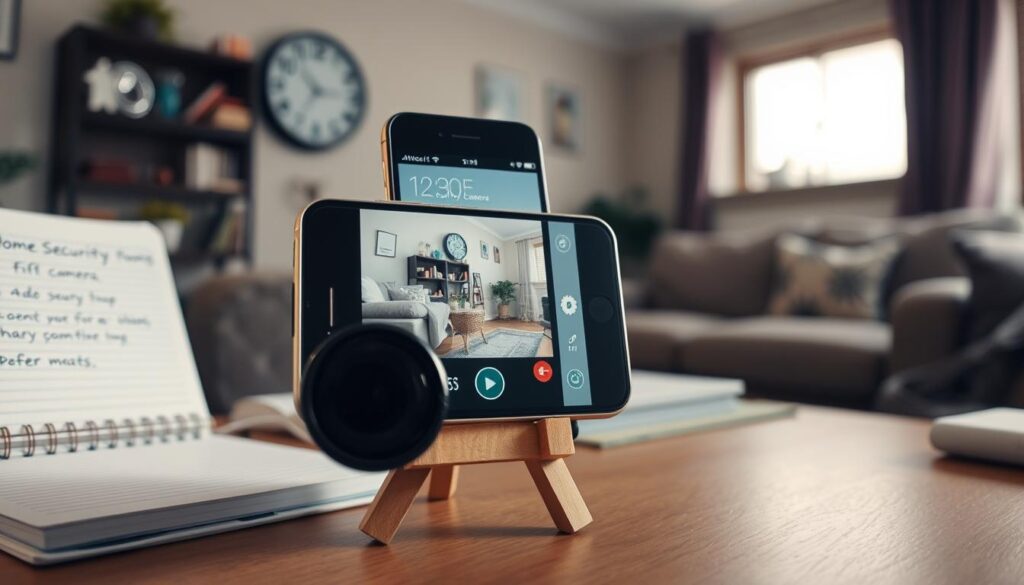
Transforming an unused device into a home monitoring tool is both practical and eco-friendly. Instead of letting a spare phone gather dust, it can become a budget-friendly solution for home security. With free apps like Alfred, this device can be turned into a fully functional camera, eliminating the need for expensive equipment.
This approach not only saves money but also reduces electronic waste. Homeowners in Singapore can easily keep an eye on deliveries or check in on pets with minimal effort. The setup involves installing an app, positioning the device, and connecting it to Wi-Fi.
With 151 million phones discarded annually in the U.S. alone, repurposing old devices contributes to cutting down global e-waste, which reached 53 million metric tons in 2023. This guide will provide a step-by-step tutorial on how to effectively utilize a retired phone for enhanced home security.
Key Takeaways
- Repurposing an old phone for monitoring can save homeowners money on security equipment.
- The setup process is quick and requires only a few simple steps.
- This method helps reduce electronic waste, extending the life of functional technology.
- Free apps like Alfred offer features such as live streaming and motion alerts.
- It’s an ideal solution for compact living spaces common in Singapore.
Understanding the User Intent Behind Using Old Smartphones as Security Cameras
Using a retired device as a home monitoring solution is an innovative approach to enhancing security. Many homeowners in Singapore are increasingly interested in this cost-effective method. The rising concern about theft and the need for affordable home monitoring drive this trend.
Each home has unique security needs based on its location, size, and lifestyle. Some require basic monitoring, while others need full surveillance. With burglaries becoming more common, it’s essential to take preventive measures without breaking the bank.
Why homeowners in Singapore consider repurposing old smartphones
- Many Singapore homeowners are turning to DIY phone security solutions. They realize that a retired smartphone can serve as an effective first line of defense against intrusions.
- Cost savings are significant. Users can save between $200 and $500 compared to professional security cameras while enjoying features like live streaming and motion alerts.
- Environmental consciousness plays a major role. Reusing an old phone prevents 174 to 221 grams of metallic waste from entering landfills, contributing to reducing global e-waste.
- Specific monitoring needs often don’t justify a full security system investment. A smartphone security camera offers a flexible solution for watching over newborns, pets, or package deliveries.
Common questions and expectations about smartphone security cameras
- Users frequently ask if the old phone needs to stay plugged in all the time, how much data streaming uses, and if night vision is possible.
- Expectations should be realistic. While a repurposed smartphone can provide clear 1080p footage during the day, it lacks advanced features like true infrared night vision and weatherproof housing.
- Singapore’s urban environment presents unique challenges, such as managing Wi-Fi congestion and protecting devices from humidity.
- Many users wonder about the longevity of these setups. Concerns about overheating and battery life are common, especially with older operating systems.
Understanding these motivations and expectations helps homeowners make informed decisions about whether a DIY smartphone camera setup aligns with their specific home security requirements.
Why Repurpose Your Old Smartphone as a Security Camera?
Repurposing a device that no longer serves its original purpose can significantly enhance your home security. Homeowners in Singapore are increasingly discovering the benefits of transforming their unused phones into effective monitoring tools. This innovative approach offers several advantages, making it a practical choice for many.
Cost-effective and budget-friendly home security solution
One of the most compelling reasons to consider this option is the financial advantage. Professional security camera systems often start at $300 and can soar to over $1,000 for multiple cameras. In contrast, a DIY approach using a retired phone and a free app like Alfred Camera can deliver comparable basic monitoring at virtually no cost.
Singapore homeowners can save between $200 and $500 by repurposing their old devices. This saved money can be redirected toward other smart home upgrades, such as smart locks or motion sensors, enhancing overall home security.
Environmental benefits: reducing e-waste and sustainability
The environmental impact of using old phones as security cameras is substantial. Each repurposed device prevents approximately 174 to 221 grams of metallic waste from entering landfills. Given that 151 million phones are discarded annually in the U.S. alone, the potential for e-waste reduction through reuse is staggering.
Extending the lifespan of a smartphone by an additional two to three years aligns with Singapore’s growing emphasis on sustainability. Homeowners can participate in the circular economy while enhancing their property’s safety.
Flexibility and convenience for temporary or secondary monitoring
The flexibility of a smartphone security camera makes it an ideal solution for various temporary monitoring needs. Whether keeping an eye on a newborn during nap times or watching over a pet recovering from surgery, repurposing an old phone offers convenience without the need for permanent installations.
Moreover, these devices can cover blind spots that primary cameras miss, such as the attic or basement. The ease of setting up a fully functional monitoring device in just a few minutes allows residents to respond quickly to unexpected security concerns.
With free apps enabling multi-device synchronization, users can create a comprehensive DIY home security network. This setup can stream to a single viewing device without any subscription fees, making it accessible for renters, students, and young families in Singapore.
Essential Tools and Requirements for Turning Your Old Phone into a Security Camera
Equipping your home with a reliable monitoring system starts with understanding the essentials needed to transform an unused phone. Several factors play a crucial role in ensuring the setup functions smoothly. Below is a checklist to guide you through the process.
Smartphone specifications: RAM, storage, OS version, camera quality
The minimum smartphone specifications for a reliable security camera setup include:
- At least 2GB of RAM to handle continuous video processing without freezing.
- 32GB of internal storage to accommodate recorded footage locally.
- Operating system of Android 8 or iOS 12 or newer to ensure compatibility with modern security camera apps.
Camera quality is paramount when selecting which phone to repurpose. Ensure the device has a lens free from scratches and a sensor capable of capturing clear 1080p footage. This clarity is essential for distinguishing faces and movements at a distance.
Stable Wi-Fi connection and power source considerations for Singapore homes
A stable Wi-Fi connection forms the backbone of any smartphone security camera system. Homeowners should prioritize dual-band 5GHz networks. This choice reduces latency during live streaming and ensures the signal strength at the camera’s location remains at a minimum of -50dBm for uninterrupted performance.
Power source considerations are critical. Even a phone with excellent battery health cannot sustain continuous camera operation for an entire day. A 10W or higher charger connected via a long 10-foot USB-C cable allows flexible placement without restricting the device’s positioning options.
Mounts, cables, and accessories for optimal setup
Flexible phone mounts priced under $15 provide the stability needed to position the old phone at optimal surveillance angles. These mounts should be secured firmly enough that the device remains in place even if left untouched for extended periods.
In Singapore’s tropical climate, additional protective measures are essential. DIY silicone sleeves or waterproof cases can shield the device from high humidity levels, which can cause internal corrosion and shorten the electronic components’ lifespan.
Optional accessories, such as wide-angle lens attachments, can expand the camera’s field of view. This feature allows a single device to cover more area, reducing the number of phones needed for comprehensive home surveillance coverage.
Before beginning the setup process, users should clear unnecessary files and applications from the old phone. This step frees up storage space for recordings and ensures optimal performance.
How to Choose the Best Security Camera App for Your Old Smartphone
Selecting the right camera app is crucial for maximizing the potential of your repurposed device. With numerous options available, homeowners in Singapore can find an app that suits their specific needs. Popular choices include Alfred, Faceter, Manything, and AtHome, each offering unique features and capabilities.
Top recommended apps: Alfred, Faceter, Manything, and AtHome
Here’s a brief overview of these top apps:
- Alfred Camera: This app leads with over 45 million users. It offers free cloud storage for motion-triggered clips, live streaming in 1080p, and remote access from any device.
- Faceter: Known for its AI-powered motion detection, this app can differentiate between people, animals, and vehicles, minimizing false alerts.
- AtHome Camera: This option appeals to privacy-conscious users by saving footage locally on the device, avoiding cloud storage fees.
- Manything: It features IFTTT integration, allowing users to automate smart home devices based on camera activity.
Key features to look for: motion detection, cloud storage, remote access
When choosing an app, consider these essential features:
- Motion Detection: Customizable zones help reduce false alerts by focusing on specific areas.
- Cloud Storage: Free or affordable options for storing footage can be crucial for long-term monitoring.
- Remote Access: Ensure you can view live feeds and recorded footage from anywhere.
Compatibility and cost considerations
Before downloading an app, check its compatibility with your device’s operating system. Some older phones may not support the latest versions. Additionally, evaluate the cost structure. While some apps offer free tiers, others may require subscriptions for advanced features.
The initial setup process is typically quick, taking less than 20 seconds to pair devices using QR codes or Google authentication. This allows users to start customizing their monitoring settings immediately.
Step-by-Step Setup Guide to Use Your Old Smartphone as a Security Camera
Utilizing an old phone for home monitoring offers a straightforward method to improve your safety. Follow these steps to transform your retired device into an effective security tool.
Step 1: Installing and configuring the camera app
Start by preparing the old phone. Perform a factory reset or manually wipe all personal data, photos, and accounts. This ensures the device is dedicated solely to its new role as a security camera.
Next, download your chosen camera app from the official Google Play Store or Apple App Store on both the old phone and your current device. Ensure both installations are the latest version for optimal compatibility and security.
During the initial app configuration on the old phone, enable 1080p streaming for clear footage. Activate motion detection zones to define which areas should trigger alerts, and turn on low-light mode for better visibility at night.
Step 2: Pairing your old phone with your current device
The pairing process typically uses QR code scanning technology. This completes the connection in approximately 18 seconds. The app generates a unique code on the camera device that the viewer device scans to establish a secure link.
Alternatively, you can use Google authentication for Android users or email-based account linking. This allows multiple viewer devices to access the same camera feed, enabling family members to monitor the home security feed from their smartphones.
Step 3: Testing and adjusting camera settings for optimal performance
Once paired, conduct thorough testing. Walk through the camera’s field of view at different distances and angles. Verify that motion detection triggers appropriately and that alerts arrive on the viewer phone promptly.
Configure recording schedules to align with high-risk periods, such as overnight hours from 9 PM to 6 AM. This reduces unnecessary recording during times when family members are present.
Adjust motion sensitivity settings to capture meaningful activity while avoiding alert fatigue from minor movements, like curtains blowing or pets moving around.
If the pairing process fails, troubleshoot by clearing the app cache on both devices. Ensure both phones are connected to the same Wi-Fi network during setup, check for operating system updates, and restart both devices if necessary.
Optimizing Camera Placement and Installation for Maximum Security Coverage
Positioning your monitoring device effectively can significantly enhance your home’s security coverage. In Singapore, where housing layouts and environmental conditions vary, careful placement is essential. This section will guide you on how to strategically position your device for optimal surveillance.
Indoor vs. outdoor positioning tailored for Singapore’s climate
Indoor setups thrive when the device is placed at an elevation of seven to eight feet. A downward tilt of approximately 30 degrees captures faces clearly while minimizing blind spots. Avoid placing the camera facing reflective surfaces, as Singapore’s bright interiors can create glare.
For outdoor installations, ensure that the phone is protected from rain and direct sunlight. Utilize shaded areas to prevent overheating while maintaining a 130-degree field of view. Test angles during different daylight hours to ensure consistent performance.
Key areas to monitor: entry points, valuables, and high-traffic zones
Focus on primary entry points such as the main door, balcony sliding doors, and ground-floor windows. These are common access routes for intruders and should be monitored continuously. Additionally, high-traffic zones like living rooms and hallways provide strategic monitoring points.
Areas where valuables are stored, such as home offices and bedrooms, should also have dedicated coverage. Position the phone discreetly to keep an eye on these assets without alerting potential intruders.
Managing power cables and maintaining stable network connectivity
Effective cable management is crucial to avoid tripping hazards. Conceal cables along baseboards or behind furniture for a clean look. Ensure that the device remains continuously powered by using smart plugs to schedule charging cycles.
Before finalizing the placement, verify network connectivity. Use Wi-Fi analyzer apps to measure signal strength and identify dead zones. The connection should remain at or above -50dBm for stable live streaming without interruptions.
For homes with multiple devices, overlapping coverage areas by approximately 15 percent eliminates blind spots. This redundancy ensures that if one camera is obstructed, another captures the critical footage.
Key Features to Enable on Your Smartphone Security Camera for Effective Monitoring
Configuring essential features on your monitoring device can significantly improve its effectiveness. By adjusting the settings within your chosen camera app, you can ensure that your home is monitored efficiently and reliably. Below are some key features to focus on for optimal performance.
Configuring motion detection and alert settings
Begin by setting up motion detection configurations. Draw custom activity zones that focus on areas with meaningful movement, such as doorways and windows. Exclude zones where pets under 25 pounds roam or where ceiling fans and curtains create constant background motion. This setup minimizes false alerts.
Next, establish a motion trigger threshold of at least two seconds. This setting filters out brief disturbances like light changes or insects flying past the camera. Alerts will only be generated when significant movement occurs in the monitored area.
Scheduling alerts is also crucial. Activate motion notifications only during vulnerable hours, such as overnight from 9 PM to 6 AM. This prevents unnecessary interruptions when family members are moving around the house.
Utilizing night mode and audio recording capabilities
Night mode capabilities vary between smartphone models. Most modern camera apps automatically switch to enhanced low-light processing when ambient light drops below 10 lux. Keep in mind that smartphone-based night vision relies on software enhancement rather than true infrared LEDs, which may not match dedicated security cameras in complete darkness.
Premium apps may feature 940nm infrared cutoff technology. This eliminates the visible red glow typically associated with night vision, making the camera less conspicuous in dark conditions. Such features prevent potential intruders from easily identifying the device’s location.
In addition, audio recording capabilities add an invaluable dimension to home monitoring. Capturing conversations, breaking glass sounds, or other auditory evidence can provide context that visual footage alone might miss. Noise filtering algorithms can isolate human voices from background sounds like traffic or air conditioning in Singapore’s urban environment.
Cloud storage and local backup options
Cloud storage options through apps like Alfred provide automatic off-site backup of motion-triggered clips. This ensures that even if the device is stolen or damaged during a break-in, recorded footage remains accessible through the viewer device. Users can easily review this footage and provide it to authorities as evidence.
Alternatively, local storage options through apps like AtHome Camera save recordings directly to the device’s internal memory or SD card. This eliminates recurring subscription fees while keeping sensitive surveillance data entirely within the user’s control.
Finally, enable end-to-end encryption wherever available. This protects live streams and recorded footage from unauthorized access, preventing hackers from intercepting video feeds or accessing stored clips, even if they manage to compromise the Wi-Fi network.
Overcoming Common Challenges When Using Old Smartphones as Security Cameras
Addressing the common obstacles faced when utilizing a smartphone for home monitoring is essential for effective security. Users often encounter issues like battery drain, connectivity problems, and security vulnerabilities. However, with the right strategies, these challenges can be managed effectively.
Extending battery life and preventing overheating
Battery drain represents a persistent challenge for smartphone security setups. Continuous recording consumes approximately 20 percent of battery capacity per hour. Without a reliable power source, even a fully charged device can deplete completely within five hours.
To combat this, consider using smart plugs programmed to cycle charging on and off. This prevents the battery from remaining at 100 percent charge indefinitely, extending the lifespan of the device. Additionally, affordable cooling solutions like $8 USB fans or aluminum heat sinks can reduce internal temperatures by up to 14°F during extended use, which is particularly valuable in Singapore’s humid climate.
Maintaining a stable Wi-Fi connection in Singapore’s urban environment
Wi-Fi stability is crucial for ensuring a reliable security feed. In Singapore’s dense urban housing estates, interference from numerous neighboring networks can disrupt connections. Configuring your router’s Quality of Service (QoS) settings to prioritize the camera’s traffic can help prevent bandwidth throttling during peak usage times.
For larger homes, consider using mesh network systems or Wi-Fi signal boosters. These solutions help maintain the minimum signal strength required for uninterrupted live streaming and reliable motion alert delivery.
Security risks and software update limitations
Security vulnerabilities pose significant concerns for users of older smartphones. These devices may no longer receive operating system updates, leaving them open to potential hacks. As one expert noted, “Older devices are easier targets for hackers, making it essential to take proactive measures.”
To mitigate these risks, users can perform manual APK updates for Android devices. This allows the installation of newer versions of the camera app, even when the operating system itself is outdated. Keeping the device on a separate guest Wi-Fi network can also help isolate it from other devices, limiting potential damage from any security breach.
Exploring Professional Alternatives for Enhanced Home Security
Exploring professional alternatives can enhance your home security beyond what DIY setups offer. While repurposed devices provide basic monitoring, dedicated security cameras deliver superior features that are hard to ignore.
Professional surveillance systems, such as the eufyCam S340, outperform DIY setups in several key areas. For instance, they offer 4K resolution and 8x zoom, allowing for clear identification of faces and license plates from a distance. In contrast, smartphone cameras often produce blurry images when zoomed in, making it difficult to capture important details.
How dedicated security cameras compare with DIY smartphone setups
Dedicated security cameras come equipped with IP67 weatherproof ratings, enabling them to withstand Singapore’s heavy monsoon rains and intense tropical sun. A smartphone used as a monitoring device typically requires protective housing and shaded placement to survive outdoor conditions for extended periods.
Moreover, advanced motion tracking in professional systems reduces false alerts by approximately 40 percent. This is achieved through AI algorithms that can differentiate between a person and a tree branch swaying in the wind. Such features help alleviate notification fatigue for homeowners.
When to consider upgrading to professional systems
Upgrading to professional security systems becomes essential when monitoring needs extend beyond basic indoor observation. If your property faces risks of vandalism or if insurance requirements mandate specific camera specifications, investing in a dedicated system is wise.
For many households, the cost of a dedicated camera like the eufyCam, priced at around $299, pays for itself over approximately three years. This is due to reduced maintenance needs and the elimination of ongoing cloud storage subscription fees that many smartphone camera apps eventually require.
Integrating smartphone cameras with existing security systems
A hybrid approach can offer the best of both worlds. Using professional security cameras for critical outdoor monitoring while employing repurposed smartphones as secondary indoor cameras can be a cost-effective solution. This strategy balances comprehensive coverage with budget-conscious deployment.
Devices like the Aqara Camera Hub G5 Pro or the compact Camera E1 can enhance home security without breaking the bank. While an old phone turned into a monitoring device has its advantages, it cannot provide reliable 24/7 surveillance, smart motion tracking, or high-quality night vision.
If you are serious about long-term security, consider stepping up to something that works. Combining both systems can create a robust security solution tailored to your needs.
Maximizing the Potential of Your DIY Smartphone Security Camera Setup
Unlocking the full potential of a DIY phone security setup can greatly enhance home monitoring. Integrating smart features with your system can elevate its effectiveness. For instance, over 80% of users pair their security systems with automated lights using IFTTT recipes. This allows for automatic porch lighting when motion is detected, creating a deterrent effect.
Regular maintenance is vital. Clean the camera lens weekly to ensure clear footage. Conduct monthly storage checks to avoid losing important recordings. Joining online communities like Alfred’s forum can provide valuable troubleshooting tips and ideas for improvement.
As security needs evolve, consider gradually migrating to ONVIF-compatible cameras while using repurposed smartphones as backups. This strategy balances affordability with scalability. By starting with phone cameras in low-risk areas, homeowners can expand their security systems as necessary.
Ultimately, combining the flexibility of repurposed phones with the reliability of professional systems creates a robust security solution for Singapore households.