

In today’s fast-paced world, mobile surveillance has become a crucial element in ensuring safety and security. In Singapore, the ability to access live feeds from CCTV cameras via Android devices has transformed how individuals and businesses monitor their properties. This evolution in technology has made it essential for users to choose the right tools for effective surveillance.
This article serves as a comprehensive guide to selecting the most suitable CCTV solutions tailored to the unique needs of Singaporean users. With options like DMSS, iDVR-PRO Viewer, and AlfredCamera, users can enjoy seamless integration and real-time monitoring.
Moreover, recent police data highlights a significant 14% drop in crime rates since the installation of surveillance systems. This underscores the importance of reliable mobile applications in enhancing security. By the end of this guide, readers will have a clear understanding of how to choose the right tool for their monitoring needs.
Key Takeaways
- This guide focuses on selecting the right CCTV solutions for Android in Singapore.
- Mobile surveillance technology has changed how users monitor properties.
- We evaluate top-performing apps based on live streaming quality and features.
- Essential features like real-time alerts enhance security.
- Data privacy considerations are crucial under Singapore’s regulations.
Understanding CCTV Android Apps and User Intent
The rise of mobile technology has transformed the way users engage with their security systems. CCTV apps for Android serve as a central interface between users and their surveillance infrastructure. These applications turn smartphones into powerful monitoring hubs, offering peace of mind whether at home or traveling overseas.
Purpose and Benefits of Using CCTV Apps on Android Devices
The primary purpose of these applications is to deliver real-time video feeds from security cameras directly to mobile devices. This eliminates the need for dedicated monitoring stations and enables on-the-go property oversight.
User Needs: Real-time Monitoring, Alerts, and Playback
Users increasingly demand instant push notifications that alert them to motion detection events. This feature allows for immediate responses to potential security breaches at their home or business premises.
Moreover, video playback functionality has become essential. Users expect intuitive timeline navigation and the ability to quickly locate specific incidents within hours of recorded footage.
How the 2024 Landscape Shapes User Expectations
The 2024 landscape reflects heightened expectations around artificial intelligence integration. Users are looking for apps that can distinguish between humans, vehicles, and animals to reduce false alarms.
Singapore’s high smartphone penetration rate and robust cellular infrastructure mean that users expect seamless streaming quality, even when accessing their CCTV system over mobile data connections.
Additionally, the shift toward hybrid work arrangements has increased demand for apps that support multi-user access. This enables family members or security teams to share monitoring responsibilities effectively.
Modern user intent revolves around achieving a balance between comprehensive security features and straightforward interfaces that do not require technical expertise to operate.
The Importance of Mobile Surveillance in Singapore’s Urban Environment
In the heart of Singapore’s bustling urban landscape, mobile surveillance has become an essential part of everyday life. The integration of security cameras in public spaces acts as a digital shield, enhancing safety across transportation hubs, shopping districts, and residential areas.
With police data indicating a remarkable 14% drop in crime rates since the installation of surveillance systems, it’s clear that these technologies are effective. This visible monitoring creates what experts call the halo effect, which reduces criminal activities even in areas not directly covered by cameras.
Mobile surveillance has become a vital component of both residential and commercial protection strategies. Whether managing a shophouse in Chinatown or overseeing a condominium in Orchard Road, property owners can maintain constant vigilance over their assets through Android-based monitoring.
Singapore’s Smart Nation initiative has significantly accelerated the deployment of connected surveillance systems. Government infrastructure supports the widespread adoption of IP cameras and cloud-based monitoring solutions, making security more accessible.
The psychological deterrent effect of visible security cameras is profound. Research shows that this presence can reduce opportunistic crimes, enhancing the overall safety of communities.
Homeowners in HDB estates and private residences increasingly rely on mobile apps to monitor deliveries, check on family members, and verify property security while at work or traveling. This shift highlights the importance of effective mobile surveillance solutions.
For business operators, the ability to oversee multiple locations through a single app interface minimizes the need for on-site security personnel during off-hours. This flexibility allows for better resource management and enhanced security.
However, with the increasing reliance on surveillance technology, the Personal Data Protection Act (PDPA) imposes specific requirements on how surveillance footage is collected, stored, and accessed. Users must select apps that offer robust privacy controls and data encryption to comply with these regulations.
Compliance with PDPA ensures that surveillance practices respect individual privacy rights while maintaining effective security coverage. The best CCTV apps actively support this balance through features like geofencing and access logging.
Key Features to Evaluate in CCTV Apps for Android
Understanding the critical features of CCTV applications can lead to better security outcomes. Selecting the right functionalities ensures users can monitor their properties effectively. Here are the key features to consider:
Real-Time Live Streaming and Motion Detection
Real-time live streaming forms the backbone of any effective CCTV app. The best solutions deliver high-definition video feeds with latency under two seconds. This quick response time is crucial during emergencies.
Motion detection technology has evolved significantly. Modern apps offer customizable detection zones. This allows users to focus on critical areas while ignoring routine movement from passing vehicles or swaying trees.
Video Playback and Multi-Device Support
The quality of video playback functionality directly impacts the usefulness of recorded footage. Users should look for intuitive timeline scrubbing, event markers, and the ability to export clips for sharing with authorities.
Multi-device support is essential. The same app should work across smartphones, tablets, and even Android-based smart displays. This flexibility enhances how users monitor their security cameras.
User Interface, Notifications, and Privacy Controls
The user interface must balance comprehensive controls with accessibility. It should be easy for users of all ages and technical backgrounds to navigate.
Push notifications serve as the first line of alert for security events. The best apps allow customization of alert types, schedules, and delivery methods to prevent notification fatigue.
Privacy controls are increasingly important. Features like geofencing automatically disable indoor cameras when residents arrive home. Role-based access permissions for different users enhance security.
Finally, evaluate storage options based on capacity and security. Local SD card backups provide redundancy when internet connectivity fails. Cloud storage offers convenient remote access to historical footage.
DMSS App: A Comprehensive Surveillance Solution for Singapore Users
The DMSS app emerges as a powerful solution for those seeking reliable surveillance in Singapore. This application stands out due to its exceptional features tailored for both residential and commercial users.
Live Streaming Quality and Instant Notifications
One of the DMSS app’s key strengths is its live streaming quality. With support for up to 4K resolution, users can identify faces, license plates, and other critical details with remarkable clarity. This level of quality is essential for effective monitoring.
Additionally, the app excels in delivering instant notifications. Users receive push alerts within seconds of motion detection events, even when connected over cellular networks. This ensures timely responses to potential security threats.
Flexible Playback, Multi-User Access and Role Permissions
The DMSS app features a flexible video playback system. Its intuitive timeline interface includes color-coded event markers, allowing users to quickly locate and review specific incidents without sifting through hours of footage.
Moreover, the app supports multi-user access, accommodating up to six simultaneous viewers. This functionality is ideal for families sharing monitoring responsibilities or businesses with dedicated security teams.
Role-based permission settings further enhance security. Administrators can grant limited access to specific cameras or functions, ensuring that domestic helpers or junior staff can view relevant feeds without compromising overall system security.
Security Protocols and Data Privacy Compliance
Security is paramount in the DMSS app. It employs AES-256 encryption protocols, aligning with Singapore’s Personal Data Protection Act (PDPA) requirements. This provides enterprise-grade data protection for both live streams and archived recordings.
The app’s efficient data usage is another advantage, consuming approximately 150MB per hour for HD streams. This makes it practical for users who rely on mobile data plans for remote monitoring throughout the day.
With a 64% adoption rate among commercial installations in Singapore, the DMSS app has established itself as the leading choice for businesses requiring scalable, reliable surveillance management through a single Android application.
iDVR-PRO Viewer: Optimized Surveillance for Local Network Setups
The iDVR-PRO Viewer app offers an optimized experience for users looking to enhance their local surveillance setups. This powerful tool allows seamless viewing of security cameras and playback of recorded video on any Android device. It connects effortlessly to any model of iDVR-PRO DVR, making it an excellent choice for both home and business users.
One of the standout features of the iDVR-PRO Viewer app is its low latency live viewing capability. Users can enjoy sub-1ms response times when connected within the same local network. This feature is crucial for security operations that require immediate visual feedback.
Low Latency Live Viewing and Multi-Camera Management
Multi-camera management is another key advantage. The app allows users to view layouts of one, four, nine, or even sixteen cameras simultaneously. This functionality ensures comprehensive situational awareness across larger properties or multiple locations.
Easy Configuration and Support for Legacy Systems
Configuration is straightforward, involving simple port forwarding through router settings. The app automatically detects compatible iDVR-PRO DVR models, significantly reducing setup time for new users. Additionally, the iDVR-PRO Viewer supports legacy systems, maintaining compatibility with older analog CCTV cameras while also accommodating modern AHD and HD-TVI cameras at resolutions up to 4K.
Network-Based versus Cloud Solutions
The network-based architecture of the iDVR-PRO system means that footage is stored locally on the DVR’s hard drive. This setup provides users with complete control over their data, eliminating the need for recurring subscription fees associated with cloud storage solutions.
Users can access both live feeds and recorded footage remotely over the internet. The app supports both Wi-Fi and mobile cellular connections, allowing flexible monitoring from any location. Moreover, the app includes PTZ camera controls, enabling users to pan, tilt, and zoom compatible cameras directly through touchscreen gestures on their Android device.
For those prioritizing local data storage and minimal ongoing costs, the iDVR-PRO Viewer represents a compelling alternative to cloud-dependent surveillance applications. This makes it an ideal choice for both home and business users who want reliable, efficient surveillance solutions.
AlfredCamera: Affordable Home Monitoring Using Old Smartphones
Transforming unused smartphones into security cameras, AlfredCamera offers a unique approach to home monitoring. This innovative cctv app enables users to repurpose old devices, turning them into effective surveillance tools.
Turning Old Devices into Security Cameras
AlfredCamera revolutionizes home security by converting outdated smartphones into fully functional surveillance cameras. This eliminates the need for expensive dedicated hardware purchases. Users can now leverage devices like aging Galaxy S7s to enhance their security setups.
Smart Alerts, Night Vision, and Motion Detection Accuracy
The app features advanced motion detection technology that achieves an impressive 98% accuracy rate. It effectively distinguishes between human movement and other triggers such as pets or passing vehicles. Additionally, smart alert functionality sends instant notifications to the user’s primary device, complete with snapshot previews. This allows for quick visual assessments of potential security events without opening the full live stream.
Night vision capabilities utilize advanced noise reduction algorithms. This optimization often outperforms basic infrared cameras, especially in urban environments like Singapore’s HDB corridors.
Cost Efficiency and Battery Optimization
AlfredCamera offers remarkable cost efficiency, with users reporting up to an 80% reduction in expenses compared to traditional home security systems. These systems often require dedicated NVRs, wiring, and professional installation.
Battery optimization features extend monitoring duration to approximately 72 hours per charge on older devices. This practicality ensures continuous surveillance without the hassle of constant recharging.
With an 82% penetration rate in Singapore’s rental market, AlfredCamera demonstrates its appeal to tenants who cannot install permanent security camera systems in their living spaces. The app processes video at 15 frames per second, delivering smooth footage for incident review while conserving processing power and battery life.
Viewtron App: An Additional Android CCTV Viewing Option
The Viewtron app stands out as a versatile option for Android users looking to enhance their surveillance capabilities. This application is highly recommended for home, business, and government installations. It offers a unified interface for managing various security systems.
With the Viewtron app, users can connect to hybrid DVR systems, IP camera NVRs, and standalone network IP cameras simultaneously. This flexibility is crucial for complex surveillance setups, allowing users to integrate both legacy analog cameras and modern high-definition IP cameras.
Compatibility with Hybrid DVR and IP Systems
Compatibility with hybrid systems means users can protect their previous investments while gradually upgrading their security setups. This integration supports a smooth transition to newer technologies without losing functionality.
Features: PTZ Control, Audio Surveillance, and Push Notifications
The Viewtron app boasts impressive features. PTZ control allows users to remotely pan, tilt, and zoom compatible cameras with intuitive touchscreen gestures. This is particularly useful for monitoring large areas effectively.
Additionally, audio surveillance support enables users to listen to live audio from connected microphones. They can also playback recorded audio synchronized with video footage, adding an important dimension to security monitoring.
Push notifications alert users to motion detection events and alarm triggers. Customizable settings help prevent notification overload while ensuring critical alerts are never missed.
Use Cases for Home, Business, and Government Installations
This app is suitable for a wide range of use cases. Whether it’s residential home security, retail business monitoring, or government installation projects, the Viewtron app provides reliable, professional-grade surveillance tools.
Moreover, the search and playback functionality allows users to locate specific recorded events by date and time. An intuitive timeline interface simplifies the review of historical footage, making it easier for users to keep track of incidents.
Overall, the Viewtron ecosystem represents a comprehensive solution for users who need an Android app that can manage diverse camera types and recording devices from a single mobile interface.
Performance Comparison of Top CCTV Apps on Android
Evaluating the performance of CCTV apps is essential for effective surveillance. Different applications offer varying capabilities that can impact user experience and security outcomes. Key performance metrics include resolution, latency, scalability, and integration with smart home systems.
Resolution, Latency, and Camera Limitations
Resolution capabilities vary dramatically across the top CCTV apps. The DMSS app supports up to 4K streaming, ensuring crystal-clear identification of faces and details. In contrast, the iDVR-PRO Viewer delivers 1080p quality, while AlfredCamera operates at 720p on repurposed devices.
Latency performance reveals important distinctions. The iDVR-PRO Viewer achieves sub-1ms response times on local networks. Meanwhile, DMSS maintains approximately 2-second latency over mobile connections, and AlfredCamera averages 3 seconds. These differences can affect how quickly users respond to security events.
Scalability and Multi-Camera Handling
Camera channel limitations directly impact scalability. DMSS supports up to 128 simultaneous camera feeds, making it ideal for enterprise deployments. The iDVR-PRO handles 64 channels, while AlfredCamera is limited to just 4 cameras per account. This scalability is crucial for users managing larger properties.
Multi-camera handling capabilities also determine monitoring effectiveness. Professional-grade apps like DMSS and iDVR-PRO Viewer offer grid views ranging from single camera to 16-camera layouts. This flexibility allows users to monitor expansive areas efficiently.
Integration with Smart Home Systems and APIs
Smart home integration varies between platforms. DMSS offers Alexa compatibility for voice-controlled monitoring, enhancing user convenience. iDVR-PRO provides API access for custom automation workflows, allowing tailored responses to security events. AlfredCamera integrates with Google Home ecosystems, adding another layer of functionality.
The choice between these apps often comes down to balancing resolution requirements, acceptable latency thresholds, and the total number of cameras that need to be managed. Users managing commercial properties or large residential compounds should prioritize apps with higher camera limits and lower latency to ensure comprehensive coverage and responsive monitoring.
Overall, integration capabilities with existing smart home systems can significantly enhance the security experience. Automated responses to detected events, such as triggering lights or locking doors, provide users with added peace of mind.
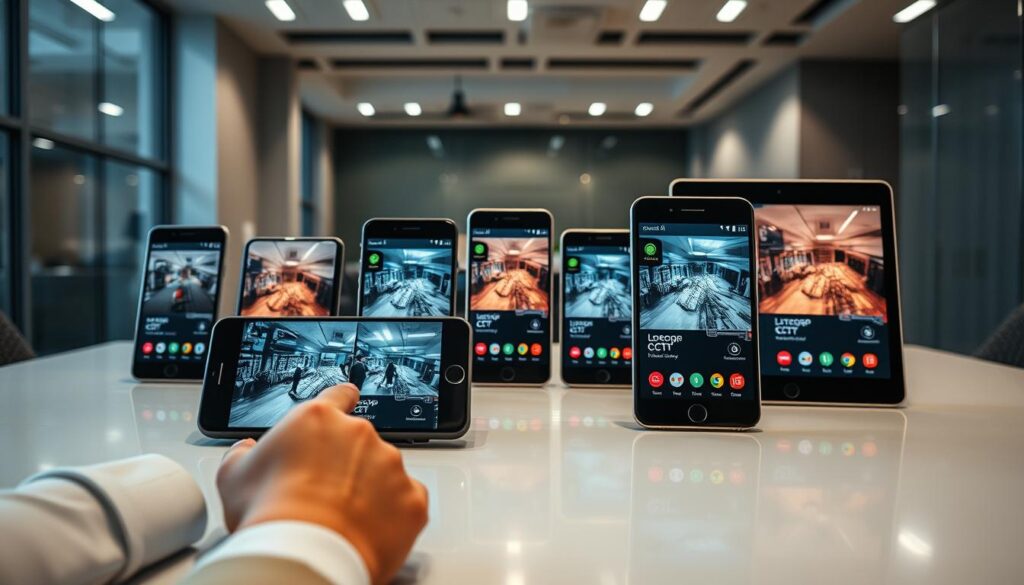
User Experience and Interface Insights from Singaporean Users
User experience plays a pivotal role in the effectiveness of mobile surveillance systems. Insights from Singaporean users reveal how the design and functionality of these apps impact their daily lives.
Ease of Use and Navigation for All Age Groups
Singaporean users consistently praise apps that offer intuitive navigation and straightforward setup processes. Many appreciate interfaces that accommodate elderly family members who may be less familiar with smartphone technology.
The average Play Store rating of 4.2 out of 5 across leading CCTV apps reflects generally positive user sentiment. However, some users report challenges, particularly during peak network congestion.
Common Praises and Reported Issues
Positive reviews frequently mention smooth video streaming during daylight hours. Yet, around 23% of users experience delayed alerts during high-traffic periods. This highlights the need for robust server infrastructure to support timely security notifications.
Device compatibility studies show that Samsung Galaxy models experience 18% fewer app crashes compared to other Android devices. This suggests that brand choice can influence overall surveillance reliability.
Real-World Reliability Amid Singapore’s Climate and Infrastructure
Singapore’s tropical climate presents unique challenges, such as humidity-related lens fogging on outdoor cameras. Additionally, users report occasional server disconnections during heavy rainfall, which can affect monitoring effectiveness.
Localized servers have been shown to reduce latency by 55% compared to international cloud hosts. This makes apps with Singapore-based infrastructure particularly advantageous for local users.
Retention rates indicate a significant gap between paid apps at 68% and free versions at 42%. Users who invest in premium features tend to find greater long-term value and reliability.
For premium subscribers, complaint resolution averages 4.2 hours, while free-tier users face an average of 28 hours. This is a critical consideration for business operators who cannot afford extended downtime.
Security and Privacy Measures in CCTV Apps for Android
With the rise of mobile surveillance, protecting user data has become a top priority. As users increasingly rely on these applications, understanding the security measures in place is essential. This section will explore the critical aspects of data encryption, user access controls, and the risks associated with third-party integrations.
Data Encryption Standards and Compliance with PDPA
Data encryption remains a critical differentiator among CCTV apps. Currently, only 34% of surveillance applications implement end-to-end encryption. Leading solutions utilize AES-256 encryption standards and operate on ISO 27001-certified servers. This ensures compliance with Singapore’s Personal Data Protection Act (PDPA), which mandates that data breaches must be reported within 72 hours.
Geofenced storage capabilities are another essential feature. They ensure that surveillance footage remains physically stored within Singapore’s borders, addressing regulatory compliance and user concerns about data sovereignty.
User Access Controls and Two-Factor Authentication
User access controls are vital for maintaining security. Role-based permissions allow property owners to grant limited viewing rights to domestic helpers or contractors while retaining full administrative control. Additionally, biometric login options, such as fingerprint and facial recognition, can reduce password-related vulnerabilities by 72%.
Implementing two-factor authentication adds an essential layer of security. This feature prevents unauthorized access even if login credentials are compromised, making it a necessary component for any serious CCTV app.
Risks of Third-Party Integrations and How to Mitigate Them
Third-party integrations represent a significant privacy risk. API connections to smart home platforms or cloud services can create vulnerabilities, which are often absent in 68% of free app versions. To mitigate these risks, users should select apps that provide detailed activity logs and limit API permissions to essential functions only.
Regularly reviewing connected services for unauthorized access patterns is also advisable. By taking these precautions, users can enhance their security and protect their privacy while using CCTV applications.
Pricing Models and Subscription Plans Explained
Understanding the pricing models for CCTV applications is essential for users aiming to enhance their security systems. The costs associated with these apps can vary significantly, depending on the features and functionalities they offer. Below, we explore the differences between free and paid options, as well as one-time licenses versus recurring subscriptions.
Free vs. Paid Features: What’s Included
Free versions of CCTV apps typically impose significant limitations. For instance, the DMSS app restricts live view quality to 720p without a subscription. Similarly, AlfredCamera caps motion detection alerts at just 10 per day on their basic tiers. These restrictions can hinder users’ ability to monitor their properties effectively.
In contrast, premium subscription plans unlock essential features. Higher resolution streaming, unlimited alerts, and cloud storage beyond 72 hours become available, transforming basic viewers into comprehensive security tools.
One-Time License Options vs. Recurring Subscriptions
One-time license options, such as AlfredCamera’s SGD 68.90 lifetime purchase, provide excellent long-term value. This option breaks even after approximately 11 months compared to equivalent monthly subscription payments. Users who prefer a single upfront cost may find this model appealing.
On the other hand, recurring subscription models vary in pricing. iDVR-PRO’s plan costs SGD 8.90 per month and includes SSL encryption and API access. AlfredCamera’s Pro plan, priced at SGD 6.50 per month, targets residential users with essential smart features.
Long-Term Cost Considerations for Homes and Businesses
When analyzing long-term costs, significant differences emerge between platforms. For example, DMSS totals approximately SGD 320.40 over three years, while iDVR-PRO reaches SGD 213.60 when annual discounts are applied. Hidden costs, such as cloud storage overages averaging SGD 2.50 per additional 100GB, can substantially increase the total cost of ownership for users who maintain extensive video archives.
Business users should also factor in the cost of premium support services. Faster response times and dedicated assistance can prevent costly security gaps during technical issues. Additionally, family plans and multi-user discounts can reduce per-user expenses by up to 35%, making premium surveillance more accessible for households needing shared access across multiple family members.
Matching the Best CCTV App to Your Security Needs and Property Type
Identifying the ideal CCTV solution involves considering both the type of property and its unique security requirements. Different environments call for tailored approaches to surveillance, whether for residential or commercial use.
Choosing Based on Residential vs. Commercial Use
Residential users in HDB flats and condominiums typically benefit from simpler solutions like AlfredCamera or iDVR-PRO Viewer. These apps prioritize ease of setup and cost efficiency over enterprise-grade features.
In contrast, commercial properties with multiple floors and perimeter monitoring requirements are better served by DMSS. This app commands a remarkable 64% adoption in Singapore’s business sector due to its superior scalability and multi-camera management.
Factors: Property Size, Network Setup, and Monitoring Intensity
Property size directly influences the appropriate app choice. Larger compounds require higher camera channel limits and more sophisticated grid view options for comprehensive coverage.
Network setup considerations are crucial as well. High-rise condominiums with elevator lobbies and basement carparks benefit from iDVR-PRO’s local network stability, maintaining performance even in areas with challenging connectivity.
Monitoring intensity varies between use cases. Businesses often require 24/7 active surveillance and instant alerts, while residential users may only need periodic check-ins and motion-triggered notifications.
Future-Proofing with AI and 5G-Ready Solutions
Future-proofing investments should consider emerging technologies. AI-powered analytics can distinguish between humans, vehicles, and animals, enhancing security by reducing false alarms. Additionally, 5G-ready solutions will benefit from Singapore’s expanding high-speed mobile infrastructure.
Shophouse owners with mixed residential and commercial spaces often find that DMSS provides the best balance of perimeter monitoring and interior surveillance across multiple floors and entry points.
Temporary or rental situations favor AlfredCamera’s quick deployment model. This option requires no permanent installation, making it the preferred choice for tenants who cannot modify their living spaces.
Making the Final Choice: Your Guide to the Best CCTV App for Android in 2024
Choosing the right surveillance solution is essential for ensuring security in today’s digital landscape. The final decision should be guided by a clear assessment of your specific security requirements, property characteristics, and budget constraints.
Business operators managing commercial properties will find that DMSS delivers the most comprehensive feature set with unmatched scalability and 4K streaming quality. Budget-conscious homeowners can achieve effective surveillance through AlfredCamera’s innovative approach of repurposing old smartphones, significantly reducing costs.
Tech-savvy users who prefer local data control should consider the iDVR-PRO Viewer app, which excels in network-based setups. Before committing to any app, verify real-time alerts compatible with your Android device and ensure compliance with Singapore’s PDPA regulations.
As you evaluate your options, consider the long-term trajectory of your surveillance needs. Select apps that offer upgrade paths to incorporate emerging technologies like AI-powered analytics and 5G connectivity. Ultimately, the best choice aligns closely with your daily monitoring habits and the specific security challenges of your environment.