Discover How long will an NVR last?: The Ultimate Guide
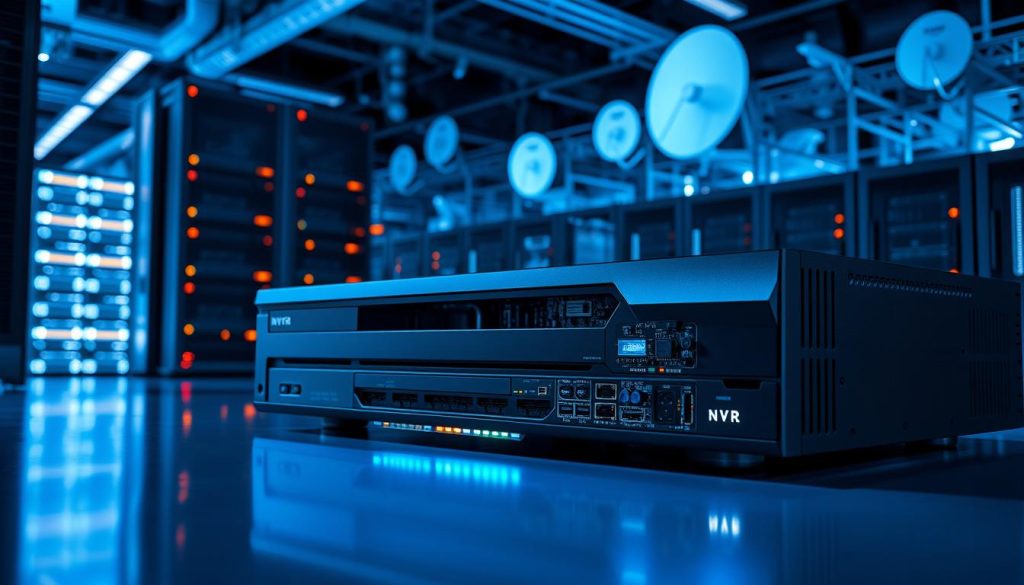
Modern security systems rely heavily on network video recorders (NVRs) to store and manage surveillance footage. These devices play a crucial role in keeping homes and businesses safe. But one common question arises: what determines their operational life? Typically, an NVR lasts between 3 to 10 years, depending on factors like component quality, usage intensity, and environmental conditions. Proper care can help extend its lifespan, ensuring reliable performance for years. Technology evolves rapidly, and newer models offer better features and durability. Comparing NVRs with older DVR systems highlights advancements in efficiency and storage capacity. Leading brands like Hikvision and Dahua set industry benchmarks for longevity. Understanding durability helps make informed security investments. This guide explores maintenance tips, environmental impacts, and optimization strategies to maximize performance. Key Takeaways NVRs are essential for modern IP surveillance systems. Lifespan ranges from 3 to 10 years with proper care. Quality components and usage patterns affect durability. Regular maintenance extends operational life. Technological advancements influence replacement cycles. Understanding NVR Technology The backbone of modern surveillance lies in NVR systems, which process high-definition footage seamlessly. These devices replace outdated analog setups, offering superior scalability and remote access. Unlike traditional DVRs, they handle digital signals directly from IP cameras, ensuring sharper images and smarter analytics. Core Functions of a Network Video Recorder A video recorder in modern security setups does more than store footage. It encrypts data streams using protocols like RTSP/ONVIF and compresses files with MPEG-4 or H.265 formats. This reduces storage needs while maintaining clarity. Multi-channel support: Handles 4 to 32 IP cameras simultaneously. RAID configurations: Protects data against hardware failures. Smart search: Metadata tagging for quick playback of critical events. Operational Mechanics of NVRs These systems route network video from cameras through a router, optimizing bandwidth via SSL encryption. Users adjust frame rates and resolutions per camera, balancing quality and storage. Push notifications alert smartphones during motion detection. Standalone NVRs offer plug-and-play simplicity, while PC-based models allow deeper customization. Both prioritize cybersecurity, shielding footage from unauthorized access. How Long Will an NVR Last? Temperature, humidity, and build quality directly impact a recorder’s operational longevity. While most devices function for 3–10 years, extremes like 40°C+ heat can halve component life. Similarly, humidity above 60% risks corrosion and electrical failures. Average Operational Duration Mid-range models typically last 5–7 years with moderate use. High-end units with quality parts, like Tier 1 capacitors, often exceed this range. Cheaper alternatives may fail sooner due to substandard materials or poor soldering. Critical Influencing Factors Thermal management is vital. Operating outside the 0°C–40°C range strains components. Proper ventilation and dust filters prevent overheating. Metal chassis dissipate heat better than plastic. Power stability matters. Surge protectors shield against voltage spikes, while reliable PSUs minimize wear. Frequent power cycles degrade hard drives faster. Network load: Overloading channels with high-resolution streams accelerates wear. Firmware updates: Regular patches optimize performance and fix vulnerabilities. Physical placement: Vibration-prone areas shorten HDD lifespan. Pro Tip: Match camera capacity to actual needs. Underused systems last longer than maxed-out ones. NVR vs. DVR Lifespan Comparison Security professionals often debate the longevity differences between NVR and DVR systems. While both store surveillance footage, their underlying technologies dictate how they age. Hybrid models blend features but follow similar wear patterns. Key Differences in Technology DVRs rely on analog signals via BNC connectors, which degrade faster than the RJ45 ports in nvr systems. Digital transmission reduces signal loss, extending hardware viability. Thermal output also varies—DVRs generate more heat due to older chipset designs. Firmware support: NVRs receive updates longer, often 5+ years versus 3–4 for DVRs. Storage flexibility: NVRs support modern SSDs, while DVRs are limited to HDDs. Resolution limits: DVRs cap at 1080p; NVRs scale to 4K, delaying obsolescence. Typical Lifespan Ranges DVRs usually last 5–7 years, whereas NVRs average 5–10. High-end NVRs with metal housings and Tier 1 components often outlive budget DVRs by 2–3 last years. “Hybrid recorders bridge the gap but inherit DVR limitations in analog channels.” Cost-per-year analysis favors NVRs despite higher upfront prices. Their scalability and lower maintenance needs justify the investment for long-term deployments. Signs Your NVR Needs Replacement Outdated tech can leave blind spots in your monitoring setup. When your network video recorder underperforms, it risks missing critical footage. Spotting early warnings ensures seamless security systems operation. Performance Degradation Frequent crashes or lagging playback signal hardware fatigue. Storage errors—like corrupted files or failed backups—often mean failing drives. Key red flags include: Overheating: Constant fan noise or shutdowns suggest cooling failures. Slow searches: Metadata indexing delays indicate processor strain. Incomplete recordings: Gaps in footage stem from bandwidth overload. Compatibility Issues Advancements in new tech quickly outpace older models. If your NVR struggles with modern cameras or software, replacement becomes urgent. Common mismatches: 4K resolution: Requires H.265+/ONVIF Profile T support—absent in older units. Mobile access: Discontinued iOS/Android apps block remote viewing. Encryption: Outdated TLS protocols fail modern cybersecurity audits. “Recorders lacking two-factor authentication or exFAT storage support become liabilities in professional deployments.” Browser compatibility (HTML5 vs. Flash) and discontinued cloud integrations further limit functionality. Upgrading ensures seamless alignment with current security systems standards. Extending Your NVR’s Lifespan Small adjustments today can prevent costly replacements tomorrow. With good care, your surveillance system remains reliable for years. Focus on maintenance and environmental conditions to avoid premature wear. Regular Maintenance Tips Routine checks keep your network video recorder running smoothly. Follow these best practices: Dust management: Clean vents monthly with compressed air to prevent overheating. Anti-vibration mounts: Reduce hard drive stress in high-traffic areas. Power safety: Avoid daisy-chaining power strips—use surge protectors. “Silica gel packs in storage cabinets combat humidity, protecting internal circuits.” Optimal Environmental Conditions Placement matters. Ideal settings include: Temperature: 0°C–40°C (32°F–104°F) to prevent component damage. Humidity: 10%–90% non-condensing; climate-controlled cabinets help. EMI shielding: Metal racks block interference in industrial zones. Rack-mount setups improve airflow, while proper grounding prevents electrical surges. For harsh environments, choose units with IP65+ ratings. Importance of Regular Maintenance Proactive upkeep is the unsung hero of surveillance system longevity. A single overlooked capacitor
Discover How long will an NVR last?: The Ultimate Guide Read More »