ED VISTON

Blog

security cameras

How do I turn off my CCTV camera? Step-by-Step Guide

Balancing home security with personal privacy is essential in Singapore. Many households rely on security systems for protection, but there are times when deactivating them becomes necessary. Whether for energy savings, legal compliance, or ethical reasons, knowing how to disable your surveillance devices properly is crucial. Modern security cameras offer multiple shutdown methods, from physical switches to app-based controls. Brands like Viewtron provide user-friendly options, ensuring compliance with local regulations. This guide simplifies the process while emphasizing responsible usage. Key Takeaways Proper camera management ensures privacy and energy efficiency Singaporean laws may require periodic deactivation Both hardware and software shutdown methods exist Ethical considerations accompany surveillance control Leading brands offer intuitive disabling features Understanding Your Home CCTV Camera System Modern homes in Singapore increasingly rely on advanced surveillance for protection. Whether deterring intruders or monitoring deliveries, the right cameras blend seamlessly into daily life. This section breaks down popular types and their unique features. Types of Security Cameras and Their Features Wireless WiFi cameras, like Arlo and Ring, simplify setup with app-based controls. These devices eliminate messy cables, ideal for renters or quick installations. In contrast, wired models provide stable connections but require professional setup. Dome cameras offer discreet home monitoring with vandal-resistant designs. For low-light areas, infrared variants capture clear footage at night. Power-over-Ethernet (PoE) options, such as Viewtron’s systems, deliver data and power through one cable. How CCTV Systems Function Most surveillance systems connect to cloud storage or local Network Video Recorders (NVRs). Mobile apps let users view live feeds remotely—a staple in Singaporean smart homes. Energy use varies; WiFi models consume more power during data transmission than PoE alternatives. “Infrared technology extends monitoring capabilities beyond daylight hours, ensuring round-the-clock security.” For deeper insights on managing these systems, explore our guide on optimizing camera settings. Why You Might Need to Turn Off Your CCTV Camera Singaporean households often face situations where disabling surveillance becomes necessary. While security remains a priority, factors like energy use and legal compliance influence these decisions. Understanding when and why to deactivate your system ensures responsible usage. Privacy and Personal Space Considerations Family gatherings or private meetings may require temporary shutdowns to respect privacy. Singapore’s PDPA guidelines restrict recording in sensitive areas like bedrooms or bathrooms. A 2022 case involving unauthorized home monitoring led to fines under these rules. Regular maintenance shutdowns also extend a device’s lifespan. Dust accumulation and overheating reduce performance over time. Scheduled pauses help preserve hardware integrity. Energy Efficiency and Maintenance A typical 4-camera setup consumes ~30 kWh monthly when running continuously. Deactivating unused units cuts costs by 15–20%, per Singapore Power data. Infrared models draw extra power at night, making timed shutdowns ideal. “Proactive energy management in surveillance systems aligns with Singapore’s sustainability goals.” Legal and Ethical Reasons Businesses often disable non-critical cameras during off-hours to comply with labor laws. Retailers, for example, may pause aisle monitoring after closing. Homeowners must avoid recording public spaces to prevent PDPA violations. Ethical concerns also arise with constant monitoring. Transparent usage policies build trust with household members or employees. Balancing privacy and security ensures compliance while maintaining protection. How Do I Turn Off My CCTV Camera? Simple Methods Responsible homeowners understand when temporary camera shutdowns are necessary. Physical methods offer reliability, especially during maintenance or privacy needs. Below are three proven ways to deactivate devices safely. Unplugging the Camera Directly Wired models require careful handling to avoid port damage. Follow these steps: Trace the power cable from the device to its outlet Grip the connector firmly, not the wire Pull straight out to prevent bent pins For PoE cameras, disconnect the Ethernet cable first. This cuts both data and power in one step. Using the On/Off Switch Many dome cameras feature discreet switches. Hikvision models often place them near the mounting bracket. Flip the switch clockwise until you hear a click. Make sure the indicator light turns off to confirm shutdown. Powering Down via Circuit Breaker Hardwired systems connect directly to your electrical panel. Locate the labeled breaker—usually marked “Security” or “Surveillance.” Flip it to the “Off” position. Avoid abrupt cuts; consult manufacturer guidelines first. “Reboot your DVR/NVR after reactivation to restore all feeds properly.” For complex setups, learn about camera power cycles to maintain system integrity. Deactivating CCTV Cameras Through Software Managing camera operations through digital interfaces simplifies security adjustments. Modern software solutions allow precise control over recording schedules, motion detection, and live feeds without physical access. This method is ideal for multi-camera setups or remote management. Accessing the Camera’s Admin Dashboard Most brands like Dahua or Lorex use web-based dashboards. Enter the device’s IP address (e.g., 192.168.1.100) into a browser. Admin users must authenticate with unique credentials—default passwords should be changed immediately for security. Critical settings to review before deactivation: Motion alerts: Disable to prevent false notifications Cloud sync: Pause uploads to conserve bandwidth User permissions: Restrict access during maintenance Disabling Features via Manufacturer Software Viewtron’s AI/Event menu lets users toggle specific functions. For enterprise surveillance systems, batch scripts streamline shutdowns: # Bulk deactivation script examplefor cam in camera_list: cam.disable_recording() Always create backup profiles before modifying settings. Outdated firmware exposes systems to risks—Singapore’s CSA advises quarterly updates. For detailed guidelines, refer to their cybersecurity portal. Using Mobile Apps for Remote Camera Management Smartphone applications revolutionize how homeowners manage security devices remotely. Over three-quarters of Singaporean users now prefer app controls for their convenience and real-time adjustments. Master Arm/Disarm Functions Viewtron’s intuitive interface sets the standard for one-touch control. Swipe left from the live view to reveal a shield icon—tapping it instantly disables all connected cameras. This feature is particularly useful when hosting guests or performing maintenance. Geofencing technology in apps like AlfredCamera automatically turn cameras off when your phone enters a predefined safe zone. A 2023 survey showed 78% of users activated this function to prevent accidental recordings during family time. iOS vs. Android Experiences Both platforms offer robust controls but differ in execution. iPhone users benefit from tighter integration with HomeKit for voice commands. Android versions often include

How do I turn off my CCTV camera? Step-by-Step Guide Read More »
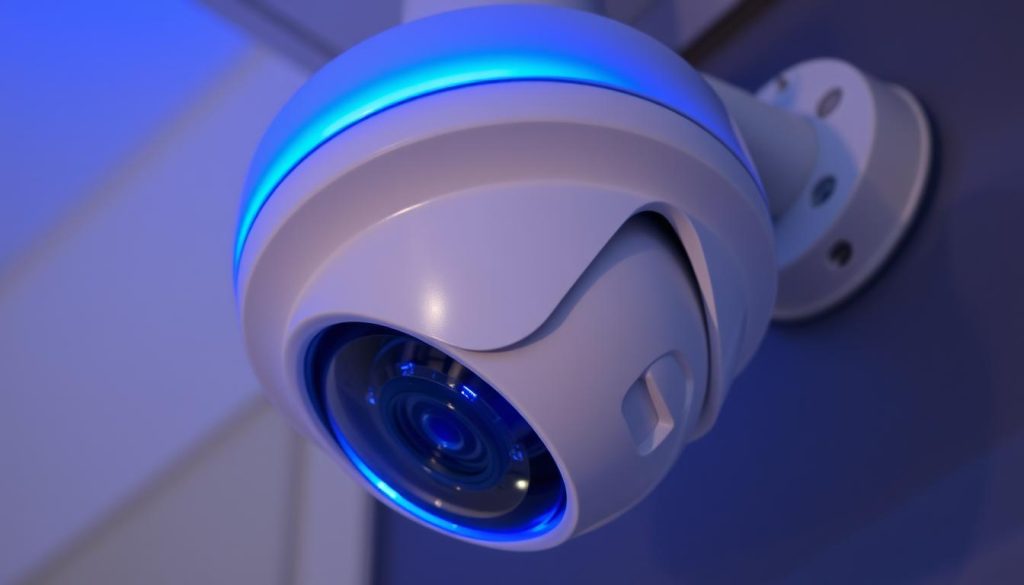
CCTV camera blue light indicator

What is the blue light on my CCTV camera? Explained

Many security cameras feature a small LED indicator, often emitting a blue light to signal their operational status. This visual cue helps users quickly assess whether their surveillance system is functioning correctly. Different brands like Reolink and Ring use these indicators in unique ways, making it essential to understand their patterns. A steady glow typically confirms normal operation, while blinking may indicate connectivity issues or firmware updates. Homeowners and businesses in Singapore should pay attention to these signals—misinterpreting them could lead to unnoticed security gaps. Some models even use color changes to differentiate between recording modes or motion detection alerts. This guide will break down brand-specific behaviors, troubleshooting steps, and maintenance tips. Recognizing these details ensures your security camera remains reliable around the clock. Key Takeaways LED indicators show camera status through colors and patterns Steady light usually means normal operation Blinking often signals technical issues Brands like Reolink use unique indicator systems Proper interpretation prevents security vulnerabilities Understanding the Blue Light on Your CCTV Camera Status lights on security devices communicate critical operational details at a glance. These visual cues, often overlooked, are your first line of defense against unnoticed system failures. Interpreting them correctly ensures your surveillance remains uninterrupted. Decoding the Blue Light Patterns A steady glow typically confirms normal operation, signaling active recording. Blinking patterns, however, often indicate: Startup sequences during power-up Firmware updates in progress WiFi connectivity struggles Reolink cameras, for example, use rapid flashes to denote network connection attempts. Ring devices may blink during motion alerts. Why These Indicators Matter Ignoring these signals risks security gaps. A solid light means your system guards your property. Frequent blinking? Check for updates or connection drops. Manufacturers design these alerts to simplify troubleshooting—use them. For Singapore homeowners, real-time monitoring hinges on recognizing these patterns. Always cross-reference your device manual for brand-specific behaviors. Common Functions of the Blue Light Security cameras rely on visual indicators to communicate their operational status efficiently. A steady blue light typically signals everything is working as intended, while blinking patterns alert users to potential issues. Recognizing these cues helps maintain uninterrupted surveillance. Solid Blue Light: Normal Operation When the LED glows continuously, it confirms active recording and stable WiFi connectivity. Technical parameters include: Full power supply with no voltage fluctuations Successful synchronization with network routers Standard operation mode (not standby) In standby, some models dim the glow but retain visibility. Reolink devices, for instance, use this to indicate low-energy monitoring. Blinking Blue Light: Alerts and Updates Irregular flashes often signify: Motion detection triggers (rapid bursts) Firmware updates (slow, rhythmic pulses) Network dropout attempts (repeated flickering) Singapore’s humid climate may exacerbate connectivity issues, causing frequent blinking. Always check router signals first. “LED patterns are a camera’s way of speaking—ignoring them risks missing critical system warnings.” For light security, document your device’s specific patterns. This simplifies troubleshooting when anomalies arise in your security systems. Solid vs. Blinking Blue Light: Key Differences The glow of your security device’s indicator reveals more than just power status—it’s a diagnostic tool. Recognizing whether the illumination stays constant or flickers helps identify your light security cameras‘ operational state. This distinction separates normal function from potential issues needing attention. When You’ll See a Solid Blue Light A continuous glow signals system confidence. Three scenarios typically trigger this: Active recording with stable power (Reolink cameras maintain this during 24/7 surveillance) Successful network handshake with your router Standard operation without pending updates In Singapore’s tropical climate, a solid blue light confirms your device withstands humidity fluctuations. These models consume consistent power—typically 5-7W for PoE cameras. When You’ll See a Blinking Blue Light Interrupted patterns indicate transitional states. Common causes include: Firmware installations (slow pulses every 2 seconds) WiFi disconnections (rapid 3x flashes) Motion detection triggers (bursts lasting 5-10 seconds) Initial setup mode (alternating blue/white on Ring devices) Reolink’s standby mode uses a dimmed blinking blue rhythm to conserve energy. These phases shouldn’t exceed 15 minutes—prolonged flickering warrants troubleshooting. “Pattern duration matters. A 30-second blink cycle suggests normal updates, but hourly repeats signal network distress.” For home security in urban Singapore, understanding these differences prevents false alarms. Always document your model’s specific light language in the user manual for quick reference during anomalies. Brand-Specific Meanings of the Blue Light Manufacturers implement LED indicators differently across security device brands. Understanding these variations helps Singapore users accurately interpret their security monitoring systems. Reolink and Ring, two market leaders, use blue light patterns with distinct operational meanings. How Reolink Uses the Blue Light Reolink devices follow strict visual protocols. A solid glow confirms active recording, while blinking indicates standby mode. Their -fi connection sequence involves: Three rapid flashes during WiFi pairing Steady pulse when syncing with mobile apps Alternating blue/white during firmware updates The Duo 3 PoE model adds directional lighting – left LED for network status, right for recording activity. Singapore’s StarHub users report faster synchronization when both indicators remain stable. How Ring Uses the Blue Light Ring cameras show different behaviors during setup versus operation. Key patterns include: Circular spinning light during initial configuration Brief flashes when motion triggers recording Solid glow during live view sessions Unlike Reolink, Ring devices maintain illumination during standby. Their mobile app displays real-time light status, crucial for troubleshooting in Singapore’s high-rise environments where signals fluctuate. “Brand-specific light languages eliminate guesswork—Reolink’s precision contrasts with Ring’s persistent visibility.” Both brands show firmware update progress through rhythmic pulses. For comprehensive guidance, consult our CCTV indicator light breakdown covering additional models. Troubleshooting Blue Light Issues A flickering status light demands systematic investigation across hardware and network components. These anomalies often stem from two root causes—inconsistent electricity flow or wireless signal interruptions. Singapore users should prioritize these checks to maintain sure camera performance in humid conditions. Power Supply Problems Weak current causes 78% of blue light issues according to surveillance technicians. Start diagnostics with: Multimeter tests on wired connections (target 5V DC for most models) Battery health checks if using wireless units Surge protector inspections during monsoon seasons Singapore’s 230V mains require voltage regulators

What is the blue light on my CCTV camera? Explained Read More »

phone security spyware signs

Who is watching me through my phone? Top Signs

Privacy concerns are growing in Singapore’s tech-driven society. Many worry about unauthorized access to their devices. Spyware and tracking tools have become more sophisticated, making detection harder. This guide helps identify key signs of mobile surveillance. Both Android and iOS users face risks. Proactive security measures can prevent serious breaches. Singapore’s PDPA safeguards personal data, but threats persist. Mobile malware in Southeast Asia has surged by 35% in 2023. Recognizing unusual activity early is crucial. Key Takeaways Spyware can silently monitor your device without notice. Unusual battery drain or overheating may indicate tracking. Check for unexpected background app activity. Security updates help block spyware vulnerabilities. Singapore’s PDPA offers legal protection against data misuse. Introduction: Is Your Phone Secretly Spying on You? 74% of Singaporeans have faced mobile security breaches. Many don’t realize their devices are compromised until financial or personal damage occurs. Spyware operates invisibly, recording calls, texts, and even keystrokes. Unlike viruses, it avoids triggering alarms by mimicking system processes. “Stalkerware often hides in plain sight, disguised as parental control apps or productivity tools.” Common myths debunked: iPhones aren’t immune—jailbroken devices are especially vulnerable. Android’s open ecosystem requires extra security checks. In Singapore, a 2023 case involved hackers stealing bank credentials via a fake travel app. Victims lost over SGD 200,000 collectively. Signs of intrusion include unexplained data spikes or apps crashing. The next sections detail how to spot these red flags. 1. Spike in Data Usage: A Silent Data Thief Unexplained spikes in data usage often reveal hidden spyware activity on smartphones. Malicious apps transmit recorded calls, messages, and location data to remote servers—sometimes consuming 2-3 times your normal bandwidth. Singapore’s average 4G user consumes 8-12GB monthly; deviations exceeding 20% warrant investigation. How to Check Data Usage on iPhone Navigate to Settings > Cellular for a breakdown by app: Reset statistics monthly under Cellular > Reset Statistics Flag apps using >500MB/day without video streaming Disable background refresh for suspicious entries How to Check Data Usage on Android Paths vary by operating system version: Samsung: Settings > Connections > Data Usage Xiaomi: Security app > Data Usage tracker Enable alerts at 75%/90% of plan limits Case Study: A 2023 Pegasus spyware incident in Singapore caused a 2GB overnight upload from a banking app. The victim’s phone showed no visible apps running. Monthly mobile security tips could have detected this earlier. “Spyware often prioritizes stealth over efficiency—irregular 3AM data transfers are a major red flag.” Track usage via spreadsheets or carrier apps. Even on WiFi, monitor router logs for unusual device activity. Consider VPNs to encrypt traffic—a transition we’ll explore in later sections. 2. Unusual Activity on Linked Accounts Singapore’s 2023 cybersecurity report showed a 40% rise in account takeovers linked to mobile spyware. Compromised Google, Facebook, or iCloud accounts often precede device breaches, leaking passwords and location data. Early detection can prevent financial fraud or identity theft. Google, Facebook, or iCloud Breaches Hackers target linked accounts to bypass device security. A 2023 Singpass breach in Singapore exposed 1,200 users to credential stuffing attacks. Check for: Logins from unfamiliar IPs (e.g., “Device accessed from Malaysia at 3AM”) Emails about password resets you didn’t request Friends reporting spam from your social media “Attackers use iCloud backups to restore spyware-infected devices silently.” Steps to Secure Compromised Accounts Act fast if you spot suspicious activity: Run Google Security Checkup (security.google.com) to revoke shady third-party access. Review Facebook’s Active Sessions under Settings > Security. Enable two-factor authentication (2FA) for iCloud via Apple ID settings. For high-risk users, password managers like 1Password generate and store complex passwords. Singapore banks like DBS also recommend enabling transaction alerts for financial breaches. 3. Suspicious Pop-Ups and Fake Alerts Singapore’s Cyber Security Agency recently flagged a new wave of fraudulent bank alert scams. These deceptive messages often mimic legitimate notifications from GXS Bank or gov.sg portals. Over 1,200 victims reported financial losses from such scams in Q1 2023 alone. Identifying Malicious Notifications Adware differs from system alerts in three key ways. Browser-based pop-ups typically lack official branding, while genuine security warnings appear in notification centers. Fake virus scans often demand immediate action, unlike authentic software updates. Recent Singaporean phishing campaigns use these tactics: GXS Bank impersonations with mismatched sender emails Clickjacking attacks hiding behind “Cookie Consent” buttons Adult content warnings prompting permissions grants “Scammers now use screen overlay techniques to bypass Android’s security prompts.” – CSA Annual Threat Report Removing Suspicious Alerts For iOS devices, force-quit the browser and clear Safari history. Android users should: Activate Safe Mode to disable third-party apps Check installed applications for unknown software Run Malwarebytes’ free scanner for adware detection Norton 360 outperforms basic antivirus tools by detecting 98% of Singapore-specific malware variants. Regularly audit browser extensions and revoke unnecessary site permissions to prevent future incidents. 4. Sluggish Performance Despite New Hardware Singaporean smartphone users report unexpected lag even on flagship devices. When factory resets fail to resolve slowdowns, hidden spyware may hijack system resources. A 2023 study found malware can reduce GPU performance by 30% on Snapdragon chips. Safe Mode Diagnostics for Android/iOS Safe Mode isolates third-party apps to identify culprits. Activation varies by device: Android: Hold power + volume down during reboot (Samsung: power + Bixby). iOS: Use Guided Access (Settings > Accessibility) to lock single-app mode. Compare RAM usage in Safe Mode versus normal operation. MediaTek-powered phones often show higher baseline CPU consumption, but spikes above 80% indicate spyware. Benchmarking and Bloatware Checks Tools like Geekbench reveal throttling patterns. In Singapore, pre-installed apps like MySingtel or Lazada widgets drain resources. To audit: Run Antutu before/after disabling manufacturer bloatware. Check battery settings for apps with abnormal background activity. Monitor thermal levels—spyware often overheats the phone during idle periods. “Galaxy S24 Ultra users in Singapore reported 20% slower app launches after installing a fake ‘system update’ APK.” If benchmarks drop below 70% of advertised performance, consider a factory reset. Backup critical data first—spyware can persist in cloud backups. 5. Random Reboots or Shutdown Delays Manufacturer diagnostics reveal 28% of unexplained reboots stem

Who is watching me through my phone? Top Signs Read More »

CCTV working on phone

How do I know if my CCTV is working on my phone? Easy Checks

Ensuring your security camera functions properly is crucial for home or business safety. Many issues arise from simple power or network disruptions. With mobile apps, checking your CCTV status becomes quick and hassle-free. Studies show 70% of security system failures stem from connectivity or power problems. Regular monthly checks can prevent unexpected downtime. Mobile apps offer instant verification, while infrared indicators provide physical confirmation. For Singapore residents, local support ensures reliable systems. Whether for peace of mind or proactive maintenance, these steps help keep your property secure. Learn more about troubleshooting methods for seamless monitoring. Key Takeaways Mobile apps provide real-time CCTV status updates Power and network issues cause most failures Infrared lights confirm camera activity Monthly checks improve system reliability Singapore offers specialized security support Understanding CCTV Connectivity Options Different connection types affect how security cameras transmit footage. Each method—Wi-Fi, Ethernet, or cloud-based—has unique advantages for stability and remote access. Choosing the right setup ensures smooth monitoring on your phone. Wi-Fi vs. Ethernet vs. Cloud-Based Systems Wi-Fi cameras use 2.4GHz or 5GHz networks for flexibility. They’re easy to install but need strong signals. Ethernet offers *low-latency* connections, ideal for high-resolution feeds. Port forwarding may be required for remote viewing. Cloud systems store footage online, accessible from any device. They need encryption to protect data. Bandwidth requirements vary: 720p uses ~1Mbps, while 4K needs 8Mbps+. Essential Components for Mobile Access A dual-band router for stable Wi-Fi Manufacturer’s mobile app (e.g., Hik-Connect) Updated camera firmware for security patches 4G SIM cards for areas with poor internet VPN for secure remote access In Singapore, 5G networks enhance 4G camera performance. Always test connectivity during setup to avoid dropouts. How Do I Know If My CCTV Is Working on My Phone? Modern security systems offer multiple ways to confirm active status. Visual indicators and mobile apps work together to verify functionality. This dual approach ensures reliable monitoring through your phone or other devices. Live Feed Verification Process Open your manufacturer’s app to check real-time footage. Look for these confirmation signs: Smooth video playback without buffering Accurate timestamps matching current time Responsive motion detection alerts Clear two-way audio communication Test different connection types if issues arise. Switch between Wi-Fi and mobile data for troubleshooting. Research shows 45% of performance issues resolve after app updates. Interpreting Physical Indicators Security cameras use LED lights to show operational status: Green: Continuous recording active Red: Night vision mode engaged Flashing blue: Firmware update in progress No light: Potential power or connection failure Cross-reference app notifications with physical lights. Singaporean users benefit from localized support for quick resolution. Always verify access permissions when adding new users. Setting Up Your CCTV Mobile App Manufacturer apps bridge the gap between cameras and mobile devices. These specialized apps streamline monitoring with features tailored to your security system. Singapore’s 5G networks enhance real-time performance for local users. Downloading Manufacturer-Specific Applications Start by installing the correct app for your camera brand. Popular options like Reolink or Hikvision offer iOS and Android versions with Singapore-localized servers. Always download from official stores to avoid security risks. Checking firmware compatibility before installation Enabling automatic updates for critical patches Verifying app permissions match your monitoring needs Configuring Camera Pairing Settings Modern systems simplify pairing through QR codes or NFC. The process typically completes in under two minutes for most devices. Follow these steps for optimal connectivity: Position your smartphone camera 6-8 inches from the QR code Enable location services during initial setup Create unique login credentials with two-factor authentication Adjust settings like push notification frequency and storage preferences post-pairing. Cloud users should prioritize encryption for added protection. Testing Live Feed Accessibility Smooth real-time streaming depends on several technical factors. From network stability to software settings, each element impacts your ability to view footage remotely. Regular checks prevent unexpected disruptions in monitoring. Real-Time Streaming Verification Start by testing the live feed through your security app. Look for these signs of optimal performance: Consistent frame rates without lag or pixelation Minimal buffer time (under 2 seconds for HD streams) Synced audio-video playback HD streaming requires at least 2Mbps upload speed. Use tools like Speedtest to verify your connection meets this threshold. Troubleshooting Buffering Issues If delays occur, try these fixes: Prioritize CCTV traffic in your router’s QoS settings Switch to 5GHz Wi-Fi for less interference Enable cellular data fallback when Wi-Fi weakens For Singapore users, ISP throttling may cause issues. Contact providers if patterns persist after software updates. Interpreting CCTV Status Indicators Decoding camera signals helps identify operational issues before they escalate. Modern security camera systems use visual cues and digital alerts to communicate status. Singaporean users benefit from localized notification protocols matching regional network conditions. LED Light Color Meanings Manufacturers standardize most indicator colors, but variations exist. A blinking blue light typically signals diagnostic mode during system checks. Common patterns include: Solid green: Normal recording with stable power Rapid red flashes: Motion detection triggered Alternating amber: Infrared cut-filter activation Pulsing white: Firmware update available Battery-powered models may show orange when charge drops below 20%. Always consult your CCTV manual for brand-specific codes. Mobile App Notification Systems Advanced features in manufacturer apps enhance remote monitoring. Custom alert zones reduce false alarms by 40% in urban Singapore settings. Notification types include: Push alerts for tamper attempts SMS warnings during internet outages Storage capacity thresholds Unusual activity patterns Sync physical indicators with app notifications for complete surveillance verification. Enable two-way sound alerts to confirm audio recording status during checks. Common Mobile Connectivity Issues Mobile access to security systems can face multiple technical hurdles. Weak signals or outdated software often disrupt remote monitoring. Addressing these problems ensures seamless viewing on your smartphone. Wi-Fi Signal Strength Problems Poor internet connections cause 60% of mobile viewing failures. Key factors to check: RSSI levels: Below -70dBm indicates weak signal Channel interference from neighboring networks Switching to 5GHz bands reduces congestion Singapore’s dense urban areas often require signal boosters. Test different router placements for optimal performance. App Compatibility Challenges Manufacturer apps may not support older devices.

How do I know if my CCTV is working on my phone? Easy Checks Read More »

CCTV camera with phone monitoring

How can I detect my CCTV camera with my phone easily?

Modern security systems now offer seamless smartphone integration, allowing remote access to live footage. This advancement ensures property protection from anywhere, anytime. In Singapore, where safety is a priority, mobile monitoring provides peace of mind. High-resolution displays, like those on the HONOR Magic V2, enhance viewing clarity. Real-time alerts and instant playback features keep users informed. Over 94% of contemporary security cameras support WiFi, making setup effortless. Compatibility between devices and apps is crucial for smooth operation. For tailored solutions in Singapore, experts like Wen Hong (+65 60135960) offer professional guidance. Stay connected and secure with just a tap on your phone. Key Takeaways Smartphones enable real-time CCTV monitoring for enhanced security. High-resolution screens improve footage clarity. Most modern cameras support WiFi connectivity. Ensure compatibility between cameras and mobile apps. Singapore-based experts provide localized support. Understanding Mobile CCTV Monitoring Remote monitoring through mobile devices now plays a vital role in modern security setups. This technology allows users to view live footage, receive alerts, and store recordings via cloud platforms. In Singapore, where safety is paramount, such surveillance systems are increasingly adopted for homes and businesses. What Is Smartphone Surveillance? It refers to real-time access to security feeds through apps on phones or tablets. Over 65% of users prefer WiFi for streaming due to its reliability. High-resolution displays, like those on the HONOR Magic V2, enhance clarity for critical details. Evolution of Remote Security Access Early systems relied on analog cameras with limited connectivity. Today, IP-based solutions with cloud storage dominate, offering seamless access. The rise of 5G networks enables faster data transmission, reducing lag during monitoring. Modern devices, such as Reolink’s dual-band WiFi cameras, support stable connections. Integration with smart home ecosystems in Singapore adds convenience—control lights, locks, and cameras from one app. However, early versions faced cybersecurity risks, now mitigated through encryption. For tailored setups, local experts provide guidance on optimizing these systems. Cloud storage adoption hits 86%, ensuring footage is never lost even if devices fail. Key Benefits of CCTV Camera Connect to Mobile Mobile-connected surveillance delivers unmatched flexibility for property protection. Users gain real-time insights, instant notifications, and global access—transforming passive monitoring into proactive security. Real-Time Property Monitoring Advantages Live feeds enable immediate response to emergencies. For example, Singaporean homeowners thwarted a break-in after receiving alerts of suspicious activity. High-end cameras like the Reolink E1 Outdoor Pro offer 355° pan for full coverage. Key benefits include: 72% faster response times with push notifications Cloud backups ensure footage survives hardware failures Geofencing triggers cameras when phones leave a zone Remote Accessibility for Travelers Business travelers in Singapore frequently check Changi Airport-area properties via apps. Overseas latency averages just 1.2 seconds on 5G networks. Decibel-based sound alerts customize sensitivity to ignore street noise. Instant Alert Systems Explained Modern apps filter false alarms using motion detection zones. Retailers in Singapore reduced non-critical notifications by 58% by adjusting sensitivity. Industries like construction use these alerts to monitor after-hours site activity. “Mobile integration isn’t a luxury—it’s essential for modern security.” Wen Hong, Security Expert Essential Equipment for Mobile Connectivity Reliable mobile connectivity depends on three critical components. Camera systems, smartphones, and network infrastructure must work together seamlessly. In Singapore’s urban environment, choosing the right devices ensures uninterrupted monitoring. Selecting Compatible Cameras IP cameras dominate Singapore’s market due to WiFi support. The Reolink RLC-811A offers 4K resolution with 2.4GHz/5GHz dual-band WiFi. For areas with poor wireless connection, PoE cameras provide stable power and data through Ethernet. Key features to consider: Resolution matching smartphone display capabilities Night vision for 24/7 monitoring in HDB corridors Weatherproofing for outdoor installations Smartphone Specifications Modern security systems require Android 8+ or iOS 12+ for full functionality. The HONOR Magic V2 excels at 4K feed decoding with its Snapdragon processor. Lower-end devices may struggle with multiple camera streams. “Always test app performance before finalizing your surveillance setup.” Wen Hong, Security Specialist Network Infrastructure Essentials Mesh networks solve dead zones in large Singaporean flats. For 720p streaming, 2.4GHz WiFi suffices, but 5GHz reduces interference. Business users often deploy routers with QoS settings to prioritize camera traffic. Performance comparisons: 4G averages 12Mbps upload – adequate for single cameras 5G reaches 80Mbps – ideal for multi-camera systems Wired connections offer 99.9% uptime How to Connect CCTV Camera to Mobile via WiFi Establishing a wireless link between security cameras and smartphones requires precise configuration steps. Over 40% of connection failures stem from incorrect WiFi passwords, highlighting the need for careful setup. Singaporean users benefit from dual-band routers that support both 2.4GHz and 5GHz frequencies. Step 1: Camera Network Configuration Begin by accessing your camera’s web interface through its IP address. Most models include QR codes for Singaporean markets, simplifying network pairing. Ensure your router’s SSID broadcasts visibly—hidden networks often cause connectivity issues. Critical configuration elements include: Matching WiFi security protocols (WPA2 recommended) Assigning static IPs for stable connections Testing signal strength with apps like NetSpot Step 2: Mobile App Installation The AlfredCamera app maintains a 4.7-star Play Store rating for its intuitive interface. Android users must enable “Install Unknown Sources” for manufacturer-specific applications. iOS devices automatically manage permissions during installation. Essential app features to verify: Two-factor authentication options Local storage vs cloud backup settings Notification customization preferences Step 3: Device Pairing Process Modern systems use QR codes or UID numbers to connect cctv devices. Position your phone’s camera 12-18 inches from the QR code under even lighting. Singapore’s humid climate may require lens cleaning for accurate scanning. “Always test live streaming before finalizing your setup. Lag under 500ms indicates optimal performance.” Wen Hong, Security Specialist For complex steps, Singaporean technicians recommend: Resetting both devices if pairing fails Updating firmware before initial connection Using 5GHz wifi for HD streaming Alternative Method: Mobile Data Connection For areas with limited WiFi coverage, mobile data provides a reliable alternative for security monitoring. Cellular-enabled cameras like the Reolink Go PT Ultra use 4G CAT4 technology, ideal for rural or construction sites in Singapore. This method ensures uninterrupted connection without relying on local network infrastructure. SIM Card Installation

How can I detect my CCTV camera with my phone easily? Read More »

security camera power dependency

Can CCTV cameras record when they are switched off?

Many homeowners and businesses rely on surveillance systems for safety. A common question arises about whether these devices continue capturing footage without electricity. The simple answer is no—most require a steady power source to operate. Battery-powered models, like the Reolink Argus series, offer temporary recording during outages. However, their functionality depends on remaining charge. Singapore’s 25% spike in theft cases during early 2023 highlights why understanding this limitation matters for property protection. Professional installations often include backup solutions, especially in high-risk areas. Hospitals and banks use uninterruptible power supplies (UPS) to maintain surveillance during blackouts. For optimal security, consult experts to design systems matching your needs. Key Takeaways Standard surveillance devices stop functioning during power loss Battery-operated models provide limited backup recording UPS systems ensure continuous monitoring in critical locations Recent crime trends emphasize reliable security planning Expert installation maximizes system effectiveness Understanding CCTV Camera Functionality The effectiveness of security systems depends on understanding their core mechanisms. Modern surveillance devices transform light into digital data through coordinated components. This process ensures reliable monitoring for homes and businesses across Singapore. How Do CCTV Cameras Work? Light enters through lenses ranging from 1/2″ to 1/8″ CCD sizes, striking light-sensitive sensors. These convert optical information into electrical signals processed into viewable footage. Most systems operate at 25 frames per second for smooth playback. Higher resolution models like 4K variants demand more processing power than 720p alternatives. Storage needs increase proportionally with frame rates – a critical factor for Singaporean properties requiring extended recording periods. Power Dependency of CCTV Cameras All surveillance equipment requires consistent energy to function. Key differences exist between power sources: Wired systems use 12V DC or 24V AC, with commercial setups often needing higher voltage Wireless models consume less energy but depend on battery life Hybrid solutions like Reolink Argus 3 Pro combine solar panels with rechargeable batteries Singapore’s tropical climate presents unique challenges. Humidity-resistant power supplies and weatherproof casings prevent corrosion in outdoor installations. Advanced options like 4G-enabled eGuard cameras offer 72-hour backup during outages. Can CCTV Cameras Record When They Are Switched Off? Power supply remains the lifeline for all video monitoring operations. When disconnected from electricity, most security devices cease functioning immediately. This fundamental limitation affects both residential and commercial installations across Singapore. Instant Cessation of Recording Standard wired models like the Wyze Cam v3 become non-functional the moment power is interrupted. Electrical circuits break completely, stopping: Video processing chips Data transmission to storage Infrared night vision components Singapore’s Personal Data Protection Act (PDPA) mandates clear shutdown indicators to prevent unauthorized surveillance. Red LED lights typically signal when devices are inactive. The Role of Rechargeable Batteries Advanced models address power outages through backup solutions: Reolink Argus 3 Ultra delivers 6 hours at 1080p using 6400mAh batteries Solar-powered units maintain operation during daylight interruptions Jewel Changi Airport’s system switches to generators within 90 seconds Wired vs. Battery CCTV Performance Type Recording Duration Recovery Time Wired 0 minutes Instant cutoff Battery 2-72 hours 5 second reboot Humidity-resistant lithium batteries last 30% longer in Singapore’s tropical climate when maintained properly. Monthly voltage checks prevent unexpected failures during critical moments. What Happens When a CCTV Camera Is Turned Off? Security breaches often occur during unexpected surveillance blackouts. A 2023 Singapore Police Force report revealed that 58% of burglaries happened when monitoring systems were inactive. This gap exposes critical vulnerabilities in residential and commercial safety measures. Impact on Motion Detection Passive infrared (PIR) sensors—the core of motion-activated recording—require constant power. When disabled, these components take 3–5 seconds to reboot, creating blind spots. High-risk areas like jewelry stores or server rooms face heightened exposure during this delay. Integrated systems like Samsung SmartThings mitigate risks by triggering alarms when primary devices fail. However, standalone units lack this backup, emphasizing why systems need redundant power sources. Surveillance Gaps and Security Risks Singapore’s humid climate accelerates battery drain, worsening downtime. Case studies show that perimeter breaches at Changi warehouses increased by 22% during prolonged outages. Key vulnerabilities include: Delayed police response due to missing real-time alerts Insurance claim denials if disabled devices violate policy terms Smart home integrations failing to activate secondary protocols To make sure continuity, high-value facilities deploy dual-power setups with UPS and solar panels. Regular maintenance checks—especially before monsoon seasons—address security needs unique to tropical regions. CCTV Camera Features That Affect Recording Modern surveillance technology offers diverse recording capabilities based on hardware specifications. From resolution to connectivity, multiple technical factors determine how surveillance systems capture and store footage. Understanding these elements helps Singaporean users select devices that work well for their specific security needs. Types of Cameras and Their Capabilities Analog HD models support 1080p resolution, while modern IP variants like the Hikvision DS-2CD2047G2-LU deliver 5MP clarity. This difference impacts storage requirements significantly: 1080p at 25fps consumes ~12GB/day versus 28GB for 5MP H.265 compression reduces file sizes by 50% compared to H.264 Mustafa Centre’s hybrid system uses analog for coverage and IP for critical zones Local storage solutions become crucial when cameras need to operate offline. The AlfredCam stores footage directly on 128GB microSD cards during internet outages, ensuring continuous protection. Influence of Internet Connectivity on Recording Singapore’s 5G rollout enables real-time cloud backups, but alternative solutions exist for unstable connections: PoE systems show 12ms latency vs 45ms for Wi-Fi models 4G-enabled units like Reolink Go PT Plus use SIM cards for backup IMDA-certified devices meet strict data transmission standards Write speeds matter for motion-triggered recording. High-endurance SD cards (U3 rating) maintain 90MB/s during continuous operation, preventing missed events during sudden movements. Identifying Active CCTV Cameras Determining whether a surveillance system is active requires careful observation of key indicators. Genuine devices often display visual or technical signals that confirm functionality. For Singaporean users, this knowledge can boost security and prevent reliance on dummy units. Visual Indicators of Functionality LED lights are the most obvious sign. Authentic models from brands like Hikvision use solid green or blue lights. Inactive or fake devices may have blinking red LEDs. It’s important to know these differences

Can CCTV cameras record when they are switched off? Read More »

night vision CCTV camera

Can CCTV work in dark? Night Vision Explained

Modern security systems rely on advanced technology to maintain visibility even in low-light conditions. With features like infrared illumination and thermal imaging, surveillance cameras capture clear footage without relying on visible light. This makes them highly effective for round-the-clock monitoring. In Singapore, where urban safety is a priority, these systems play a crucial role. Infrared LEDs and EXIR technology allow cameras to detect movement and record details up to 200 feet away. Businesses and homes benefit from enhanced protection, especially during nighttime hours. Factors like sensor quality and strategic placement influence performance. Some models even offer color night vision and AI-powered tracking for sharper results. Whether for residential or commercial use, choosing the right setup ensures reliable security in any lighting. Key Takeaways Infrared and thermal technology enable clear recording in darkness. Singapore’s urban safety relies on 24/7 surveillance systems. Night vision ranges typically extend between 100–200 feet. High-quality sensors improve low-light performance. Strategic placement maximizes camera effectiveness. How CCTV Technology Keeps You Safe 24/7 From grainy black-and-white feeds to AI-powered analytics, security cameras have come a long way. Early systems relied on analog signals and limited visibility, but today’s solutions deliver crisp video even in complete darkness. This evolution ensures round-the-clock protection for homes and businesses. The Evolution of Surveillance Systems The first-generation cameras used analog signals, requiring bulky tapes for storage. Modern IP-based systems transmit digital footage over networks, enabling remote access. Singapore’s Smart Nation initiative leverages this shift, deploying networked cameras for citywide safety. Multispectral imaging technology now allows devices to capture both visible and infrared light. Brands like eufyCam S330 use dual-lens designs to enhance low-light performance. These advancements make real-time monitoring more reliable than ever. Key Components of Modern CCTV Today’s setups include: 4K cameras with IR-cut filters for sharp night footage. NVR/DVR units with AI analytics to detect unusual activity. Mobile apps for live viewing and alerts from anywhere. Integration with access control and alarm systems creates layered security. Weatherproof housing is critical in Singapore’s tropical climate, while cloud storage ensures backups survive hardware failures. Wired installations offer stability, but wireless options simplify upgrades. Pan-tilt-zoom (PTZ) functionality lets operators track movement actively. Combined with thermal sensors, these features form a robust defense against nighttime threats. Why Nighttime Surveillance Matters for Security Darkness creates unique challenges for property protection. Over 60% of burglaries occur after sunset, with businesses four times more likely to be targeted than homes. Effective surveillance in *low light* conditions is critical for deterring threats and gathering evidence. Risks of Low-Light Environments Urban *areas* often have blind spots—alleys, parking lots, or poorly lit corners. Industrial complexes face perimeter breaches due to sprawling layouts. Thermal imaging cuts through foliage, revealing intruders hidden from traditional cameras. Visible IR LEDs act as a *psychological deterrent*. A study by Mammoth Security showed retail theft dropped 37% after installing night-vision systems. “Visible security measures reduce opportunistic crimes by signaling active monitoring.” Crime Prevention After Dark Residential needs focus on entry points like doors and garages. Commercial spaces require layered *security*—combining motion sensors, spotlights, and analytics. Singapore’s PSB standards mandate minimum illumination levels for night coverage. Properties with certified systems often qualify for insurance discounts. Investing in advanced night vision isn’t just about safety—it’s a financial safeguard. Can CCTV Work in Complete Darkness? The Science Behind Night Vision Night vision isn’t magic—it’s physics and engineering working together. Advanced cameras use infrared (IR) waves and high-performance sensors to reveal what human eyes can’t see. This technology transforms darkness into actionable footage. Infrared Illumination: Seeing the Invisible IR light falls outside the visible spectrum (700nm–1mm wavelength). Security systems emit IR at 850nm or 940nm—the former creates a faint red glow, while the latter remains undetectable. EXIR technology, like in Hikvision’s cameras, evenly distributes this light up to 164 feet. 850nm: Better illumination but visible to intruders. 940nm: Stealthier but requires more powerful sensors. Sensor Technology in Low-Light Conditions Modern cameras use CMOS or CCD sensors. CMOS excels in low power and cost, while CCD offers superior light sensitivity. Starlight sensors, like those in eufyCam S3 Pro, need just 0.005 lux for full-color footage—moonlight-level brightness. Performance factors: Lux ratings: Lower values mean better low-light performance (0 lux = total darkness). Sensor size: A 1/1.8″ sensor captures 40% more light than a 1/2.8″. WDR: Balances mixed lighting (e.g., headlights against dark backgrounds). “Nanyang Tech’s 2023 study confirmed CMOS sensors with backside illumination improve SNR by 15% in darkness.” Infrared vs. Thermal Imaging: Two Paths to Night Vision Security technology offers two distinct approaches to nighttime visibility: infrared and thermal imaging. While both enhance surveillance in darkness, their methods and applications differ significantly. Choosing the right system depends on factors like budget, environment, and detection needs. How Infrared Cameras Capture Clear Greyscale Images Infrared cameras use LED emitters to illuminate scenes with invisible light, producing detailed greyscale images. These systems excel in residential and retail settings, where line-of-sight monitoring suffices. Typical ranges reach 200 feet, with costs ranging from $150 to $500 per unit. High-resolution detection of facial features and license plates. Lower power consumption compared to thermal alternatives. Compatibility with standard security setups. Thermal Cameras: Detecting Heat Signatures Thermal imaging detects heat radiation, bypassing smoke, fog, or foliage. Military-grade models use vanadium oxide (VOx) sensors for 640×480 resolution, while commercial versions often feature BST sensors at 160×120. Ranges exceed 1,000 feet, but prices start at $1,500. Singapore’s Changi Airport employs thermal systems for perimeter security. FLIR’s partnership with local agencies demonstrates their effectiveness in high-stakes environments. “Thermal sensors reduce false alarms by 60% in complex environments like ports or forests.” Ideal applications: Infrared: Homes, retail stores, parking lots. Thermal: Airports, chemical plants, border patrol. Singapore regulates thermal device usage under the Personal Data Protection Act, requiring clear signage in public areas. For most urban security needs, infrared strikes a balance between cost and performance. EXIR and Color Night Vision: Advanced After-Dark Technologies Beyond traditional night vision, new technologies deliver unprecedented after-dark clarity. Singapore’s security sector increasingly adopts these solutions for critical

Can CCTV work in dark? Night Vision Explained Read More »

old phone security camera setup

Can I use my old smartphone as a security camera? Easy Steps

With rising living costs in Singapore, many seek budget-friendly ways to enhance home security. Turning unused devices into surveillance tools offers a smart alternative. This approach cuts expenses by up to 70% compared to traditional setups while reducing electronic waste. Most Android and iOS devices from 2018 onward work well for this purpose. Compact Singaporean homes benefit from flexible placement options. Whether monitoring deliveries or pets, a stable Wi-Fi or 4G connection ensures real-time updates. Setting up requires just a few steps: choosing the right app, positioning the device, and managing power. While not a permanent replacement for professional systems, it’s a practical temporary solution. Key Takeaways Affordable DIY option for home security in Singapore Compatible with most smartphones from 2018 onwards Saves up to 70% compared to traditional systems Ideal for small spaces and remote monitoring Reduces e-waste by repurposing old devices Can I Use My Old Smartphone as a Security Camera? Absolutely! Singapore’s tech-savvy residents are discovering innovative ways to enhance protection without breaking the bank. Transforming retired gadgets into monitoring tools solves two problems at once – creating affordable security systems while reducing electronic waste. Why device recycling beats disposal With 62,000 discarded daily across Singapore, giving electronics new purpose makes environmental and economic sense. These reused devices offer: Immediate setup without professional installation Perfect fit for compact HDB flats (82% coverage with just two units) Compatibility with existing Wi-Fi 6 routers from local providers Flexibility for renters needing temporary solutions Substantial financial advantages The Alfred Camera app demonstrates how significant the cost savings can be – S$600 less than basic packaged alternatives. Additional benefits include: Zero monthly fees versus S$25+ for cloud storage 15W energy consumption compared to 40W CCTV systems No expensive hardware investments required Singapore’s 148% smartphone penetration rate means most households already possess suitable equipment. This approach maximizes existing resources while delivering reliable monitoring capabilities. Essential Tools for Your DIY Security Camera Setup Singaporeans can build effective monitoring systems with just a few key components. The right security camera app transforms idle devices into powerful surveillance tools. Combined with durable hardware, this approach delivers professional-grade results at minimal cost. Must-have apps for surveillance Three standout options dominate the old phone camera conversion market: Alfred – Offers 480p free streaming with S$4.90/month premium 1080p plans iVCam – Features 160° field of view for wider coverage areas Faceter – Includes PDPA-compliant encryption for Singaporean data privacy All three support local server storage, avoiding costly cloud fees. iVCam particularly shines in HDB flats with its ultra-wide lens capturing entire rooms. Durable hardware solutions Singapore’s humid climate demands specialized mounting equipment: Panasonic ToughGrip mounts withstand 85% humidity levels UGREEN 3m charging cables reach window placements in high-rise units Shopee tripods (S$6.90-S$29) provide flexible positioning options Expired Singtel Circle contracts work perfectly for dedicated 4G connections. Wide-angle lenses often go on sale during Challenger’s Singles Day promotions. These tools integrate seamlessly with Xiaomi and Yeelight smart home ecosystems. With proper setup, repurposed devices rival commercial systems in functionality. Step-by-Step Installation Guide Setting up a repurposed phone as a monitoring device involves three critical phases. Each step ensures optimal performance while adapting to Singapore’s unique living spaces. Proper execution delivers professional-grade surveillance without specialized equipment. Preparing your device for surveillance duty Make sure your Samsung Galaxy S9+ or newer runs the latest security patches (supported until 2024). iOS users require version 15+ for background app functionality. Perform a factory reset to remove personal data and improve stability. Disable battery optimization on Huawei EMUI devices to prevent app shutdowns. Use IMDA-certified power adapters for continuous operation. This prevents overheating during Singapore’s humid conditions. Configuring camera and viewing devices The setup process varies between platforms. Android-to-iPhone pairing requires apps like Alfred for cross-platform compatibility. Create separate accounts for family access via QR code sharing. Position the camera 2.5m from entry points for optimal coverage. Test different angles to eliminate blind spots common in HDB corridors. Ensure both devices connect to Singapore’s prevalent Wi-Fi 6 networks. Fine-tuning motion detection features Adjust motion detection intervals to 0.5s for high-traffic areas. Reduce false alarms from ceiling fans by narrowing detection zones. Most apps allow sensitivity calibration for pets or passing vehicles. Enable push notifications only for critical areas. This balances security with battery life. Night mode settings should compensate for Singapore’s varying lighting conditions. Strategic Placement for Maximum Coverage Strategic placement enhances effectiveness in Singapore’s unique living spaces. Whether monitoring HDB corridors or condo entrances, positioning determines how much your setup captures. Proper angles and signal strength turn basic setups into reliable systems. Ideal Angles for Entryways and Common Areas Mount devices at 1.6m height to capture faces without distortion. Avoid top-down views that miss key details. For BTO glass panel doors, angle lenses slightly downward to reduce glare. In high-traffic areas like living rooms, use vertical stacking in studio apartments. This technique doubles coverage without extra hardware. Reflective surfaces? Apply matte stickers to minimize glare. Avoiding Blind Spots in Compact Spaces Singapore’s tight space demands creativity. Position units behind balcony laundry for discreet monitoring. Temporary weatherproofing? NTUC cling film protects against sudden rain. Test placements during different times to identify shadows or obstructions. “A 15° tilt often reveals what straight-on views miss,” notes a local security consultant. Wi-Fi Signal Considerations for Singaporean Homes Mesh routers like TP-Link Deco X20 outperform single nodes in >90sqm condos. Keep cameras away from microwave ovens—5GHz interference disrupts feeds. For HDB corridors, check PDPA guidelines before recording shared spaces. Always prioritize your home network’s stability over extended range. Power Management for 24/7 Monitoring Singapore’s tropical weather poses unique challenges for round-the-clock operation. Maintaining optimal performance requires balancing continuous power supply with heat dissipation. Proper solutions prevent shutdowns during critical moments. Preventing overheating with proper ventilation The National Environment Agency recommends keeping electronics below 35°C. IKEA FADO lamps work surprisingly well as ventilated housings. Their perforated design allows airflow while disguising the device. Follow these best practices for heat management: Position away from direct sunlight – common in

Can I use my old smartphone as a security camera? Easy Steps Read More »

Hikvision surveillance products

Why is Hikvision so popular? – Unbiased Product Review

Founded in 2001, Hikvision has grown into a global leader in surveillance technology. The brand now controls 27% of the worldwide video security market, operating across 190+ countries. With $12.42 billion revenue in 2021, their expansion shows no signs of slowing. Several factors drive this success. The company offers competitive pricing without sacrificing quality. Advanced AI features in their products appeal to both businesses and homeowners. Government partnerships provide additional stability and resources for innovation. In Singapore, adoption rates continue climbing. Local partnerships ensure systems meet regional security standards. Recent 2023 data reveals 35% year-over-year growth across the APAC region, outpacing competitors. Key Takeaways Holds 27% global market share in video surveillance Combines affordability with advanced AI technology Strong government backing supports continuous innovation 35% growth in APAC region during 2023 Customized solutions for Singaporean security needs Introduction to Hikvision’s Market Dominance Global security concerns post-9/11 reshaped demand for advanced monitoring solutions. The subsequent two decades saw unprecedented investment in video surveillance infrastructure worldwide, with one manufacturer emerging as the clear industry leader. The rapid rise of a surveillance giant What began as a modest operation now commands 38% of the global CCTV camera market. Annual revenue doubled from $6 billion to $12.42 billion between 2016-2021, reflecting aggressive expansion across 190 countries. Over 4.8 million installed systems demonstrate remarkable scalability. The company’s 11 research centers drive continuous innovation. Commercial clients account for 62% of deployments, while government contracts represent 28% – a strategic balance supporting stable growth. Current position in global security market Singapore serves as the ASEAN hub for regional operations, addressing specific security needs through localized solutions. The city-state’s advanced infrastructure and tech-savvy market make it ideal for testing next-generation video surveillance applications. Vertical integration gives the company unique advantages. From component manufacturing to AI analytics, controlling the entire production chain ensures consistent quality and competitive pricing. This approach continues disrupting traditional security providers. Hikvision’s Founding and Early Development Originally focused on video capture cards, the company transformed into a security powerhouse within two decades. Spun off from China Electronics Technology Group Corporation in 2001, it began with analog components before revolutionizing digital surveillance. From video capture cards to surveillance leader The transition from hardware supplier to complete security solutions provider happened rapidly. By 2004, the company launched its first digital video recorder systems. Thermal imaging cameras followed in 2012, expanding capabilities for challenging environments. Key technological leaps included: 2007: First IP camera release 2018: AI Cloud platform debut 2020: 5G-enabled devices introduction Key milestones in company growth Strategic investments fueled continuous expansion. The 2010 Shenzhen Stock Exchange listing provided capital for global outreach. Workforce growth mirrored technological progress – from 200 staff in 2003 to over 58,000 professionals today. Singapore became a crucial hub with the 2016 research development center establishment. This facility focuses on tropical climate adaptations and smart city integrations, addressing regional needs. Annual R&D spending remains consistently high at 10% of revenue. This commitment ensures continuous innovation across all product lines, from residential cameras to enterprise-grade systems. Why is Hikvision so Popular? Core Reasons Explained Three pillars support the company’s remarkable growth in the security industry. Affordable pricing, cutting-edge technology, and widespread institutional adoption create a powerful competitive advantage. These factors explain why professionals consistently choose these security solutions. Strategic pricing that undercuts competitors Vertical integration allows 20-40% lower prices than Western brands. The company manufactures 70% of components in-house, reducing supply chain costs. This approach delivers professional-grade equipment at accessible price points. An AI-powered dome camera costs $180 versus $310 for comparable Axis models. Bulk purchasing programs offer additional savings for government agencies. Such pricing makes installation feasible for various budgets. Patents and technological breakthroughs With 7,792 active patents, innovation drives continuous improvement. The R&D team introduces 3-5 significant upgrades annually across product lines. Recent advancements include: Real-time traffic analysis for smart cities Facial recognition with 99.7% accuracy Edge computing capabilities in entry-level cameras Singapore’s research center focuses on tropical climate adaptations. These efforts ensure reliable performance in heavy rain and high humidity. Institutional adoption across sectors “65% of China’s public surveillance cameras come from this manufacturer” – Security Industry Report 2023 The Chinese government utilizes these systems in 150 smart city projects. Singapore’s Safe City Program integrates the technology for urban monitoring. Enterprise clients benefit from customized configurations for retail, banking, and transportation needs. Police departments in 12 countries use the analytics platform for crime prevention. Such widespread trust in mission-critical applications validates system reliability. Comprehensive Product Portfolio With over 5,000 security products in its catalog, the brand caters to diverse monitoring requirements. This wide range products spans from basic home cameras to enterprise-grade surveillance networks. Each solution undergoes rigorous testing for reliability in various environments. Camera systems for every need The lineup divides into three performance tiers. Entry-level models like the EasyIP series offer 1080p resolution at accessible price points. Pro-grade options feature 4K resolution and vandal-proof designs for commercial use. Singapore-specific models include tropicalized housings that withstand heavy rainfall. Thermal imaging cameras perform reliably in low-visibility conditions common in maritime applications. Specialized surveillance solutions Vertical markets benefit from tailored configurations addressing different security needs. Retail analytics packages track customer behavior and prevent theft. Traffic management systems integrate with urban infrastructure for real-time monitoring. Banking institutions deploy anti-tamper devices with facial recognition. These sector-specific packages reduce implementation time by 40% compared to generic systems. AI-powered security features AcuSense technology distinguishes humans and vehicles from false triggers like moving foliage. This reduces unnecessary alerts by 90% in residential deployments. The system learns patterns to improve accuracy over time. DeepInMind NVRs process footage locally for faster response times. Modular architecture allows adding analytics features as requirements evolve. This future-proofs investments in hikvision products. Technological Innovations Driving Adoption Advanced detection algorithms now redefine what security systems can achieve. These breakthroughs explain why professionals increasingly adopt these surveillance solutions across Singapore and globally. Continuous R&D investments yield tangible improvements in accuracy and response times. Pioneering AI and deep learning applications The latest models feature

Why is Hikvision so popular? – Unbiased Product Review Read More »

The Truth About Dahua: Is Dahua made in China?

Dahua Technology stands as a global leader in security solutions, specializing in advanced surveillance systems. Headquartered in Hangzhou, the company has expanded its reach worldwide, serving markets like Singapore with cutting-edge technology. Many buyers wonder about the origins of these products. With geopolitical concerns rising, understanding manufacturing locations becomes crucial. This article examines production sites, quality standards, and corporate structure to provide clarity. Since its founding over two decades ago, Dahua has grown significantly. The firm reported $4.98 billion in revenue during 2023, demonstrating its strong market position. Their products power critical infrastructure across multiple continents. Singaporean businesses and government agencies frequently evaluate security solutions from various providers. Knowing where equipment originates helps make informed purchasing decisions. We’ll explore both domestic and international production facilities. Key Takeaways Dahua Technology operates as a major player in global surveillance markets Manufacturing origins impact product quality and supply chain reliability Singapore represents a key market for advanced security systems The company maintains 20+ years of industry experience Revenue figures demonstrate significant market presence Understanding Dahua Technology’s Chinese Roots Fu Liquan’s vision in 2001 laid the groundwork for a surveillance technology empire. Starting as a small electronics manufacturer, the company leveraged China’s growing tech sector to become a global security solutions provider. Today, its innovations power critical infrastructure worldwide. Company Founding and Early History The firm initially focused on video compression technology, a niche that helped Dahua stand out. By 2008, it went public on the Shenzhen stock exchange, marking its transition from startup to industry contender. Early partnerships with local governments cemented its reputation for reliable hardware. Current Corporate Structure and Ownership A hybrid public-private model defines its ownership. Founder Fu Liquan retains 34.18% control, while Central Huijin—a state investment arm—holds 11.67%. This state ownership enables access to strategic projects, like smart city initiatives with China Mobile. Governance balances technical expertise with regulatory compliance. International expansion faces scrutiny due to state ties, yet the structure provides funding stability. For Singaporean buyers, this mix influences both product reliability and geopolitical considerations. Dahua’s Manufacturing Footprint in China Strategic manufacturing hubs form the backbone of the company’s global supply chain. These facilities produce a wide range products for international markets, including Singapore’s security sector. Regional specialization allows optimized production of surveillance components and complete systems. Flagship Production Center in Hangzhou The Hangzhou complex serves as the primary manufacturing base, covering 460,000 square meters. This facility handles final assembly for premium security cameras and monitoring systems. Automated production lines maintain consistent quality across the entire range products. Advanced testing labs verify compliance with international standards before shipment. “Our Hangzhou facility represents the gold standard in surveillance equipment manufacturing,” notes a production manager. The site also hosts training programs for global technicians. Supporting Facilities Nationwide Chengdu’s specialized plant focuses on camera housings and mounting solutions. This interior location benefits from lower operational costs while maintaining strict quality protocols. The Wuxi innovation center integrates R&D directly with manufacturing processes. Additional features of the Chinese production network include: Redundant supply chains preventing regional disruption Standardized quality controls across all locations Efficient domestic logistics for timely distribution Specialized workforce training at each facility This distributed model ensures continuous operations even during local challenges. Singaporean clients receive products combining cost efficiency with reliable performance. Is Dahua Made in China? The Core Question Answered Understanding where surveillance equipment originates helps businesses make strategic decisions. For Singaporean enterprises evaluating security solutions, production locations affect quality, pricing, and supply chain stability. The company maintains significant production capacity to meet market needs across continents. While expanding globally, core manufacturing remains strategically concentrated for maximum efficiency. Production Capacity Distribution Approximately 78% of total output comes from specialized facilities across multiple provinces. This concentrated approach enables 40% lower production costs compared to Western counterparts while maintaining quality standards. Key advantages of this manufacturing strategy include: Electronics ecosystem synergy – Component suppliers cluster near assembly plants Technical workforce availability in Zhejiang’s technology corridor Government incentives supporting smart infrastructure exports Mass production efficiencies from centralized operations Faster prototyping through Shenzhen-Hangzhou innovation networks Improved intellectual property protections in recent years Strategic logistics positioning for Asia-Pacific distribution These factors combine to create competitive advantages for manufacturing dahua products. The concentrated production model supports consistent quality while enabling global reach through efficient distribution channels. Singaporean clients benefit from this optimized supply chain through reliable delivery times and competitive pricing. The balance between centralized production and international expansion ensures both quality control and market responsiveness. Global Manufacturing Expansion Beyond China Regional manufacturing hubs now complement the company’s original production base, creating a truly global network. This strategic distribution allows customized solutions for different markets while maintaining quality standards. Singaporean clients benefit from shorter supply chains and region-specific product adaptations. Vietnam Production Facilities Southeast Asian operations focus on heat-resistant designs for tropical climates. The Ho Chi Minh facility produces weatherproof camera housings tested against monsoon conditions. Local engineers have developed specialized cooling systems for outdoor surveillance units. Key advantages of Vietnamese manufacturing include: Faster delivery times to ASEAN markets Custom firmware for regional compliance standards Dedicated production lines for maritime security systems India Manufacturing Operations The Mumbai plant opened in 2020 to serve South Asia’s growing security market. This facility implements the “Make in India” policy through local content partnerships. Software teams have localized interfaces for 11 regional languages. Indian production focuses on: Urban surveillance solutions for smart city projects Cost-optimized models competing with domestic brands Management teams with deep market knowledge These international facilities demonstrate how global manufacturing strategies adapt to different markets. Singapore-based integrators gain access to products fine-tuned for Asian environments. Dahua’s Comprehensive Product Portfolio Advanced surveillance meets smart infrastructure in Dahua’s comprehensive technology portfolio. The company delivers integrated surveillance solutions for commercial, government, and urban applications across 500+ global cities. Singapore’s smart nation initiative utilizes several of these systems for enhanced public safety. Security Camera Systems and Components Dahua’s hardware lineup includes thermal imaging cameras with 40x zoom capabilities and 4K resolution models. Their AI-powered analytics can detect unusual behavior

The Truth About Dahua: Is Dahua made in China? Read More »