
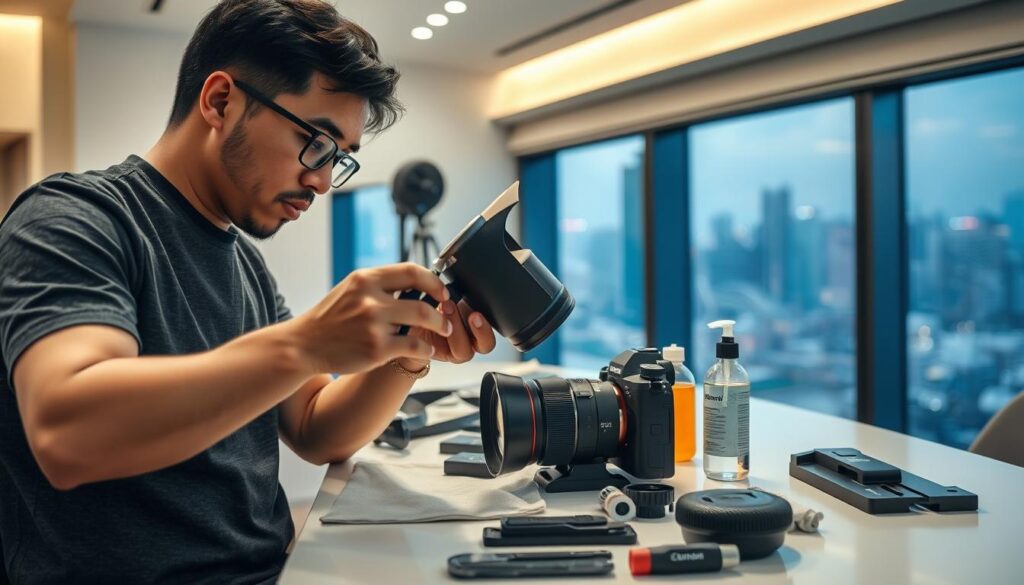
Cameras are intricate tools that require regular care to function optimally. For photographers in Singapore, the tropical climate presents unique challenges. High humidity and persistent dust can threaten the performance and longevity of your equipment. Therefore, understanding the importance of camera upkeep is essential.
This guide is tailored specifically for those who capture the vibrant life of Singapore. It emphasizes that maintaining your gear is not merely a suggestion but a necessity. Regular upkeep helps preserve image quality and extends the lifespan of your equipment.
Many photographers adopt a “don’t fix it if it’s not broken” mentality. However, this article will illustrate why proactive care is far more effective than waiting for problems to arise. From assembling a cleaning toolkit to step-by-step cleaning techniques, we cover everything you need.
By committing to consistent care, you can prevent minor issues from escalating into major problems. Expert advice from local photographers and service technicians will guide you through maintaining your gear in Singapore’s challenging environment.
Investing time in regular maintenance today safeguards the quality of your photographs and protects your financial investment in quality equipment.
Key Takeaways
- Regular camera care is essential for preserving image quality.
- Singapore’s climate requires special attention to gear maintenance.
- Proactive care is more cost-effective than reactive repairs.
- Expert tips will help you navigate local environmental challenges.
- Consistent upkeep prevents minor issues from becoming major problems.
Why Regular Camera Maintenance is Crucial for Singapore Photographers
The performance of your photography tools hinges on consistent upkeep. Regular care is essential for ensuring that your gear operates at its best. In Singapore’s unique environment, the need for maintenance becomes even more pronounced. The tropical climate, with its high humidity and dust, poses significant challenges to photographers.
Preserving image quality is a primary reason for regular camera care. Dust on sensors or smudges on lenses can lead to visible flaws in your images. Even advanced software cannot fully correct these issues during post-processing. A well-maintained camera directly contributes to consistently stellar image quality.
Preserving Image Quality and Equipment Longevity
Regular camera upkeep acts as a powerful preventive measure. It stops minor issues, like a small speck of dust, from escalating into permanent sensor stains or irreversible lens coating damage. This proactive approach not only enhances your photography but also extends the lifespan of your equipment.
Impact of Singapore’s Humid and Dusty Environment
Singapore’s relentless humidity encourages fungal growth inside lens elements. This can severely impact image quality over time. Additionally, airborne dust particles, combined with coastal salinity, create an aggressive environment that accelerates wear on weather seals, lens mounts, and external controls.
Common Myths about Camera Maintenance Debunked
Many photographers believe that “if it’s not broken, don’t fix it.” This mindset can be costly. Small, unnoticed issues like drying internal lubricants can worsen until major repairs become necessary. Another myth is that modern cameras are completely sealed against the elements. In reality, weather-sealing gaskets degrade over time and require regular checks.
Some also think that infrequent use eliminates the need for upkeep. However, time itself can cause wear. Internal lubricants can dry out, dust can settle on sensors during storage, and fungal spores can find a home in idle lens elements. Industry data shows that a high percentage of image quality complaints stem from poor preservation routines rather than inherent equipment flaws.
In conclusion, all cameras, from entry-level DSLRs to professional mirrorless models, benefit from regular attention. By replacing common myths with a disciplined care plan, photographers can ensure long-term reliability and creative confidence.
When to Service Your Camera: Signs and Recommended Intervals
Understanding when to service your camera is crucial for maintaining its performance. Regular checks help ensure that your gear functions smoothly and efficiently. For photographers in Singapore, adhering to recommended service intervals can make a significant difference in the longevity of your equipment.
Annual and Usage-Based Servicing Guidelines
The industry standard recommends that every camera should receive professional service at least once per year. This annual check-up addresses internal mechanisms, calibrations, and wear that users cannot safely handle themselves. For professional photographers who shoot several times a week, considering bi-annual servicing is wise. Heavy usage generates more wear and tear on equipment.
Indicators Your Camera Needs Professional Care
Several signs indicate your camera may require professional attention. Look for visible changes in photo quality, such as unexpected blurriness, dark patches, or persistent spots that do not disappear after routine cleaning. Additionally, mechanical warning signs like unusual sounds from the shutter mechanism or difficulty adjusting settings should not be ignored.
Effects of Travel and Frequent Lens Changes
Travel can be tough on your camera. Unexpected baggage handling, unfamiliar weather patterns, and exposure to dirt can accelerate wear. Each time you change a lens, your camera sensor is exposed to dust and airborne debris. This exposure is particularly risky in unprotected outdoor environments.
Improper storage practices can also lead to cumulative damage. Avoid leaving your camera in direct sunlight or near other electronics. Fluctuating temperatures and high humidity can necessitate more frequent professional service.
Pay attention to your camera’s physical condition. Signs like grip wear, sticky dials, or loose lens mounts often indicate the need for internal inspection. For those shooting in challenging conditions, such as rain or dusty urban environments, increasing service frequency is advisable.
In summary, combining annual professional service with immediate attention to changes in image quality or your camera’s physical appearance is the best practice for maintaining your gear.
What Happens During a Professional Camera Service
Professional camera servicing is a critical step in ensuring your equipment remains in peak condition. This process involves a comprehensive examination and cleaning of your gear, addressing any potential issues before they escalate.
During a standard service, technicians conduct a thorough inspection and cleaning of the camera body, image sensor, mirror, viewfinder, autofocus system, and external LCD surfaces. They verify that every button, dial, and switch functions correctly, checking for any error messages or irregularities in operation.
Standard Cleaning and Inspection Procedures
The primary goal of a standard service is to ensure your camera operates flawlessly. Technicians clean the body and inspect all critical components, including:
- Image sensor and mirror assembly
- Viewfinder and autofocus system
- External LCD surfaces
These steps help maintain the quality of your images by preventing dust and grime from affecting performance.
Advanced Maintenance and Firmware Updates
For those seeking more extensive care, advanced maintenance packages are available. These services include:
- Inspection of internal hardware and moving parts
- Verification of lens mount integrity and hotshoe electrical contacts
- Testing camera and lens communication protocols
- Checking the camera shutter count to assess mechanical wear
- Conducting pixel mapping to correct dead or stuck pixels on the sensor
- Updating firmware to enhance performance and fix bugs
Firmware updates are essential, as they ensure your camera operates with the latest enhancements, improving autofocus performance and sometimes adding new features.
Choosing the Right Service Center in Singapore
When selecting a service center, prioritize manufacturer-authorized locations. These centers use genuine parts and follow certified procedures, ensuring your camera receives the best care possible. Some providers even offer loaner cameras while yours is being serviced, allowing you to continue your photography without interruption.
Technicians also inspect the lens mount for wear and misalignment, clean electrical contacts, and verify the functionality of the memory card slot and battery compartment. This thorough approach helps address issues like drying lubricants or worn shutter mechanisms that can affect long-term reliability.
Understanding the professional service process empowers you to make informed decisions about which service package to select. Trusting your valuable equipment to qualified technicians in Singapore ensures that your camera remains a reliable tool for capturing stunning images.
How to do Maintenance on Camera? Key DIY Tips and Tools
Maintaining your camera and lenses is a vital part of every photographer’s routine. Between professional services, good camera housekeeping can keep your equipment functioning optimally. Here are some essential tips and tools to help you maintain your gear.
Essential Cleaning Supplies Every Photographer Needs
Start with high-quality lint-free microfiber cloths. These are gentle on delicate lens coatings and designed to trap particles instead of grinding them into glass surfaces. A rocket blower is another critical tool. It dislodges loose dust from lenses and sensors using a puff of air, preventing scratches before any physical cleaning occurs.
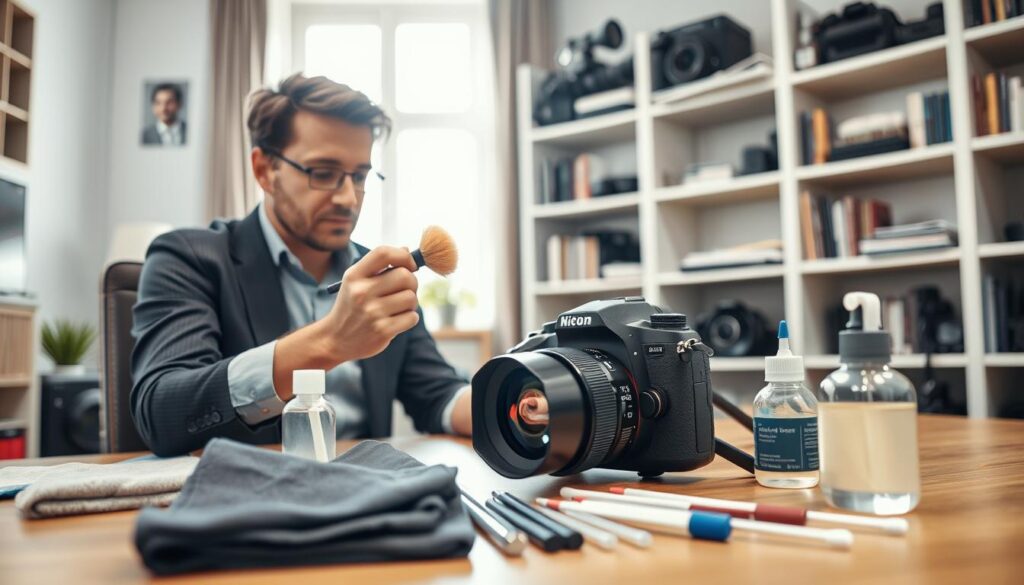
Soft-bristled brushes are perfect for sweeping dust from camera body crevices, buttons, and dials. Dedicated lens brushes, featuring extra-soft bristles, are specifically designed for front lens elements. Always use cleaning solutions formulated for multi-coated optical glass. Avoid household cleaners, as they can strip anti-reflective coatings and degrade image quality.
Safe Practices for At-Home Camera Care
When cleaning your camera, always apply cleaning solution to a microfiber cloth, not directly onto the lens. This prevents oversaturation and cross-contamination. Remember to clean your camera sensors approximately every six months. Dust accumulation is inevitable, and regular cleaning prevents buildup that becomes harder to remove over time.
Additionally, calibrate your lenses at least twice a year. This ensures consistently sharp images and accurate autofocus performance. Many modern cameras include built-in calibration tools accessible through their menu systems.
Organizing Your Gear for Easy Access and Protection
Invest in a well-designed camera bag with customizable dividers. This helps keep your equipment organized and easily accessible. Ensure that batteries are charged and memory cards are formatted and empty. Regularly check your gear to make sure everything is in working order, so you’re always ready for the next shoot.
By following these DIY tips and using the right tools, you can effectively maintain your camera gear. This proactive approach not only enhances your photography but also extends the lifespan of your equipment.
Step-by-Step Guide to Cleaning Your Camera Lens
For photographers, achieving clear and sharp images starts with the lens. Even the most advanced camera cannot compensate for fingerprints, smudges, or dust particles on the glass. A clean lens is essential for capturing the vibrant details of any scene.
Begin by preparing the lens surface. Always start by using a rocket blower to gently dislodge loose dust, sand, or abrasive particles from both the front and rear lens elements. Skipping this step risks grinding grit into the glass during wiping, which can cause permanent damage.
Preparing the Lens Surface
After using the blower, inspect the lens under a bright light. Look for any remaining fingerprints, water spots, oily smudges, or stubborn debris that may require targeted cleaning attention. This inspection ensures you know exactly what needs to be addressed.
Techniques for Effective and Safe Lens Cleaning
For actual cleaning, use a pristine, lint-free microfiber cloth folded into quarters. This creates a fresh and soft pad for each wipe, preventing the redistribution of grime across the lens surface. Apply very light pressure in a gentle circular motion from the center outward. This technique safely lifts contaminants without leaving streaks.
It’s crucial to avoid common mistakes. Do not use tissues, shirt sleeves, or paper towels on optical surfaces. These materials can permanently scratch delicate anti-reflective lens coatings and degrade overall image quality. For stubborn marks, apply a single tiny drop of dedicated lens cleaning solution to the microfiber cloth, never directly onto the glass. Following the “less is more” principle helps prevent liquid from seeping into the lens barrel.
Additionally, remember to clean the rear lens element. Dust or smudges on this surface have a disproportionately magnified negative impact on final image quality compared to the front element.
Tips for Protecting Lenses Between Shoots
After cleaning, immediately replace both front and rear lens caps. Store lenses upright in a dry and dust-free environment. Consider using UV filters for additional front element protection. These filters can help shield the lens from dirt and damage, ensuring your equipment remains in top condition.
By mastering this lens cleaning routine, every lens in your kit will consistently deliver optimal optical performance. This contributes directly to professional-quality results in every shooting situation.
Safely Cleaning Your Camera Sensor for Clear Images
Dust and debris on your camera sensor can significantly impact image quality. This essential skill is often met with anxiety, yet mastering it is vital for any photographer. The image sensor acts as the digital film of your camera. Any contamination directly harms every photograph.
To diagnose sensor dust issues, take a test shot at a narrow aperture like f/16. Photograph a plain, bright surface, such as a clear sky or white wall. Then, review the image at 100% magnification on your computer. Look for dark, shadowy spots that indicate dust on the sensor.
When and How to Diagnose Sensor Dust Issues
Frequent lens changes can accelerate dust accumulation on the camera sensor. This is especially true during outdoor shoots in Singapore’s urban and coastal environments, where airborne particles are a constant challenge.
Tools and Methods for Sensor Cleaning
Gather the correct specialized equipment for safe sensor cleaning. Essential tools include:
- A sensor loupe or magnifier for visual inspection
- A reliable rocket blower for dry cleaning
- Wet and dry cleaning swabs specifically sized for your camera sensor
- Sensor-safe cleaning solution
Using only sensor-safe cleaning solutions is crucial. Generic cleaners or improper liquids can leave residues or permanently damage the sensor’s protective glass layer.
Precautions for Sensor Maintenance
Start with the least invasive method. Activate the camera’s manual cleaning mode to lock up the mirror and expose the sensor. Hold the camera body facing downward, allowing gravity to help dislodge particles with the rocket blower.
If spots remain, use a wet swab with a single drop of solution. Drag it across the sensor surface in one smooth, straight pass. Avoid a back-and-forth motion, as this can leave streaks.
Perform sensor cleaning in a clean, dust-free room. Ensure the camera battery is fully charged to prevent any issues during the process. Never touch the sensor surface with your fingers or unapproved tools.
Many modern cameras feature a built-in automatic sensor cleaning function using ultrasonic vibration. This serves as an excellent first line of defense against dust and should be used regularly, although it may not remove all adhered particles.
If you feel unsure or uncomfortable at any point during the sensor cleaning process, seeking professional help is always the safest choice. Improper technique remains the leading cause of sensor damage.
Proper Storage Solutions Tailored to Singapore’s Climate
Proper storage is essential for preserving the integrity of your camera gear in Singapore’s climate. The tropical environment presents unique challenges, especially concerning humidity and dust. Uncontrolled humidity is the single greatest threat to stored camera equipment. High moisture levels encourage fungal growth on lens elements and corrode sensitive electronic contacts.
Effective storage acts as a shield, preventing damage from environmental threats before they occur. Thus, creating a safe resting environment for your gear is just as crucial as regular cleaning routines.
Selecting the Right Camera Bag and Protective Cases
Choosing the right camera bag goes beyond just carrying your equipment; it protects it during transit. Look for bags with thick plush padding around all interior surfaces. Customizable dividers help create snug compartments, preventing items from knocking together. Weather-resistant materials with built-in rain covers are also essential for sudden tropical downpours.
Different camera bag types cater to various shooting styles in Singapore. Backpacks offer balanced weight distribution for hiking at locations like Bukit Timah. Shoulder bags allow quick access for street photography in Chinatown. Hard cases provide maximum protection for air travel.
Controlling Moisture and Temperature: Dry Cabinets and Desiccants
The gold standard for long-term camera storage in Singapore is a dry cabinet. These units use a dehumidifying system to maintain a stable relative humidity of 40 to 50 percent, ideal for preserving photographic equipment. Many quality dry cabinets include a visible hygrometer, allowing photographers to easily monitor the internal environment.
This investment pays for itself by preventing costly fungal damage and electronic corrosion over time. For a budget-friendly alternative, consider using an airtight plastic container with rechargeable silica gel desiccant packs. Regularly check the silica gel color indicator and reactivate saturated packs in an oven when they change from blue to pink.
Best Practices for Long-Term Camera and Lens Storage
For long-term storage, detach lenses from the camera body to prevent stress on the lens mount mechanism. Remove batteries to avoid potential leakage and corrosion. Store individual lenses upright with both front and rear caps securely in place.
Avoid common storage mistakes such as leaving your camera bag in a hot car trunk, placing gear in direct sunlight, or storing equipment in dusty attics. Extreme temperature swings and heat can accelerate material degradation.
By implementing these proper storage solutions, you ensure that your valuable investment remains safe, protected, and always ready to perform at its best for every creative session across Singapore’s challenging but beautiful environment.
Establishing a Practical Maintenance Schedule for Reliable Performance
Establishing a routine for your camera care is essential for optimal performance. Transforming sporadic cleaning into a structured schedule can prevent unexpected failures and preserve image quality.
After each use, quickly wipe down the camera body with a dry microfiber cloth. Ensure all lens and body caps are secure and check for visible debris on the lens mount. This simple act protects your gear.
Set a weekly reminder for deeper inspections. Verify battery charge levels and memory card status. Listen for unusual sounds from the shutter or autofocus motors, and inspect the camera body’s overall condition.
Monthly, dedicate time to thoroughly check your gear. Look for wear on grips and straps, test every button, and perform a sensor dust check. This regular care will keep your equipment in top shape.
Lastly, remember to schedule annual or bi-annual professional service. Following these practices not only prolongs the life of your equipment but also saves you a lot of money in the long run.
By adopting this practical maintenance rhythm, you’ll find that caring for your camera becomes manageable, leading to consistently sharp photos and reliable performance in Singapore’s demanding environment.