
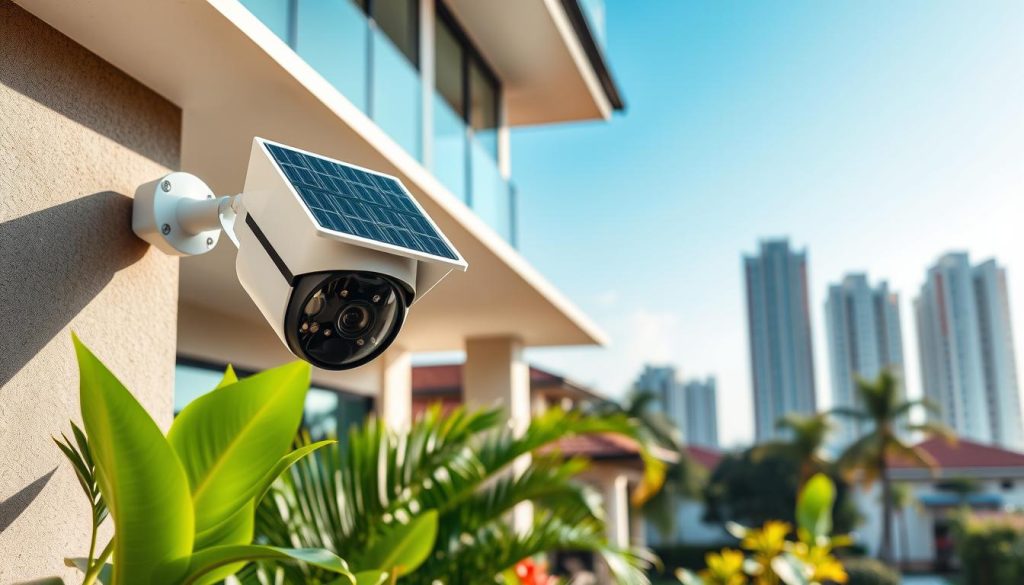
Keeping your home safe just got smarter. Modern wireless surveillance devices offer a cutting-edge solution for property protection in Singapore. This guide provides a comprehensive overview to help you make an informed purchase.
These innovative units are growing in popularity. Their design frees them from traditional power outlets and fixed internet lines. This independence makes them incredibly versatile for various locations.
They are especially relevant for local homes like HDB flats, condominiums, and landed properties. Running wires in these spaces can be challenging or even prohibited. Singapore’s tropical climate also creates unique considerations for devices using the sun’s energy.
Our guide will cover key benefits, essential features, cost factors, and top brands available here. It is designed for property owners seeking reliable, maintenance-free monitoring. We aim to demystify the technology and provide a clear checklist.
Think of this as your first step toward enhanced peace of mind. A well-chosen system is a smart investment in safeguarding what matters most.
Key Takeaways
- This guide explains a modern wireless solution for keeping your Singapore property safe.
- These devices are popular because they don’t need standard power or internet wiring.
- They are a practical choice for HDBs, condos, and landed homes where installation can be difficult.
- Singapore’s weather impacts how well solar-powered equipment performs.
- The article will break down benefits, features, costs, and popular brands for you.
- It is written to help you choose a reliable, low-maintenance surveillance system.
- The final goal is to give you a clear checklist for making a confident purchase.
Why Singapore Homes Need Solar Cellular Security Cameras
In a city where space is limited and connectivity can be spotty, a robust surveillance solution becomes essential. Modern wireless units offer a distinct answer to local property protection needs. They are designed to tackle the specific hurdles faced by residents here.
High-density living creates unique vulnerabilities. Incidents like porch piracy or disturbances in common areas are concerns. A reliable system helps deter such activities and provides evidence if needed.
Overcoming Singapore’s Unique Security Challenges
Many local residences have strict rules about modifications. HDB flats and rented apartments often prohibit drilling or running cables. Historic conservation houses also pose installation difficulties.
Traditional wired setups are not practical in these situations. They require access to electrical outlets and Ethernet ports. This limits where you can place a unit for optimal coverage.
Truly wireless design changes the game. It eliminates the need for permanent wiring altogether. You gain the freedom to install a device almost anywhere on your premises.
The Advantage of Being Truly Wireless
Being free from cords is a major benefit. You don’t have to rely on your home’s Wi-Fi network strength. This is crucial for spots like car parks, garden sheds, or balconies where router signals weaken.
Cellular connectivity ensures constant operation. Even during a home internet outage, your surveillance remains active. It uses a mobile network, similar to your smartphone, for sending alerts and video.
Industry sources note such technology is ideal for remote properties, construction sites, and temporary events where traditional connectivity is unavailable.
This translates well to local scenarios. Think of monitoring a vacation home, a construction project, or a remote storage unit. Community gardens or festival sites can also benefit from this flexible setup.
The solar panel and integrated battery address weather concerns. During monsoon rains or a power outage, the system stays on. This provides uninterrupted security when you need it most.
Remote monitoring from your phone is a key feature. You can check live feeds or review recordings from anywhere. This offers immense peace of mind while you’re at work or traveling.
Without physical cables, the camera is less vulnerable. It’s harder for someone to tamper with or accidentally disconnect. This enhances overall reliability for your property.
For Singaporeans seeking flexible, reliable, and hassle-free protection, these units are a necessity. They match the needs of modern living and local events. The right model delivers performance without complex installation.
How a Solar Cellular Security Camera Works
At its core, the system operates on a continuous loop of energy harvesting, storage, and intelligent data transmission. This elegant process is what makes it a standalone guardian for your property.
You don’t need to be an engineer to appreciate its clever design. It seamlessly blends renewable energy with modern mobile connectivity.
The Power Trio: Solar Panel, Battery, and Camera
Three main components form the heart of the unit. The solar panel acts as the primary energy harvester.
It transforms solar power into electricity throughout the day. This energy is then used to charge a high-capacity, rechargeable battery.
The battery serves as the system’s energy bank. It stores enough power to run the camera day and night.
Advanced models feature smart power management. They adjust recording modes to optimize battery life based on activity levels.
Some brands, like Hikvision, offer integrated kits where these parts work as one. Others have a modular design for flexible placement.
Real-world performance is impressive. Certain units can operate for up to a week without direct sunlight, relying solely on their stored charge.
Staying Connected: The Role of the SIM Card
This is where the “cellular” functionality comes alive. A standard SIM card is inserted into a slot on the device.
Just like your smartphone, it uses this card to connect to local mobile networks. This provides the essential link for all data transmission.
A cellular camera uses a SIM card to connect to 4G LTE or 5G network, sending live video streams and alerts.
This connection is completely independent of your home Wi-Fi. It ensures constant access and monitoring, even if your internet goes down.
The camera captures and compresses video footage. This data is then sent securely over the cellular network.
It travels directly to your phone for live viewing or to a cloud service for recording. This process happens in near real-time.
A key reliability feature is its immunity to grid failures. Since it doesn’t draw power from an outlet, it remains fully operational during blackouts.
The entire system is beautifully self-sustaining. It requires only sunlight for energy and a cellular signal for communication, offering robust security with minimal fuss.
Top Benefits for Singaporean Property Owners
Beyond the technical specifications, the practical benefits are what make this technology a game-changer for homeowners. For residents here, these advantages translate into daily convenience, resilience, and enhanced peace of mind.
Let’s break down the key perks that directly impact your living space and lifestyle.
Installation Freedom for HDBs, Condos, and Landed Properties
The most immediate advantage is complete placement freedom. Since the unit requires no cables for power or data, you can install it virtually anywhere.
Think of your gate, garden wall, or balcony railing. These are all perfect spots. This is ideal for HDB flats with strict rules against drilling and running wires.
Brands like Wyze emphasize the “truly wire-free” design. It means no unsightly cords and no need for an electrician. You save on professional installation costs right from the start.
Hikvision notes that flexible deployment reduces setup time and expense. The system’s self-contained nature allows you to cover blind spots easily. You can scale up by adding more units without complex upgrades.
Reliable Operation During Rainy Seasons and Power Outages
Singapore’s tropical weather demands a resilient system. Frequent thunderstorms and monsoon rains are no longer a worry.
The integrated battery bank ensures continuous operation. It stores enough energy to run through days of limited sunlight.
When a neighborhood blackout hits, your surveillance stays active. It doesn’t rely on the grid, providing uninterrupted protection when it’s needed most.
Weather-resistant builds are standard. They withstand heavy rain and humidity, offering year-round reliability for your property.
Remote Monitoring from Anywhere with Your Phone
This is the feature that delivers true peace of mind. You maintain a constant connection to your home from anywhere.
Through a dedicated smartphone app, you get instant motion detection alerts. You can then tap to view a live feed in seconds.
Remote monitoring from anywhere with a phone provides ultimate convenience and oversight.
It’s perfect for checking on children after school or elderly relatives. You can also oversee domestic helpers or package deliveries in real-time.
A visible unit acts as a strong deterrent against trespassing or vandalism. For landlords or owners of multiple properties, it enables centralized oversight without physical visits.
Your viewing access is tied to your mobile network, not your home Wi-Fi. This guarantees a connection even if your internet router fails.
In summary, the combination of flexible placement, weatherproof resilience, and instant remote monitoring creates an unparalleled security solution. It matches the dynamic needs of the modern Singaporean homeowner.
Key Features to Compare Before You Buy
The difference between a good system and a great one often lies in the details of its energy, imaging, and detection components. This section breaks down the essential specifications you must evaluate.
Understanding these features helps you match a model to your property’s specific needs. It ensures you get the right performance without overspending.
Solar Panel Efficiency and Battery Life
Your unit’s energy independence relies on two parts. The solar panel harvests sunlight, and the battery stores it for continuous use.
Check the panel’s wattage rating. A higher wattage, like Wyze’s 1.8W panel, can generate more power daily. This is crucial during Singapore’s cloudy monsoon periods.
Battery capacity is measured in milliamp-hours (mAh). A larger capacity means longer operation between charges. Some systems can run for a week without direct sun.
Smart power management extends life. It adjusts recording settings based on activity to conserve energy.
Video Resolution and Image Quality
Clarity is vital for identifying details. Resolution standards like 2K (3MP), 4K, and 8MP Ultra HD define this.
Reolink offers 4K 8MP video. This provides exceptional detail for faces or license plates. Wyze’s 2K resolution is also excellent for most residential areas.
Higher resolution requires more data and storage. Balance your need for detail with your plan and usage.
Night Vision Capabilities: Black & White vs. Color
After-dark monitoring is non-negotiable. Traditional infrared (IR) night vision renders scenes in black and white.
Newer technology provides full color imaging at night. Wyze’s Color Night Vision uses a spotlight to illuminate the view.
Hikvision promotes 24/7 color imaging for better identification. Choose based on whether you need simple detection or detailed recognition in low light.
Smart Detection: Person, Vehicle, and Animal Alerts
Basic motion detection triggers for any movement, like leaves or shadows. This leads to false alarms.
Advanced algorithms filter these out. They focus on specific targets like people, cars, or pets.
AcuSense technology accurately distinguishes people and vehicles from other objects, reducing false alarms.
Reolink and other brands offer person/vehicle detection. This sends relevant alerts to your phone. It saves you time and data.
For a farm or landed property, animal detection can be a useful feature.
Viewing Angle and Pan-Tilt-Zoom (PTZ) Functionality
Your device’s field of view (FOV) determines coverage area. A wide-angle lens, like Wyze’s 130° FOV, watches a broad space.
Pan-Tilt-Zoom (PTZ) units offer dynamic viewing. They can rotate horizontally and vertically to track movement.
Hikvision’s varifocal PTZ options allow you to zoom in on distant events. Wyze models include AI person tracking with a 360° pan range.
Fixed lenses are simpler. PTZ design provides flexible access but may cost more.
Beyond these core specs, consider additional features:
- Two-way audio for speaking through the unit.
- Built-in sirens or spotlights for active deterrence.
- Integration with smart home platforms for unified control.
- Local storage via microSD card versus cloud subscription services.
Prioritize based on your scenario. A driveway needs reliable vehicle alerts. A remote shed requires maximum battery performance.
To simplify comparison, create a table. List brands like Hikvision, Reolink, and Wyze. Compare their resolution, night vision type, smart detection support, and viewing angle.
This focused analysis ensures your final choice delivers the protection and connectivity you expect. It turns technical specs into real-world security benefits.
Understanding Connectivity and Data Plans in Singapore
For a truly independent setup, understanding mobile networks and data consumption is just as important as the hardware itself. This section clarifies how your device stays connected and helps you choose the right plan for reliable monitoring.
Your model‘s ability to send live video and alerts depends on these features. A smart choice here ensures smooth performance without surprise costs.
4G LTE vs. 5G: What You Need for Reliable Streaming
These systems transmit data over mobile networks. The two main standards are 4G LTE and the newer 5G.
4G LTE offers excellent nationwide coverage in Singapore. Its speed is more than sufficient for streaming high-definition video reliably. Plans for this network are also widely available and cost-effective.
5G provides faster speeds and lower latency. This is beneficial for near-instant live viewing or if you have multiple high-resolution units. However, its coverage is still expanding beyond core areas.
For most residential protection needs, a strong 4G LTE connection is perfectly adequate. It delivers stable connectivity at a lower monthly cost. Choosing 5G is a future-proof option, but verify coverage at your installation site first.
Choosing a Local SIM Card and Data Plan
The device requires a standard SIM card to access the mobile network. You will need to purchase a local data-only plan from a provider like Singtel, StarHub, or M1.
A cellular camera transmits over a 4G LTE or 5G network using a SIM card and data plan.
Many units have a built-in slot for the card, simplifying setup. Your main options are prepaid or postpaid plans.
Prepaid SIM cards offer flexibility. You top up credit as needed and are not locked into a contract. This is great for testing usage or for temporary monitoring.
Postpaid subscriptions provide convenience. They typically include a larger monthly data allowance and may offer features like rollover data. This suits a permanent, high-use installation.
Before committing, check the network signal strength at the exact spot where you’ll mount the unit. A weak signal can affect performance and increase data usage.
Estimating Your Monthly Data Usage
Managing your data plan effectively keeps monthly costs predictable. Usage depends on several key settings.
Consider the video resolution, frame rate, length of each recording, and number of daily events. Higher resolution and continuous recording consume significantly more data.
As a benchmark, industry estimates suggest standard use typically requires 2GB to 5GB per month. This assumes motion detection is enabled, not 24/7 streaming.
Motion-triggered recording is far more data-efficient. The device only records and transmits video when it senses activity. This can reduce data consumption by over 80% compared to constant recording.
You can further conserve data by adjusting the video quality settings in the app. A slightly lower resolution for live view may be fine, while keeping high quality for recorded clips.
To manage your plan, set up usage alerts with your provider. Also, look for plans that offer rollover data, so unused gigabytes aren’t wasted. This approach gives you reliable connectivity and cost control.
Storage Options: Local SD Card vs. Cloud Subscriptions
Choosing between keeping videos on a physical card or in the cloud involves balancing cost, control, and accessibility. Your decision here affects how you retrieve footage and manage long-term data. It also influences the overall performance and reliability of your monitoring system.
Both methods have distinct advantages for different needs. Understanding them ensures your protection setup works seamlessly for your property.
Pros and Cons of MicroSD Card Storage
Using a microSD card is a popular form of local storage. You insert the card directly into a slot on the unit. Recordings are saved onto this physical media.
The primary benefit is a one-time cost. After purchasing the card, there are no monthly subscription fees. You have full control over your video archives without ongoing payments.
Brands like Reolink support this feature. Many of their 4G units can record continuously without any cloud services. Wyze devices also support cards from 8GB up to a massive 512GB capacity.
However, this option carries risks. The card can be damaged by physical impact or extreme weather. If someone steals the unit, your evidence is gone with it.
You also need to manually manage storage space. When the card is full, older footage gets overwritten. Regular checks are necessary to ensure smooth operation.
Evaluating Cloud Service Features and Costs
Cloud storage operates differently. Your video clips are encrypted and sent over the network to a remote server. You access them through the brand’s app or website.
A key advantage is off-site backup. Even if the device is stolen or damaged, your recordings remain safe online. This provides an extra layer of evidence protection.
These services often include advanced features. For example, they may offer smarter AI for motion detection or longer video history. You can usually view and share clips from anywhere with internet access.
Cloud storage requires a Wyze Service subscription for full functionality, including AI person detection.
The main drawback is the recurring cost. Services like Wyze Cam Plus or Reolink Cloud require monthly or annual subscription plans. Over years, this can add up significantly.
Your connectivity also matters. Uploading to the cloud depends on a stable network signal. During poor connectivity, recordings might fail to save remotely.
For many users, a hybrid approach works best. Use a microSD card for continuous, on-device recording. Then, use a cloud plan to back up critical alert clips. This balances cost with redundancy.
Durability and Weather Resistance for Tropical Climates
Singapore’s humid and rainy environment demands tough hardware. Your equipment must endure constant moisture, heat, and occasional heavy storms. A unit’s build quality determines its long-term performance.
Key features to look for include sealed housings and anti-corrosion coatings. These prevent internal damage from salty air or relentless rain. The solar panel and battery compartments must also be well-protected.
Proper installation is crucial. Ensure all seals are intact and the mounting surface is stable. This prevents water ingress and maintains the unit’s design integrity over time.
IP Ratings Explained: What IP65 and IP67 Mean for You
Ingress Protection (IP) ratings are standardized codes. They tell you how well a device resists dust and water. For outdoor use here, a high IP rating is non-negotiable.
An IP65 rating is common and suitable for most areas. The “6” means it is completely dust-tight. The “5” indicates protection against water jets from any direction.
This level is adequate for typical eaves or wall mounts. The Wyze Solar Cam Pan, for instance, carries an IP65 rating. It handles rain and humidity well.
An IP67 rating offers even greater resilience. The “7” means the unit can survive temporary immersion in water up to 1 meter deep.
Hikvision models with IP67 rating offer sturdy performance despite heavy rain, dust, and corrosive environments.
This is ideal for areas prone to flooding or direct exposure to storms. It’s a wise choice for ground-level installation near gardens or driveways.
Always check the operating temperature range too. A good model should function in both high heat and cooler nights. This ensures year-round viewing and detection.
For lasting protection in Singapore, prioritize units with at least an IP65 rating. Opt for IP67 if your budget allows and the location is harsh. This investment guards your security against the elements.
Installation Tips for Optimal Performance in Singapore
Getting the most out of your wireless guardian hinges on strategic installation from the start. A well-planned setup ensures reliable performance, maximizes energy harvest, and deters tampering.
These practical steps help you avoid common pitfalls. They are tailored for local conditions and property types.
Finding the Perfect Spot for Maximum Sunlight
Your solar panel needs consistent exposure to work efficiently. Aim for at least one hour of direct sunlight per day.
In Singapore, both south-facing and north-facing positions can receive strong light due to our equatorial location. The key is to avoid shading from buildings or large trees.
Use the panel’s cable length to your advantage. Brands like Wyze provide a 10-foot cable. This lets you place the energy harvester in a sunny spot while the main unit stays in the optimal surveillance position.
Mount the panel securely on a roof, wall, or post. Ensure its surface is clean and unobstructed. Regular cleaning prevents dust and bird droppings from reducing power output.
Optimal Mounting Height and Angle for Security
Height and angle are critical for both coverage and deterrence. Industry guidelines recommend a mounting height between 2.5 to 3 meters (8-10 feet).
Mount camera 7-10 feet up, angled 30° down. Avoid pointing at trees and busy roads.
This height makes tampering difficult while still capturing identifiable facial details. Angling the unit slightly downward focuses the view on entry points like doors and walkways.
It also helps reduce false motion triggers from distant activity. Before finalizing the mount, test the view and cellular signal via the app.
This live preview confirms your chosen areas are covered. It also verifies connectivity strength for smooth data transmission.
Securing Your Camera Against Theft and Vandalism
Physical protection is just as important as electronic security. For ground-level locations, consider anti-tamper brackets or security screws.
These special fasteners require unique tools to remove. Some homeowners install the unit within a protective metal cage.
Hikvision notes their brackets easily mount to posts, offering a sturdy design. Always secure any cables and connections with weatherproof conduits or clips.
This prevents wear and tear from wind and rain. For most models, DIY installation is straightforward.
Follow the manufacturer’s step-by-step app instructions. For HDB exteriors, always check with your town council or management corporation rules before drilling.
Adhering to these guidelines prevents compliance issues. A final tip: periodically check all mounts and seals.
This simple habit maintains long-term reliability for your property monitoring needs.
Breaking Down the Total Cost of Ownership
Understanding the full financial picture is crucial before investing in a modern surveillance system. Your budget includes both immediate hardware purchases and regular service fees.
Smart planning prevents unexpected bills. It also ensures you get the right features for your property’s protection.
Upfront Costs: Camera, Solar Panel, and Accessories
The initial investment covers the main gear. Prices vary significantly based on brand and capability.
Premium brands like Hikvision offer integrated professional solutions. Their design and build quality command a higher price point.
Mid-range options from Reolink provide excellent performance. A model like the Go PT Ultra may cost around S$230.
Budget-friendly choices include Wyze. Their Solar Cam Pan starts near S$80, offering great value.
Remember to factor in the energy harvester. Some units have an integrated solar panel. Others require a separate purchase.
Essential accessories add to the total. These include mounting brackets, security screws, and a microSD card for local storage.
Allocating funds for potential add-ons is wise. Consider an extra panel for cloudy periods or a protective housing for harsh areas.
Ongoing Expenses: Data Plans and Optional Subscriptions
Monthly fees are the recurring part of your budget. The primary cost is your mobile data plan.
You need a local SIM card from Singtel, StarHub, or M1. A data-only plan typically costs between S$10 to S$20 monthly.
Cost depends on camera model, cellular data plan, and storage options. Motion-triggered recording is more data-efficient.
Your data usage directly impacts this cost. High-resolution video and continuous recording consume more gigabytes.
Enabling motion detection is a smart saver. It records only during events, slashing data needs by over 80%.
Adjusting settings like resolution and clip length helps manage your plan. This keeps monthly bills predictable.
Optional cloud storage involves a subscription fee. Services like Wyze Cam Plus cost about S$2 per month.
Some advanced features, like AI person detection, may require this paid subscription. Other brands include it for free.
Plan for the long term. The internal battery may need replacement after several years. This is a minor future cost.
Let’s calculate a sample 3-year total for a typical setup in Singapore:
- Upfront (Year 1): Mid-range unit (S$200) + panel & accessories (S$50) = S$250.
- Yearly Ongoing: Data plan (S$15/month = S$180/year) + Cloud service (S$24/year) = S$204.
- 3-Year Total: S$250 + (S$204 x 3) = S$862.
This investment brings significant savings. You eliminate electrical costs entirely. Maintenance is minimal with a robust installation.
When evaluating options, consider warranty periods and customer support availability. These add value beyond the price tag.
Viewing cost in the context of benefits is key. The connectivity and remote monitoring provide immense peace of mind.
For a detailed look at available solar powered cellular solutions, explore our guide on comprehensive solar-powered cellular solutions. It helps match your needs and budget to the right system.
Leading Brands and Models Available in Singapore
Singapore’s retail landscape offers a clear tiered selection of brands for property monitoring systems. From professional-grade kits to user-friendly value picks, understanding each brand’s strengths helps you invest wisely.
Your choice often depends on your budget and specific needs. A landed property owner has different priorities than an HDB resident. We’ll break down the top contenders available locally.
Hikvision: Integrated Solutions for Professional Use
Hikvision is a global leader known for robust, integrated security systems. Their solar powered kits are built for demanding use.
They emphasize high durability with an IP67 rating. This means the unit can withstand heavy rain and harsh environments. It’s a top choice for commercial sites or large landed homes.
A key feature is AcuSense technology. This advanced analytics accurately distinguishes people and vehicles from other objects. It drastically reduces false alarms triggered by leaves or animals.
Their design often includes extended battery life. Some models offer a 7-day backup, ensuring continuous protection. The integrated solar panel and camera work seamlessly as one system.
Hikvision models with IP67 rating offer sturdy performance despite heavy rain, dust, and corrosive environments.
For those needing flexible viewing angles and professional-grade reliability, Hikvision is a premier option. Their support network in Singapore is also well-established.
Reolink: Feature-Rich Cameras for Prosumers
Reolink strikes a balance between advanced features and user-friendly design. It’s a favorite among tech-savvy homeowners, or “prosumers.”
Models like the Go PT Ultra deliver impressive performance. It offers 4K 8MP video clarity over a 4G LTE network. Color night vision provides detailed identification after dark.
Another popular model is the Go Ranger PT. It provides a 360º panoramic view for complete area coverage. Smart tracking automatically follows movement within its range.
Their strengths include comprehensive smart detection for people and vehicles. Flexible energy options allow for various solar panel setups. This brand is ideal for those who want high-end specs without a professional installation.
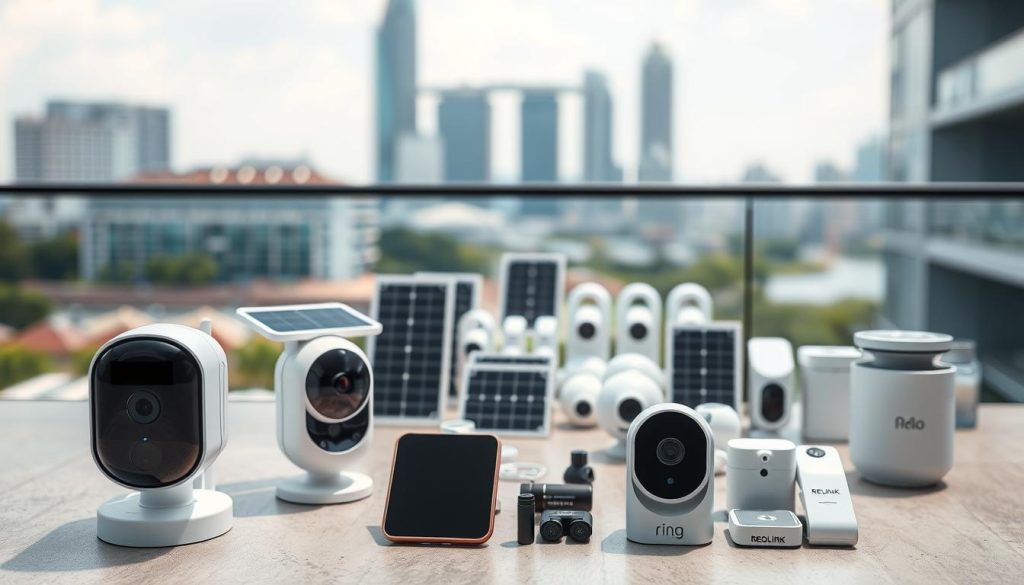
Reolink units often support both local storage via microSD card and cloud subscription services. This gives users control over their data and access.
Wyze and Others: Affordable Entry-Level Options
For budget-conscious buyers, Wyze offers exceptional value. The Wyze Solar Cam Pan is a standout entry-level option.
It provides 2K resolution, full pan-and-tilt viewing, and AI person tracking. All this comes at a very accessible price point. Its IP65 rating is suitable for most residential areas in our climate.
A minor limitation is the initial setup, which requires a brief Wi-Fi connection. After configuration, it operates independently on a cellular data plan. For HDB flats or small condos, it’s a compelling choice.
Other brands like Arlo, Eufy, and Blink are also available. They typically position themselves in the mid-range, offering good features with varying subscription models for cloud services.
Choosing the Right Brand for You
Compare these leaders on key parameters to guide your decision:
- Price: Wyze is most affordable, Reolink offers mid-range value, Hikvision is a premium investment.
- Video Quality: Reolink leads with 4K, followed by Wyze’s 2K. Hikvision offers high-quality imaging tailored for professional monitoring.
- Detection Accuracy: Hikvision’s AcuSense is top-tier. Reolink and Wyze both offer reliable person/vehicle detection.
- Durability: Hikvision’s IP67 is best for harsh spots. Reolink and Wyze (IP65) are fine for typical eaves or walls.
- Local Support: Hikvision and Reolink have strong distributor networks. Wyze support is primarily online.
User Profile Guidance:
- Choose Hikvision for large landed properties, businesses, or sites needing maximum resilience.
- Select Reolink for tech-savvy homeowners wanting high-resolution video and smart tracking on a sensible budget.
- Opt for Wyze for HDB dwellers, rental properties, or anyone seeking core features at the lowest cost.
You can purchase these brands from official distributors, electronics stores, or online platforms like Lazada and Shopee. Always verify the seller is authorized.
Before finalizing your purchase, check for a valid local warranty and accessible customer service channels. This ensures long-term peace of mind and support for your protection system.
Making Your Final Decision: A Step-by-Step Checklist
The last step is not spending money, but confirming that every requirement aligns with a specific solution. A methodical approach prevents buyer’s remorse and ensures your system delivers reliable protection.
This checklist guides you through a logical sequence. It turns abstract needs into concrete purchase criteria.
Assessing Your Specific Property and Security Needs
Begin by conducting a thorough audit of your premises. Walk around and identify all vulnerable points.
Note main entryways, ground-floor windows, and secluded areas. Consider blind spots like side gates or rear alleys. This defines the coverage your model must provide.
Next, evaluate sunlight for the energy harvester. Singapore’s sun path is high, but obstructions matter. Use a compass app to find south or north-facing walls with several hours of direct light.
Signal strength is critical for connectivity. Take your smartphone to each potential mount point. Check the network bars displayed by your preferred telco.
A weak signal here means poor video streaming. It might require a signal booster or a different location.
Finally, list your non-negotiable features. Do you need clear identification after dark? Prioritize color night vision.
Is reducing false alarms important? Smart detection for people only is a must. Your lifestyle dictates these priorities.
Matching Features to Your Budget and Priorities
With your needs clear, establish a financial framework. Account for the unit, any extra panels, and mounting gear.
Then, project monthly costs. Factor in a data-only plan and any optional cloud subscription. This total cost of ownership keeps your budget realistic.
Now, research options that fit. Shortlist two or three models from reputable brands. Compare their performance on your key criteria.
Verify local availability and warranty terms. Purchase from an authorized seller to ensure support. This safeguards your investment.
Plan the setup process. Will you install it yourself? Check your housing rules for external mounts. Gather the right tools for a secure installation.
Select your mobile data plan. Choose a provider with strong coverage in your areas. A prepaid SIM card is great for testing usage before committing.
The final action is purchase and validation. Set up the system according to the manual. Test its view, detection alerts, and energy charging over a few days.
This proactive testing confirms everything works in your actual environment. It delivers the peace of mind you sought from the start.
Your Next Steps to Enhanced Home Security
Armed with the knowledge from this guide, you’re now ready to select the perfect wireless guardian for your home. These systems offer a versatile and reliable solution for modern property protection in Singapore.
Revisit your checklist and begin research with the brands discussed. Visit official websites to see current promotions and detailed specifications. Joining local homeowner forums can provide valuable real-user feedback.
Investing in a quality system enhances both convenience and peace of mind. Consider starting with a single unit to test the technology before expanding. Remember, proper setup and regular maintenance, like cleaning the panel, ensure optimal long-term performance.
You are well-equipped to make a smart purchase that fits your unique needs. Share this guide with others who might benefit. For a detailed look at available options, explore our guide on solar-powered cellular security cameras.
With the right choice, you can enjoy a safer, more secure living environment.