
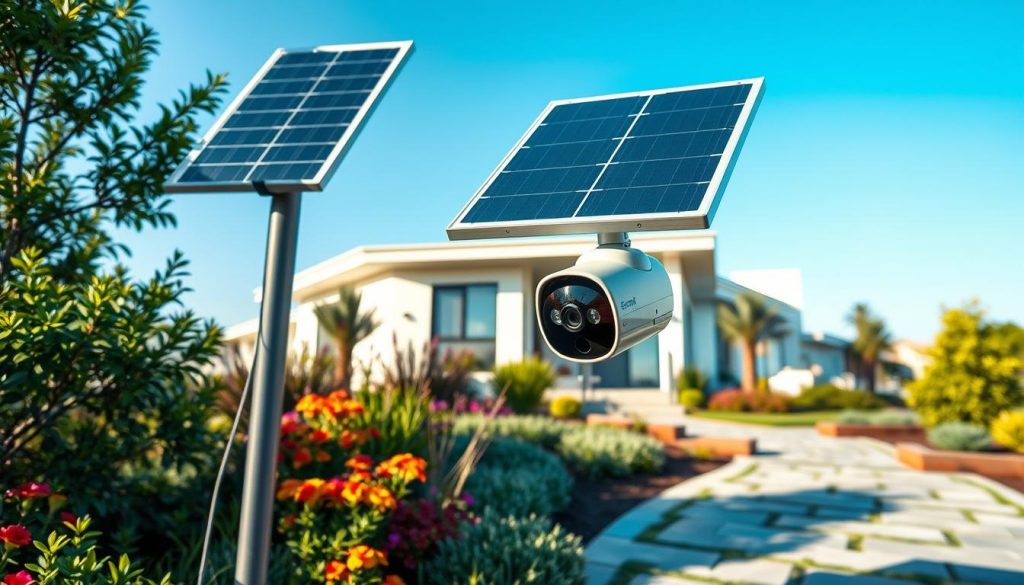
Keeping your property safe is a top priority for every homeowner. Today’s technology offers smart solutions that are both effective and convenient. This guide explores a modern approach to home protection that harnesses free, renewable energy.
We created this detailed review to help you navigate the market. It cuts through the noise to give you clear, actionable information. You will learn how these innovative products work and why they are a game-changer.
The article covers everything from core benefits to specific model reviews. We focus on what matters for residents in Singapore. This includes handling the local climate and ensuring strong network connectivity.
Our goal is to empower you with knowledge. By the end, you’ll have a solid understanding of features, price, and performance. This will help you choose a system that perfectly fits your needs.
Key Takeaways
- This guide explains the core technology behind modern, energy-independent surveillance systems.
- Discover the significant advantages, including lower running costs and reliable operation during blackouts.
- Learn the critical features to compare, such as video resolution, night vision quality, and data storage options.
- Get curated recommendations for the top-performing models available in 2024.
- Find practical advice for setup and installation tailored to Singapore’s urban environment.
- Use our final checklist to make a confident and informed purchase decision.
What Are Wireless Outdoor Solar Security Cameras?
Imagine a vigilant sentinel for your property that powers itself with sunlight. This is the promise of modern, energy-independent monitoring systems. They are all-in-one units built for autonomy.
Each product combines a high-definition lens, a rechargeable battery, and a power-generating panel. This eliminates the need for complicated electrical work. You get a truly free-standing installation.
These devices link to your home Wi-Fi network. This connection sends live footage, recordings, and instant alerts straight to your phone. You can check on your place from anywhere, at any time.
Inside the weatherproof housing, you’ll find several key parts. A sharp image sensor captures clear video. Infrared or color LEDs provide sight after dark.
A sensitive motion detector triggers recordings. A speaker and microphone allow for two-way talk. Everything is sealed to withstand rain and heat.
The attached panel is the heart of the system. Made with efficient materials, it turns daylight into electricity. Some models need just an hour of direct sun to run non-stop.
For saving your clips, you have choices. A slot for a local memory card is common. Many brands also offer cloud storage plans for longer video history.
This design opens up new spots for placement. Think of garden sheds, perimeter gates, or remote corners of the yard. If the sun reaches it, you can probably mount a unit there.
Modern versions play nice with your other smart home gadgets. They can work with voice assistants like Alexa or Google. You can even create automated routines for lights or alerts.
Remember, “wireless” here means two things. First, no power cords. Second, data travels over your Wi-Fi. Some advanced models even have cellular backup for extra reliability.
In short, this technology offers a complete, self-sustaining protection system. It’s built for convenience, long-term savings, and peace of mind.
Why Solar Power is a Game-Changer for Outdoor Security
Forget about tangled cables and rising electricity bills. The future of property surveillance is here. This technology represents a fundamental shift in how monitoring systems are powered and deployed.
It combines environmental consciousness with practical user benefits. The result is a solution that is not only smart but also remarkably resilient and convenient.
Eco-Friendly and Cost-Effective Operation
Choosing this technology means making a sustainable choice. It taps into a clean, renewable resource available every day. This significantly cuts down the carbon footprint of continuous electrical use.
The direct cost savings are just as compelling. Harnessing free energy from the sun eliminates ongoing costs on your utility bill. Your total cost of ownership drops, making it a financially savvy long-term investment.
“After switching, I noticed a small but welcome decrease in my monthly energy use. It’s a setup that pays for itself over time.”
This efficient operation is perfect for today’s eco-aware homeowner. It’s a practical step towards a greener household without sacrificing protection.
Elimination of Wiring Hassles
Traditional setups often require professional help. You might need to drill through walls or manage ugly cords. This new approach removes all those complications.
Installation becomes a straightforward DIY project for most people. You simply mount the unit and connect it to your app. There’s no need to hire an electrician or run new lines.
This wire-free design offers unparalleled placement freedom. You are no longer limited to spots near an outdoor outlet.
- Mount on a garden fence for full yard coverage.
- Place it on a detached shed or garage.
- Secure a remote gate or driveway entrance.
- Position it for the best sun exposure and viewing angle.
You get to choose the optimal location for surveillance, not just the most convenient one for power.
Reliability in Power-Outage Scenarios
When the grid fails, many plug-in products go blind. This is a critical weakness in a protection system. Energy-independent models solve this problem completely.
They operate on a built-in battery charged by their attached panel. A grid failure doesn’t interrupt their watch. Your property remains monitored even during blackouts.
Modern batteries are impressively capable. For example, a 6400mAh Li-ion cell can provide months of standalone power. Advanced charging tech keeps it topped up with minimal daily light.
Just one hour of direct sun can often sustain continuous operation. This ensures reliability during Singapore’s occasional cloudy or rainy periods. It’s also ideal for remote locations like vacation homes or worksites.
The game-changing aspect is this powerful combination. You get convenience, sustainability, and unwavering resilience in one complete package.
Key Features to Evaluate in Solar Security Cameras
To make a smart purchase, you need to understand the core specifications that define performance. This section breaks down the most important aspects to check on any product page.
Focusing on these details will help you find a model that matches your specific protection needs.
Video Resolution and Image Quality
Clarity is everything when you need to identify a face or a license plate. Higher megapixels mean more detail.
Common resolutions range from 3MP (2K) to 8MP (4K). An 8MP sensor captures incredibly sharp footage. This makes it useful for gathering clear evidence.
Look beyond the megapixel count. Technologies like Wide Dynamic Range (WDR) balance bright and dark areas in a scene. A good frame rate ensures smooth video, not choppy playback.
These factors together determine the overall quality of your view.
Night Vision: IR vs. Color Night Vision
Reliable monitoring doesn’t stop at sunset. You have two main options for low-light conditions.
Traditional Infrared (IR) vision uses invisible LEDs to create a black-and-white image. It’s effective and doesn’t need extra power.
Full-color night vision is a game-changer. It uses a built-in spotlight or advanced sensors to deliver detailed color footage in the dark. This can provide crucial details like clothing color.
When comparing, check if the product offers IR, color, or both.
Battery Life and Solar Charging Efficiency
The freedom from cords depends on a strong battery and a good panel. Capacity is measured in mAh, like 6400mAh.
A larger battery can provide months of operation on a single charge. The attached panel’s job is to keep it topped up.
Efficient models can recharge with just a few hours of direct sunlight. This is vital for consistent operation, especially during Singapore’s cloudy seasons.
Always check the estimated battery life and charging specs.
Weather Resistance and IP Ratings
Your device will live outside. It must handle sun, rain, and dust. The IP (Ingress Protection) rating tells you how well it’s sealed.
An IP65 rating means it’s dust-tight and protected against water jets. An IP66 rating offers even stronger protection against powerful water jets.
For the tropical climate, a rating of IP65 or higher is recommended. This ensures your investment lasts through the seasons.
Storage Options: Local vs. Cloud Storage
You need a place to save your recordings. Most units offer two paths.
Local storage uses a microSD card inserted into the device. It keeps your data on-premises with no monthly fee. Cards can typically hold up to 128GB or 512GB.
Cloud storage uploads clips to a remote server. It often includes advanced features like AI person detection. This option usually requires a subscription plan.
Many users prefer a hybrid approach for flexibility.
Smart Detection and Alert Systems
Getting an alert for every moving leaf is frustrating. Modern systems use AI to analyze the scene.
Smart detection can distinguish between people, vehicles, and pets. This drastically cuts down false alarms. You only get notified for events that matter.
Additional features enhance this capability. Two-way audio lets you speak through the app. A built-in siren or spotlight can scare off intruders.
Pan and tilt functionality allows the lens to follow motion, eliminating blind spots.
Finally, don’t overlook connectivity. A model with dual-band Wi-Fi (2.4GHz and 5GHz) often provides a more reliable and faster connection than 2.4GHz-only products. This ensures smooth live streaming to your phone.
Use this framework to compare any model. Prioritize the features that matter most for your property.
Top Picks: Best Solar Security Cameras Wireless Outdoor for 2024
Navigating the crowded market of self-powered monitoring devices can feel overwhelming. We’ve done the heavy lifting for you.
Our curated selection for 2024 highlights models that excel in performance, reliability, and value. This list is based on extensive research and real-world testing.
We feature products across different price points. You’ll find budget-friendly choices and premium models with cutting-edge tech. There’s a recommendation for every homeowner’s budget and requirement.
Each top pick is summarized with its standout attributes. Look for exceptional video clarity, innovative charging efficiency, or advanced AI tracking.
Wyze Solar Cam Pan: The Smart All-Rounder
This unit is a leading contender for its unbeatable price-to-performance ratio. It delivers sharp 2K resolution video and a full 360° pan-and-tilt view.
The integrated AI person tracking is a game-changer. It follows motion automatically, eliminating blind spots. Its highly efficient attached panel ensures consistent power.
User reviews consistently praise its easy setup and reliable app experience. For a competitive price, you get a remarkably full-featured system.
Aosu Solar-Powered Models: High-Performance Vision
Aosu represents the high-performance tier. Their devices are noted for stunning 4K resolution and dual-lens technology.
This enables comprehensive 360° coverage without any mechanical moving parts. Full-color night vision provides crucial details after dark.
“The clarity is day and night, literally. Seeing color in my recordings makes all the difference for identification,” notes a satisfied customer.
With current promotions, these advanced models start from $169.99. This offers significant savings for a premium protection solution.
Other Notable Contenders
Several other brands deserve mention for unique strengths. Some offer extreme battery life, lasting many months on a single charge.
Others provide specialized mounting options for tricky locations. Exceptional integration with popular smart home ecosystems is another key feature found in select models.
When evaluating, consider what matters most for your specific property.
Critical Considerations for Singapore
Our list prioritizes factors vital for local users. Every recommended model boasts robust weatherproofing (IP65 or higher) for high humidity and frequent rainfall.
We also considered connectivity. Units with strong, dual-band Wi-Fi performance fare better in dense urban networks. This ensures smooth live streaming to your phone without dropouts.
This shortlist simplifies your decision-making process. You can quickly identify a few models worthy of a closer look. Check detailed reviews and current pricing to proceed with confidence.
In-Depth Review: Wyze Solar Cam Pan
The Wyze Solar Cam Pan earns its spot on many shortlists for good reason. It delivers a powerful combination of smart features at a very competitive price. This review breaks down its specs, real-world performance, and ease of use.
We’ll look at what makes this model, the WYZESCPWH, a compelling choice for your home. You’ll see its strengths and learn about a few limitations to consider.
Specifications and Design Overview
This unit is built for durability and continuous operation. Its body is made of tough polycarbonate and carries an IP65 rating. This means it’s dust-tight and can handle heavy rain, perfect for Singapore’s climate.
Key technical specs provide a solid foundation:
- Resolution: 2K video quality (3MP sensor) for clear details.
- Field of View: A 130-degree diagonal angle.
- Night Vision: Offers both infrared and color night vision with a built-in spotlight.
- Pan and Tilt: Full 360° horizontal and 70° vertical movement.
- Battery: A large, built-in 6400mAh lithium-ion cell.
- Operating Range: Functions from -4°F to 122°F (-20°C to 50°C).
The design is compact and clean. The white housing contains the lens, microphone, and status light. The attached solar panel is a key part of its self-sustaining design.
Performance: Pan-Tilt, Tracking, and Video Quality
This is where the camera truly shines. The mechanical pan tilt base is smooth and quiet. You can control it manually from the app to scan your entire property.
Even better is the AI-powered person tracking. When the system detects a person, it can automatically follow their movement. This eliminates blind spots and keeps the subject in the view.
Daytime video is crisp and detailed. The 2K resolution is sufficient to identify faces or read license plates from a reasonable distance.
After dark, you have options. Standard IR mode gives a clear black-and-white image. Activating the color night vision uses the spotlight to provide full-color footage, adding valuable details.
Solar Charging and Battery Performance
The power autonomy is a major selling point. The integrated 1.8W solar panel is highly efficient. With just about one hour of direct sunlight per day, it can maintain the battery charge indefinitely.
This means true freedom from cords for most setups. The large 6400mAh battery provides a strong safety net. On a full charge, it can reportedly run for up to six months without any sun.
An initial cable charge is required, taking 4-6 hours. After that, the panel takes over. This reliability is crucial during Singapore’s cloudy seasons or for placements with partial sun.
App Experience and Setup Process
Everything is managed through the well-designed Wyze app. It provides live viewing, playback, and alert customization. You can set up activity zones and adjust motion sensitivity.
The installation is very user-friendly. Bluetooth pairing guides you through the steps. You’ll connect the camera to your 2.4 GHz Wi-Fi network—note, it does not support 5GHz.
For optimal performance, mount the unit 7-10 feet high, angled slightly downward. The panel can be attached directly or placed separately for better sun exposure.
Storage options are flexible. You can use a microSD card (up to 512GB) for local recording. For advanced features like AI person detection and cloud clip history, a Wyze Cam Plus subscription is needed.
For a robust setup, consider pairing it with a dedicated Wi-Fi outdoor security camera system to ensure strong network connectivity.
In summary, the Wyze Solar Cam Pan offers exceptional value. Its intelligent tracking and reliable self-charging are standout features. Just be aware of the 2.4GHz Wi-Fi limit and the subscription for full smart detection.
In-Depth Review: Aosu Solar-Powered Security Cameras
When detail and a complete panoramic view are non-negotiable, Aosu’s dual-lens technology demands a closer look. This brand targets users who want top-tier image quality and expansive coverage without mandatory monthly fees.
Our review examines their high-resolution product lineup. We focus on how its unique design delivers reliable property monitoring.
Model Range and Key Features
Aosu typically offers single units and multi-pack bundles. These bundles often come with substantial promotional discounts, making the premium tech more accessible.
A current model has a sale price from $169.99, down from a regular price near $320. This represents significant value for the included features.
The standout specification is true 4K Ultra HD resolution. This captures exceptional detail, far surpassing standard high-definition video. It’s ideal for identifying specific features or license plates.
Full color night vision is another key advantage. Instead of a grainy black-and-white image, you see clear, detailed color footage after dark. This can be critical for gathering useful information.
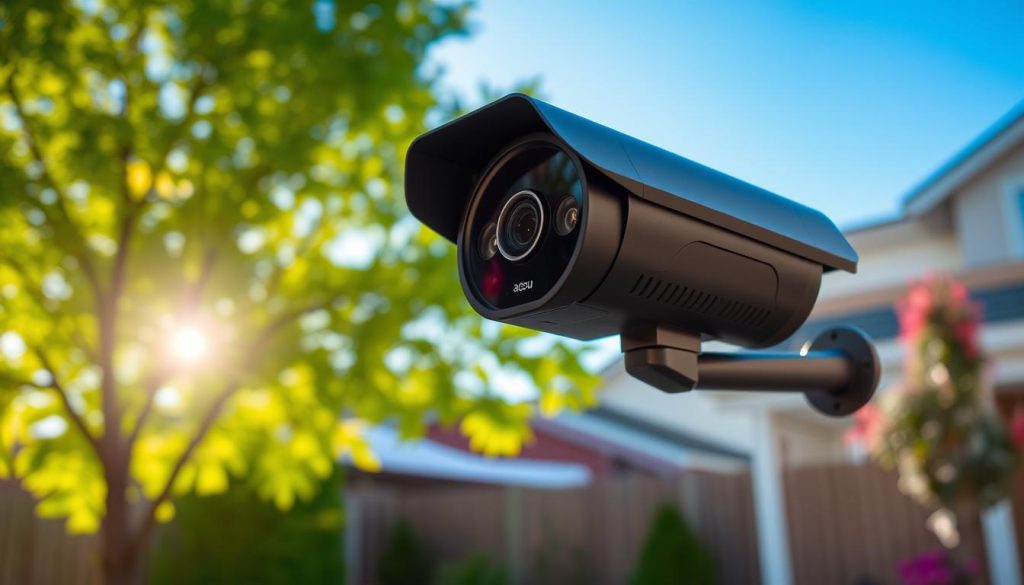
Advanced AI detection intelligently distinguishes between people, vehicles, and even faces. This smart filtering drastically reduces false alerts from passing animals or swaying trees.
A major selling point is the storage model. There are no required monthly subscriptions. You can record footage locally onto a microSD card or to a home Network Attached Storage (NAS) system.
Built for durability, these units carry high IP ratings for weather resistance. This ensures reliable operation in various conditions, a must for consistent protection.
360° Coverage and Dual-Lens Technology
This is where Aosu’s design truly innovates. Instead of a single moving lens, the system uses two fixed lenses positioned side-by-side.
These lenses work together to capture a wide area. Their feeds are digitally stitched into one seamless, immersive panorama. You get a complete view of the surroundings without any mechanical movement.
The benefit is a static but comprehensive field of view. It eliminates blind spots around the mounting point instantly. There’s no waiting for a lens to pan to the action.
This dual-lens approach differs from mechanical pan tilt units. It offers wider inherent coverage with no moving parts to wear out or make noise. It’s a simpler, more robust solution for constant monitoring.
Integration with Smart Home Systems
Convenience is enhanced through robust smart home compatibility. Aosu devices work officially with both Google Assistant and Amazon Alexa.
This allows for handy voice commands. You can ask to see a live feed on a smart display. You can also arm or disarm the system with your voice.
“Having the feed pop up on my kitchen display with a voice command is incredibly convenient. It integrates perfectly into my daily routine,” notes a customer.
The dedicated Aosu app serves as the command center. From here, you access live streams, review recorded clips, and customize alert zones. You manage all installation settings and power modes here.
For optimal connectivity, ensure your Wi-Fi network is strong at the camera‘s location. A stable connection is key for smooth remote viewing and instant notification delivery.
In summary, Aosu presents a strong option for those prioritizing image clarity, complete coverage, and freedom from ongoing costs. Its technology-focused approach delivers a high-performance monitoring solution.
Comparing Leading Brands: Wyze, Aosu, and Others
Beyond individual reviews, seeing how leading products stack up against each other provides clarity. This head-to-head analysis focuses on Wyze, Aosu, and other notable names.
We break down specs, value, and real-world feedback. Our goal is to give you a data-driven foundation for your final choice.
Feature Comparison Table
This table puts key specifications side-by-side for easy visual analysis. It covers the major contenders in the self-powered monitoring space.
| Brand / Model | Video Resolution | Night Vision Type | Field of View / Coverage | Power & Battery | Storage Options | Smart Features | IP Rating | Price (Approx.) | Special Notes |
|---|---|---|---|---|---|---|---|---|---|
| Wyze Solar Cam Pan | 2K (3MP) | IR & Color | 130° + 360° Pan-Tilt | 6400mAh, 1.8W Panel | microSD, Cloud (subscription) | AI Person Tracking, 2-Way Audio | IP65 | $79.98 | Excellent budget tracking; 2.4GHz Wi-Fi only. |
| Aosu Dual-Lens | 4K (8MP) | Full Color | Dual-Lens 360° Panorama | Large Battery, Efficient Panel | microSD, NAS (No sub. required) | AI Person/Vehicle Detection | IP66 | From $169.99 (sale) | Top-tier detail, no mandatory fees. |
| Reolink Argus 3 Pro | 2K | Color | 122° Fixed | 6200mAh, 5W Panel | microSD, Cloud (optional) | Person/Vehicle Alerts | IP65 | $129.99 | Strong panel for low-light areas. |
| Eufy SoloCam S340 | Dual 3K + 2K | Color | Dual-Lens 360° | Built-in, 6W Panel | Local (No cloud sub.) | AI Tracking, BionicMind | IP67 | $249.99 | Premium local AI, high weatherproofing. |
| Blink Outdoor (with add-on panel) | 1080p | IR | 110° Fixed | AA Lithium, Solar Panel Sold Separately | Cloud Subscription Required | Basic Motion Detection | IP65 | $89.99 (starter kit) | Simple ecosystem; ongoing cost for cloud. |
Price vs. Value Analysis
The sticker price is just the beginning. True value is measured by the features and performance you get for your money.
Wyze dominates the budget-to-mid-range category. For under $80, you get mechanical pan tilt, AI tracking, and reliable charging. The compromise is resolution (2K vs. 4K).
It’s an outstanding option if dynamic tracking and affordability are your top priorities.
Aosu represents a premium investment. Its value lies in superior 4K detail and a complete 360° view without mandatory subscriptions. The sale price from $169.99 offers significant savings.
You pay more for top-tier image quality and a robust, fee-free storage model.
Other brands fill specific niches. Reolink often offers powerful solar panels for challenging placements. Eufy focuses on advanced local AI and privacy.
Blink provides a simple entry point but adds ongoing cloud costs. For a robust solar-powered outdoor monitoring solution, consider the overall ecosystem cost.
User Reviews and Reliability
Long-term satisfaction depends on real-world performance and support. We synthesized feedback from major retail platforms and forums.
Common Praises:
- Wyze: “Easy setup,” “great app experience,” “tracking works well.”
- Aosu: “Unbelievably clear video,” “no monthly fees is a win,” “wide view covers everything.”
- Many brands receive compliments for good customer support responsiveness.
Frequent Complaints:
- Connectivity drops with weaker Wi-Fi signals.
- Occasional app bugs or delayed notifications.
- For some, the initial installation requires patience to find the perfect sun angle.
Reliability also hinges on brand reputation. Look for consistent firmware updates and solid warranty periods. Products with high IP ratings (IP65+) prove durable in Singapore’s climate.
The ecosystem matters. A polished app and accessory compatibility enhance daily use. Subscription models affect long-term cost, while local storage offers more control.
Final Recommendations:
- Choose Wyze for affordability, dynamic tracking, and a user-friendly experience.
- Select Aosu for superior image detail, expansive coverage, and no subscription requirements.
- Consider Reolink or Eufy for specific needs like maximum charging power or advanced local AI detection.
Let this comparison guide you to the product that best matches your property’s protection needs and budget.
Installation and Setup Made Easy
A successful setup begins with smart planning before you even pick up a screwdriver. Getting it right maximizes your product‘s performance and ensures years of reliable service. This guide breaks down the process into simple, actionable steps.
We’ll cover everything from finding the perfect spot for your panel to connecting it to your home network. Follow these instructions to achieve a professional-grade installation yourself.
Choosing the Optimal Location for Solar Panels
The first critical decision is where to place the energy-gathering panel. Its position directly impacts your system‘s ability to stay powered. You want to capture as much direct sunlight as possible.
In Singapore, a north-facing location is the least ideal. East or west-facing surfaces are excellent choices. They receive several hours of strong morning or afternoon sun.
Avoid any shading from trees, roof overhangs, or other structures throughout the day. Even partial shade can significantly reduce charging efficiency. Many models allow you to mount the panel separately from the main unit.
This is done using the provided extended cable, often up to 10 feet long. It lets you position the camera for the best view while placing the panel in the sunniest spot available.
Step-by-Step Mounting and Configuration
Once you’ve chosen your location, gather your tools. You’ll typically need a ladder and a Philips-head screwdriver. Most kits include a drilling guide, bracket, screws, and wall anchors.
Start by securing the mounting bracket. Use the guide to mark your drill holes. For different wall materials like brick or concrete, use the included anchors for a solid hold. Ensure the bracket is level.
Now, attach the main unit to the bracket. Follow the best practices for camera placement:
- Mount it 7 to 10 feet high.
- Angle it approximately 30 degrees downward.
- Cover key entry points like doors or gates.
- Avoid pointing it directly at sources of false motion alerts, like busy streets.
Next, move to the configuration via the manufacturer’s app. Create an account if you don’t have one. Your device will need an initial full charge via the provided cable before its first use.
The app will guide you through Bluetooth pairing. This connects your phone to the camera for setup. Finally, you’ll join your home Wi-Fi network. Most models require a 2.4 GHz network for initial connectivity.
Wi-Fi Connectivity and Network Tips
A strong and stable Wi-Fi signal is paramount for smooth operation. Weak connectivity leads to choppy live streams and delayed alerts. Here are key tips to ensure a reliable link.
First, prefer the 2.4GHz band for better range through walls, even if your camera supports 5GHz. If the signal at your chosen location is weak, consider using a Wi-Fi extender. This device boosts your network’s reach to cover dead zones.
Minimize interference from other electronics. Keep your router and the monitoring unit away from large metal objects, microwaves, or baby monitors. These can disrupt the wireless signal.
Troubleshooting Common Issues:
- If the device fails to connect, check the status light. A solid blue often means connected, while flashing red usually indicates setup mode.
- Ensure you entered the correct Wi-Fi password during the app setup.
- If problems persist, perform a factory reset using the small button on the device. Then, restart the setup process from the beginning.
Before you permanently seal any cable management, test everything thoroughly. Check the live view from your phone. Walk through the detection zones to test alerts. This is the perfect time to fine-tune the angle and sensitivity settings.
Following these steps demystifies the entire process. You’ll achieve a robust and dependable installation that provides peace of mind.
Maximizing Performance and Maintenance Tips
Getting the most from your investment requires a blend of smart habits and simple upkeep. A well-maintained unit operates reliably for years, providing consistent peace of mind. This section covers essential practices to keep your system at its best.
We’ll focus on three core areas: energy harvesting, battery health, and quick problem-solving. Following these guidelines ensures your property’s protection never falters.
Ensuring Consistent Solar Charging
Your device’s energy independence hinges on its solar panel. Performance can vary based on mounting spot, season, and activity levels. A clean, well-positioned panel is key for steady power.
Dust, pollen, and bird droppings block sunlight. Clean the surface every few months with a soft, damp cloth. This simple task boosts energy conversion significantly.
Monitor the battery level through your app. During Singapore’s monsoon season, be ready to use a cable charge. A few cloudy days can drain the cell if the panel isn’t gathering enough light.
Adjust the panel’s angle if possible. The sun’s path changes throughout the year. Tilting it to capture more direct rays maximizes daily charging hours.
Note that charging may pause in freezing temperatures. This is rarely a concern locally. For consistent operation, always verify your panel faces an unobstructed light source.
Battery Care for Longevity
The built-in battery is the heart of your cord-free setup. Treat it well for a long service life. Modern lithium-ion cells prefer partial cycles over deep discharges.
Built-in management systems usually handle this. Try to keep charge between 20% and 80% when you can. Avoid letting it hit 0% frequently.
Extreme heat can accelerate wear. While your product is rated for high temperatures, prolonged exposure may degrade capacity. Mounting in a spot with some afternoon shade can help.
If you need to store the camera for an extended time, charge it to about 50-60%. Store it in a cool, dry place. This minimizes capacity loss while it’s not in use.
Troubleshooting Common Issues
Even the best gear can have hiccups. Knowing how to diagnose problems saves time and frustration. Start by checking the status lights on the device.
A solid blue often means normal operation. Flashing red usually indicates setup mode or an error. Refer to your manual for specific light codes.
Offline Camera: First, check the power source. Is the solar panel clean and aligned? Next, verify your Wi-Fi connectivity. Restart your router and the unit itself.
Poor Night Vision: Clean the lens with a microfiber cloth. Ensure the area isn’t completely pitch black. For models with color night vision, check that the spotlight is enabled in the app.
False Motion Alerts: Tweak the sensitivity settings and activity zones. Most apps let you draw areas to ignore. This stops alerts from busy streets or swaying plants.
Failed Recordings: Inspect your storage card. A corrupted card can cause issues. Try reformatting it or using a new one. For cloud options, ensure your subscription is active.
Connectivity Drops: Weak Wi-Fi signal is a common culprit. Move your router closer or add a mesh node. Ensure the unit isn’t placed too far from the signal source.
Finally, perform regular firmware updates via the app. These updates provide the latest security patches and feature improvements. They are crucial for long-term, reliable performance.
Important Considerations for Singapore Homeowners
Your new monitoring device must thrive in our tropical environment and dense urban landscape. Choosing the right features is just the start. You also need to think about local weather, laws, and your home network.
This section highlights the unique factors for residents here. We’ll cover how to ensure your system is compliant, resilient, and always connected. It’s the final layer of planning for long-term peace of mind.
Weather Adaptability for Tropical Climate
Singapore’s climate is a true test for any electronics. Constant high humidity, intense sun, and sudden downpours are the norm. Your camera needs built-in toughness to handle this year-round.
A high IP rating is non-negotiable. Look for IP65 or IP66. This seals the unit against dust and powerful water jets. It’s your first line of protection against moisture damage.
Lens fogging is a common issue in humid air. Some models have special defogging designs or software. This feature keeps your view clear during the hottest, most humid hours of the day.
The attached solar panel generally performs well with our ample sunlight. However, the rainy season can bring days of limited sun. A unit with a larger battery buffer is a smart choice.
Be prepared to give it a supplemental cable charge during extended cloudy periods. This simple step ensures your system never loses power when you need it most.
Local Regulations and Privacy Laws
Your right to monitor your property comes with responsibility. Singapore’s Personal Data Protection Act (PDPA) governs how personal data is collected and used. This includes footage from your security cameras.
The key rule is to point your lens only at your own property. Avoid recording public walkways, roads, or your neighbor’s home without consent. Doing so could lead to legal complications.
It’s good practice to inform people who are regularly on your property. Tell your domestic helper or frequent visitors about the recording. This transparency builds trust and keeps you compliant.
“Positioning is everything. A slight angle adjustment can ensure full coverage of my porch without capturing the public corridor,” advises a local customer.
Review your app‘s settings for motion detection zones. You can often draw areas to ignore. This prevents recording activity beyond your boundaries, aligning with privacy needs.
Wi-Fi Network Compatibility in Urban Areas
Strong connectivity is the lifeline of your smart protection system. In dense HDB estates or condos, many Wi-Fi networks compete for space. This can cause interference and signal drops.
Choosing a model with dual-band Wi-Fi (2.4GHz and 5GHz) offers flexibility. The 5GHz band is often less crowded and provides faster speeds. Its range is shorter, but it’s excellent for reducing interference in packed areas.
Our building materials pose another challenge. Thick concrete walls can severely block Wi-Fi signals. Consider your camera‘s placement carefully during installation.
- If the signal is weak, a Wi-Fi extender can boost coverage.
- For whole-home coverage, a mesh Wi-Fi system is a worthwhile investment.
- Powerline adapters, which use your electrical wiring, are another solid option for stable connectivity.
Finally, consider the brand’s local support. Purchasing from a company with a presence in Singapore simplifies warranty claims. You also get access to region-specific advice for setup and troubleshooting.
By addressing these three areas, you ensure your investment is not just effective. It becomes a compliant, reliable, and intelligent part of your home for years to come.
Making Your Decision: A Buyer’s Checklist
The final step is transforming your research into a purchase that delivers lasting peace of mind. Use this actionable checklist as your guide.
It helps you evaluate your property’s specific layout and sun exposure. You can then prioritize must-have features like video clarity and smart detection.
Setting a realistic budget for the unit and any accessories is also crucial. Comparing your shortlisted models against these points leads to a confident choice.
You’ll select a product that perfectly matches your protection needs and local environment. This is how you invest in a reliable, intelligent home monitoring system.