
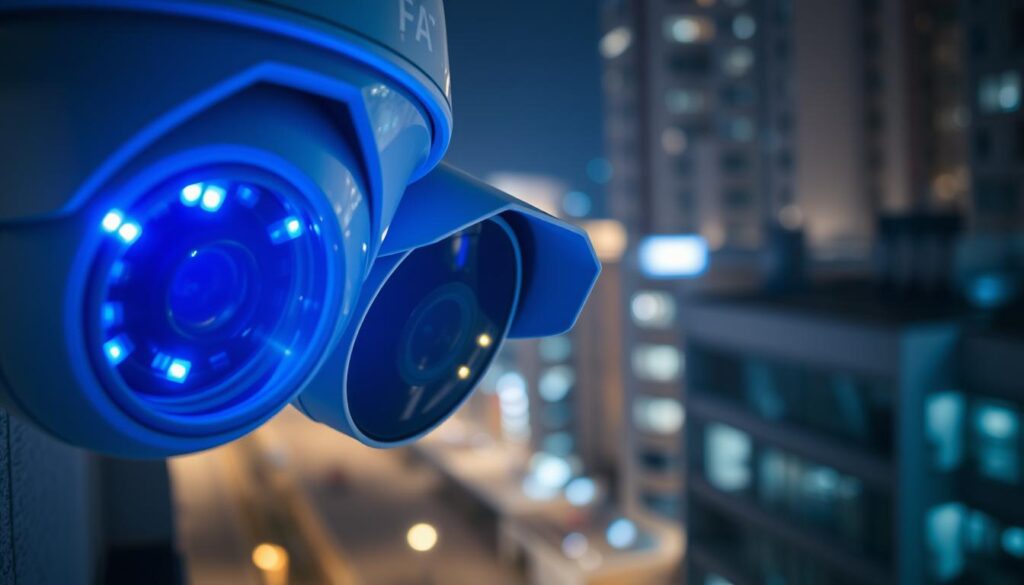
The blue light found on CCTV cameras is a crucial indicator in modern surveillance systems. It serves as a primary communication tool between the device and its users. However, many people misunderstand its significance. This guide aims to clarify what the blue light signifies and how it impacts your security monitoring.
Throughout this comprehensive how-to guide, readers will explore the meanings behind these visual signals. From basic interpretations to advanced troubleshooting techniques, the goal is to empower users with the knowledge needed to interpret their security camera’s signals confidently.
Understanding these indicators is essential for effective monitoring. Proper interpretation helps prevent security gaps, ensuring continuous protection for both homes and businesses. Many systems feature small indicator lights that convey vital information about device status, allowing users to assess their equipment’s condition quickly.
This guide is particularly valuable for users in Singapore, where advanced security solutions are prevalent. By the end, readers will distinguish between solid and blinking lights, recognize brand-specific meanings, and troubleshoot common issues effectively.
Regularly monitoring these indicators ensures optimal system performance. This knowledge contributes to preventive maintenance, offering significant cost-saving benefits through early problem identification.
Key Takeaways
- The blue light is a key indicator of camera status.
- Understanding its meaning is crucial for effective surveillance.
- Different brands may use varying signals for similar statuses.
- Regular monitoring can prevent security gaps.
- This guide helps users troubleshoot common issues.
What Is the Blue Light on My CCTV Camera?
The illumination emitted by CCTV cameras plays a vital role in indicating their operational status. A steady blue light typically signifies that the camera is functioning correctly and actively recording. Conversely, a flashing blue light suggests the camera is engaged in a different process, such as starting up or performing a software update.
This small but significant illumination feature acts as an immediate diagnostic tool. It provides users with instant feedback about the camera’s condition without requiring any technical expertise to interpret. Depending on the specific model and brand, the blue light can indicate various states, including:
- Normal operation
- Active recording
- Network connectivity status
- Firmware updates in progress
- Standby mode
- Motion detection alerts
It’s important to note that there is no universal standard for blue light meanings across the security camera industry. Identical blue light patterns may indicate completely different statuses on cameras from different manufacturers. Therefore, consulting the camera’s user manual is the most reliable way to understand what the blue light means for a specific model.
This blue light works as part of a broader system of visual status signals. It often collaborates with other colored lights, such as red or green, to provide comprehensive information about the camera’s condition. For homeowners and business owners in Singapore, understanding these blue light signals is particularly crucial for maintaining robust protection and ensuring continuous surveillance coverage.
Typically, the blue light is located on the front or side of the camera body, making it easily visible for quick status checks. Regular observation of these visual signals helps maintain system health. Consistent monitoring allows for early problem detection before issues escalate into major failures that could compromise security.
For more detailed insights on the blue light and its significance, you can visit this guide.
Understanding the Role of Blue Light Indicators in CCTV Cameras
CCTV cameras utilize visual indicators to communicate their operational status effectively. These blue light signals act as immediate diagnostic tools, providing users with essential feedback about their equipment’s condition. Importantly, these illumination features serve as communication bridges between users and their devices.
Visual status signals convey operational states through color patterns and blinking sequences. Users can learn to interpret these signals without needing technical expertise. Regular observation of these indicators helps maintain system health, allowing for early problem detection before issues escalate into major failures.
Visual Status Signals and Their Importance
Blue light indicators function as an essential communication bridge between CCTV cameras and their users. They convey complex operational states through simple color patterns that anyone can learn to interpret. This simplicity is vital, as it provides immediate, at-a-glance information about camera health.
Different colors communicate distinct messages about device performance. While blue often indicates normal operation, other hues like red or green might signal various conditions or alerts requiring immediate attention. Recognizing these visual cues offers significant cost-saving benefits for both residential and commercial users.
Proper interpretation of these signals contributes to preventive maintenance. This helps extend equipment lifespan while ensuring optimal performance throughout the camera’s operational years. In Singapore, where security is paramount, understanding these indicators is particularly valuable for maintaining robust protection systems.
Consistent monitoring of blue light indicators allows users to develop familiarity with their camera’s normal behavior patterns. This familiarity makes it easier to spot anomalies that might indicate developing issues. Ultimately, these visual signals serve as a first line of defense in security system maintenance, alerting users to potential problems before they result in complete camera failure or recording interruptions.
Common Meanings of a Solid Blue Light on Security Cameras
When you see a steady blue light on your security camera, it often indicates normal operation. This light serves as a reliable indicator that the camera is functioning as it should. It reassures users that their surveillance system is actively monitoring the area.
A solid blue light generally signifies:
- Normal Operation: This light means the camera is actively recording footage and capturing images effectively.
- Confirmation of Monitoring: The steady blue light indicates that the camera is operating within expected parameters without errors.
- Network Connectivity: A solid blue light confirms that the camera maintains a stable connection to the Wi-Fi network or monitoring system.
- Remote Access Capability: This light is crucial for users wanting to view live footage from anywhere using mobile applications.
- Brand Variations: Different manufacturers may have slight variations in their solid blue light indicators, but it generally signals that everything is functioning correctly.
For users in Singapore, understanding the significance of a solid blue light is particularly important. It provides peace of mind when monitoring properties remotely. Familiarizing oneself with how this light behaves during normal operation can help users quickly identify when something goes wrong.
Ultimately, a solid blue light acts as the camera’s way of silently communicating “all systems go.” This assurance allows users to trust their surveillance setup without needing constant manual verification.
What a Blinking (Flashing) Blue Light Indicates
A blinking blue light on CCTV cameras often signals a transitional state, indicating that the device is engaged in an important process. This visual cue helps users understand that the camera is not in its normal monitoring mode. Instead, it may be undergoing updates or responding to specific events.
One common reason for a blinking blue light is during firmware updates. When a camera is updating its software, it uses this signal to inform users that it is downloading and installing critical improvements. These updates enhance the camera’s security and functionality, ensuring optimal performance.
Firmware Updates and Startup Processes
Another scenario where you might notice a blinking blue light is during the startup process. When the camera powers on, it goes through an initialization sequence. This blinking light indicates that the device is preparing to become fully operational, reassuring users that it is working as intended.
Motion Detection and Notification Alerts
Additionally, motion detection alerts can trigger a blinking blue light pattern. This serves as an immediate visual notification that the camera has detected movement within its monitoring area. It actively responds to the event, helping users stay informed about potential security breaches.
Different blinking patterns can convey various levels of urgency. For instance, rapid blinking may indicate immediate attention is required, while slower patterns might suggest routine processes. Understanding these distinctions is crucial for effective system maintenance.
It’s essential for users to avoid interrupting power to their cameras during firmware updates signaled by a blinking blue light. Doing so could corrupt the update process and potentially damage the camera’s software.
For users in Singapore with advanced security setups, recognizing motion detection blinking patterns enables faster responses to potential security events. Some cameras also combine blinking blue light signals with other notification methods, such as mobile alerts or email notifications, creating a comprehensive alert system for effective monitoring.
How Different Brands Use Blue Light Indicators
Different brands of security cameras employ unique blue light indicators to convey operational statuses. Understanding these variations is essential for users who want to maximize their surveillance effectiveness. Let’s explore how two popular brands, Reolink and Ring, utilize blue light signals.
Blue Light Signals in Reolink Cameras
Reolink cameras are known for their clear blue light indicators. A solid blue light confirms that the camera is actively connected to Wi-Fi and functioning correctly. This is crucial for users who rely on consistent monitoring.
- Active Working Mode: A solid blue light means the camera is in operation, capturing footage effectively.
- Standby Mode: A blinking blue light indicates that the camera is in standby mode but maintains a successful Wi-Fi connection, ready to activate when needed.
- Wi-Fi Connection Failure: A solid red light signals a Wi-Fi connection failure, while a blinking red light indicates both Wi-Fi failure and standby mode.
Blue Light Status in Ring Cameras
Ring cameras implement their blue light system differently. A solid blue light typically appears during active recording sessions or the initial setup process. This feature allows users to easily verify that their camera is operational.
- Recording Status: A solid blue light confirms that the camera is currently recording.
- Setup Confirmation: During setup, a solid blue light helps users ensure proper configuration.
It’s important to note that the security industry lacks standardized color coding for status indicators. Each manufacturer has developed its own visual communication protocols. Therefore, users should consult their specific device manuals for accurate interpretations.
Understanding brand-specific blue light implementations transforms random blinking into meaningful communication about security equipment status. This knowledge empowers users to maintain their surveillance systems effectively. For Singaporean users, recognizing these variations is particularly important for optimal system management.
Blue Light Issues and What They Reveal
Understanding blue light issues is essential for maintaining the integrity of your surveillance system. These indicators can signal problems related to power supply or network connectivity, which may affect your camera’s performance.
Power Supply Challenges
Power supply challenges are among the primary causes of blue light issues. A weak or unstable power source can cause the blue light to flicker, dim, or display irregular patterns. This differs from the normal operation signals that users expect.
Battery-powered cameras are particularly susceptible to these light issues. Weak batteries often trigger specific illumination patterns that serve as early warning signs. If the power is not stable, the camera may completely lose power and stop recording.
Regularly checking the camera’s physical power connections is crucial. Loose or damaged connections can lead to these blue light problems. Users should ensure that cables are intact and adapters meet the necessary specifications.
Network Connectivity Problems
Network connectivity issues also represent a significant category of blue light problems. Intermittent or failed Wi-Fi connections often manifest through pulsating or irregular blue light behavior. This indicates that the camera may not be communicating effectively with the network.
To differentiate between power and network issues, observe the blue light pattern. Power problems typically show irregular, inconsistent illumination. In contrast, network issues often display more rhythmic, patterned blinking.
Wi-Fi signal strength directly affects blue light behavior on wireless cameras. Positioning the camera too far from the router or behind thick walls can lead to connectivity problems. Singaporean users should monitor these signals closely, as prompt attention ensures optimal security system performance.
Addressing blue light issues quickly prevents extended security coverage gaps. Regular monitoring of status lights forms an essential part of comprehensive security system maintenance routines. If the blue light signifies system errors beyond simple power or network issues, users may need to perform a factory reset or firmware update.
Step-by-Step Troubleshooting for Blue Light Problems
Troubleshooting blue light issues in security cameras is essential for maintaining their performance. A systematic approach can help users identify and resolve common problems that may arise.
Checking Power Supply
Begin your diagnostic process with energy source verification. Ensure all connections remain secure and undamaged. Test the outlet with another device to confirm functionality. It’s crucial to check that adapter specifications match the manufacturer’s requirements for your specific camera model.
Look for visible damage or wear on power components. Frayed cables, bent connectors, or signs of overheating can indicate issues that affect the blue light’s behavior. Addressing these problems promptly can prevent further complications.
Verifying Network Connection
Network stability directly affects equipment performance. Verify that your device maintains proper communication with the monitoring system. Position your equipment near the router for optimal signal strength.
Consider Wi-Fi optimization techniques, such as relocating the camera closer to the access point and reducing interference from other electronic devices. Checking router settings for compatibility issues can also enhance connectivity.
Consulting Manuals and Support
Consulting the device manual and manufacturer documentation is critical. These resources provide model-specific guidance about blue light indicator patterns and precise troubleshooting steps that generic advice cannot offer.
If basic troubleshooting fails to resolve blue light issues, do not hesitate to contact professional customer support. Certified technicians understand brand-specific nuances and can provide tailored solutions for your camera model.
For users in Singapore, reaching out to authorized service providers for complex issues ensures proper handling of region-specific configurations and compliance with local regulations.
To reduce future blue light problems, establish regular system maintenance schedules. Conduct periodic connection quality assessments and ensure firmware updates are compliant. Considering professional installation verification can also enhance long-term performance.
The Importance of Knowing Your Camera’s Status Lights
Understanding the status lights on your security cameras is vital for effective surveillance. These small visual indicators serve as the first line of communication between the surveillance system and its users. They provide essential feedback about whether your CCTV system is functioning correctly.
By keeping an eye on these lights, users can ensure that each camera operates as intended. A steady blue light typically means everything is okay, while a flashing light may indicate an alert or update. This knowledge helps prevent blind spots and keeps your property secure.
Familiarity with status light patterns allows for rapid problem identification. Users can quickly spot potential issues, such as connectivity failures or power problems, before they lead to significant security coverage gaps. This is particularly valuable for those with multi-camera setups, as a quick visual scan can confirm system-wide health.
Moreover, understanding these indicators helps avoid the common pitfall of assuming the security system is operational when it may have developed a blind spot due to unnoticed malfunctions. For homeowners and business operators in Singapore, learning to read status lights provides an accessible way to engage with their security system’s health without needing deep technical expertise.
Regular attention to status lights fosters a proactive security mindset. Users can stay ahead of potential issues, discovering problems before they escalate into security incidents. The peace of mind gained from confirming system operation with a simple glance at a steady blue light is invaluable.
In conclusion, investing time in learning the meanings of status lights pays dividends. It enhances security awareness, reduces maintenance costs, and ensures more reliable long-term performance of your surveillance system.
Maintaining Your CCTV Camera for Optimal Performance
Regular maintenance of your CCTV cameras is essential for ensuring their longevity and optimal performance. By performing routine checks, users can keep their security system running smoothly and effectively. This proactive approach not only extends the lifespan of the cameras but also enhances their overall functionality.
One of the key aspects of maintenance is monitoring the blue light indicators. These lights serve as an early warning system, alerting users to potential issues. A steady blue light typically means everything is functioning well. However, if the light changes, it could indicate a problem that needs attention.
Routine power supply checks are also critical. Users should periodically inspect all power connections, test battery levels in wireless cameras, and verify that power adapters are functioning correctly. This helps prevent unexpected camera shutdowns that could compromise security.
Another important maintenance task is keeping the firmware updated. Regular firmware updates not only fix bugs but also improve functionality and patch security vulnerabilities. This ensures that the entire surveillance system remains secure and efficient.
Network maintenance practices should not be overlooked. Regularly testing Wi-Fi signal strength, updating router firmware, and periodically reconnecting cameras can help ensure stable communication between all components of the security system.
Understanding how the blue light behaves creates a feedback loop for maintenance. Users familiar with their camera’s normal light patterns can quickly identify when something requires attention. This proactive approach allows for corrective action before issues escalate.
Establishing a regular maintenance schedule is beneficial. This schedule should include visual inspections of all camera status lights, physical cleaning of camera lenses and housings, and verification of recording functionality. For users in Singapore, where humidity can be a factor, additional maintenance considerations like protection from moisture and regular checks for weather-related wear are important.
Proactive maintenance guided by blue light monitoring significantly extends the operational lifespan of CCTV equipment. This reduces the total cost of ownership and minimizes the need for premature camera replacements. In conclusion, taking care of cameras through regular maintenance is an investment in property protection. It provides peace of mind and ensures that the security setup remains effective for years to come.
Highlights of CCTV Cameras Featuring Blue Light Indicators
CCTV cameras equipped with blue light indicators enhance user experience by providing immediate feedback on operational status. Understanding these features can significantly improve your security monitoring capabilities.
Reolink Argus 3 Ultra
The Reolink Argus 3 Ultra stands out as a prime example of a modern security camera that effectively uses blue light indicators. With its impressive 4K 8MP resolution, this camera combines high-quality footage with clear status signaling. A solid blue light confirms successful Wi-Fi connectivity and indicates that the camera is in active working mode.
This model is not only versatile but also eco-friendly, as it operates on both battery and solar power. This flexibility allows for easy installation in various locations, making it an excellent choice for homes in Singapore.
Advanced features of the Argus 3 Ultra include:
- Smart Detection: It can differentiate between people and objects, reducing false alarms.
- Dual-Band WiFi Support: Ensures a reliable connection, minimizing interruptions.
- Color Night Vision: Provides clear images even in low light conditions.
- No Subscription Required: Users receive alerts without the need for ongoing fees.
Reolink Duo 3 PoE
Introducing the Reolink Duo 3 PoE, a different category of surveillance camera that employs Power over Ethernet technology. While it may not use blue light indicators in the same way as battery-powered models, its status signaling system is equally important for monitoring performance.
This camera features a groundbreaking 16MP dual-lens design, offering a 180-degree wide viewing angle. With motion tracking capabilities and color night vision, it ensures comprehensive property coverage.
The Power over Ethernet connection guarantees consistent and dependable performance, eliminating concerns about battery life or Wi-Fi signal strength. For users considering options, the Reolink Duo 3 WiFi variant features blinking red lights during setup, showcasing how different models within the same brand can use varied indicator systems.
Both the Reolink Argus 3 Ultra and the Duo 3 PoE demonstrate the importance of clear operational status signals in enhancing security monitoring. These cameras are robust choices for surveillance needs in Singapore, offering reliable feedback for effective security management.
Understanding the specific blue light behaviors of featured cameras like the Argus 3 Ultra helps users make informed purchasing decisions based on their preference for clear visual status feedback in their security equipment.
How Understanding Blue Light Enhances Your Security Monitoring
Recognizing the significance of blue light indicators can greatly enhance your approach to security monitoring. These visual cues play a crucial role in maintaining effective systems. By interpreting them correctly, users can prevent potential security gaps and ensure continuous protection for both residential and commercial properties.
This knowledge empowers users to maintain their surveillance systems effectively. A comprehensive understanding of blue light indicators transforms security monitoring from a passive activity into an active, engaged process. Users can instantly assess their system’s health and respond to potential issues.
Moreover, this understanding directly enhances security by eliminating the risk of assuming cameras are working when they have actually malfunctioned. This ensures that surveillance coverage remains continuous and reliable at all times.
Practically, blue light literacy benefits daily security monitoring routines. A quick glance at camera indicators can confirm system-wide operational status without needing to access monitoring software or review footage. Users who understand blue light signals can distinguish between normal operational states and alert conditions, enabling faster response times to genuine security events like motion detection.
This enhanced monitoring capability is particularly valuable for business owners and property managers in Singapore. They oversee multiple camera installations and need efficient ways to verify system health across all locations.
Furthermore, understanding blue light indicators reduces unnecessary service calls and technical support inquiries. Users can independently diagnose and resolve many common issues using the troubleshooting knowledge gained from learning status light meanings.
Proper interpretation of blue light signals contributes to a more cost-effective security operation. Early problem detection through status light monitoring prevents expensive emergency repairs and reduces system downtime.
Ultimately, this knowledge creates a more confident and empowered user base. Camera owners feel in control of their security systems rather than dependent on technical support for basic operational questions.
In conclusion, the blue light is not just a simple indicator but a powerful tool for enhanced security monitoring. Investing time in understanding its meanings pays dividends in improved protection and peace of mind.
Staying Ahead: Monitoring Your CCTV Status Lights for Peace of Mind
Recognizing the indicators on your security cameras is crucial for effective monitoring and peace of mind. Regularly checking status lights can transform how users manage their surveillance systems. By making this practice a habit, you can ensure that your equipment operates smoothly and continuously.
Consistent monitoring of these lights provides reassurance that your security systems are functioning correctly. A steady signal means everything is in order, allowing you to focus on other priorities without worry. This proactive approach helps you stay ahead of potential issues, preventing the stress of discovering failures after a security incident.
For users in Singapore, mastering the interpretation of these indicators is a straightforward yet impactful strategy. It empowers you to shift from reactive troubleshooting to preventive maintenance, addressing problems before they escalate. Ultimately, understanding these signals fosters greater reliability in your security system, enhancing your overall sense of safety.