
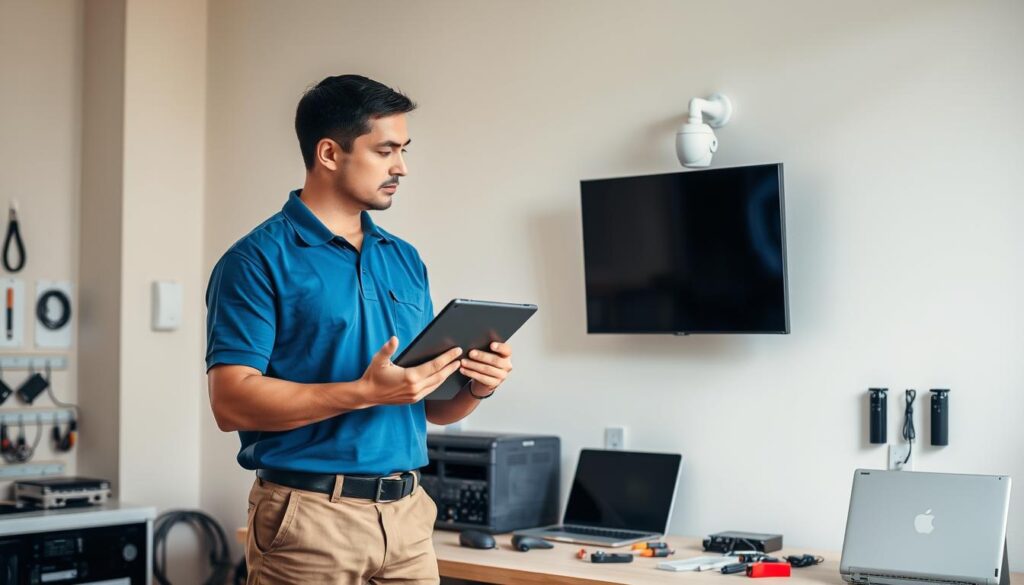
Many homeowners and businesses in Singapore experience the frustration of their surveillance systems suddenly displaying a black screen. This issue can leave properties vulnerable, making it crucial to troubleshoot quickly. Various factors can cause video loss in CCTV systems, from power supply failures to network issues.
Studies indicate that around 35% of video loss cases arise from power supply failures. Additionally, flickering feeds may signal underlying system malfunctions. Understanding these issues is vital for maintaining a reliable camera system.
This guide will explore seven practical solutions to restore functionality. Whether for residential or commercial properties, ensuring continuous monitoring is essential. By addressing these problems promptly, one can prevent gaps in coverage and enhance safety.
Key Takeaways
- Identify common causes of black screens in surveillance systems.
- Inspect power supply as 35% of video loss originates from failures.
- Check for loose connections and damaged cables that may disrupt signals.
- Understand the difference between nighttime video loss and flickering feeds.
- Implement regular system checks to prevent unexpected issues.
Understanding the Common Causes of Security Cameras Going Black
Recognizing the frequent causes of video loss in surveillance systems helps in addressing issues promptly. Many factors can lead to a black screen in your setup. Below, we explore some of the most common culprits.
Power Supply Failures and Voltage Drops
Power supply failures and voltage drops represent the most frequent cause of security cameras going black. According to Reolink research, nearly 60% of video signal failures stem from electrical problems. In particular, PTZ models with night vision require stable currents that some PoE switches cannot maintain. This instability can lead to frustrating intermittent black screens during critical monitoring periods.
Loose or Damaged Cables and Connectors
Loose or damaged cables and connectors account for 22% of analog camera system failures. For instance, corroded BNC connectors in Singapore’s humid climate have caused complete CCTV video loss at properties like a Marina Bay condo. Additionally, loose RJ45 terminals can disrupt PoE cameras, creating intermittent black screens that appear and disappear unexpectedly.
Network and WiFi Connectivity Issues
Wireless security cameras often suffer more signal degradation than wired models, especially in tropical environments. Bandwidth limitations can choke video signal transmission during peak usage hours. Furthermore, digital systems may display black screens when network buffers overflow, a technical issue many users misinterpret as hardware failure.
Infrared (IR) Sensor and Night Vision Problems
Infrared sensor and night vision issues frequently cause cameras to go black after sunset. This occurs when the IR cut filter fails to engage properly. To maintain functionality, both wired and wireless systems need a proper power supply and intact cables to prevent blank footage.
Why Do My Security Cameras Go Black? Exploring Specific Technical Failures
Examining the technical failures that contribute to video loss in security systems can prevent future issues. One of the most significant problems is an insufficient power supply. This issue can lead to a complete black screen or flickering video feeds, especially during nighttime when cameras rely heavily on infrared sensors.
Common causes of insufficient power include:
- Loose cable connections between the DVR/NVR and cameras.
- Faulty PoE switches or injectors that cannot maintain stable voltage.
- Cables that are too long, which can lead to voltage drops.
- One cable supplying power to multiple cameras, resulting in inadequate power distribution.
- Old or damaged power cables that are prone to failures.
Another critical factor affecting video loss is the impact of environmental conditions. In Singapore, lightning strikes can deliver surges up to 10kV, potentially damaging camera circuit boards. Additionally, mounting cameras on metal surfaces can create ground loop interference, leading to vertical or horizontal lines on the screen before a complete blackout occurs.
Moreover, strong electrical currents from nearby equipment can interfere with video signal transmission. This interference is particularly prevalent in urban areas where multiple electronic devices operate in close proximity.
Lastly, hardware and firmware incompatibilities can cause significant issues. Sometimes, DVRs or NVRs may not be capable of decoding video streams from higher resolution cameras, such as those with 5MP or 4MP. Mixing brands can also lead to protocol conflicts, resulting in black screen issues if ONVIF compliance is not properly configured.
Keeping firmware updated is essential, as outdated versions may harbor bugs that lead to video loss. For instance, Reolink’s Q2 2024 update addressed 18% of reported black screen issues across their product line.
How to Diagnose Power Supply Problems Quickly and Effectively
Quickly diagnosing power supply issues can help restore functionality to your surveillance cameras. Addressing these problems is crucial for maintaining security and preventing video loss. Below are effective steps to ensure your cameras receive the power they need.
Testing Power Adapters and Voltage Outputs
Begin by testing power adapters and voltage outputs with a multimeter. Confirm that each camera receives a stable 12V DC current. Faulty adapters are responsible for 30% of blackouts in home systems. Inspect wiring for frayed wires or loose terminals, especially in areas like crawl spaces where damage often goes unnoticed.
Using Surge Protectors and UPS Systems
Implement surge protectors and UPS systems to shield your setup from Singapore’s frequent lightning storms. A 2000-joule surge protector with a clamping voltage of ≤1kV can prevent power spikes from damaging sensitive components. UPS systems can prevent 89% of outage-related failures in high-rise condos, ensuring continuous power supply even during disruptions.
Evaluating Cable Quality and Length Effects
Evaluate cable quality and length effects carefully. Voltage drops over 50 feet can reduce infrared effectiveness by 40%, causing cameras to go black during nighttime operation. For humid areas like Sentosa, opt for copper-clad aluminum cables and keep runs under 20 meters. A villa in Sentosa resolved blackouts by upgrading to marine-grade cabling, showcasing the importance of using quality materials.
Fixing Connection Issues: Cables, BNC, and Ethernet Troubleshooting
Addressing connection problems is crucial for maintaining a reliable video feed. Connection issues often lead to frustrating video loss and black screens in your surveillance systems. Below are essential steps to troubleshoot and fix these issues effectively.
Checking and Replacing Damaged Cables
Start by thoroughly checking and replacing damaged cables. Examine every inch of wiring throughout your property, including crawl spaces and attics. Rodents may have chewed through insulation, causing intermittent video loss. Understand that twisted or bent cables can link to signal loss, creating weak points where video feed failures occur unpredictably.
Test each cable by substituting it with a known-good replacement. Many CCTV cameras and IP cameras immediately restore video when powered with new, undamaged cables that eliminate signal degradation.
Securing and Maintaining BNC Connectors in Tropical Climates
Focus on securing and maintaining BNC connectors, which are commonly used on thin Ethernet network cables. These connectors often explain constant signal loss and video loss on PoE home surveillance cameras or H.264 DVR systems. For instance, a Clarke Quay restaurant eliminated persistent black screens by replacing corroded BNC connectors with gold-plated variants. These connectors resist humidity-induced oxidation better than standard options.
Additionally, seal outdoor Ethernet junctions with silicone to prevent moisture damage. This step is critical in tropical environments, where water ingress through poorly protected connectors can lead to gradual signal deterioration and eventual video loss.
Switching to Higher-Quality or Shorter Cables
As a permanent solution, consider switching to higher-quality or shorter cables. Upgrading to CAT6 cables provides 37% better EMI resistance than CAT5e. Keeping cable runs as short as practically possible helps maintain strong signal transmission.
Use L-com RG59 crimping tools for secure terminations. Label all cables at both ends for easy troubleshooting. This organized infrastructure simplifies future maintenance and reduces the time needed to diagnose connection-related black screen issues.
Resolving Network and WiFi Problems That Cause Video Loss
Video loss in surveillance systems often stems from network and WiFi issues. These problems can disrupt the connection between cameras and recording devices, leading to frustrating black screens. Understanding how to strengthen your network is essential for maintaining a reliable video feed.
Strengthening WiFi Signals and Avoiding Bandwidth Limits
Wireless systems suffer most in high-traffic areas, especially in Singapore’s dense neighborhoods. Switching to dual-band routers can reduce 5GHz interference by up to 65%, according to Mammoth Security data. Using WiFi analyzers helps identify less crowded channels, allowing for better signal strength.
For larger properties, deploying mesh networks like the TP-Link Deco X90 can eliminate dead zones. This solution is particularly effective in places like Clarke Quay, where multiple networks compete for bandwidth.
Addressing IP Address Conflicts
IP address conflicts can lead to 18% of NVR disconnections. Research shows that the IP address 192.168.1.108 alone causes 73% of conflicts in local home network setups. To address this, access your camera’s web interface to assign static IPs, especially for systems like Hikvision and Dahua.
Rebooting the NVR can refresh DHCP leases and clear lingering address conflicts. Free tools like Angry IP Scanner can detect address clashes in under 30 seconds, making it easier to maintain a stable network.
Ensuring Proper Router and Network Configurations
Using modern routers, such as ASUSWRT models, allows for DHCP reservations. This feature permanently assigns addresses to specific MAC addresses, ensuring that cameras receive consistent IP assignments. Configuring static IPs outside the DHCP pool range is also recommended.
Implementing subnetting for large installations with /24 networks can create a stable environment. This setup helps prevent video loss and black screens caused by address collisions, ensuring your surveillance systems operate smoothly.
Troubleshooting Night Vision and IR Cut Filter Failures
When nighttime falls, some users find their CCTV cameras struggling to capture clear images. This can lead to a frustrating black screen or poor video quality. Understanding how to troubleshoot night vision and IR cut filter failures is essential for maintaining effective surveillance.
Begin by testing IR LEDs with smartphone cameras. This simple diagnostic trick involves pointing your phone’s camera at the surveillance unit. When you do this, functional IR LEDs will appear as purple lights that are invisible to the naked eye. This method can quickly reveal if your camera’s infrared capabilities are working properly.
Many users experience a black screen or video going dark at night due to several reasons. It could be that the camera lacks infrared night vision, has a faulty IR sensor, or the IR cut filter fails to engage when ambient light decreases. Recognizing these issues early can prevent complete nighttime video loss.
Infrared sensors degrade significantly faster in Singapore’s heat, making regular testing crucial. Cleaning and maintaining IR lens covers monthly is also important. This prevents haze buildup that scatters infrared light and reduces night vision effectiveness. Use a soft microfiber cloth to gently remove dust and moisture residue.
Adjusting DNR 3.0 settings can also help reduce grainy nighttime footage. Fine-tuning your camera’s digital noise reduction will balance image clarity with motion blur in low-light scenarios. This adjustment is key for enhancing the quality of your nighttime video.
In some cases, adding external IR illuminators can be beneficial. For instance, a Jurong warehouse achieved complete elimination of dark screens after installing four 50W IR floodlights. These illuminators supplement built-in infrared capabilities and significantly improve visibility.
Choose appropriate illuminators for your property. Singaporean technicians recommend the Hikvision DS-2CE16H0T-IR for residential applications and the Axis T90D11 for commercial properties. Both options are available at SLR Revolution with a local warranty.
Finally, consider testing 850nm illuminators, which CCTV Maintenance has shown to boost coverage by 140% compared to standard models. This enhancement provides significantly improved night vision range for properties requiring extended perimeter surveillance.
Updating Firmware and Handling Hardware Failures
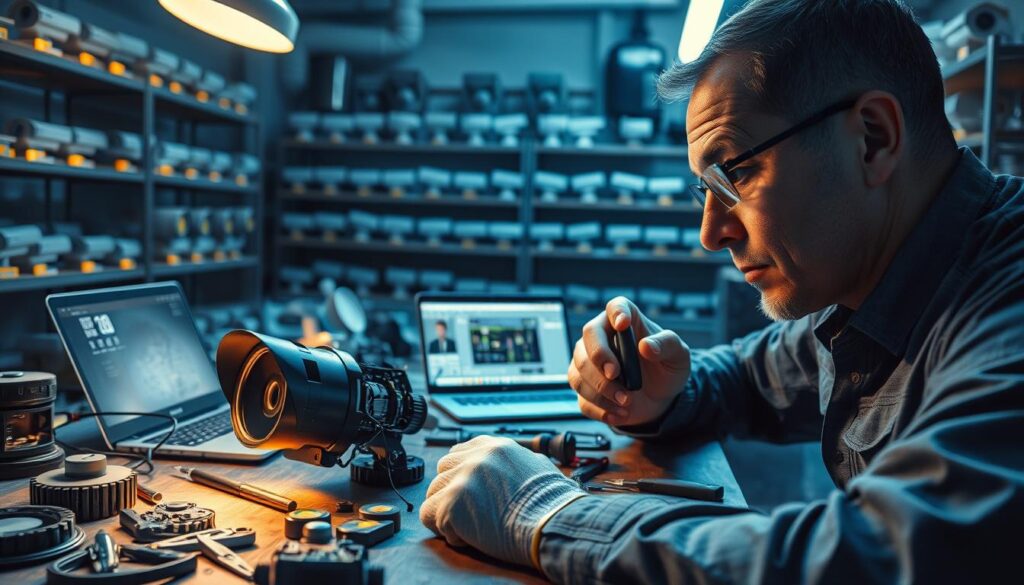
Regular updates to firmware can significantly enhance the performance of your surveillance systems. Manufacturers frequently release patches to address known bugs that can lead to video loss. For instance, a 2023 study by Reolink revealed that 73% of software-related blackouts were resolved after applying the latest updates.
To ensure optimal performance, check manufacturer portals quarterly for updates. Download updates only from official sources, such as Hikvision’s security center. This practice avoids risks associated with third-party firmware that might disable critical features or void warranties.
During the update process, maintain stable power for 3-7 minutes to prevent bricking devices. Scheduling updates during off-peak hours is wise, minimizing gaps in surveillance when properties are most vulnerable.
Assessing the need for camera or NVR replacement is crucial when hardware failures persist. Hard drive failures in NVRs account for 28% of complete system outages. In many cases, new 4K models are more cost-effective than repairing old analog systems.
For outdoor use, prioritize weather-resistant models, like Dahua’s Starlight series. An upgrade in Marine Parade’s HDB to thermal cameras reduced nightly blackouts by 92%, showcasing the long-term benefits of investing in reliable hardware.
Performing factory resets can resolve configuration issues effectively. This simple procedure fixes 68% of errors by restoring default settings, which can eliminate conflicting parameters causing black screen issues. To reset, hold the reset button for 15 seconds until the LED flashes red. Afterward, reconfigure via the manufacturer’s app, allowing about 15 minutes for complete restoration.
If standard troubleshooting fails, consider using the TFTP boot method. This technique can recover bricked cameras by forcing a clean software installation, providing a last-resort option for seemingly dead CCTV cameras.
Addressing Environmental and Installation Challenges in Singapore
In Singapore, the unique tropical environment presents specific challenges for maintaining surveillance systems. Factors like weather and mounting surfaces can contribute to video loss, leading to unexpected black screens. During monsoon seasons, electrical disturbances often disrupt power supply to outdoor units.
To combat these issues, consider the following:
Protecting Against Lightning Strikes and Power Surges
Installing NFPA-compliant lightning arrestors can reduce surge damage by 91%, according to Singapore Civil Defence Force data. For high-rise installations, use Class I arrestors at building entry points. This is especially important for rooftop cameras that face direct exposure to electrical storms. Additionally, shielded cables should be used for these cameras, and all metal housings must be grounded separately. This multi-layered approach helps prevent a single lightning strike from damaging your entire system.
Reducing Interference from Metal Mounts and Surfaces
Metal mounts can cause ground loop interference in 34% of installations. This interference often produces vertical or horizontal lines on screens, which may precede complete video loss. To address this, implement dielectric isolation washers between brackets and walls. A Jurong industrial park successfully resolved persistent black screens by adding these insulating components and switching to fiber optic converters for long metal conduit runs. Regular impedance testing during maintenance can also help catch developing ground loop issues before they cause significant failures.
Weatherproofing Outdoor Cameras for Tropical Conditions
Using IP67-rated housings can prevent 89% of moisture-related failures in Singapore’s humidity. When selecting materials, opt for silicone sealants over rubber gaskets for long-term flexibility that accommodates thermal expansion. In coastal areas, applying conformal coating to circuit boards can protect against corrosion from salt spray. Regularly inspect seals every three months before the monsoon season to ensure your cameras maintain reliable video feeds through heavy downpours.
Ensuring Compatibility Between Cameras, NVRs, and DVRs
Understanding how to ensure compatibility between various components of your surveillance system is crucial. Mismatched resolutions can lead to frustrating video loss. For instance, resolution mismatches cause 41% of compatibility blackouts. It’s essential to ensure that your cameras match the DVR or NVR’s supported formats.
Hikvision NVRs work best with H.265 codecs at 4K resolution. In contrast, Reolink’s 5MP models require firmware v3.1.0 or higher for smooth integration. Pairing incompatible devices, such as a Hikvision DS-7608NI-I2/8P that supports 8MP resolution with a Dahua N42B2P that maxes out at 4MP, can force the system to downgrade performance or show complete video loss.
Leveraging ONVIF compliance can significantly reduce integration issues. This open standard allows mixed-brand setups to communicate effectively, decreasing problems by 57%. A case study from Marina Bay Sands showed that enabling ONVIF profiles stabilized mixed-brand setups. In contrast, proprietary protocols caused 22% more failures than open standards.
To avoid complications, verify that ONVIF versus RTSP protocol settings match across all devices. Testing both H.264 and H.265 compression formats is essential for understanding bandwidth differences. Additionally, consulting manufacturer matrices for Reolink, Dahua, and Hikvision interoperability can help you make informed decisions when purchasing additional cameras.
Consider brand-specific compatibility factors as well. For example, Axis Communications’ 2023 firmware update fixed fourteen black screen bugs across their product line. Other brands may have different update schedules and known issues that could affect performance.
Lastly, avoid grey market imports that often ship with incompatible international firmware. Instead, purchase from authorized Singaporean distributors who provide region-specific updates and warranty coverage. This practice ensures that your surveillance system remains functional and reliable.
Step-by-Step Troubleshooting Guide to Restore Black Security Camera Screens
When your CCTV cameras show a black screen, knowing how to troubleshoot is essential. Follow these systematic steps to restore functionality and ensure your surveillance system operates effectively.
Checking Power and Connections Thoroughly
Begin by checking all power connections. Double-check power splitters, cable connectors, and every junction point where video loss could originate. Switch ports on your DVR or NVR to verify that each port provides adequate power to connected cameras.
If you use PoE cameras, connect them directly to the NVR instead of through a PoE switch. This ensures sufficient power is supplied to each device. Additionally, try using shorter BNC or Ethernet cables to power your surveillance camera system. Avoid low-quality extension cables that may introduce voltage drops.
If using battery-powered models like the Reolink Argus 3 Pro, ensure the battery is charged via a power adapter or solar panel. Regular maintenance is crucial in Singapore’s humid climate.
Resetting and Rebooting Devices
Next, reset and reboot your devices. A simple reboot of both the camera and recorder often restores the video signal automatically. This step is effective when issues stem from temporary software glitches or memory buffer overflows.
If rebooting fails, perform a factory reset. Hold the reset button for the specified duration, allowing devices time to complete their initialization sequences before testing video feeds again.
Consulting Brand Support and Professional Assistance
If all DIY steps fail, consult brand support for technical guidance. Reach out to the support teams of security camera brands like Reolink, Hikvision, or Dahua for model-specific issues that may require firmware patches or warranty service.
When CCTV cameras, NVRs, or H.264 DVRs constantly suffer from video loss and black screens, it may be time to invest in new, quality systems. Allow problems adequate time to resolve themselves before returning equipment, as many issues self-correct after power cycling or network renegotiation.
Consider consulting SAFRA-certified technicians in Singapore for professional installation and maintenance services. This ensures long-term reliability for your surveillance system.
Implementing Proactive Measures for Long-Term Security Camera Reliability
Regular upkeep is vital for keeping your surveillance systems effective in Singapore’s challenging climate. Annual maintenance contracts can reduce failures by 81%, according to CCTV Maintenance data. Simple quarterly checks, such as cleaning connectors and inspecting cables, can prevent issues that lead to video loss or black screens.
Investing in rugged gear, like the Reolink RLK12-800WB4, which survived Orchard Road’s 2023 floods, showcases the importance of weather-resistant equipment. Pairing cameras with UPS units, such as CyberPower’s OR700LCDRM1U, ensures uninterrupted power during outages, maintaining video recording even in storms.
Additionally, upgrading cables and firmware every 3-5 years can help maintain signal integrity and performance. Utilizing NEA-approved weatherproofing kits protects outdoor setups from monsoons, ensuring reliability in Singapore’s humidity. For complete security, consider professional monitoring services that often cost less than frequent DIY fixes.
For more information on nighttime issues, check out our guide on CCTV performance at night.