
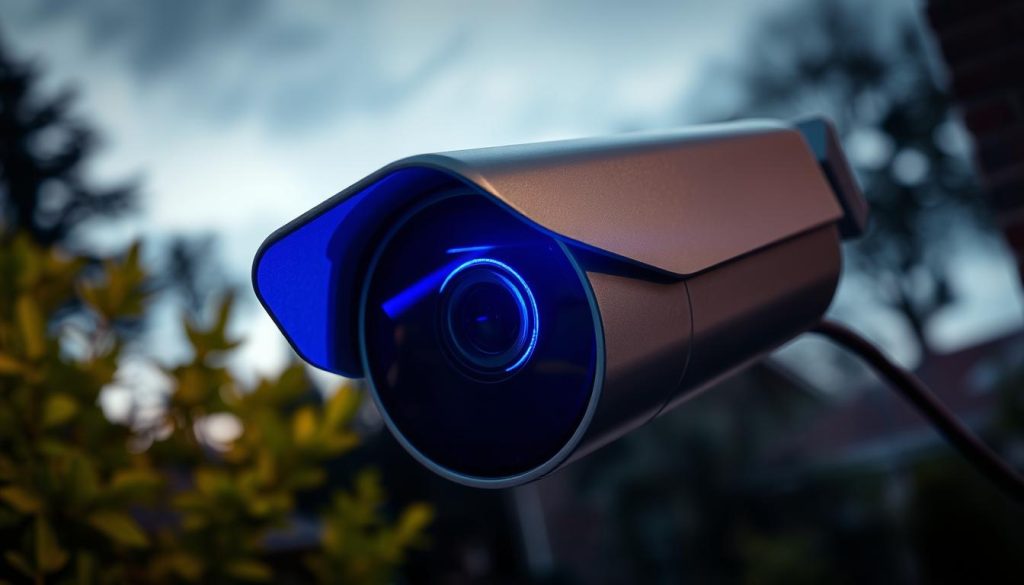
Many security camera owners notice a glowing blue indicator on their surveillance equipment. This visual signal serves as a crucial communication tool between your device and you.
These status indicators provide immediate feedback about your camera’s operational condition. They can show normal functioning, recording activity, or potential network connectivity issues.
It’s important to recognize that different manufacturers use these signals differently. There’s no universal standard for what each light pattern means across all security systems.
Consulting your specific device manual remains essential for accurate interpretation. Understanding these visual cues enhances your ability to monitor and maintain your security setup effectively.
Key Takeaways
- The blue indicator serves as a status communication tool for surveillance equipment
- Different manufacturers use varying light patterns and meanings
- These signals can indicate normal operation, recording, or connectivity status
- Consulting your specific device manual is crucial for proper interpretation
- Understanding these indicators improves security system monitoring
- Proper light interpretation helps with proactive maintenance
- This knowledge is particularly valuable for Singapore’s security-conscious environment
Understanding Your CCTV Camera’s Status Indicators
Modern surveillance devices feature visual signals that communicate operational conditions. These status indicators serve as your first line of awareness regarding your security system’s performance.
Different colors convey specific messages about your device’s condition. Blue typically indicates normal operation or transitional states. Red often signals warnings or errors. Green usually confirms successful connections or full functionality.
Understanding these visual cues is crucial for effective security management. They provide immediate feedback about recording activity, network connectivity, and potential issues. Quick recognition of these signals enables faster response to security events.
Status lights can indicate various operational states:
- Successful Wi-Fi or network connections
- Active recording sessions
- Motion detection alerts
- Firmware update progress
- Power supply status
Manufacturers implement these indicators differently across models and brands. There is no universal standard for light patterns or colors. This variation makes consulting your specific device manual essential for accurate interpretation.
In Singapore’s technology-driven environment, this knowledge becomes particularly valuable. Both home and business users benefit from understanding their surveillance equipment’s visual language. Proper interpretation prevents unnecessary concerns about normal operational signals.
Familiarizing yourself with your camera’s specific light patterns enhances your monitoring capabilities. It transforms simple blinking lights into meaningful security information. This understanding forms the foundation for effective surveillance system management.
Next, we’ll explore the specific meanings behind one particularly common indicator color.
What is the Blue Light on My CCTV Camera?
Security cameras employ visual signals to convey operational status without requiring app checks. These indicators serve as immediate feedback mechanisms for your surveillance setup.
The Role of Status Lights in Security Systems
Status indicators provide crucial information about your device’s condition. They transform simple illumination into meaningful communication about system health.
These visual cues help users monitor equipment functionality effortlessly. You can verify normal operation without constantly accessing live feeds or mobile applications.
Manufacturers design these signals to indicate various operational states. Common functions include showing active recording sessions, network connectivity status, and firmware update progress.
Proper interpretation prevents unnecessary concerns about normal operational signals. Understanding these visual messages enhances your overall security awareness.
Why There’s No Universal Standard
Different manufacturers implement status indicators according to their own design philosophies. This variation means identical colors can represent completely different conditions across brands.
For example, Reolink devices might use blue illumination to indicate successful Wi-Fi connection. Meanwhile, Ring equipment could employ the same color for active recording sessions.
This lack of standardization requires users to become familiar with their specific equipment. Consulting your device manual remains essential for accurate interpretation.
Singapore’s diverse security market features numerous brands with unique signaling systems. This environment makes brand-specific knowledge particularly valuable for local users.
Common misconceptions exist about these visual indicators. Some mistakenly believe blue illumination always means someone is watching the feed. In reality, these signals typically communicate technical status rather than live viewing activity.
Understanding your specific equipment’s language transforms simple lights into powerful monitoring tools. This knowledge prepares you for interpreting the common reasons behind these indicators, which we’ll explore next.
5 Common Reasons Your Security Camera Shows a Blue Light
Different operational conditions activate specific visual cues on monitoring devices. Understanding these signals helps you interpret your equipment’s status accurately.
Manufacturers design these indicators to communicate various states. Each condition has distinct visual patterns that convey important information.
Ongoing Firmware Update
Firmware updates often trigger illumination during installation. This process ensures your device receives the latest security enhancements.
Updates protect against vulnerabilities and improve functionality. The visual signal typically appears as solid or blinking patterns.
Never interrupt power during this critical process. Doing so could damage your equipment’s software integrity.
Normal Operation and Active Recording
A steady blue light frequently indicates proper functioning. This signal confirms your surveillance equipment is recording successfully.
Many manufacturers use this visual cue for normal operation. It provides peace of mind that your system operates correctly.
This steady illumination means captured footage stores properly. You can trust your security setup is working as intended.
Standby or Low-Power Mode
Some devices enter energy-saving states with specific illumination. This mode reduces power consumption while maintaining readiness.
Equipment remains operational but uses minimal electricity. The visual cue indicates preparedness for immediate activation.
Check if this mode aligns with your security preferences. Adjust settings if continuous recording better suits your needs.
Stable Network Connectivity Status
Successful internet connection often triggers specific visual confirmation. This assurance is vital for remote monitoring capabilities.
Reolink devices famously use this signal for Wi-Fi status. Stable network connectivity enables real-time footage access.
Proper connection ensures alerts reach your devices promptly. This feature is particularly valuable for Singapore’s connected homes.
Notification for Motion Detection or Alerts
Blinking patterns frequently signal detected movement or events. This visual alert prompts immediate attention to potential activity.
The illumination pattern varies across different manufacturers. Some use rapid blinking while others employ slower pulses.
This feature enhances security awareness without constant app checking. It transforms simple illumination into actionable security information.
Understanding these patterns helps distinguish between various operational states. Next, we’ll explore the differences between solid and blinking signals.
The Two Primary Blue Light Signals: Solid vs. Blinking
Your surveillance equipment communicates through distinct visual patterns. These patterns form the basic language of your security system’s status indicators.
Two fundamental signals dominate most monitoring devices. Understanding their difference transforms random blinking into meaningful information.
A steady glow typically indicates stability and proper function. This solid illumination often means successful network connections or active recording sessions.
Manufacturers like Reolink use this signal for normal working mode. It provides visual confirmation that everything operates correctly.
Intermittent illumination usually signals change or alert conditions. These blinking patterns indicate transitional states requiring attention.
Common triggers include startup sequences and firmware updates. Motion detection alerts also activate these visual warnings.
“Misinterpreting these signals can lead to unnecessary concerns or missed security events.”
Observe the specific rhythm of blinking patterns. Slow pulses often indicate setup processes. Rapid flashes typically signal urgent alerts.
Singapore’s tech-savvy environment benefits from this knowledge. Proper interpretation helps maintain efficient security systems.
This understanding prepares you for deeper exploration of each signal type. Next sections will examine solid and blinking patterns in detail.
Interpreting a Solid Blue Light on Your Camera
A consistent glow from your surveillance equipment typically signals positive operational status. This steady illumination communicates that your device functions as intended without immediate concerns.
Manufacturers design these visual cues to provide instant reassurance. The solid blue light means your equipment maintains proper functionality.
Indicator of Normal Operation and Recording
A steady blue glow often confirms active recording sessions. This signal indicates footage captures successfully without interruptions.
Many Reolink models use this illumination for working mode. It shows continuous streaming and proper storage functionality.
This visual confirmation serves as both status indicator and security deterrent. Potential intruders recognize active monitoring when they see the glow.
Confirmation of a Successful Network Connection
Stable internet connectivity triggers specific visual confirmation. This assurance is vital for remote access capabilities.
Reolink equipment famously uses solid illumination for Wi-Fi status. Successful network connection enables real-time monitoring from any location.
“A steady blue light typically means everything functions correctly – it’s the visual equivalent of a thumbs-up from your security system.”
Singapore’s connected homes benefit greatly from this feature. Stable connections ensure immediate alert delivery during security events.
Always verify footage if concerns persist despite the reassuring signal. The solid glow generally indicates proper functioning across most surveillance cameras.
Next, we’ll examine what blinking patterns communicate about your equipment’s status.
What a Blinking Blue Light Typically Means
Intermittent illumination patterns on surveillance devices communicate transitional states requiring user attention. These flashing signals differ significantly from steady indicators in their meaning and required response.
Understanding these visual cues helps distinguish between normal processes and situations needing intervention. The rhythm and pattern of blinking provide specific information about your equipment’s status.
Signals During Startup or Firmware Installation
Initialization sequences often trigger rhythmic blinking as systems power up. This pattern indicates successful boot processes and hardware checks.
Firmware updates activate distinct blinking sequences during installation. The camera upgrades its software to maintain optimal performance and security.
Never interrupt power during these critical processes. Sudden shutdowns can corrupt software and damage functionality.
Most devices complete these procedures within minutes. Persistent blinking beyond reasonable timeframes may indicate installation issues.
Indicator of Motion Detection or Security Alerts
Flashing patterns frequently signal detected movement within monitoring zones. This visual alert prompts immediate review of potential security events.
Different manufacturers employ unique blinking rhythms for alerts. Some use rapid bursts while others implement slower, deliberate pulses.
“A flashing blue indicator often means your system has detected activity worth investigating – it’s your visual cue to check the footage.”
Singapore’s security-conscious residents benefit greatly from this feature. It provides instant awareness without constant app monitoring.
Network connectivity attempts also trigger blinking sequences. Devices signal when they’re establishing or re-establishing Wi-Fi connections.
Reolink equipment famously uses this pattern during standby mode. Other brands might employ it specifically for alert notifications.
Persistent blinking without resolution could indicate underlying issues. Troubleshooting becomes necessary when patterns continue abnormally long.
Understanding these signals enhances your security monitoring capabilities. This knowledge prepares you for exploring brand-specific variations in the next section.
Brand-Specific Meanings for the Blue Light Indicator
Manufacturers implement status indicators differently across security camera brands, creating unique visual languages for each system. This variation means identical colors can signal completely different conditions depending on your equipment’s make and model.
Understanding these brand-specific interpretations prevents confusion and false alarms. Your camera’s visual signals become meaningful only when you know your particular manufacturer’s communication style.
Security camera users often discover that popular brands employ distinct signaling methods. These differences highlight why universal interpretations don’t exist in the surveillance industry.
Interpreting Lights on Popular Brands like Reolink and Ring
Reolink cameras use blue illumination with specific patterns that differ from other manufacturers. Their solid glow typically indicates working mode with successful Wi-Fi connection.
Blinking patterns on Reolink equipment often signal standby status. The Reolink Argus 3 Ultra model famously uses this color for various status notifications.
Ring security cameras employ different visual language for their indicators. Many Ring models show solid illumination during active recording sessions.
Initial setup phases also trigger specific signals on Ring equipment. Users might notice persistent glowing during configuration processes.
“Always consult your device manual – it’s the Rosetta Stone for deciphering your specific camera’s visual language.”
Other brands like Arlo, Nest, and Lorex develop their own indicator systems. These manufacturers create unique patterns that align with their product ecosystems.
Singaporean consumers should consider indicator clarity when selecting surveillance equipment. Understanding these signals becomes particularly valuable in security-conscious environments.
Misinterpreting brand-specific signals can lead to unnecessary concerns. Some users might mistake normal operation for malfunction due to these variations.
Keep your camera manual accessible for quick reference during unusual patterns. This practice helps avoid confusion when unfamiliar signals appear.
These brand differences sometimes complicate issue resolution. Our next section explores troubleshooting approaches for various indicator scenarios.
Troubleshooting Common Blue Light Issues
When your security indicator behaves unexpectedly, it’s time for systematic troubleshooting. These visual signals can reveal underlying equipment problems requiring attention.
Most indicator problems fall into three main categories. Power supply issues, network connectivity challenges, and system errors cause most abnormal patterns.
Singapore’s reliable infrastructure means local problems often stem from device-specific factors. Proactive maintenance prevents many common issues before they develop.
Resolving Power Supply Problems
Unstable power frequently causes irregular indicator behavior. Weak batteries or faulty connections trigger blinking patterns that signal power problems.
Check all power connections thoroughly when issues appear. Verify outlet functionality and battery charge levels for wireless models.
Always use manufacturer-approved power adapters for optimal performance. Third-party accessories might not deliver consistent voltage requirements.
Consider these power supply troubleshooting steps:
- Test outlets with other devices to confirm functionality
- Inspect cables for fraying or damage
- Replace batteries if equipment uses wireless power
- Ensure proper connection between camera and power source
Fixing Network Connectivity Challenges
Network problems often manifest through specific indicator patterns. A solid glow without live feed access typically signals connection issues.
Weak Wi-Fi signals represent the most common connectivity challenge. Moving equipment closer to your router often resolves these problems.
Consider these network solutions for persistent issues:
- Reposition cameras nearer to your wireless router
- Reset your network equipment to refresh connections
- Use Wi-Fi extenders for larger property coverage
- Check for interference from other electronic devices
“Most connectivity issues resolve through simple repositioning – sometimes just a few feet makes all the difference in signal strength.”
When to Perform a System or Firmware Reset
Persistent problems sometimes require more comprehensive solutions. System resets clear accumulated errors and restore default settings.
Firmware updates address software-related performance issues. These updates often resolve abnormal indicator behavior caused by system glitches.
Always consult your manual before attempting reset procedures. Different manufacturers require specific reset sequences for their equipment.
Consider professional assistance if these steps don’t resolve your problems. Technical support can address more complex equipment issues beyond basic troubleshooting.
Regular maintenance prevents many common problems before they develop. Simple preventative measures keep your security system functioning optimally.
Examples of CCTV Cameras with Blue Light Indicators
Real-world examples help illustrate how manufacturers implement status indicators differently. These practical cases show the variety in visual signaling across security equipment.
The Reolink Argus 3 Ultra demonstrates clear status communication. This 4K wire-free model uses solar or battery power for flexible installation.
Its indicator glows steadily during normal Wi-Fi connection. This visual confirmation reassures users about network stability.
Color night vision enhances this model’s surveillance capabilities. The status light complements these advanced features effectively.
Another example is the Reolink Duo 3 PoE camera. This 16MP powerhouse uses Power over Ethernet for reliable operation.
Interestingly, this model employs different indicator colors. It demonstrates how even within brands, signaling methods vary.
Some equipment completely avoids blue illumination. The Duo 3 WiFi model uses red indicators for status notifications.
“Researching indicator systems before purchase prevents confusion and ensures you choose equipment that communicates clearly.”
Singaporean consumers should prioritize clear visual signaling. The local security market offers numerous options with different indicator systems.
Always review the manufacturer’s manual before purchasing. Understanding these visual languages enhances your overall security experience.
Knowledge of indicator systems transforms simple lights into valuable monitoring tools. This understanding prepares you for maximizing your security awareness.
The Critical Importance of Understanding Camera Status Lights
Visual signals transform ordinary equipment into intelligent security partners. These indicators serve as your first line of defense in surveillance systems.
Proper interpretation turns simple illumination into actionable intelligence. This knowledge bridges the gap between device operation and user awareness.
Enhancing Your Home Security Awareness
Status lights provide instant visual confirmation of equipment functionality. Homeowners gain immediate awareness without checking apps constantly.
Quick verification ensures your protection remains active. This visual feedback loop enhances overall security confidence.
Singapore residents particularly benefit from this immediate awareness. The local emphasis on safety makes this knowledge invaluable.
Enabling Proactive Monitoring for Errors
Early problem detection prevents security gaps before they develop. Visual signals alert users to emerging issues instantly.
Network connectivity drops often show through specific patterns. Power supply problems manifest through distinctive blinking sequences.
Proactive monitoring transforms users from passive observers to active security managers. This approach prevents minor issues from becoming major vulnerabilities.
Motion detection alerts prompt immediate footage review. This quick response capability enhances overall protection effectiveness.
Regular status checks should become part of your security routine. This practice ensures continuous protection and system reliability.
Understanding these visual cues proves equally important as choosing quality equipment. Both elements work together to create effective security solutions.
“Mastering status light interpretation turns homeowners into security experts – it’s the visual language of protection.”
This knowledge empowers Singaporean residents and business owners alike. It provides confidence that their surveillance systems operate optimally.
Next, we’ll explore how proper maintenance keeps your equipment performing at its best.
Maintaining Your CCTV System for Optimal Performance
Regular maintenance checks separate functional security systems from those prone to unexpected failures. Consistent upkeep prevents most common problems before they disrupt your protection.
Singapore’s humid climate makes routine care particularly important. Electronic equipment benefits from regular attention in tropical environments.
Power supply inspection should happen monthly. Check all cables for wear or damage. Replace weak batteries in wireless models promptly.
Network connectivity testing ensures remote access works when needed. Reposition equipment if Wi-Fi signals weaken over time.
Firmware updates address security vulnerabilities and improve features. These software enhancements keep your system current with technology advances.
Practical maintenance tips for smooth operation:
- Document all maintenance dates in a security log
- Keep cleaning supplies handy for lens care
- Test backup power sources quarterly
- Verify storage capacity regularly
Your camera manual provides brand-specific guidance. Keep it accessible for troubleshooting unusual indicator patterns.
“Routine maintenance reduces emergency repairs by 70% according to security experts.”
Proactive care enhances overall security effectiveness. It extends equipment lifespan and maintains reliability.
Schedule monthly check-ups for optimal performance. This practice ensures continuous protection for your property.
Understanding maintenance prepares you for comprehensive security knowledge. Next, we’ll summarize key takeaways for empowered protection.
Empowering Your Home Security Through Knowledge
Understanding your surveillance equipment’s visual language transforms simple indicators into powerful monitoring tools. These signals communicate crucial status information about your security system’s operation.
Different manufacturers use unique patterns for various conditions. Some indicate normal operation while others signal network connectivity or alerts. This knowledge enables proactive monitoring and faster troubleshooting.
Always consult your specific device manual for accurate interpretation. This practice ensures proper understanding of your equipment’s visual communication.
This empowerment leads to greater confidence in both home and business security setups. Regular monitoring and maintenance keep your protection systems functioning optimally.
For comprehensive guidance on interpreting your specific model’s indicators, visit our detailed security camera manual.
Stay informed and maintain your surveillance equipment effectively. This knowledge ensures continuous protection for your property and peace of mind.