
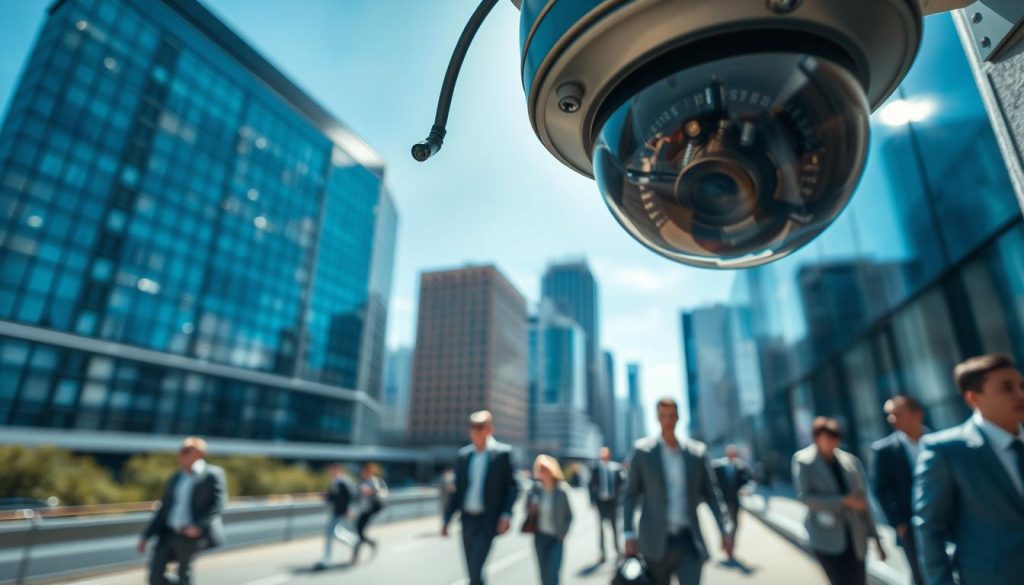
Effective video surveillance is a cornerstone of modern security for homes and businesses across Singapore. CCTV footage serves a critical role in monitoring activity, deterring criminal acts, and providing vital evidence when needed.
The length of time your security cameras retain video depends on several key factors. Storage capacity, the number of cameras, and the size of each video file all directly impact recording duration.
This video data is typically stored on a device like a Digital Video Recorder (DVR) or Network Video Recorder (NVR). Understanding your system’s limits ensures you have the video surveillance history you require.
This guide will help you calculate your specific storage needs and explore ways to optimize your setup. For a detailed look at the calculations, visit our resource on CCTV recording capacity.
Key Takeaways
- CCTV footage is essential for crime prevention, evidence collection, and peace of mind.
- Recording time is determined by available storage space and video quality settings.
- DVR and NVR systems are the primary hardware for storing camera data.
- Higher-resolution video creates larger files, which reduces total recording duration.
- Singapore has specific guidelines for how long different entities should retain surveillance video.
- Proper system configuration is key to maximizing your security coverage.
- Cloud-based storage presents a flexible alternative to physical recorders.
Understanding What Dictates Your CCTV’s Recording Time
The length of your video archive hinges on a balance between image clarity, system scale, and physical storage capacity. These technical factors work together to determine your total recording duration.
Optimizing your setup requires knowing what each setting does. Let’s break down the five key elements that control your security camera footage retention.
Video Resolution and Image Quality
Image quality is the primary driver of file size. Higher resolution captures more detail but creates much larger video files.
A standard definition camera uses far less storage space than an 8MP or 4K model. This detail is crucial for identifying faces or license plates.
Choosing the right resolution is a trade-off. You must balance the need for clear evidence with your available storage capacity.
Video Compression and Encoding
Compression technology is essential for efficient storage. It shrinks file sizes without a major loss in visible quality.
Older standards like H.264 are common. The newer H.265 (HEVC) standard is far more efficient.
H.265 compression can reduce file sizes by up to 50% compared to H.264. This effectively doubles your potential recording time.
Recording Bitrate: The Data Flow
Bitrate measures the amount of data a video stream uses per second. Think of it as the bandwidth of your camera footage.
A higher bitrate means clearer, smoother video with less compression. It also means each hour of footage consumes more storage space.
Configuring the bitrate lets you fine-tune the balance. You can prioritize either video fidelity or longer retention periods.
Number of Cameras on the System
Each security camera added to your network consumes storage independently. This relationship is simple and linear.
A system with four cameras will fill a hard drive four times faster than a single camera. All settings being equal.
When planning, you must account for every feed. The total number of cameras is a direct multiplier for your storage requirements.
Total Available Storage Space
This is the final, physical limit. Your hard drive, SD card, or cloud plan size sets the maximum archive duration.
For example, a 2TB drive might store a month of footage from one low-res camera. The same drive may hold less than a week for a multi-camera, high-resolution array.
Upgrading your storage hardware is the most direct way to extend your video surveillance history. It provides the raw space for all your cctv footage.
How to Calculate “How Many Hours Can a CCTV Record?”
Calculating the recording duration for your surveillance cameras is a matter of inputting your system’s variables into a proven equation. This process removes guesswork from planning your security coverage.
You can determine exactly how long your footage will last before the system overwrites old data. Accurate estimates ensure you meet your evidence retention goals in Singapore.
The Core Formula for NVR/DVR Systems
For multi-camera setups using a recorder, a standard formula calculates total recording days. It considers your hard drive’s size, the video data rate, and the number of feeds.
Recording Days = (Storage Space (GB) x 1024² x 8) / (Bitrate (kb/s) x 3600 x 24 x Number of Cameras)
Let’s break this down. Storage Space is your hard drive capacity in gigabytes. Bitrate is the data flow from each camera, measured in kilobits per second.
The number of cameras is your total connected devices. The constants convert gigabytes to bits and seconds into days.
Calculation Example: A 4-Camera System with 2TB Storage
Consider a common Singapore business setup. You have an NVR with a 2TB hard drive and four 8MP security cameras.
Each camera streams at a bitrate of 8192 kb/s. First, convert 2TB to gigabytes: 2048 GB.
Plug the numbers into the formula:
- Storage: 2048 GB
- Bitrate: 8192 kb/s
- Cameras: 4
Calculation: (2048 x 1024² x 8) / (8192 x 3600 x 24 x 4) ≈ 6.07 days.
This system can record continuously for just over six days. After that, the oldest footage gets overwritten by new video.
Calculating for a Single Camera with an SD Card
Standalone IP cameras often use onboard storage like microSD cards. The formula here calculates recording hours for one security camera.
Recording Hours = Storage Space (GB) x 1024² x 8 / Bitrate (kb/s) / 3600
Take a camera with a 32GB card and the same 8192 kb/s bitrate. Apply the formula directly.
Calculation: (32 x 1024² x 8) / 8192 / 3600 ≈ 8.9 hours.
This single camera provides about nine hours of continuous camera footage. It’s ideal for short-term monitoring or as a backup.
Using Online Storage Calculators
Manual math isn’t for everyone. Free online CCTV storage calculators offer a fast, accurate alternative.
These tools typically ask for your camera count, resolution, compression type, and hard drive size. They instantly provide an estimated retention period.
Using a calculator simplifies planning. You can quickly test different scenarios, like adding more storage space or reducing video quality.
Adjusting variables in any formula shows their impact. Lowering the bitrate or resolution dramatically increases your calculated recording time.
For instance, reducing the bitrate by half in our 4-camera example would double the storage days to about twelve. This is a key configuration tip.
These calculations are vital for planning in Singapore. They help you purchase adequate storage to retain footage for your required period without gaps.
Remember, these formulas assume 24/7 recording. Strategies like motion-activated recording will significantly extend your actual footage days.
Where Your CCTV Footage is Stored: DVR, NVR, and Cloud
Choosing where your security footage resides directly impacts accessibility, reliability, and cost. Your storage method determines how easily you can review past events and how protected your data remains.
Three primary approaches exist for housing your surveillance video. Each offers distinct advantages for different security needs across Singapore.
Local options keep everything on your premises. Cloud-based solutions send your video to remote servers via the internet.
Digital Video Recorders (DVR) for Analog Systems
DVRs serve as the central hub for traditional analog camera systems. They connect directly to cameras using coaxial cables.
These devices perform a crucial conversion task. They transform analog signals into digital files for storage on internal hard drives.
DVR systems represent established, cost-effective technology. They work well with existing analog cctv cameras.
Their main limitation involves cabling requirements. Each camera needs a direct physical connection to the recorder unit.
Network Video Recorders (NVR) for IP Systems
NVRs represent the modern standard for IP camera networks. They manage digital video streams from network-connected devices.
Unlike DVRs, NVRs receive already-digitized footage. Cameras connect via standard network cables or Wi-Fi.
This architecture offers superior scalability. Adding new cameras often requires just network access rather than direct cabling.
NVR systems provide advanced management features. They handle multiple high-resolution streams efficiently.
“The shift from DVR to NVR technology mirrors the broader transition from analog to digital infrastructure in security systems.”
Onboard Storage: SD Cards and Built-in Drives
Some cameras include their own storage solutions. SD cards slot directly into compatible IP cameras.
Built-in drives appear in certain wireless systems. These options create decentralized storage networks.
Onboard solutions work well for standalone setups. They also serve as valuable backup for primary recording systems.
Their capacity remains limited compared to dedicated recorders. A 128GB SD card might store several days of continuous camera footage.
Cloud storage presents a flexible alternative to physical hardware. It uploads footage to secure remote servers.
This approach offers excellent remote access capabilities. You can view live feeds or archived video from any internet-connected device.
Cloud services provide inherent off-site backup protection. Your data remains safe even if local equipment suffers damage or theft.
Considerations include internet bandwidth requirements and ongoing subscription costs. These factors influence feasibility for different Singapore applications.
Your storage choice affects overall system design and reliability. Local options like DVRs and NVRs keep everything within your control.
Cloud storage adds redundancy and remote access. Many businesses now opt for hybrid systems combining both approaches.
Hybrid configurations offer the best of both worlds. Critical footage stays on local recorders while cloud services provide backup and mobile access.
This layered approach enhances security and ensures continuity. It’s particularly valuable for compliance with Singapore’s data retention guidelines.
When planning your system, consider how long you need to retain footage. For insights into retrieving older video, explore our guide on accessing historical surveillance data.
How Long Should You Keep CCTV Footage? Guidelines for Singapore
Singapore’s diverse security landscape requires tailored approaches to video data retention across different sectors. A one-size-fits-all policy does not work for cctv footage management.
Your retention period must serve a clear purpose. It should provide enough historical footage for investigations without violating privacy norms.

Industry standards and legal frameworks offer clear guidance. These help you determine the optimal length time to archive your security camera recordings.
Retail and Hospitality: 30 to 90 Days
Shops, restaurants, and hotels face unique risks like theft and customer disputes. A sufficient video archive is crucial for resolving these incidents.
Most businesses in this sector keep footage for 30 to 90 days. This window allows time to review events related to inventory loss or liability claims.
A 60-day retention period is a common middle ground. It balances storage costs with the practical need keep evidence accessible.
Financial Institutions: 90 Days and Beyond
Banks and other financial entities operate under stricter scrutiny. Their security requirements support fraud investigations and regulatory compliance.
Retention of 90 days or more is standard. For high-risk areas like ATMs, bank policies may mandate keeping camera footage for six months.
This extended archive supports detailed forensic review. It ensures data is available for complex financial audits and legal processes.
Residential and Home Security: 14 to 31 Days
Homeowners and condo residents often have more limited storage capacity. Their security camera systems prioritize recent activity.
A retention period of two to four weeks is typically sufficient. This covers the time needed to notice a package theft or a suspicious person.
Fourteen to thirty-one days offers a practical balance. It provides useful history without demanding excessive hard drive space for the property.
Legal and Compliance Considerations
Singapore’s Personal Data Protection Act (PDPA) sets the legal foundation. It states that personal data, including identifiable cctv video, must not be kept longer than necessary.
Your business purpose defines what is “necessary.” A retail store’s need differs from a residential lobby’s.
When an incident occurs, best practice changes. You should immediately copy and archive the relevant footage days separately.
This preserves evidence while letting the main system continue its normal recording cycle. Legal claims can arise years after an event.
Keeping recordings too short a time risks losing vital evidence. Retaining them too long may create privacy concerns and compliance issues.
Conduct a risk assessment for your specific property or business. Determine the optimal retention window that meets both security needs and legal obligations in Singapore.
Smart Strategies to Extend Your CCTV Recording Capacity
Intelligent configuration is the key to stretching your video evidence timeline without extra hardware costs. For many properties in Singapore, optimizing your existing setup is the most practical solution.
These software-based strategies help you keep footage longer by making every gigabyte of storage space work harder. You can significantly increase your archive period.
Let’s explore the most effective settings to maximize your cctv system’s potential. Proper use can turn days of recording into weeks or even months.
Implementing Motion-Activated Recording
Motion-activated recording is the single most effective way to conserve storage. It transforms your system from a constant recorder into an event-driven witness.
Instead of capturing 24 hours of empty corridors, the camera only saves video when movement occurs. This drastically cuts down on useless data.
For a typical retail shop, this might reduce recorded footage by over 70%. Your hard drive then stores only relevant activity, extending its useful capacity many times over.
Enabling this feature is usually straightforward. Access your DVR or NVR menu, find the motion detection settings, and draw detection zones for each camera.
Setting a Custom Recording Schedule
Tailor your system to your actual security needs with a custom schedule. This ensures recording happens only when necessary.
A warehouse might program cameras to record only after business hours. A residential lobby could focus on overnight surveillance.
This scheduled approach prevents wasting space on known safe time periods. It directly aligns your storage requirements with real-world risk factors.
You can set different schedules for weekdays and weekends. This granular control is perfect for Singapore’s varied business and living patterns.
Adjusting Resolution and Bitrate Settings
Fine-tuning image quality offers direct control over file size. Lowering the resolution or bitrate reduces the data load on your storage.
Consider a strategic approach. Use high resolution for critical areas like entrances or cash points.
Use standard definition for wide-area overviews where identifying fine detail is less crucial. This balance preserves vital evidence while freeing up significant space.
Reducing the bitrate has a similar effect. Modern compression like H.265 allows for lower bitrates without a severe loss in clarity.
Experiment with these settings during the day to find the sweet spot. The right balance can add multiple days to your retention window.
Utilizing Advanced Features like Intelligent Alerts
Modern security cameras offer analytics that go beyond simple motion. Intelligent alerts can distinguish between a person, a vehicle, and a false trigger like a moving tree branch.
This technology refines motion detection. It prevents your system from recording hours of footage caused by pets, foliage, or changing shadows.
By filtering out irrelevant motion, you save storage for genuine security events. It makes reviewing camera footage faster and more efficient.
When an incident occurs, you want a clear record. These smart features ensure your archive is focused and useful.
Combining these strategies creates a powerful multiplier effect. Motion recording during a custom schedule, with optimized resolution, managed by intelligent analytics, can extend a system’s capacity dramatically.
To configure these settings, log into your recorder’s web interface or use its on-screen menu. Look for sections titled “Record Settings,” “Schedule,” or “Smart Events.”
For Singapore property owners, this optimization is often more cost-effective than a hardware upgrade. It maximizes your investment and ensures your surveillance system meets your needs for evidence retention.
Configuring Your System for Optimal Recording and Storage
To maximize your CCTV system effectiveness, fine-tuning its settings is as crucial as selecting the right hardware. Achieve a balance between extended recording time and reliable security coverage by enabling key features.
Always activate pre- and post-record buffers. This ensures motion events are captured in their entirety, preventing clipped recordings. Regularly check system health to identify issues like video loss or storage errors.
Manually back up crucial footage to an external drive or cloud service before overwriting occurs. Verify camera placement and image settings are sufficient to capture identifiable details, such as faces or license plates.
Set your system’s overwrite policy to automatic mode. This allows continuous operation without manual intervention when storage is full.
Review your complete setup—from calculation to configuration. This creates a CCTV system in Singapore that delivers both extended recording capacity and effective security.