
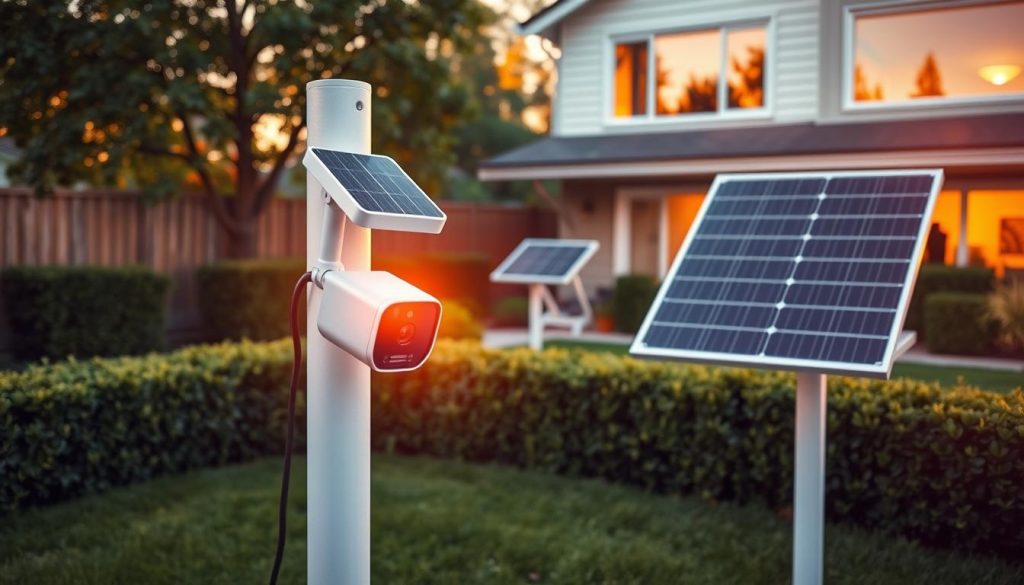
Keeping your home safe in Singapore just got easier. Imagine a wire-free solution that works anywhere on your property. This guide introduces a powerful type of home security device. It combines solar energy and cellular networks for total independence.
You gain complete freedom from electrical outlets and Wi-Fi. The system uses a solar panel for power and cellular data for video transmission. Leading brands like Hikvision, Reolink, and LS VISION create these robust setups. They are built for challenging spots where running cables is tough.
For Singaporean homeowners, this means overcoming wiring limits. It’s ideal for gardens, outbuildings, or remote areas. The tropical weather is no problem for a well-designed model. We will break down critical features like panel efficiency, video quality, and smart detection. This buyer’s guide translates technical specs into practical advice.
Our goal is simple: to help you choose a system that offers reliable property protection and peace of mind. Explore comprehensive 4G solar security camera solutions to start your journey.
Key Takeaways
- These devices provide a completely self-sufficient, wire-free monitoring solution.
- They are perfect for locations without easy access to power outlets or internet cables.
- Solar power keeps the battery charged, offering continuous operation.
- Cellular data ensures a stable connection for live viewing and alerts, without Wi-Fi.
- Key features to compare include video resolution, night vision capability, and motion detection.
- Cloud storage options provide a secure way to save and review recorded events.
- Choosing the right model balances performance, durability, and value for your specific needs.
Introduction to 4G Solar-Powered Security
Forget about tangled wires and Wi-Fi dead zones. A new generation of monitoring tools is here. This technology merges two independent systems into one standalone surveillance solution.
You gain total freedom from fixed infrastructure. It’s a revolutionary step for property protection in any location.
What is a 4G Solar Security Camera?
Think of it as a self-contained sentry. This device combines photovoltaic panels for energy and a cellular modem for communication. It operates completely on its own.
The first core component is the solar panel system. It captures sunlight to charge an internal, high-capacity battery. This provides the necessary power for continuous operation.
The second vital part is the 4G LTE modem. It uses a standard SIM card, just like a smartphone. This modem handles all data transmission, sending video footage over the mobile network.
As Reolink explains, these units function like a mobile phone. They require a data plan instead of a Wi-Fi password. Leading brands like Hikvision refine this concept further.
Their philosophy focuses on integrated design. They consolidate the panel, battery, and lens into one streamlined body. This makes deployment fast and simple.
How This Technology Solves Traditional Security Challenges
Old-fashioned wired CCTV presents major hurdles. Installing it requires extensive cabling for electricity and internet access. This process is often costly and invasive to your property.
The new approach elegantly solves this. It addresses the “last mile” problem in monitoring. Now, watching over a remote shed, a front gate, or a temporary construction site is straightforward.
These are spots where traditional infrastructure is absent. Once mounted, the unit works autonomously. It manages its own energy and connection.
You receive real-time alerts and live video streams directly on your phone. There’s no need to run cables or configure a router. The system is truly plug-and-play.
This marks a significant shift. It makes professional-grade surveillance accessible and incredibly flexible. Your property layout no longer limits your options for reliable protection.
Why a 4G Solar Camera is Ideal for Singaporean Properties
Singapore’s unique property landscape presents specific challenges for home monitoring. Many houses have older layouts with limited power outlets. New extensions or garden areas often sit far from the main router.
This section explores how a modern surveillance solution tackles these local issues head-on. It delivers reliable protection without the hassle of major renovations.
Overcoming the Lack of Power and Internet Wiring
Running cables for electricity and internet can be expensive and disruptive. Traditional setups require an electrician and network technician. This is not always practical or possible.
A solar-powered unit with cellular connectivity changes the game. It draws energy from the sun and sends footage via mobile network. You bypass the need for outlet access and Wi-Fi signal entirely.
This eliminates costly wiring projects. It also makes your security system highly scalable. You can add more units anywhere on your property without infrastructure limits.
Perfect for Remote Locations and Temporary Setups
Think about spots that are hard to reach with cables. A standalone garage or a remote garden shed are perfect examples. A construction site during home renovation is another.
Brands like Hikvision and Reolink design their products for such remote locations. They list use cases like farmlands, festivals, and off-grid areas. The principle applies directly to Singapore.
These cameras offer great value for temporary events. You might host a large festive gathering at home. A temporary setup provides extra monitoring for the day.
It’s a plug-and-play approach. You mount the device, and it starts working. There’s no permanent installation required.
Resilience in Singapore’s Tropical Climate
The local weather is a major factor for any outdoor equipment. Intense sun, heavy rain, and high humidity are constant. Your monitoring tool must withstand these conditions.
Look for models with high IP ratings. IP66 or IP67 certification is a key feature. It ensures resistance against dust and water jets.
Hikvision notes anti-corrosion materials and IP67 ratings in their design. This guarantees sturdy performance despite the elements. The internal battery and solar panel are built to handle temperature swings.
This resilience makes the system a dependable long-term investment. It won’t fail during a monsoon or a heatwave.
For homeowners in Singapore, this technology isn’t just an alternative. It is often the most practical and robust primary security solution. It meets specific local needs for convenience, flexibility, and durability.
Key Features to Look for in the Best 4G Solar Security Camera
The performance of a wire-free sentry hinges on several interconnected technical specifications. A truly reliable unit is more than the sum of its parts. Its core systems must work in harmony to deliver consistent protection.
Understanding these features helps you identify a robust solution. It separates basic models from those built for demanding, long-term use. Let’s examine the critical components that define a top-tier device.
Solar Panel Efficiency and Battery Life
The heart of any autonomous system is its power source. Look at the wattage of the included solar panel. A higher wattage, like 8W or 10W, can recharge the internal battery faster.
This is crucial for Singapore’s weather. Cloudy days or heavy rain can reduce solar input. An efficient panel maximizes energy capture during brief sunny periods.
Battery capacity is the other half of the equation. It’s often measured in milliamp-hours (mAh). A larger battery provides a bigger energy buffer. Smart power management software is also vital.
It conserves energy during idle times. Hikvision, for example, highlights extended battery life as a key feature. Their technology can deliver up to seven days of operation without direct sunlight.
This combination ensures your surveillance remains active through variable conditions.
4G LTE Modem and Network Compatibility
Stable connectivity is non-negotiable. The built-in cellular modem must support the specific LTE bands used by Singaporean providers. These include Singtel, StarHub, and M1.
Compatibility guarantees a strong and reliable network link for video transmission. Always check the device specifications for local band support.
The modem uses a standard nano-SIM card. This handles all data uploads for live viewing and alerts. A compatible modem ensures your recording and alerts reach you without delay, regardless of your Wi-Fi’s reach.
Camera Resolution and Lens Quality
Image clarity determines what you can see. Resolution options range from 2MP for basic coverage to stunning 4K for fine detail. Reolink models, for instance, offer 4K resolution for exceptional quality.
Lens specifications are equally important. The focal length sets the field of view. A wider angle covers more area, while a longer zoom focuses on specific spots.
The lens aperture affects low-light performance. A wider aperture lets in more light for clearer night imagery. Some designs, like LS VISION’s dual-lens units, offer versatility by combining different views.
These factors directly impact the usefulness of your video evidence.
Intelligent Detection: PIR, AcuSense, and AI
Basic motion sensors can trigger countless false alarms. Leaves blowing or a stray animal will set them off. Intelligent detection solves this pervasive issue.
Passive Infrared (PIR) senses heat and movement. It’s a good start but lacks filtering. Advanced technologies like Hikvision’s AcuSense add a layer of analysis.
They distinguish between humans, vehicles, and other objects. AI-powered classification takes this further. It can identify specific types of movement.
This smart filtering is essential for garden or property perimeter monitoring. It ensures you only get alerts for relevant events. This saves your time and storage space.
Many premium cameras integrate additional tools. Two-way audio allows for remote communication. Built-in sirens or spotlight LEDs can act as deterrents.
These features work together to create a proactive security system.
Understanding Solar Power and Battery Performance
At the core of every autonomous monitoring device is a clever power generation and storage system. Its consistent operation relies entirely on this self-contained energy loop. Grasping how it works helps you set realistic expectations and maximize reliability.
How the Solar Panel and Battery System Works
The process is a continuous three-stage cycle. First, the photovoltaic panel captures sunlight. It transforms solar energy into direct current electricity.
This current flows to charge an integrated battery pack. Most units use high-quality lithium-ion or lithium-polymer cells. These batteries store the energy for later use.
The final stage is power draw. The connected device consumes this stored energy to function. All recording, data transmission, and night illumination pull from the battery.
Key components ensure efficiency. Monocrystalline solar panels often offer higher conversion rates than polycrystalline types. The power management circuitry is the brain of the operation.
It regulates the charging process to protect battery health. It also manages the distribution of power to different parts of the unit. This smart design prevents overcharging and deep discharge.
Days of Operation Without Sunlight: What to Expect
Manufacturers often advertise a device’s endurance. Hikvision, for example, claims up to seven days of operation without direct sun. This is a useful benchmark, but your actual experience will vary.
Several factors drain the battery faster. Continuous video recording consumes significantly more power than motion-triggered clips. High detection sensitivity, which causes more recordings, also has an impact.
Frequent use of powerful night vision LEDs is another major draw. During Singapore’s monsoon season, you may face consecutive cloudy days. Your energy buffer must account for this.
A realistic view is essential. Think of the advertised duration as a best-case scenario under optimal settings. For most homeowners, a blend of sunny and cloudy weather is the norm.
The system is designed to recharge quickly when the sun returns. This resilience is a key feature of a robust setup.
Smart Power Management for Optimal Efficiency
Modern units include intelligent software to conserve energy. This technology is crucial for extending operational time. It allows the device to adapt to your specific needs.
One common feature is a deep sleep mode during periods of inactivity. The unit wakes up instantly when its sensors detect motion. Scheduling is another powerful tool.
You can program the device to record only during certain hours. For instance, you might activate it only at night. Adjusting video quality or resolution can also save substantial power.
These management features let you balance performance with battery life. You decide what matters most: crystal-clear footage or longer endurance between charges.
Estimating your personal requirements is straightforward. Consider Singapore’s average of about five to six hours of sunlight daily. Then, factor in your preferred recording frequency and alert settings.
Battery health declines over time. Each charge cycle slowly reduces total capacity. High operating temperatures, common in the tropics, can accelerate this wear.
You can maximize performance with simple habits. Ensure the solar panel faces the sun for most of the day. Keep its surface clean from dust, leaves, or bird droppings to maintain peak efficiency.
A well-maintained system delivers reliable service for years. It turns sunlight into steadfast property protection.
Navigating 4G Connectivity and Data Plans in Singapore
Your new wire-free monitoring device relies on a cellular connection. This makes data plans a key operational factor. The system sends footage over a mobile network, just like a smartphone.
Selecting the right plan ensures smooth performance. It also manages your monthly costs. This section clarifies data usage and helps you choose a local provider.
How Much Data Does a Security Camera Use?
Monthly data consumption varies widely. It depends on several technical settings. The main factors are video resolution, frame rate, and compression efficiency.
Recording mode is the biggest variable. Continuous streaming uses far more than motion-triggered clips. Smart detection that filters out false alerts saves substantial bandwidth.
Reolink provides a helpful baseline. Their estimate is 2GB to 5GB per month. This is for standard motion-triggered recording at 1080p resolution.
Higher-resolution 4K streaming will consume more. Frequent live viewing on your phone also adds to the total. Understanding your use pattern helps predict your need.
Choosing a Local SIM Card and Data Plan
You will need a standard nano-SIM card. Major Singaporean providers are Singtel, StarHub, and M1. Their networks offer extensive coverage across the island.
You can choose between prepaid and postpaid options. Prepaid cards offer flexibility with no contract. Postpaid plans often provide better value for consistent monthly usage.
Look for plans designed for IoT or data-only devices. These often have lower monthly caps at competitive prices. They are perfect for a standalone monitoring system.
Inserting the sim card is straightforward. It typically slots into a compartment on the device, similar to a phone. Activation follows the provider’s standard process.
Ensuring Strong and Stable 4G Signal
A reliable connection is critical for instant alerts. Signal strength can vary by property and specific locations. Start by checking your provider’s online coverage map for your address.
Optimal placement boosts performance. Mount your unit away from large metal obstructions. Position it where you get good reception on your mobile phone.
Some models support an external antenna. This can be a valuable feature for remote locations with weak signals. It directly enhances network stability.
Factor the monthly data fee into your total cost of ownership. A typical 5GB plan from a local provider represents a predictable ongoing expense. This ensures your surveillance remains online and effective.
Video Quality, Resolution, and Night Vision Capabilities
The ability to see details day and night defines the value of your surveillance setup. Clear footage provides the evidence needed for identification and response. This section explores the technical aspects that determine visual clarity.
Your choice in resolution and low-light technology directly impacts what you can discern. It transforms a simple recording into actionable intelligence for property protection. We’ll break down the options from standard HD to advanced 4K.
Understanding these features helps you select a model that meets your specific needs. The goal is usable video under all lighting conditions.
From HD to 4K: Choosing the Right Resolution
Resolution dictates the level of detail captured. Common standards include 2MP (1080p) for basic identification. Higher resolutions like 4MP or 4K (8MP) capture fine details like license plates.
Reolink models like the Go PT Ultra offer 4K 8MP Ultra HD. This quality is excellent for areas where identifying specifics is critical. A garden gate or driveway entrance are prime examples.
There is a trade-off to consider. Higher resolution increases data consumption and battery drain. Continuous recording at 4K uses more power and bandwidth.
Match the resolution to your surveillance objective. For general perimeter monitoring, 2MP may suffice. For detailed forensic viewing, invest in 4K.
Color Night Vision vs. Traditional Infrared
Low-light performance is just as important as daytime clarity. Traditional infrared (IR) provides monochrome footage. It illuminates scenes with invisible LEDs, producing black-and-white images.
Newer color night vision technology changes the game. Often called ColorX or Starlight, it uses advanced sensors. This allows the camera to capture color imagery in very low light.
The advantage is significant. Seeing the color of clothing or a vehicle aids in identification. Brands like Reolink with ColorX and Hikvision with 24/7 color imaging offer this.
Hikvision promotes 24/7 color imaging for all-day protection, ensuring usable footage regardless of the hour.
LS VISION also mentions high-quality, crystal clear, and fully colored night vision. This technology provides a more natural and informative video feed after dark.
Wide Dynamic Range for Challenging Lighting
Scenes with extreme contrast pose a problem. A doorway facing the bright sun is a classic example. Without correction, the interior appears completely dark.
Wide Dynamic Range (WDR) balances exposure in these situations. It processes bright and dark areas separately. Then it combines them into a single, evenly lit image.
This feature is crucial for entries facing east or west. It ensures you see details both inside and outside the frame. Many premium cameras include WDR as a standard function.
Lens aperture also affects low-light quality. A wider aperture, like f/1.6, allows more light to hit the sensor. This improves performance in both color and IR night modes.
For comprehensive security, a device should deliver clear footage from midday sun to pitch dark. Consider resolution, night vision type, and WDR together. They work as a system to provide reliable visual protection.
Your surveillance effectiveness hinges on these visual capabilities. Choose a unit that meets the demands of your specific day night environment.
Storage Solutions: Local vs. Cloud for Your Footage
The value of recorded events hinges on a robust storage strategy that fits your lifestyle. Where you keep your video clips impacts both accessibility and long-term evidence preservation.
You have two primary paths: local storage on the device or cloud storage on remote servers. Each method offers distinct advantages for different use cases. Understanding both helps you build a complete surveillance system.
The Convenience of Built-in eMMC or SSD Storage
Some models feature integrated, non-removable memory. This is often eMMC flash or a solid-state drive (SSD). Hikvision, for example, offers optional built-in SSD storage in some units.
This design is highly robust and integrated. The recording hardware is sealed within the camera housing. It protects against physical tampering or environmental damage to the memory itself.
The workflow is seamless. Footage saves directly to the internal drive. You can access it through the mobile app without handling any physical media. This offers great convenience and reliability for continuous recording.
Using MicroSD Cards for Expandable Local Storage
Removable memory cards are the most common local solution. Brands like Reolink support storage via a microSD card slot. This lets you record without any cloud services.
It is an affordable and flexible option. You can choose the card’s capacity based on your need. High-endurance cards are recommended for the constant write cycles of video recording.
The process is straightforward. The device saves clips directly to the card. You review them via the app or by removing the card to view on a computer. It keeps all evidence on your property.
Understanding Cloud Storage Subscriptions
Cloud storage is a service where footage uploads via the 4G connection. It is saved on secure online servers. Companies like LS VISION support both local and cloud storage.
This approach provides an off-site backup. It protects your evidence even if the physical unit is stolen. Remote playback and review are often easier through a dedicated portal.
Many services bundle advanced AI detection features with the subscription. The main consideration is the recurring cost. Monthly or yearly fees add to the total ownership expense.
Data privacy is another factor for some users. Your data resides on a third-party server. Reputable providers use strong encryption to mitigate this concern.
A hybrid strategy balances both worlds. Use local storage for continuous recording or high-volume areas. Set the system to upload only critical event clips to the cloud.
This method optimizes power and data usage. It also provides a cost-effective backup for the most important alerts. Your security setup becomes more resilient and adaptable.
Durability and Weatherproofing for Tropical Climates
In Singapore’s relentless tropical environment, a monitoring device must be built like a fortress. Intense sun, torrential rain, and salty humidity test every component. This physical resilience is a fundamental requirement for a reliable surveillance solution.
Your investment needs to withstand years of exposure. We’ll examine the ratings and design elements that guarantee this longevity.
IP66 and IP67 Ratings: What They Mean for Rain and Dust
The Ingress Protection (IP) code is your first checkpoint. It defines a product’s defense against solids and liquids. For Singapore, the second digit—water resistance—is critical.
An IP66 rating means the housing is dust-tight. It can also withstand powerful water jets from any direction. This handles heavy monsoon rain perfectly.
IP67 offers a higher tier of protection. It guarantees the unit can survive temporary immersion in water up to one meter deep. This is valuable for extreme weather events or coastal spray.
Leading brands meet these standards. Hikvision models often carry an IP67 rating. LS VISION units are typically IP66 waterproof.
Both are tested for resistance against rain, dust, and fog. This ensures your equipment keeps working through Singapore’s toughest conditions.
Anti-Corrosion Materials for Longevity
High humidity and salty air accelerate metal corrosion. This silently weakens mounts and housing over time. Premium construction uses specific materials to fight this.
Look for housings and brackets made from aluminum alloys. These materials naturally resist rust. High-quality plastics and treated metals are also common.
Hikvision specifically mentions anti-corrosion materials in its design. This focus on material science is what separates a seasonal gadget from a decade-long sentry.
It prevents unsightly rust stains on your walls. More importantly, it maintains the structural integrity of the entire mounting system.
Wind-Resistant and Vandal-Proof Design
Sudden thunderstorms bring strong gusts. Your equipment must not become a hazard or lose its aim. A wind-resistant design addresses this.
It involves a low-profile form factor and a robust mounting bracket. The bracket should have multiple secure attachment points. Hikvision describes its products as wind resistant for this reason.
For units installed at lower heights, vandal-proofing is a smart feature. This includes a toughened camera housing that can withstand impacts.
Tamper-resistant screws prevent easy removal. These elements deter interference and protect your property investment.
Installation best practices complement this built-in durability. Ensure the bracket is fixed to a solid surface. Position the solar panel for optimal sun exposure while considering the unit’s aerodynamics.
Keep connections sealed and tidy. In Singapore’s climate, this level of durability isn’t a luxury. It is the essential foundation for any trustworthy long-term monitoring system for your home or remote locations.
Smart Detection and Alert Features for Enhanced Security
Intelligent alert systems transform passive observation into an interactive security layer. Modern monitoring devices now analyze what they see. This shift turns simple recording into a proactive tool for property protection.
These smart features filter out noise and highlight genuine threats. They save you time and provide peace of mind. Your device becomes an active partner in safeguarding your home.
Person and Vehicle Detection to Minimize False Alarms
Basic motion sensors react to any movement. A passing cloud or a wandering pet can trigger an alert. This leads to frequent false alarms that cause unnecessary anxiety.
Advanced technology solves this problem. AI-powered analysis examines the video feed in real-time. It can distinguish between a human, a car, and other objects.
Brands like Hikvision and Reolink lead this innovation. Hikvision’s AcuSense combines video analytics with radar and PIR sensors. This multi-sensor approach delivers higher accuracy.
Reolink units feature dedicated person and vehicle detection. The system learns to ignore rustling leaves or shifting shadows. You only get notified for events that truly matter.
This smart filtering is a game-changer. It drastically reduces alert fatigue. You can trust the notifications you receive on your phone.
Real-Time Push Notifications to Your Phone
Instant awareness is critical for effective monitoring. When the device detects a person or vehicle, it acts immediately. A push notification is sent directly to your smartphone.
The alert typically includes a snapshot or a short video clip. You can see what triggered the event without opening the app. This offers immense convenience and allows for a quick response.
Reolink notes that these smart detection features often work without any monthly subscription when using local storage.
You stay connected to your property from anywhere. The integration with your mobile device creates a seamless experience. It turns your phone into a remote command center for your surveillance needs.
Two-Way Audio for Remote Communication
Many modern units include built-in speakers and microphones. This two-way audio feature adds a powerful communication channel. You can listen to the environment and speak through the device remotely.
The practical uses are extensive. You can instruct a delivery person where to leave a package. It’s possible to warn off someone lingering near your gate.
Families find it useful for quick communication in the yard. The mere presence of this function can act as a strong deterrent. A potential intruder may leave upon hearing a voice.
This feature transforms a recording device into an interactive system. It engages directly with the environment around your home. You gain not just eyes, but also a voice on your property.
Together, these smart features create a comprehensive solution. They move beyond simple recording to offer intelligent, responsive protection. Your monitoring setup becomes an active and engaged guardian for your peace of mind.
Top Contenders: Comparing Leading 4G Solar Camera Models
A direct comparison of leading models helps clarify which system fits your situation. The Singapore market features three prominent brands. Each caters to a distinct homeowner profile with different priorities.
We will examine Hikvision, Reolink, and LS VISION. Understanding their strengths guides you to the right investment for your property.
Hikvision Solar-Powered Series: Integrated and Robust
Hikvision represents the professional-grade choice. Their philosophy centers on a fully integrated design. The photovoltaic panel, lens, and battery are consolidated into one sleek body.
This approach prioritizes durability and advanced analytics. The housing typically carries an IP67 rating. It guarantees resistance against dust and temporary water immersion.
A key feature is AcuSense intelligent detection. It combines video analytics with other sensors to filter alerts. This minimizes false alarms from animals or foliage.
Battery performance is a strong point. Their technology can deliver up to seven days of operation without direct sun. For storage, some models offer optional built-in SSD drives.
This solution is ideal for permanent, high-security installations. It suits users who prioritize robustness and sophisticated surveillance tools.
Reolink Go and TrackMix LTE: Flexible and User-Friendly
Reolink is known for consumer-friendly, feature-rich devices. Setup is straightforward, appealing to tech-savvy homeowners. Their app support is consistently praised.
Models like the Go PT Ultra offer 4K 8MP resolution. Color night vision provides detailed imagery after dark. The system uses standard 4G LTE for connectivity.
The TrackMix LTE introduces a unique dual-view display. One lens offers a wide-angle overview. The other can auto-zoom to track a person or vehicle.
Reolink notes that smart person/vehicle detection often works without any monthly subscription when using local storage.
This brand emphasizes user control and flexibility. It’s perfect for homeowners who want high-quality video and smart features without complex management.
LS VISION UBox Series: Cost-Effective and Versatile
LS VISION offers a value-oriented and versatile alternative. Their UBox series often includes dual-lens PTZ (Pan-Tilt-Zoom) designs. This provides extensive coverage of large areas.
Specifications like 6MP resolution and IP66 weatherproofing are standard. The solution supports both local and cloud storage options. This gives users flexibility.
With over 15 years of manufacturing experience, they focus on competitive pricing. These units are ideal for budget-conscious buyers.
They also suit those needing specialized features like long optical zoom. It’s a practical choice for monitoring expansive gardens or remote locations on a property.
Here’s a quick comparison of key specifications:
- Solar Panel: Hikvision and Reolink often use 5W-8W panels; LS VISION panels are similarly efficient.
- Battery Life: Hikvision claims up to 7 days; Reolink and LS VISION offer strong performance with smart power management.
- Video Resolution: Reolink leads with 4K options; Hikvision and LS VISION offer sharp HD to 6MP clarity.
- Smart Detection: All three offer person/vehicle detection, with Hikvision’s AcuSense being particularly advanced.
- Price Point: LS VISION is typically most cost-effective, Reolink is mid-range with premium features, and Hikvision sits at the professional end.
For a permanent, high-end installation, Hikvision is a top contender. If you desire user-friendly control and excellent video, consider Reolink. LS VISION delivers capable coverage at a compelling price.
All three brands produce devices compatible with Singapore’s mobile networks. Their builds are designed to handle the tropical climate, offering reliable protection for your home.
Installation, Setup, and Ongoing Maintenance
Getting your new sentry up and running involves two key phases: physical installation and digital configuration. A proper start ensures your unit delivers reliable surveillance with minimal fuss. This guide walks you through mounting, activation, and simple care routines.
Follow these steps to achieve optimal performance from your independent system. The process is designed for user convenience, often requiring just basic tools.
Mounting Your Camera for Optimal Sun Exposure
Selecting the right spot is your first critical decision. You must balance clear property coverage with direct sunlight for the solar panel. Avoid shaded areas from trees or buildings for most of the day.
Use the included mounting bracket. Attach it firmly to a solid wall, pole, or eave. Hikvision notes their bracket mounts to posts and similar objects, supporting a net weight of about 14 kg.
Angle the photovoltaic panel towards the equator. In Singapore, this means facing roughly north. This position maximizes daily energy capture.
Test the view before finalizing the position. Ensure the lens covers the desired area without obstructions. A stable mount prevents shifting during heavy rain or wind.
Step-by-Step Guide to Initial Setup and Activation
Begin by inserting the required components. Place a nano-sim card from your chosen provider into its slot. Insert a high-endurance microSD card for local storage if your model supports it.
Power on the device using its physical button. The indicator lights will show startup status. Next, download the manufacturer’s official app on your smartphone.
Add your unit within the app. This typically involves scanning a QR code or entering a serial number. The app will guide you through pairing.
Activation connects the device to the cellular network. Follow the in-app prompts to establish this link. You will then configure your preferences.
Set up motion detection zones and alert sensitivity. Adjust settings for recording triggers and notification types. Finally, test the live view to confirm everything works.
Hikvision emphasizes a streamlined deployment process for their integrated units, making setup intuitive.
Routine Checks and Maintenance Tips
Proactive care extends the lifespan and reliability of your setup. These tasks require only a few minutes every few months.
Periodically clean the surface of the solar panel. Dust, leaves, or bird droppings can reduce its efficiency. A soft, damp cloth is usually sufficient.
Inspect the housing and bracket for physical damage or signs of corrosion. Singapore’s humid climate can test materials over time. Ensure all connections remain sealed.
Verify that alerts are still reaching your phone. Also, confirm your mobile data plan is active and has sufficient balance. Check battery health through the app’s dashboard.
Understand that performance varies with the seasons. Batteries may drain faster during prolonged cloudy weather. The system is designed to recharge quickly when sun returns.
Establish a simple quarterly check-up routine. This is especially useful before and after the monsoon season. A quick visual inspection and app review can prevent issues.
Once configured, these autonomous solutions demand little intervention. Consistent, minimal upkeep ensures they guard your property effectively for years.
Cost Analysis: Upfront Investment and Ongoing Expenses
A clear budget breakdown helps you evaluate the true value of a wire-free surveillance system. Understanding all financial aspects ensures your investment aligns with your property protection needs.
This analysis covers both immediate and long-term costs. It provides a realistic view of ownership for an autonomous monitoring solution.
Breaking Down the Initial Purchase Price
The upfront investment includes several components. The primary cost is the monitoring unit itself.
Additional accessories often add to the total. These can include sturdy mounts, external antennas for weak signal areas, and a high-endurance microSD card for local storage.
Brands offer different price points. Budget-friendly models from LS VISION provide capable coverage at a lower cost.
Mid-range options like Reolink balance premium features with user-friendly control. Professional-grade units from Hikvision represent a higher initial investment.
Their integrated design aims to reduce complexity and boost long-term efficiency.
Monthly Data Plan Costs in Singapore
Ongoing expenses are dominated by the cellular data plan. Your device transmits video over the mobile network using a standard nano-sim card.
Major providers like Singtel, StarHub, and M1 offer suitable plans. Affordable IoT or data-only options are widely available.
These typically cost between $5 to $15 per month. They provide 5GB to 10GB of data, which is often sufficient.
Reolink states the cost of running a cellular security camera depends on the model, data plan, and storage options. Motion-triggered recording is more data-efficient.
This smart use of bandwidth keeps monthly fees predictable. Optional cloud storage subscriptions add another recurring fee.
These services can range from $3 to $10 per month per camera. They provide off-site backup and sometimes include advanced detection features.
Total Cost of Ownership Over Time
Looking at a 1, 3, or 5-year period gives a complete picture. Compare this to traditional wired CCTV systems.
Wired setups often have lower monthly costs. However, their installation fees are much higher due to professional cabling.
A wire-free solution flips this model. The higher initial device cost is offset by zero wiring expenses and DIY installation.
This offers unparalleled flexibility for your property. Over five years, the total investment can be very competitive.
A potential hidden cost is battery replacement after several years. Most internal batteries are designed for hundreds of charge cycles.
High-quality units use durable lithium-ion or lithium-polymer cells. In Singapore’s climate, battery health should be monitored via the app.
Consider these key cost components over a three-year period:
- Initial Purchase: Device, mounts, and memory card.
- Recurring Data: Monthly SIM plan fees for connectivity.
- Optional Cloud: Subscription fees for remote storage.
- Potential Replacement: Battery or accessory refresh after extended use.
The value proposition is clear. You pay for convenience, independence from internet wiring, and robust performance in all weather.
Budget for both the immediate purchase and the predictable ongoing expenses. This ensures your surveillance system remains effective and financially sustainable for years.
Making Your Final Decision: Choosing the Perfect Camera for Your Needs
Selecting the right autonomous sentry for your property is a decision that blends technical needs with personal peace of mind. Focus on core aspects: power autonomy, stable connectivity, clear video, durable design, smart detection, and overall costs. Create a checklist based on your layout and concerns.
Match the solar panel and battery specs to your site’s sunlight. Verify network compatibility with local carriers for seamless data transmission. This avoids connectivity issues.
Shortlist two or three models from leading brands. Read recent user reviews from Singapore. Check for local warranty and support.
A well-chosen system delivers true protection and peace of mind, day and night. This technology brings reliable, independent surveillance to your home.