ED VISTON

Blog

CCTV camera night vision

How to Tell if Your CCTV is Running at Night

Your security cameras are your silent guardians after dark. Ensuring they are actively recording is crucial when risks are highest. A non-functional system during these hours creates a dangerous blind spot. Many assume their surveillance system is always on. This assumption can lead to unpleasant surprises. Undetected downtime means missed events and a false sense of safety. This guide provides clear, actionable methods for homeowners and business managers in Singapore. Reliable nighttime monitoring is essential for safety here. We will show you how to confirm your system’s status with confidence. The article explores technologies like infrared and thermal vision. We cover visual checks, practical tests, and technical diagnostics. Regular verification is a key part of responsible security ownership. You will also learn to troubleshoot common malfunctions. Our goal is to empower you with knowledge. This ensures your setup delivers true peace of mind. Key Takeaways Nighttime is a critical period for security, making camera verification essential. Never assume your surveillance system is operational without regular checks. Simple visual inspections and practical tests can quickly confirm camera activity. Understanding basic night vision technology helps you interpret what you see. Regular maintenance prevents unexpected downtime and ensures reliable footage. Knowing how to perform basic diagnostics empowers you as a system owner. A confirmed operational system is the foundation of true security confidence. Why Verifying Your CCTV at Night is Essential for Security For many properties, the highest risk period is also the time when monitoring failures go unnoticed. Criminal activity often increases under the cover of darkness. A non-functional security camera during these hours creates a dangerous gap in your defenses. Assuming your surveillance system is always recording breeds a false sense of safety. This assumption can lead directly to property loss or safety incidents. Your investment is defeated if a camera fails to capture an intruder or accident. For businesses in Singapore, the stakes are even higher. CCTV failure during an incident carries serious financial and legal implications. It can mean non-compliance with local security standards. Insurance claims may be denied without crucial footage as evidence. Functional nighttime surveillance plays a dual role. Its visible presence acts as a powerful crime deterrent. Should an event occur, the recorded vision provides indispensable evidence for investigations. The peace of mind that comes from knowing your property is monitored 24/7 is invaluable. This is true for families securing their homes and business owners protecting their assets. Confidence in your cameras allows you to rest easy. Even brief periods of downtime can create critical blind spots. Regular status checks help you catch issues early. This proactive habit ensures your cctv cameras are ready when needed most. Reliable CCTV operation is the backbone of any overall security strategy. Technology only provides protection when it works as intended. Regular verification confirms this vital link is strong. A camera that’s off won’t capture intruders, theft, or accidents—defeating the purpose of your security investment. Regular status checks help you catch downtime early, avoid blind spots, and ensure your system is ready when you need it most. Proactive checking is always more effective than reactive fixes after a breach. Verifying your cctv camera at night is not just a technical task. It is a fundamental component of responsible security management. Understanding CCTV Night Vision Technology The core technology that allows CCTV systems to see in the dark is what separates effective nighttime surveillance from a blind spot. Standard cameras struggle when light levels fall, producing grainy or black video. Modern night vision solutions overcome this by either creating their own invisible light, detecting heat, or amplifying minimal ambient light. Knowing which technology your system uses helps you verify its proper function after dark. Infrared (IR) Night Vision This is the most common night vision type in consumer and commercial security cameras. Small LEDs around the lens emit infrared light, which is invisible to human eyes. The camera‘s sensor is specially designed to detect this IR illumination. It effectively paints the scene with light only the camera can see, providing clarity in total darkness. A key advantage is cost-effectiveness and reliability. The main trade-off is that footage is typically black-and-white. The effective range is also limited by the power of the IR LEDs. Thermal Imaging Cameras These cameras take a completely different approach. Instead of relying on light, they detect the heat signatures emitted by objects and people. They create an image based on temperature differences. Warmer areas like a person appear bright against cooler backgrounds like a wall. This technology excels in challenging conditions. It can see through light smoke, fog, and absolute darkness. It is often used for critical perimeter security and motion detection. The primary drawbacks are higher cost and generally lower image resolution compared to optical cameras. They show heat shapes rather than detailed facial features. Low-Light Enhancement Technologies Also called starlight or color night vision, these systems use highly sensitive image sensors. They amplify even the tiniest amounts of available ambient light. This can come from streetlights, the moon, or distant building reflections. The result is a clearer, often color image in very low light conditions. This provides more detail for identification, like clothing color. Performance does decrease in environments with almost zero ambient light. It bridges the gap between IR and full daylight vision. Choosing the right technology depends on your needs and environment. Cost-effective IR is perfect for most homes and businesses with defined coverage areas. Thermal imaging is ideal for large, open perimeters or areas prone to fog. Low-light cameras are excellent for urban Singapore locations with some background glow. Understanding your cctv camera‘s capabilities is the first step in trusting your nighttime footage. It allows you to set realistic expectations and perform accurate status checks. Immediate Visual Indicators of CCTV Activity Before diving into technical diagnostics, start with the most accessible clues your camera provides. A quick visual inspection can confirm if your cctv cameras are powered and functioning. These indicators offer a no-tools method to assess activity. This approach is

How to Tell if Your CCTV is Running at Night Read More »

CCTV camera recording verification

Verify if Your CCTV is Actively Recording

Your security system is only as strong as its ability to capture events. For homeowners and business owners in Singapore, confirming that your CCTV camera is working is a fundamental part of protecting your property. This guide provides clear, actionable steps and checks. You will learn a reliable way to confirm your surveillance system‘s status at any time. A non-functional camera creates a dangerous false sense of safety. Regular verification is a necessary habit for responsible security management. We will cover a multi-faceted approach. This includes physical inspections, software reviews, and configuration settings. The process is straightforward and does not require advanced technical skills. Modern CCTV systems have built-in indicators that make verification simple. The following sections offer detailed instructions to give you complete confidence. Key Takeaways Knowing your CCTV’s recording status is essential for effective surveillance. Visual and audio indicators on the cameras can signal they are functioning. Performing regular checks greatly enhances your overall security and peace of mind. Understanding your system’s basic settings helps confirm it is capturing footage. Technical verification methods provide an extra layer of assurance. A non-recording camera offers no real protection for your home or business. Verification is a simple process that most users can perform themselves. Understanding How Your CCTV System is Designed to Work A functional CCTV setup relies on several key components working together seamlessly. Each part has a specific job in capturing, processing, and storing video. Knowing this design is the first step in verifying your surveillance operation. You can then perform accurate checks. This foundational knowledge makes all later verification steps logical and clear. Core Components of a Modern CCTV Setup Every system is built from a few essential pieces. The cameras are the eyes, capturing raw visual data. They come in various forms like wired or wireless, and analog or IP. Each type influences installation and how you check its status. Outdoor models often include night vision capabilities, using infrared LEDs. These LEDs glow red in the dark, serving as a clear activity indicator. The recorder, either a DVR or NVR, is the brain. It processes the video signals and saves the footage to a hard drive. A steady power supply is the lifeline for all cctv cameras. Without it, the entire system fails. Connectivity through cables or Wi-Fi completes the setup, allowing data to flow. Common Recording Modes: Continuous vs. Motion-Activated Your cctv can save video in different ways. The two primary options are continuous and motion-activated recording. Understanding which mode your camera uses is crucial for verification. Continuous recording captures every second. It leaves no gaps, which is vital for high-security areas. This mode requires significant storage space. You must ensure the hard drive has enough capacity. Motion-activated recording is more efficient. The camera only saves footage when it senses movement. This saves storage and makes reviewing events faster. The detection sensitivity can usually be adjusted in the software. A well-tuned motion sensor is key to catching important events. Features like pan-and-tilt mechanisms also provide visual cues. You might hear a motor sound or see the camera move, confirming it is active. This basic understanding directly informs your checks. You will know what normal operation looks and sounds like for your specific setup. How Do I Know If My CCTV Is Recording? Start with Physical Checks Physical signs and sounds from your equipment offer immediate clues about its operational status. This is your first and fastest line of verification. You can perform these checks without any special tools. Simply observe your camera and listen closely. These steps give you instant feedback on its health. Interpreting LED Light Patterns and Colors Most security cameras have small LED lights that act as a primary indicator. The color and pattern tell a clear story. A steady blue light often means active recording is in progress. A solid red light can signal the camera is on standby. Sometimes, it means infrared night vision is active. Blinking lights are a big sign the system is processing data. Always check your model’s manual for exact meanings. Brands use different color codes. To test night vision, observe the camera in a dark room. You should see a faint red glow from the infrared LEDs around the lens. This confirms the cctv cameras are powered and their low-light function is ready. If you see no lights at all, it could be a power issue. It might also mean the status indicator is disabled in the settings. Listening for Operational Sounds and Motor Movement Your ears are a powerful verification tool. A functioning cctv unit often makes subtle noises. Listen for a faint hum or a soft whirring sound. This is common in pan-tilt-zoom (PTZ) models. The sound comes from internal motors adjusting the view. You might also hear a quiet click when the lens auto-focuses. For cameras on a patrol sequence, watch for smooth movement. This is a definitive sign of power and activity. Walk in front of a motion-activated camera. It should subtly shift or follow your movement. This proves the motion detection is working. These physical checks are a simple routine for any home or business. Perform them weekly for peace of mind. Note: Some discreet, high-end models hide all signs. For those, you must rely on software to confirm recording. Using Software and Apps to Confirm Recording Status The mobile app or desktop software that controls your CCTV offers definitive proof of recording. This digital interface provides real-time visual evidence. It is the most reliable way to verify your surveillance operation. Modern security systems are designed for remote monitoring. You can perform these checks from anywhere with an internet connection. The process gives you immediate confidence in your camera‘s activity. Checking the Live View Feed on Your Phone or Monitor Accessing the live feed is the ultimate test for any camera. Open your dedicated security application on a smartphone or tablet. You can also use desktop software on a computer monitor. Navigate to the section showing your connected cameras.

Verify if Your CCTV is Actively Recording Read More »

remote cctv access on phone

Access Your CCTV Cameras Remotely on Your Phone

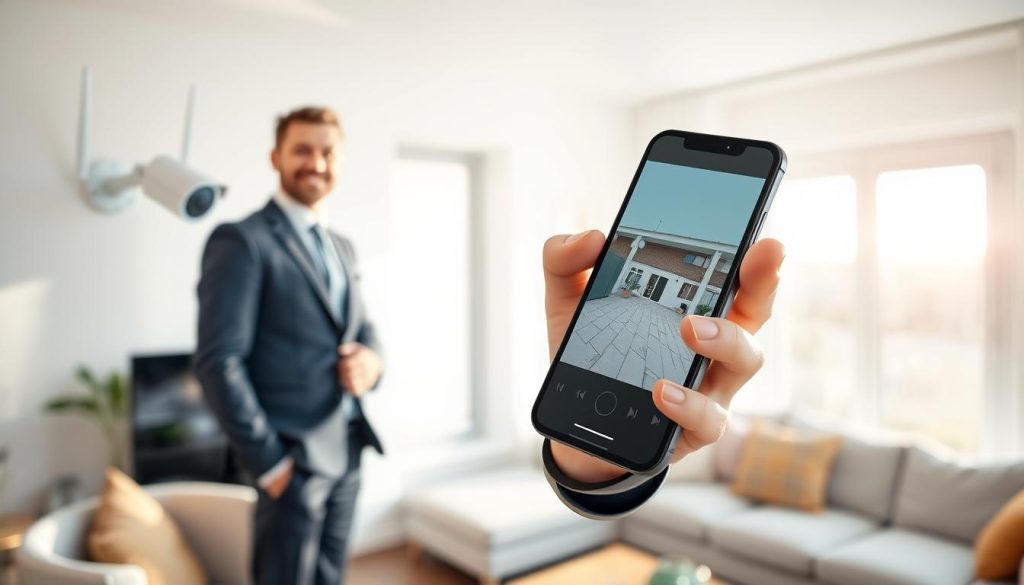
Keeping your property secure has entered a new era. Modern CCTV cameras offer the powerful ability to connect directly to your smartphone. This technology provides a transformative security solution for homes and businesses across Singapore. You gain unparalleled convenience and peace of mind. Imagine checking on your home or office from anywhere, at any time. This level of control turns your phone into a personal security command center. The demand for this feature is skyrocketing. Recent data shows over 65% of homeowners in Asia now prefer security systems with mobile connectivity. This trend highlights a major shift towards smarter, more accessible protection. This comprehensive guide is designed to answer a common question: “How can I watch my CCTV on my phone?” We will walk you through everything you need to know for seamless remote access. Our article covers the essential technology, key benefits, simple setup steps, basic troubleshooting, and future trends. It is a practical resource built for users in Singapore. You will find clear, step-by-step instructions. Our goal is to help you achieve reliable and instant monitoring of your property from your mobile device. Key Takeaways Remote CCTV access turns your smartphone into a powerful security monitoring tool. It offers significant convenience and provides peace of mind for property owners. A majority of homeowners in Asia now prefer security systems with mobile connectivity. Setting up remote viewing involves understanding your system’s technology and network. This guide provides a practical, step-by-step approach tailored for users in Singapore. Reliable remote access allows you to monitor your property from anywhere at any time. The future of security is increasingly mobile and integrated with personal devices. Why Remote CCTV Access is Essential for Modern Security Gone are the days when surveillance systems were confined to a single monitor in a back room. Modern security demands immediate awareness and control, no matter your location. This shift from localized monitoring to remote-capable systems is fundamental. Older CCTV setups merely recorded events for later review. Today’s technology transforms passive recording into an active security tool. Remote access turns your smartphone into a live command center. Mobile connectivity allows users to monitor and control their security systems in real-time. This enables a quick response to potential threats. You gain real-time situational awareness whether you’re at work, traveling, or in another room. Immediate alerts are a game-changer. Notifications sent directly to your phone allow you to alert authorities or trigger other measures instantly. This capability turns a camera into a proactive guardian for your property. In Singapore, where property security and smart home adoption are high priorities, this function is critical. Residents value the ability to verify deliveries, monitor domestic helpers, or check on pets remotely. It integrates seamlessly with a connected lifestyle. Remote viewing is no longer a luxury add-on. It is a standard expectation for any effective CCTV system. The convenience and power it provides are now baseline requirements for homeowners and businesses. This connectivity also enhances overall home security. It enables the remote control of smart locks, alarms, and lighting systems. A unified mobile app creates a powerful, integrated defense network. For a comprehensive guide on achieving this, you can learn the detailed setup steps. Understanding the technology behind this access is the next logical step. Understanding the Technology: From DVRs to Mobile Apps The backbone of modern remote surveillance lies in a fundamental shift from analog to digital technology. Older systems relied on Digital Video Recorders (DVRs) connected to coaxial cables. Today’s solutions use Internet Protocol (IP) cameras and Network Video Recorders (NVRs). This evolution is what enables seamless remote access from your mobile device. Understanding the components demystifies the entire process. Core Components of a CCTV System Traditional CCTV setups used analog cameras feeding into a DVR. The viewing was confined to a local monitor. Modern IP cameras represent a significant technological leap. Each IP camera has a built-in network interface. It connects directly to your home network via Wi-Fi or an Ethernet cable. This turns the camera into a smart device on your local network. Once connected, the camera becomes accessible over the internet. This fundamental connectivity is the first step toward mobile monitoring. The camera processes and transmits video data digitally. How IP Cameras and Mobile Apps Enable Remote Viewing The official manufacturer mobile app acts as your remote control and viewing portal. Popular apps, like the VIGI App, are designed for this specific purpose. You download the app to your smartphone from the official store. This app communicates with your cameras through your network. A key technology called Cloud P2P (Peer-to-Peer) often facilitates the connection. P2P creates a secure tunnel without requiring complex router configuration. Video streaming protocols then transmit live footage to your phone with minimal delay. This allows for real-time monitoring from anywhere. The process is secure and designed for ease of use. Through the mobile interface, users can access multiple powerful features. These include live view, playback of recorded footage, two-way audio, and alert management. You receive instant notifications directly to your device. This integration effectively turns your smartphone into a portable, personal security monitor. The technology works seamlessly to provide reliable remote access and peace of mind. Key Benefits of Connecting Your CCTV to Your Smartphone Linking your surveillance cameras to your smartphone unlocks a suite of powerful advantages that extend far beyond simple video viewing. This integration transforms passive observation into active, intelligent property management. The convenience and power delivered directly to your hand redefine modern security. Real-Time Monitoring and Instant Alerts Immediate awareness is the cornerstone of effective protection. With your cameras connected, live video streams directly to your mobile app. You see events as they happen, not after the fact. Instant push notifications alert you to detected motion or other triggers. This allows for swift verification and response. Whether it’s a delivery person at the door or unexpected movement, you’re informed in seconds. This real-time capability turns your security system into a proactive sentry. You gain peace of mind knowing you won’t

Access Your CCTV Cameras Remotely on Your Phone Read More »

DVR and NVR security systems comparison

Comparing DVR and NVR: Which is Right for You?

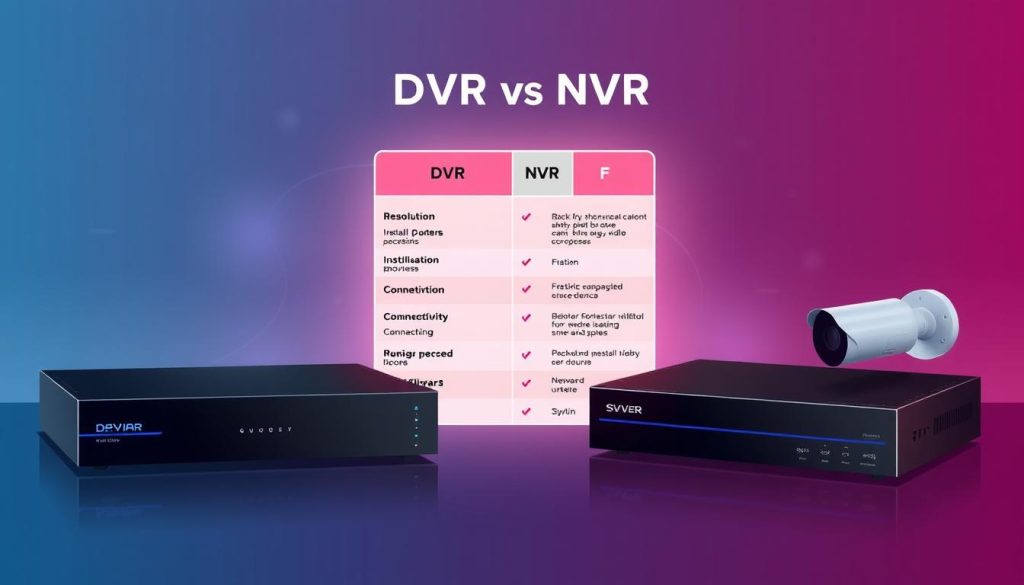
A reliable video surveillance system is a cornerstone of modern security for both homes and businesses. The recorder is its brain, determining how footage is stored, viewed, and managed. Choosing the right one is a critical first step. Today’s options primarily center on two technologies: the Digital Video Recorder (DVR) and the Network Video Recorder (NVR). Each handles digital video but operates on distinct principles. This guide provides a clear, fact-based comparison. We will break down the core technology, required cameras and cables, installation processes, final video quality, and overall system costs. Your specific needs, budget, and existing infrastructure are key. Factors like building layout in Singapore and plans for future expansion matter greatly. By understanding the pros and cons of each recorder type, you can make a confident, informed decision for your property’s safety. Key Takeaways The recorder is the central component that defines a security camera system’s capabilities. DVR and NVR systems both store digital footage but use different technologies and components. Camera compatibility, cabling requirements, and installation complexity vary significantly between the two. Image quality, system scalability, and long-term costs are major differentiators to consider. The best choice depends on your specific security goals, property layout, and budget. Local conditions, such as those in Singapore, can influence which system is more practical. This analysis will provide the details needed to select the optimal system for your needs. Introduction to Video Surveillance Recorders The recorder is the core component that transforms individual cameras into a cohesive surveillance system. This essential hardware manages, stores, and enables playback of all security footage. Two primary video recorder types dominate the market. They are the Digital Video Recorder (DVR) and the Network Video Recorder (NVR). Each recorder type is designed for different camera technologies. DVR systems are traditionally paired with analog cameras. NVR systems work seamlessly with modern IP (Internet Protocol) cameras. The basic function involves converting incoming signals. Video is compressed into a digital format and saved onto an internal hard drive. This process maximizes storage capacity while preserving data. Recorders create a centralized control point for monitoring multiple cameras. This is a huge leap from old tape-based systems. Digital storage improves reliability and searchability of recorded footage. These devices can be standalone or integrated into a network. Network integration allows for remote access and viewing from smartphones or computers. This connectivity is a key modern feature. In security operations, the recorder plays a critical role. It aids in evidence collection, enables real-time monitoring, and allows for historical review of events. The choice between a DVR and an NVR impacts overall system performance. Your decision affects long-term cost, video quality, and system scalability. For property owners in Singapore, local infrastructure and technology adoption rates are practical considerations. Understanding these recording fundamentals is the first step toward a smart investment. Core Technology: The Fundamental Difference Between DVR and NVR Two distinct technological paths govern how modern surveillance systems capture and store footage. This fundamental split determines everything from required cameras to final video quality. The core difference between DVR and NVR lies in where the video processing happens. One system handles raw signals at the recorder. The other uses smart cameras that process footage before sending it. DVR: Processing Analog Signals at the Recorder DVR systems are built around legacy analog technology. Analog cameras capture a video image and send it as a raw, continuous signal. This signal travels through dedicated coaxial cables to the digital video recorder. Inside the DVR, a critical component called an Analog-to-Digital Converter (ADC) gets to work. The ADC transforms the incoming analog wave into a digital format. The recorder then encodes and compresses this data for efficient storage on its hard drive. All complex processing occurs inside the DVR unit. The cameras themselves are simple, passive devices. This architecture ties the entire system to older analog infrastructure. NVR: Receiving Digital Streams from IP Cameras NVR systems operate on a modern, networked principle. Each IP camera is an intelligent device with its own processor. These cameras capture video and encode it into a compressed digital stream internally. The processing is done at the edge, right inside the camera housing. The finished digital video stream is then sent over a standard Ethernet network or Wi-Fi. The network video recorder simply receives, manages, and stores these ready-made digital files. An NVR does not process video signals. Its role is centralized storage and management. This leverages existing digital network technology for connectivity. The implications of this technological divide are significant. DVRs require specific BNC connectors and are bound to the limitations of analog transmission. NVR systems, using standard network ports, integrate easily with other digital systems. Because IP cameras have built-in intelligence, they enable advanced features like motion analytics at the source. Signal integrity also differs. Analog signals can degrade over long coaxial runs, causing a loss in video quality. Digital streams remain perfect until a network issue disrupts the packet flow. This core technology choice sets the foundation for all other pros and cons, from installation complexity to future expansion potential for your security needs. System Components and Architecture Building a functional security camera system requires specific hardware components that must work in harmony. The choice between a DVR and an NVR dictates a completely different set of parts. Each piece, from the cameras to the connecting cables, is designed for its specific technological path. Knowing what you need is the first step in planning a successful installation. DVR System Components: Analog Cameras and Coaxial Cables A traditional DVR system is built from a collection of legacy components. These parts are reliable but come with inherent physical limitations. The essential hardware includes: Analog CCTV Cameras: These cameras capture a raw video signal. They are simple devices without internal processing. Coaxial Cables: Typically RG59, these thick cables carry the analog video signal. A “siamese” cable combines video and power lines into one jacket. BNC Connectors: These twist-on connectors secure the coaxial cable to both the camera and the digital

Comparing DVR and NVR: Which is Right for You? Read More »

CCTV security camera installation

Singapore Buyer’s Guide: Things to Know Before Getting CCTV

Singapore is a city under watch, with nearly one million surveillance cameras in operation. This network plays a vital role in public and private security. For homeowners and business operators, a personal CCTV system is a powerful tool for safety. These cameras actively deter criminal activity and provide crucial evidence if an incident occurs. Modern digital systems offer superior image clarity and simpler setup than old analog models. A successful setup requires careful forethought. This guide walks you through the essential planning steps. You will learn how to assess your property’s unique security needs. We cover Singapore’s legal rules, like the PDPA, for handling recorded data. The right equipment choice depends on features like resolution and night vision. Strategic placement ensures full coverage of key rooms and entry points. We also discuss long-term storage and system maintenance for lasting performance. Key Takeaways This guide provides a complete overview for evaluating a CCTV purchase in Singapore. Surveillance cameras are a proven deterrent to crime and aid in investigations. Digital CCTV systems deliver better image quality and easier installation. The first critical step is a thorough assessment of your specific security needs. Compliance with Singapore’s Personal Data Protection Act (PDPA) is mandatory. Choosing cameras involves matching features like resolution to your environment. Effective installation and planning prevent blind spots and ensure reliable coverage. Assessing Your Security Needs and Property Layout Before picking a single camera, you must first define exactly what you need to protect. This initial assessment forms the blueprint for your entire CCTV system. It directly determines how many devices you require, where they should go, and what specific features they need. Start with a thorough walkthrough of your property. Look at it from a potential intruder’s viewpoint. Identify every vulnerable access point that demands surveillance. Identifying Key Areas for Coverage Common critical zones include main entry doors, ground-floor windows, and secluded gates. Your garage, garden, and driveway are also prime spots for monitoring. The goal is to eliminate blind spots where activity could go unseen. Decide if you need indoor cameras for private spaces like living rooms and hallways. Outdoor units are essential for securing the perimeter. Your property’s layout, like multiple stories or a large yard, dictates the number of cameras for full coverage. Also, think about each camera’s purpose. A visible unit on the front porch acts as a strong deterrent. A more discreet model might be better for recording activity without drawing attention. Determining the Appropriate Camera Types Once you know the areas to watch, match the right technology to each task. Different camera types excel in different roles. Bullet cameras are ideal for long-distance outdoor monitoring. They have a robust housing and point in one fixed direction. Dome cameras offer a more discreet look, perfect for indoor hallways or retail spaces. For active monitoring, PTZ (Pan-Tilt-Zoom) cameras allow you to control the view remotely. Fixed cameras provide reliable, stationary coverage of a specific choke point. Your choice between wireless and wired systems matters too. Wireless systems offer easier setup and flexibility. Wired connections often provide more reliable power and data transmission, crucial for 24/7 security. Smart planning includes future expansion. Choosing a scalable system lets you add more cameras later as your needs change. This assessment phase is absolutely foundational. It informs your legal compliance, equipment purchase, and installation strategy. For complex property layouts, consulting with expert security camera installers can ensure your plan is both effective and efficient. Navigating Singapore’s Legal Framework for CCTV Operating a CCTV system in Singapore involves more than just mounting cameras. It requires navigating a clear legal landscape designed to protect personal privacy. Understanding these rules is essential for lawful and effective security. Failure to comply can lead to serious penalties. More importantly, it can erode trust with those you monitor. Your setup must balance safety with respect for individual rights. Adhering to the Personal Data Protection Act (PDPA) The Personal Data Protection Act (PDPA) is the cornerstone of surveillance law here. It applies to both businesses and individuals collecting personal data via CCTV. The law mandates transparency and consent. You must provide clear notification that recording is happening. The standard method is through conspicuous signage. Placing signs at entrances typically satisfies the requirement for implied consent. Individuals also have the right to request access to footage of themselves. You must be prepared to provide it within a reasonable time. This is a key PDPA obligation. There are absolute no-go zones. It is illegal to place cameras in private areas like bathrooms or bedrooms. Such acts are serious privacy violations. Even within your own home, you have duties. Inform all household members, domestic helpers, and regular visitors about the cameras. Verbal notification is sufficient but should be clear. For businesses, PDPA compliance is non-negotiable. Proper signage and data handling policies are critical. This fosters customer trust and avoids substantial fines. Understanding HDB and Condominium Regulations Your housing type adds another layer of rules. For HDB flat owners, regulations have recently simplified. As of May 2023, you do not need prior HDB approval for installation inside your unit. However, ethical placement remains paramount. Your camera must not point at your neighbors’ doors or windows. Respecting their privacy is a legal and community expectation. Condominium and private apartment residents face different guidelines. You will likely need permission from the Management Corporation (MCST) or residents’ committee. This is especially true for cameras mounted on common property or that capture shared areas. Always submit your plans to the management before starting work. They may have specific bylaws about wiring and camera aesthetics. Getting approval upfront prevents costly rework. Outdoor systems that cover public walkways or adjacent properties may need permits. The Singapore Police Force or local town council could be involved. Checking jurisdiction-specific rules is a vital step. Navigating these frameworks ensures your security measures are robust and respectful. For a complete overview of all key considerations for CCTV installation, thorough planning is your best defense. Choosing the Right CCTV Equipment for

Singapore Buyer’s Guide: Things to Know Before Getting CCTV Read More »

CCTV maintenance report documentation

How to Write a CCTV Maintenance Report

Strong documentation is the backbone of any reliable security operation. For your surveillance system, a well-crafted record of its condition is not just paperwork. It is a vital tool for ensuring continuous protection. This guide walks you through creating a professional document that tracks the health of your equipment. Regular inspections and detailed notes help catch small issues before they escalate. This proactive approach saves time and money while maximizing your security investment. You will learn the essential components to check and how to structure your findings clearly. We cover everything from monthly visual checks to quarterly performance tests. Using a standard template makes the process efficient and consistent. Key Takeaways Monthly visual inspections are critical for all cameras and recording devices. Quarterly checks improve image quality and verify correct camera angles. Significant cable damage can compromise the entire system’s reliability. Testing IR illuminators is essential for effective night surveillance. Supervisor verification guarantees the quality and completeness of the work. Proper documentation provides a historical record for future service and audits. A standardized template simplifies reporting and ensures nothing is missed. The Critical Role of CCTV Maintenance Reports in Security The integrity of any surveillance operation hinges on two pillars: consistent equipment care and meticulous documentation. Without both, your protective measures can become unreliable over time. A disciplined approach to upkeep ensures your assets perform as intended. Detailed records transform routine inspections into a powerful strategic tool. They provide a clear history of your system’s health and all service actions taken. This historical data is invaluable for planning upgrades and budgeting. Why Regular Maintenance and Documentation are Non-Negotiable Consistent upkeep prevents unexpected failures that leave blind spots in your coverage. Small issues, like a dirty lens or loose cable, can degrade video quality. Catching these problems early is the key to continuous, clear surveillance. Systems that receive scheduled care last significantly longer. Some studies suggest proper upkeep can extend equipment lifespan by up to 40%. This directly protects your financial investment in security technology. Operational benefits are substantial. Avoiding emergency repairs saves money and reduces downtime. Your security operations keep running smoothly without costly interruptions. Thorough documentation creates an audit trail for all work performed. It allows you to track performance trends and predict potential component failures. This proactive mindset shifts from reacting to problems to preventing them. Supervisor verification on these records adds a critical layer of accountability. It ensures the quality of the work meets your internal standards. This step guarantees nothing is overlooked during an inspection. Legal and Compliance Benefits for Businesses in Singapore In Singapore, businesses operate within a strict regulatory environment. Laws and industry standards often mandate that surveillance systems be kept in good working order. Demonstrating compliance is not optional; it is a business necessity. A well-documented maintenance log serves as tangible proof of due diligence. During an official audit or insurance review, these papers show you take security seriously. They are your first line of defense against potential liability. Keeping detailed records helps you stay accountable and avoids legal trouble. It provides clear evidence that you have fulfilled your duty of care. For many sectors, this documentation is as important as the cameras themselves. Ultimately, these reports are strategic instruments for risk management. They move beyond simple paperwork to become a core part of your security protocol. Proper records safeguard both your premises and your reputation. Understanding Key CCTV System Components for Accurate Reporting A thorough understanding of your surveillance hardware forms the foundation for precise and actionable documentation. You cannot effectively assess what you do not recognize. Knowing each part of your setup allows for clear communication and targeted problem-solving. This knowledge turns a generic checklist into a powerful diagnostic tool. It helps you pinpoint exactly which piece of equipment needs attention. Your inspections become more valuable when you can identify specific components. Types of Cameras and Their Specific Functions Different monitoring situations demand different tools. The right camera type ensures you capture the necessary details and information. Here are the most common models and their roles. Dome Cameras: These are small, discreet units often used indoors. Their design makes the viewing angle hard to determine. This makes them ideal for retail stores and office lobbies. Bullet Cameras: Characterized by a long, cylindrical shape, these are built for outdoor use. They offer longer range and are more visible, acting as a deterrent. They are perfect for monitoring parking lots and building perimeters. PTZ Cameras (Pan-Tilt-Zoom): These provide active tracking capabilities. Operators can control them remotely to follow a subject. They are essential for large, dynamic areas like casinos or city centers. Infrared (IR) Cameras: Equipped with IR illuminators, these devices deliver clear video in total darkness. They are critical for 24/7 security operations. Their performance must be verified during night checks. Selecting the correct model affects the entire system‘s effectiveness. A bullet camera is poor for discreet indoor monitoring. A dome unit may not suffice for long-range outdoor coverage. Recording Equipment: DVRs vs. NVRs The recorder is the brain of your surveillance system. It stores all the video data for review. The two main types are Digital Video Recorders (DVRs) and Network Video Recorders (NVRs). DVRs work with traditional analog cameras. Video signals travel via coaxial cable to the recorder. This setup is often seen in older installations. NVRs are designed for modern IP cameras. These cameras send digital video over a standard network. This allows for easier scalability and placement. Your choice impacts several key areas: Video Quality: IP cameras with NVRs typically support higher resolution. Scalability: Adding cameras to an NVR system is often simpler. Remote Access: NVRs are inherently network-ready for secure remote viewing. Maintenance Needs: NVR setups may require network knowledge, while DVR equipment involves more physical cabling checks. Do not overlook other essential parts. Lenses, protective housings, cabling, and power supplies are all crucial. A faulty lens destroys image quality. Damaged cabling can take down an entire section of your cctv system. Accurate identification of these

How to Write a CCTV Maintenance Report Read More »

cctv inspection guide

How to Inspect CCTV Cameras: A Step-by-Step Guide

In Singapore’s dense urban landscape, a functional security network is not optional. Nearly one million surveillance units are deployed across the island. This widespread use reflects a shared belief in safety. Over 84% of households view these systems as essential. Data from the Singapore Police Force shows visible security cameras can reduce crime rates by 27% in housing estates. A non-operational system creates a dangerous illusion of protection. It looks active but provides zero defense for your property or business. Regular, proactive checks are the solution. A CCTV setup serves three key roles: a powerful deterrent, a live monitoring tool, and a source of crucial forensic evidence. This guide provides clear, step-by-step methods. It is designed for homeowners and business owners without deep technical expertise. The goal is to transform a static installation into a dynamic, reliable shield. Key Takeaways Singapore’s urban environment relies heavily on video surveillance, with close to a million cameras in use. Most residents (84%) consider these security systems a necessity for safety. Visible cameras are proven to reduce crime, making their proper function critical. A camera that isn’t working provides a false sense of security, leaving assets vulnerable. Proactive and regular inspection ensures your CCTV system performs its roles as a deterrent, monitor, and evidence source. This guide offers practical steps for non-experts to verify and maintain their system’s health. Why CCTV Inspection is Non-Negotiable for Security in Singapore Corridors, lifts, and other shared facilities in Singapore’s urban fabric represent both community spaces and potential security weak points. Physical patrols cannot provide the constant coverage these interconnected zones require. This reality creates absolute reliance on electronic surveillance networks being fully operational. The High Stakes of Surveillance in a Dense Urban Environment Singapore’s landscape of HDB flats, condominiums, and commercial areas creates complex security zones. Shared spaces like lift lobbies and common corridors are particularly vulnerable. These are high-traffic areas where traditional physical measures fall short. A camera failure in such locations isn’t merely a technical glitch. It represents a direct security gap in a critical zone. When one component of your surveillance system fails, it compromises the entire network’s effectiveness. The dense urban environment amplifies these risks. Multiple access points and shared facilities mean threats can move quickly between spaces. Your property protection depends on seamless electronic coverage. From Deterrence to Evidence: The Multifaceted Role of Your System A well-maintained CCTV setup performs three essential functions simultaneously. Each role depends on the system being fully operational. Visual Deterrent: A visible, active camera makes potential intruders reconsider their target. This psychological barrier is your first line of protection. Live Monitoring: Remote access allows constant oversight of your property. This aligns with Singapore’s Smart Nation initiative for connected, tech-enabled safety. Evidence Collection: Clear, timestamped footage provides crucial data for police reports and insurance claims. This evidentiary role requires reliable recording every time. Neglecting regular system checks compromises all these functions at once. What appears to be a working camera might actually be recording nothing. This creates dangerous false confidence in your security arrangements. Understanding these roles highlights why proactive maintenance is essential. Before you even begin installation, considering the key factors for an effective CCTV ensures your investment delivers real protection. Regular verification keeps that promise alive. Your surveillance network is only as strong as its weakest component. In Singapore’s unique urban context, that weakness could be a single malfunctioning camera in a shared corridor. Ensuring every part functions perfectly isn’t optional—it’s fundamental to comprehensive security. Understanding Your CCTV System’s Core Components Every effective surveillance network is built from a few key hardware pieces. Knowing these parts is the first step to verifying your setup works correctly. You cannot check what you do not understand. This foundational knowledge demystifies technical terms and prepares you for effective maintenance. Cameras, Recorders, and Storage: The Essential Trio The heart of any security system is its cameras. Common types include dome, bullet, and PTZ models. Each serves a different monitoring purpose. Dome cameras are discreet for indoor use. Bullet cameras are visible deterrents for outdoor areas. PTZ units can pan, tilt, and zoom for active tracking. These cameras connect to a recorder. There are two main types: DVR for analog cameras and NVR for IP cameras. This distinction is crucial for system compatibility. The recorder manages the recording process. It sends video to a storage device. Most setups use a local hard disk drive (HDD). Cloud storage is a modern alternative. It keeps footage safe off-site. Adequate capacity is vital for retaining evidence as required. Wired vs. Wireless: Choosing the Right Foundation Your cameras need a stable connection to the recorder. This link can be wired or wireless. Each foundation has distinct advantages. Wired systems use Ethernet cables for data and power. This method offers superior reliability and consistent speed. Ethernet can be up to 30% faster than Wi-Fi. This performance is ideal for high-resolution cameras. It is the best choice for permanent, fixed installations where maximum stability is non-negotiable. Wireless setups provide excellent placement flexibility. They use your existing Wi-Fi network, eliminating the need for extensive wiring. This is perfect for tricky spots where cables cannot reach. However, wireless performance depends entirely on a strong signal. For the best results, use the less congested 5GHz band on your router. Always check the signal strength at the planned camera location during setup. Understanding these components and connections empowers you. You will know exactly what to look for when you begin your system inspection. Legal Considerations for CCTV Usage in Singapore Beyond technical functionality, every CCTV owner in Singapore must navigate a web of housing regulations and data privacy laws. Your security setup’s effectiveness depends on legal compliance as much as hardware performance. Ignoring these rules can lead to disputes, penalties, or rendering your investment useless. This framework exists to balance property protection with respect for individual privacy in shared spaces. Singapore’s legal landscape for surveillance has two main pillars. These govern where you can place cameras and how you handle

How to Inspect CCTV Cameras: A Step-by-Step Guide Read More »

cctv battery backup system

Keeping CCTV Running: How Long Can It Record Without Electricity?

When the lights go out, your property’s security shouldn’t. A common concern is the duration surveillance cameras can operate during a power loss. In Singapore, where safety is a top priority, continuous monitoring is non-negotiable. Electrical outages, though infrequent, can create critical vulnerabilities. Many assume all security systems fail instantly without mains electricity. This is a dangerous myth. Modern setups are designed with resilience in mind. The actual recording time depends on several factors. These include the type of cameras, their battery capacity, and backup power configuration. Proactively assessing your current setup’s limitations is crucial. Upgrading to a robust system ensures peace of mind and uninterrupted protection. For a detailed guide, learn more about ensuring uninterrupted surveillance. Key Takeaways Not all CCTV systems fail immediately during a power outage. Continuous surveillance is vital for property security in Singapore. Backup batteries and UPS units can extend recording time significantly. The type of camera and its power draw are key factors in duration. Proactive assessment of your security system is strongly recommended. A reliable setup provides essential peace of mind during electrical failures. The Critical Role of CCTV During a Blackout A blackout doesn’t just plunge a building into darkness. It can create a prime opportunity for security breaches. Standard surveillance systems stop instantly when mains power fails. This leaves your property completely blind at the worst possible time. Criminal activity often seeks to exploit this exact vulnerability. A complete loss of visibility means a total loss of evidence-gathering capability. Modern security setups change this equation. With integrated backup power, continuous monitoring acts as a persistent deterrent. The visual presence of active cameras, even in low light, signals that security remains operational. Power outages are predictable security gaps. Proactive planning is a necessary part of any comprehensive security strategy. In many critical locations, maintaining surveillance is non-negotiable. Backup systems are not just an option but a mandate. Hospitals require uninterrupted footage for patient and staff safety. Shopping malls use generators and UPS units to keep cameras online for public security. Advanced, autonomous solutions take reliability further. Systems like the eGuard by Microsegur are designed to operate for days without any external power source. This showcases the pinnacle of preparedness. It transforms a power outage from a critical vulnerability into a managed event. Your security should never take a break. Ensuring your cctv system can endure a blackout is the foundation of true resilience. How Long Can CCTV Record Without Electricity? Surveillance continuity hinges on a system’s ability to function independently of mains power. The answer to this common question varies widely based on your equipment and planning. Modern security technology offers solutions that keep watching long after the lights go out. Understanding these options is the first step toward true resilience. Battery-Powered CCTV Systems: The Self-Sufficient Option Battery-powered CCTV systems are standalone units designed to operate completely off the electrical grid. They are ideal for remote sites or as a dedicated backup solution. These cameras detect motion and record video autonomously during a grid failure. This makes them a self-sufficient security pillar when you need it most. Specific models, like the Reolink Go Plus, are engineered to work without electricity or even Wi-Fi. They use cellular networks to transmit data, ensuring operation in almost any scenario. Another example, the Reolink Argus PT Ultra, demonstrates impressive stamina. It can record for 12 hours daily for up to 8 days on one full charge. Typical Recording Duration on Backup Power There is no single answer for how long backup power lasts. Duration is a function of battery size, camera efficiency, and recording settings. Standard IP cameras with a backup battery typically record for 24 to 48 hours. High-capacity commercial systems can last for multiple days on a single charge. Consumer-grade battery cameras offer several hours of active recording. More robust commercial setups provide significantly longer uptime for critical surveillance. Power consumption matters greatly. Cameras using motion-activated recording conserve energy far better than those running continuously. For indefinite operation, pairing these systems with solar panels creates a truly off-grid solution. This combination ensures your security never sleeps, regardless of utility power status. Key Factors That Determine Recording Duration During an Outage A checklist of hardware and software factors determines the operational window of cameras during electrical interruptions. Your system’s performance is a calculated result, not a mystery. Understanding these elements allows for accurate planning and smarter upgrades. Each component and setting plays a distinct role in overall uptime. Battery Capacity and Quality: The Foundation of Uptime Backup runtime is fundamentally anchored to your battery’s specifications. Capacity, measured in milliampere-hours (mAh), is the primary gauge. A larger mAh rating directly translates to more hours of operation. It’s the fuel tank for your security cameras during a power outage. Not all batteries are created equal. Quality impacts both longevity and the stability of the power supply. Security-grade units provide consistent voltage output until depletion. Inferior cells may cause system instability or premature shutdown. Investing in high-capacity, high-quality batteries is the single most effective way to extend your surveillance window. Camera Type and Technology: Power Consumption Matters The type of camera you use dictates its base energy appetite. Older analog systems are simple but often less efficient. Modern IP cctv cameras offer smarter power management alongside higher capabilities. Their digital nature can lead to better overall efficiency. Advanced features significantly increase demand. Pan-tilt-zoom (PTZ) mechanics, powerful infrared illuminators, and high-resolution sensors are major consumers. Each added function draws more from the backup battery, shortening its effective lifespan. A camera’s technology profile is a key variable in the uptime equation. System Configuration and Recording Settings User-defined settings have a dramatic impact on how long a system can work without mains electricity. This is where you have direct control. Recording at 4K resolution consumes far more power than 1080p. Similarly, a frame rate of 30 fps demands more than 15 fps. The most significant setting is the recording mode. Continuous surveillance drains a battery rapidly. Motion-activated or event-based recording

Keeping CCTV Running: How Long Can It Record Without Electricity? Read More »

durable outdoor security camera installation

How Long Do Outdoor Cameras Last?

Investing in a surveillance system brings peace of mind, but you naturally wonder about its durability. The operational life of these devices isn’t a simple number. It depends on a mix of factors. Quality, installation, and local weather all play a major role. For property owners in Singapore, this is especially crucial. The tropical climate here presents unique challenges. Constant heat, high humidity, and heavy rain test every piece of equipment. Understanding what affects longevity helps you make a smarter choice. With proper selection and care, you can significantly extend the service life of your security solution. This guide will explore the key elements that determine how many years of reliable protection you can expect. We’ll look beyond common assumptions to provide clear, actionable advice. Our goal is to help you get the most value from your investment in long-term safety. Key Takeaways The lifespan of an outdoor surveillance device is variable, not fixed. Multiple factors, including build quality and environment, determine longevity. Singapore’s tropical climate poses specific durability challenges for external security equipment. Informed selection, correct installation, and regular maintenance are crucial for maximizing service life. This guide provides essential information for anyone seeking reliable, long-term security. How Long Do Outdoor Cameras Last? The Baseline Answer Property owners seeking reliable surveillance want a straightforward expectation for their investment’s duration. A general range for a well-made surveillance device is between three and ten years. This estimate assumes you start with a quality product and install it correctly. Under typical conditions, this is a realistic operational timeline. It’s crucial to distinguish between two ideas. The physical hardware might continue to function. Yet, its technological features can become outdated. This technological obsolescence is a different form of “end of life.” Your security cameras last, but their relevance for modern life security needs can fade. Why do some units fail in just a few years? Others exceed a decade of service. The divergence hinges on specific factors we’ll detail next. In Singapore’s tropical setting, the baseline can shift. Consistent heat and high humidity add stress. These conditions may gently lower the average expectancy. “Lasting” means more than physical survival. It means the device remains a functional, effective part of your system. Proactive management is the key to reaching the upper end of the range. With informed care, you can ensure your system’s service life is maximized. This turns a simple hardware purchase into a long-term security strategy. Key Factors That Determine Outdoor Camera Lifespan Durability is not a matter of chance. It’s a direct result of specific, controllable factors. Three primary pillars dictate the functional timeline of your surveillance device. By auditing these areas, you can predict and influence its service years. This analysis moves beyond guesswork. It provides a framework for making smarter purchases and implementing effective protective measures. Build Quality and Material Durability The foundation of longevity is physical construction. A robust housing is the first line of defense. Metal casings, like aluminum alloys, resist impact and dissipate heat better than plastic. High-grade plastics with UV inhibitors are also viable but check the specs. Internally, the quality of circuit boards, capacitors, and lenses matters most. Reputable manufacturers use components rated for wider temperature ranges and longer duty cycles. This directly prevents common failures. Inferior parts can lead to early lens fogging or circuit board corrosion. Always research the brand’s reputation for reliability. A camera offers true value when its build quality matches its feature list. Environmental Exposure and Climate Constant battle with the elements is a major wear factor. Your device faces a relentless outdoor assault. In Singapore, persistent heat and high humidity are the dominant challenges. This combination stresses seals and promotes internal condensation. Prolonged UV radiation from sunlight can brittle plastics and fade housing colors over weaken time. Heavy tropical rain tests waterproof seals repeatedly. Coastal areas add salt air, which accelerates corrosion on metal parts and connections. These weather conditions collectively create a harsh environment. Not all outdoor cameras are equal for this setting. You need units specifically cameras designed to handle such extreme weather. Usage Patterns and Operational Stress How you use the system generates internal wear. Operational load is a silent lifespan reducer. Continuous 24/7 recording keeps processors and storage drives constantly active. This generates sustained heat, a primary enemy of electronics. Areas with constant motion trigger endless alerts and recording clips. This further increases processing workload and data write cycles. For PTZ (Pan-Tilt-Zoom) models, frequent mechanical movement wears motors and gears. It’s a trade-off between functionality and mechanical longevity. Managing these patterns through smart settings can reduce stress. This extends the functional life of the internal camera components significantly. Understanding these three factors empowers you. You can now select hardware suited to your specific location and usage. You can also take proactive steps during installation and maintenance. This knowledge turns a purchase into a long-term, reliable security strategy. The Average Lifespan of Different Outdoor Camera Types Different surveillance designs offer varying lifespans, shaped by their internal mechanics and power needs. Your choice directly impacts how many years of reliable service you can expect. This comparison helps you match your priorities with the right technology. It moves beyond general estimates to provide specific, actionable insights. Fixed-position models, like bullet and dome styles, are often the most durable. They lack moving parts that can wear out or fail over time. This simple construction is a major advantage. A well-made fixed unit can often serve for five to ten years or more with proper care. PTZ (Pan-Tilt-Zoom) cameras add mechanical complexity. Motors and gears allow for remote movement and zoom control. This functionality comes at a cost. The added mechanical stress typically reduces their average operational life compared to fixed units. Power source is another critical divider. Wired models connected to a stable electrical supply avoid a common point of failure. They don’t rely on batteries that degrade with each charge cycle. This gives them a clear longevity edge over wireless alternatives. Battery-powered units offer great installation

How Long Do Outdoor Cameras Last? Read More »

cctv footage storage

CCTV Camera Footage Storage: How Long Can It Last?

Effective security relies on more than just installing cameras. The real value lies in the recorded footage and how long you can access it. Knowing your storage duration is crucial for investigations, compliance, and peace of mind. This is especially true when systems are inactive. You need a clear plan for data preservation. In Singapore, specific legal and operational needs shape these requirements. Multiple factors determine retention periods. These include hard drive capacity, recording quality, and system settings. A smart strategy goes beyond simple storage space. This guide provides a comprehensive look at CCTV footage retention in Singapore. We will explore the technical, legal, and practical considerations. Our goal is to help you manage your surveillance data effectively over time. Key Takeaways Understanding storage duration is fundamental to a security system’s effectiveness. Legal requirements in Singapore often set minimum footage retention periods. The duration archived video remains accessible depends on hardware, settings, and recording resolution. A proper storage strategy is an intelligent data lifecycle management plan. This guide offers a Singapore-focused overview of best practices for CCTV cameras. Proactive planning for footage preservation prevents the loss of critical evidence. Balancing security needs with practical storage limits is key to operational efficiency. Introduction to CCTV Footage Storage and Retention A camera’s lens captures moments, but a well-defined storage and retention policy gives those moments lasting value. These two concepts form the backbone of effective video surveillance. Storage refers to the physical or digital space holding the data. Retention is the planned duration that footage remains accessible and usable. Without a clear policy, recorded video becomes a digital clutter, not a security asset. Simply recording events is not enough. The real power of a surveillance system lies in its ability to retrieve past events. A deliberate retention strategy turns raw video into actionable intelligence. This management serves three core objectives. First, it preserves evidence for investigations or legal disputes. Second, the very knowledge of recorded footage acts as a crime deterrent. Third, it allows for operational oversight, like reviewing customer traffic or staff procedures. Each goal demands a different storage period. What determines how long to keep video? The purpose of monitoring and the property type are key. A home’s needs differ vastly from a bank’s. In Singapore, common practices highlight this. Residential properties often maintain recordings for about two weeks. Commercial establishments and businesses typically require at least 30 days. For critical investigations, law enforcement suggests a 31-day retention window. This balances security demands with personal privacy concerns. These specific needs create a central challenge. You must match them with your system‘s physical storage capacity. Planning for weeks or months of video requires smart data lifecycle management from the start. Understanding CCTV Storage Duration: The Basics Setting a clear timeline for video accessibility transforms random recordings into a structured security asset. This section breaks down the core elements of storage duration. We will explore why defined timelines are crucial and compare typical requirements across different environments. Why Storage Duration Matters for Security and Compliance Defined retention periods are not just a technical setting. They are a foundational part of your security posture. A clear policy ensures you can retrieve past incidents when needed. This turns your archive into actionable evidence. In Singapore, adhering to frameworks like the PDPA is a key compliance issue. Your security needs must balance with data protection rules. A planned duration helps manage this balance effectively. It prevents data hoarding while ensuring critical footage is preserved. Typical Retention Periods: From Homes to Corporations Storage needs vary dramatically by location and purpose. There is no universal rule for how long to keep footage. For homes, requirements are often shorter. Residents typically need access to at least two weeks of recorded video. Commercial businesses face greater demands. Many operations standardize on a 30-day retention window. Larger corporate environments may extend this further. It is common to keep footage for 30 to 90 days. Highly regulated sectors have the strictest mandates. Banks, for example, are often required to archive video for at least six months. Your security needs and legal obligations directly shape your storage duration. A residential camera system has a very different profile from a corporate network. Understanding these baseline retention periods is the first step in managing your CCTV data lifecycle effectively. Key Factors Affecting CCTV Camera Storage Time Frame Behind every defined retention period lies a delicate balance of hardware capabilities and software settings. The actual storage time your archive provides is not fixed. It is dynamically shaped by several core technical factors. Mastering these elements lets you configure your CCTV system effectively. You can align its performance with your specific security and compliance goals. Video Resolution and Storage Requirements Image clarity comes at a direct cost to your storage space. Higher video resolution means more detailed footage. It also consumes significantly more digital space. A standard 1TB hard disk fills up quickly with multiple high-resolution feeds. 4K systems demand far more capacity than HD or standard definition cameras. Choosing the right quality level is a critical trade-off. You must balance investigative detail with practical archive duration. This decision fundamentally impacts how long you can keep recorded data. Storage Capacity of DVR, NVR, and Cloud Systems The type of CCTV system you use defines its inherent storage capacity. Traditional DVRs and modern NVRs rely on internal hard drives. These devices have a fixed, physical limit. Once the drive is full, older footage is automatically overwritten. Expanding this local storage space often requires hardware upgrades. Cloud storage offers a different model. Capacity typically scales with your subscription plan. This provides flexibility, allowing your archive to grow with your needs without swapping hardware. Recording Mode: Continuous vs. Motion-Activated Perhaps the most impactful setting is the recording mode. A system running continuous, 24/7 capture uses storage space at a constant, high rate. Motion-activated recording changes this equation. The system only records when it detects motion within the camera’s field of view. This can drastically reduce storage consumption. It

CCTV Camera Footage Storage: How Long Can It Last? Read More »