ED VISTON

Blog

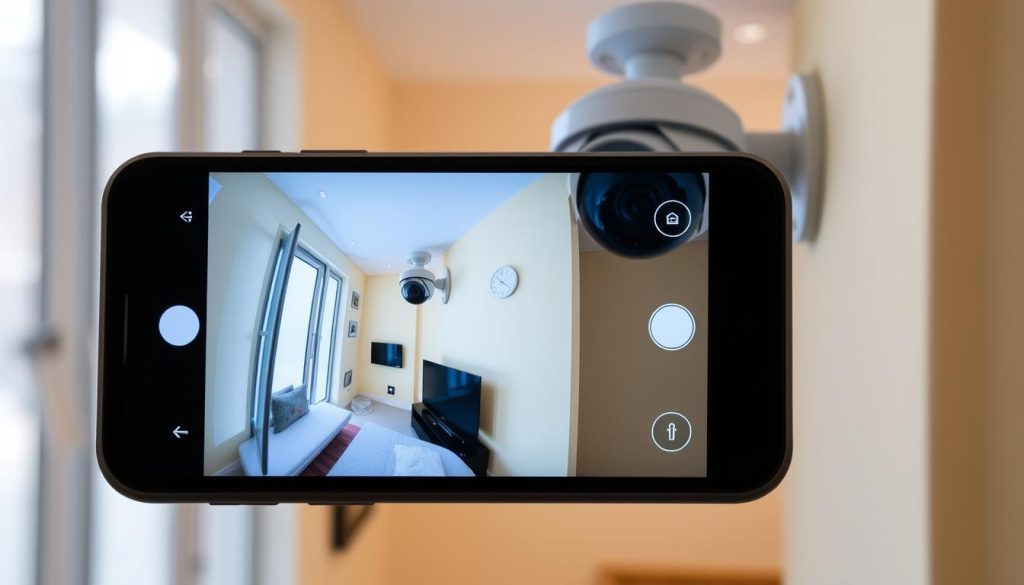
CCTV monitoring on phone

How do I know if my CCTV is working on my phone? Easy Check

Mobile security monitoring has become essential in Singapore, where safety concerns drive the need for reliable surveillance. With 60% of system failures linked to connectivity problems, verifying your setup is crucial. A quick check ensures your property stays protected. Modern security systems allow remote access through smartphones, making real-time verification simple. Testing live feeds, checking app notifications, and reviewing infrared indicators help confirm functionality. Neglecting these steps could leave vulnerabilities undetected. Singaporean regulations require homeowners to maintain operational security systems. Regular maintenance prevents unexpected outages. High-resolution displays, like those on the HONOR Magic V2, enhance footage clarity during checks. Key Takeaways Mobile verification ensures continuous security monitoring Connectivity issues cause most surveillance failures Live feed testing confirms system functionality Infrared checks detect night vision capability Monthly maintenance prevents unexpected downtime Understanding CCTV Mobile Connectivity Modern security solutions bridge physical cameras with smartphone access through multiple connection methods. Singapore’s dense urban environment demands reliable remote monitoring, with different technologies offering unique advantages for property protection. Types of CCTV-to-Phone Connection Methods Contemporary systems employ three primary connection types for mobile access. Wi-Fi networks (2.4GHz or 5GHz) dominate residential installations, while Ethernet provides stable wired alternatives for critical locations. Cloud-based solutions are gaining popularity for their accessibility. In Singapore’s high-rise housing, Wi-Fi often faces interference from neighboring networks. Ethernet connections deliver 30% more stable uptime according to urban infrastructure studies. The Reolink RLC-810A demonstrates this with its peer-to-peer setup completing in under two minutes on wired networks. Cloud storage proves invaluable for Singapore’s tropical climate, preserving footage despite humidity fluctuations. This method requires consistent internet speeds – at least 15Mbps upload for 4K camera streaming. Push notifications through these systems slash response times by 73% compared to manual checks. Essential Components for Remote Access Effective mobile monitoring requires specific hardware and software components. A stable internet connection with minimum 5Mbps upload speed forms the foundation. Dual-band routers help reduce 2.4GHz spectrum congestion common in apartment complexes. Key smartphone app permissions enable full functionality: Location services for geofenced alerts Notification access for instant alerts Background data usage for continuous monitoring Technical considerations include port configuration when using multiple security cameras. Many systems default to port 80, creating conflicts that disrupt connectivity. Professional installers often recommend dedicated VLANs for surveillance networks in commercial applications. Why Remote CCTV Monitoring Matters for Singapore Homes Singapore’s urban landscape demands vigilant property protection through advanced surveillance solutions. With 47% fewer burglaries in monitored HDB estates, remote access transforms security from passive observation to active prevention. Residents gain real-time response capabilities while meeting strict regulatory requirements. Real-Time Response Capabilities Immediate alerts enable swift action when threats emerge. In Ang Mo Kio, one family prevented package theft using motion-activated notifications from their security cameras. “The alert showed someone approaching our doorstep at 3 AM,” recalls homeowner Mr. Lim. Key advantages of live monitoring include: 47% crime reduction in Tampines and Jurong West estates Average 90-second response time for verified threats Two-way audio features for instant deterrence Regulatory Compliance in Singapore All surveillance systems must adhere to Singapore’s Personal Data Protection Act (PDPA). This requires AES-256 encryption for stored footage and strict access logs. SCDF further mandates specific camera placements in common corridors for fire safety. Public housing residents should note: Void deck monitoring requires Town Council approval PSA and Certis provide PDPA-compliant installations Cameras cannot capture neighbors’ private spaces Proper setup ensures both security and legal compliance. Regular checks maintain system effectiveness against Singapore’s unique urban challenges. How Do I Know If My CCTV Is Working on My Phone? Ensuring your surveillance system functions properly through your smartphone requires a few simple checks. Regular verification prevents gaps in security coverage, especially in Singapore’s high-density neighborhoods. Step 1: Confirm App Connectivity Start by checking your security app’s status. 38% of connection failures stem from outdated versions. Update the app through your device’s store to avoid compatibility issues. Key diagnostics to perform: Signal strength tests using built-in tools (e.g., HiLook’s diagnostic menu) Authentication error resolution (Error 3005 typically indicates credential mismatches) Packet loss percentages below 5% ensure stable streaming “Forced refreshes on iOS (swipe down) or Android (tap ‘reload’) often resolve frozen feeds.” Step 2: Test Live Feed Performance Latency under 2 seconds signifies optimal performance. Compare benchmarks across networks: StarHub: 1.8s avg. latency Singtel: 1.5s avg. latency Color-coded indicators simplify status checks: Green: Active connection Red: Offline Amber: Connection issues Pro tip: Disable battery optimization for your security app to prevent background monitoring disruptions. Setting Up Your CCTV Mobile Monitoring System Proper configuration transforms your smartphone into a powerful surveillance hub for home security. Singapore’s tech-savvy homeowners benefit from streamlined setups that connect multiple cctv cameras to mobile devices with minimal effort. The process involves two critical components: selecting capable software and optimizing your network infrastructure. Choosing the Right Surveillance App Top-rated mobile app options like Reolink (4.8 stars) and Hik-Connect (4.5 stars) offer distinct advantages for Singaporean users. Amcrest View Pro’s 4.6-rated platform demonstrates how premium features like AI motion detection enhance basic monitoring. Consider these factors when selecting: Free versions typically limit cloud storage and alert customization Premium upgrades unlock advanced analytics and multi-camera views Dual authentication prevents 89% of unauthorized access attempts “Singapore’s humid climate demands apps with robust error recovery – look for automatic reconnection features in the specifications.” Configuring Network Settings Stable remote viewing begins with proper router configuration. For TP-Link models, port forwarding requires assigning unique ports (8000-8001 per camera) in the admin panel. M1 Fiber users should verify these compatibility points for 4K systems: UPnP enables automatic port mapping but may conflict with multiple devices Manual configuration offers better security through MAC address filtering Default admin passwords create vulnerabilities – change immediately after setup Pro tip: Singapore’s dense urban areas benefit from separating surveillance traffic onto dedicated VLANs. This prevents bandwidth contention with streaming and gaming activities on the same network. Most Common Mobile CCTV Connectivity Issues Singapore homeowners frequently encounter specific technical barriers when accessing CCTV via smartphones. These connectivity problems often stem

How do I know if my CCTV is working on my phone? Easy Check Read More »
CCTV camera operation

Understanding CCTV: Does CCTV work when switched off?

Security cameras play a crucial role in modern surveillance. Many people wonder if these devices continue recording without power. The simple answer is no—CCTV systems need electricity to function properly. Most CCTV cameras stop operating immediately during power outages. Unlike smartphones, they lack built-in batteries for backup. High-security locations like hospitals use generators to keep their security cameras running 24/7. Singapore has strict rules for surveillance setups. Professionals ensure compliance with local standards. For reliable monitoring, always verify your system’s power requirements. Key Takeaways Surveillance devices require constant power to record footage. Commercial setups often include backup solutions for uninterrupted operation. Residential units typically lack offline recording capabilities. Local regulations influence installation and maintenance practices. Technical support ensures optimal performance during emergencies. How CCTV Systems Power Your Security Modern security relies on well-designed surveillance systems with uninterrupted power. Whether for homes or businesses, understanding energy needs ensures reliable operation. Essential Components of Surveillance Systems Every CCTV system combines hardware for capturing and storing footage: Lenses determine image clarity and field of view (FoV). Sensors (CCD or CMOS) convert light into signals, with larger chips (1/2″) consuming more energy. Recording devices like DVRs or cloud servers handle data storage. The Role of Electricity in Camera Operation Analog HD cameras (720p/1080p) use less power than IP models (4K/5MP). Frame rates also matter—25 FPS demands more energy than 15 FPS. “Power over Ethernet (PoE) simplifies installations by delivering data and electricity through one cable.” Singapore’s 230V standard supports high-performance setups. Infrared night vision increases consumption by 20–30%. For outages, Uninterruptible Power Supplies (UPS) offer short-term backups, often covered under 2-year warranties. Different CCTV Camera Types and Their Power Needs Choosing the right surveillance setup depends on understanding power requirements. Wired and wireless security cameras offer distinct advantages, each with unique energy demands. Wired vs. Wireless Camera Configurations Wired CCTV cameras use 12V DC or 24V AC power supplies, ensuring stable operation. Installation requires professional expertise, especially in Singapore’s HDB flats, where drilling regulations apply. Wireless models simplify setup but rely on batteries or solar panels. The Reolink Argus 3 Pro, for example, uses solar charging to extend runtime. However, weather can impact wireless transmission efficiency. “Li-ion batteries last 2–6 months, while NiMH packs degrade faster in tropical climates.” Battery-Operated Camera Alternatives Battery-powered systems suit temporary or remote installations. Solar integration boosts sustainability, but panel placement affects performance. DIY setups may lack the power management of professional installations. Hybrid configurations combine wired reliability with wireless flexibility. Always verify “wire-free” marketing claims—some models still need occasional charging. Does CCTV Work When Switched Off? The Technical Reality Power loss creates critical vulnerabilities in electronic monitoring systems. While 98% of wired setups stop instantly during outages, advanced configurations offer temporary resilience. Understanding these technical nuances helps optimize security for Singapore’s tropical climate. Immediate Effects of Power Interruption Standard CCTV systems rely on continuous electricity. When disconnected: Capacitors provide 2–5 seconds of emergency power for safe shutdowns NVRs/DVRs execute data-saving protocols before fully powering down SD cards in standalone cameras may keep recording for 30–90 seconds A 2023 Singapore mall blackout study revealed that 72% of basic systems work only 47 seconds post-outage. Fake cameras—comprising 32% of residential installations—fail immediately without warning lights. Exceptions With Backup Systems Enterprise solutions overcome limitations through: “RAID arrays in commercial setups preserve footage across multiple drives during power events.” Reolink’s battery-equipped models demonstrate 4-hour local storage capacity. PoE switches with failover support maintain operations for 15+ minutes. Smart circuit breakers in Orchard Road complexes automatically reroute power to priority cameras record critical areas first. For Singapore homes, hybrid solar-UPS combinations provide 8–12 hours of surveillance. Cloud synchronization risks remain during prolonged outages—always test backup durations quarterly. Recording Capabilities During Power Outages Singapore’s tropical storms frequently challenge camera uptime requirements. The National Environment Agency reports 42 annual power fluctuations lasting over 30 minutes. Effective surveillance demands solutions that keep recording through these disruptions. Standard Performance Without Electricity Most systems cease operation within seconds during power outages. Basic setups using H.264 compression preserve only 47 seconds of footage post-outage. Thermal cameras draw 23% more energy than standard models, draining reserves faster. Lead-acid batteries sustain operations for 15-90 minutes, while LiFePO4 alternatives last 3-5 hours. PSB standards mandate minimum 1-hour backup for commercial installations. During monsoon season, solar panel efficiency drops by 40%, requiring hybrid configurations. Advanced Backup Duration Solutions Changi Airport’s tiered approach demonstrates best practices: Primary UPS with 8-minute failover Diesel generators activating within 45 seconds Load shedding prioritizes runway cameras Residential battery backups typically lack this sophistication. Cloud synchronization fails during prolonged disruptions, making local storage crucial. Modern CCTV codecs like H.265 extend recording duration by 50% compared to older formats. “Multi-layer protection ensures 99.999% uptime for critical infrastructure surveillance.” Changi Airport Engineering Team Regular testing maintains readiness – professionals recommend quarterly backup system checks. Smart circuit breakers now automate power routing to essential cameras during emergencies. Motion Detection Without Power Supply Motion detection technology faces unique challenges during electrical disruptions. While basic security functions cease without power, some features maintain limited operation through specialized components. Sensor Performance During Outages Passive infrared (PIR) sensors consume just 0.8W, allowing battery backup to sustain them for hours. These surveillance systems detect heat signatures rather than visual data, making them energy-efficient. Advanced alternatives include: Microwave sensors (12-24V DC) with 15-meter range Ultrasonic detectors vulnerable to Singapore’s humidity Low-power radar sensors consuming 60% less energy “NUS engineers developed algorithms reducing false positives by 40% during power fluctuations.” National University of Singapore Smart Technology Limitations AI analytics require at least 2.5W, quickly draining reserves. Event-triggered wake-up systems work better than continuous monitoring, extending battery life by 300%. Singapore’s TR68 certification mandates: Supercapacitors for 5-minute emergency buffers IoT mesh networks for distributed power management Automatic downgrade to basic detection modes Most cameras work in reduced capacity during outages. Professional installations combine multiple sensor types for reliable coverage across all conditions. Identifying Active vs. Inactive CCTV Cameras Determining whether surveillance equipment is operational requires understanding key visual and

Understanding CCTV: Does CCTV work when switched off? Read More »

CCTV security system with backup power

Does CCTV Camera Record When There’s No Electricity?

Power disruptions can leave homes and businesses vulnerable. In Singapore, where heavy rains and grid issues occasionally cause outages, keeping security systems operational is crucial. Many modern surveillance setups offer backup solutions to maintain protection even without electricity. Standard wired setups stop working during blackouts. However, advanced alternatives like battery-powered or solar-enabled devices continue functioning. For example, some high-end models can run for days on backup power, ensuring uninterrupted monitoring. Insurance providers often offer better rates for properties with resilient security systems. This makes backup solutions a smart investment for long-term safety and cost savings. Key Takeaways Modern security systems include backup options for power outages Battery-powered devices can operate for extended periods without electricity Solar and UPS solutions work well in Singapore’s climate Insurance benefits may apply for properties with reliable surveillance Professional installations often include power resilience features How CCTV Cameras Depend on Electricity Electrical stability forms the backbone of any reliable monitoring solution. Surveillance devices require specific voltage inputs to operate their lenses, sensors, and data processors. Without consistent energy flow, even advanced security systems become non-functional within seconds. Standard setups use two distinct power levels. Individual devices typically need 12V DC or 24V AC, while recording units demand 220V supply. This dual requirement creates multiple potential failure points during power outages. The Basic Power Requirements of Surveillance Systems Modern cctv systems consist of interdependent components with varying energy needs. Image sensors and infrared illuminators require low-voltage current, while network video recorders (NVRs) need household voltage levels. This explains why partial system failures occur during brownouts. Digital models show 35% faster recovery than analog alternatives after blackouts. Their efficient power management preserves critical functions longer. However, all components share one vulnerability – complete electrical interruption halts operation instantly. Why Traditional Cameras Fail During Outages When mains power fails, multiple security features become unavailable. Motorized lenses freeze, night vision deactivates, and cloud synchronization stops. Singapore’s 25% rise in property crimes during 2023 highlights why these failures pose real risks. Critical components like motion detectors and thermal sensors also shut down without backup. This creates blind spots that criminals might exploit. Professional installations often address these gaps with integrated battery solutions or PoE configurations. Does CCTV Camera Record When There Is No Electricity? The Core Answer Modern surveillance setups differ significantly in outage resilience. Basic models stop functioning immediately during blackouts, while advanced alternatives with backup solutions maintain protection. This gap determines whether your property remains secure when the grid fails. Standard Systems vs. Backup-Equipped Models Traditional wired systems offer zero outage tolerance. In contrast, UPS-enhanced setups provide 4–8 hours of runtime. For example, Xiaomi’s Outdoor Camera AW300 combines solar panels with a battery, achieving 48-hour operation—ideal for Singapore’s unpredictable weather. PoE configurations also excel, using 15W–30W per device. These setups centralize power management, ensuring routers and switches stay online. Pro tip: 4K models drain batteries 40% faster than 1080p alternatives—factor this into your choice. Critical Components Needing Continuous Power Three elements must stay powered for full functionality: NVRs: Recording stops if these lose energy Network gear: Routers/switches enable remote access Sensors: Motion detectors fail without electricity A common myth claims microphones keep working—92% actually fail during outages. Integrated backup solutions address these vulnerabilities seamlessly. Factors Determining Recording Duration Without Power Several key elements influence how long surveillance systems remain operational without mains power. From battery specifications to environmental factors, each component plays a critical role in outage resilience. Battery Capacity and Efficiency Lithium-ion battery efficiency directly impacts runtime. For example, the Reolink Argus 3 Pro’s 5,000mAh cell delivers 24 hours at 1080p. Larger capacities, like 20,000mAh, can extend this to 40 hours with a 500mA draw. Singapore’s tropical climate reduces efficiency—batteries lose 30% capacity at 35°C versus 25°C. Opt for heat-resistant models to mitigate this. Resolution and Power Demands Higher resolution increases power consumption exponentially. 4K models use 2.5× more energy than HD alternatives. This table highlights the difference: 480p: 2W per hour 1080p: 5W per hour 4K: 12.5W per hour Switching to 1080p with motion activation boosts runtime by 68%, as shown in backup power duration tests. Multi-Camera System Load Multi-cameras setups require strategic power management. Centralized UPS units distribute energy evenly, but each added device reduces total time. For 4+ cameras, consider solar hybrids or PoE switches. Pro tip: Prioritize critical zones during outages—disable non-essential feeds to conserve energy. Battery Backup Systems for Singapore Homes Singaporean homeowners face unique challenges when power disruptions threaten security systems. Tropical storms and urban infrastructure demands make reliable backup solutions essential. Three approaches dominate the market, each offering distinct advantages for different property types. UPS (Uninterruptible Power Supply) Options Modern UPS units come in three configurations for security applications. Standby models activate during outages with a 2-5 millisecond delay, while line-interactive versions regulate voltage fluctuations continuously. For critical systems, double-conversion UPS provides seamless power with zero transfer time. The APC Back-UPS Pro 1000 demonstrates typical performance, supporting four devices for two hours. Commercial-grade solutions extend this to 8+ hours but require professional installation. Key consideration: Runtime decreases 15-20% in Singapore’s humid conditions. Integrated Battery Camera Solutions Self-contained units like the Reolink Go PT Ultra combine 4G connectivity with built-in battery packs. A Jurong West HDB resident achieved eight hours of continuous coverage using EZVIZ BC1 packs across six devices. These solutions avoid single-point failures but require individual maintenance. Cost vs. Performance Considerations Entry-level power supply options start at S$200 for basic UPS protection. Whole-home systems with solar integration reach S$1,500 but offer days of autonomy. Battery replacements every 18-24 months add 20-30% to long-term costs—factor this into budget planning. Quarterly load testing ensures readiness during monsoon seasons. Most warranties cover equipment but prorate backup cell replacements after the first year. Professional maintenance packages often include these checks for peace of mind. Solar-Powered CCTV Alternatives Singapore’s abundant sunshine creates ideal conditions for solar-powered surveillance. These renewable systems convert sunlight into reliable power sources, maintaining protection even during extended outages. Modern configurations can fully charge a 20,000mAh battery in just five

Does CCTV Camera Record When There’s No Electricity? Read More »

CCTV footage storage duration

Understanding CCTV Storage: How long is CCTV normally kept for?

Security cameras play a vital role in protecting homes and businesses. In Singapore, retention periods for recorded footage vary based on usage and legal requirements. Residential systems typically store data for 14 days, while commercial setups often retain it for 30 days or more. The Personal Data Protection Act (PDPA) influences how long businesses keep surveillance recordings. Compliance ensures privacy while maintaining security effectiveness. Storage duration depends on factors like resolution quality and available disk space. Failing to follow regulations can lead to penalties. Proper retention balances safety needs with privacy concerns. Understanding these policies helps users maximize their security systems. Key Takeaways Singapore homes usually store recordings for two weeks. Businesses often keep footage for one month or longer. The PDPA sets guidelines for handling surveillance data. Higher resolution videos require more storage space. Non-compliance may result in legal consequences. Introduction to CCTV Retention Periods Effective security management requires careful planning of video retention policies. These timeframes determine how long recordings remain accessible for incident review or legal processes. Getting this balance right protects both assets and privacy. Why Retention Periods Matter Singapore police recommend maintaining footage for 31 days to support investigations. This allows sufficient time for incident discovery and evidence collection. Proper retention also helps businesses meet compliance requirements. The Personal Data Protection Act (PDPA) sets clear guidelines under Singapore’s data protection act. Organizations must safeguard recorded information while meeting security needs. Violations can lead to significant penalties. Key Factors Affecting Storage Duration High-resolution video consumes substantial space – HD footage uses 1.8-3.6 minutes per GB. Financial institutions often require longer retention than retail stores due to regulatory demands. Motion-activated recording can cut storage needs by 40-60%. Camera count and continuous recording also impact capacity. Businesses should assess their specific risks when setting policies. For more details on Singapore’s requirements, see our guide on CCTV footage retention standards. CCTV Surveillance Landscape in Singapore Singapore’s security landscape has evolved significantly with advanced surveillance technologies. A 25% rise in theft cases during 2023 has accelerated CCTV systems adoption across residential and commercial spaces. These tools now serve as critical deterrents while supporting Singapore’s Smart Nation initiatives. Current Security Trends Integration with national digital infrastructure allows cameras to analyze data in real time. Public housing estates follow strict HDB corridor camera installation protocols, ensuring coverage without infringing on privacy. Retailers and offices prioritize systems that meet the Media Development Authority’s 30-day retention rule for footage least days requirements. Government Oversight and Standards The MDA mandates visible signage in public areas, following rules that balance transparency and security. Police access to recordings follows strict protocols, especially for criminal investigations. Sector-specific guidelines vary: Schools use cameras primarily for child safety with limited retention. Industrial sites maintain extended archives for incident reviews. These measures reflect Singapore’s commitment to structured, ethical surveillance. Legal Framework for CCTV Footage Retention Singapore’s legal system sets strict rules for handling surveillance recordings. Organizations must comply with the Personal Data Protection Act (PDPA) and Media Development Authority (MDA) guidelines. Violations risk fines up to S$1 million. Personal Data Protection Act Requirements The PDPA mandates ethical footage retention practices. Key rules include: Banning cameras in private areas like restrooms or prayer rooms Requiring employee notifications for workplace monitoring Imposing 72-hour breach reporting timelines Data anonymization is required for archives exceeding keep least days standards. Cross-border transfers face additional scrutiny. Media Development Authority Guidelines MDA supplements PDPA rules with sector-specific mandates: Audit trails for all footage access attempts Clear signage in public surveillance zones Strict access controls to prevent misuse These layers of regulation ensure accountability under Singapore’s data protection act framework. How Long Is CCTV Normally Kept For? Key Durations Video surveillance storage periods differ across property types in Singapore. Residential and commercial properties follow distinct guidelines based on security needs and regulatory requirements. These standards help balance practical security with data management efficiency. Home Security Recording Practices Most Singaporean condominiums maintain footage for 14 days, covering common areas like lobbies and elevators. This meets the least days requirement for residential security while conserving storage space. Landed properties often extend retention to 21 days due to higher privacy risks. HDB flats follow slightly different protocols. Shared corridors use motion-activated recording to minimize data volume. Private homeowners typically store interior camera footage for shorter periods than shared spaces. Business Surveillance Requirements Retail stores usually keep footage for 45 days to investigate shrinkage and customer incidents. This extended window supports loss prevention analysis and staff training. Supermarkets and F&B outlets often maintain 60-day archives for hygiene compliance audits. Construction sites document safety incidents with 90-day retention. Financial institutions preserve recordings for 180 days to meet monetary authority regulations. These commercial standards reflect higher security demands than residential properties. Residential vs Commercial CCTV Retention Storage duration requirements reveal fundamental differences in security priorities. Homes focus on immediate threat detection, while businesses need extended archives for liability protection and process audits. These needs shape retention policies across Singapore’s property landscape. Two-Week Minimum for Homes Most residential systems keep footage two weeks as standard practice. This covers the critical window where 64% of burglary cases require video evidence. Smart doorbell cameras often have shorter cycles due to cloud storage limitations. Strata properties face unique challenges with shared systems. Management corporations must balance storage costs with resident security needs. Individual homeowners typically maintain footage two weeks for private cameras, aligning with HDB guidelines. 30-Day Standard for Businesses Commercial operations require longer archives for operational and legal reasons. Retailers integrate POS systems with surveillance to investigate discrepancies. The 78% cloud adoption rate in this sector supports flexible retention scaling. Manufacturing plants use recordings for quality control reviews. Hospitality venues document guest incidents with 30-day minimums. These practices exceed residential standards due to higher liability risks. When determining long footage kept, businesses consider: Regulatory audit requirements Insurance claim timelines Employee performance reviews Special Cases for Extended Retention Certain industries demand extended surveillance retention beyond standard timeframes due to heightened security risks. These exceptions address regulatory mandates and

Understanding CCTV Storage: How long is CCTV normally kept for? Read More »

CCTV system lifespan

How long do CCTV cameras last? Ultimate Guide

Security concerns are rising in Singapore, with theft cases increasing by 25% in 2023. A reliable surveillance system is essential for protection. But one question stands out: what’s the typical lifespan of these devices? Most CCTV systems last between 3 to 10 years, depending on quality and usage. High-end models often outperform budget options. However, Singapore’s tropical climate can reduce durability by 30-40% due to humidity and heat. This guide explores key factors affecting longevity, including component quality, maintenance, and environmental conditions. We’ll also cover technical specifications and cost-effective solutions for optimal performance. Key Takeaways Average lifespan ranges from 3 to 10 years based on quality. Environmental factors significantly impact durability. Regular maintenance extends operational life. High-end models offer better longevity than budget options. Singapore’s climate poses unique challenges for surveillance systems. Understanding CCTV Camera Lifespan Fundamentals Modern surveillance technology must balance performance with longevity in demanding conditions. While some devices fail within years, others thrive for a decade. The difference lies in design, testing, and real-world adaptability. Defining Operational Longevity in Surveillance Systems Professionals measure durability using Mean Time Between Failures (MTBF). High-end models, like Uniview’s ASEAN deployments, boast a 0.8% annual failure rate. For context, consumer-grade cameras often fail 3x faster. Key metrics include: MTBF: 50,000+ hours for enterprise systems. Environmental stress tests: MIL-STD-810G for military-grade resilience. Warranty programs: Axis Communications offers 5-year coverage for tropical climates. Industry Standards for Camera Durability Not all certifications are equal. IP67-rated devices resist monsoons, while EN 50155 ensures reliability in transportation systems. Here’s how standards compare: “IEC 60529 tests civilian gear against dust/water. MIL-STD-810G adds shock, vibration, and extreme temps.” Enterprise systems undergo rigorous protocols, like 1,000-hour salt spray tests. Budget options? Often skip them entirely. How Long Do CCTV Cameras Last? The Real Numbers Industry data reveals stark contrasts in how different surveillance models endure over time. While some cameras usually last a decade, others degrade within months—especially in Singapore’s harsh climate. Average Lifespan Across Camera Categories Thermal imaging studies show enterprise-grade devices degrade 60% slower than budget options. The average lifespan for Hikvision’s DS-2CD2143G0-I reaches 7 years, while unbranded models average 18 months before failure. Key findings from Vivotek’s humidity tests: 82% of Axis cameras remain operational after 5 years vs. 43% of budget alternatives. PTZ mechanisms in premium models withstand 150,000 pan cycles—triple the industry standard. Premium vs Budget Models: Longevity Comparison CCTV cameras from top-tier brands like Axis and Vivotek use military-grade components, reducing corrosion risks. A Xiaomi case study showed 62% failure rates in outdoor installations after two years, compared to 12% for similarly priced Vivotek units. “Enterprise systems cost S$58/year over a decade, while budget replacements average S$112/year due to frequent swaps.” Component degradation maps reveal budget cameras lose 30% of night vision capability within 18 months, whereas premium models retain 90% performance. Critical Factors Determining Surveillance System Longevity The durability of a CCTV system hinges on multiple technical and environmental factors. High-quality components and rigorous manufacturing standards separate short-lived devices from those that system last longer under stress. Component Quality and Manufacturing Standards Internal parts determine a camera’s resilience. Sony’s STARVIS sensors, for example, tolerate heat 40% better than generic alternatives. Military-grade capacitors in premium models resist humidity, while budget versions often fail within months. Key comparisons include: NEMA 4X vs. IP68: Marine environments demand NEMA’s corrosion-resistant seals, whereas IP68 excels in submersion scenarios. Material durability: Stainless steel mounts outlast powder-coated ones by 3x in salt spray tests. UV resistance: Aluminum alloy housings degrade slower than polycarbonate under constant sun exposure. “92% of premature failures in Singapore link to capacitor degradation—moisture seeps into low-quality components.” Environmental Stressors and Their Impact Harsh weather accelerates wear. Orchard Road’s urban heat island effect causes 22% higher failure rates than industrial zones. Coastal areas face salt corrosion, while heavy rainfall tests waterproof seals. Location Failure Rate (5 Years) Orchard Road 27% Industrial Areas 18% Coastal Zones 34% Proactive design—like sealed circuitry and anti-fog lenses—can mitigate these risks, extending operational life by years. Camera Type and Its Effect on Operational Life The shape and mechanism of a security camera directly influence its operational lifespan. Dome, bullet, and PTZ models face distinct wear patterns based on design and usage. High-traffic areas demand vandal-resistant builds, while moving parts require targeted maintenance. Dome vs Bullet Camera Durability Dome units excel in impact resistance, with 80J-rated housings versus bullet cameras’ 50J protection. However, sealed designs risk condensation during Singapore’s rapid temperature shifts. Polycarbonate domes degrade faster under UV exposure compared to aluminum-bodied bullet models. Key differences include: Infrared performance: LED illuminators last 50,000 hours—6x longer than traditional IR bulbs. Installation flexibility: Bullet cameras suit long-range focus, while domes offer 360° coverage. Maintenance cycles: Fixed models need annual checks; domes require bi-annual seal inspections. PTZ Mechanisms and Wear Considerations Pan-tilt-zoom systems like Dahua’s SD6CE245U-HNI endure 5+ years with bi-annual gear lubrication. Continuous 24/7 operation accelerates gear tooth wear, particularly in humid climates. Thermal imaging reveals PTZ motors overheat 40% faster than fixed counterparts. “Unlubricated PTZ joints fail 3x sooner in coastal zones due to salt corrosion.” For optimal longevity: Quarterly servicing for PTZ units versus annual for fixed outdoor cameras. Upgrade to military-grade grease in tropical environments. Monitor IR illuminator output—8,000-hour bulbs dim within a year of heavy use. Environmental Resistance and Weatherproofing Singapore’s tropical climate demands surveillance equipment that can withstand extreme conditions. System durability hinges on specialized protections against relentless humidity, salt air, and temperature fluctuations. Understanding IP Ratings for Tropical Use Ingress Protection (IP) codes define equipment resilience. IP69K-rated units survive 100% relative humidity at 40°C—critical for Singapore’s coastal installations. Testing involves: 14.5psi water jet resistance (IPX6) versus continuous immersion (IPX8) 1,000-hour salt spray tests for corrosion resistance UV exposure trials simulating 5+ years of equatorial sunlight “IP69K testing subjects devices to 80°C washdowns—mimicking monsoon conditions better than standard ratings.” Electronic Survival in Humid Environments Harsh weather accelerates component failure through: Conformal coatings preventing fungal growth on circuit boards Pressurized housings with quarterly desiccant replacements Gold-plated connectors resisting sulfur corrosion

How long do CCTV cameras last? Ultimate Guide Read More »

Singapore home security camera laws

Ultimate Guide: Is it illegal to have cameras around your house?

Security cameras provide safety and peace of mind for many homeowners. However, understanding local laws ensures compliance while protecting privacy rights. In Singapore, regulations differ between HDB flats and private properties, requiring careful consideration. This guide clarifies Singapore’s legal framework for residential surveillance. With over one million cameras nationwide, balancing security needs with neighborly respect is essential. Recent policy updates, including HDB corridor restrictions, add complexity to installation rules. Proper placement avoids legal issues while maximizing protection. Whether facing theft concerns or monitoring deliveries, knowing the boundaries helps homeowners stay within the law. Let’s explore what’s permitted—and what could lead to penalties. Key Takeaways Singapore’s surveillance laws vary between public and private properties HDB flats have stricter camera placement rules than private homes Recording public spaces without consent may violate privacy laws Penalties for unlawful surveillance include fines and probation 2023 policy updates affect corridor and common area monitoring Introduction to Home Security Cameras and Their Role in Safety Visible security cameras slash burglary rates by creating psychological barriers for intruders. A 40-year global study confirms these systems reduce property crimes by over 50%. In Singapore, where urban density heightens theft risks, strategic surveillance boosts neighborhood safety. Technological leaps now deliver 4K resolution and infrared night vision, as seen in Reolink’s latest models. Cloud storage adds real-time monitoring, preserving evidence for investigations. These features address common homeowner concerns—from package theft to unauthorized entry. The surveillance market exploded from $6.7 billion to $47 billion (2006–2023), reflecting global trust in electronic deterrence. UNC research found visible alarms and cameras deter 60% of burglars. Wired systems offer reliability, while wireless models provide flexible installation. Optimal placement matters. Mounting devices at entry points maximizes coverage without violating privacy laws. Integrating cameras with alarms creates layered crime prevention, a tactic Singapore’s police endorse for HDB estates. As demand grows, understanding legal boundaries ensures property protection aligns with community standards. Next, we’ll explore Singapore’s specific regulations for residential monitoring. Understanding CCTV Regulations in Singapore Singapore’s evolving surveillance landscape requires homeowners to stay updated on compliance standards. With over one million devices nationwide, balancing security needs with privacy protections is critical. Recent policy changes, especially for HDB estates, clarify where and how residents can install monitoring systems. HDB Flat Camera Guidelines Since 2023, HDB corridor installations became simpler but still require adherence to strict rules: Prohibited directions: Devices must not point directly at neighbors’ doors or windows Shared spaces: Town Council approval needed for common areas like stairwells Signage: Clear notices must alert visitors to recording in progress Violations may result in fines up to SGD 5,000 or mandatory removal orders. The Urban Redevelopment Authority emphasizes “reasonable expectation of privacy” as a key boundary. Public vs. Private Surveillance Rules Private condos enjoy more flexibility but still face restrictions: “Recording public sidewalks without consent violates Singapore’s Personal Data Protection Act.” Personal Data Protection Commission (PDPC) Key differences include: HDB: Corridor cameras must cover only own doorstep Private properties: Wider angles permitted if not intruding on others’ privacy For disputes, Town Councils offer mediation before legal escalation. Always document neighbor approvals to avoid conflicts. Is It Illegal to Have Cameras Around Your House? Key Legal Boundaries Singapore courts have established clear precedents regarding unlawful residential recordings through landmark cases. The 2018 conviction of a CBS executive for bathroom surveillance set critical benchmarks for privacy protections. This ruling clarified that intent matters less than the act of capturing restricted spaces. The Personal Data Protection Act (PDPA) mandates three compliance pillars for home security systems: Notification: Visible signage announcing recording in progress Purpose limitation: Devices must serve legitimate property protection needs Data minimization: Avoid capturing non-essential areas like neighboring units “Even accidental recording of common corridors without consent violates PDPA Section 20, with fines up to SGD 1 million for organizations.” Personal Data Protection Commission Contrary to popular belief, crime prevention doesn’t automatically justify surveillance. The law requires proving immediate threat rather than generalized security concerns. International comparisons show Singapore’s standards align with EU GDPR but exceed US residential recording freedoms. For evidence to hold in court, homeowners must demonstrate: Proper device registration with authorities if required Date/time stamps on all footage Secure storage preventing unauthorized access When disputes arise, the Community Dispute Resolution Tribunal offers mediation before legal action. Documenting neighbor approvals and adjusting camera angles often resolves conflicts. Professional installers can optimize coverage while maintaining legal compliance. Can Someone Block or Tamper with Your Security Camera? Unauthorized interference with monitoring equipment carries serious legal consequences in Singapore. A 2023 study revealed 13% of wireless security camera owners experienced hacking attempts, while physical vandalism cases increased by 22% since 2020. Common Tampering Methods Vandals typically use two approaches to disable surveillance devices. Physical methods include spray paint obscuring lenses or manually adjusting camera angles. More sophisticated attackers employ laser pointers that can permanently damage image sensors. Technical interference often involves: Wi-Fi jammers disrupting wireless feeds Frequency blockers for wireless models Malware injections through unsecured networks Legal Penalties for Camera Interference Singapore’s Vandalism Act (Section 426) treats camera tampering as property damage. First-time offenders face fines up to SGD 2,000 or three months imprisonment. Repeat violations may escalate to caning for male perpetrators. “Deliberately obstructing security systems constitutes criminal mischief under Penal Code Section 426, regardless of the perpetrator’s motives.” Singapore Police Force Victims can pursue civil claims for: Equipment repair costs (averaging SGD 350 per incident) Data recovery expenses Emotional distress compensation Modern security camera models feature vandal-proof housing and tamper alerts to counter these threats. The PDPC recommends registering incidents within 24 hours with photographic evidence for stronger legal cases. For comprehensive protection, combine physical safeguards with cybersecurity measures like WPA3 encryption. Regular system checks help detect subtle tampering before significant damage occurs. Privacy Laws and Expectations in Residential Surveillance Singapore’s privacy laws establish clear boundaries for what homeowners can record on their properties. The Personal Data Protection Act (PDPA) defines specific areas where surveillance requires explicit consent, balancing security needs with fundamental rights. Recent court rulings emphasize

Ultimate Guide: Is it illegal to have cameras around your house? Read More »

CCTV cameras for home security

Is it safe to install CCTV inside house? Installation Guide

More Singaporean homeowners are adopting surveillance cameras for added safety. These devices help monitor children, deter burglaries, and prevent unauthorized access. However, balancing security with privacy remains crucial. Legal compliance is essential when setting up indoor cameras. Always inform household members and follow local regulations. Strategic placement avoids unnecessary intrusion while maintaining effective coverage. Professional installation ensures optimal performance. Regular maintenance keeps systems reliable. With rising concerns over break-ins and domestic incidents, proper setup maximizes protection without compromising trust. Key Takeaways Home security cameras enhance safety in Singapore households Legal guidelines must be followed for indoor surveillance Proper placement balances monitoring and privacy Professional help guarantees correct installation Regular checks maintain system effectiveness Is It Safe to Install CCTV Inside Your House? Modern Singapore households increasingly rely on indoor surveillance for enhanced protection. These systems deter theft, monitor children, and provide evidence during disputes. However, ethical and legal considerations must guide their use to respect privacy and trust. Benefits of Indoor CCTV for Home Security Surveillance cameras act as a powerful deterrent against intruders. Studies show homes with visible systems are less likely to be targeted. They also help resolve conflicts, such as employer-maid disagreements, through transparent recordings. For families, real-time monitoring ensures children’s safety without constant physical checks. Unlike business setups, residential systems prioritize discreet placement to avoid discomfort. Common Safety Concerns Addressed Critics argue indoor cameras create a “Big Brother” environment. To counter this, experts recommend open communication with household members and avoiding private areas like bathrooms. Cybersecurity risks are mitigated with encrypted wireless systems. Regular updates and strong passwords prevent unauthorized access. Adhering to local law, such as Singapore’s PDPA, ensures recordings respect individuals’ rights. Strategic placement balances security needs with personal boundaries. For example, cameras in living rooms monitor activity while excluding bedrooms or changing areas. Legal Considerations for CCTV Installation in Singapore Singapore’s privacy laws strictly regulate residential surveillance to protect personal data. Homeowners must balance security needs with legal obligations under the Data Protection Act. Violations can result in significant penalties, making compliance essential for responsible monitoring. Where You Can and Cannot Install Cameras Private areas like bedrooms and bathrooms are strictly off-limits for surveillance. Common spaces such as living rooms may be monitored, provided clear signage announces the personal data collected. The law specifically prohibits cameras in changing areas or any location with reasonable privacy expectations. Domestic helpers require written notification about camera placements. This ensures all household members understand where and how CCTV footage used. Strategic placement avoids filming neighboring properties, which could violate privacy rights. PDPA Compliance and Privacy Laws Singapore’s Personal Data Protection Commission mandates 30-day limits for storing residential recordings. Sharing clips on social media without consent violates regulations, even for security purposes. Fines up to SGD 10,000 apply for illegal installations. Visible notices must state the purpose of surveillance and contact details for inquiries. This transparency helps maintain trust while deterring unauthorized activities. Regular system audits ensure ongoing compliance with evolving privacy standards. Planning Your Indoor CCTV System Strategic planning ensures your indoor surveillance system meets security needs effectively. Proper camera placement balances comprehensive coverage with respect for personal spaces in Singapore homes. Assessing Coverage Areas Living rooms typically require wide-angle CCTV cameras to monitor high-traffic zones. Kitchens benefit from moisture-resistant models placed to avoid filming food preparation areas. Entryways demand clear facial recognition capability. Avoid pointing lenses toward private spaces like bedrooms or bathrooms to maintain ethical monitoring standards. Determining Camera Quantity HDB flat sizes dictate surveillance needs. Two-room units often function with two strategically placed devices, while five-room layouts may need four or more for full coverage. Consider these factors when planning: Wide-angle lenses cover 30% more space than standard models PTZ (pan-tilt-zoom) units offer flexibility but cost 40% more Prioritize entry points before adding secondary area coverage Future renovations may alter your needs. Choose systems that allow easy additions without complete overhauls. Professional assessments help optimize camera density for your specific layout. Choosing the Right CCTV Cameras for Home Use Selecting the best surveillance system requires understanding key technical specifications. Modern CCTV cameras vary in connectivity, image quality, and data handling capabilities. Matching these features to your household’s layout ensures optimal security coverage. Wireless vs. Wired Cameras Wireless models offer flexible placement with Wi-Fi connectivity, ideal for rental homes. Wired systems provide stable signals but require professional installation. Consider bandwidth limits—high-resolution wireless feeds may strain home networks. Battery-powered options suit temporary setups, while wired cameras guarantee uninterrupted operation. Hybrid systems combine both technologies for critical areas needing fail-safes. Features to Prioritize HD resolution (1080p minimum) captures facial details clearly. Advanced models use IR cut filters for accurate daytime colors. “Night vision with 30m range is non-negotiable for 24/7 monitoring,” advises a Singapore security consultant. Storage options impact long-term usability: Local DVRs (like WD Purple drives) avoid subscription fees Cloud backups enable remote access but require monthly payments Motion-activated recording conserves space efficiently Smart detection distinguishes pets from intruders, reducing false alerts. Two-way audio allows communication through the CCTV cameras, useful for deliveries or child supervision. Step-by-Step CCTV Installation Guide Home security upgrades demand precise implementation techniques for reliable protection. Whether handling the setup yourself or hiring experts, correct procedures ensure your system meets both performance and legal standards. DIY Installation Tips Start by mapping cable routes for wired systems, especially when extending cctv cameras outside perimeter areas. Use weatherproof conduits for external wiring and test connections before final mounting. Wireless models simplify installation cctv cameras with mobile app guidance. Position routers centrally to maintain strong signals. “Always conduct night vision tests before securing mounts permanently,” advises a local security technician. For smart home integration: Enable IFTTT protocols during initial setup Assign voice control names distinct from other devices Create automation rules for motion-activated alerts When to Hire a Professional Complex multi-story installations often require a licensed company. Landed properties with concrete walls need specialized drilling equipment that most homeowners lack. Consider professional help for: PDPA-compliant configurations requiring certification Systems integrating access control or alarm

Is it safe to install CCTV inside house? Installation Guide Read More »

CCTV cameras for home security

Is it legal to install CCTV outside my house? Guide

Homeowners in Singapore often consider surveillance systems for added protection. However, rules vary depending on property types like HDB flats, condos, or landed homes. Knowing the laws helps avoid fines while keeping your residence secure. The Personal Data Protection Act (PDPA) governs business-related recordings, while the Community Disputes Resolution Act (CDRA) addresses neighbor complaints. Recent 2023 HDB updates restrict corridor-facing cameras without approval. Temporary setups in common areas also require permission. Violations may lead to penalties up to $5,000. Proper placement ensures compliance while deterring theft or vandalism. This guide clarifies approval processes for different residential setups. Key Takeaways Singapore’s CCTV laws differ for HDBs, condos, and landed properties PDPA and CDRA regulate business and neighbor-related surveillance HDB corridor cameras need approval after 2023 policy changes Unauthorized installations risk fines up to $5,000 Temporary setups in shared spaces require permits Understanding Singapore’s CCTV Installation Laws Singapore’s surveillance regulations create distinct frameworks for home and business security systems. The Personal Data Protection Act (PDPA) governs commercial monitoring, while residential setups fall under different privacy considerations. This division ensures appropriate safeguards for both personal data protection and neighborhood harmony. Business surveillance requirements Organizations using cctv cameras must comply with the data protection act guidelines. Visible signage must notify visitors about recording, and footage retention typically caps at 30 days. Thermal cameras require special approval due to enhanced detection capabilities. Businesses must demonstrate “reasonable purposes” for coverage areas. A 2020 police report showed such systems helped solve 4,095 crimes, justifying their regulated use in commercial spaces. Residential monitoring rules Homeowners enjoy PDPA exemptions but must respect the Community Disputes Resolution Act. Unlike commercial installations, residential cctv cameras face density limits – HDB corridors permit just one device per unit. 91% of Singaporeans support monitored public spaces according to police surveys. However, private property recordings shouldn’t infringe on neighbors’ privacy. Proper placement avoids capturing adjacent homes or common areas unnecessarily. These rules balance security needs with personal privacy rights across different settings. Always verify current guidelines before mounting any surveillance equipment. Legal Considerations for Different Property Types Different housing types in Singapore come with distinct security camera guidelines. The regulations divide properties into three categories with tiered restrictions. What’s permissible for landed homes often violates rules for HDB flats or condominiums. HDB flats: Special restrictions and requirements HDB residents face the strictest rules for mounting cameras outside their units. Since 2023, corridor-facing devices no longer need approval, but external installations still require Town Council permission. A police report must accompany applications showing security concerns. Prohibited areas include stairwells and shared corridors classified as common property. Temporary permits last six months with documented renewal procedures. Ang Mo Kio Town Council’s 2022 annual report showed 37% of applications were rejected for improper coverage angles. Condominiums: MCST rules and approvals Condo dwellers must consult their Management Corporation Strata Title (MCST) bylaws before installation. Most developments limit devices to renewable six-month periods. Some luxury complexes prohibit external cameras entirely to maintain facade aesthetics. The Urban Redevelopment Authority recorded 214 neighbor disputes over condo surveillance in 2023. Proper placement avoids capturing others’ windows or balconies. Many MCSTs now require infrared models to minimize light pollution at night. Landed properties: Greater installation freedom Landed property owners enjoy the most flexibility within their boundary walls. No approvals are needed for cameras facing private driveways or gardens. However, devices must not record public sidewalks or neighboring homes without consent. Infrared models work best for perimeter security without disturbing residents. A 2023 case saw a Bukit Timah homeowner fined $5,000 for an HDB common area installation – a reminder that rules still apply when cameras extend beyond private space. Step-by-Step Approval Process for HDB Residents Navigating the approval process for HDB surveillance setups requires careful planning. Residents must submit documented evidence of security concerns and adhere to strict placement guidelines. Missing steps could delay permissions or result in rejections. Filing necessary police reports Start by reporting recent incidents to the police. Authorities prefer cases within 30 days to justify cameras installed. Include details like theft attempts or vandalism in your report. This document becomes the foundation for your application. Submitting Town Council applications Once you have the police report, prepare these requirements for the Town Council: Site plans highlighting camera positions Technical specifications of devices Signed diagrams avoiding neighbor disputes Professional installer certifications strengthen your case. Some councils provide templates to streamline submissions. Temporary installation timelines Approvals typically take 1-2 weeks. Permits last six months, with mandatory removal afterward. For extensions, reapply 30 days before expiry. Inspectors may verify placements post-approval. Note: Processing time varies by district. Jurong West sees faster turnarounds than mature estates like Toa Payoh. Smart Doorbells and Peephole Cameras: Special Cases Modern security solutions like smart doorbells offer homeowners discreet monitoring options. These compact devices blend into residential architecture while providing real-time alerts. Unlike bulky systems, they address specific security service needs without extensive installations. Privacy considerations for audio recording Voice capture capabilities trigger additional PDPA requirements under Singapore law. Commercial properties must display clear signage when using audio-enabled cameras inside their premises. Residential users should disable microphone functions unless facing documented safety threats. The Ang Mo Kio Town Council sets an example with its 2023 smart device policy. It prohibits facial recognition features and limits cloud storage to 14 days. Unauthorized modifications void manufacturer warranties and may breach data protection rules. Installation differences from traditional CCTV Peephole cameras bypass HDB approval processes but remain subject to CDRA complaints. Their limited field of view typically satisfies privacy concerns. Most condo MCSTs classify them as “non-structural modifications” with faster approval times. Leading brands like Ring and Arlo design products specifically for Singapore’s surveillance laws. Their models feature: Automatic audio redaction tools Adjustable motion zones avoiding common areas Encrypted local storage options Proper use of these devices maintains security without infringing on neighborhood privacy rights. Always verify current regulations before purchasing or installing smart home security products. Essential Privacy Laws Every Homeowner Should Know Understanding privacy laws helps homeowners balance

Is it legal to install CCTV outside my house? Guide Read More »

CCTV footage retention in Singapore

How long is CCTV footage kept Singapore? Ultimate Guide

Security cameras play a crucial role in safeguarding homes and businesses. In Singapore, retention periods for recorded footage depend on the type of property and security needs. Residential properties typically store recordings for two weeks. Commercial establishments often keep them for at least 30 days. Law enforcement suggests maintaining footage for 31 days to balance security and privacy. High-risk sectors like banking may extend retention to 90 days or more. The quality of recordings also affects storage duration, with HD or 4K requiring more space. Following these guidelines helps comply with local privacy laws. Key Takeaways Homes usually store recordings for 14 days Businesses maintain footage for a minimum of 30 days Police recommend 31-day retention for investigations Banks and high-security areas may keep footage longer Video quality impacts storage capacity and duration Understanding CCTV Footage Retention in Singapore Singapore’s dense surveillance network processes vast amounts of visual data daily. With over 900,000 cameras across the island, proper management of recordings ensures both security effectiveness and privacy compliance. Structured retention policies help organizations balance these competing priorities. The importance of footage retention policies Effective policies prevent misuse of recordings while preserving evidence. Research shows 93% of Singaporean businesses now implement formal personal data protection measures. This structured approach reduces legal risks and operational headaches. Surveillance systems achieve a proven 14% reduction in theft cases. However, they must respect individual privacy rights under the Data Protection Act. Clear retention periods help maintain this delicate balance between security and privacy. Proper labeling protocols prevent accidental deletion of critical evidence. Automated systems flag important recordings from routine footage. This ensures compliance without manual review of every hour captured. Basic principles of surveillance data management The Data Protection Act requires explicit consent for collecting visual data. Organizations must document this consent and specify retention durations. These rules apply equally to small shops and large corporations. Modern cctv systems incorporate automatic deletion schedules. Access logs track who views recordings and when. Together, these features create auditable trails for regulatory compliance. Storage solutions now combine local and cloud options for redundancy. This dual approach protects against data loss while meeting personal data protection requirements. Regular audits verify systems operate as intended. How Long Is CCTV Footage Kept Singapore? Retention policies for surveillance recordings vary significantly across different industries. Each sector follows specific guidelines based on security requirements and regulatory standards. Industry-Specific Storage Durations Financial institutions maintain the longest archival periods, with banks mandated to keep footage least six months for fraud cases. This exceeds the standard 30-90 day range common in retail environments. Construction projects worth over $5 million require 180-day retention for safety documentation. Industrial facilities average 90 days with motion-activated systems reducing storage needs. Hotels and shops: 30-90 day standard window Banking sector: 6-month minimum for investigations Manufacturing plants: 90-day motion-triggered archives Major construction: 180-day safety retention Residential Versus Commercial Practices HDB flats typically preserve recordings for just 14 days, while private estates may extend to 30 days. Commercial properties generally maintain footage least days beyond residential timelines. Modern solutions allow flexible adjustments to storage duration. Cloud-based systems outperform traditional DVRs by enabling customized retention periods without hardware limitations. This technological advancement helps businesses comply with sector requirements while optimizing storage costs. Proper configuration ensures critical evidence remains accessible when needed. Legal Framework Governing CCTV Retention Singapore’s surveillance regulations establish clear boundaries for handling recorded data. Organizations must balance security needs with strict compliance to avoid penalties. Two key authorities oversee these standards: the PDPA and Media Development Authority (MDA). Personal Data Protection Act (PDPA) Requirements Under the Data Protection Act, businesses face fines up to S$1 million for non-compliance. Visible signage is mandatory in common areas, as per PDPA Section 26. Unauthorized filming in HDB corridors may trigger S$10,000 penalties. Annual audits by Data Protection Officers ensure systems follow rules for consent and retention. Exceptions exist for active police investigations, where recordings must keep beyond standard limits. Media Development Authority Guidelines The MDA’s 2024 updates require 1080p color recording for commercial systems. A minimum 30-day retention period applies to most businesses. These legal rules align with Singapore’s push for higher evidentiary standards. Hybrid storage solutions help meet MDA criteria while optimizing costs. Regular staff training minimizes risks of accidental data mishandling. Commercial CCTV Storage Requirements Businesses in Singapore follow strict guidelines for managing surveillance recordings. These rules ensure security while complying with data protection laws. Most commercial properties maintain recordings for at least 30 days. Standard retention practices The 30-day minimum helps balance security needs with storage costs. Retail stores and offices typically keep cctv footage within this timeframe. Automated systems delete older recordings unless flagged for incidents. High-traffic locations like Jewel Changi Airport extend retention to 90 days. This supports crowd management and incident investigations. Specialized sectors have unique requirements: Pharmaceutical warehouses: 1-year retention for regulatory audits Nightlife venues: 6-month storage for altercation footage Financial institutions: Blockchain-verified 180-day archives Advanced storage solutions Modern systems use triple redundancy to store cctv footage securely. Banks employ this method for fraud prevention. Storage capacity directly affects retention duration: 1TB drives hold approximately 30 days of 1080p video from four cameras. Cloud solutions offer flexible scaling without hardware limits. These options help businesses meet sector-specific requirements efficiently. Proper configuration ensures critical evidence remains accessible. Regular system checks verify compliance with retention policies. This approach maintains security while respecting privacy regulations. Residential CCTV Storage Duration Home surveillance systems in Singapore follow distinct storage protocols compared to commercial setups. Most households maintain shorter retention periods due to limited storage capacity and lower security risks. Typical two-week retention period Standard home installations automatically delete recordings after two weeks. This balances evidence preservation with practical storage limits. Motion-activated features help conserve space by reducing unnecessary captures. Recent surveys show 68% of landed properties now use cloud solutions. These extend access beyond local storage limits while maintaining compliance. Popular cctv system brands like Reolink offer hybrid 14-day local plus 30-day cloud options. Privacy considerations for home systems Keeping cctv recordings

How long is CCTV footage kept Singapore? Ultimate Guide Read More »

CCTV camera replacement

When Should I Replace My CCTV Camera? Signs It’s Time

Security threats are rising in Singapore, with a 25% increase in theft cases reported in early 2023. Outdated surveillance systems struggle to keep up, leaving homes and businesses vulnerable. If your cameras produce blurry footage or fail during critical moments, it might be time for an upgrade. Poor image quality isn’t just inconvenient—it can render evidence useless in court. Studies show 80% of footage from aging systems gets dismissed due to clarity issues. Modern 4K and cloud-based solutions offer sharper details and remote access, ensuring compliance with legal standards. Most security cameras last 3–10 years, but regular maintenance only delays the inevitable. Investing in new technology now prevents costly reactive fixes later. Companies like Wen Hong provide advanced options, helping Singaporeans stay ahead of evolving risks. Key Takeaways Singapore saw a 25% rise in thefts, emphasizing the need for reliable surveillance. Blurry footage from old cameras often fails as legal evidence. Modern systems offer 4K resolution and cloud storage for better security. Typical camera lifespan ranges from 3 to 10 years. Proactive upgrades save money compared to frequent repairs. 1. Blurry or Pixelated Footage: A Clear Sign to Upgrade Singaporean courts dismiss 3 in 5 low-resolution security recordings. When critical details like faces or license plates become unreadable, your surveillance system fails its primary purpose. Modern 4K cameras capture 8 million pixels—four times more than standard 1080p models. When Cleaning Doesn’t Solve the Problem Persistent distortion after lens cleaning often signals irreversible sensor degradation. Studies show 42% of systems over three years old still produce unclear video despite maintenance. Replacing individual components costs 60-75% of a new system’s price, making upgrades more economical. The Identification Threshold Singapore’s legal standards require at least 100 pixels per face for identification. Older 720p cameras deliver just 50-60 pixels at 10 feet away. For license plates, 4K systems provide readable details at 50 meters—double the effective range of HD models. Low-light performance further impacts image quality. Newer starlight sensors capture usable footage at 0.001 lux, while aging infrared systems struggle below 0.1 lux. This difference determines whether midnight incidents remain visible or vanish into darkness. 2. Frequent System Failures and Glitches Glitches in security systems leave gaps in critical footage. A Singaporean study found 76% of these issues are preventable with proper maintenance. Yet, aging hardware often fails when least expected. Random Shutdowns or Recording Gaps Power surges and faulty cabling cause 43% of unplanned outages. DVR-based systems fail 23% more often than NVR setups. Outages typically last 4–8 hours—enough time for security breaches. Corrupted Footage Storage Issues HDDs corrupt data 3x faster than SSDs. Cloud storage slashes corruption risks by 68%. Recovering lost footage costs S$200–S$500 per incident, outweighing upgrade expenses. Repeated repairs void warranties on older cameras. A simple diagnostic checklist helps identify failing components: Check power supply stability Inspect cables for wear Test storage device health Modern security ecosystems demand seamless integration. Older systems struggle with mobile alerts or AI analytics, creating vulnerabilities. 3. Outdated Technology: Falling Behind Modern Systems Legacy surveillance systems now lag behind modern security demands in Singapore. Analog cameras, once the standard, capture only 25% of the detail that IP cameras provide. This gap leaves blind spots in coverage, undermining security needs. Analog vs. IP Camera Capabilities IP cameras deliver 300% wider coverage than analog models, with resolutions exceeding 8MP. Unlike analog’s TVL (TV lines), digital systems measure clarity in megapixels—translating to sharper faces and readable license plates. A 2023 study found analog setups miss 40% of critical details beyond 15 meters. Hybrid upgrades bridge gaps but cost 35% more than full IP replacements. For example, a Singaporean HDB estate reduced blind spots by 78% after switching to modern systems, with ROI achieved in 14 months. Lack of Remote Monitoring or Mobile Alerts 89% of users prioritize mobile access, yet analog systems lack this feature. Delayed alerts increase response times by 4–7 minutes—critical during breaches. Modern setups integrate with apps, sending real-time notifications and enabling remote playback. Outdated firmware also poses risks. Unpatched systems account for 62% of cybersecurity breaches in surveillance networks. IP cameras receive automatic updates, closing vulnerabilities that legacy hardware cannot. “AI analytics, like motion detection, fail on analog systems. Modern technology identifies threats before they escalate.” For properties requiring future-proof solutions, explore modern security systems tailored to Singapore’s urban challenges. 4. Physical Damage Compromising Performance Singapore’s humid climate accelerates wear and tear on surveillance equipment. From cracked lenses to corroded wiring, minor damage can escalate into system failures during critical moments. Proactive checks prevent 38% of weather-related malfunctions, safeguarding your security coverage. Cracked Lenses or Water Damage IP65-rated cameras last 53% longer in tropical environments, resisting moisture and dust. A compromised lens distorts the image, blurring details like facial features or license plates. Water ingress often requires full replacements—costing 70% more than preventative maintenance. Frayed Wiring Causing Intermittent Failures Loose connections account for 41% of intermittent faults in older systems. Coastal properties face faster corrosion, with salt air degrading cables within 2–3 years. Opt for UV-resistant conduits and quarterly inspections to extend lifespan. Key considerations for tropical climates: IP Ratings: IP66+ resists heavy rain; IP68 withstands submersion. Vandalism Resistance: IK10-rated housings deter tampering. Cost Analysis: Repairs for water-damaged units average S$400 vs. S$600 for new models. “Corroded wiring is the silent killer of security systems—often undetected until footage gaps appear.” Faulty equipment may void insurance claims, as policies often require proof of regular upkeep. For high-risk areas, explore tropical-grade solutions with anti-corrosion coatings. 5. When Should I Replace My CCTV Camera? The Lifespan Factor Modern surveillance technology evolves rapidly, making older systems obsolete faster than expected. Commercial setups typically last 5–7 years, but tropical climates like Singapore’s can shorten this by 30%. Durability by Camera Type High-end IP cameras outperform analog models, lasting 8–10 years with proper maintenance. Key factors affecting longevity: Outdoor vs. indoor: Weatherproof models endure 2–3 more years in humid conditions. Usage intensity: 24/7 operation reduces lifespan by 40% compared to motion-activated setups. Brand quality: Enterprise-grade hardware lasts 60%

When Should I Replace My CCTV Camera? Signs It’s Time Read More »