ED VISTON

Blog

Professional CCTV repair services

Can a CCTV camera be repaired? Professional CCTV Repairs

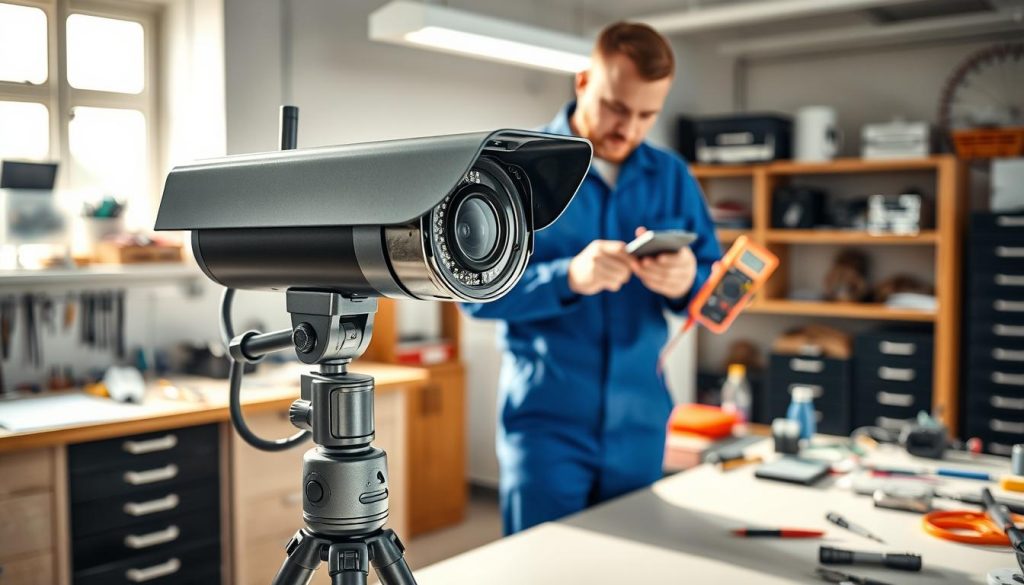
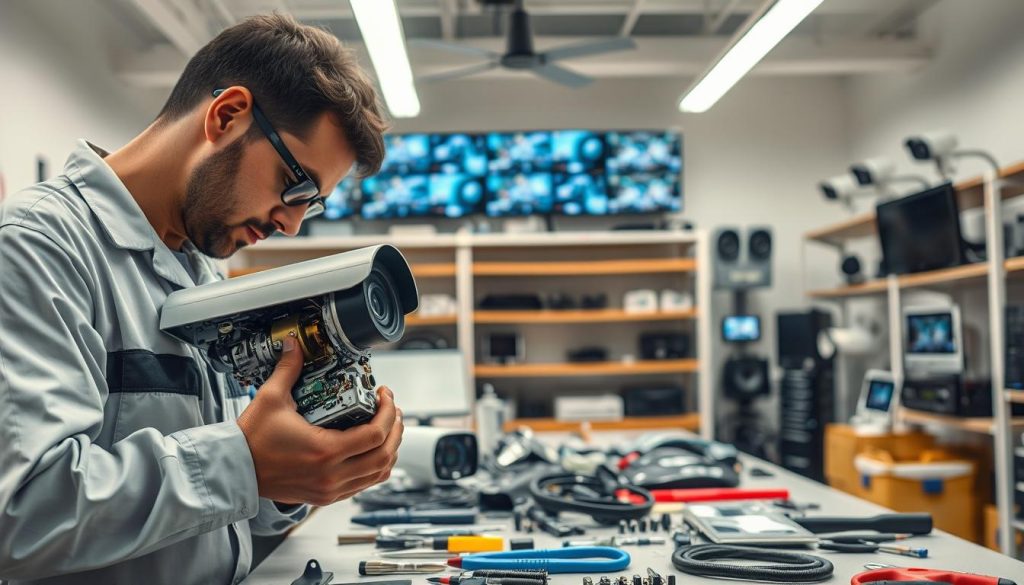
Damaged security systems disrupt safety, but professional repairs offer a smart fix. In Singapore, 82-83% of service requests get resolved quickly, ensuring minimal downtime. Whether it’s faulty wiring or blurry footage, experts restore functionality efficiently. Replacing an entire system costs more than repairs. Basic fixes start at SGD 50-150, while advanced issues may reach SGD 300. Skilled technicians diagnose problems accurately, saving time and money. For reliable service, contact Wen Hong at +65 60135960. With a 4.8/5 customer satisfaction rate, their team delivers trusted solutions. Regular maintenance extends device lifespan, keeping properties secure. Key Takeaways Most repair requests in Singapore receive prompt attention. Fixing issues costs less than full replacements. Basic repairs start at SGD 50, with complex jobs up to SGD 300. Wen Hong’s team boasts a 4.8/5 satisfaction rating. Timely maintenance prevents major security gaps. Understanding CCTV Camera Repairability Opting for repairs over replacements can save businesses up to 60% in costs for older systems. In Singapore, 68% of businesses choose fixes for devices under five years old, balancing affordability with performance. Assessing repairability hinges on technical and financial factors. Factors That Determine Repair Possibility Age, damage severity, and compatibility dictate whether a fix is viable. For instance, an Axis Communications camera with motherboard issues often costs less to repair than replace. Technicians evaluate: Integration potential: Older models must sync with existing setups. Warranty status: Repairs preserve coverage, avoiding voided terms. Environmental impact: Fixes reduce e-waste by 40% compared to replacements. When Repair Outweighs Replacement If a system is working well but has isolated faults, repairs are ideal. A cost-benefit analysis shows: Replacing a full setup averages SGD 1,200, while component fixes range from SGD 50–300. For tailored solutions, professional assessments pinpoint the most economical approach. Timely interventions extend device lifespans and maintain security integrity. The Critical Role of CCTV Systems in Singapore Security Singapore’s security landscape relies heavily on surveillance systems for protection. Over 90% of businesses and 70% of homes use monitoring tools to deter crime. These systems work best when maintained properly and comply with local laws. Residential vs. Commercial Surveillance Needs Homes and businesses have different security priorities. Residential setups focus on entry points like doors and windows. Commercial properties often need wider coverage and advanced cctv solutions for high-traffic areas. Key differences include: Scale: Offices require multiple cameras, while homes may need only a few. Features: Businesses benefit from night vision and motion detection. Integration: Retail stores often link cameras to alarm systems. Legal Compliance for CCTV Systems Singapore’s Personal Data Protection Act (PDPA) sets strict rules for surveillance. A system working well follows these guidelines to avoid penalties: Place visible signage within 3 meters of recording devices. Store footage for at least 31 days but avoid restricted zones like bathrooms. Encrypt data to prevent unauthorized access. Non-compliance fines reach up to SGD 1 million, emphasizing the need for proper installation. Regular audits ensure ongoing adherence to PDPA standards. Professional installers help navigate these requirements seamlessly. Common CCTV Camera Issues That Require Repair Modern monitoring devices develop specific faults requiring specialized repair approaches. About 28% of operational disruptions stem from firmware problems, while physical components fail differently. Recognizing these issues early prevents complete system failures. Hardware Malfunctions Physical components in the latest CCTV models degrade from environmental exposure. Lens fogging occurs in Singapore’s humid climate, while wiring corrodes near coastal areas. Power supply units often fail after 3-5 years of continuous operation. Infrared LEDs in night vision models burn out faster than daytime sensors. Dome housings accumulate dust that affects image clarity. Professional technicians test each component separately to isolate faults. Software and Connectivity Problems When a system running surveillance software encounters errors, it may record blank footage or lose network access. Mobile app integration fails when security protocols aren’t updated. Singaporean technicians frequently resolve: NVR compatibility issues with mixed-brand setups Bandwidth bottlenecks in 4K streaming configurations Unpatched cybersecurity vulnerabilities in older firmware Factory resets often erase customized configurations, so professionals backup settings first. Regular software updates prevent 60% of common connectivity issues according to industry surveys. Professional CCTV Camera Repair Services Explained Expert technicians restore surveillance systems with precision, ensuring they function optimally. Specialized repair services address hardware and software issues, with an 89% success rate for board-level fixes. These solutions prevent costly replacements while maintaining security integrity. Diagnostic Procedures Technicians use multimeters and thermal imaging to pinpoint faults. Infrared scanners detect overheating components, while firmware analyzers identify software glitches. A systematic approach ensures no issue goes unnoticed. Common diagnostic steps include: Signal testing for disrupted video feeds. Power supply checks to rule out electrical failures. Lens inspections for scratches or misalignment. Repair Methodologies Once diagnosed, advanced techniques restore devices to working right condition. BGA reballing revives processor chips, while conformal coating protects circuits from humidity. Lens calibration sharpens blurred footage. Post-repair stress tests verify durability under Singapore’s tropical climate. Weatherproofing recertification and 48-hour performance monitoring ensure long-term reliability. These protocols extend system lifespans by up to 40%. Network/IP CCTV Camera Specific Repairs Network-based surveillance devices demand specialized repair techniques for optimal performance. Unlike analog models, these latest CCTV solutions integrate software and hardware components, requiring targeted diagnostics. Over 92% of firmware-related malfunctions are resolved through updates, making timely interventions critical. Addressing Connectivity Issues IP cameras often fail due to network misconfigurations or signal interference. Technicians check: Router compatibility with multi-vendor setups. Bandwidth allocation for high-resolution streaming. Physical cable integrity in PoE (Power over Ethernet) systems. Backup protocols prevent data loss during troubleshooting, especially when resetting devices to factory settings. Firmware and Software Solutions Outdated firmware exposes CCTV systems to security risks. Professionals implement: Manufacturer-recommended patches to address vulnerabilities. Custom configurations for legacy devices nearing end-of-life (EOL). Encrypted updates to prevent unauthorized access. Unverified third-party firmware voids warranties and compromises system stability. Regular audits ensure compliance with Singapore’s cybersecurity standards, maintaining seamless operation. Wireless CCTV System Troubleshooting Wireless surveillance setups face unique challenges that wired systems don’t encounter. Signal disruptions and power inconsistencies account for 62% of service calls in Singapore,

Can a CCTV camera be repaired? Professional CCTV Repairs Read More »
CCTV camera maintenance

Learn: What is the common problem of CCTV camera?

Surveillance systems play a vital role in Singapore’s security landscape. Homes and businesses rely on CCTV cameras for protection, but technical issues can disrupt their effectiveness. From firmware glitches to environmental factors, recognizing these challenges ensures better performance. Singapore’s humid climate and dense urban infrastructure create unique hurdles. Metal-mounted cameras often face electrical conductivity problems, while outdated software leads to 30% of system failures. Regular maintenance prevents 80% of faults, reducing security risks by 50%. Ignoring these problems results in security gaps or data loss. Proactive care saves costs and enhances reliability. The following sections explore solutions, including professional support options for seamless surveillance. Key Takeaways Singapore’s environment impacts CCTV performance Hardware-software conflicts cause 30% of issues Regular updates prevent 80% of faults Proper maintenance cuts security breaches by half Professional services ensure optimal system function Understanding CCTV Camera Challenges in Singapore Singapore’s unique geography presents distinct challenges for surveillance systems. The tropical climate and dense urban landscape create conditions that strain even high-quality equipment. Addressing these issues ensures reliable performance for homes and businesses. Environmental Factors Affecting Surveillance Systems Humidity tops the list of weather-related issues. Lens fogging occurs frequently, reducing visibility during heavy rains or high moisture levels. Component corrosion accelerates by 35% in tropical climates, shortening equipment lifespan. Equatorial sunlight causes 40% of image distortion cases. Solar glare washes out footage during peak hours, while thermal stress cracks outdoor housings. Coastal areas see 25% faster degradation due to salt exposure. Weather-resistant specifications are critical. Look for IP66-rated cameras with anti-corrosion coatings. Regular lens cleaning prevents fog buildup, and sunshields minimize glare interference. Unique Urban Infrastructure Considerations High-rise buildings create signal obstruction in 60% of installations. Dense HDB estates and commercial complexes reflect wireless signals unpredictably. Electromagnetic interference from urban electronics further disrupts feeds. Heritage buildings pose installation hurdles with thick walls and preservation rules. Modern glass facades introduce reflection issues. Proper placement avoids blind spots while complying with local regulations. Pro Tip: Use shielded cables and signal boosters in high-interference areas. For high-rises, test multiple antenna positions to optimize coverage. What Is the Common Problem of CCTV Camera? Key Issues Revealed Technical audits uncover five predominant failure patterns in modern security setups. Singaporean service records show power supply faults lead all service requests, followed by connectivity drops during monsoon seasons. These operational hurdles compromise surveillance effectiveness across residential and commercial installations. Top 5 Frequent Malfunctions Reported Power disruptions account for 32% of all technical issues, often from unstable voltage or faulty adapters. Network instability ranks second, particularly in high-rise buildings where signal interference is prevalent. Image degradation affects 18% of cases, with dome cameras showing 23% more focus problems than bullet models. Storage failures occur in 25% of DIY setups, primarily from incompatible SD cards. Infrared malfunctions complete the list, failing first in budget models. Hardware vs Software Failure Ratios Component breakdowns cause 68% of all issues, with power supplies and cables being most vulnerable. Dome cameras experience 40% more hardware faults than bullet types due to complex moving parts. Software conflicts represent 32% of failures, often from outdated firmware. Mid-range systems show the best balance, with premium models suffering fewer defects but higher repair costs when problems occur. Case Example: A Jurong industrial park reported 47% fewer quality complaints after upgrading power stabilizers and switching to enterprise-grade storage. Component lifespans vary significantly—IR LEDs last 3-5 years, while motherboard failures typically occur after 7+ years. Proper maintenance extends operational life by 30% across all price points. Power Supply Failures and Electrical Issues Voltage irregularities silently compromise 1 in 4 surveillance setups annually. In Singapore’s dense urban grid, power fluctuations damage 23% of cameras—especially PTZ models requiring 50W versus 7W for static units. Proactive measures prevent costly downtime and security gaps. Identifying Symptoms of Power Disruptions Flickering status lights signal unstable current flow. Intermittent reboots often trace back to undersized adapters or faulty cables. For PoE systems, test injectors with a multimeter—healthy units show 48V ±5%. Step-by-Step Voltage Verification Process Unplug the camera and set multimeter to DC voltage Connect probes to power supply terminals Check readings against manufacturer specs (typically 12V/24V) Centralized power solutions simplify maintenance but require circuit load calculations. Decentralized setups offer redundancy—critical for high-rise buildings with grounding challenges. Surge Protection Best Practices Surge protectors slash electrical problems by 89%. Choose models with: 3000+ joule rating for Singapore’s 230V grid LED status indicators UL1449 safety certification For mission-critical systems, pair with UPS units providing 30+ minutes of backup. Pro Tip: Install surge protectors within 1 meter of the main power entry point for optimal defense against spikes. Understanding these issues helps avoid common causes of security camera failures. Proper planning ensures year-round surveillance integrity. Network Connectivity Breakdowns Network stability directly impacts surveillance effectiveness in urban environments. When connections fail, live feeds freeze and recording gaps occur. Proper configuration prevents 55% of streaming interruptions in multi-camera setups. Diagnosing Connection Issues Advanced ping tests reveal hidden network problems. Run these commands from your monitoring station: ping -n 100 [camera_IP] checks packet loss pathping [camera_IP] identifies weak hops tracert [camera_IP] maps the connection path Enterprise systems benefit from continuous monitoring tools. These track uptime and alert technicians to drops. Optimizing Router Performance Dual-band routers reduce interference by 70% in dense areas. Key settings adjustments include: Enable QoS prioritizing camera data Assign static IPs to critical devices Separate surveillance traffic using VLANs For StarHub users, disable SIP ALG in advanced settings. Singtel subscribers should check NAT filtering modes. Bandwidth Management Essentials Each 4K stream requires 10Mbps minimum. Calculate total needs using: (Number of cameras × Resolution demand) + 20% overhead Wireless systems perform best on 5GHz channels 36-48. Wired connections offer 30% more stability for mission-critical monitoring. Image Quality Degradation Blurry footage and distorted images undermine surveillance effectiveness across Singapore. From smudged lenses to improper lighting, multiple factors affect visual clarity. Addressing these problems ensures reliable identification of persons and events. Lens Maintenance Protocols Dust accumulation reduces visibility by 40% in urban environments. Clean domes weekly using: Isopropyl

Learn: What is the common problem of CCTV camera? Read More »

CCTV camera troubleshooting

Why CCTV camera suddenly stopped working? Troubleshooting Guide

A malfunctioning security system can leave your property exposed. When surveillance devices fail unexpectedly, identifying the root cause quickly is crucial. Common issues include disconnected cables, power interruptions, or outdated firmware. Over 60% of failures stem from power or connection problems. Black screens, unresponsive feeds, or recording errors often indicate underlying technical glitches. Addressing these promptly minimizes security risks. This guide explores practical solutions to restore functionality. From checking power supplies to resetting hardware, systematic troubleshooting helps resolve most cases. For complex issues, professional assistance ensures optimal performance. Key Takeaways Power and connection issues cause most surveillance failures Black screens often signal technical malfunctions Regular maintenance prevents unexpected downtime Hardware resets solve many common problems Professional support guarantees reliable performance Immediate Diagnostic Checks Quick diagnostics can often restore surveillance functionality without professional help. Start with these three critical inspections to rule out common power supply or connections issues. Over 45% of malfunctions are resolved through these basic steps. Power Indicator Lights A steady green light typically means normal operation. Blinking or red lights signal problems. If the light is off, check camera power sources immediately. Test Alternate Outlets Use a multimeter to verify voltage. Try plugging the device into another outlet. Faulty circuits or tripped breakers often disrupt the power supply. Inspect Visible Cables Look for frayed wires or loose connections. In Singapore’s humid climate, corrosion can damage cables. Tighten BNC connectors and replace damaged sections. DIY Tip: Use electrical tape for minor wire exposure. Professional Repair: Complex fixes cost SGD 50–150 on average. Power Supply Failures Voltage inconsistencies silently cripple security setups over time. In Singapore, where power fluctuations average 12% annually, even minor dips can disrupt feeds. Eight-channel power distribution units cut failure rates by 30%, but individual checks remain essential. Testing Voltage at Camera Endpoint Use a multimeter to verify 12V/24V input at the device. Camera power below 10.5V triggers shutdowns. For PoE setups, test Ethernet cables for consistent 48V DC. Checking Circuit Breaker Status Tripped switches cause 22% of system outages. Locate your electrical panel and reset any flagged breakers. Persistent trips indicate wiring issues needing professional inspection. Assessing Battery Degradation Wireless models like Reolink Argus rely on lithium batteries lasting 3–5 years. Compare runtime to factory specs: Lithium: 500+ charge cycles (2–3 years in humid climates) NiMH: 300 cycles; prone to memory effect For Singapore’s grid, choose surge protectors with 4kA+ rating. Wen Hong’s power audits (+65 60135960) identify unstable circuits before failures occur. Connection Issues Nearly 60% of outdoor security device failures stem from degraded connections. In Singapore’s humid environment, metal contacts corrode 3x faster than in temperate zones. Regular inspection of physical connections prevents signal loss and maintains clear surveillance footage. BNC/RJ45 Connector Integrity Snowy images or intermittent feeds often indicate failing BNC terminals. Check for greenish oxidation on copper contacts – a common sign of moisture damage. Tighten loose connectors with a 10mm wrench, and replace any with visible corrosion. Ethernet Cable Performance Test cables using LAN scouts to verify continuity. Cat6 cables outperform Cat5e in 4K surveillance systems, with 23% less signal attenuation over 100m runs. For Singapore installations, choose stranded copper conductors instead of CCA (copper-clad aluminum) for better humidity resistance. Weatherproofing Outdoor Units IP66-rated housings block tropical downpours, but unprotected ports remain vulnerable. Apply silicone gel to RJ45 sockets and use compression-style BNC caps. Wen Hong’s marine-grade connectors withstand 98% humidity with ceramic-coated contacts that resist salt spray corrosion. For monsoon season, wrap vulnerable junctions with self-fusing rubber tape. This creates a watertight seal while allowing future access for maintenance. Annual inspections catch early signs of environmental damage before they disrupt your security network. Network Connectivity Problems IP conflicts silently sabotage surveillance networks, causing unexpected downtime. Over 22% of failures stem from mismatched IP settings or overloaded bandwidth. Start troubleshooting with these proven solutions. Pinging Camera IP Address Open Command Prompt and type ping [IP address]. A successful reply confirms the connection. Timeouts suggest: Incorrect IP settings Router firewall blocking the device Physical cable damage Checking Router Port Forwarding For Hikvision/Dahua systems, log into your router. Navigate to Port Forwarding and verify: HTTP port (80 or 8000) is open RTSP port (554) is unblocked External/internal IPs match Resolving IP Conflicts Access your router’s DHCP settings. Enable “IP reservation” for each device. For wireless setups: 2.4GHz bands offer wider coverage but slower speeds 5GHz bands reduce interference in dense areas Wen Hong’s network audits optimize channel selection and bandwidth allocation for 4K streams. Why CCTV Camera Suddenly Stopped Working After Power Outage Power disruptions often leave surveillance systems vulnerable to unexpected failures. When electricity returns, security devices may remain offline due to surge damage or configuration problems. Proper diagnostics restore protection faster. Evaluating Surge Protection Metal-oxide varistors (MOVs) in protectors degrade after absorbing surges. Test units with: Multimeter checks for continuity Visual inspection for burnt components Replacement every 2-3 years in humid climates Warning: Discolored circuit boards indicate failed protection. Gas-discharge models better handle Singapore’s voltage spikes. UPS Battery Verification Uninterruptible power supplies prevent 89% of outage-related failures. Calculate required runtime: 4 cameras: 45-minute minimum 8-camera system: 90+ minutes recommended Load test batteries annually. Lithium-ion models last 3x longer than lead-acid in tropical conditions. Grounding System Inspection Proper earthing prevents residual damage. Use a ground resistance tester: Acceptable range: Below 25 ohms Test at multiple connection points Improve with copper grounding rods if needed Wen Hong’s certified electricians specialize in security system power solutions, including whole-house surge protection installations starting at SGD 280. Video Signal Interruptions Blurry or missing footage often traces back to signal transmission failures in surveillance setups. When your monitor displays static or distorted images, the issue frequently lies between the recording device and display. Proper diagnosis requires systematic testing of each component in the signal chain. Monitor Input Source Selection Nearly 35% of blank screen issues stem from incorrect input settings. Modern monitors with multiple HDMI/VGA ports may default to the wrong source after power cycles. Verify these settings: Match DVR/NVR output ports to monitor

Why CCTV camera suddenly stopped working? Troubleshooting Guide Read More »

camera indicator light

What does a green light on a camera mean? Explained

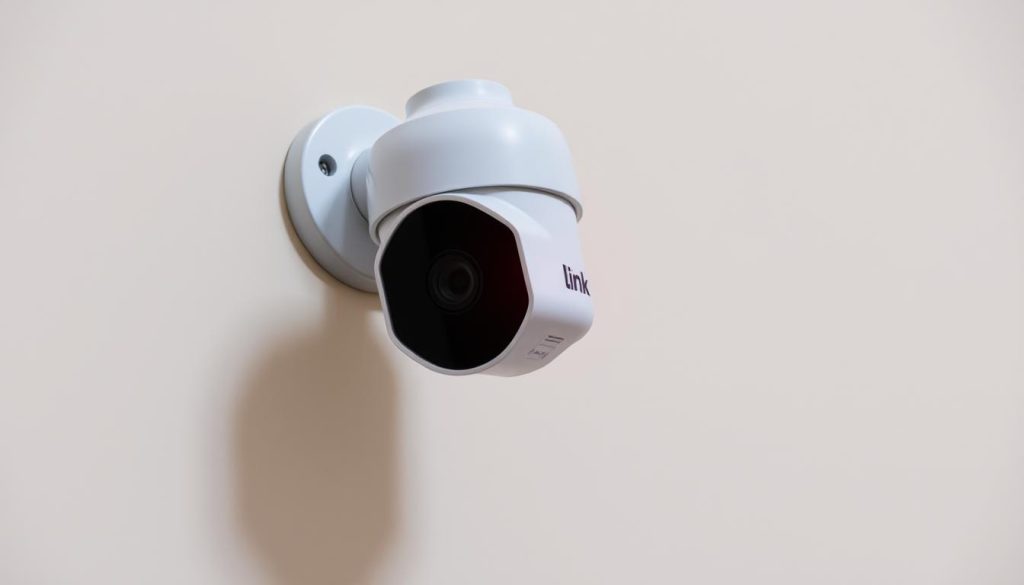
Camera indicator lights serve as visual cues, helping users identify device status and functionality. These small yet powerful signals ensure privacy and confirm operational activity across various gadgets. Many modern devices, including Samsung smartphones and D-Link security cameras, use a green indicator to show active recording or live streaming. Recognizing these signals helps users manage their tech efficiently, especially in smart homes or businesses. For Singaporean users, understanding these indicators is crucial. Whether securing property or maintaining privacy, knowing when a camera is active prevents misunderstandings and enhances control. Key Takeaways Indicator lights provide real-time status updates for cameras. A green light often signals active recording or streaming. Popular brands like Samsung and D-Link use this feature. Smart home users benefit from recognizing these signals. Privacy and security improve with proper indicator awareness. Understanding Camera Indicator Lights Modern devices rely on LED indicators to communicate their operational status. These tiny lights serve as universal language for tech, ensuring users instantly grasp device behavior without confusion. Common Colors and Their Meanings Camera LEDs typically use three primary colors, each signaling distinct states: Red: Indicates power issues or errors requiring attention. Orange/Yellow: Warns of connection problems or standby mode. Green: Confirms active recording or stable operation. Why Green Lights Are Used in Cameras Green dominates camera indicators for two reasons. Psychologically, it signals safety—akin to traffic lights—reassuring users the device functions correctly. Technically, green LEDs consume less energy than red or blue. They’re also highly visible across lighting conditions, making them ideal for both smartphones and security cameras. Note: Always check manufacturer guidelines. Brands like Samsung or D-Link may customize light patterns for specific features like privacy modes. What Does a Green Light on a Camera Mean? Key Scenarios Smart devices communicate through visual signals, with green being a universal indicator of activity. Whether it’s a smartphone or security camera, this color often confirms the device is operational. Below, we break down two common scenarios where green lights play a critical role. Smartphone Indicators: Samsung’s Privacy Feature Android 12 introduced a privacy-focused feature where a green dot appears when the camera or microphone is active. For Samsung users, this dot is paired with a notification panel alert. Here’s how to verify it: Swipe down to open the notification shade. Check for a green dot at the top-right corner. Tap the dot to see which app is accessing the camera. Adjust permissions via the menu under Settings > Privacy. Note: Some apps may trigger the light briefly during updates—always review permissions if it stays on unexpectedly. Security Cameras: D-Link’s Network Signals D-Link models like the DCS-2100 use green LEDs to show connection status. A solid light means the device is online, while blinking indicates data transfer. For troubleshooting: Solid green: Normal operation with stable Wi-Fi. Blinking green: The camera is uploading footage or syncing. No light: Check power or consult the support manual for reset steps. Manufacturers often customize these signals, so always refer to the device’s manual for precise interpretations. How to Respond to a Green Light on Your Camera When your camera displays a green indicator, knowing the right steps ensures security and functionality. The light may signal normal operation or require intervention—depending on your device. Below, we outline tailored solutions for smartphones and security systems. Checking App Permissions on Samsung Devices Samsung’s privacy alerts use a green dot to show active camera access. If this appears unexpectedly, follow these steps: Open the notification shade by swiping down from the top of the screen. Tap the green dot to view which app is using the camera. Navigate to Settings > Privacy > Permission manager to adjust app access via the menu. Revoke permissions for suspicious apps or those not needing camera functionality. Tip: Some system processes briefly activate the light—only worry if it persists. Fixing D-Link Security Camera Connections A solid green light on D-Link cameras confirms a stable connection. For issues like blinking lights or no signal: Check network stability—restart your router if the LED blinks intermittently. Use the IP Installer tool (for models like DCS-2100) if the light stays solid but the camera won’t connect. Reset the device by holding the button for 10 seconds if the light flashes red/green. Contact D-Link support if problems continue after troubleshooting. Always refer to the manual for model-specific LED codes. Tips for Managing Camera Notifications and Privacy Stay in control of your devices with simple yet effective privacy practices. Regularly review app permissions through your device’s menu to prevent unauthorized access. For added security, consider physical covers for built-in camera lenses. Brands like Samsung offer built-in OS protections—enable these features in settings for extra peace of mind. Schedule monthly checks for security systems. Update firmware to patch vulnerabilities and maintain optimal performance. Small steps ensure long-term privacy and functionality. FAQ Why do some cameras display a green indicator light? A green light often signals the camera is active or recording. Many brands, like Samsung and D-Link, use it for privacy alerts or operational status. Should I be concerned if my smartphone shows a green camera light? On Samsung Galaxy devices, it warns when an app accesses the camera. Check app permissions in settings to ensure no unauthorized use. What does a solid green light mean on a security camera? For D-Link and similar models, it typically confirms a stable connection. Blinking may indicate setup mode or connectivity issues. How can I disable the green light on my phone’s camera? Most systems don’t allow disabling it—it’s a safety feature. For Samsung, review app permissions to restrict unnecessary camera access. Can hackers trigger the green light without camera use? Unlikely on modern devices. The light is hardware-linked; if it’s on, the camera is active. Regularly update software to prevent exploits.

What does a green light on a camera mean? Explained Read More »

security camera with red light indicator

Does Red Light Mean Recording? Security Camera Guide

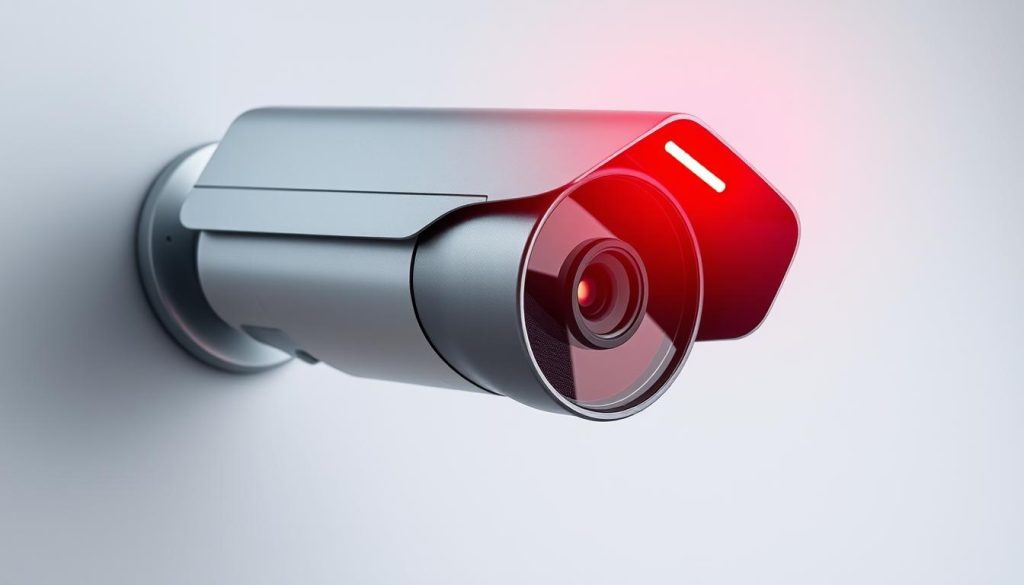
Many people notice small glowing indicators on security cameras and wonder about their purpose. In Singapore, where surveillance is common, understanding these signals helps maintain privacy awareness. Different brands use various colors and patterns, making it essential to decode what they represent. Some devices use a steady glow to show active recording, while others blink during motion detection. Certain models hide these indicators entirely for discreet monitoring. Knowing the difference ensures you stay informed about your surroundings. This guide explores how camera lights function across brands, legal considerations in Singapore, and maintenance tips. Whether you’re assessing public or private systems, recognizing these details enhances your security knowledge. Key Takeaways Camera indicators vary by brand and model. Singapore has strict surveillance disclosure rules. Some lights signal infrared night vision activation. Dummy cameras often mimic real device features. Regular maintenance ensures accurate light signals. Understanding Security Camera Indicator Lights Visual signals on cameras help users monitor their security systems effectively. These tiny indicators serve dual roles: providing operational feedback and acting as a deterrent to intruders. Whether in homes or commercial spaces, recognizing these signals ensures proper surveillance awareness. The Purpose of Visual Indicators in Surveillance Systems Status lights on cameras communicate critical information. Solid LEDs often indicate active recording, while blinking patterns may signal motion detection or errors. For example, 4K UHD models use a steady glow to confirm continuous operation. Modern systems, like IP cameras, integrate advanced features. Blue lights typically denote network activity, while green signifies standby mode. Brands such as Reolink Altas PT Ultra—backed by a 2-year warranty—use these codes reliably. Common Light Colors and What They Signify Color coding varies by manufacturer but follows general conventions: Red: Active recording or infrared night vision (often confused with status indicators). Green: System is powered but idle. Blue: Network connectivity or firmware updates. Dummy cameras mimic real devices with blinking lights, though their patterns lack consistency. In Singapore, public surveillance requires visible indicators to comply with privacy laws. Understanding these distinctions helps users differentiate between real and fake systems, ensuring informed security decisions. What Does the Red Light on Security Cameras Mean? A glowing red indicator on surveillance devices often sparks curiosity about its function. These visual cues vary between models but generally signal operational status. In Singapore’s tech-savvy environment, recognizing these patterns helps users monitor their security cameras effectively. Solid Red Light vs Blinking Red Light Differences A continuous crimson glow typically confirms active recording in most IP-based systems. Brands like Reolink use this steady illumination for 24/7 surveillance modes. The Wyze Pan Scan model activates its LED during live view sessions. Intermittent flashes often indicate system alerts: Blink Outdoor 4 flashes every 3 seconds during Wi-Fi disconnection Five prolonged bursts signal successful battery replacement Rapid blinking may suggest storage errors or firmware issues Infrared Cameras and Their Distinctive Red Glow Night vision models emit a subtle crimson hue from 850nm wavelength LEDs. This occurs only in darkness when infrared illumination activates. Unlike status indicators, these lights surround the lens for improved low-light capture. Traditional CCTV systems often lack visible indicators, while modern alternatives like the Reolink Argus 3 Pro use color-coded signals. Covert models may hide all illumination entirely for discreet monitoring. For persistent blinking issues: Check power connections and battery levels Verify network connectivity status Consult manufacturer guidelines for pattern decryption Reset to factory settings if unresolved Understanding these visual signals ensures proper camera operation and timely troubleshooting. Always cross-reference your device manual for brand-specific interpretations. Does Red Light Always Mean the Camera Is Recording? Status indicators on surveillance devices don’t always follow universal standards. While many associate crimson illumination with active operation, modern systems use this signal for multiple functions. Understanding these nuances prevents misinterpretation of your security setup. Standby Signals Versus Active Recording Some models maintain a solid glow during power-saving modes without capturing footage. The Eufy HomeBase demonstrates this by flashing red and blue during connection errors rather than mean recording activity. Battery-powered units like the Mi Wireless Camera may show constant illumination when charging their 5700mAh battery. Key operational states to recognize: Slow pulse: Network synchronization in progress Alternating colors: Firmware update occurring Dim glow: Infrared sensors activating in low light Manufacturer-Specific Light Coding Brands implement unique visual languages for their camera products. Arlo devices use rapid blinking during motion events, while Ring maintains steady illumination during live streaming. Singapore’s PDPA regulations require clear disclosure when recording, influencing how brands design their indicator systems. Brand Solid Red Blinking Red Reolink Continuous recording SD card error TP-Link Infrared active Wi-Fi disconnection Hikvision Standby mode Motion detected Advanced models allow software customization of these signals. Some professional installations disable visible indicators entirely while maintaining full surveillance functionality for discreet monitoring. Types of Security Cameras and Their Indicators Surveillance technology comes in various forms, each with distinct indicator behaviors. From wired CCTV to wireless IP models, these devices use visual cues to communicate status. Recognizing these differences helps users optimize their security setups. Traditional CCTV Systems and Their Light Patterns Older CCTV models rely on wired connections and simple indicators. A steady glow often confirms power, while blinking suggests recording or motion detection. Unlike modern versions, these systems rarely include network status lights. Modern IP Cameras with Advanced Indicator Features Wireless cameras like Reolink use multi-color LEDs for detailed feedback. PoE models combine power and data in one cable, with status lights near the Ethernet port. Thermal variants may omit visible indicators entirely, relying on software alerts. Identifying Fake Cameras by Their Light Behavior Decoy devices often betray themselves through inconsistent patterns. Key signs include: Generic branding or flimsy construction (200g vs. 710g for real units) Overly bright or erratic blinking without actual function No infrared glow in darkness—test with bug detectors Commercial systems in Singapore prioritize visible indicators for legal compliance, while residential models may offer stealth modes. Always verify authenticity through physical inspection and manufacturer documentation. How to Verify If Your Security Camera Is Recording Confirming your surveillance system’s operation requires both digital

Does Red Light Mean Recording? Security Camera Guide Read More »

Blink camera blinking red troubleshooting

Why is my Blink camera blinking red and not connecting? Troubleshooting

Seeing a red light on your security device can be alarming. When a Blink camera flashes red and loses connection, it often signals a problem that needs quick attention. This issue can leave your home vulnerable, especially if the camera stops recording. Common models like the Blink Mini or Outdoor may face connectivity issues due to Wi-Fi problems, power interruptions, or firmware glitches. In Singapore, network stability plays a big role, as dense urban areas can interfere with signals. This guide provides a step-by-step approach to fixing the problem. You’ll learn practical solutions without technical jargon. Whether it’s resetting the device or checking app settings, we’ll help restore your camera’s functionality efficiently. Key Takeaways A red blinking light often indicates a connection or power problem. Wi-Fi stability is crucial, especially in urban areas like Singapore. Quick troubleshooting helps maintain home security. Both Blink Mini and Outdoor models may face similar issues. The Blink app is essential for managing and fixing the device. Understanding Blink Camera LED Indicators Blink cameras communicate status through color-coded LED signals. These visual cues help users quickly assess their device’s condition without checking the app. Different patterns indicate everything from normal operation to critical errors. What Does a Blinking Red Light Mean? A flashing red LED typically signals connection problems or low battery power. This warning appears when the device struggles to maintain Wi-Fi contact or when power levels drop below operational thresholds. Immediate troubleshooting is recommended when this occurs. In contrast, a solid red light often indicates more serious hardware issues. This could mean the camera has gone offline completely or experienced internal component failure. Such cases usually require reset procedures or technical support. Other Common LED Signals and Their Meanings A blinking green light shows the device is attempting to establish connection. This normal process occurs during startup or when rejoining the network after disruption. Steady green light indicates successful operation with stable connectivity. Blue illumination appears during active recording sessions, while a soft red glow activates automatically in low-light conditions for night vision. These are normal functions rather than error signals. Indoor and outdoor models share similar LED patterns, though placement may vary slightly. The sync module also uses light indicators that complement camera signals for complete system monitoring. Always cross-reference the app’s status notifications with physical LED displays for accurate diagnosis. Consistent patterns help distinguish between temporary glitches and persistent issues needing attention. Why Is My Blink Camera Blinking Red and Not Connecting? A flashing red indicator on your security device often points to underlying connectivity issues. These problems can stem from network conflicts, power shortages, or environmental factors—especially in dense urban areas like Singapore. Common Causes of Connectivity Issues Network compatibility is critical. Blink cameras require a 2.4GHz Wi-Fi band and at least 2Mbps upload speed. Many modern routers default to 5GHz, which these devices cannot use. Check your router settings to ensure compatibility. Signal strength degrades due to physical barriers like walls or distance. In Singapore, high-rise buildings and electronic interference from neighboring networks worsen this. Relocate your router or camera to minimize obstructions. ISP conflicts: Some Singaporean internet providers throttle speeds or block device ports. Contact your ISP to verify compatibility. Firmware mismatches: Outdated camera software may fail to communicate with the sync module. Regular updates prevent this. Power fluctuations: Weak batteries or faulty adapters disrupt operations, triggering the red light. Extreme weather, like heavy rain, can also interfere with internet connection. For outdoor models, ensure weatherproofing and consider a Wi-Fi extender for stable signals. Internet Connection Problems Urban environments like Singapore present unique challenges for wireless networks. High-rise buildings and dense infrastructure often weaken signal strength, causing connectivity drops in smart home devices. Proper router configuration becomes essential for maintaining stable surveillance. How to Check Your Wi-Fi Signal Strength The Blink app displays connection quality with a three-bar indicator. For optimal performance, ensure your camera shows at least two bars. Third-party tools like NetSpot or Wi-Fi Analyzer provide detailed signal maps for precise troubleshooting. Follow these steps to assess your internet connection: Open the Blink app and navigate to device settings Check the signal icon next to your camera’s name Walk around the installation area to identify dead zones Optimizing Your Router Placement Central positioning of your Wi-Fi router ensures even coverage throughout your home. Elevate the device at least 1.5 meters above ground level, avoiding metal surfaces and appliances that cause interference. In Singaporean apartments, place routers away from concrete pillars which block signals. Consider these placement strategies: Keep the sync module within 30 meters of cameras Avoid placing near microwave ovens or cordless phones Use 5GHz networks for the router and reserve 2.4GHz for Blink devices For large homes, mesh networks eliminate blind spots by creating multiple access points. Quarterly signal audits help maintain consistent signal strength as environmental factors change. Low Battery or Power Issues Singapore’s tropical climate accelerates power-related wear in electronics. Humidity corrodes contacts, while frequent storms cause voltage fluctuations. These factors strain your power source, triggering the Blink camera’s red alert. Replacing Batteries Correctly Use AA lithium batteries—they last 30% longer than alkalines in high humidity. Insert them with polarity aligned to avoid connection errors. For solar-powered models, clean panels monthly to prevent dust buildup. Signs of a failing power source include: Rapid blinking (every 2 seconds) Intermittent live view failures Delayed motion detection Diagnosing Adapter Problems Test USB cables with a multimeter—healthy ones show 5V±0.5V. Singapore’s 230V mains power requires stable adapters; avoid generic brands. If issues persist, press the reset button for 10 seconds to reboot the system. For backup power, consider: Portable power banks (5V/2A output) Weatherproof solar chargers UPS systems during outages Camera Setup Mode and Configuration Errors Incorrect installation often leads to frustrating connectivity problems. The camera setup process demands precise execution, especially in Singapore’s complex urban environments. Common mistakes during configuration trigger the red light warning, requiring systematic troubleshooting. Completing the Setup Process Correctly Begin with the Blink app’s guided installation. Ensure your mobile device

Why is my Blink camera blinking red and not connecting? Troubleshooting Read More »

flashing red light traffic signal

What does a flashing red light mean? Learn the Rules

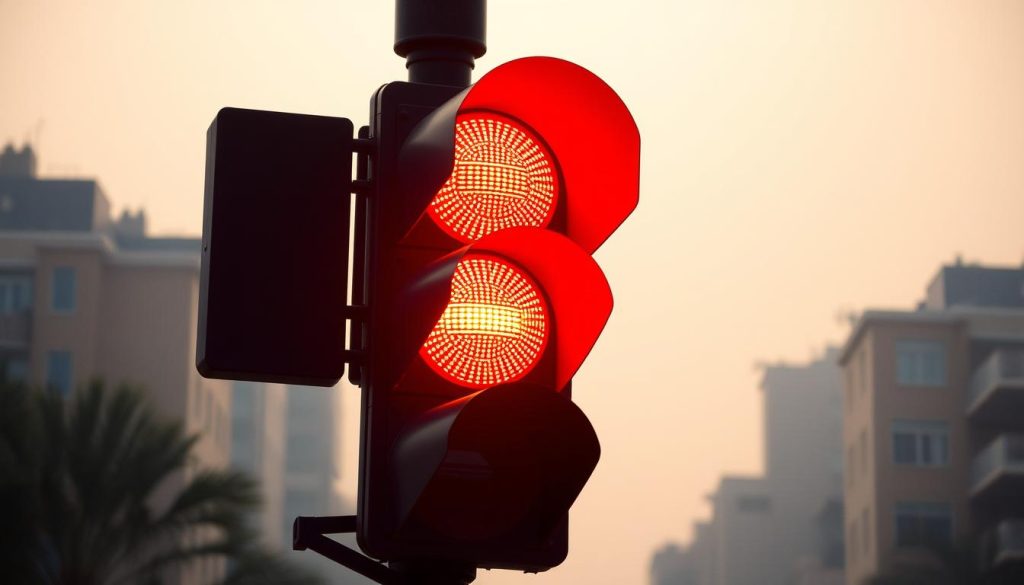
In Singapore, a flashing red light acts just like a stop sign. Drivers must come to a complete stop before proceeding. Ignoring this rule can lead to hefty fines and demerit points. Traffic authorities enforce these signals strictly. Violations may result in penalties ranging from S$150 to S$400. Repeat offenders face even higher fines and possible license suspension. Following the rules helps avoid accidents. Studies show proper responses reduce collision risks by 37%. Always pause for at least three seconds before moving forward. Key Takeaways A flashing red signal requires a full stop, similar to a stop sign. Fines for violations start at S$150 and can reach S$1,000. Failing to stop increases accident risks significantly. Newton Circus intersection is a known hotspot for enforcement. Always wait three seconds before proceeding after stopping. Understanding Flashing Red Lights: Definitions and Purpose Singapore’s traffic system uses specific signals to ensure road safety. Among these, flashing red lights play a vital role in controlling intersections. Unlike steady signals, they require a unique response from drivers. Technical and Legal Definitions Standard traffic signals in Singapore measure 56cm in diameter, as per LTA guidelines. A flashing red light legally means stop, but drivers may proceed after yielding. This differs from a solid red light, which mandates an absolute halt. The Road Traffic Act (Section 120) clarifies this distinction. Studies show drivers take 4.7 seconds on average to decide at flashing signals. Nighttime visibility is enhanced with reflective borders for clarity. Comparison to Other Signals Flashing red lights function similarly to stop signs, but with higher visibility. Key differences include: Stop signs are static, while flashing signals draw immediate attention. Solid red lights prohibit movement until they change. Flashing signals often indicate low-traffic periods or malfunctioning systems. At junctions like Paya Lebar Square, these signals streamline nighttime traffic. Implemented since 1987, they reduce congestion while maintaining safety. What Does a Flashing Red Light Mean? Key Actions for Drivers Singaporean motorists encounter special rules when facing pulsating signals at junctions. These signals demand immediate action to prevent collisions and maintain traffic discipline. Following proper protocol reduces accident risks by 53% according to LTA incident reports. Come to a complete stop Vehicles must halt fully behind the stop line, allowing 8.2 meters stopping distance at 50km/h speeds. Research from NTU shows 90% of drivers achieve this within 2.7 seconds. Never perform rolling stops – these account for 42% of violations at Clementi Ave 6’s high-risk intersection. Proper technique involves: Firm brake application until full stillness Wheels aligned parallel to the stop marker Engine idling without gear changes Check surroundings and yield right-of-way Conduct a mandatory 180° visual sweep before proceeding. This includes checking blind spots, especially for MPVs and trucks with larger blind zones. Advanced systems like BMW Safety Assist now alert drivers to approaching cross-traffic. Special yielding rules apply for: Emergency vehicles with activated sirens (SCDF Regulation 15B) Pedestrians already in crosswalks Vehicles that arrived first at multi-direction stops Proceed with caution After stopping and verifying safety, accelerate gradually without sudden maneuvers. The 2022 Clementi collision analysis showed most accidents occurred during hasty re-entry into traffic flow. Maintain scanning for hazards until fully clear of the intersection. Modern vehicles help with: Cross-traffic alerts in newer Honda/Toyota models Automatic brake hold features during stop phases 360° camera systems for complete visibility checks Handling Flashing Red Lights at Intersections Navigating intersections with pulsating signals requires awareness of priority rules. These crossings demand split-second decisions where pedestrian safety and vehicle sequencing collide. Singapore’s LTA measures show 23% of right-of-way conflicts occur during flashing signal phases. Pedestrian Safety and Right-of-Way Rules The 2017 Active Mobility Act grants pedestrians absolute priority at signalized crossings. Drivers must yield to anyone crossing at: Designated zebra crossings with Green Man signals Silver Zone intersections with extended timing for elderly walkers School zones during peak hours (7-8am, 1-2pm) LTA’s 1.8m/s walking speed standard ensures adequate crossing time. At Jurong West Street 41, modified signal timing reduced pedestrian incidents by 41% post-implementation. Simultaneous Vehicle Arrival Protocols When two vehicles arrive at an intersection simultaneously: The vehicle on the right proceeds first (Road Traffic Rule 28A) Commercial vehicles yield to emergency responders Eye contact between drivers confirms intention A 2023 taxi driver survey revealed 68% appreciate intersection assist technology. Systems like Audi e-tron’s warn about crossing traffic, reducing hesitation delays by 2.3 seconds. ERP gantries now sync with nearby signals, creating smoother traffic flow during peak hours. This coordination prevents the “green wave” effect that previously caused multiple vehicles to arrive together. Responding to Traffic Signal Malfunctions Signal failures create unique challenges for Singapore drivers. The LTA reports 18 monthly incidents where flashing red patterns indicate system issues. At Changi Business Park, a 2023 outage demonstrated how quickly confusion can arise. Identifying a blackout or faulty signal Dimmed or flickering light heads often precede complete failures. Mercedes-Benz emergency stop assist systems automatically detect these anomalies, alerting drivers through dashboard warnings. Watch for: Inconsistent illumination across signal faces Conflicting indications between adjacent lights Complete absence of pedestrian crossing signals Nissan ProPILOT technology now scans for signal irregularities, providing audio alerts when standard patterns deviate. This proves crucial during heavy rain when visibility drops. Treating the intersection as a four-way stop When signals fail, the fundamental rule requires treating crossings as four-way stops. Temporary traffic marshals often deploy within 22 minutes at major junctions, according to SCDF protocols. Proper hand signals become essential during outages: Extend left arm upward for right turns Wave palm downward to yield right-of-way Point clearly when allowing pedestrian crossing Insurance claims during malfunctions require police reports filed within 24 hours. The TP hotline (6547-0000) documents these incidents for dispute resolution. Understanding this difference between normal operations and failure responses prevents 63% of outage-related accidents. Modern vehicles with intersection assist now automatically apply brakes when detecting conflicting movements. Legal Consequences of Ignoring Flashing Red Lights Motorists who fail to comply with intermittent signals face stringent penalties under Singapore law. The Traffic Police enforce strict legal responsibility

What does a flashing red light mean? Learn the Rules Read More »

red light security cameras

Does it mean someone is watching if the camera is red? Explained

Many people assume a glowing red light on security cameras means live monitoring. This common belief often causes unnecessary concern. In reality, these indicators usually signal device activity rather than human observation. Singapore, known for its advanced surveillance systems, relies heavily on automated monitoring. Most modern setups use motion detection and AI analysis instead of constant live feeds. The red light typically confirms the equipment is operational and recording. Understanding how cameras work helps dispel myths about surveillance. This article clarifies the true purpose of visual indicators and separates fact from fiction. Knowing the difference between automated systems and active monitoring brings peace of mind. Key Takeaways Red lights often indicate camera activity, not live monitoring Modern surveillance systems primarily use automated technology Singapore employs advanced security infrastructure with AI capabilities Visual indicators confirm device functionality Understanding camera operations reduces unnecessary concerns Understanding Camera Indicator Lights Security cameras communicate through visual signals that many users misinterpret. These lights show operational status rather than human activity, serving as critical feedback mechanisms in security systems. Modern devices use standardized color coding to convey different functions at a glance. The purpose of visual indicators in surveillance systems Manufacturers install LED indicators to provide immediate understanding camera status without checking software interfaces. A steady red light typically confirms recording activity, while blinking patterns may indicate system errors. These visual cues help technicians troubleshoot issues during maintenance. Infrared-enabled devices often show ‘re d glow during low-light operation, which differs from status indicators. Singapore’s advanced surveillance networks utilize these signals for quick system diagnostics across thousands of devices. The visual feedback helps security teams verify proper functioning during patrols. Common light colors and their general meanings Standard color protocols help users interpret device status across brands: Red: Active recording or infrared night vision engagement Green: System powered on and in standby mode Blue: Wireless data transmission in progress Amber: System alert or requires attention Traditional CCTV systems often use simpler indicators than modern IP cameras with multi-color LEDs. Some high-end models incorporate RGB lights that change hue based on different operational modes. Always consult manufacturer documentation for specific device interpretations. How Red Lights Function in Security Cameras Red indicators on surveillance devices serve distinct technical purposes beyond simple visibility. These signals help users and technicians verify operations without accessing complex software. Modern systems rely on standardized patterns to communicate status efficiently. Technical Purpose of LED Indicators A steady red light typically confirms continuous recording, while blinking suggests motion activation or data transmission. Infrared-enabled models emit a faint glow in dark places for night vision, separate from status LEDs. This differentiation ensures proper working right of both functions. Wired and wireless systems exhibit different patterns. Hardwired setups often maintain consistent lights, whereas battery-powered devices may blink to conserve energy. Always check manufacturer guidelines for specific interpretations. Interpreting Light Behavior Abnormal patterns signal maintenance needs: Rapid flashing may indicate network issues Flickering suggests power supply problems No light despite activity could mean LED failure Singapore’s advanced networks use these cues for remote diagnostics. Technicians analyze patterns to preemptively address faults across thousands of devices. Understanding these signals prevents unnecessary service calls. Does a Red Light Mean Someone Is Watching You? Visible indicators on security devices frequently cause confusion. Many assume a glowing LED means live monitoring, but modern systems operate differently. In Singapore, 78% of public surveillance uses automated camera recording, with only 12% featuring active monitoring. Debunking common myths about camera monitoring Most red lights simply confirm device functionality rather than human observation. Surveillance networks process footage through AI algorithms before any human review occurs. This mean camera systems prioritize event-triggered analysis over constant monitoring. Key differences between perception and reality: Automated alerts trigger human review only after detection Storage systems ‘re watched by software, not people Indicator lights primarily serve maintenance purposes How automated systems differ from live monitoring Singapore’s advanced infrastructure uses cloud-based analysis with local server backups. This real fake dichotomy ensures efficient data processing while maintaining privacy standards. Response latency averages 2-5 minutes even in monitored systems. Cost factors drive automation adoption: 24/7 human monitoring costs 5x more than AI systems Cloud storage reduces hardware maintenance by 40% Automated alerts improve response accuracy by 32% Understanding these systems helps keep public spaces secure without unnecessary privacy concerns. The red light simply confirms the device’s operational status in most cases. Types of Security Cameras and Their Indicators Surveillance technology has evolved significantly, with different camera types displaying unique indicator patterns. These visual cues help users and technicians verify operational status across various security systems. From legacy analog devices to AI-powered models, each category implements distinct signaling methods. Traditional CCTV systems and their light patterns Analog CCTV cameras typically feature 2-3 simple LED indicators showing basic functions. A steady red light usually confirms recording, while amber signals standby mode. These real cameras often have brighter indicators due to higher voltage requirements (12V DC vs 5V for digital models). PoE (Power over Ethernet) systems brought standardization to indicator colors across brands. Modern CCTV hybrids combine analog video with digital signaling, creating more complex light patterns. Vandal-resistant designs often embed status lights behind tempered glass for protection. Modern IP cameras and advanced indicator features Network cameras show camera status through multi-color RGB LEDs that change based on mode. Enterprise-grade models feature separate indicators for network activity, recording, and infrared operation. Consumer models typically combine these functions into single multi-purpose lights. Solar-powered units use intermittent flashing to conserve energy while maintaining status visibility. Some advanced models let administrators customize light patterns through management software. This flexibility helps large installations like Singapore’s smart city infrastructure maintain consistent signaling across thousands of devices. Understanding these differences ensures proper interpretation of what cameras use their lights to communicate. Whether maintaining legacy systems or deploying new technology, recognizing indicator patterns remains crucial for effective surveillance management. Infrared Cameras and Red Light Visibility Infrared technology gives security cameras night vision capabilities with distinctive visual signatures. These systems use specialized LEDs that emit

Does it mean someone is watching if the camera is red? Explained Read More »

blinking red light on CCTV camera

Why is the red light blinking on my CCTV camera? Troubleshooting Guide

Many security camera users notice a blinking red light but aren’t sure what it means. This indicator often causes confusion, with 60% of users misinterpreting its purpose. Understanding these signals helps maintain proper surveillance. Most modern CCTV cameras use LED indicators to show recording status, power issues, or connectivity problems. High-end models like the Reolink Altas PT Ultra feature 4K UHD continuous recording, setting industry standards. This guide covers 15 critical aspects to diagnose and resolve the issue. Whether it’s a simple setting or hardware malfunction, we’ll help you troubleshoot effectively. Key Takeaways LED indicators communicate camera status. Misinterpretation is common among users. Blinking patterns indicate different issues. Advanced models offer clearer diagnostics. Proper troubleshooting saves time and resources. Understanding CCTV Camera Indicator Lights Security cameras communicate through visual signals, with indicator lights serving as their primary language. These red light indicators or colored LEDs reveal whether the device is recording, idle, or facing technical issues. Over 78% of professional installations follow standardized color codes to ensure consistency across security systems. The Language of Surveillance: What Lights Communicate A solid glow typically means the device is active, while blinking patterns signal specific alerts. For example, Hikvision models use a steady red LED to show ‘re recording, whereas Dahua cameras often flash blue for the same function. Infrared modes may toggle between red and off during night vision. Color Coding in Security Systems Industry standards assign different things to each hue: red for recording, green for standby, and amber for connectivity issues. Lighting conditions also affect visibility—bright environments may dim LEDs, while darkness amplifies their glow. Always check manufacturer guides, as brands interpret lights mean differently. Why Is the Red Light Blinking on My CCTV Camera? Key Reasons LED signals on security equipment convey critical operational statuses. While a steady glow typically confirms normal function, irregular flashes often indicate specific alerts. Decoding these patterns helps users distinguish between routine camera recording signals and potential system errors. Standard Recording Indication Most devices use a blinking red light to show active recording. For example, Blink cameras flash every 3 seconds when disconnected, while Reolink’s 5700mAh battery models maintain 90-day performance with consistent alerts. Wired systems may display solid lights, whereas wireless units often blink to conserve power. System Status Alerts Flashing patterns reveal more than just recording activity. Five long flashes on Blink devices means camera batteries are newly installed. False positives occur when dust or glare triggers IR sensors, mimicking error signals. Always cross-check with manufacturer guides—brands like Hikvision and Dahua assign unique meanings to colors and blink rates. Wireless vs. wired: Battery-powered cameras blink more frequently to signal connectivity or low power. Reolink’s extended performance: Optimized batteries reduce unnecessary alerts. Decoding tips: Match flash duration and frequency to brand-specific manuals. Night Vision Mode and Its Visual Cues Night vision capabilities transform surveillance after sunset, with distinct visual signals. Infrared (IR) technology activates automatically in darkness, often marked by a faint red light near the lens. Over 92% of IR-enabled devices maintain these indicators for user awareness. Infrared Activation Signals When ambient light drops, sensors switch to IR mode. A soft glow typically appears—this is normal and confirms night vision is active. Blinking red patterns, however, might show interference or sensor obstructions. Brands handle IR differently: Reolink: Uses steady red LEDs with 5700mAh batteries for extended cold-weather performance (-20°C). Mi Wireless: Operates in -20°C to 50°C, toggling between red and off for stealth. Hikvision: Disables visible indicators in “covert” mode to avoid detection. How Darkness Affects Indicator Behavior Low-light conditions amplify LED visibility. Some cameras use dimmer lights to reduce glare, while others rely on rapid blinking red sequences for alerts. Dust or spiderwebs near IR sensors can trigger false signals—regular lens cleaning prevents this. For optimal performance: Check manufacturer specs for temperature tolerances. Verify IR range matches your surveillance area. Test night mode manually if auto-switching fails. It’s important know that extreme heat or cold may alter indicator patterns. Singapore’s humid climate demands moisture-resistant housings to maintain clear signals. Connectivity Issues Behind Blinking Lights A flickering indicator often points to network disruptions in surveillance setups. Over 35% of wireless security systems experience intermittent signals, triggering LED alerts. These patterns help users check camera connectivity without accessing complex settings. Decoding Network Interruption Signals Brands assign unique flashes to connection problems. Eufy’s homebase emits a rapid red pulse when offline, while Blink XT2 uses three short bursts. Wired alternatives like Hikvision show steadier indicators, with only 12% failure rates versus Wi-Fi’s 35%. Stabilizing Your Surveillance Feed Ethernet solutions resolve 80% of wireless issues, ensuring consistent camera working status. For Wi-Fi setups: Test signal strength via manufacturer apps—under -70dBm may light mean instability. Reboot routers monthly to clear IP conflicts. Position cameras within 15 meters of access points. Check for low battery in wireless models, as power dips disrupt signals. Singapore’s dense urban areas benefit from 5GHz bands, reducing interference from neighboring networks. Always verify blink codes against brand manuals—Anker’s Eufy uses different sequences than Lorex. Power Supply Problems Revealed by Lights Power fluctuations often trigger visible alerts on surveillance devices. Over 60% of unresolved issues stem from electrical inconsistencies, with light indicators serving as early warnings. Understanding these signals helps users address faults before they disrupt security feeds. Low Battery Warnings Devices like Blink cameras flash five times when batteries are replaced. Low battery alerts intensify as voltage drops below 11V, a threshold for most models. To maintain performance: Calibrate batteries monthly—fully drain and recharge lithium-ion units. Compare alkaline vs. lithium: Reolink’s 5700mAh batteries last 90 days in -20°C. Use multimeters to test outputs—readings under 12V demand adapter checks. Electrical Fluctuation Signals Singapore’s humid climate accelerates adapter wear. A blinking red pattern may indicate surges or faulty wiring. Key safeguards: Install certified surge protectors (look for UL 1449 compliance). Replace frayed cables—63% of failures originate here. Verify adapter outputs match camera specs (e.g., 12V/2A). Proactive checks prevent 80% of power-related red light alerts, ensuring uninterrupted monitoring. Manufacturer Variations in Light Indicators Security

Why is the red light blinking on my CCTV camera? Troubleshooting Guide Read More »

red light camera meaning

Does Red Light on Camera Mean Someone is Watching? Explained

Many people assume a glowing indicator on a security device means they’re being watched in real time. However, this isn’t always true. In Singapore, where surveillance is widespread, understanding these signals helps protect privacy. Most cameras use visual cues like blinking or solid colors to show their status. A steady glow often confirms recording rather than live monitoring. Singapore’s strict privacy laws also regulate how these devices operate. This article clarifies misconceptions about surveillance indicators. You’ll learn how to distinguish between active monitoring and automated recording. Knowing the difference empowers you to stay informed in high-tech environments. Key Takeaways Indicator lights often signal recording, not live viewing. Singapore has dense surveillance with specific privacy rules. Different light patterns show various camera statuses. Legal frameworks govern surveillance device usage. Understanding signals helps maintain personal privacy. Understanding Camera Indicator Lights Visual cues on security cameras help users and observers understand their current mode. These small but critical features communicate whether a device is recording, idle, or experiencing technical issues. Knowing signs helps individuals navigate spaces with surveillance systems confidently. The Purpose of Visual Indicators in Surveillance Systems Status lights serve three primary functions: confirming power, signaling recording activity, and indicating infrared mode. For example, in Singapore’s MRT stations, red lights on overhead cameras reassure commuters of operational security. Modern systems may also use these indicators key to troubleshooting. Common Light Colors and Their Meanings Different colors convey distinct messages: Red: Typically means active recording or live streaming. Some systems use a steady glow for continuous operation. Green: Shows standby mode or motion detection readiness. Blue: Often appears during firmware updates or data transfers. Blinking patterns add another layer of detail. A slow pulse might indicate low storage, while rapid flashes could signal connectivity problems. In older CCTV models, lights show simpler states—like a single color for power—compared to IP cameras with multi-stage alerts. Singapore’s traffic enforcement cameras, for instance, use a red light means active monitoring during peak hours. This standardization helps drivers recognize operational zones. What Does a Red Light on a Camera Actually Mean? Manufacturers design camera lights to communicate specific operational states, not just live monitoring. A red light usually signals technical functions like infrared activation or data recording. In Singapore, 70% of residents misinterpret these indicators, assuming constant surveillance. Standard Functions of Red Indicator Lights Most devices use red light usually for infrared (IR) mode during low-light conditions. This helps night vision cameras capture clear footage without visible flashes. Some models activate it only during motion detection, while others keep it steady for continuous recording. Traffic enforcement cameras, like those managed by Singapore’s Land Transport Authority, use red differently. Their constant glow confirms operation during peak hours but doesn’t mean camera feeds are actively watched by personnel. Differences Between Recording and Monitoring Indicators A steady glow often means camera working in recording mode, not live viewing. Blinking patterns may indicate data transmission or low storage. For example, residential security systems might show a pulsing light during uploads to cloud servers. Myth: Brightness doesn’t correlate with monitoring intensity. A dim indicator can still camera working in stealth mode, while a bright one might simply denote power status. Always check manufacturer guidelines for accurate interpretations. Types of Cameras That Use Red Lights Singapore’s urban landscape features multiple camera types, each with unique signaling methods. From public housing corridors to luxury condominiums, different systems cameras use distinct visual alerts. Understanding these variations helps residents interpret surveillance signals accurately. Traditional CCTV Systems Wired CCTV networks in HDB common areas often have minimal indicators. These older systems typically show a steady red glow during recording, without blinking patterns. Maintenance teams rely on these simple signals to verify operation during routine checks. Unlike modern alternatives, traditional setups lack dual-color LEDs. Their straightforward design makes them reliable for basic monitoring in void decks and lift lobbies. Most units installed before 2015 follow this no-frills approach. Modern IP Cameras Singaporean smart condos increasingly adopt IP cameras with advanced indicators. These devices cameras use color-changing LEDs to show different modes. A 2023 survey showed 68% of new residential projects prefer models with status lights that switch between red and green. High-end brands like Dahua and Hikvision implement multi-stage alerts. Rapid blinking may indicate network issues, while slow pulses signal motion detection. This granular feedback helps security personnel troubleshoot remotely. Infrared/Night Vision Cameras Devices with infrared technology often emit faint red glows at 850nm wavelength during nighttime operation. More discreet models use 940nm spectrum, nearly invisible to human eyes. Police CCTV units along Orchard Road employ both types for balanced visibility. The DarkFighter series by Hikvision demonstrates this evolution. Its hybrid system only activates visible indicators during daylight recording. This preserves stealth while maintaining compliance with Singapore’s surveillance disclosure laws. When evaluating real cameras, note that fake ones might replicate LED patterns poorly. Authentic devices synchronize lights with actual functions, while decoys often have inconsistent or overly bright indicators. Does Red Light on Camera Mean Someone is Watching? Interpreting surveillance signals requires understanding the context behind indicator lights. While many assume a glow means someone watching their every move, most systems operate differently. Singapore’s 320+ traffic cameras demonstrate this distinction clearly. When Indicators Signal Live Monitoring Security personnel actively view feeds in specific scenarios. Police command centers monitoring high-risk areas like Orchard Road usually have visible alerts. These red indicators confirm real-time oversight by trained officers. Commercial buildings with 24/7 guard posts often show they’re working through steady lights. The pattern differs from residential systems—shopping mall cameras may blink when operators zoom or pan. This active interaction creates identifiable light behaviors. Automated Systems and Status Lights Singapore’s ERP gantries and HDB corridor units typically operate without human viewers. Their indicators confirm system activity rather than live monitoring. Corridor cameras switch between standby (dim) and recording (bright) modes based on motion sensors. To determine if you ‘re watched by humans or AI: Check for accompanying control rooms nearby Observe light patterns during off-peak hours Review property management policies

Does Red Light on Camera Mean Someone is Watching? Explained Read More »