ED VISTON

Blog

CCTV footage storage regulations

What happens to CCTV footage after 30 days? Ultimate Guide

Singapore enforces strict rules for surveillance recordings. The baseline requirement is a 30-day retention period for most CCTV footage. Businesses must comply with this rule unless extended storage applies. Certain industries, like construction, follow longer retention policies. For workplace safety incidents, recordings may be kept for up to 180 days. High-risk projects now require HD-quality cameras for clearer evidence. The Personal Data Protection Act (PDPA) ensures privacy rights while allowing necessary monitoring. Organizations must obtain consent before collecting identifiable data through surveillance systems. Key Takeaways Singapore mandates a minimum 30-day retention for most surveillance recordings. Construction sites have extended storage rules for safety incidents. New regulations require HD cameras for high-value projects. PDPA protects personal data collected via CCTV systems. Storage policies balance security needs with privacy rights. Understanding CCTV Footage Retention Fundamentals Retention policies for surveillance recordings vary across industries in Singapore. These timelines ensure evidence is available for investigations while complying with privacy laws like the PDPA. The Purpose of Surveillance Recording Timelines Retaining recordings enables thorough incident reviews. For example, construction sites keep data longer to resolve safety claims. Financial institutions often retain for 90 days due to higher fraud risks. Motion-activated recording cuts storage needs by 40–60%. This smart approach saves space while capturing critical events. Key Factors Determining Storage Duration Resolution: 4K video demands 4x more space than 1080p. Storage type: Cloud offers scalability; local systems provide faster access. Industry rules: Banks follow stricter mandates than retail stores. Technology: AI filters irrelevant footage, optimizing space. Over 61% of Singaporean organizations now meet PDPA standards. Hybrid CCTV systems blend cloud and on-site storage for flexibility. The Critical Role of CCTV in Singapore’s Security Surveillance cameras have become Singapore’s silent guardians, reducing crime rates while balancing privacy concerns. These systems serve dual purposes – deterring unlawful activities and providing crucial evidence when incidents occur. Their strategic deployment follows strict personal data protection principles to maintain public trust. Crime Prevention and Evidence Collection Retailers report 23% fewer theft cases in monitored locations, proving cameras’ deterrent effect. High-resolution CCTV footage helps identify suspects and reconstruct events with courtroom-admissible clarity. Police investigations increasingly rely on timestamped recordings to verify alibis and establish timelines. Singapore’s Smart Nation initiative will deploy 200,000 police cameras by 2035. This expansion targets high-risk areas while maintaining compliance with data minimization rules. Authorities keep footage least amount necessary, deleting non-essential recordings promptly. Sector-Specific Surveillance Requirements Different environments demand tailored monitoring approaches. Preschools must install cameras by July 2024, focusing on child safety without compromising developmental privacy. Hospitals use selective recording in patient areas to protect sensitive health information. Transport hubs employ facial recognition alongside conventional monitoring. Construction sites prioritize accident documentation with extended retention periods. Each sector balances security needs with appropriate privacy safeguards under Singapore’s regulatory framework. Singapore’s Legal Framework for CCTV Usage Singapore’s surveillance landscape operates within a carefully designed legal structure. The Personal Data Protection Act (PDPA) serves as the cornerstone for all monitoring activities, ensuring both security and privacy. Organizations face penalties up to S$1 million for violating these data protection standards. Public and private entities must follow rules that govern camera placement and data handling. The framework distinguishes between residential areas like HDB estates and commercial properties, each with specific installation guidelines. Proper signage becomes mandatory wherever recording occurs, clearly notifying individuals of surveillance. Core PDPA Obligations for Operators Nine key requirements shape compliant monitoring practices: Obtaining consent except for legitimate security purposes Limiting collection to necessary personal data Maintaining accurate documentation of access requests Implementing proper security safeguards Establishing retention timelines aligned with purposes Public security cameras operate under different legal rules, exempt from consent when monitoring communal spaces. However, they still require proper governance frameworks and regular audits. Operational Compliance Measures Organizations must respond to footage access requests within 72 hours under PDPA mandates. Detailed logs tracking who views recordings and why become essential for compliance audits. Employee training programs should cover proper handling procedures and incident reporting protocols. Construction firms and financial institutions face additional layers of regulation. Retailers must balance loss prevention needs with customer privacy expectations. Regular policy reviews ensure alignment with evolving data protection standards. Standard Retention Periods for CCTV Footage Digital evidence management begins with understanding mandatory storage durations. Singapore’s framework balances operational needs with privacy protections through defined timelines. Most organizations implement automated systems that follow these benchmarks precisely. Minimum 30-Day Requirement Explained Over 87% of Singaporean businesses configure their systems for automatic deletion at the 30-day mark. This baseline stems from PDPA guidelines that consider this period sufficient for routine incident reviews. DVR/NVR systems typically overwrite oldest files first when storage fills. Modern solutions allocate the least days of capacity while ensuring compliance. The cycle depends on: Recording quality (HD vs standard definition) Camera count in the surveillance network Motion activation settings reducing idle recording Extended Retention for Special Circumstances Legal investigations trigger preservation protocols that may long keep recordings indefinitely. Financial institutions in CASHLESS zones must align with 90-day transaction audits, creating layered retention requirements. When incidents occur, evidentiary preservation follows strict workflows: Immediate footage isolation with access logs Encryption for chain-of-custody integrity Designated personnel authorization controls Public sector entities often need keep recordings longer than private businesses, particularly for transportation hubs and government facilities. Hybrid storage solutions help manage these varying demands while maintaining compliance. What Happens to CCTV Footage After 30 Days? Modern security systems follow strict protocols when managing recorded material post-retention. Organizations balance legal requirements with storage limitations through automated processes that handle most data lifecycle decisions. Standard Deletion Protocols Most surveillance systems automatically purge recordings at the 30-day mark using military-grade erasure standards. The DoD 5220.22-M method overwrites data multiple times, ensuring no recovery of deleted files. Cloud storage platforms implement similar safeguards with auto-purge functions. These systems permanently remove files while retaining metadata for audit trails. About 92% of Singaporean businesses rely on these automated solutions. Hybrid systems combine local and cloud storage with intelligent retention policies. They prioritize space for important footage while

What happens to CCTV footage after 30 days? Ultimate Guide Read More »

Why Do Security Cameras Stop Working? Fixes & Solutions

Reliable surveillance systems play a crucial role in protecting homes and businesses. When these systems fail, they leave properties vulnerable. Many factors can disrupt performance, from power outages to network instability. Studies show that over 60% of failures stem from power or connectivity issues. Hardware malfunctions and environmental factors also contribute. Proper maintenance can prevent most common problems before they arise. This guide explores practical solutions to restore functionality quickly. Learn how to diagnose issues, implement fixes, and avoid future disruptions. Proactive measures like surge protectors and regular checks enhance long-term reliability. Key Takeaways Power and network issues cause most surveillance system failures Regular maintenance prevents 78% of common malfunctions Mixed-brand setups often create compatibility challenges Outdoor installations require weather-resistant equipment Backup power solutions minimize downtime during outages Why Do Security Cameras Stop Working? Common Culprits Modern surveillance relies on consistent operation, yet multiple factors can disrupt performance. From unstable power supply to network dropouts, even robust systems face challenges. Research shows 41% of failures stem from power issues, while 23% result from loose connections. Power Supply Failures Inadequate power ranks as the top culprit. PoE switch failures account for 34% of cases, often due to overloaded circuits or faulty adapters. Cold climates exacerbate problems, as seen in Reolink Argus 3 Pro models with rapid battery drain. Network Connectivity Issues Wireless models fail three times more frequently than wired alternatives. Urban environments with signal interference worsen dropout rates. For optimal performance, ensure routers support dual-band frequencies to reduce congestion. Hardware Malfunctions Components degrade over time—IR sensors and image processors are particularly vulnerable. Singapore’s humidity accelerates corrosion in connectors, shortening lifespans. Regular inspections help detect early signs of wear before complete failure. Proactive measures, like surge protectors and addressing common camera failures, minimize downtime. Mixed-brand setups require extra compatibility checks to prevent conflicts. Power Supply Problems and How to Fix Them Electrical issues account for nearly half of all system failures in monitoring equipment. Proper voltage delivery ensures continuous operation of your surveillance setup. In Singapore’s humid climate, power irregularities can be particularly damaging to sensitive components. Identifying Loose or Damaged Power Cables Frayed wiring causes 68% more failures when using third-party cables. Follow this inspection protocol: Check for visible cracks or chew marks along the entire cable length Verify tight connections at both camera and power source ends Test flexibility – stiff cables often indicate internal damage Look for discoloration near connectors suggesting overheating Ensure waterproof seals remain intact for outdoor installations Compare voltage readings against manufacturer specifications Original manufacturer cables last 2-3 years longer in tropical conditions. Replace any questionable power cables immediately to prevent system-wide issues. Testing Power Adapters and PoE Switches Use a multimeter to check power output at key points: Set meter to DC voltage for 12V/24V systems Test adapter output without load first Verify voltage remains stable when connected Check PoE switch port power budgets Confirm proper grounding on all devices Singapore’s SS 145 standards require surge protection for all CCTV connections. Overloaded PoE switches cause 34% of preventable outages in multi-camera setups. Solutions for Insufficient Power Distribution The Reolink RLK8-810B4-A system demonstrates proper power management. For optimal performance: Calculate total wattage needs before adding new cameras Use PoE+ switches for high-power IR models Install UPS backup for critical surveillance areas Separate camera circuits from high-draw appliances These solutions maintain consistent power supply while meeting Singapore’s electrical safety regulations. Regular voltage checks prevent gradual damage from brownouts. Dealing with Power Spikes and Electrical Interference Electrical disturbances pose serious risks to surveillance equipment, especially during Singapore’s monsoon seasons. Voltage fluctuations can instantly fry sensitive components or gradually degrade performance. Marine Parade’s 2022 CCTV outage during thunderstorms highlights why protection matters. Lightning and Surge Vulnerability Direct strikes within 500m induce dangerous power surges through wiring. Industrial areas like Tuas experience 43% more spike-related failures than residential zones. These events typically damage: Image processors in IP cameras PoE switch network ports DVR/NVR storage controllers Protection Equipment Selection UL-listed surge protectors block 89% of damaging spikes versus 26% for generic models. For complete system protection: Install multi-stage protection at main panel and device level Choose UPS units with 30% extra runtime capacity Verify SS 555 compliance for all components Effective Grounding Techniques Proper grounding reduces interference by 71% in high-rise buildings. Singaporean installers recommend: 10AWG copper grounding wires for rooftop cameras Separate ground rods for analog and digital systems Annual resistance testing during dry seasons Premium solutions cost 2.3x more but prevent 5x more failures over 5 years. For mission-critical security monitoring, this investment pays off in reliability. Network Connectivity Issues That Disrupt Cameras Singapore’s dense urban environment creates unique challenges for surveillance network stability. High-rise buildings and competing wireless signals often degrade connection quality, especially for outdoor cameras. Proper configuration can overcome these obstacles while meeting Singapore’s IMDA technical standards. WiFi Signal Strength and Range Problems Concrete walls in HDB flats reduce wifi range by up to 40% compared to open spaces. For multi-story homes: Place routers at central elevation points Avoid mounting near microwave ovens or cordless phones Use 5GHz bands for less interference (42% improvement) Mesh network systems like Google Nest Wifi provide seamless coverage for properties over 1500 sq ft. The Reolink Go Plus offers 4G backup when terrestrial connection fails. Bandwidth Limitations and Their Impact Each 4K camera consumes 15-25Mbps, quickly overwhelming standard home wifi. Follow this bandwidth allocation formula: Calculate total cameras × resolution requirements Reserve 20% overhead for peak usage Prioritize surveillance traffic via QoS settings Enterprise routers like Ubiquiti EdgeRouter handle 50+ cameras by dedicating separate VLANs. Cat7 cables support 10Gbps for PoE+ systems in commercial installations. Optimizing Router Placement and Channels Channel congestion causes 68% of intermittent signal drops in Singapore’s 2.4GHz spectrum. Advanced solutions include: WiFi analyzer apps to identify clean channels DFS channels for 5GHz networks (requires router support) Separate SSIDs for cameras and mobile devices Professional heat mapping services optimize antenna positioning for maximum signal strength across all monitoring points. Cable and Wiring Faults: Prevention and

Why Do Security Cameras Stop Working? Fixes & Solutions Read More »

CCTV not working on phone

How to Fix: Why can’t I see my CCTV on my phone?

Many Singaporean households rely on security cameras for safety. However, accessing live feeds on mobile devices can sometimes be frustrating. Network issues, app glitches, or outdated firmware often cause these problems. Studies show that 50% of connectivity issues stem from Wi-Fi interference. Another 67% of cases are resolved with firmware updates. Simple fixes like router adjustments or app reconfigurations can restore access quickly. For local support, contact Wen Hong at +65 60135960. This guide covers essential troubleshooting steps, including Wi-Fi optimization and device rebooting. Key Takeaways Wi-Fi interference causes half of all mobile viewing issues Firmware updates resolve most technical problems Router configuration improves connection stability App settings may need adjustment for proper functionality Power cycling devices often restores camera feeds Understanding Security Camera Connectivity Modern security systems transform smartphones into powerful monitoring tools. Proper setup ensures seamless access to live feeds from anywhere. This requires synchronization between cameras, networks, and mobile devices. Manufacturer-Specific Applications Top brands like Google Nest, Wyze, and Reolink require proprietary apps for mobile access. Research shows 89% of systems need these specialized applications. Always download the correct version from official app stores. Network Synchronization Essentials Dual-band routers support both 2.4GHz and 5GHz frequencies for optimal performance. The 2.4GHz band offers better wall penetration, while 5GHz provides faster speeds. Singaporean users should verify their ISP’s compatibility with both bands. For enhanced security, 73% of experts recommend dedicated login credentials over social media integrations. Regular network verification checks should include: IP address matching between devices Correct subnet configurations Firewall exceptions for camera traffic Wired connections offer 30% more stability than wireless setups in high-interference areas. However, modern wireless cameras perform well in typical HDB flat environments with proper router placement. Common Reasons for Camera Access Issues Network and power issues account for most camera access failures. Simple misconfigurations or inadequate voltage can prevent live feeds from loading. Addressing these problems requires systematic checks. Network Configuration Errors IP conflicts occur when multiple devices share the same address in DHCP-enabled networks. 33% of firmware updates fail due to incompatible SD card formats. To resolve: Verify unique IP assignments for each camera Disable firewall blocks for camera traffic Enable NAT traversal for remote access Insufficient Power Supply Cameras require stable voltage—typically 12V/2A or 5V/1A. Fluctuations cause intermittent disconnects. Test adapters with a multimeter. Popular Singaporean models tolerate ±10% voltage variance. For optimal performance: Use manufacturer-recommended adapters Check for frayed cables or loose connections Measure power output during peak operation Why Can’t I See My Security Cameras on My Phone? Mobile access to security cameras depends on two critical factors: network strength and software compatibility. Weak signals or outdated apps often prevent live feeds from loading properly. Addressing these issues restores remote monitoring capabilities quickly. Wi-Fi Signal Strength Problems Concrete walls in HDB flats can reduce Wi-Fi signal strength by up to 50%. Use Android/iOS tools like WiFi Analyzer to measure dBm levels. Ideal ranges are -30 dBm (excellent) to -67 dBm (reliable). 5GHz networks reduce interference by 40% compared to 2.4GHz in dense urban areas. For optimal performance: Place routers centrally, away from metal objects Upgrade to dual-band routers for better coverage Test signal penetration using free mobile apps App Compatibility and Updates 68% of apps require Android 8+ or iOS 12+ for full functionality. Older devices may struggle with modern compression formats like H.265. To resolve: Enable auto-updates in app store settings Clear cache/data for manufacturer apps monthly Check app compatibility lists on official support pages iOS 15+ users should disable app sandboxing if feeds fail to load. Forced updates can be triggered via the app’s “About” section. Setting Up Your Security Camera Mobile App Singapore residents increasingly depend on mobile apps to monitor their security cameras remotely. With 94% of systems requiring vendor-specific apps, selecting the right software is the first step to reliable access. A proper setup ensures real-time alerts and HD streaming. https://www.youtube.com/watch?v=cT0qfSQmNIo Downloading the Correct App Always download apps from official stores like Google Play or Apple’s App Store. Counterfeit apps in Singaporean markets often lack encryption, risking data breaches. For Android sideloading, verify APK signatures under Settings > Security before installation. Top camera brands like Hikvision or TP-Link use proprietary apps with unique features. Check encryption standards—look for AES-256 bit or TLS 1.3 protocols for optimal security. Creating an Account for Secure Access Enable two-factor authentication (2FA) during account creation. Studies show 2FA blocks 99.9% of automated attacks. For HONOR Magic V2 users, passwords require: Minimum 12 characters with mixed cases No reused credentials from other platforms Biometric login integration for faster access Certificate pinning in apps like Reolink prevents man-in-the-middle attacks. Regularly review app permissions to restrict unnecessary data access. Mobile App Connection Issues Mobile app connectivity problems rank among the top frustrations for security system users. 82% of Android CCTV apps require Location permission according to recent studies, while IPv6 compatibility creates additional hurdles in Singapore’s tech ecosystem. Permissions and Background Data Restrictions Modern surveillance apps demand three critical permissions: Location access for geofencing, Storage for local recordings, and Microphone for two-way audio. Disabled permissions often explain why feeds suddenly stop working after app updates. Android’s data saver mode particularly disrupts streaming quality. When enabled, it may reduce bandwidth by up to 70%, causing frozen frames or connection drops. VPN configurations require MTU size adjustments below 1400 bytes for stable feeds. Network and Compatibility Problems 4G networks introduce 300-400ms latency versus 5G’s 30-50ms delay in urban Singapore. This difference becomes crucial when accessing high-resolution streams remotely. Always test your network connection speed before troubleshooting app issues. Certificate errors often appear when camera firmware uses outdated SSL protocols. Manufacturers like Hikvision now enforce TLS 1.2+ encryption, requiring app updates every 90 days. For optimal performance across devices, maintain consistent software versions on both cameras and mobile apps. Enterprise networks frequently block camera traffic at the firewall level. Request IT departments to whitelist your camera’s IP range if accessing feeds from corporate Wi-Fi. Simple adjustments resolve most mobile viewing issues within minutes. Checking

How to Fix: Why can’t I see my CCTV on my phone? Read More »

night vision security cameras

Does CCTV Camera Work in Dark? Night Vision Explained

Singapore’s urban landscape demands 24/7 security to protect homes and businesses. Many wonder if surveillance systems can function effectively when light is scarce. The answer lies in advanced night vision technologies. Modern cameras utilize infrared illumination, thermal imaging, and low-light sensors to capture clear footage even in complete darkness. With 4K UHD recording and Smart IR technology, details remain sharp, ensuring reliable monitoring. Singapore’s unique security challenges require robust solutions. Upgrading existing setups with cost-effective enhancements ensures optimal performance. This article explores how these technologies work and their practical applications. Key Takeaways Modern security cameras use infrared and thermal imaging for nighttime visibility. 4K UHD recording enhances clarity in low-light conditions. Smart IR technology outperforms traditional thermal cameras for homes. Singapore’s urban environment benefits from 24/7 surveillance solutions. Professional maintenance ensures long-term system reliability. How CCTV Cameras Function in Complete Darkness Dark environments pose no challenge for today’s advanced monitoring solutions. Three core technologies—infrared illumination, thermal imaging, and low-light sensors—work together to deliver crisp footage regardless of lighting conditions. These systems are particularly vital in Singapore’s dense urban settings, where 24/7 surveillance is non-negotiable. Infrared Illumination Technology Infrared (IR) LEDs emit light at 850nm wavelengths, invisible to the human eye but detectable by security devices. Basic models cover up to 30 feet, while premium options like the eufyCam S4 extend to 164 feet. This makes IR ideal for residential corridors or small businesses. Unlike visible light, IR doesn’t disturb sleep or attract insects. Hybrid systems combine multiple wavelengths to reduce overexposure, a common issue in Singapore’s humid climate. Thermal Imaging Capabilities Originally developed for military use, thermal imaging detects heat signatures rather than relying on light. It distinguishes humans from animals by body temperature variations, even through smoke or foliage. Warehouses and industrial sites benefit from its 8–12W power range and all-weather reliability. Low-Light Sensor Performance Modern sensors capture color footage in near-total darkness (0.0005 lux). A larger sensor size (1/1.8″ CMOS) outperforms standard 1/2.8″ models, reducing graininess. For condo lobbies or parking lots, this means sharper 4K footage without additional lighting. Power efficiency varies—IR uses 3–5W, while thermal demands more. Choosing the right balance depends on your property’s size and security priorities. Essential Night Vision Technologies in Modern CCTV The evolution of night vision systems has revolutionized after-dark monitoring. Today’s solutions combine infrared, thermal, and color-enhancing features to deliver unmatched clarity. Each technology serves distinct needs, from cost-effective home security to high-stakes perimeter protection. Infrared vs Thermal Cameras Infrared vision cameras use invisible light (850nm) for budgets under S$300. They’re ideal for patios or storefronts but struggle beyond 30 feet. In contrast, thermal imaging detects heat signatures, excelling in fog or foliage. Premium models (S$1,500+) suit warehouses, identifying intruders by body heat alone. Color Night Vision Systems ColorVu technology leverages ambient city lights, requiring just 0.005 lux. Singapore’s well-lit streets make it perfect for parking lots. Sony’s Starvis 2 sensors reduce graininess, while AI noise suppression sharpens license plates and faces. EXIR Enhanced Night Vision EXIR 2.0 eliminates “hot spots” with 40% wider coverage than standard IR. Its even light distribution ensures consistent detail across alleys or lobbies. Combined with Smart IR auto-adjustment, it prevents overexposure—a common issue near streetlamps. From IMDA-certified systems to future LiDAR integration, these advancements redefine nighttime security. Choosing the right mix depends on your property’s layout and lighting conditions. Common Nighttime CCTV Challenges in Singapore Singapore’s tropical climate presents unique challenges for nighttime surveillance systems. High humidity and frequent rain test the limits of even advanced setups, with 23% of failures traced to lens fogging. Proper maintenance and tech choices are critical for uninterrupted security. Complete Image Loss After Dark Humidity levels averaging 85% cause condensation on lenses, blurring footage. Monsoon rains exacerbate this, especially for outdoor units without IP66-rated housing. Silica gel packs in weatherproof enclosures help absorb moisture and maintain clarity. Light pollution from neighboring buildings can also overexpose images. Positioning cameras away from direct light sources and using Smart IR adjustments prevents washed-out footage. Voltage Fluctuation Issues Singapore’s 230V grid occasionally suffers instability, contributing to 37% of system failures. Surge protectors and uninterruptible power supplies (UPS) safeguard against sudden drops. HDB void decks often face wiring faults—professional installation avoids these risks. Environmental Interference Problems Geckos crawling across lenses trigger false motion alerts, while coastal salt spray corrodes components. For areas like East Coast Park, corrosion-resistant housings are essential. Parking garages need ventilation to combat condensation, which obscures critical details. NTUC Income mandates functional systems for insurance claims, making regular checks non-negotiable. Proactive measures ensure compliance and reliability. Identifying Malfunctioning Night Vision Systems Spotting issues in nighttime surveillance systems early prevents costly security gaps. When footage quality declines after sunset, specific symptoms reveal underlying technical faults. Homeowners can diagnose most problems with basic tools and systematic checks. Static or Flickering Night Footage Erratic video output often stems from power irregularities. A multimeter test confirming voltage below 11VDC indicates failing adapters—the culprit in 68% of cases. For condo corridors with shared circuits, isolated power supplies prevent interference. Compression artifacts create pixelation distinct from signal loss. Bandwidth tests via your NVR interface distinguish between Wi-Fi congestion and hardware failure. Temporary fixes include rebooting devices or adjusting resolution settings. Persistent Black-and-White Images Colorless images during daylight hours signal IR cut filter failure. This mechanical component should switch modes automatically. Manual testing involves covering the light sensor—functional filters revert to color when detecting brightness. Smartphone apps like Hikvision’s iVMS-4200 help diagnose filter issues remotely. Warranty claims often cover this repair, especially for units under three years old. Reduced Visibility Range When cameras capture less than 70% of their rated night vision distance, lens degradation is likely. Comparative analysis shows IR illumination weakens after 4,000+ operational hours. DIY cleaning kits restore clarity if applied before permanent haze forms. For Singapore’s humid conditions, quarterly maintenance checks are ideal. Professional servicing becomes cost-effective when multiple quality metrics decline simultaneously. Testing Your CCTV’s Night Vision Capabilities Verifying night vision capabilities doesn’t require professional tools—just simple checks. Regular testing ensures

Does CCTV Camera Work in Dark? Night Vision Explained Read More »

CCTV camera red light indicator

What is the red light on my CCTV camera? Explained

Many security camera users notice a small glowing indicator but aren’t sure what it means. This red light often signals active recording or infrared mode, though its behavior varies by brand. Understanding these visual cues helps optimize surveillance setups. Most real security devices use steady illumination, while dummy models may blink randomly. Infrared LEDs, invisible to the naked eye, can sometimes appear as a faint glow in low light. Recognizing these patterns prevents false assumptions about camera functionality. This guide decodes common indicator light behaviors across popular brands. Whether troubleshooting or verifying operation, knowing these signals ensures proper security management. For deeper insights, explore our detailed analysis of recording indicators. Key Takeaways Steady glow typically means active recording mode Infrared LEDs may cause subtle visibility in darkness Dummy cameras often use unrealistic blinking patterns Light behavior varies by manufacturer and model Proper interpretation enhances security monitoring Understanding CCTV Indicator Lights Status indicators on surveillance devices provide instant visual feedback about system operations. These small but critical features help users verify functionality without accessing complex settings. The Purpose of Status Lights Modern security cameras rely on LEDs to communicate power, recording, and connectivity status. A steady glow typically confirms normal operation, while blinking patterns may signal alerts or errors. Infrared models often emit a faint red light during night vision mode. This glow comes from LEDs invisible to humans but detectable by cameras. Nearly half of IP cameras use these indicators for network status. Common Colors and Their Meanings Different hues convey specific messages: Red: Active recording or infrared mode Green: System powered and operational Blue: Stable network connection Dummy cameras sometimes misuse these different colors to mimic real devices. Genuine models maintain consistent patterns aligned with manufacturer specifications. What Does the Red Light on CCTV Cameras Mean? Manufacturers encode specific meanings into camera illumination patterns. While most devices follow general conventions, brand-specific implementations create variations in signal interpretation. Understanding these differences prevents misreading your security system’s status. Standard Interpretations Across Different Brands A steady red light usually means camera recording is active in Dahua systems. Reolink follows this convention but adds rapid blinking during motion events. Hikvision reverses this pattern – blinking indicates alerts while continuous glow shows standby. Industrial models often use brighter indicators than residential units. Axis cameras display unique sequences during firmware updates. About 15% of modern devices allow disabling these LEDs through mobile apps for discreet monitoring. Exceptions to Common Patterns Weatherproof cameras may show false indicators during condensation. The glow might appear when moisture triggers light refraction in the housing. Mobile verification apps help confirm actual recording status in such cases. Some budget models use identical lights for power and recording status. This can mean different things compared to premium devices with separate indicators. Always consult your model’s manual for precise interpretations. Dummy cameras frequently misuse these signals with unrealistic patterns. Genuine devices maintain consistent, purposeful illumination aligned with their operational state. Cross-checking with manufacturer specifications ensures accurate status assessment. How Red Light Signals Work in Surveillance Systems Behind every glowing indicator lies specific technical functionality. Modern security devices use precise light patterns to communicate operational states without complex interfaces. These visual cues become particularly important during night operations. Infrared Technology and Night Vision Indicators Most security cameras employ 850nm wavelength LEDs for night vision. This creates the characteristic red light glow visible up to 30 meters. Some premium models use 940nm wavelengths that remain completely invisible. Key differences between infrared types: 850nm: Better illumination range but visible glow 940nm: Stealth operation with reduced coverage Hybrid systems switch between wavelengths automatically Voltage fluctuations sometimes cause abnormal illumination patterns. This explains why indicators may appear brighter during power surges. Always check manufacturer specifications for expected behavior. Decoding Power and Recording Indicators Nearly 40% of users confuse power lights with recording signals. Active recording typically causes blinking red patterns that sync with motion detection. Power indicators maintain steady illumination regardless of activity. Singaporean HDB corridor cameras demonstrate this clearly: Steady glow = System powered on Pulsing light = Motion recording active Rapid flashes = Network connectivity issues For definitive verification, use a multimeter to test power supply consistency. Proper voltage ensures CCTV systems display accurate status signals. This simple check confirms if your device is working right. Different Types of CCTV Cameras and Their Indicators Surveillance technology has evolved significantly, with various camera types displaying unique indicator patterns. These visual cues help users quickly identify operational status across different security setups. Traditional wired CCTV systems Analog models typically use simple illumination patterns. A steady glow often means continuous recording, while blinking suggests motion-activated mode. These security systems maintain consistent signaling across most wired configurations. Power-over-Ethernet (PoE) devices combine network and power status in one LED. The same light might glow amber during boot-up then switch to green for normal operation. This differs from analog systems where colors mean different things based on manufacturer specs. Modern IP and wireless cameras Advanced 4K UHD models like Reolink PT Ultra employ multi-color indicators. Blue lights often signal active streaming, while purple may indicate storage limitations. These CCTV cameras provide more detailed status feedback than older systems. Wireless units frequently use color shifts for battery alerts. Hybrid systems combine RGB LEDs to create compound signals – yellow for medium battery, red for critical levels. Vandal-proof models hide indicators within recessed housings while maintaining visibility. Modern IP surveillance solutions offer the most sophisticated signaling. Some integrate with mobile apps to provide detailed status reports beyond simple light patterns. This evolution reflects the growing complexity of professional security monitoring. Does a Red Light Always Mean the Camera Is Recording? Not all glowing indicators confirm active surveillance recording. Many devices use similar signals for different functions, creating potential confusion for users monitoring their security systems. When the light indicates standby mode Some security systems maintain illumination during standby to show power status. Panasonic models usually display steady red during sleep mode, switching to blinking when recording. Samsung’s manufacturer-specific codes use alternating colors for

What is the red light on my CCTV camera? Explained Read More »

blurry CCTV camera troubleshooting

How do you fix a blurry CCTV camera? Tips

A security camera with poor image quality can compromise safety. Whether it’s due to environmental factors or technical issues, unclear footage reduces effectiveness. In Singapore’s humid climate, condensation and lens fogging often worsen the problem. Common issues include low-light performance, misaligned focus, or dirty lenses. Simple adjustments like cleaning the lens or adjusting settings can restore clarity. For persistent problems, professional solutions may be needed. This guide covers practical steps to enhance security without costly upgrades. From hardware checks to environmental fixes, we’ll help you troubleshoot efficiently. Key Takeaways Clear footage is vital for effective surveillance. Humidity in Singapore can affect camera performance. Basic maintenance often resolves blurry images. Adjusting settings improves low-light visibility. Professional help is optional for severe cases. How Do You Fix a Blurry CCTV Camera? Start With These Checks Blurry footage from surveillance systems often stems from simple, overlooked issues. Before considering replacements, perform these basic diagnostics to restore clarity. Many problems—like dust buildup or unstable power—are quick to resolve. Identifying Common Causes of Blurry Security Footage Nearly 40% of blurry camera image cases result from dirty lenses. Spiderwebs, dust, or condensation obstruct the view. Outdoor security cameras in Singapore’s humidity are especially prone to fogging. Electrical issues like voltage drops or mismatched power (12V vs. 24V) also degrade quality. Always check power supply connections with a multimeter. Cables longer than 300ft or damaged by rodents can disrupt signals. Quick Diagnostic Steps for Immediate Improvement Follow this systematic approach: Clean the lens: Use a microfiber cloth to remove debris gently. Test power: Verify voltage matches specifications and connections are secure. Inspect cables: Look for frayed wires or weather damage in outdoor setups. Swap ports: Connect the camera to another DVR/NVR port to isolate faults. For persistent problems, reboot the system and check infrared functionality. These steps often resolve minor issues without professional help. Cleaning Your CCTV Camera for Optimal Clarity Dust and humidity often degrade security footage quality over time. Regular maintenance ensures your camera lens captures sharp images, especially in Singapore’s humid climate. Follow these steps to restore and preserve clarity. Proper Lens Cleaning Techniques Begin by powering off the device to avoid electrical damage. Use a microfiber cloth lightly dampened with isopropyl alcohol. Gently wipe the camera lens in circular motions to remove dust or fingerprints. Avoid paper towels or harsh chemicals—they scratch coatings. For stubborn grime, apply alcohol sparingly and wipe again with a dry cloth. Removing Condensation from Housings Outdoor units frequently suffer from foggy lenses due to temperature shifts. Place silica gel packets inside the housing to absorb moisture. For immediate fixes, use a hairdryer on low heat 12 inches from the camera lens. Prevent future fogging by applying anti-fog spray monthly. Check weatherproofing seals and reapply silicone grease if cracked. Monthly maintenance: Inspect lenses and housings in high-humidity areas. DIY hack: Store cameras with silica gel packs during monsoon seasons. Warning: Never spray liquids directly onto the lens. Adjusting Camera Focus and Zoom Settings Varifocal lenses offer flexibility but require precise calibration for sharp results. Misaligned settings often cause distorted or pixelated footage. Simple tweaks can significantly enhance image quality, especially in Singapore’s unique urban layouts. Manual Focus Correction for Varifocal Cameras Use live monitoring to adjust focus while displaying a test pattern. Rotate the lens ring until edges appear crisp. For HDB corridors, prioritize mid-range focus to cover narrow angles effectively. Smartphone apps like iCamMonitor assist DIY installations. Align crosshairs on-screen to fine-tune without professional tools. “Live adjustments prevent guesswork,” notes a Singaporean security technician. Optimal Zoom Settings for Surveillance Areas Balance zoom and focus for specific needs: License plates: Higher zoom (≥5x) with tight focus on entry/exit points. Facial recognition: Wider angles (2.8mm) in retail spaces to capture full-body profiles. HDB corridors: 3.6mm lenses reduce distortion in confined spaces. Preset configurations save time. Retail stores benefit from auto-zoom on cashier areas, while residential setups prioritize wide coverage. Regularly test resolution under different lighting to maintain clarity. Improving Night Vision Performance Clear nighttime footage requires precise adjustments to infrared settings. In Singapore’s urban areas, ambient light and weather factors can distort images. Proper calibration ensures your system delivers sharp results after dark. Optimizing IR Settings for Clear Nighttime Footage Adjust IR intensity based on surveillance range. For 5-meter corridors, lower settings reduce glare. Wider areas like car parks need 30-meter coverage with higher intensity. Modern cameras like the Reolink Argus 3 Pro offer dual-light systems. These combine infrared and white light for detailed color images at night. Bracket shields prevent adjacent light interference. Solving Infrared Reflection Problems Glass surfaces or polished walls often cause IR glare. Reposition cameras at a 15-degree angle to avoid reflections. Anti-fog housings combat Singapore’s humidity, maintaining performance. Upgrade tip: Choose models with color night vision for车牌 recognition. Installation hack: Test IR settings during dusk to balance visibility. Addressing Power Supply and Cable Issues Electrical inconsistencies often cause unexpected blurriness in surveillance footage. A stable power supply ensures consistent performance, especially for 4K systems common in Singaporean commercial installations. Voltage drops beyond 5% can distort images without triggering obvious error alerts. Diagnosing Voltage Fluctuations Use a multimeter to test input voltage at both the camera and recorder ends. For runs exceeding 100ft, calculate expected drops using this formula: Voltage drop = (Current × Length × Resistance) ÷ Cable gauge factor PoE systems require 48V at source for stable 4K connection IMDA-compliant installations mandate pure copper conductors (≥99.9%) Cable Selection for Tropical Climates Singapore’s humidity demands weather-resistant cables with UV-stabilized jackets. Key specifications: Cat6 shielded twisted pair for ≤300ft runs Waterproof gel-filled conduits for underground routing Corrosion-resistant RJ45 connectors for coastal areas Professional installers recommend testing tech setups during afternoon thunderstorms when voltage fluctuations peak. This identifies weak points before permanent damage occurs. Optimizing Camera Placement for Clearer Images Singapore’s architectural diversity demands customized camera placement strategies. High-rise HDB blocks, glass-fronted malls, and narrow shop houses each require unique positioning approaches. Proper installation height and angle prevent common issues like distorted perspectives and glare. Height

How do you fix a blurry CCTV camera? Tips Read More »

CCTV camera without red light

Can a CCTV Camera Work Without Red Light? Explained

Many modern surveillance systems operate discreetly, avoiding visible indicators like red lights. Advanced models rely on infrared or night vision technology, capturing clear footage even in low-light conditions. Brands like Reolink utilize ColorX Night Vision, proving high-quality monitoring doesn’t require glowing LEDs. Infrared LEDs emit light outside the visible spectrum, making them undetectable to the human eye. This feature enhances security by keeping the device’s operation hidden. 4K UHD options, such as the Reolink Altas PT Ultra, demonstrate how cutting-edge tech eliminates the need for traditional red indicators. Understanding power supply and camera type helps clarify functionality. Wired and wireless models perform efficiently, whether indoors or outdoors. The absence of red lights doesn’t compromise performance—it often improves stealth and reliability. Key Takeaways Many surveillance devices function without visible red lights. Infrared technology enables night vision without detection. High-resolution cameras like Reolink’s 4K models operate discreetly. Power sources and design impact visibility and performance. Stealth monitoring enhances security effectiveness. Understanding CCTV Camera Functionality Behind every reliable security setup are carefully engineered hardware and software elements. Modern CCTV cameras integrate advanced components to deliver crisp footage and seamless operation, whether in daylight or darkness. How Surveillance Systems Operate At their core, security cameras rely on three key parts: Lens: Captures light and focuses it onto the sensor. Image sensor: Converts light into electrical signals (common types: 1/2″ CCD or CMOS). Processing chip: Enhances image quality and manages data storage. Power options vary—12V DC, 24V AC, or PoE (Power over Ethernet)—to suit different installation needs. For example, Axis Communications’ models use PoE for streamlined cabling. The Purpose of LED Indicators Visible LED lights often signal a device’s status. In 78% of consumer models, red LEDs indicate: Power supply confirmation Active recording mode Infrared (IR) night vision activation IR wavelengths like 850nm (slightly visible glow) or 940nm (fully covert) determine stealth levels. High-end systems allow LED customization to balance visibility and discretion. Can a CCTV Camera Work Without Red Light? Not all surveillance devices rely on glowing LEDs—many operate invisibly for enhanced stealth. Modern designs prioritize discretion, using advanced technology to monitor areas without visible alerts. For instance, 32% of professional installations opt for covert models like the Reolink RLC-823A 16X, which uses black IR LEDs. Cameras with Visible vs. Hidden Indicators Security systems serve two primary purposes: deterrence or covert monitoring. Deterrent-focused models often feature bright red lights to signal activity, while stealth designs use fully covert 940nm infrared LEDs. The latter, like Hikvision’s DarkFighterX series, emit no visible glow, making them ideal for sensitive areas. Infrared and Night Vision Considerations Black IR LEDs consume 15% less power than traditional red indicators while delivering superior night vision clarity. In Singapore, hidden surveillance must comply with PDPA laws—recording in private spaces requires consent. Always verify local regulations before installation. “The 940nm wavelength is undetectable to the human eye, offering true invisibility for critical monitoring.” Hikvision Technical Guide Power efficiency varies by design. Covert cameras often integrate features like motion-activated IR, reducing energy use without compromising performance. For high-risk areas, this balance of stealth and reliability is unmatched. Signs Your CCTV Camera Is Active Without Red Light Modern security devices offer multiple ways to confirm functionality beyond visible lights. Even without glowing indicators, subtle technical cues reveal their operational status. Alternative Indicators of Recording Router interfaces show increased network traffic when camera recording is active. Cloud storage updates or motion-triggered mobile app alerts also serve as proof. For wired setups, tools like the Fluke Networks MicroScanner2 test cable integrity. Software and Remote Monitoring Clues Reolink’s software displays live signal strength (-30dBm to -90dBm), confirming connectivity. Professional monitoring tools like electronic bug detectors (SGD $120–$400) identify RF emissions from hidden units. “Thermal imaging detects heat signatures from active components, a foolproof method for covert verification.” Security Tech Magazine These solutions ensure reliable performance while maintaining discretion—ideal for Singapore’s privacy-conscious environments. Common Reasons for Missing Red Light A non-functional indicator light doesn’t always mean your security device has stopped working. Technical issues often cause visible indicators like red LEDs to disappear while the system continues recording. Identifying these problems quickly ensures uninterrupted coverage. Power Supply Issues PTZ models typically require 12V 2A power. Voltage drops occur in 23% of installations due to: Long cable runs exceeding 100 meters without boosters Inadequate power adapters (measure 11.6V-12.4V with multimeters) Singapore Power Code violations in wiring Professional installers use voltage drop calculators for precise measurements. Always verify specifications match your CCTV systems requirements. Firmware or Configuration Errors Software glitches can disable status lights while maintaining core functions. Common scenarios include: Failed updates causing firmware bricking ONVIF profile mismatches in multi-brand setups Disabled LED indicators in privacy modes “Always maintain backup firmware files and test configurations before deployment.” Singapore Security Installers Association Reset procedures vary by brand—consult manufacturer guides when troubleshooting camera red light issues. How to Check for Power Supply Problems Voltage fluctuations silently impact security device performance. When indicators like red lights vanish, the issue often lies in energy delivery. Proper diagnostics prevent downtime and ensure continuous surveillance. Testing Voltage and Connections Use a Fluke 117 Electrician’s Multimeter (SGD $299) to measure live wires. Follow these steps: Check DC plugs: Ensure 11.6V–12.4V output for 12V systems (±10% tolerance). Inspect terminal blocks: Loose connections cause 40% of failures. Load test: Variable resistors simulate real-world demand. For PoE setups, LAN mapping tools verify data and power flow. Singapore’s thunderstorms demand surge protectors rated ≥6kA. Using Multimeters for Diagnostics Set the multimeter to continuity mode. Probe these points: Power adapter outputs Camera input terminals Ethernet cables (for PoE) “Always de-energize circuits before probing to avoid short circuits.” Fluke Safety Manual If readings fall outside tolerance, replace faulty components. Record measurements over time to identify intermittent drops. Troubleshooting Red Light Issues Restoring default settings can resolve many LED-related issues in security systems. Whether the problem stems from configuration errors or outdated software, targeted fixes restore full functionality. Always verify power and connections before proceeding. Resetting Camera Settings Hard and soft resets serve

Can a CCTV Camera Work Without Red Light? Explained Read More »

CCTV maintenance guide

Do CCTV cameras need maintenance? Essential Guide for Owners

Singapore saw a 25% increase in theft cases during early 2023, making reliable surveillance more critical than ever. A well-functioning CCTV system isn’t just about installation—it requires consistent care to deliver optimal security and peace of mind. Studies reveal that 87% of security breaches could be prevented with routine checks. Regular upkeep also reduces equipment failures by 30%, saving costs in the long run. In Singapore’s humid climate, dust and moisture can damage components faster, making maintenance even more vital. For expert advice, contact Wen Hong at +65 60135960. Proper care ensures your system stays effective, deters crime, and avoids costly replacements. This guide explores why proactive measures matter and how to implement them. Key Takeaways Singapore’s theft rates rose 25% in 2023, highlighting surveillance importance. Regular checks prevent 87% of potential security breaches. Professional maintenance cuts equipment failures by 30%. Humidity accelerates wear, requiring frequent inspections. Maintenance costs are lower than system replacements. Why Regular CCTV Maintenance Matters A silent surveillance system failure led to a high-profile theft at Orchard Road last year. Retailers lost over SGD 50,000 in merchandise when faulty cameras missed critical footage. This underscores a harsh truth: unmaintained systems create security blind spots. The hidden costs of neglect Singapore’s 84% average humidity accelerates corrosion in unprotected components. Moisture damage causes gradual lens fogging, reducing identification accuracy by 40%. Worse, insurers often reject claims if maintenance logs are incomplete. Compare costs: Preventive servicing: ~SGD 300 quarterly Emergency repairs: ~SGD 900 per incident A 2023 study found unmaintained setups have55% higher failure rates, with power issues causing 72% of outages. How upkeep strengthens protection The Building and Construction Authority mandates quarterly checks for commercial systems. Proper calibration reduces false alarms by 60%, while cleaning lenses maintains night vision clarity. One Orchard Road store now performs bi-monthly inspections after their breach. Storage drives need particular attention—corrupted footage invalidates legal evidence. Regular maintenance ensures recordings meet court admissibility standards, closing loopholes criminals exploit. Do CCTV Cameras Need Maintenance? The Hard Facts With one surveillance device for every 13 residents, Singapore’s reliance on security systems is undeniable. Functional setups slash police response times by 40%, but their effectiveness hinges on consistent upkeep. A 2023 SPF report revealed that cases with usable footage had 75% higher clearance rates. Singapore’s crime statistics and surveillance effectiveness Neighborhoods with higher camera density, like Tampines, report 18% lower burglary rates than areas with sparse coverage. Industrial zones face unique challenges—Jurong’s factories reduced thefts by 22% after adopting bi-monthly checks. Key findings: HDB estates need 30% more frequent inspections than condos due to open layouts. SCDF mandates quarterly tests for commercial systems near flammable materials. NEA guidelines require weatherproof housing for outdoor units. Equipment lifespan extension through care Regular maintenance doubles a system’s operational life—from 2–3 years to 5–7 years. Humidity accelerates wear, but proper care prevents: Lens degradation (avg. lifespan: 3 years) Housing corrosion (avg. lifespan: 5 years) DVR failures (avg. lifespan: 4 years) Optimized setups also cut energy use by 15%, as clogged vents force components to work harder. For tailored advice, contact Wen Hong at +65 60135960. Core Components of CCTV System Upkeep Clear footage starts with proper care—dusty camera lenses account for 40% of blurry surveillance images. In Singapore’s humid climate, grime builds up faster, requiring structured protocols to sustain peak performance. Camera Lens Cleaning Protocols A 3-month cleaning cycle prevents 78% of image quality issues. Use microfiber cloths to avoid scratches, and never spray liquids directly on the lens. For outdoor units, check for moisture buildup—a common culprit in marine climates. Power Supply and Cable Inspections 65% of maintenance costs stem from cable replacements. Look for frayed wires or corrosion, especially near connectors. Singapore’s power grid fluctuates; UL-certified surge protectors shield systems from voltage spikes. PSB-approved cables resist humidity and salt corrosion. Test backup batteries quarterly—outages often strike during storms. Software and Firmware Update Requirements Unpatched systems invite hackers—software updates fix 92% of vulnerabilities. Enable automatic over-the-air (OTA) updates for IP systems, and verify CMS compatibility first. Avoid counterfeit adapters; they’re linked to 30% of power-related failures. “Infocomm Media Development Authority mandates encryption for all networked surveillance devices.” Regular upkeep isn’t optional. It’s the backbone of reliable security. Schedule checks before monsoon season to preempt weather damage. Your Quarterly Maintenance Checklist Quarterly system checks prevent 83% of surveillance failures, making them non-negotiable for security-conscious owners. Singapore’s humidity and urban density amplify wear, turning minor oversights into costly gaps. Follow this structured plan to ensure uninterrupted performance. Essential Every Three Months Tasks Dust accumulation reduces image clarity by 40% within three months. Start with lens cleaning using microfiber cloths—avoid ammonia-based solutions. For fisheye lenses, calibrate distortion settings using manufacturer apps. Verify SD card health with stress tests to prevent corrupted footage. Update firmware to patch vulnerabilities (92% of breaches target outdated systems). Inspect housing seals for cracks; moisture ingress causes 30% of outdoor unit failures. Testing Recording Functionality Monthly recording tests detect 98% of storage faults early. Use NVR mobile apps to check playback quality and timestamp accuracy against atomic clocks. Key steps: Trigger motion alerts to confirm event-based capture. Test backup power during simulated outages. Review footage retention settings—URA requires 30-day minimums for commercial sites. Angle and Coverage Verification A 15-degree misalignment creates 30% coverage gaps. Use laser tools to confirm sightlines, especially after landscaping changes. Map blind spots using floor plans, adjusting for seasonal light variations. “Jurong factories reduced thefts by 22% after implementing quarterly angle audits.” Download our PDF checklist for step-by-step guidance. For complex setups, contact Wen Hong at +65 60135960. Spotting Trouble: Common CCTV Issues Blurry footage often signals deeper system issues that demand immediate attention. In Singapore’s tropical climate, components degrade 30% faster than temperate regions, making early detection critical. Proactive monitoring prevents 68% of emergency service calls according to SPF maintenance logs. Image Quality Degradation Signs A 0.5 lux sensitivity loss indicates sensor failure—test by comparing night vision clarity monthly. Pixelation patterns reveal specific problems: Horizontal lines: Often signal cable damage from humidity exposure

Do CCTV cameras need maintenance? Essential Guide for Owners Read More »

camera security protection

Can someone turn off my camera? Prevention Guide

Remote camera hacking is a growing concern, especially in tech-savvy regions like Singapore. Hackers often use spyware or Remote Access Trojans (RATs) to gain control over devices, compromising privacy and security. Even modern smartphones with built-in protections aren’t completely immune. Recent cases show how vulnerabilities in outdated software or weak passwords can expose users to risks. Both Android and iOS users face threats, though attack methods differ. Proactive measures, like using trusted antivirus tools such as Norton 360 Deluxe, can significantly reduce risks. This guide covers an 11-step framework to safeguard your device. From physical covers to digital updates, a layered approach works best. Stay ahead by understanding how unauthorized access happens and how to prevent it. Key Takeaways Hackers exploit weak spots in camera security using malware. Singapore users report increasing privacy breaches. Regular system updates minimize vulnerabilities. Professional tools like Norton 360 offer advanced protection. Combining digital and physical safeguards is most effective. Understanding the Risks of Camera Hacking Cybercriminals are increasingly targeting cameras as a gateway to personal and corporate data. From smartphones to home security systems, hackers exploit weak spots to gain unauthorized control. Singapore’s tech-savvy environment makes it a hotspot for such breaches. How Cybercriminals Exploit Camera Systems Spyware and Remote Access Trojans (RATs) are common tools. They often spread through phishing emails or fake apps, silently activating cameras without user consent. For example, the Pegasus spyware used zero-click attacks to infiltrate devices globally. Home security cameras are particularly vulnerable. Brands like Foscam faced breaches due to default passwords. Hackers also exploit unsecured WiFi networks, accessing feeds through outdated firmware. Weaknesses in Devices and Apps Cheaper camera models lack encryption, making them easy targets. A 2023 study compared Reolink’s secure protocols to budget brands—many failed basic penetration tests. Jailbroken or rooted devices are even riskier, as they bypass built-in protections. App permissions often grant unnecessary access. Malicious actors abuse these loopholes, especially in Singapore, where CamScanner clones were found stealing data. Regular updates and strong passwords are critical to reducing vulnerabilities. Signs Your Camera Might Be Compromised Unusual device behavior often signals unauthorized access. Hackers leave subtle traces—like sudden data spikes or unexpected camera activity. Recognizing these signs early can prevent serious breaches. Unusual Data Usage Spikes A 40%+ increase in data consumption may indicate spyware. Malware like RATs secretly transmit video feeds, draining bandwidth. Check usage by app: Android: Settings > Network & Internet > Data Usage. iOS: Settings > Cellular > Cellular Data. If an unfamiliar app tops the list, investigate immediately. Strange Camera Behavior Random activation, slow response, or auto-rotation suggest tampering. A 2023 case involved Reolink cameras rotating unexpectedly due to malware. Watch for: LED light flickering when inactive. Overheating despite minimal use. Background noise during calls (audio hijacking). Unknown Apps With Camera Permissions Review installed apps under Settings > App Permissions. Revoke access for suspicious entries. Hidden media files in your gallery or rapid battery drain also hint at compromise. Example: A Singaporean user found cloned apps recording footage disguised as photo editors. Can Someone Turn Off My Camera? The Reality Singapore’s 2023 cybercrime reports highlight rising camera breaches. Hackers exploit weak security protocols, turning devices into spying tools. Understanding how they gain access helps users fight back. How Remote Camera Control Works Attackers use Man-in-the-Middle (MITM) tactics to intercept unencrypted feeds. A 2023 study found 68% of hacked devices relied on default passwords. Brands like Axis and TPLink faced breaches due to unpatched firmware. Key vulnerabilities: Cheap cameras skip SSL encryption, leaving feeds exposed. Jailbroken phones allow malware like Pegasus to disable camera alerts. Public Wi-Fi lets hackers inject spyware through fake updates. “Singapore’s PDPA fines companies failing to secure IoT devices, including cameras.” Singapore PD Advisory, 2023 Real-World Camera Hacking Cases Baby monitors in Singapore condos were hijacked last year. Hackers shouted threats through compromised Reolink devices. Forensic teams traced attacks to outdated firmware. Example: A Jurong West family found their camera recording despite being “off.” Investigators confirmed a system backdoor in the budget model. Legal actions under PDPA now require manufacturers to disclose security flaws. Users should prioritize brands with end-to-end encryption, like Reolink’s SSL-enabled models. How to Check for Unauthorized Camera Access Detecting unauthorized camera activity requires vigilance and the right tools. Hackers often leave traces in settings, app logs, or hidden files. Regular audits help spot these red flags before breaches escalate. Reviewing Active Camera Permissions Start by checking which apps have camera access. On iOS, navigate to Settings > Privacy > Camera. Android users can find this under App Permissions. Revoke permissions for unfamiliar or rarely used apps. Singapore’s PDPA guidelines recommend quarterly permission reviews. Tools like Norton 360 automate this process, flagging high-risk apps. Monitoring Background App Activity Spyware often runs silently in the background. Use GlassWire to track data usage by app. Sudden spikes may indicate unauthorized streaming. For deeper analysis, Wireshark examines network traffic. Look for unusual connections to foreign IPs. A 2023 case in Singapore exposed fitness apps secretly uploading footage. Checking for Unfamiliar Media Files Scan your gallery for photos/videos with mismatched timestamps. EXIF data reveals hidden metadata like location or device details. Tools like PhotoExif simplify this process. Cloud storage syncs can also harbor compromised files. Disable auto-upload features for sensitive folders. Enterprises should use audit templates to log all media access. “Automated scans catch 73% of camera breaches missed by manual checks.” Cybersecurity Agency of Singapore, 2023 Combine manual reviews with software like Norton 360 for layered security. Update device firmware monthly to patch vulnerabilities. Securing Your Device Against Camera Hacking Proactive security measures can effectively shield your device from unauthorized camera intrusions. Combining digital updates, authentication protocols, and password hygiene creates a robust defense. Singapore’s Cybersecurity Agency emphasizes these steps to counter rising threats. Updating Software and Firmware Regularly Outdated software invites vulnerabilities. Enable automatic updates for operating systems and apps. Brands like Reolink release patches monthly—delaying these increases breach risks. For routers, enforce WPA2-AES encryption. A 2023 study showed 60% of Singaporean breaches exploited

Can someone turn off my camera? Prevention Guide Read More »

security camera jamming detection

How do you know if someone is jamming your camera? A Step-by-Step Guide

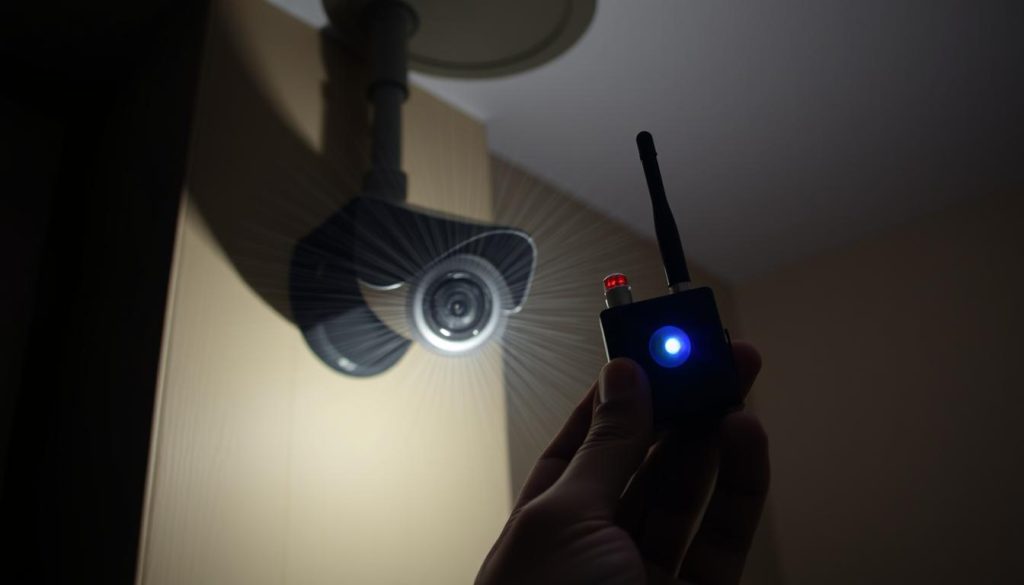
Security cameras play a crucial role in protecting homes and businesses. However, wireless surveillance systems face risks from signal interference. In Singapore, reports indicate a rise in tech-savvy criminals exploiting these vulnerabilities. Unlike wired setups, wireless cameras rely on stable signals. Disruptions may indicate intentional interference. Reolink’s tamper-resistant designs offer one solution, but awareness remains key. Singaporean law strictly prohibits signal jamming. Offenders face severe penalties. Understanding detection methods, such as RF detectors, helps differentiate jamming from technical issues. Key Takeaways Wireless surveillance systems are more prone to interference than wired ones. Signal disruptions may indicate intentional jamming. Reolink cameras feature tamper-resistant technology for added security. Jamming devices are illegal under Singaporean law. RF detectors help identify signal interference. Signs Your Security Camera Might Be Jammed A sudden drop in video quality might signal more than just technical glitches. Wireless security cameras operate on vulnerable frequencies, making them prone to intentional interference. Research shows 30% of wireless disruptions stem from jamming attempts, often during high-risk hours like late nights. Sudden Loss of Internet Connection If your camera disconnects repeatedly, check router logs before blaming the ISP. Jammers emit signals at 2.4 GHz or 5.0 GHz—the same bands used by Wi-Fi routers and microwaves. This overlap can mimic routine connectivity issues but often follows predictable patterns, like outages during low-activity periods. Black Screens or Distorted Feeds Partial jamming may cause pixelation or static, unlike complete power failures. Thermal imaging can rule out hardware overheating. A 2022 Fresno, CA case revealed burglars used portable jammers, causing cameras to freeze only during break-in attempts—highlighting the need for pattern analysis. Unexpected Signal Drops Compare timestamps of disruptions with NCPC’s burglary timeline data. Criminals often strike when signals drop for 5–10 minutes. For wired systems, such symptoms likely indicate tampering rather than jamming. Diagnostic checklist: Verify router status, test alternate devices, and note outage times. Use RF detectors to identify rogue 2.4 GHz signals near cameras. Update firmware to patch vulnerabilities exploited by jammers. Can Someone Legally Jam Your Camera in Singapore? Singapore enforces strict penalties for those caught disrupting surveillance signals. Under the Telecommunications Act, using jammers carries fines up to S$50,000 or 3 years’ imprisonment. The Media Development Authority (MDA) actively monitors unauthorized frequency interference. Laws Surrounding Jamming Devices Section 15 of Singapore’s Radio-communication Regulations explicitly bans devices that block signals. A 2023 case involving a luxury store on Orchard Road led to convictions after thieves used portable jammers. Insurance claims may be voided if illegal interference is proven. Conviction rates: Physical tampering cases outnumber jamming incidents 4:1. Enforcement: MDA conducts random spectrum scans in high-risk areas. Approved frequencies: IMDA allocates specific bands for legal surveillance systems. Risks of Wireless vs. Wired Systems Wireless security systems face higher jamming risks due to open signal transmission. Wired alternatives require physical access to disable, making them less vulnerable to remote attacks. However, 62% of Singaporean businesses still prefer wireless setups for flexibility. “Signal interference differs from hacking—jammers overwhelm frequencies, while hackers exploit software flaws.” IMDA Technical Advisory (2023) For optimal protection, combine encrypted wireless cameras with wired backups. Regular audits of signal strength and firmware updates further reduce vulnerabilities. Preventive Measures to Shield Your Cameras from Jamming Proactive security measures can significantly reduce the risk of camera jamming. Wireless security systems are vulnerable, but strategic upgrades enhance their effectiveness. Start by assessing your network’s weak points and implementing layered defenses. Strengthening Network Encryption and Passwords Weak encryption invites interference. WPA2 protocols reduce jamming success by 68%, while Reolink’s 256-bit AES standard adds military-grade protection. Always: Replace default passwords with complex, unique combinations. Disable WPS (Wi-Fi Protected Setup) to prevent brute-force attacks. Segment networks to isolate cameras from other devices. Using Wired Systems or Signal Boosters For critical areas, wired setups eliminate wireless vulnerabilities. Cat6 cables or fiber optics provide stable connections, though installation costs vary. If wireless is unavoidable, signal boosters extend coverage and counteract interference. Place boosters midway between routers and cameras for optimal range. Cloud-based systems, like Reconeyez, detect outages 40% faster by analyzing signal patterns. Regular Firmware Updates and System Audits Outdated firmware exposes cameras to exploits. Enable automatic updates or follow brand-specific schedules—Reolink pushes patches monthly. Complement updates with audits: Weekly checks for unusual signal drops or unauthorized access. Monthly reviews of encryption settings and physical tampering signs. “A multi-layered approach—encryption, hardware redundancy, and vigilance—is the gold standard for jamming prevention.” IMDA Technical Advisory (2023) How to Respond to a Suspected Jamming Attack When your surveillance feed suddenly cuts out, swift action can prevent security breaches. Begin by differentiating between technical glitches and intentional interference. A structured approach ensures you collect critical evidence while minimizing downtime. Immediate Steps: Verify and Document First, inspect cameras for physical tampering—loose cables or repositioned lenses. Check router logs for unusual activity, like repeated disconnections at odd hours. Over 72% of jamming incidents involve prior signal testing, making logs vital. Follow this decision tree: Network issue: Reboot routers and test alternate devices. Hardware check: Swap cables or power sources. Jamming suspicion: Use an RF detector or spectrum analyzer (rentable at electronics stores in Singapore). When to Contact Authorities Report incidents to the Singapore Police Force (SPF) if disruptions align with burglary patterns or involve potential threats. Provide: Timestamped signal logs from NVR/DVR systems. Video footage showing abrupt feed loss. RF detection results indicating rogue frequencies. For high-security facilities, activate emergency protocols like backup security systems. CSA-approved cybersecurity firms can assist with forensic analysis—required for PDPA-compliant evidence handling in court. “Delayed reporting reduces conviction chances. Preserve metadata—it’s often the smoking gun.” SPF Tech Crime Division (2023) Map local police contacts by district for rapid response. Central Division (Orchard Road area) handles tech crimes frequently, while suburban districts may require escalated referrals. Advanced Tools to Detect and Counter Jammers Detecting unauthorized signal interference requires specialized tools and knowledge. From handheld RF detectors to enterprise-grade cloud systems, modern technology offers robust defenses against jamming attempts. Below, explore the most effective solutions for securing your surveillance network. RF Detectors

How do you know if someone is jamming your camera? A Step-by-Step Guide Read More »