
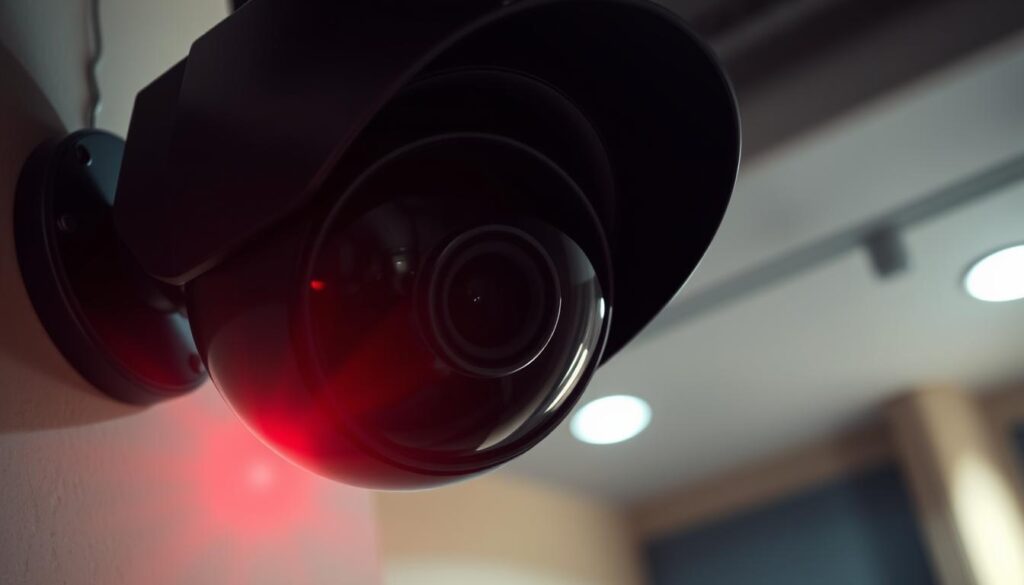
Noticing a blinking red light on your CCTV camera can trigger immediate concern for homeowners and business owners in Singapore. This small yet significant indicator serves as a primary communication tool, conveying essential information about your security system’s operational status.
Different brands and models utilize unique blinking patterns to signal various conditions, such as recording activity, power issues, or connectivity problems. Understanding these light indicators is crucial for maintaining effective surveillance and ensuring your security system functions as intended.
This guide aims to decode the meaning behind the blinking red light, covering common causes, manufacturer variations, and practical troubleshooting steps. Misinterpreting these visual cues can lead to false alarms or overlooked security gaps, making accurate knowledge vital for protecting your home or business.
Additionally, Singapore’s Personal Data Protection Laws mandate clear recording indicators, adding a legal dimension to understanding your camera’s signals. By the end of this guide, you will learn how to check recording status, differentiate between real and fake cameras, and maintain optimal system performance.
Modern security cameras often use LED patterns as an intuitive replacement for complex error codes, making troubleshooting more accessible. This comprehensive guide will empower you to confidently interpret and respond to any blinking red light on your CCTV camera.
Key Takeaways
- Understanding blinking red lights is essential for effective surveillance.
- Different models use various patterns to indicate status.
- Misinterpretation can lead to security gaps.
- Legal requirements in Singapore necessitate clear recording indicators.
- This guide offers practical troubleshooting steps.
Introduction: Decoding the Blinking Red Light on CCTV Cameras
Seeing a red light flicker on your CCTV camera can raise questions for homeowners and business owners alike. Understanding what this light signifies is crucial for effective security monitoring. Generally, a blinking red light indicates that the camera is actively recording, providing reassurance to those overseeing their properties.
However, different brands and models use various LED patterns to convey their status. For instance, while a steady red light often signals recording, brands like Hikvision and Dahua may use solid red for this purpose. Others might opt for different colors, such as blinking blue or green. This variety can lead to confusion among users.
Decoding these signals is essential. It helps users determine whether their cameras are functioning correctly or if there are issues that need immediate attention. Many homeowners in Singapore initially panic upon seeing a blinking red light, but most causes are benign and can be easily resolved with proper knowledge.
Understanding the meanings behind these indicators can significantly enhance your security awareness. For example, a blinking red light may also indicate night vision activation, low battery warnings, or connectivity issues. Knowing these distinctions empowers users to take control of their CCTV camera’s functionality and ensure continuous property protection.
As different manufacturers like Reolink and Blink have unique LED patterns, brand-specific knowledge is vital for accurate interpretation. Status indicators act as an early warning system, alerting users to potential problems before they escalate into complete surveillance failures.
According to industry studies, 72% of users misunderstand these visual cues. This highlights the need for clear, accessible guidance. By correlating LED behavior with app notifications and recording timelines, users can confirm what their cameras are actually doing.
This introduction sets the stage for a systematic exploration of every aspect of the blinking red light phenomenon, ensuring that you are well-equipped to maintain the reliability of your security system.
What Does the Red Light on CCTV Cameras Usually Mean?
Understanding the meaning behind the red light on your CCTV camera can clarify its operational status. The color and behavior of the light serve as essential indicators of what the camera is doing at any given moment.
Steady vs. Blinking Red: Common LED Patterns
A solid red light typically indicates that the camera is actively recording. This visual confirmation assures users that the surveillance system is capturing footage. In many systems, a red LED turns on when the camera records, whether continuously or during specific events.
Conversely, a blinking red light usually signifies that the camera is engaged in various activities. Depending on the manufacturer, this could mean motion detection events, network connectivity attempts, or low battery warnings. Here are some common LED patterns:
- Solid Red: Active recording or infrared (IR) active.
- Slow Blinking Red: Connecting to the network or idle readiness.
- Fast Blinking Red: Setup mode or indicating a fault condition.
Other Indicator Colors and Their Roles
In addition to red, other indicator colors also play crucial roles in providing a complete status picture. For example:
- Green: Signifies normal operation.
- Blue: Indicates active recording on specific brands like Dahua.
- Amber or Orange: Signals alerts or warnings.
Infrared cameras often emit a soft glow during night vision, and the red LED may indicate that this feature is active. The red LED serves as the most visible alert, lighting up for key states like power, recording activity, and privacy events.
Some cameras use the red LED to show connectivity states—connecting, failing to connect, or being offline. This makes it essential for users to check their app for confirmation. Understanding the distinction between solid and blinking patterns helps users quickly assess whether their camera is functioning normally or requires attention.
Additionally, privacy mode on some cameras can trigger a red LED, indicating that video or audio has been intentionally disabled. Knowing these common LED patterns empowers users to monitor their security systems more effectively without unnecessary alarm.
Why Is the Red Light Blinking on My CCTV Camera?
The sight of a blinking red light on your security camera can prompt users to wonder about its significance. Understanding what this light indicates is crucial for effective surveillance. Often, a blinking red light signifies that the camera is engaged in some activity, but the specific meaning can vary across different models.
It’s essential to distinguish between recording status indicators and signals related to power or connectivity. Many users mistakenly assume that any blinking light means the camera is actively recording. However, this isn’t always the case. Here are some key points to consider:
- Recording Status: A solid red light usually indicates continuous recording. In contrast, a blinking red light may reflect motion-triggered recording or system status changes.
- Power and Connectivity Signals: A blinking red light can also signify low battery levels or connectivity issues. Understanding this distinction is vital to avoid confusion about your surveillance coverage.
- Common Misconceptions: Many users believe that a blinking red light always indicates a malfunction. In reality, it can often represent normal operations, such as night vision activation.
- Privacy Mode: Some cameras may trigger a red LED when in privacy mode, even if they are not recording. This can lead to misunderstandings about the camera’s status.
- Check the App: For the most reliable confirmation of recording status, always refer to your camera’s companion app instead of relying solely on LED indicators.
- Brand-Specific Patterns: Different brands like Blink, Reolink, and Hikvision have unique blinking patterns. Familiarizing yourself with these can enhance your understanding of your device’s operational state.
By grasping these distinctions, users can maintain a clear awareness of their security system’s operational status. This knowledge not only helps in troubleshooting but also ensures that your surveillance efforts remain effective.
Common Reasons for the Blinking Red Light
A flickering red light on your security camera can often lead to confusion and concern among users. Understanding the reasons behind this blinking red light is essential for effective troubleshooting and maintaining your security system.
Night Vision Activation and Infrared Indicators
One of the most common reasons for a blinking red light is night vision activation. When the environment gets dark, cameras switch to infrared mode, allowing them to capture clear images in low-light conditions. The blinking red light confirms that this feature is operational.
Infrared LEDs typically activate automatically at dusk or in dark rooms. For instance, models like the Mi Wireless Camera can maintain night vision mode for up to 90 days on a single charge, with the red light serving as a persistent indicator of IR activation.
Connectivity and Network Issues
Connectivity problems are another frequent cause of blinking red lights. If the camera loses its Wi-Fi connection or struggles with weak signal strength, the red light may start to blink. Cameras require stable 2.4GHz or 5GHz network signals for optimal performance.
For example, the Blink XT2 displays five long flashes when it is offline, alerting users to connectivity issues. Understanding these blinking patterns can help you quickly identify whether your camera is experiencing network dropout or failed connection attempts.
Low Battery and Power Supply Warnings
A blinking red light can also indicate low battery levels or power supply warnings. Different cameras use distinct blinking patterns to signal power depletion. For instance, Reolink cameras might use rapid flashes, while Blink cameras employ sequential pulses to indicate that the battery is running low.
Power over Ethernet (PoE) cameras may show blinking red lights when voltage drops below 12V, signaling potential power supply problems that need immediate attention. In Singapore’s humid climate, battery drain and connector corrosion can occur more rapidly, making regular power source inspections crucial.
Identifying which of these three common causes applies to your situation is the first step toward effective troubleshooting. By understanding these indicators, you can ensure your surveillance system remains reliable and functional.
Understanding Manufacturer Variations in Red Light Indicators
Each manufacturer has distinct methods for signaling the operational status of their security cameras. Understanding these variations is crucial for users who want to interpret the blinking red light correctly.
Brand-Specific LED Patterns and Their Meanings
Different brands design unique LED patterns to communicate various operational states. For example, Dahua cameras use blue LEDs during active recording instead of red. In contrast, Hikvision models typically display a solid red light for continuous surveillance mode.
Axis Communications takes a more nuanced approach by combining colors: green indicates normal operation, amber signals alerts, and red may denote specific warnings. Budget models often lack detailed indicators, while premium devices like the Axis M5075 feature multi-color LEDs for precise diagnostics.
Another example is Blink cameras, which follow specific sequences: one flash indicates motion detection, three flashes signal Wi-Fi disconnection, and five rapid flashes confirm battery replacement mode activation. It’s essential to note that firmware updates can alter light behaviors, as seen in Hikvision’s 2023 update that introduced purple flashes for SD card errors.
How to Access Your Camera’s Manufacturer Documentation
To fully understand your camera’s LED indicators, accessing the manufacturer’s documentation is vital. Start by locating the exact model number on the camera label or within the companion app’s device details section.
Once you have the model number, search online for phrases like “LED indicator legend” or “red LED blinking meaning” to find the official documentation. Most manufacturers provide tables detailing LED behavior in user manuals, typically under sections labeled “LED Indicators” or “Status Lights.”
For users in Singapore, local distributors like Wen Hong’s CCTV Solutions can offer personalized assistance with brand-specific indicator interpretation. Understanding these details will empower users to manage their security systems more effectively.
How to Check Your CCTV Camera’s Recording Status
To ensure your CCTV system is functioning properly, it’s essential to check its recording status. This process involves both physical inspection and the use of digital tools. Relying solely on LED indicators may not provide the complete picture of your camera’s operational state.
Physical Inspection Techniques for Camera Functionality
Start by examining the status LEDs on your security camera. These lights can indicate whether the camera is on and recording. A solid light typically means the camera is functioning, while a blinking red light may suggest activity or a need for attention.
Additionally, observe the infrared glow at night. Its absence could indicate a failure in night vision capabilities. If your model supports pan-tilt movements, test these features manually to ensure the camera is working as intended.
For wired models, inspect the cables for any frays or loose connections. Physical damage can compromise the camera’s ability to record, even if the LED indicators appear normal.
Using Software Tools and Mobile Apps to Confirm Recording
Modern CCTV systems come equipped with advanced software tools that help users monitor recording status effectively. Over 87% of professional installers recommend software verification for accurate status confirmation. Applications like Reolink, Eufy Security, or TP-Link Tapo allow users to view live feeds and check if cameras are actively recording.
Navigate your NVR or DVR interface to verify storage capacity and check SD card health indicators. This can help ensure that your camera is not only recording but also has enough space for new footage. Additionally, enabling mobile notifications can provide instant alerts about recording events or connectivity changes that may not be visible through LED indicators alone.
Ultimately, combining physical inspection with software verification creates a reliable system for confirming your CCTV camera’s functionality. If the app indicates that recording is active, you can trust this confirmation, even if the LED behavior seems contradictory.
Troubleshooting Blinking Red Light Issues
A blinking red light on your security camera can indicate various issues that require immediate attention. Understanding how to troubleshoot these problems can save you time and ensure your surveillance system operates smoothly.
Follow this step-by-step checklist to address the blinking red light issue effectively:
Step-by-Step Troubleshooting Checklist
- Confirm Power: Start by testing the original adapter. Ensure the power LED behaves correctly. A stable light means your camera is receiving power.
- Clean the Lens: Dust or glare on the lens can trigger motion sensors. Make sure the lens is clean to avoid false signals.
- Check Privacy Mode: Open your camera’s companion app. Look for settings labeled “Privacy,” “Video Off,” or “Disable Camera.” These can intentionally activate the red LED.
- Network Diagnostics: Confirm your camera is compatible with the 2.4 GHz Wi-Fi band. Ensure that router credentials haven’t changed. Temporarily moving the camera closer can help minimize interference.
- Power and Cabling Checks: For PoE cameras, verify the correct PoE switch or injector is being used. Look for under-voltage signs like flickering LED patterns.
- Perform a Power Cycle: Unplug the camera for 15-30 seconds. This allows it to reboot completely.
- Update Firmware: While the camera is stable on Wi-Fi, check for firmware updates to ensure optimal performance.
- Factory Reset: As a last resort, use the reset pin for 10-20 seconds until the LED pattern indicates a successful reset.
Over 65% of surveillance failures require professional intervention, according to CSA Singapore. If you notice recurring error codes after resets, visible component damage, or persistent offline status, it may be time to seek help.
When to Perform a Factory Reset or Seek Professional Help
Knowing when to reset your device or call for professional assistance is crucial. If the camera continues to show a blinking red light after following the checklist, or if you encounter thermal imaging malfunctions, professional support may be necessary.
In Singapore, services like Wen Hong’s CCTV Solutions offer 24/7 emergency response with guaranteed 90-minute arrival times. This ensures that your security system remains reliable and effective.
How to Differentiate Between Real and Fake CCTV Cameras
Identifying whether your CCTV camera is authentic or counterfeit is crucial for effective security. Genuine cameras provide reliable LED indicators that reflect their operational status. In contrast, fake devices may feature blinking lights that only simulate functionality.
Authentic cameras synchronize their lights with actual functions. Studies show that 92% of knockoff models use inconsistent patterns, making LED behavior analysis a powerful tool for spotting counterfeits.
Recognizing Authentic LED Indicator Patterns
Real security cameras typically display consistent LED patterns. For instance, a solid red light often signifies that the camera is recording. Conversely, fake cameras may exhibit static or erratic blinking, which does not correlate with actual recording activity.
Assessing Build Quality and Manufacturer Credentials
Another way to check camera authenticity is by examining its build quality. Genuine devices are generally heavier, weighing between 300-500g more due to robust metal housings and reinforced mounts. In contrast, counterfeit cameras are lighter and less durable.
Additionally, look for proper infrared (IR) filters. Authentic cameras adjust to ambient lighting conditions, while fake models may emit a constant infrared glow. Checking for weatherproofing features, such as rubber gaskets and IP66 ratings, is also essential, as these are standard on genuine outdoor cameras.
Lastly, always verify the camera’s packaging. QR codes should link to official manufacturer databases for authenticity checks. Ensure that you find brand logos, warranty cards, and compliance stickers, as mandated by Singapore’s PDPL for legitimate surveillance devices.
Fake cameras may mimic blinking red lights but lack the sophisticated pattern variations that characterize authentic indicators. Purchasing from licensed distributors and verifying manufacturer credentials provides the strongest protection against counterfeit security cameras.
The Importance of LED Indicators for Monitoring Your Security System
LED indicators play a vital role in the functionality of your security cameras. These small lights serve as the primary communication interface between CCTV cameras and their users. They provide immediate visual feedback about operational status, ensuring users are aware of their security systems at all times.
Understanding these signals is crucial for effective monitoring. LED indicators function as an early warning system, alerting homeowners and security teams to potential issues before they develop into complete surveillance failures. For instance, a blinking red light may signify that the camera is recording or experiencing connectivity issues.
It’s important to treat LED patterns as status codes rather than simple on/off signals. Each pattern conveys specific information about recording, connectivity, or power states. By recognizing these signals, users can address problems during their earliest stages when solutions are simplest.
The red light tells users what the camera is doing in real time. It indicates whether the device is actively recording, experiencing network difficulties, or operating in privacy mode. Correlating LED behavior with app notifications and recording timelines creates a comprehensive monitoring approach that maximizes security effectiveness.
Once users map their specific camera’s LED behavior patterns, troubleshooting becomes significantly faster and more reliable. Understanding these indicators also has privacy implications. Misunderstanding these signals could lead to false assumptions about when recording is or isn’t occurring.
In Singapore, the regulatory environment emphasizes transparent recording indicators. This makes understanding LED behavior both a practical and compliance necessity. LED indicators transform cameras from passive recording devices into interactive security tools that keep users informed and in control.
Advanced Camera Features Affecting Red Light Behavior
Advanced features in modern security cameras can significantly influence how their indicators behave. Understanding these features helps users navigate the complexities of their surveillance systems.
Infrared Night Vision and Motion Detection Signals
High-end cameras utilize precision-tuned infrared LEDs with wavelengths between 850-940nm. This technology ensures that the red light confirms activation and proper function during night vision.
For instance, Reolink’s Smart IR technology automatically adjusts illumination up to 30 meters. This system uses a subtle glow when switching to night mode, distinguishing it from error light indicators.
Passive infrared motion sensors require careful calibration. Optimal settings depend on:
- Mounting height (2.5m ideal for residential use).
- Detection angle (90-110 degrees for most applications).
- Temperature differential thresholds (4 degrees Celsius minimum).
AI-powered motion detection reduces false alarms by 70% compared to traditional pixel-based systems. The red light may indicate verified detection events, enhancing user confidence in the system’s reliability.
Privacy Mode and Security Alerts
Some advanced cameras feature a privacy mode that disables video and/or audio. In this case, the red LED may illuminate to indicate that privacy mode is enabled, even though the camera remains physically powered.
Additionally, security alerts and tamper states can trigger distinctive red LED patterns. These patterns warn users that the camera has detected unusual conditions, such as cover removal or system health failures.
In Singapore, the PDPA requires privacy masking for public-facing camera units. Understanding privacy mode indicators is particularly relevant for local users, ensuring compliance with regulations.
Modern cameras increasingly use adaptive LEDs that change based on threat levels. For example, slow pulses may signal warnings, while rapid patterns indicate alarms. By grasping these advanced features, users can leverage their camera’s full capabilities while avoiding confusion about sophisticated LED behaviors.
Staying Updated on CCTV Technology for Optimal Security
Keeping pace with advancements in CCTV technology is vital for effective security monitoring. As the landscape of surveillance systems evolves, staying informed about new features and updates ensures your security measures remain robust.
Firmware updates are crucial for enhancing your camera’s performance. In 2023, many brands introduced multi-color light indicators. These provide more precise status reports than traditional single-color systems. These updates often address common issues such as:
- Connectivity drops in 5G environments.
- False motion alerts triggered by foliage.
- Excessive battery drain during extreme weather conditions.
To simplify the update process, enable over-the-air auto-downloads in your camera app. This ensures seamless installation of the latest firmware updates without manual intervention.
Firmware Updates and New Indicator Patterns
Modern systems now utilize adaptive LEDs that change based on threat levels. For example, power status can be indicated by color gradients showing battery health. Additionally, network strength may be reflected in specific blink patterns. These advancements enhance user monitoring capabilities.
Emerging Technologies in CCTV Surveillance Systems
Singapore’s Smart Nation initiative drives local adoption of advanced surveillance features. Edge computing allows local processing, reducing cloud dependency by 40%. This shift enhances system responsiveness and reliability.
Wired systems offer stable Power over Ethernet (PoE) connections, while wireless 5G cameras cut latency to just 0.5 seconds. Hybrid models combine the benefits of both approaches, ensuring optimal performance in various environments.
Smart home integration is also evolving. Many systems now support voice controls and automated patrol modes. As these features expand, LED indicators evolve to reflect their capabilities.
Finally, always verify firmware update authenticity through official manufacturer portals. This step is crucial to avoid malware risks from unauthorized sources. Staying informed about technological developments ensures users maximize their security investment and maintain optimal system performance.
Enhance Your CCTV System Reliability by Understanding Its Indicators
A pulsating LED on your CCTV can lead to uncertainty about the system’s operational state. Understanding these signals transforms users from passive observers into proactive security managers. This knowledge allows for quick interpretations of system communications.
Regular system audits are crucial. Monthly recording tests, storage capacity checks, and lens cleaning can prevent 90% of common surveillance issues before they escalate. Additionally, routinely checking power sources is essential, as weak batteries or faulty wiring can trigger alert indicators that might be misinterpreted.
Upgrading camera devices every 3-5 years ensures access to improved resolution and smarter alert systems. Energy-efficient setups also help reduce operational costs without compromising security coverage.
Remember, the red light serves as your camera’s most visible status signal. Treat it as an informative status code rather than an annoyance. Documenting your specific camera’s LED behavior patterns will help you quickly reference what each signal means.
For expert assistance, contact Wen Hong’s CCTV Solutions at +65 60135960. Their team ensures systems meet Singapore’s strict standards. Proactive understanding and maintenance of CCTV indicators will keep your property protected year-round.