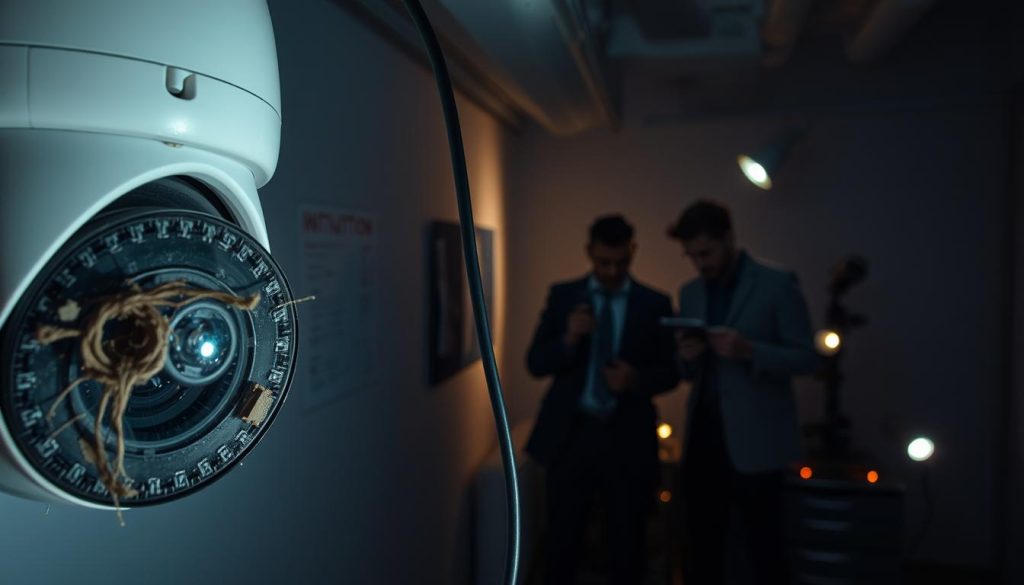
Why Do Security Cameras Go Bad? Fixes & Solutions
Your surveillance system provides peace of mind. But when cameras stop working, that feeling of safety disappears. Video loss is a common headache for many property owners. It often signals deeper issues within your monitoring setup. Various factors cause these failures. Power supply glitches, network connectivity drops, and harsh weather conditions all play roles. Understanding these triggers helps maintain reliable protection. Regular check-ups and quality equipment choices make a big difference. This guide explores common malfunction reasons. It also offers practical solutions to keep your cameras running smoothly. Key Takeaways Surveillance equipment can fail unexpectedly, creating security gaps Video loss often indicates underlying system problems Power and network issues frequently cause camera malfunctions Environmental factors significantly impact camera performance Regular maintenance prevents many common surveillance issues Proper equipment selection enhances system reliability Timely troubleshooting extends camera lifespan Understanding Video Loss in Security Camera Systems The sudden absence of visual monitoring can leave properties exposed to risks. Recognizing early warning signs helps prevent complete system failure. Many property owners encounter video loss issues without understanding the underlying causes. Various symptoms indicate potential problems with surveillance equipment. These signs often appear before complete failure occurs. Early detection saves time and maintains protection. Common Symptoms of CCTV Malfunction Several clear indicators signal video feed issues. Black screens represent complete transmission failure. This means no visual data reaches your monitoring station. Flickering images suggest intermittent connection problems. Power fluctuations often cause this unstable performance. The feed appears and disappears unpredictably. Complete absence from specific units indicates individual camera failures Warning messages about no signal require immediate attention Regular monitoring helps identify these symptoms early Static or distorted visuals typically indicate transmission problems. Signal interference creates these frustrating display issues. The footage becomes unusable for security purposes. Different Forms of Surveillance Video Failure Video interruption manifests in multiple ways. Complete signal loss shows as blank screens. Partial interruptions display fragmented images. Degraded image quality often precedes complete failure. This gradual deterioration signals underlying system issues. Some units appear operational but fail to record. This suggests storage or configuration problems. The system seems functional but provides no historical data. Understanding these failure modes enables targeted troubleshooting. Different symptoms point to specific underlying causes. This knowledge helps maintain reliable surveillance coverage. For comprehensive protection, consider how CCTV cameras record when they are switched to ensure continuous monitoring. Power Supply Problems: A Primary Cause of Camera Failure Power distribution issues rank among top surveillance failures. Without stable electricity, even advanced monitoring equipment becomes ineffective. Proper voltage maintenance ensures continuous protection. Identifying Insufficient Power Issues Several signs indicate power supply deficiencies. Intermittent operation suggests unstable electrical flow. Units may reboot randomly or show flickering images. Complete shutdowns often signal severe power problems. These outages leave properties vulnerable to security breaches. Voltage drops become noticeable during performance reviews. Common causes include: Loose cable connections reducing energy transmission Extended wiring runs causing voltage depletion Faulty adapters providing inconsistent electricity Overloaded systems unable to meet multiple demands Quick Fixes for Power-Related Camera Problems Immediate solutions restore monitoring functionality. Check all connections for tightness and corrosion. Singapore’s humid climate accelerates connection degradation. Replace damaged cables with shorter, higher-quality alternatives. This improves power delivery and reduces resistance. Test different outlets to identify distribution issues. For IP systems, direct NVR connections through PoE switches enhance reliability. These setups provide consistent power alongside data transmission. Regular adapter inspections prevent unexpected failures. Implementing these measures maintains uninterrupted surveillance. Consistent electricity flow ensures cameras operate at peak performance. Proper maintenance extends equipment lifespan significantly. Electrical Interference and Power Spike Damage Unseen electrical forces can silently compromise your surveillance effectiveness. These invisible threats often cause frustrating performance issues without obvious warning signs. Voltage irregularities and electromagnetic disturbances create significant challenges for monitoring equipment. Understanding these factors helps maintain reliable protection. Common Sources of Electrical Interference Various everyday devices generate disruptive energy patterns. Large motors and industrial machinery produce strong electromagnetic fields. Fluorescent lighting systems create consistent interference patterns. Wireless devices and radio transmitters add to signal disruption. These common sources cause specific problems: Image distortion and flickering in video feeds Complete signal loss during peak interference periods Random rebooting due to power fluctuations Improper grounding amplifies these issues significantly. Without proper earth connections, systems become more vulnerable. Lightning strikes represent extreme power surge events. These natural phenomena can permanently damage sensitive electronics. Protecting Cameras from Surges and Spikes Effective protection strategies prevent most electrical damage. Surge protection devices form the first defense layer. High-quality suppressors block disturbances before reaching cameras. They absorb excess voltage during spike events. Uninterruptible power supplies maintain operation during outages while stabilizing voltage fluctuations Proper installation techniques reduce susceptibility. Avoid placing equipment near metal surfaces and conductive materials. Regular testing ensures protection devices remain functional. Solar-powered options eliminate grid dependency concerns. These practical measures significantly enhance system reliability. They provide peace of mind during electrical storms and grid instability. Network Connectivity and Bandwidth Issues Modern surveillance depends heavily on stable internet access. When network reliability falters, your entire monitoring system suffers. These connectivity problems often manifest as frustrating video interruptions. Wireless setups face unique challenges compared to wired connections. Distance and physical obstacles create significant barriers. Understanding these limitations helps maintain consistent protection. WiFi Limitations Affecting Camera Performance Wireless cameras struggle with distance from routers. Signal strength diminishes significantly beyond certain ranges. This creates dead zones in larger properties. Physical barriers compound these issues. Concrete walls and metal structures block wifi signals effectively. Even furniture placement can impact transmission quality. Common interference sources include: Other wireless devices competing for bandwidth Neighboring networks operating on similar channels Microwave ovens and cordless phones disrupting signals Multiple cameras overwhelming available bandwidth Bandwidth congestion represents a silent threat to surveillance reliability. Too many devices sharing limited capacity degrades video quality substantially. Improving Signal Strength for Reliable Surveillance Strategic placement enhances connection stability. Moving equipment closer to routers often solves weak wifi connection problems. This simple adjustment improves performance immediately. Signal boosters extend coverage to problematic areas. These devices
Why Do Security Cameras Go Bad? Fixes & Solutions Read More »